1R Chat Button
| 开发者 | 1rsoft |
|---|---|
| 更新时间 | 2026年7月5日 14:42 |
| PHP版本: | 7.0 及以上 |
| WordPress版本: | 7.0 |
| 版权: | GPLv2 or later |
| 版权网址: | 版权信息 |
详情介绍:
- Phone
- Facebook Messenger
- Viber
- Telegram
- Line
- Signal
- VK
- KakaoTalk
- MAX Messenger
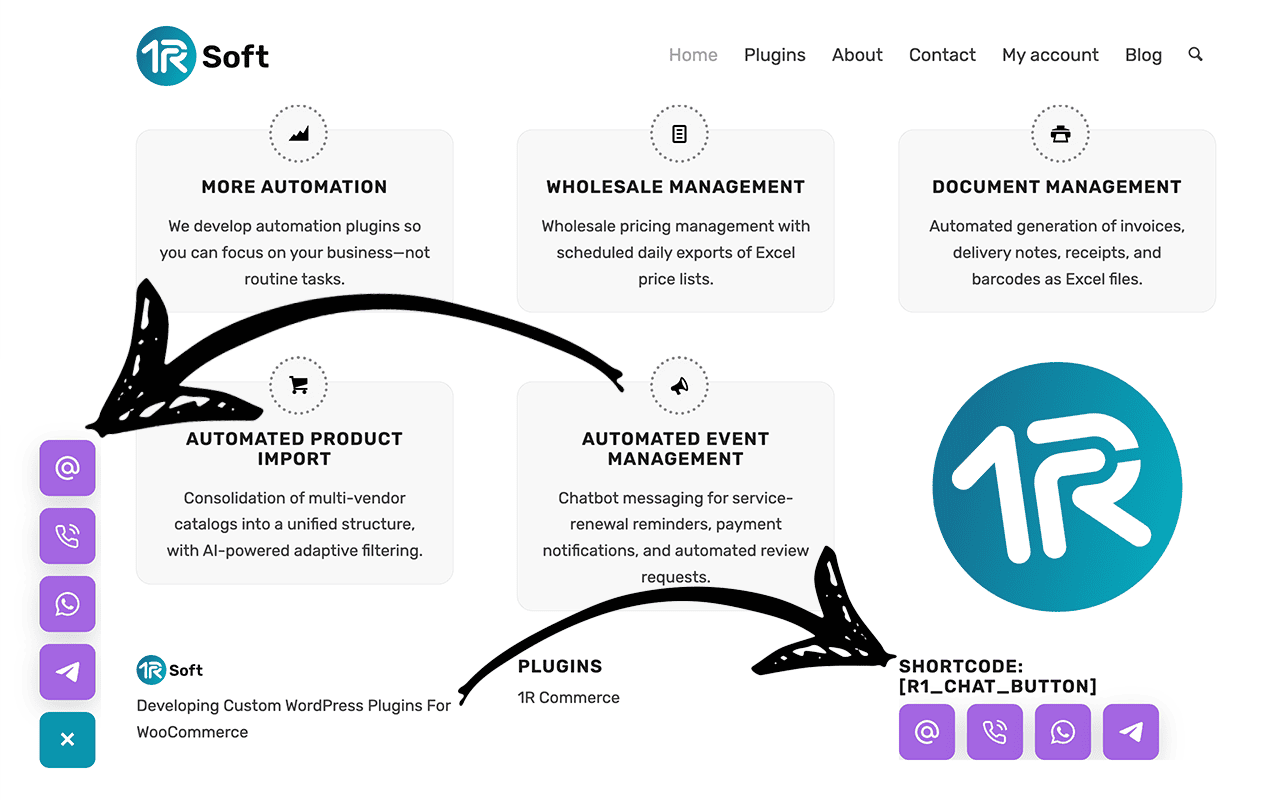
- Floating expandable contact button
- Individual enable or disable switch for each contact channel
- Drag and drop button sorting
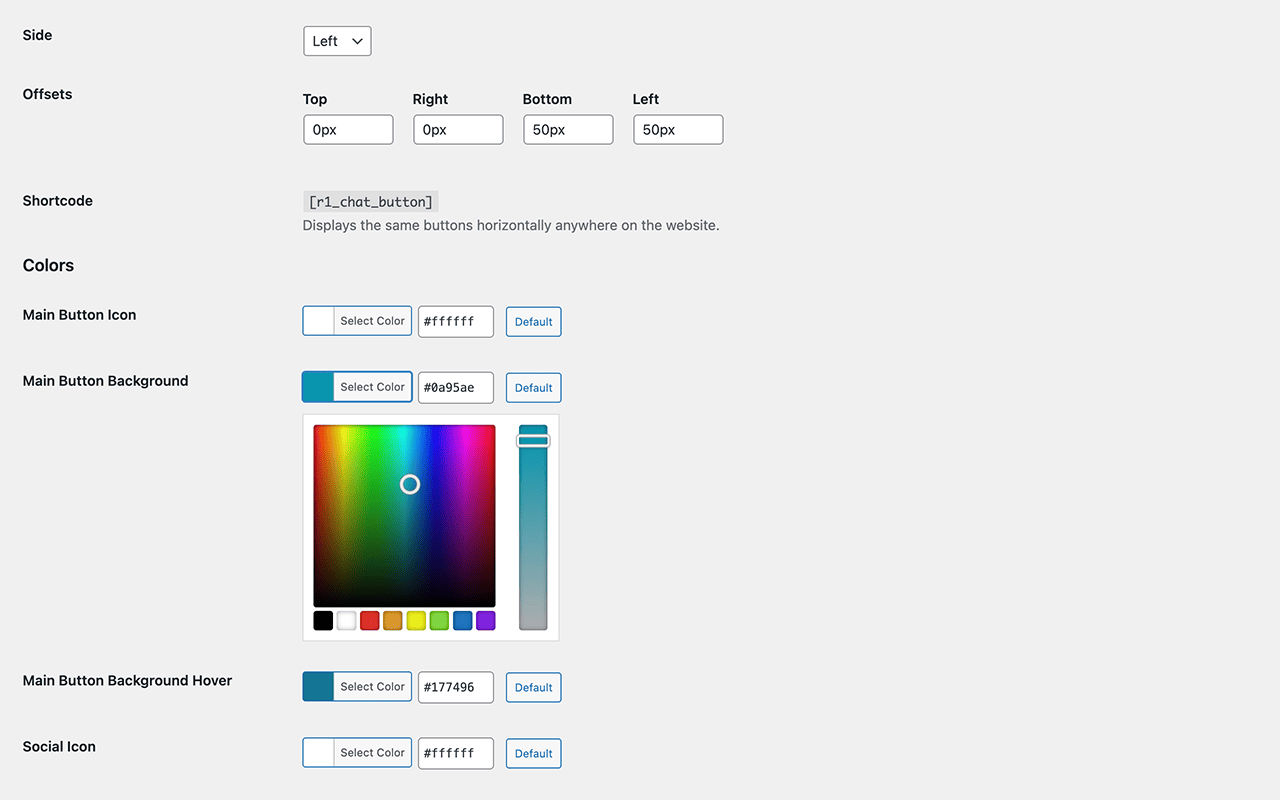
- Manual button positioning with top, right, bottom, and left offsets
- Color settings for the main button and contact buttons
- Border radius setting
- Optional pulse animation for the main button
- Shortcode support for inline output anywhere on the site
- Shortcode support inside contact link fields
- Lightweight frontend without third-party libraries
- No tracking
- No external API requests
- Simple admin settings page
- MAX Messenger button
- WhatsApp chat button
- Telegram button
- Facebook Messenger button
- Viber contact button
- KakaoTalk button
- Floating contact button
- Social contact button
[r1_chat_button]
Example:
[r1_chat_button direction="horizontal"]
You can use the shortcode to display the same contact buttons inside posts, pages, widgets, or template areas.
This plugin is an independent project by 1R Soft and is not affiliated with MAX Messenger, Telegram, WhatsApp, Facebook Messenger, Meta, Viber, Line, Signal, VK, WeChat, or KakaoTalk.
安装:
- Upload the plugin folder to
/wp-content/plugins/1r-chat-button/or install it through the WordPress Plugins screen. - Activate the plugin through the Plugins screen in WordPress.
- Open 1R Chat Button in the WordPress admin menu.
- Enable the buttons you want to use and enter your contact links.
- Save the settings.
屏幕截图:
常见问题:
Does the plugin collect any user data?
No. The plugin does not collect, store, or transmit personal data.
Can I disable individual buttons?
Yes. Each contact channel can be enabled or disabled separately.
Can I change the order of the buttons?
Yes. The settings page supports drag and drop sorting.
Can I change the button position?
Yes. You can choose the side and set manual offsets.
Can I change colors and button radius?
Yes. The plugin includes color controls and a border radius setting.
Does the plugin support shortcode output?
Yes. Use:
[r1_chat_button]
Can I use shortcodes inside contact link fields?
Yes. Contact link fields support shortcodes, for example:
[r1com field="phone"]
Can I add a MAX Messenger button?
Yes. Enable MAX Messenger in the settings and enter your MAX Messenger link.
Can I add a WhatsApp button?
Yes. Enable the WhatsApp channel in the settings and enter your WhatsApp link, for example:
https://wa.me/1234567890
Can I add a Telegram button?
Yes. Enable Telegram in the plugin settings and enter your Telegram link, for example:
https://t.me/username
Can I add a Facebook Messenger button?
Yes. Enable Facebook Messenger and enter your Messenger link, for example:
https://m.me/username
Can I add a Viber button?
Yes. Enable Viber in the settings and enter your Viber contact link.
Can I add a KakaoTalk button?
Yes. Enable KakaoTalk in the settings and enter your KakaoTalk open chat link, for example:
https://open.kakao.com/o/yourlink
Can I add multiple messenger buttons at the same time?
Yes. You can enable any combination of supported contact channels such as MAX Messenger, WhatsApp, Telegram, Facebook Messenger, Viber, KakaoTalk, and others.
Does the plugin work without external APIs?
Yes. The plugin does not require external APIs or third-party services. It simply opens the contact links you configure.
Does the plugin affect website performance?
No. The plugin is lightweight and loads minimal frontend assets without external libraries.
Is this an official plugin for any messenger platform?
No. This is an independent plugin developed by 1R Soft.
更新日志:
- Added shortcode support inside contact link fields
- Minor settings sanitization improvements
- Fixed compatibility with Elementor
- Minor compatibility fixes
- Minor bug fixes
- Minor bug fixes
- Initial release
- Floating expandable contact button
- Support for Email, Phone, WhatsApp, Facebook Messenger, Viber, Telegram, WeChat, Line, Signal, VK, KakaoTalk, and MAX Messenger
- Drag and drop button sorting
- Color controls and border radius setting
- Optional pulse animation for the main button
- Shortcode support