3task Post Order for Categories, Pages & Terms
| 开发者 | 3task |
|---|---|
| 更新时间 | 2026年11月14日 19:50 |
| PHP版本: | 7.4 及以上 |
| WordPress版本: | 7.1 |
| 版权: | GPLv2 or later |
| 版权网址: | 版权信息 |
详情介绍:
- Start in admin-only mode. Connect an archive or a selected Query Loop when ready.
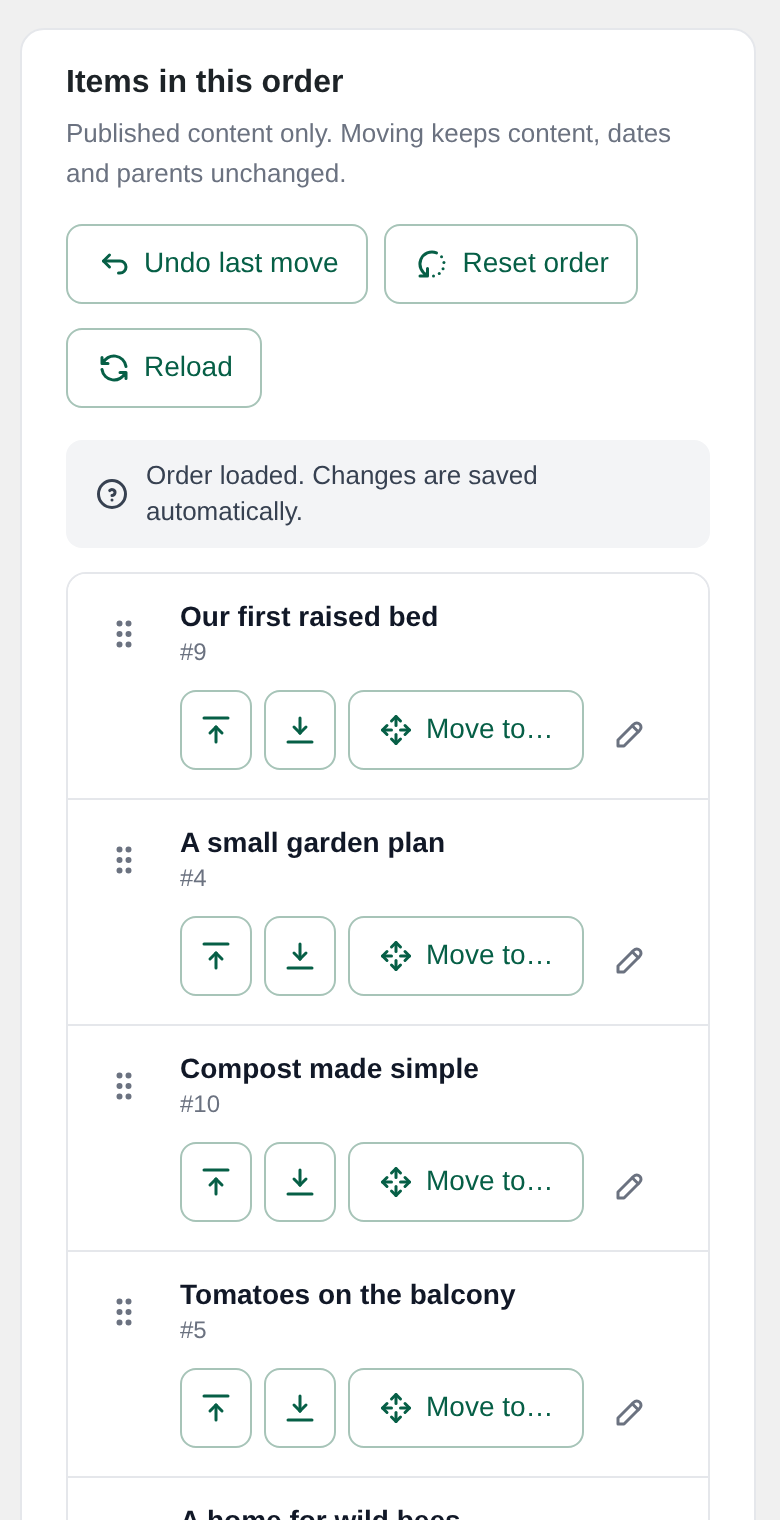
- Drag with a mouse or touch, or use Arrow Up and Arrow Down on the move handle.
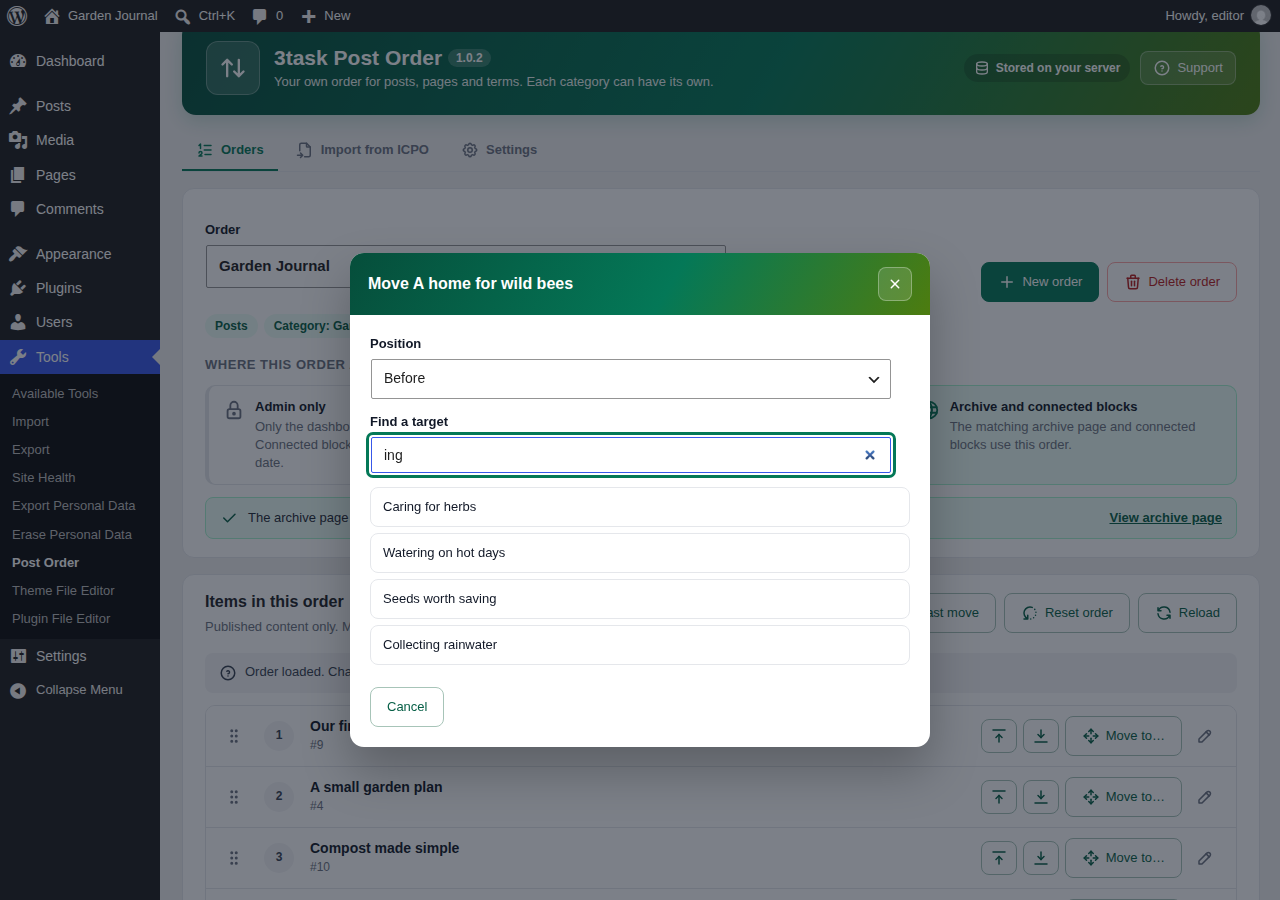
- Find a target across pages and move an item before or after it.
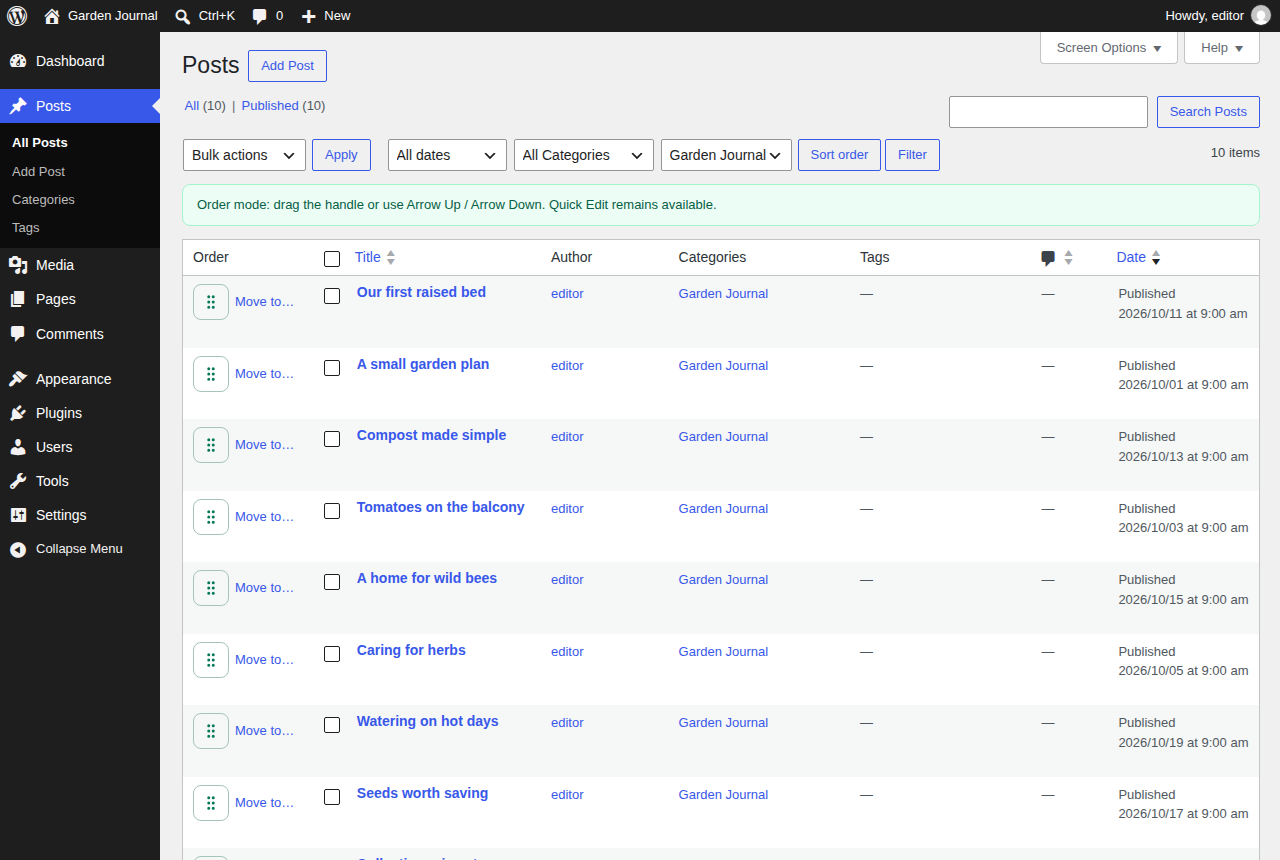
- Keep WordPress Quick Edit available in the native lists.
- Save with a confirmed server response. Revision conflicts prevent overwriting another editor's newer order.
- Undo the most recent move or reset. Reset affects only the selected context.
- Import local Intuitive Custom Post Order data with a preview, resumable preparation and a return path.
- No account, analytics, external service or bundled font required.
- Open Tools > Post Order and create an order for a content type, optional category, or a group of sibling terms.
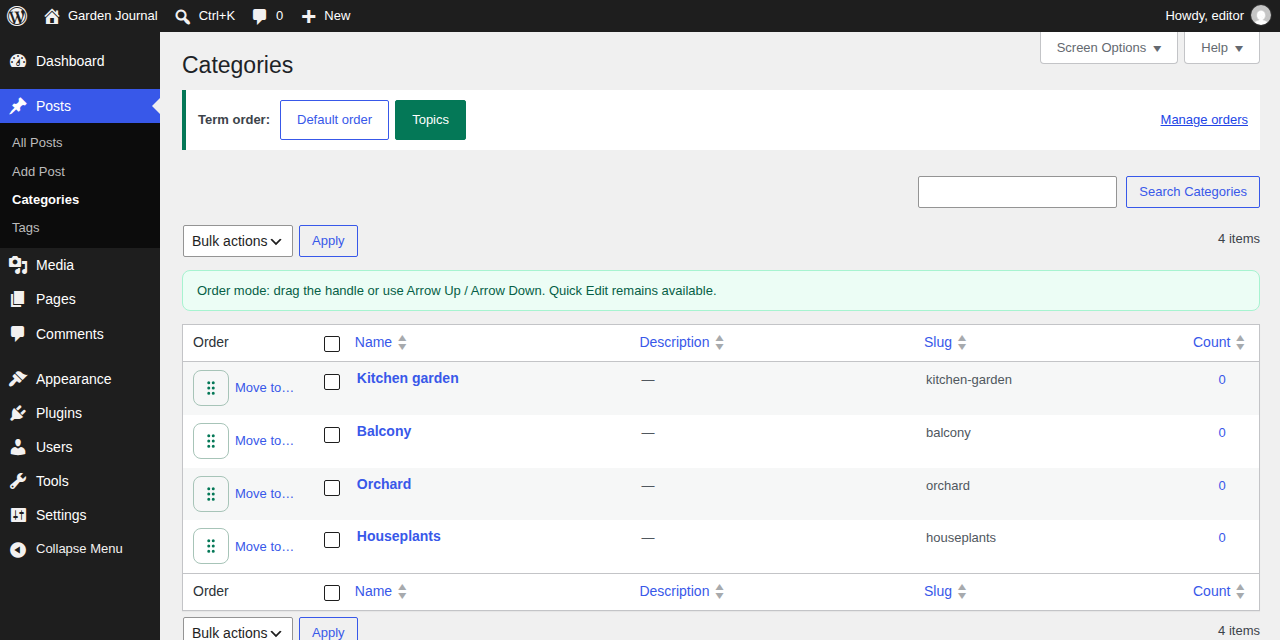
- Move items using the handle or Move to. Changes save automatically. You can also select the order in the native Posts or Pages list; taxonomy lists offer their available orders above the table.
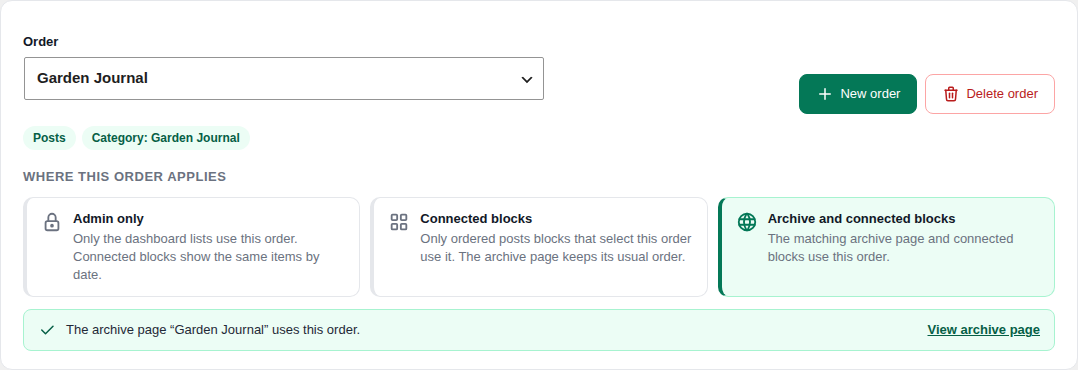
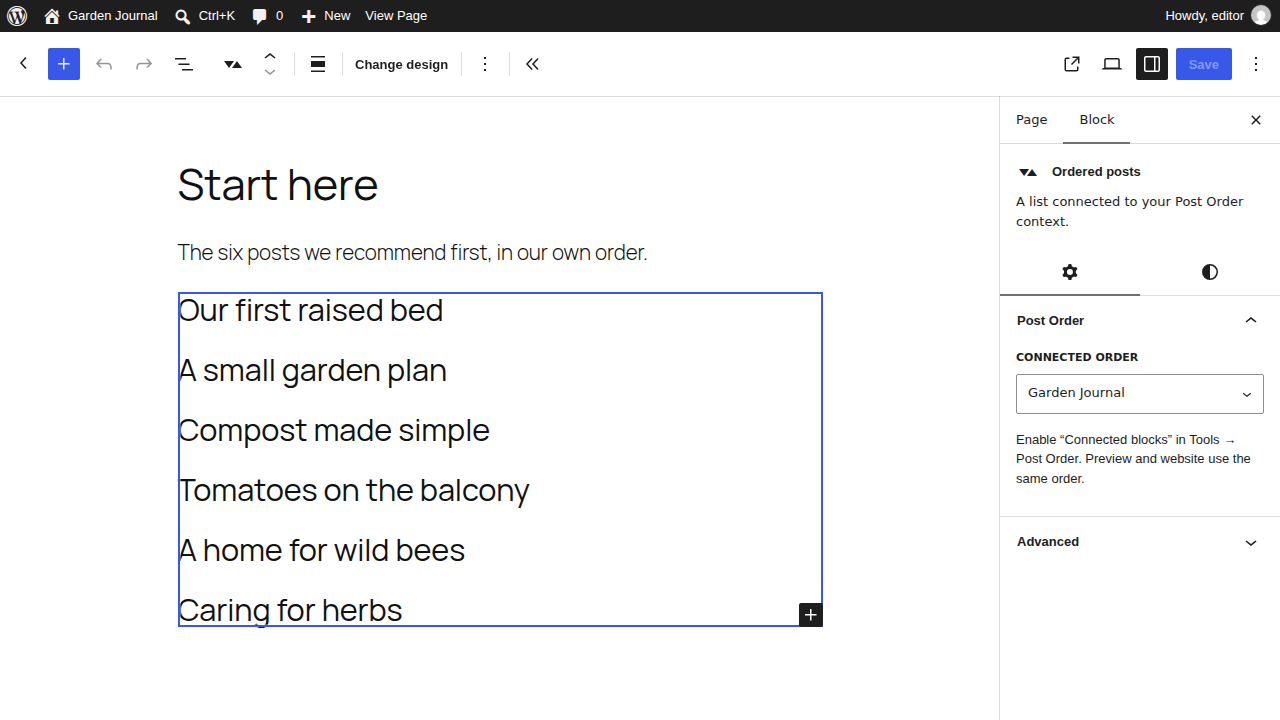
- Choose Admin only, Connected blocks, or Archive and connected blocks. Only Archive and connected blocks sorts the category or archive page itself; a line below the choice says whether that page uses the order and links to it. For a block, insert Ordered posts and select the connected order in its sidebar. The existing Query Loop provides the layout.
new WP_Query( array( 'post_type' => 'post', 'threepo_context' => 12 ) );
get_terms( array( 'taxonomy' => 'category', 'threepo_context' => 15 ) );
The context must allow public connections. Normal WordPress visibility rules still apply. The action threepo_order_changed( $context_id, $revision, $object_id ) runs after a confirmed commit. Page-cache integrations should purge the relevant public pages there; this plugin does not flush the entire site cache on every move.
Importing from ICPO
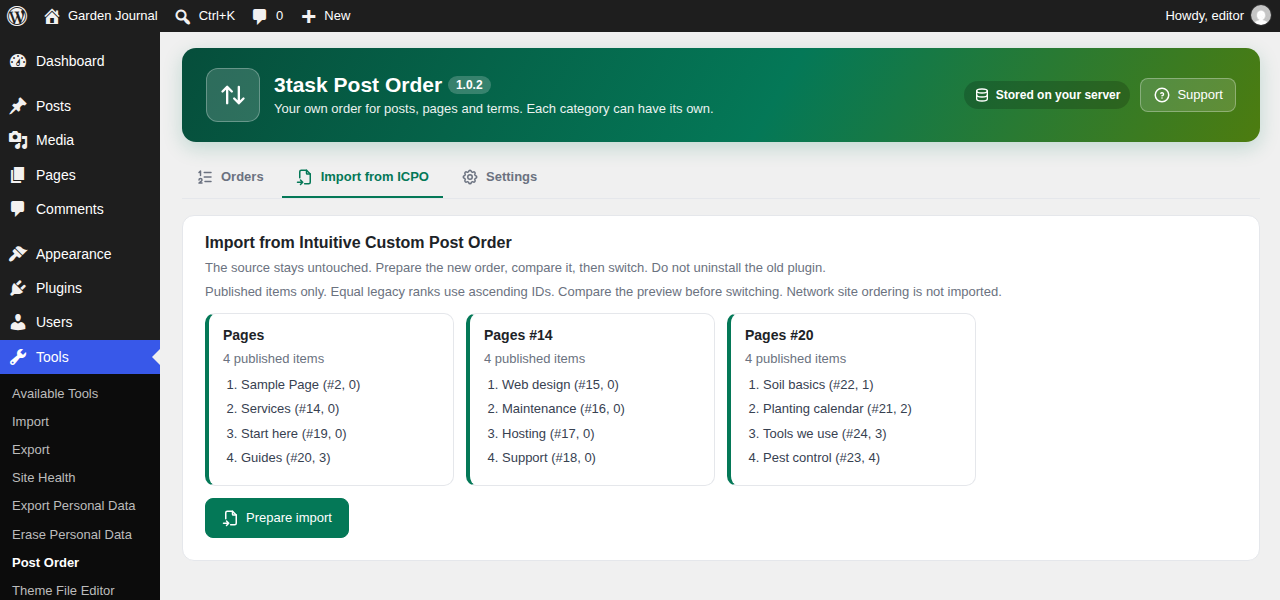
Keep the old plugin installed. Preview the configured local post types and taxonomies, prepare the import in batches, and compare the proposed order. Equal legacy ranks are resolved by ascending object ID. Only published content is imported. All sibling groups are kept separate.
Switching rechecks the source, deactivates Intuitive Custom Post Order and enables the prepared contexts. Database and plugin-activation steps are separate, with durable states so an interrupted operation can resume. If the source changed, return to the legacy order, discard unused preparation and preview again. Imported orders with newer manual changes are kept; returning to the legacy order requires a separate confirmation.
Returning disables the imported public connections and reactivates the old plugin if it was active at the switch. Source menu_order and term_order values are never overwritten. Do not uninstall ICPO as the first migration step: its uninstaller can remove shared database columns.
Requirements and limits
WordPress 6.9 or newer. PHP 7.4 syntax compatibility; use a currently patched PHP version for production. InnoDB tables and window functions are required: MySQL 8.0+ or MariaDB 10.6+. SQLite is not supported for ordering writes. Unsupported storage or an existing outer transaction causes writes to stop with an error.
Activate separately on each multisite site. Network-wide activation and network site ordering are not supported. Deinstallation honors the current site's explicit data-deletion setting; data on other sites remains. WPML, Polylang, commerce-specific ordering and individual page builders are not supported integrations in this version. Detected multilingual plugins block ordering writes.
At most 100 items per API response, normally 50 in the interface; search text up to 200 characters; mutation bodies up to 64 KiB. Import previews support up to 500 sibling groups. Undo is available only while its revision is current. Repeating an operation with its original UUID and payload does not apply it twice while its history record is retained.
安装:
- Upload and activate the plugin ZIP.
- Open Tools > Post Order. Activation creates only this plugin's tables and a cleanup event.
- Create a context. Existing public queries keep their order until you connect a context.
屏幕截图:
常见问题:
My category page still shows the old order. Why?
The order is probably set to Admin only or Connected blocks. Both leave the category page in its usual date order. Choose Archive and connected blocks under Tools > Post Order. The line below the choice confirms when the category page uses the order.
Does sorting change my content or page hierarchy?
No. Sort operations write this plugin's own tables. They do not update post content, publication status, parent IDs or modification dates.
Why does my existing block not follow the order?
Enable Connected blocks for that order, insert the Ordered posts variation and select the context. Existing blocks are not silently changed. A theme with its own explicit sort needs an intentional integration.
Who can sort?
Context setup requires manage_options. Post ordering requires the content type's edit_others_posts capability and edit_post for the moved item and target. Terms use their taxonomy's manage_terms plus object permission checks. The management page requires edit_posts. Import operations also require activate_plugins. Standard WordPress REST authentication is used, including cookie nonces and application passwords.
What if two people sort at once?
The first confirmed change wins. A request using an older revision gets a conflict and must reload. A failed or unconfirmed request does not show a false success.
What data is stored?
Local context settings, object IDs, ranks, import snapshots and a bounded change history. History includes the acting WordPress user ID and UTC time. About twenty recent operations per context are retained; daily WordPress cron removes history older than thirty days. Import preparation remains until discarded, so it can be resumed. WordPress personal-data export and erasure include history; erasure anonymizes the actor without changing content order.
Does it sort WooCommerce shop pages?
You can arrange the products of a category in the workspace. WooCommerce builds its shop and category pages with its own query, so those pages keep their own order. The workspace says so when you open a product order. The separate add-on 3task Post Order Pro connects the shop pages to your order.
Is there a Pro version?
Yes, as a separate add-on from 3task.de for WooCommerce shops: shop and category pages follow your order, new products get a place of their own and shop managers may sort. This free plugin stays complete without it; nothing here is locked.
What happens when I deactivate or delete the plugin?
Deactivation stops cleanup and keeps all ordering data. Uninstall keeps data by default. Enable the deletion setting before uninstall to remove this plugin's tables on the current site. Content, legacy ranks and other plugins' data remain untouched.
更新日志:
- Product orders on WooCommerce sites: the workspace no longer says that the shop page uses the order. WooCommerce keeps its own sorting there, the note now says so and names the add-on that connects the shop.
- New filter
threepo_shop_connectedfor add-ons that connect WooCommerce shop pages.
- New filter
threepo_manage_capfor developers: decide which capability may create, delete and publicly connect an order. Administrators by default.
- New admin design with tabs for orders, import and settings, a clear choice of where an order applies, numbered positions and icon buttons.
- Delete an order (administrators). Content and legacy ranks stay unchanged.
- Connected blocks no longer turn empty: an order set to Admin only keeps its items sorted by date, a deleted order falls back to the newest posts.
- Moving in the native lists now also works on sites without HTTPS.
- Order controls in the native lists only appear where an order exists and for users who may sort.
- ICPO import: clear message when an order for the same content already exists; preparation no longer stalls when content is published between two steps.
- Fewer database reads per page view.
- Plugin homepage: https://www.3task.de/3task-post-order/
- Plugin name, short description and tags now describe ordering by category.
- The workspace says below the choice whether the matching category or archive page uses the order, with a link to that page.
- Scripts and styles carry their file time in the version, so browsers load an updated workspace right away.
- Recheck context and item permissions before activating a prepared import.
- Handle REST commands consistently regardless of route capitalization.
- Keep stale ordering controls disabled after a failed read or unconfirmed save.
- Distinguish a confirmed save from a failed list refresh.
- Initial release: independent category contexts, posts, pages and terms.
- Native list controls, target search, keyboard and touch support.
- Revision checks, idempotent writes, undo and reset snapshots.
- Explicit archive, Query Loop and developer query connections.
- Resumable ICPO import with source checks and a return path.