404ops Activity Log
| 开发者 | spwhite |
|---|---|
| 更新时间 | 2026年11月8日 00:50 |
| PHP版本: | 8.0 及以上 |
| WordPress版本: | 7.1 |
| 版权: | GPLv2 or later |
| 版权网址: | 版权信息 |
详情介绍:
- Logs logins, failed logins and logouts, and profile, email, password and application-password changes. Passwords and password hashes are never stored.
- Logs post and page create, edit, trash, restore and delete, plugin and theme changes, WordPress core updates, and file editor saves (the file and its size, never its content).
- Logs user create, delete and role changes, and what a role may do.
- Logs popular form, SEO, custom field, LMS, membership and page-builder plugins, each only while it is active.
- Filterable log viewer with free-text search, pagination and CSV export.
- Read-only REST route and WP-CLI commands for administrators.
- Exclude chosen users or roles from the log, and import history from Simple History, WP Activity Log or Stream.
- IP addresses are truncated by default. Country and city come from a MaxMind database you supply, looked up on your own server.
- Works with WordPress's personal-data export and erasure tools.
- Choose a finite retention period of up to a hundred years, or keep events indefinitely. The same setting applies to imported history and multisite event cleanup.
安装:
- Upload the plugin files to
/wp-content/plugins/404ops-activity-log, or install through the WordPress Plugins screen directly. - Activate the plugin through the "Plugins" screen in WordPress.
- Open "Activity Log" in the admin menu to view events, and its Settings tab to set retention.
屏幕截图:

常见问题:
Does this plugin make any external requests?
Not unless you start or switch one on. Out of the box this plugin makes no HTTP requests, and every event stays in your own site's database. The requests it can make are the WordPress.org checksum requests of a file integrity scan (only when you run one, or switch the daily scan on), and the optional weekly GeoLite2 download from MaxMind, with your own MaxMind account, which is off until you turn it on (see External services); geolocation itself is a lookup in a file on your own server. The daily summary email, which WordPress sends through its own wp_mail() to your site's admin email address, is the only thing that leaves the site on its own. If you connect an AI provider, the same digest also sends that provider the day's event counts and anomaly flags to write its summary (see External services). The separate Pro add-on can forward events to a destination you configure yourself, and can email a scheduled report to recipients you choose; see the External services section above. Nothing in this download does that, and installing the add-on does not switch any destination or schedule on.
Where is the data stored?
In a single custom table in your site's database. Uninstalling the plugin removes it.
How long are events kept?
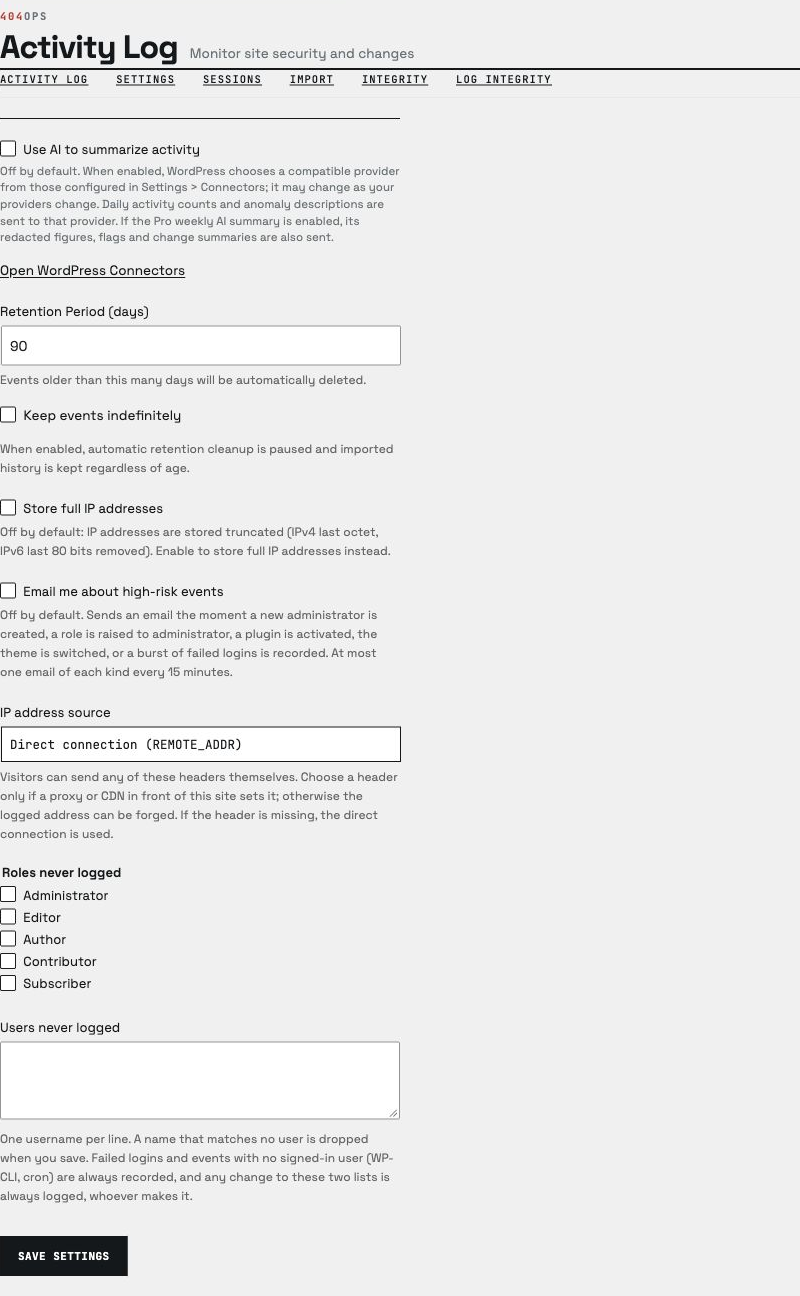
By default 90 days. Change the retention period on the plugin's Settings tab, or enable "Keep events indefinitely". A daily cron purges anything older than the chosen finite period; it leaves events in place while indefinite retention is enabled. This setting also applies to imported history and each site's events on multisite.
Are IP addresses stored in full?
Not by default. IPv4 addresses are truncated to their first three octets (last octet zeroed) and IPv6 addresses to their first 48 bits (last 80 bits zeroed) before being stored — the same anonymization convention used by common analytics tools. Enable "Store full IP addresses" on the Settings tab to store them unmodified instead.
How do location and device work, and what do they store?
Device context is on by default: each event records whether the request came from a desktop, mobile, tablet or bot, plus the browser and operating system (for example "Mobile · Safari 18 · iOS 18"), parsed from the browser's user agent when the event happens. Only that result is stored — never the user-agent text itself. Turn it off under Settings → Location and device. Location needs a MaxMind-format database (.mmdb) that you provide: GeoLite2 is free with a MaxMind account, GeoIP2 is MaxMind's paid edition, and DB-IP's lite databases use the same format. Upload it on the Settings tab, enter the path of a copy already on the server (best on nginx, where an uploaded file's .htaccess guard does nothing), or let the plugin download GeoLite2 weekly with your own licence key. Each event then stores the country, and with a City database the city. The lookup happens on your own server; no address is sent anywhere. When IP addresses are stored truncated (the default), the location is looked up from the full address first — a truncated address can belong to a different network — and only the location and the truncated address are stored. The full address is never written. The personal-data export includes an entry's location and device alongside its IP address, and erasure clears them together.
Which IP address is recorded?
The address of the connection to your server (REMOTE_ADDR). Headers such as X-Forwarded-For can be sent by any visitor, so they are ignored unless you choose one under "IP address source" on the Settings tab. Do that only if a proxy or CDN in front of your site sets it (X-Forwarded-For, X-Real-IP, or Cloudflare's CF-Connecting-IP). Behind such a proxy with the default setting, the log records the proxy's address.
What does the "Details" toggle show, and does editing a post leak its content into the log?
Each row with extra information has a "Details" toggle on the log screen, expanding it into an escaped key/value view (nested data is shown up to 3 levels and 50 entries deep, with the rest summarised). For a post or page edit specifically, only the fields that actually changed are listed — title, status, slug, author, excerpt, menu order and parent, each as its value before and after — plus, when the content itself changed, how many characters it was before and after and, if WordPress created one, a link to the revision it made for that edit. The post content itself is never recorded, before or after, only that character count; an administrator who can edit the post can follow the revision link to see the actual before/after text there, the same way they could without this plugin.
Can I honour a GDPR data request against the log?
Yes. The plugin registers with WordPress's own Tools → Export Personal Data and Tools → Erase Personal Data screens. An export includes every log entry about that person: what they did, whether logged under that email address or under their account with an earlier one, and what was done to their account, such as someone else changing its role — including that entry's own recorded details, when it has any. On an entry someone else performed, that other person's IP address is left out. An erasure request changes exactly the entries an export shows. It anonymizes matching entries rather than deleting them outright, so the security audit trail — the fact that an event of a given type happened, when, to what — is preserved. Anonymization removes every identifying field: the account ID, email address, and IP address, plus the username itself where it would otherwise appear in a log entry's summary (for example a login/logout record, or an entry about a role change someone else performed on that account), and, for a post edit performed by the erased account, the author and excerpt values its details may hold. This also covers the one case where an edit's details name someone who is not that entry's actor: when an administrator reassigns a post's author, the previous and/or new author's own id inside that entry is found and cleared for their own erasure request, whether or not they made the edit themselves.
Can I read the log from a script or another system?
Yes, two ways, both read-only and both limited to administrators.
Over the REST API, GET /wp-json/activity-log/v1/events returns one page of events, newest first, as JSON, with the total in the X-WP-Total and X-WP-TotalPages headers. The filters are the screen's: user_id, user_email, event_type, object_type, object_id, date_from, date_to, search, country (a two-letter code), device_class (desktop, mobile, tablet or bot) and marker (a login marked new_country, new_device, impossible_travel, dormant_days or anonymous_network), plus per_page (1 to 100, default 20) and page. Each event carries its country, city, device, browser, operating system and login markers. On a network with the plugin network-activated, super admins can read the network log at GET /wp-json/activity-log/v1/network-events, with a site filter. A date can be a day (2026-09-01) or a phrase such as -7 days. A filter the plugin cannot read is refused with a 400 response rather than ignored. Another system authenticates with an administrator's application password (Users → Profile → Application Passwords), which WordPress accepts over HTTPS only; the plugin issues no tokens or keys of its own.
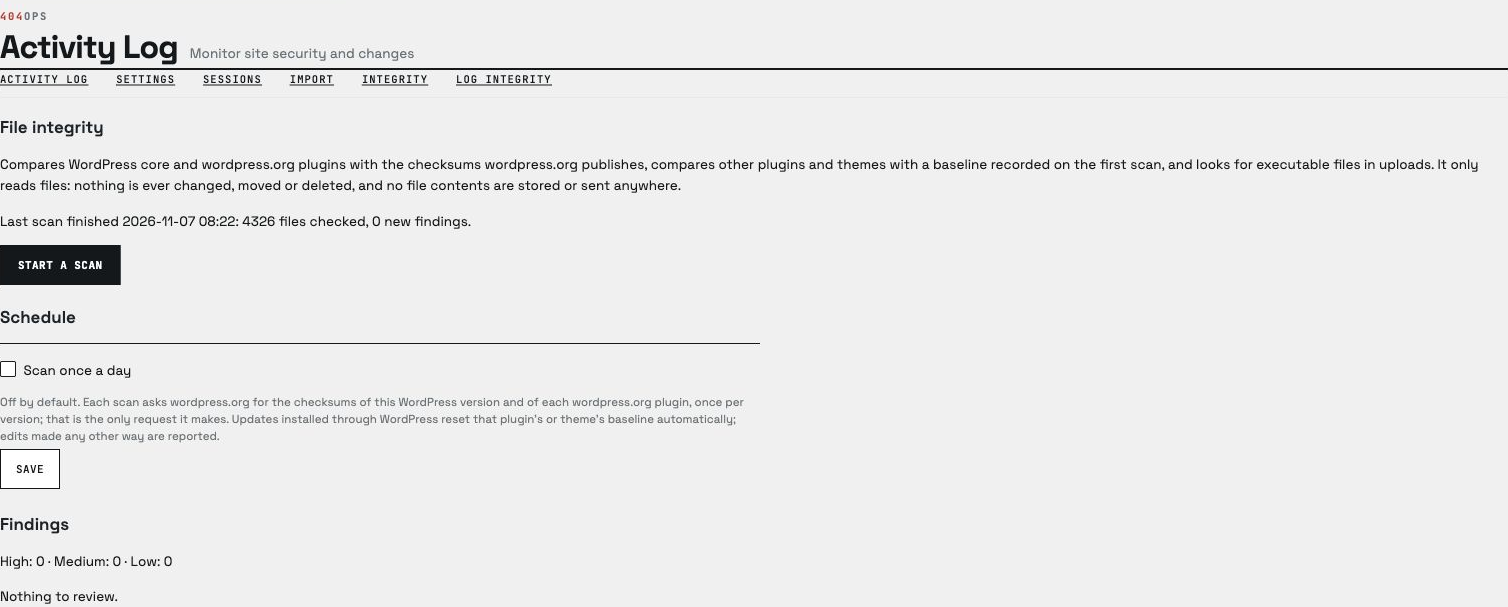
From the command line, wp activity-log list prints the same events as a table, or as CSV, JSON, YAML or a list of IDs with --format, taking the same filters as flags, for example wp activity-log list --event_type=login_failed --date_from="-1 day" --format=csv. wp activity-log count prints how many events match; both take --network (and --site) for the network log. wp activity-log integrity scan, status and accept run and review the file integrity scan. wp help activity-log list describes every option.
Is the CSV export safe to open in a spreadsheet?
The export guards against CSV/formula injection: rows can contain user-controlled text (a post title, a username, a browser's user agent string, a URL) submitted by anyone the site lets post, register, or simply visit, so an anonymous or low-privileged visitor could otherwise plant a spreadsheet formula that runs when an administrator later opens the file. Before a cell is written, any leading run of whitespace or control characters is skipped; if the next character is then =, +, -, @, |, %, or a full-width equivalent of =, +, - or @, or if the cell's raw first character is a tab or carriage return, the cell is prefixed with a leading apostrophe so spreadsheet software treats it as plain text rather than a formula. This also means an ordinary negative number (-5) exports as text rather than as a number a spreadsheet can compute on — a deliberate trade-off, since the same leading - is a recognized formula trigger.
This is defense in depth, not a guarantee for every spreadsheet application, locale, or import setting: it neutralizes the known trigger characters at write time, but how a specific version of Excel, LibreOffice, Google Sheets, or another importer parses a re-opened or re-imported file is still governed by that application's own settings.
Does a Pro scheduled report contain personal data?
Yes. A saved report's summary and CSV attachment are drawn from the same log the free plugin already keeps, which includes user logins and IP addresses, so anyone who receives a scheduled report sees the same personal data an administrator sees on the Activity Log tab. Choose recipients accordingly — the recipient list itself is a Pro setting, not something the personal-data export or erasure tools cover. Running the existing "Erase Personal Data" tool against an account still anonymizes that account's own log entries in every future report; it does not, and cannot, reach a copy already delivered by email.
Where can I get help?
Visit https://supportminer.404ops.com to open a support request.
更新日志:
- AI summaries use the WordPress AI Client and WordPress Connectors. Enable AI again in Activity Log settings after configuring a compatible provider; existing 404ops AI credentials are not copied.
- Maintenance: bundles ai-client 0.4.3, which normalizes the AI Connection nonce before verification and rejects malformed inputs.
- Fixed: Free sites can select the full finite retention range of 1 to 36,500 days, with the existing 90-day default and indefinite-retention choice unchanged.
- Fixed (Pro): nonce values in five settings helpers are normalized before verification, and malformed values are rejected.
- New: Free sites can keep events indefinitely. The setting also applies to imported history and multisite cleanup; existing Pro indefinite-retention choices migrate automatically.
- Updated the licence client (0.3.5): Pro keeps working after a licence expires.
- New: popular plugins are logged. With Gravity Forms, WPForms or Contact Form 7, form changes and submissions (the form and entry, never what was typed); with Yoast SEO or Rank Math, a post's SEO fields and the SEO settings; with ACF, field group changes and which custom fields changed (never their values); with LearnDash or LifterLMS, enrolments, completions, quizzes and groups; with MemberPress or Paid Memberships Pro, membership changes (never amounts); with Elementor, one entry per editor save. Each works only while its plugin is active.
- New (Pro): saved views. Saved reports appear as one-click views under the log's filters, keep the country and device filters, can keep a relative date range, and can be opened or sent now from the Reports tab.
- New (Pro): weekly "what changed" summary. An optional weekly email compares the week with the one before, flags anomalies, lists the most serious changes and, with your own AI provider connected, adds a short summary written from figures with names, addresses and secrets removed. The free daily digest is unchanged.
- Updated the bundled licence client to 0.3.4.
- Listing: real WordPress.org screenshots, with one matching caption each in the Screenshots section. No code change.
- Pro: a licence that includes installed-use coverage now keeps the version you installed working after the licence expires. Updates still need an active licence. Existing licence keys behave exactly as before.
- Updated the licence client and refreshed wording.
- Admin menu labels and headings drop the 404ops prefix.
- Changed: the MMDB geo reader is now built in, in place of the maxmind-db/reader library; Composer's generated loader is hardened for Plugin Check.
- Plugin URI points to the 404ops.com plugins page.
- Changed: listing text corrected for WordPress.org review. The contributor, description and changelog text now fit their limits, and the external services disclosure names the WordPress.org checksum requests that a file integrity scan makes.
- Changed: Bundled libraries updated; translatable strings now use this plugin's text domain.
- Changed: requires WordPress 7.0 or newer (it was 6.9); tested up to WordPress 7.1.
- Changed: the plugin now requires WordPress 6.9 or newer and is tested up to WordPress 7.1.
- New (Pro): log tampering alerts. A new Log alerts tab can email the site's administration address when the daily verification finds the log altered or can no longer be verified, and can record the log's head after each clean verification so the Forwarding tab sends that fingerprint off the site. Both are off by default.
- New: a tamper-evident log. Every event is sealed into a keyed chain when it is logged, and the log verifies itself every day. Editing an entry, or removing, inserting or reordering entries, shows up on the new Log integrity tab, in
wp activity-log chain verify(which exits non-zero when the log has been altered) and at/wp-json/activity-log/v1/chain. Retention and privacy erasures are expected and are not reported. Add unique keys and salts to wp-config.php for the strongest protection; the tab tells you if they are missing.