
ABeCe Booking
| 开发者 | abece |
|---|---|
| 更新时间 | 2026年11月14日 03:18 |
| PHP版本: | 8.1 及以上 |
| WordPress版本: | 7.1 |
| 版权: | GPL v2 or later |
| 版权网址: | 版权信息 |
详情介绍:
- Public and administration booking calendars.
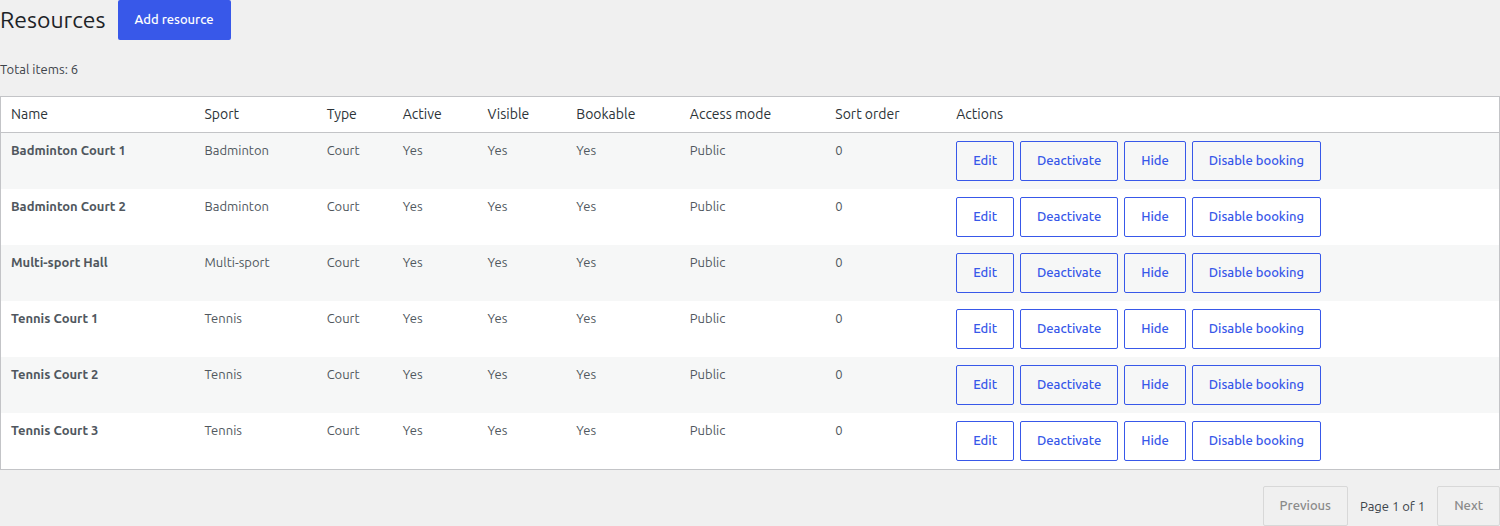
- Unlimited sports resources, such as courts or rooms, and unlimited internal bookings.
- Opening hours, date exceptions and individual resource blocks.
- Simple public hourly prices and pay-on-site payment records.
- Administrator reservations, cancellations and confirmation emails; registered and external customers.
- Receivables, overdue debtor restrictions and basic operational statistics.
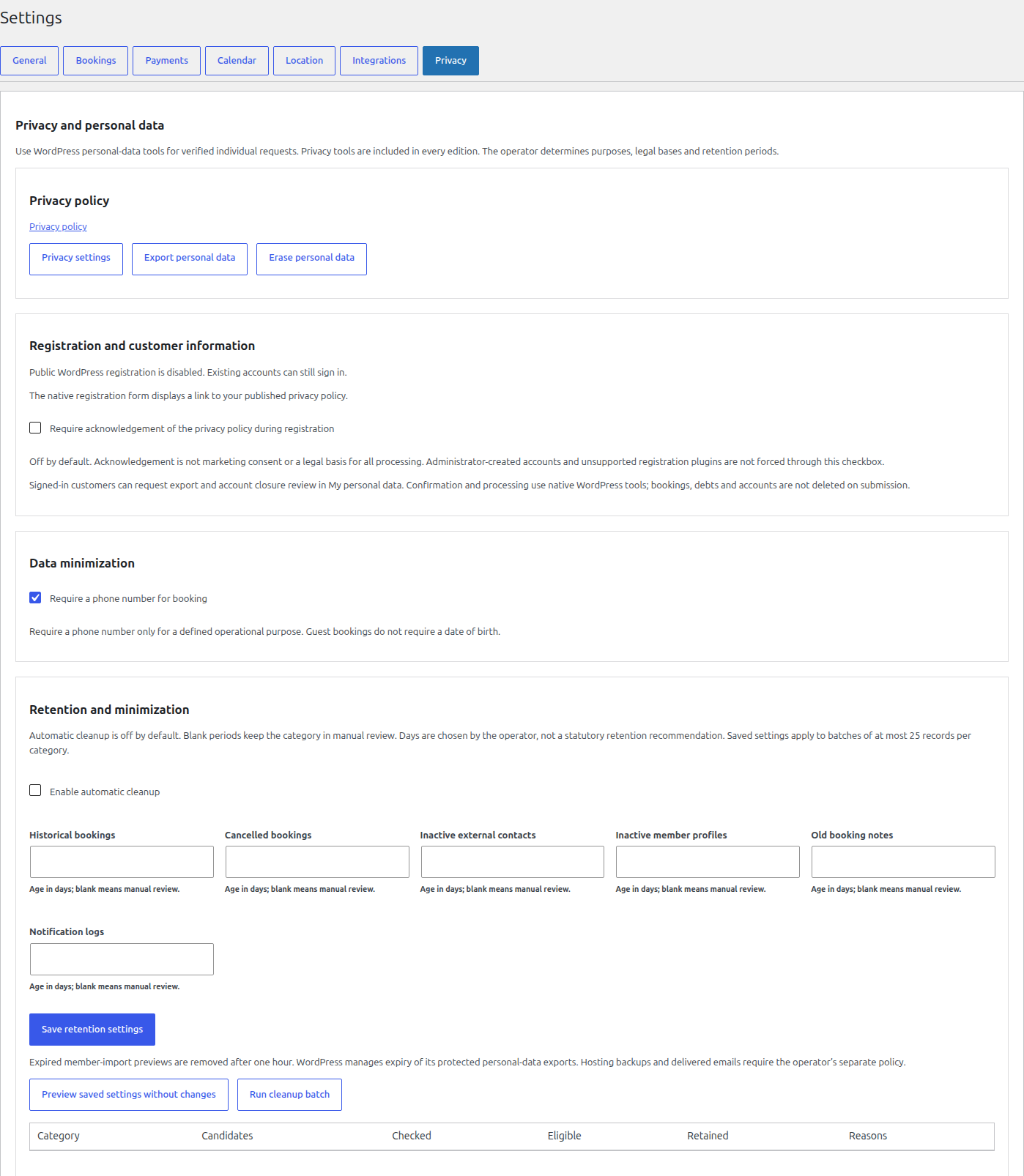
- WordPress personal-data export and erasure integration, privacy settings and retention preview.
- Optional, explicitly enabled retention cleaning; automatic cleaning is off by default.
- Twelve bundled locales: English (US/UK), Czech, German, Polish, French, Spanish, Italian, Ukrainian, Brazilian Portuguese, Russian and Simplified Chinese.
安装:
- Back up your WordPress files and database.
- Upload and install the ABeCe Booking Lite ZIP through Plugins > Add Plugin > Upload Plugin, then activate it.
- Choose Skip if you do not want to register with Freemius.
- Open ABeCe Booking > Getting Started and configure sports, resources, opening hours, simple prices and payments.
- Add [abece_booking] to a published page and select the booking page in the plugin settings. Lite registers only the prefixed shortcode. Its content compatibility adapter renders old [sports_booking] page content without registering that global alias; Premium also retains the legacy registration.
- Configure the venue's privacy policy and test booking confirmations before accepting real customers.
屏幕截图:
常见问题:
Is registration or a license required?
No. Lite works after Skip without registration or a license. Freemius registration and optional diagnostic sharing require your choice.
How many resources can I book?
Lite manages unlimited resources and internal bookings. Customer online self-service is a separately distributed Premium implementation, absent from the Lite package. Changing plans does not delete resources, bookings, prices or financial history.
Does Lite include credit, memberships or recurring bookings?
No. These are separately distributed Premium implementations, absent from this package. Lite includes pay-on-site records, receivables and overdue debtor restrictions.
Are payments collected automatically?
No. Lite records pay-on-site payments. Premium can provide offline bank/QR instructions, but those do not confirm receipt; an authorized manager records payment.
What happens when I deactivate or delete the plugin?
Ordinary deactivation and uninstall retain operational data. The separate Tools action can remove plugin data only with explicit administrator authorization and confirmation. Back up first. WordPress users and pages are preserved.
Where is the corresponding source?
The installation ZIP includes the exact preferred TypeScript/CSS inputs, npm lockfile and Vite configuration in source/. In a private working copy of that directory, run npm ci --no-audit --no-fund and ABECE_BOOKING_BUILD_EDITION=lite npm run build (Node 18.19+). Compare the resulting assets/build files with the shipped plugin assets. Lite source contains shared type declarations but no executable paid modules. Matching complete -source.zip archives also provide Composer locks and release tools. Runtime PHP dependency sources and license notices are included. See source/README.txt and docs/user-guide.md.
Does the plugin make my venue GDPR compliant?
The plugin provides privacy tools; it does not provide legal certification. The venue operator must determine lawful processing, retention periods and notices and obtain legal review where appropriate.
更新日志:
- Restore native Freemius plan pricing when the free plan has no pricing entries.
- Keep Starter, Club and Pro checkout links available after Skip and during pricing API outages.
- Preserve schema 13, operational data, existing licenses and all Lite features.
- Include the official Freemius SDK 2.13.5 security update.
- Restore titles for hidden administration screens and wait for membership defaults before accepting input.
- Retain schema 13, all operating data and existing edition limits.
- Require MySQL8.0+ or MariaDB10.6.1+ with InnoDB.
- Create schema 13 directly on new sites; existing installations require the verified 24-table maintenance upgrade in docs/user-guide.md.
- Preserve reservations, prices, memberships, credits and all operating data. Unsupported databases remain in diagnostic mode without migration.
- Use unique WordPress identifiers with non-destructive settings migration.
- Clean installation packages while retaining editable frontend sources and build inputs.
- Unlimited free internal resource and booking management.
- Separate Premium customer self-service implementation; Starter selects four online resources independently of internal management.
- Non-destructive plan transitions, protected schema templates, prefixed shortcode compatibility and translation-loading corrections.
- Prepare the first stable-version release candidate with matching Lite and Premium versions.
- Clarify edition boundaries, installation, privacy, source availability and release documentation.
- Retain tested 0.25.3 booking/pricing/licensing behavior, schema 12 and all 24 ASB tables.
- Use the official Freemius uninstall hook; standard uninstall preserves all operational data.
- Exclude root uninstall.php from runtime and corresponding-source packages.
- Native customer privacy requests and optional registration policy acknowledgement, safe Upgrade fallback and SDK localization hooks. No schema migration or license-model change.
- Privacy/GDPR readiness tools and official Freemius SDK licensing. Schema 12 unchanged.
- Official Freemius licensing, separate feature/update entitlement and guarded legacy migration.
- Distinct Lite/Premium builds, central entitlements, core receivables/debtor blocking and edition-specific UI. No schema migration.
- Administrator duration, grouped blocks/exceptions and materialized recurring bookings. Schema 12 / 24 tables.
- Context-specific precedence guidance in all 12 locales; calculation and schema unchanged.
- Persist disabled payment methods, neutral resource type placeholder and theme-compatible solar calendar boundaries.
- Pilot packaging, system status, privacy integration, explicit deletion and GPL licensing.
- Twelve locales, multi-currency bank profiles and offline SPAYD/EPC QR.