
aBlocks – WordPress Gutenberg Blocks
| 开发者 |
kodezen
academylms tusharimran |
|---|---|
| 更新时间 | 2026年6月3日 15:25 |
| PHP版本: | 7.4 及以上 |
| WordPress版本: | 6.8 |
| 版权: | GPLv3 |
| 版权网址: | 版权信息 |
详情介绍:
屏幕截图:


常见问题:
Can I Use aBlocks with any WordPress Themes?
Yes, aBlocks works with any WordPress theme. It integrates with the Gutenberg editor, so you can use its customizable blocks no matter which theme you have. For the best results, make sure your theme supports the latest version of Gutenberg.
Is aBlocks suitable for beginners with no coding experience?
Absolutely! aBlocks has an easy-to-use interface, making it accessible for all skill levels. Whether you're new to website building or a seasoned developer, you can create beautiful, functional pages without any coding knowledge. The controls are intuitive, and customization options are comprehensive.
Can I Customize the styling of individual blocks in aBlocks?
Yes, each block in aBlocks offers extensive customization options. You can adjust background colors, gradients, images, padding, margins, borders, shadows, and more. There are also responsive settings to apply different styles for desktop, tablet, and mobile views, maintaining a consistent look across devices.
更新日志:
- Fixed - Form Builder FSE theme compatibility issue
- Fixed - Social Share block issue
- Fixed - Demo Importer required plugin not install issue
- Added - New Theme Builder Features
- Added - New Text Path Block
- Added - New Chart Block
- Fixed - Filterable Card block responsive issue
- Fixed - Global Tooltip not worked issue
- Fixed - Demo Import image not worked issue
- Added - New Marquee Block
- Added - New Dynamic Content Features
- Fixed - Disabled block show inside editor after search
- Fixed - From Builder frontend width issue
- Fixed - Slider Block navigation UI
- Fixed - Image Block drag sizing issue
- Fixed - Icon block link issue
- Fixed - Filterable Block filter not selectable inside container
- Added - New Form Builder Subscription, Contact, format password, reset password and custom form
- Added - Full Site Demo Importer
- Added - One Click Demo Importing option for theme developer
- Added - Custom CSS
- Added - New Filterable Cards Block
- Added - New Stripe Button Block
- Added - Menu Block Parent Block Settings option
- Added - New Advance List Block
- Added - New Logout Block
- Added - New Button Group Control
- Updated - Every Block Icon Responsive control
- Updated - Every block Button Group Control and added responsive option
- Fixed - Modal Block Scroll issue
- Fixed - Social Share Block Icon height issue
- Fixed - List Block Range Control issue
- Fixed - Tabs Block Image size issue
- Fixed - Select Control Dropdown issue
- Fixed - Google Fonts API unnecessary loading issue
- Fixed - Coupon Block Style issue
- Fixed - WP File System error solved
- Fixed - PCP Plugin Issue
- Fixed - Container Block Full width, alignment and width issue
- Fixed - Transform Unit Select issue
- Improved - Every Block ID saving logic
- Added - New Image Scroller Block
- Added - Background Overlay Control
- Added - Tab Block Auto Play & Sub Text show option
- Fixed - Reset attribute saved issue
- Fixed - Spacer Block Hight Responsive issue
- Fixed - Typography, Text Stoke Range & Unit value issue
- Added - New News Ticker block
- Added - Demo Importer
- Added - Quick Container and Demo Importer option
- Added - Button block shadow control
- Fixed - Counter Block Unit Hide & Responsive issue
- Fixed - Divider Block Range & Unit value issue
- Fixed - Image Comparison responsive issue
- Fixed - Advance panel Background color not working
- Fixed - Container width & alignment issue
- Fixed - Container parent class issue
- Improved - Sidebar Settings Button Hover
- Fixed - Control unit hide issue
- Fixed - Divider Block frontend color issue
- Fixed - Menu block mobile responsive control
- Fixed - Container Block Width issue
- Added - New PayPal Block
- Fixed - Search Block Issue
- Fixed - Container Width issue
- Update - Revamped Range Control
- Fixed - Range Control responsive issue
- Fixed - Carousel Block issue
- Fixed - Typography Reset
- Fixed - Alignment Control Responsive Selected issues
- Fixed - Image Hotspot child Position issue
- Fixed - Image comparison issue
- Fixed - Menu Block Toggle issue improved
- Fixed - Transform PHP warning issue
- Fixed - Redux Toolkit implement
- Fixed - Typography, Border, TextStoke responsive issue solved
- Fixed - Select Control Responsive issue
- Fixed - Info box icon css issue
- Added - Map Block default marker option
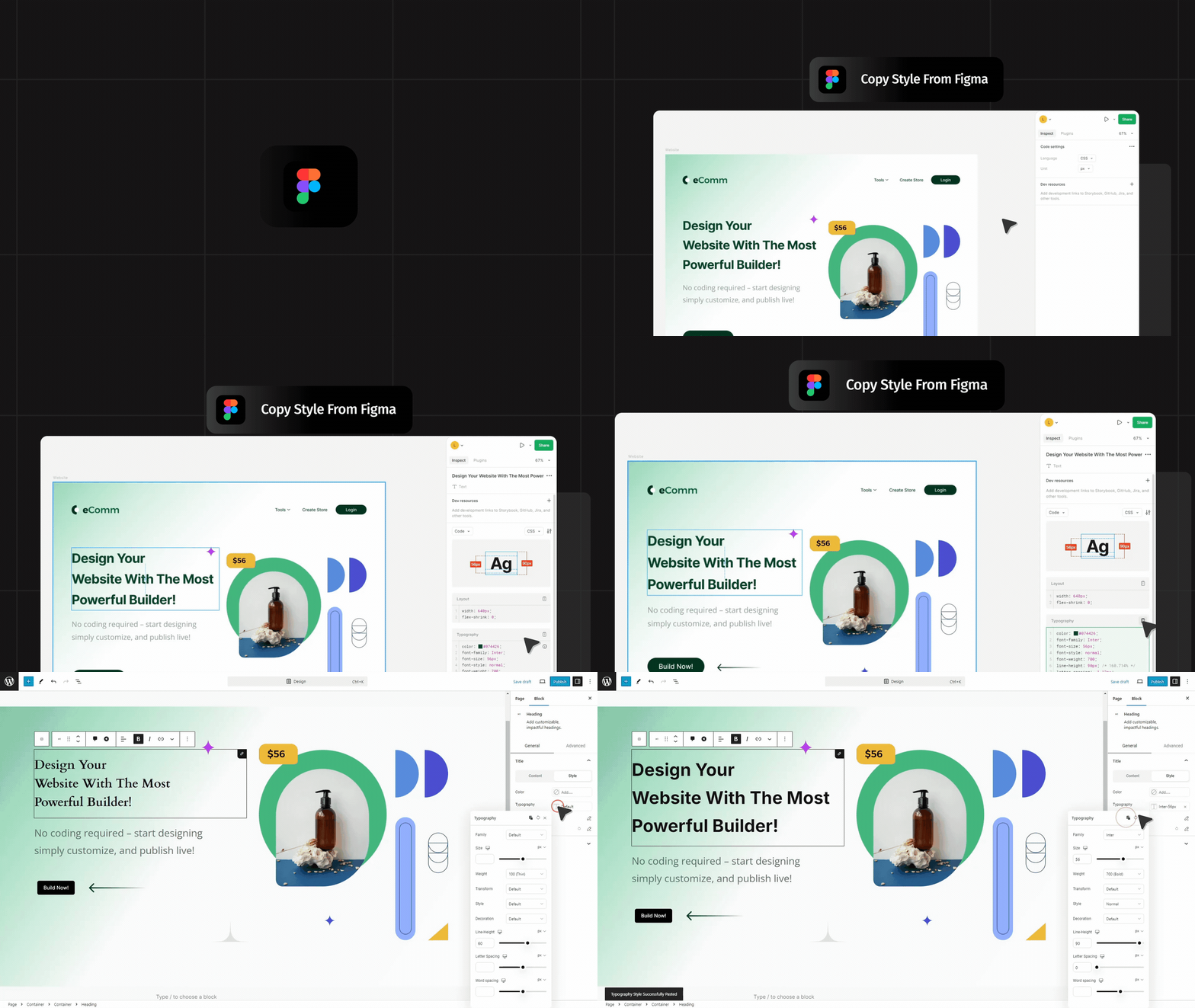
- Fixed - Figma copy/paste typography not worked for variable font family
- Fixed - Info Box variation picker not show and sub heading styling not worked
- Fixed - Mega Menu width not worked
- Update - Revamped block attribute maintaining
- Fixed - Divider Block issue
- Fixed - Price Menu Divider issue
- Fixed - Unit control hide issue for responsive
- Fixed - List Block alignment issue
- Fixed - Social Share Block alignment issue
- Fixed - Typography Reset not working issue
- Fixed - Dual Button CSS issue
- Fixed - Advance Position issue
- Added - CSSFilter Responsive control
- Added - All Child Block Parent settings control option
- Fixed - Price Menu Block issue
- Fixed - Unit value hide issue
- Fixed - Modal Block Copy/Paste Error
- Fixed - Notice Block issue
- Fixed - Form Builder Block Icon issue
- Fixed - Every Block Advance tab Width issue
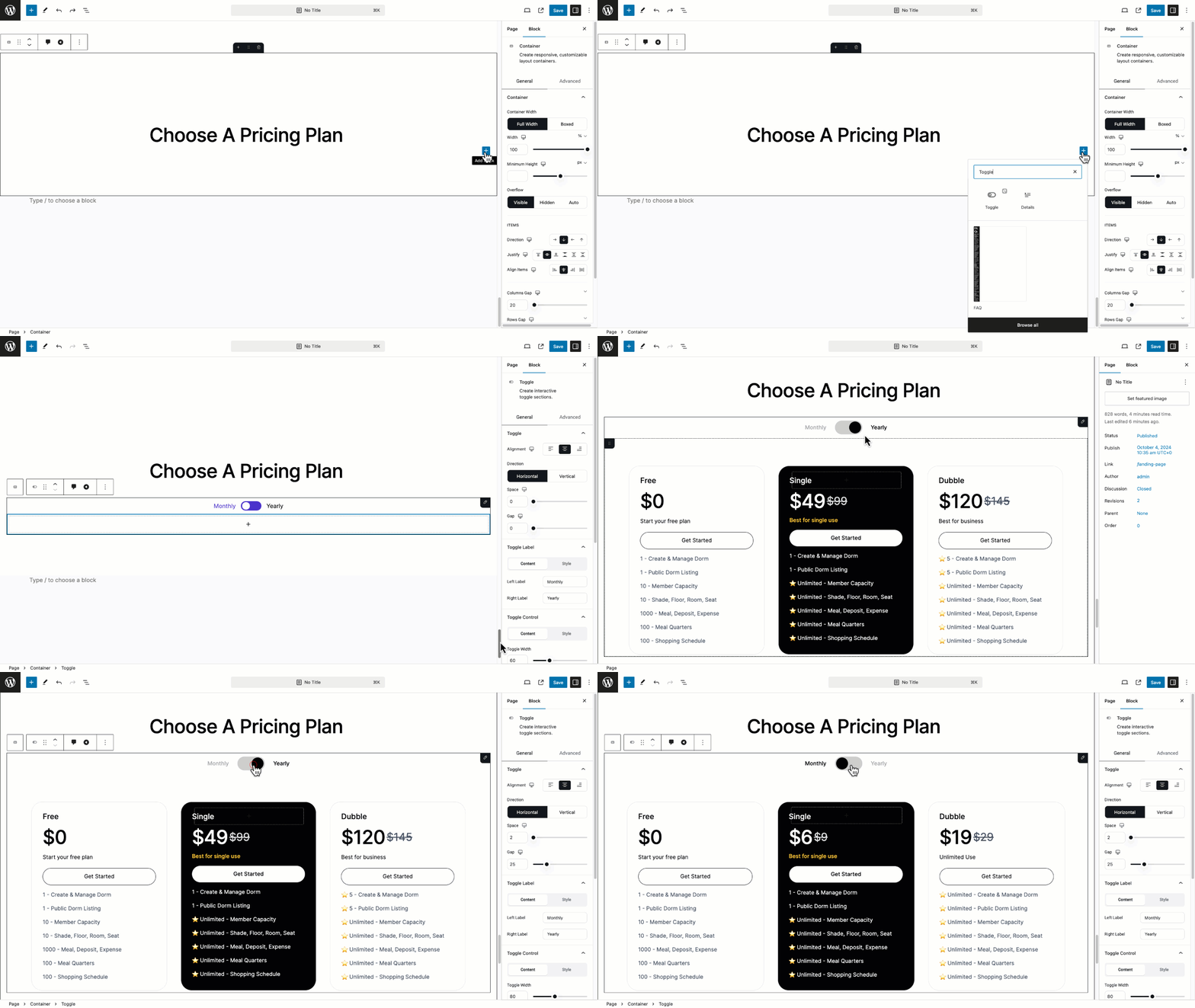
- Fixed - Toggle Block issue
- Fixed - Carousel Block Slide Per View issue
- Fixed - Coupon Block Validation issue
- Fixed - Image Hotspot Block PHP version compatibility issue
- Added - New Info-box block
- Added - New Image-Hotspot block
- Fixed - Icon Block Copy/paste issue
- Fixed - Global Box Shadow
- Fixed - Countdown Block Typography issue
- Fixed - Block Shadow transition not worked issue
- Fixed - Background Overlay Opacity issue
- Fixed - Range Control Unit issue
- Fixed - Range Control & Unit Data Saved issue
- Fixed - Form Builder Editor form submit not disable issue
- Fixed - Container Width issue
- Fixed - Block appender conflicts with multiple block
- Fixed - Tabs Block editor show/hide issue
- Fixed - Toggle Block editor show/hide issue
- Fixed - Counter Block UI issue
- Update - Simple Menu & Mega Menu UI issue
- Added - New Modal & Popup Builder
- Added - New Form Builder (Login, Register)
- Added - New Search Block
- Added - New Price List Block
- Added - New Progress Tracker Block
- Fixed - Academy Instructor Registration Block PHP undefined warning
- Fixed - Start Rating Block issue
- Fixed - List Block Block issue
- Fixed - Toggle Block hide issue
- Fixed - Academy PDF Block delete issue
- Fixed - Table Block checkbox ui issue
- Fixed - Tabs Block hide issue
- Fixed - Icon Uploader image upload issue
- Added - New Table Block
- Added - New Simple & Mega Menu
- Added - aBlocks Pro Integration
- Fixed - Carousel Block issue
- Fixed - Text Shadow value showing issue
- Fixed - Accordion Block Advance padding not working
- Fixed - Countdown Block and UI issue
- Fixed - Toggle Block issue
- Fixed - Button Block issue
- Fixed - Image Block Image Ratio issue
- Fixed - Icon & Button No follow link issue
- Fixed - Image Block custom URL issue
- Fixed - Divider Solid UI issue
- Fixed - Lint:Js & PHPCS issue
- Improved - Figma to WordPress Copy / paste feature
- Fixed - Social share block conflicts with theme
- Fixed - List Block color conflicts with theme
- Fixed - Star Rating PHP Error
- Added - New Social Share Block
- Added - New Svg Draw Block
- Added - New Coupon Block
- Added - New Content Timeline Block
- Fixed -Table of Content issue fixed
- Fixed -Accordion Pattern Conflict issue fix
- Added - New Map Block
- Fixed - Dual Button Block Pattern conflicts issues
- Fixed - Image Comparison Block Pattern conflicts issues
- Fixed - Pattern Assets conflicts with assets generate
- Fixed - Button icon hover css not worked issue
- Fixed - Table of content link generate issue
- Fixed - Carousel navigation Position issue
- Added - New Dual Button Block
- Added - New Carousel Block
- Added - New Notice Block
- Added - New Table of Content Block
- Added - New Notification Block
- Added - Responsive Group Button control
- Fixed - Border Radius undefined php warning
- Fixed - List Block layout issues
- Fixed - React Props Error
- Fixed - Icon Ratio issue
- Fixed - Fix Page Speed issues while editing
- Fixed - Block Duplicate issues
- Fixed - Pattern Creation issues
- Added - New Flip Box Block
- Added - New Image Comparison Block
- Added - New Academy Certificate Block
- Fixed - Popup Close not worked properly
- Fixed - Icon Block SVG Conflicts
- Fixed - Icon spacing issues
- Fixed - Image Block device type not worked
- Fixed - Tabs Block spacing issue
- Fixed - Toggle Block spacing issue
- Fixed - Border Control Hover issue
- Fixed - Box Shadow issue
- Fixed - Background Overlay control issue
- Fixed - Divider Block Icon Support issue
- Fixed - Lot of Bugs & improvements
- Added - Button hover transition
- Fixed - Typography css generate issue
- Fixed - Assets generation issues
- Added - 22+ Blocks
- Added - Icon Block Link option
- Improved - Block Editor experience
- Fixed - Wrapper and Container CSS generate issues
- Fixed - Lot of Bugs
- Added - SVG icon insert
- Added - Button block link control
- Improved - All Blocks Markup
- Improved - Revamped icon settings
- Improved - Make all blocks left align
- Fixed - Image Block attribute improvements
- Fixed - Icon Rotation issue
- Fixed - Transform CSS generate issue
- Fixed - Mask CSS generate issue
- Fixed - Reorder Wrapper and Container CSS
- Fixed - Removed undefined and true/false class
- Fixed - Lot of Bugs
- Initial beta release