
AboutBuzz Stories Embed
| 开发者 |
ftpwebdesign
ftpwebdesign.com |
|---|---|
| 更新时间 | 2026年5月1日 18:27 |
| PHP版本: | 7.4 及以上 |
| WordPress版本: | 6.8 |
| 版权: | GPLv2 or later |
| 版权网址: | 版权信息 |
详情介绍:
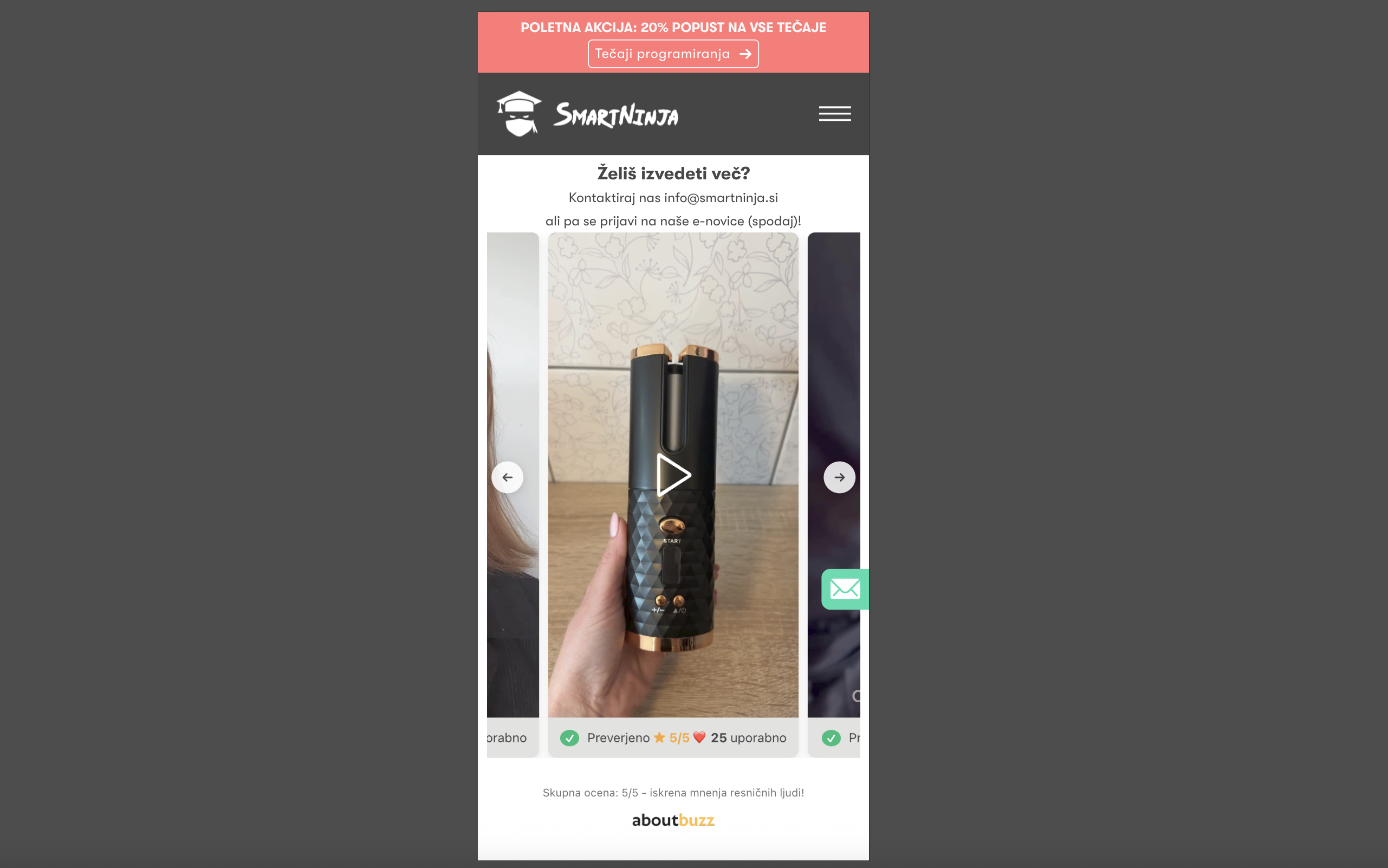
AboutBuzz Stories Embed renders a responsive, lazy-loading carousel of verified video reviews from AboutBuzz.com. Add the shortcode
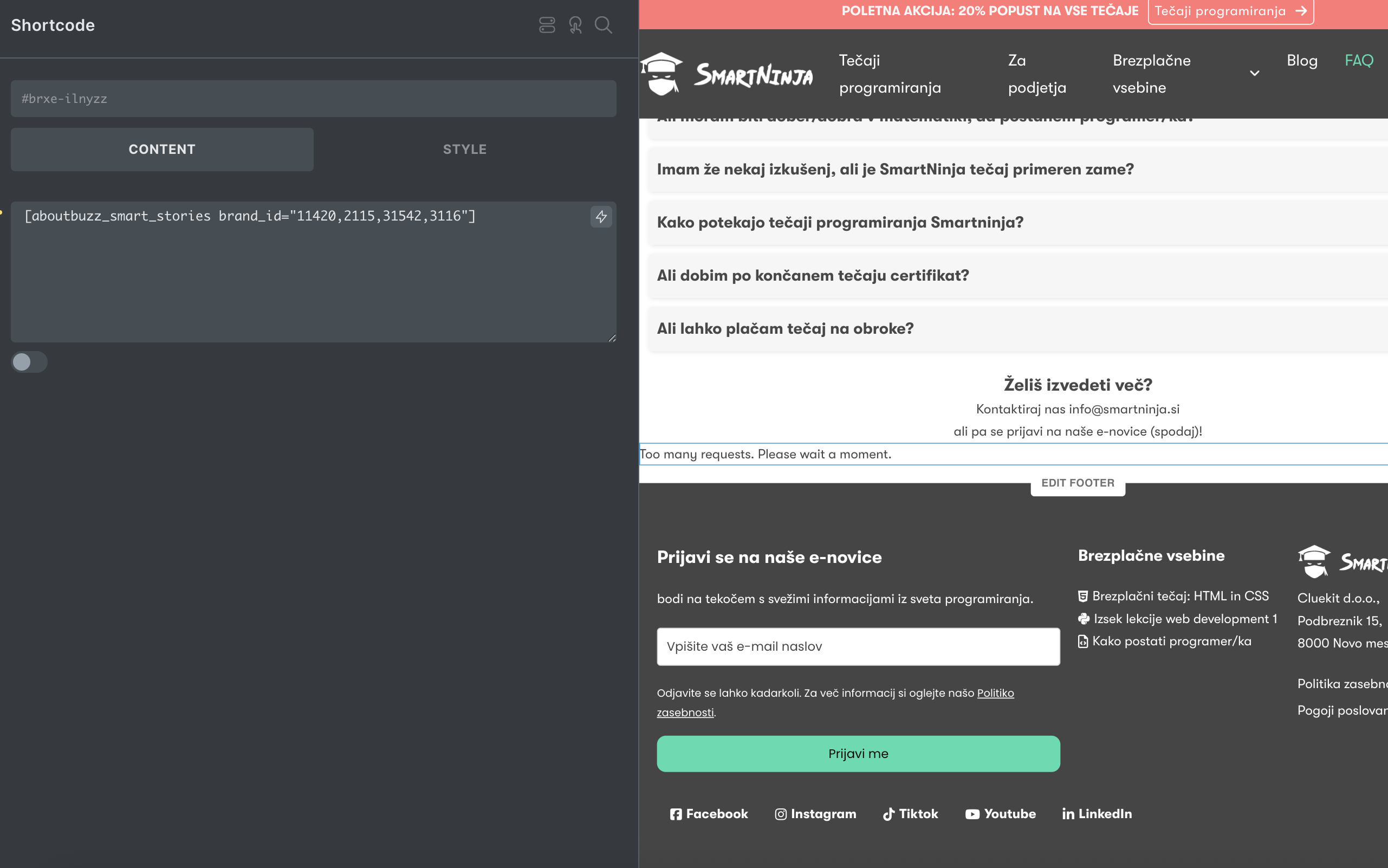
[aboutbuzz_reviews code="ABZ-XXXX-XXXX-XXXX-XXXX"] anywhere in your content and the plugin handles fetching, caching, and rendering.
安装:
- Upload the plugin to
/wp-content/plugins/aboutbuzz-stories-embed, or install it via the Plugins screen in WordPress. - Activate the plugin.
- Add
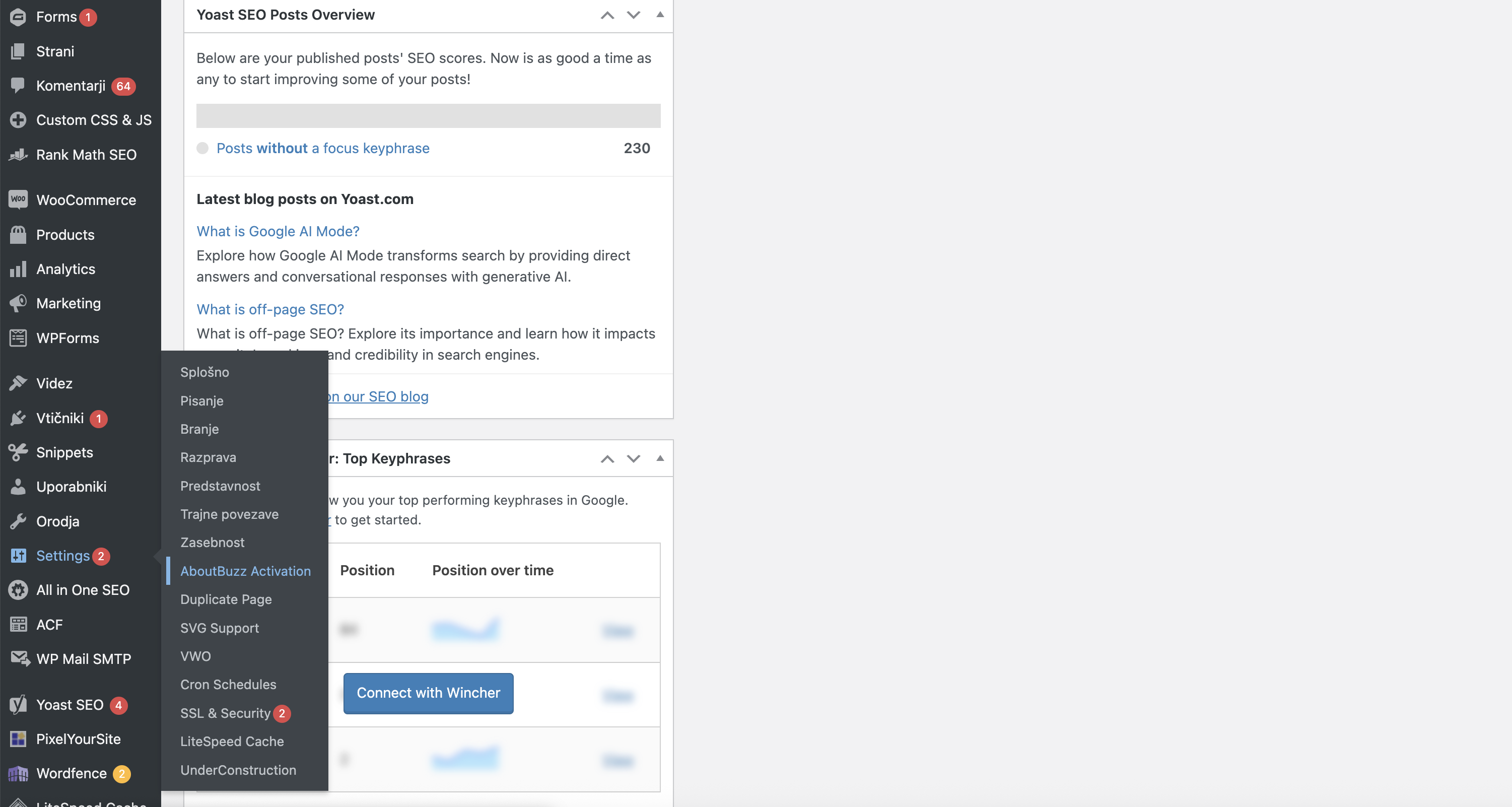
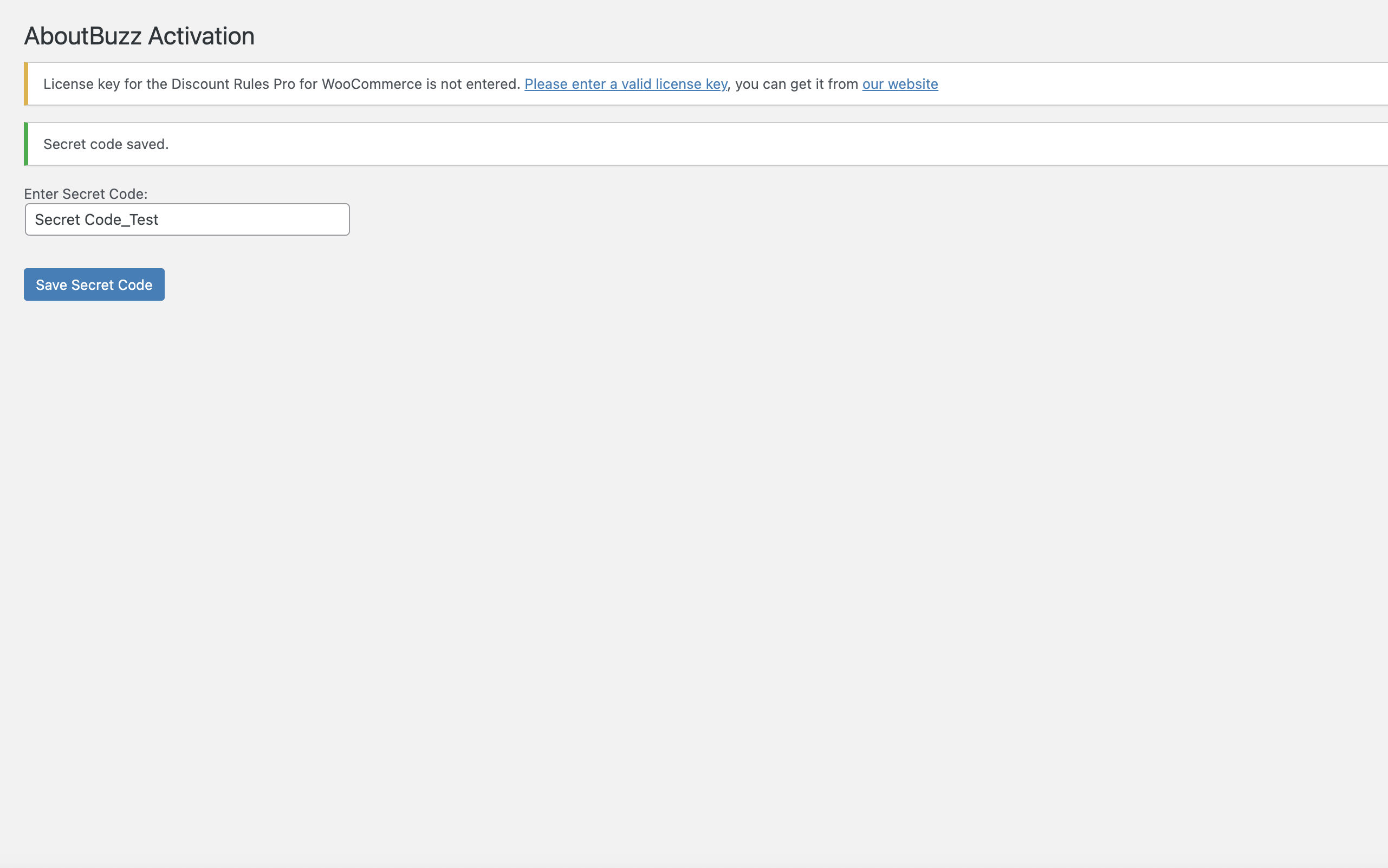
[aboutbuzz_reviews code="YOUR_CODE"]to any post or page. Get your code from your AboutBuzz dashboard.
屏幕截图:
常见问题:
How do I get an activation code?
Sign in to your AboutBuzz dashboard at https://aboutbuzz.com or contact support.
Is the widget mobile-friendly?
Yes — it renders as a single-row, scroll-snapping carousel that adapts to viewport width.
更新日志:
2.0.2
Branding refresh, mobile layout fix, and per-review language labels. Updates the widget palette to the new AboutBuzz brand colors, resolves a mobile-only layout bug where the rating stars wrapped onto a second line on narrow cards, and renders the "Verified product review" label in the language of each individual review.
- Per-review "Verified product review" label. The label under each video is now selected from the review's
acf.jezikfield (returned by/wp-json/aboutbuzz/v1/stories/by-code), so a Slovenian review shows "Ocena testiranega izdelka" while an English review on the same page shows "Verified product review". Six languages are supported out-of-the-box, with both Slovene-language and English-language native names accepted as input values: - Slovenian (
Slovenščina/Slovenian) → "Ocena testiranega izdelka" - English (
Angleščina/English) → "Verified product review" - Russian (
Ruščina/Russian) → "Проверенный отзыв о товаре" - German (
Nemščina/German) → "Verifizierte Produktbewertung" - Latvian (
Latviščina/Latvian) → "Apstiprināta produkta atsauksme" - Turkish (
Turščina/Turkish) → "Doğrulanmış ürün yorumu" - Unknown / missing values fall back to the WordPress site locale via the existing
__('Verified product review', …)translation, so behavior on existing sites is unchanged when the API has no language data. languageadded to the sanitized story array. A newlanguagekey (canonical 2-letter code) is now stored in the per-story sanitized array and the 5-minute response cache. A migration guard discards any 2.0.1 transient entry that's missing this key on first read after upgrade, so the new label kicks in immediately on the next render — no manual cache flush required.- Brand palette updated.
--aboutbuzz-textchanged from#545454to#404040, and--aboutbuzz-accentchanged from#007cbato#01798C(new AboutBuzz teal). Affects body text and any element bound to the accent variable (logo text, etc.). - Loading spinner restyled. Spinner border thickness increased from
2pxto3px, and the active arc color now uses the new accent#01798Cinstead of the previous#3498db. - Mobile card width increased from 58% to 80% of the viewport (
@media (max-width: 600px)). The narrower card was causing the rating row to overflow and the star icons to wrap onto a new line on small screens.scroll-padding-inlinewas updated in lockstep so scroll-snap centering still works. - Rating row hardened against overflow.
.row-0/.ab-info-rownow declaresflex-wrap: nowrapwithgap: 8px. The rating-stars container isinline-flexwithflex-shrink: 0andwhite-space: nowrap, and.aboutbutzz_like_wrapperis alsoflex-shrink: 0. Stars and the like button stay on a single row regardless of card width.
- Response caching now holds a sanitized array instead of the raw API body. The
aboutbuzz_stories_bycode_<md5>transient previously stored the full JSON response body as a string, meaning any fields the server returned (including ones this plugin does not render) would sit inwp_optionsfor up to 5 minutes per activation code. The transient now stores only the allowlisted$sanitized_postsarray (ID, rating, vote_count, watermark_video, product_source, brand, and the video URL) that the template actually consumes. Extra server-returned fields are dropped before caching. - Removed the unused
post_titlefield from the sanitized story array. It was being copied from the API response but never rendered anywhere in the template. Sincepost_titleon the AboutBuzz side can contain reviewer names, stripping it here removes that field from the client's in-memory and cached representation of each story. - Migration guard for the legacy cache format. Existing transient entries (stored as JSON strings by earlier builds) are discarded on first read after upgrade; the next render repopulates the cache in the new array format. No manual cache flush required.
- 5-minute cache TTL and the
?abz_nocache=1admin bypass are unchanged. - Removed per-review title interpolation from video
aria-labelandaltstrings; accessibility labels are now generic ("Predvajaj video oceno" / "Predogled video ocene"). Translations (.pot,sl_SI,en_US) updated to match the new msgids.
@scope for isolation, response caching added, new Product Source badges, admin diagnostics for error paths.
- "Verified Purchase" / "Verified Tester" overlay badges driven by the
product_sourceACF field; assets bundled locally. - Rating row always renders 5 inline-SVG stars (filled
#FFB600, empty outlined#C7C7C7). - Always-on single-row scroll-snap carousel; mobile cards at 58% of viewport so neighbours peek.
- All widget styles wrapped in
@scope (.aboutbuzz-reviews-host) { ... }; CSS custom properties exposed for theming (--aboutbuzz-card-bg,--aboutbuzz-text,--aboutbuzz-muted,--aboutbuzz-accent,--aboutbuzz-star-filled,--aboutbuzz-star-empty,--aboutbuzz-radius,--aboutbuzz-video-height). - 5-minute response cache per activation code; errors never cached. Per-visitor rate limit counts cache misses only (60/hour). Admin
?abz_nocache=1bypass. - Admin-only yellow info boxes for rate-limit / HTTP error / network error / invalid-JSON paths; public visitors see nothing.
- New
ABOUTBUZZ_EMBED_VERSIONconstant drives enqueue cache-busting and APIUser-Agent. - Star row carries an
aria-labelwith the numeric rating; individual SVGs arearia-hidden. Decorative checkaltemptied. .pot,en_US.po,sl_SI.poupdated;.mofiles recompiled.
- The legacy "wrap as a row at 1–3 videos, carousel at 4+" layout is gone — every count renders as a carousel.
- Brand-site CSS targeting class names the plugin never emits (
.playbutton,.heart-icon,.vote-button-overlay,.vote-count,.voting,.video-preview) will continue to do nothing. - If a brand theme forces
.ab-info-row { display: grid }, the flex-based layout will break — remove the conflicting rule.
- 1.9.3 — Fixed first thumbnail not loading on sites using third-party lazy-loaders (WP Rocket, LiteSpeed). Added
data-no-lazy,data-skip-lazy,skip-lazy,no-lazyloadto the first image. - 1.9.2 — Updated plugin logo.
- 1.9.1 — Full i18n support: translatable strings,
.pottemplate,sl_SIanden_UScatalogs, translatable ARIA labels. - 1.9.0 — Shortcode renamed
[aboutbuzz_smart_stories]→[aboutbuzz_reviews]. Auto-detects brand from the activation code;codeis the only parameter.
- 1.8.2 — Removed problematic
all: unsetreset. - 1.8.1 — Assets fix.
- 1.8.0 — Visual redesign: modern layout, refreshed colors, improved spacing, better like-button feedback, custom Nunito Sans font, new SVG carousel arrows.
- 1.7.9 — Heart icon styling fix (red, proper opacity states).
- 1.7.8 — Added "Oddaj video mnenje" upload link.
- 1.7.7 — Major WordPress.org compliance pass: external CSS/JS, AJAX likes, CORS + nonces, no inline styles.
- Earlier 1.7.x — Initial release, carousel, like button, mobile centering, caching.