
cadlix LMS – AI Quiz Maker, Online Exam & Course Plugin for WordPres
| 开发者 | acadlix |
|---|---|
| 更新时间 | 2026年10月23日 20:16 |
| 捐献地址: | 去捐款 |
| PHP版本: | 8.2 及以上 |
| WordPress版本: | 7.1 |
| 版权: | GPLv2 or later |
| 版权网址: | 版权信息 |
详情介绍:
安装:
- Go to Plugins → Add New in your WordPress dashboard.
- Search for Acadlix LMS.
- Click Install Now.
- Activate the plugin.
- Open Acadlix from the WordPress admin menu.
- Create your first course, quiz, or online exam.
- Download the plugin ZIP file.
- Upload it through Plugins → Add New → Upload Plugin.
- Activate the plugin.
- Start building your learning platform from the Acadlix menu.
屏幕截图:
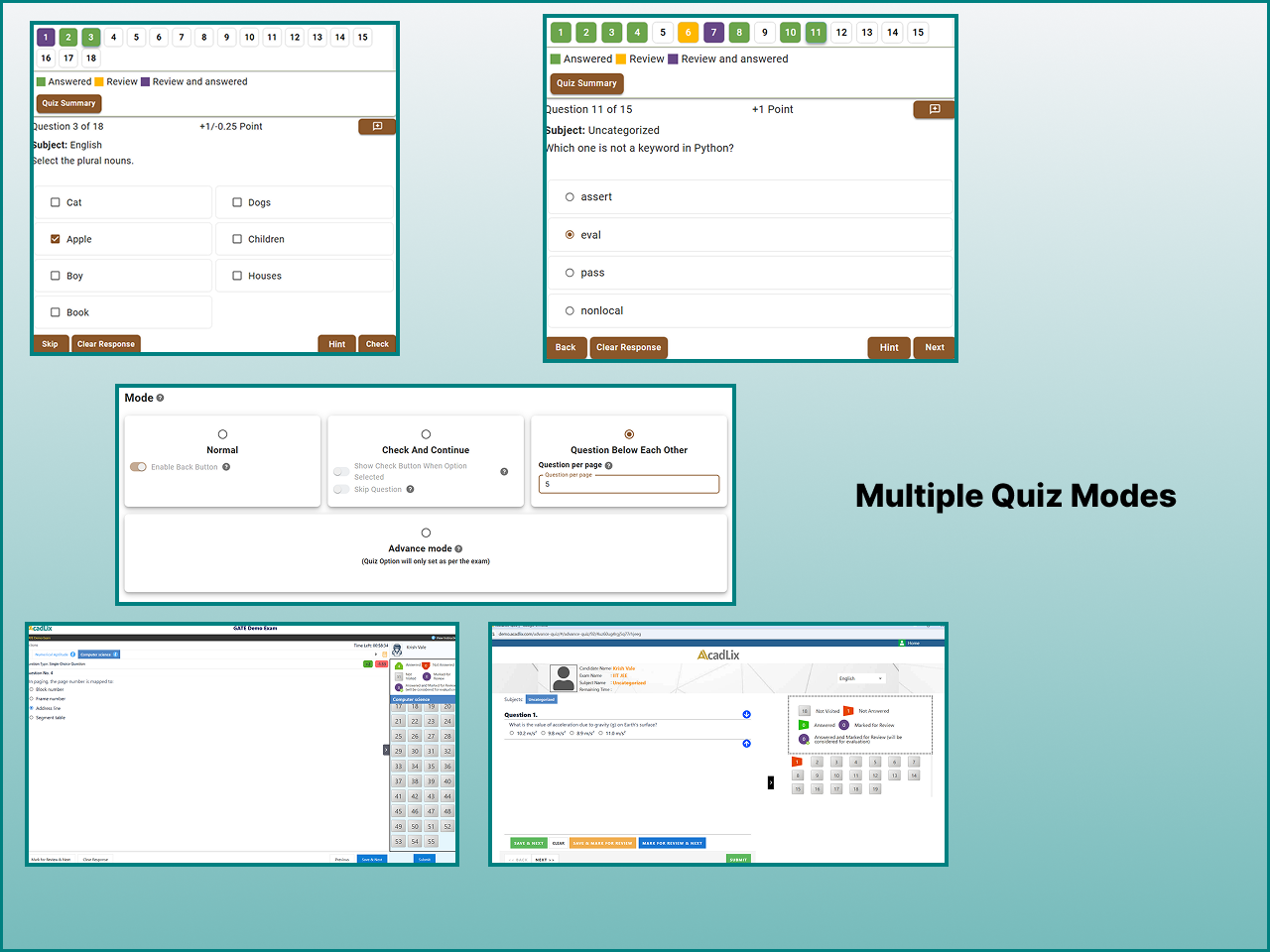
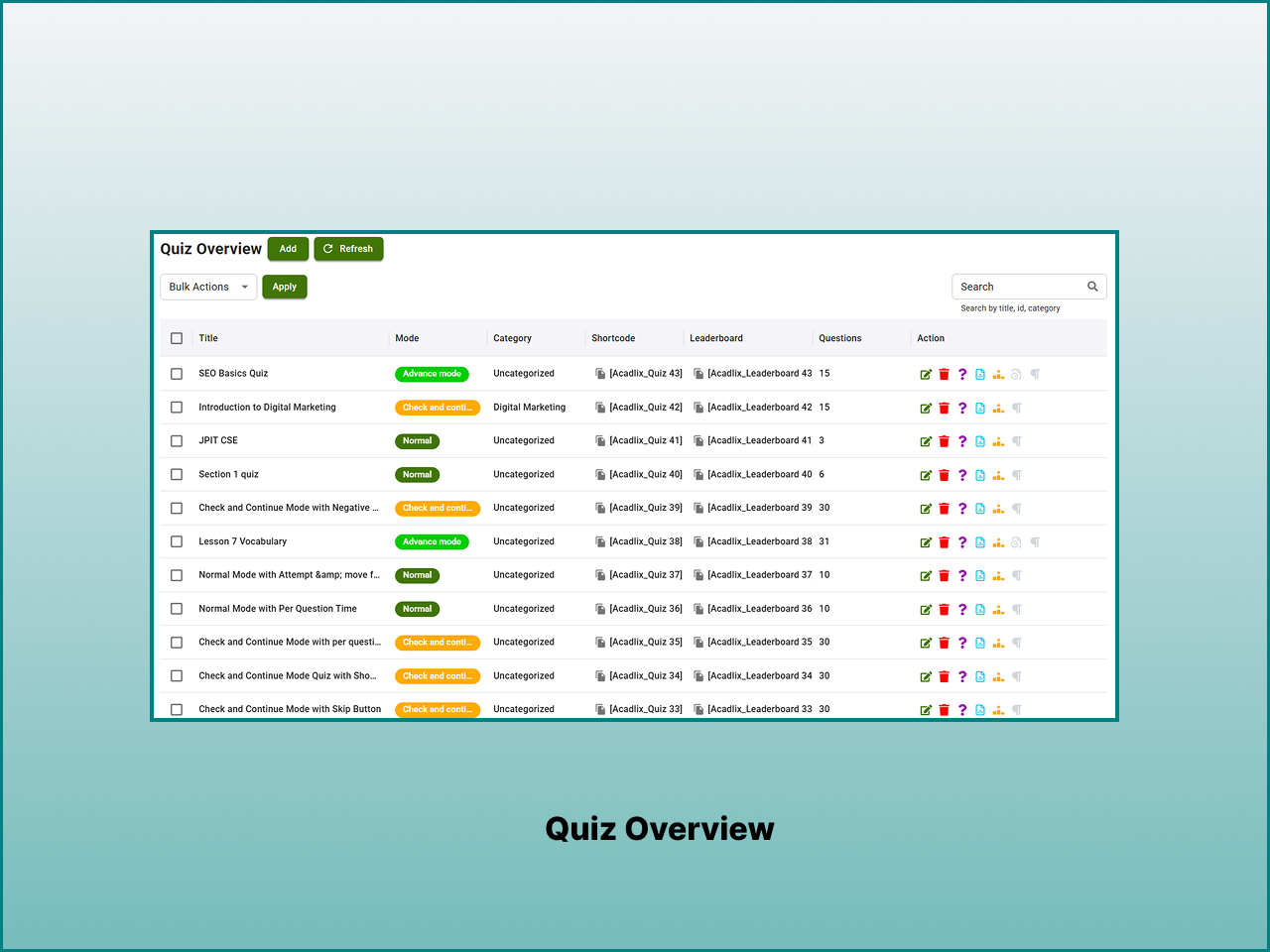
常见问题:
What is Acadlix LMS?
Acadlix LMS is a WordPress LMS, quiz, and online exam plugin for creating and selling online courses, quizzes, mock tests, assessments, and eLearning websites.
Who is Acadlix designed for?
Acadlix is suitable for educators, coaching institutes, schools, colleges, corporate trainers, certification providers, and anyone who wants to build an online learning platform with courses, quizzes, and examinations.
Is Acadlix a free WordPress LMS plugin?
Yes. Acadlix core is available as Free that includes unlimited courses, lessons, quizzes, students, AI question generation, AI question validation, payments, certificates, and other essential LMS features.
Can I create unlimited courses?
Yes. The free version allows you to create unlimited courses, lessons, quizzes, and students.
Does Acadlix support AI-generated questions?
Yes. Connect your own OpenAI API key to generate quiz questions, validate existing questions, and create course or lesson descriptions. AI usage is billed directly by OpenAI based on your API consumption.
What question types does Acadlix support?
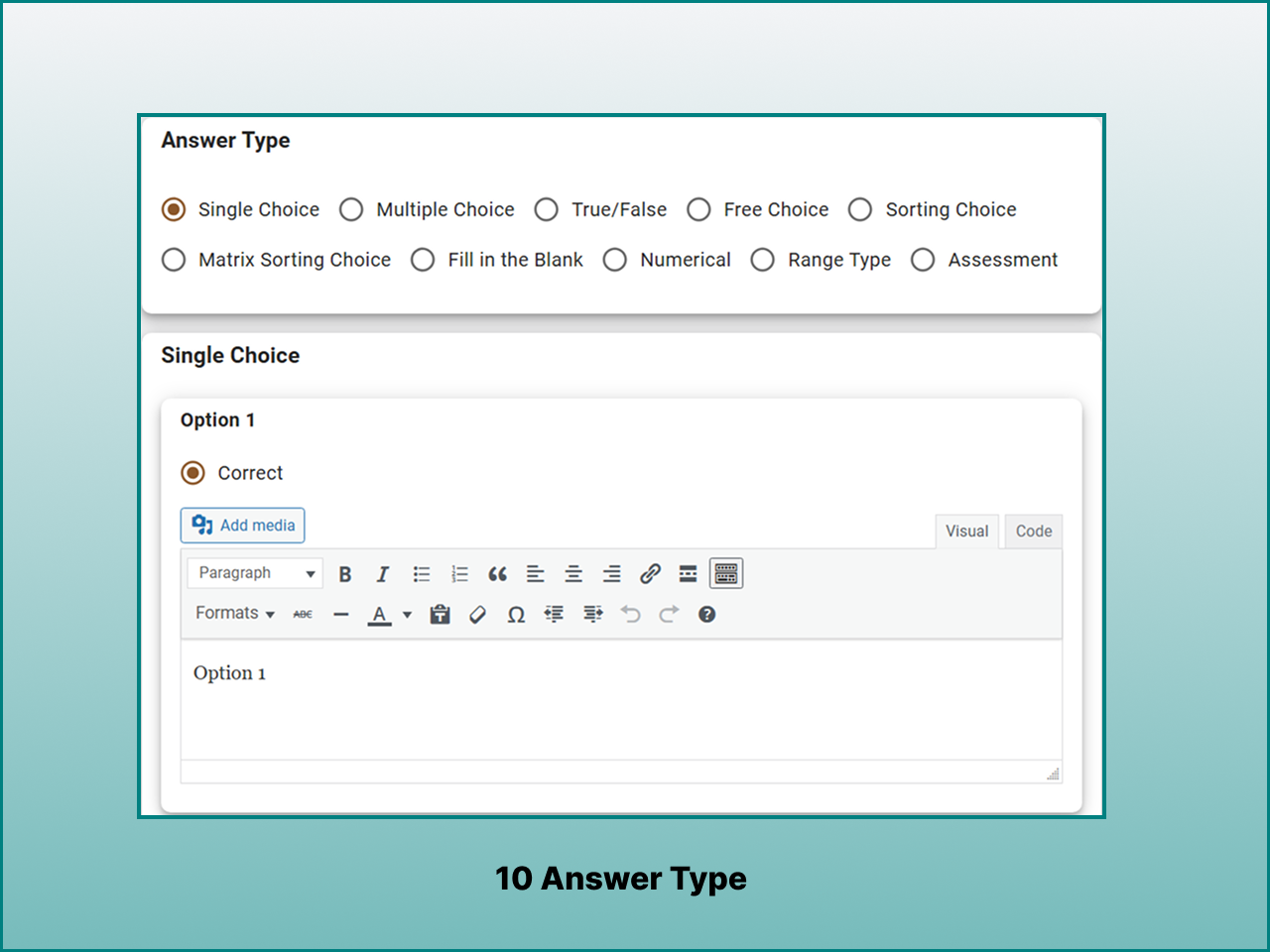
Acadlix supports Single Choice, Multiple Choice, True/False, Fill in the Blank, Sorting, and Matrix Matching question types. Acadlix Pro adds advanced question types such as numerical, numerical range, assessment, and essay.
Can I conduct timed online examinations?
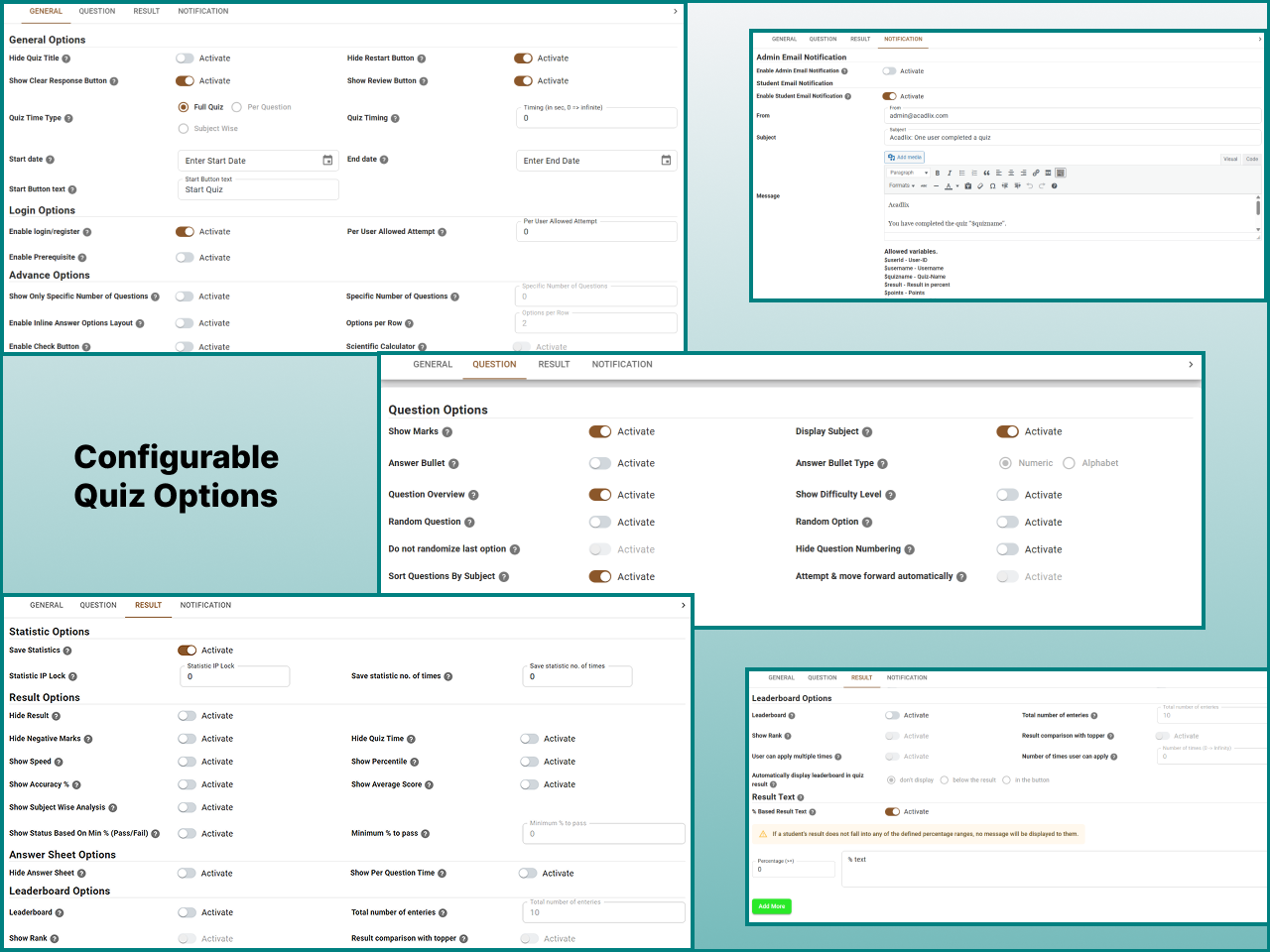
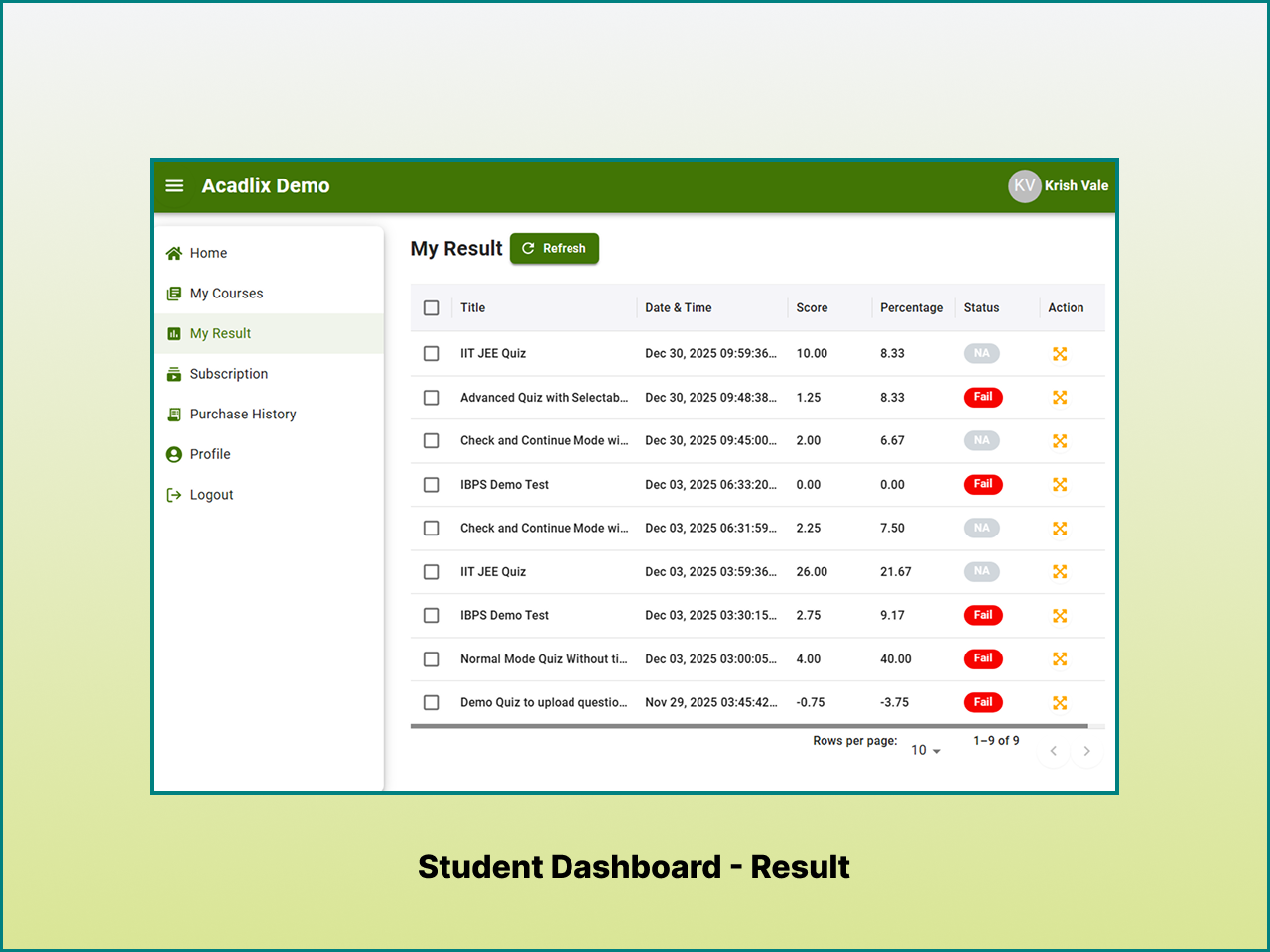
Yes. You can create timed quizzes and examinations with automatic grading, negative marking, question randomization, passing scores, and detailed result reports. Acadlix Pro adds subject wise timing.
Can Acadlix be used for competitive and entrance exams?
Yes. Acadlix is designed to support competitive examinations, entrance tests, mock test series, and online test platforms. Acadlix Pro also includes dedicated competitive exam layouts for exams such as IBPS, JEE, GATE, UGC NET, NTA, CUET and state level competitive exams.
Does Acadlix support assignments?
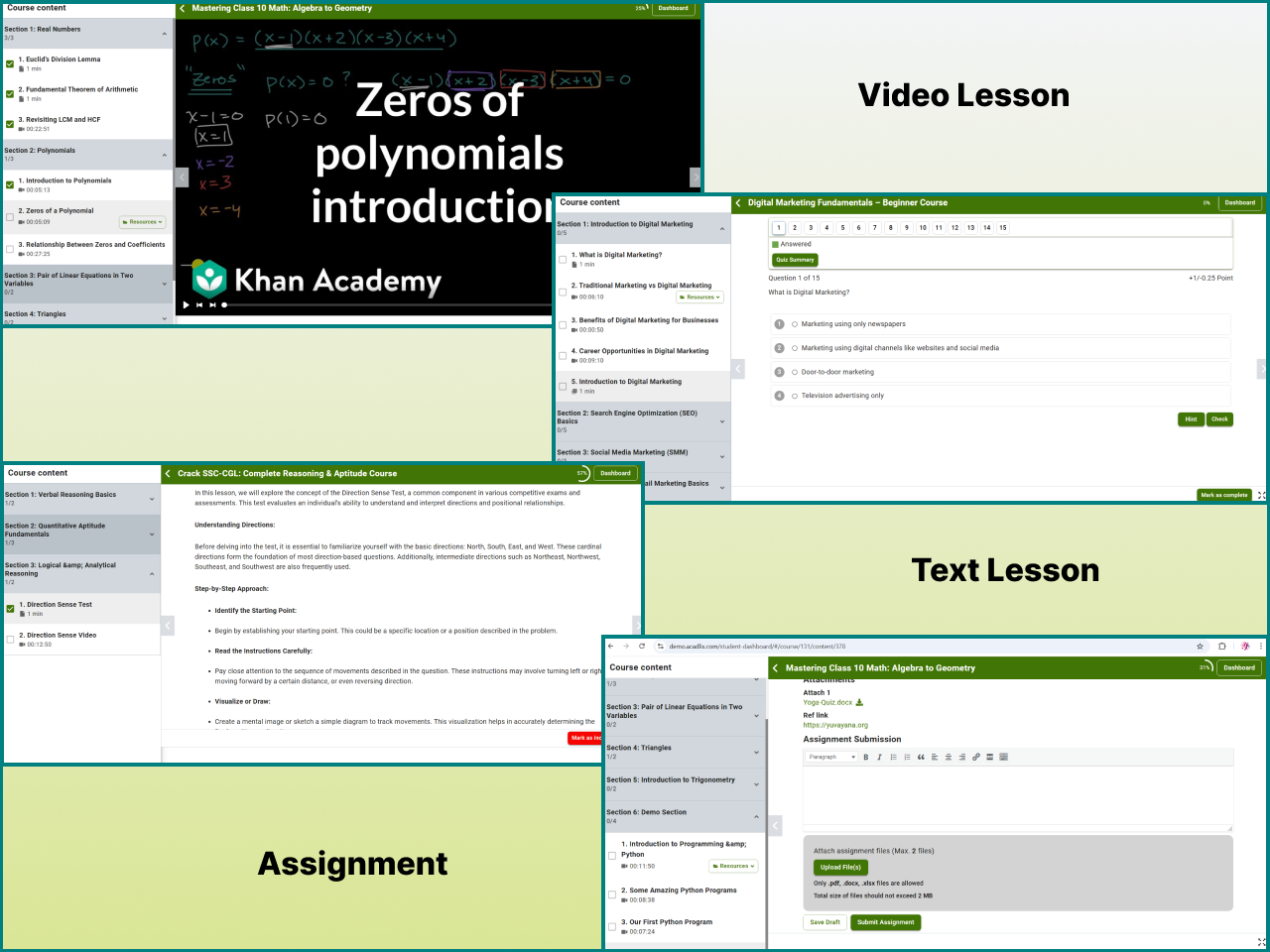
Yes. Acadlix supports assignments as part of course learning activities. Acadlix Pro includes unlimited assignments, allowing instructors to combine assignments with lessons, quizzes, exams, and other course content.
Can I sell courses without WooCommerce?
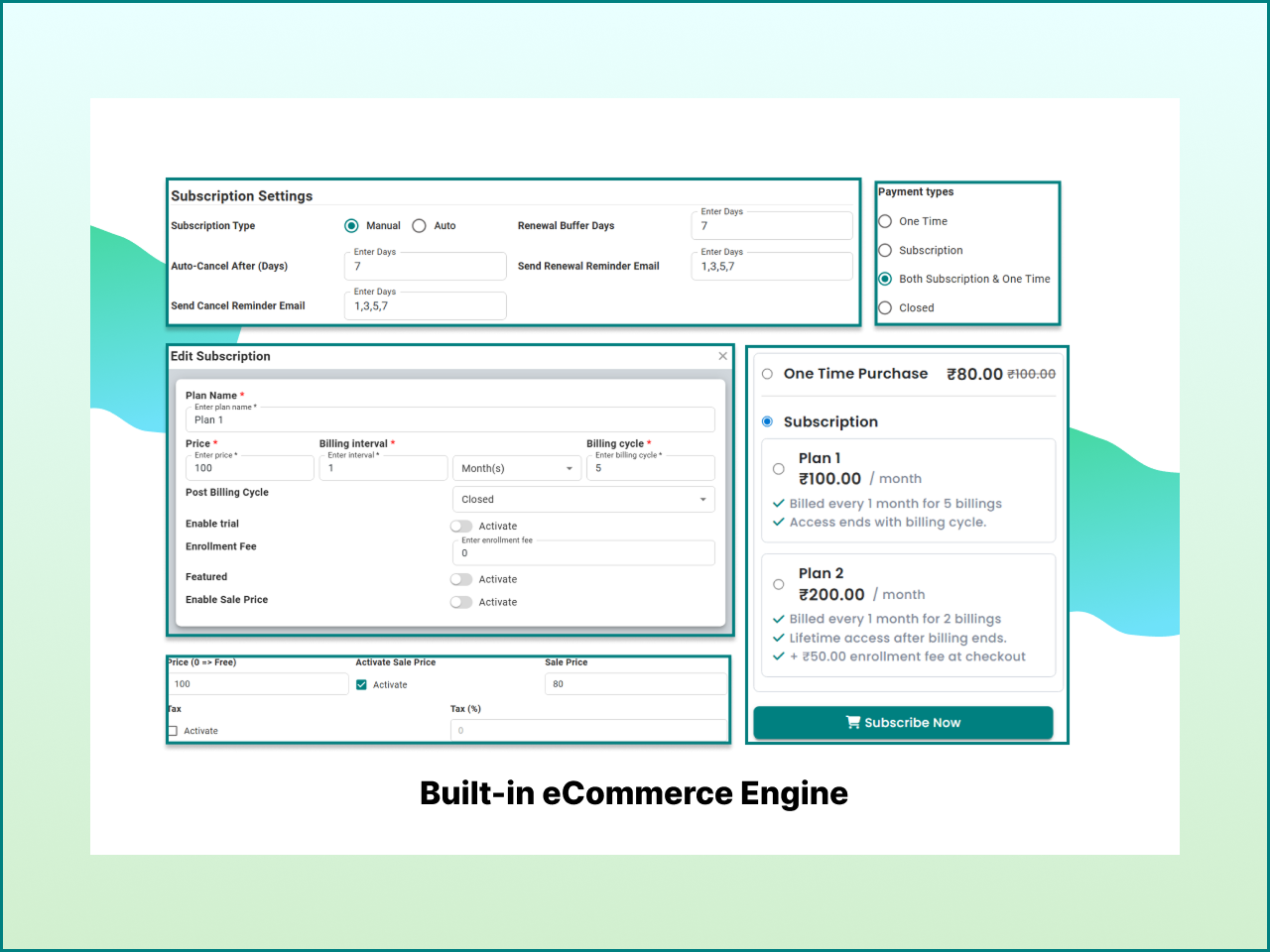
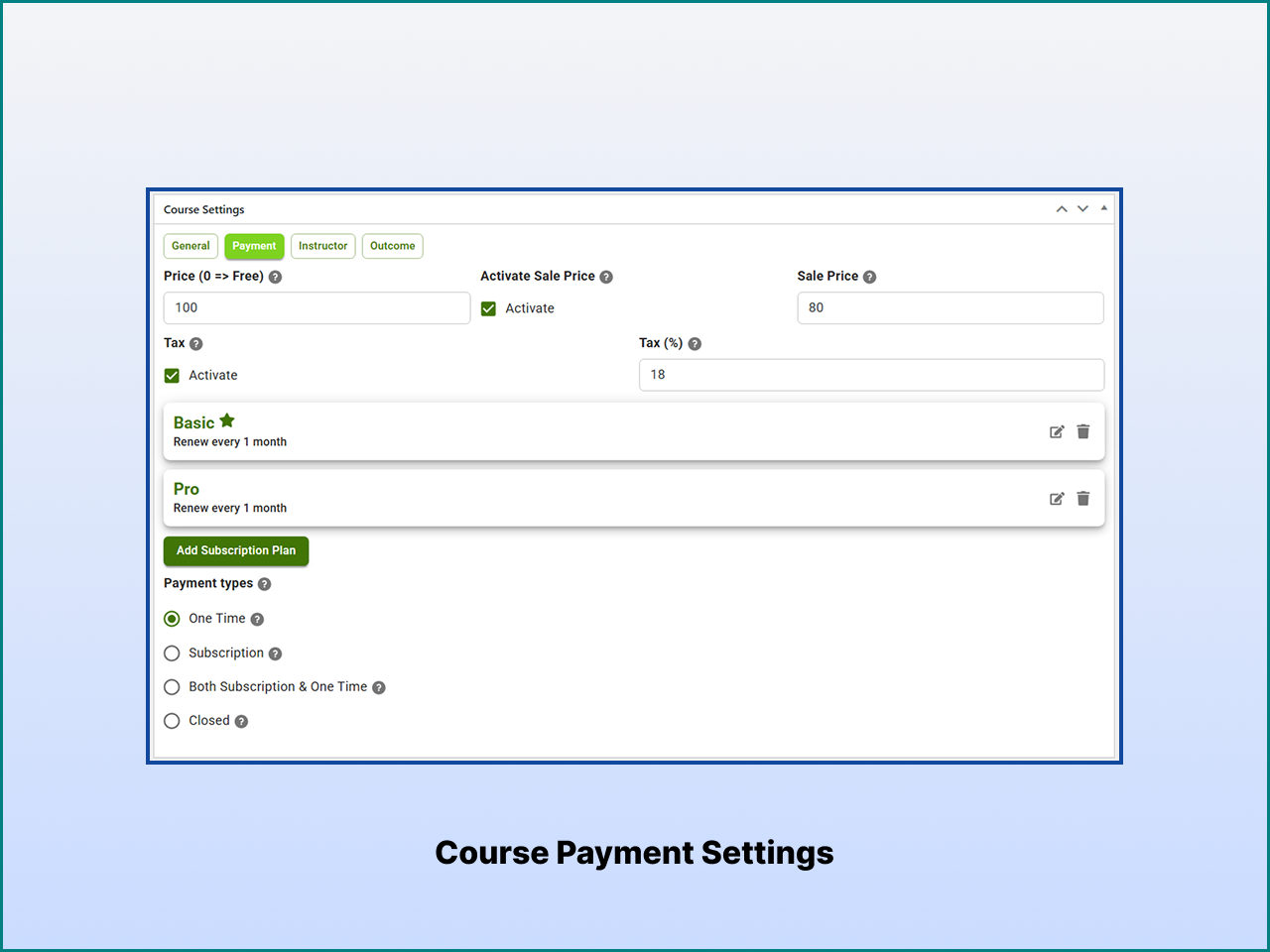
Yes. Acadlix includes a built-in payment system for selling courses and test series without requiring WooCommerce.
Which payment gateways are supported?
Acadlix currently supports: • Stripe • PayPal • Razorpay • PayU Offline payments are also supported. You can also integrate it with Knit Pay that supports more than 500 Payment gateways.
Does Acadlix support subscriptions?
Yes. Acadlix Pro supports subscription billing and multi-plan subscriptions for recurring course or learning-platform payments.
Can I issue certificates?
Yes. Certificates are available after learners complete course requirements. Additional certificate customization options are available in the Pro version.
Does Acadlix support live classes?
Yes. Acadlix Pro supports live classes through Zoom, Google Meet, and Microsoft Teams.
Is Acadlix mobile friendly?
Yes. Acadlix is designed with a mobile-first approach. So it works seamlessly across different screen sizes and devices like Desktop, tablet, and Mobile.
Does Acadlix support a PWA and mobile learning?
Yes. Acadlix provides a responsive learning experience across desktop, tablet, and mobile devices. Acadlix Pro includes a built-in Progressive Web App (PWA), app-like mobile experience, mobile login options, and customizable mobile bottom navigation.
Does Acadlix work with Elementor?
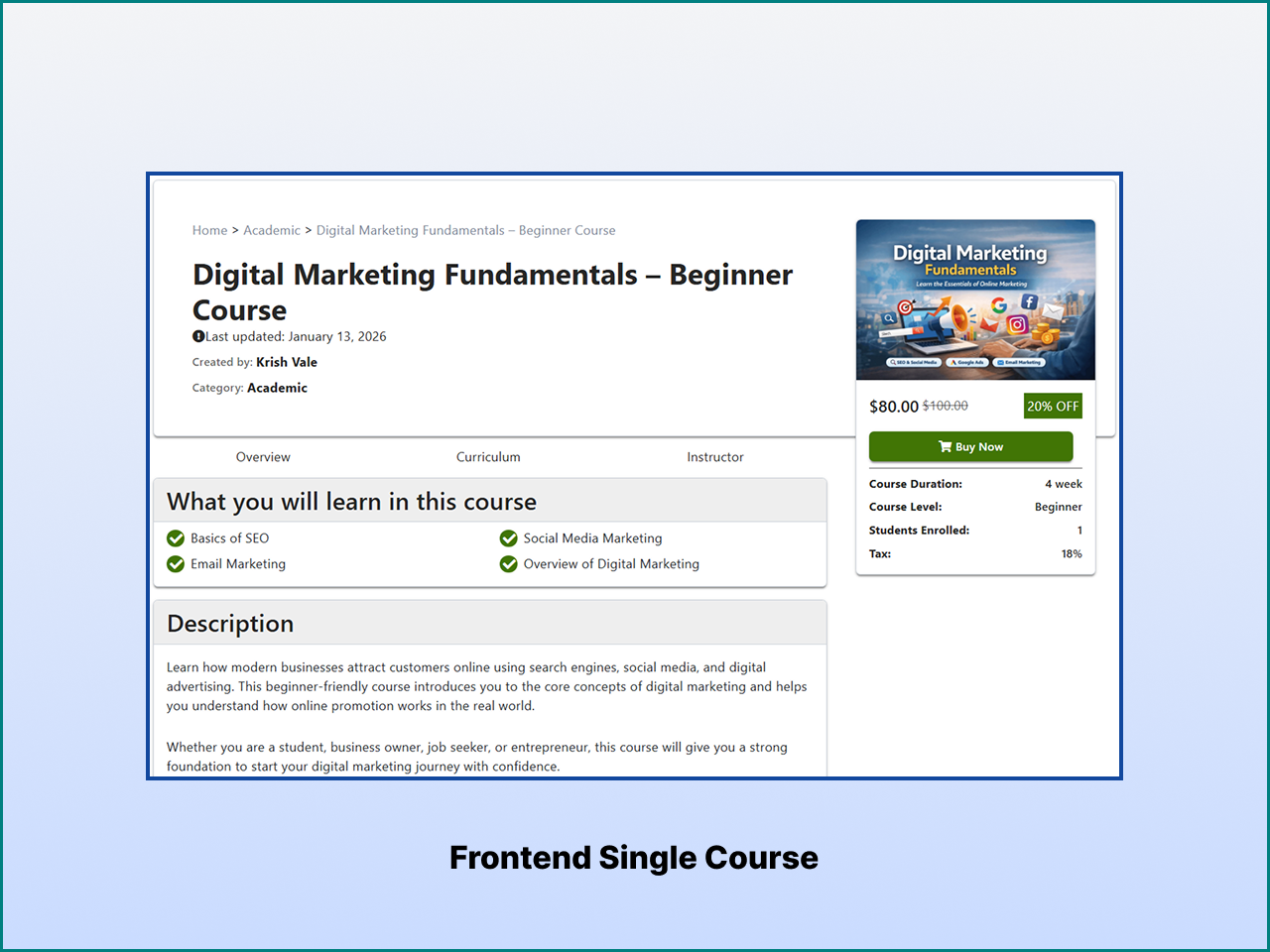
Yes. Acadlix includes Elementor widgets that help you build custom course pages without coding.
Can I migrate from another WordPress LMS or Quiz Plugin?
Yes. Acadlix includes a migration tool to help move content from WP Pro Quiz, WP-ADV-Quiz, and LearnPress LMS.
Will Acadlix work with my WordPress theme?
Acadlix follows WordPress development standards and is designed to work with most modern themes. If you encounter compatibility issues, our support team can help.
Does Acadlix support drip content and course prerequisites?
Yes, Acadlix Pro supports the logical drip content and course prerequisites.
Do I need coding knowledge to run my eLearning Website on WordPress?
No. Courses, quizzes, exams, payments, and student management can all be managed from the WordPress dashboard without writing code.
Where can I find documentation?
Complete documentation, tutorials, and setup guides are available on the Acadlix website.
Where can I request new features?
Feature requests and feedback are always welcome. They help us improve Acadlix for educators and organizations around the world.
更新日志:
- Added: Bunny.net integration.
- Added: Partial marking in quizzes with strict and flexible types.
- Added: Answer sheet layout settings for quizzes (one at a time / all at once).
- Added: Option for quiz navigation after saving a quiz.
- Added: Rating option in the free bottom page in the admin dashboard.
- Updated: Removed outer card in the student answersheet for better UI.
- Updated: Prerendering of course content for speed optimization.
- Updated: Optimized the overall quiz system for better performance.
- Fixed: Front end toast display issue on mobile when the mobile menu is enabled.
- Fixed: Loading state of buttons on mobile devices.
- Fixed: Question issue where CSS was overlapping with the audio file.
- Fixed: A security issue. Thanks to Wordfence for responsibly reporting it.
- Added: Font resizer accessibility option for student dashboard.
- Added: Dedicated settings drawer in the student dashboard.
- Added: Automatic first name save functionality during first-time checkout.
- Added: Admin option to reset student course progress.
- Updated: Centralized user profile update mechanism for real-time changes without page reloads.
- Updated: Checkout button interaction to prevent duplicate submissions during payment processing.
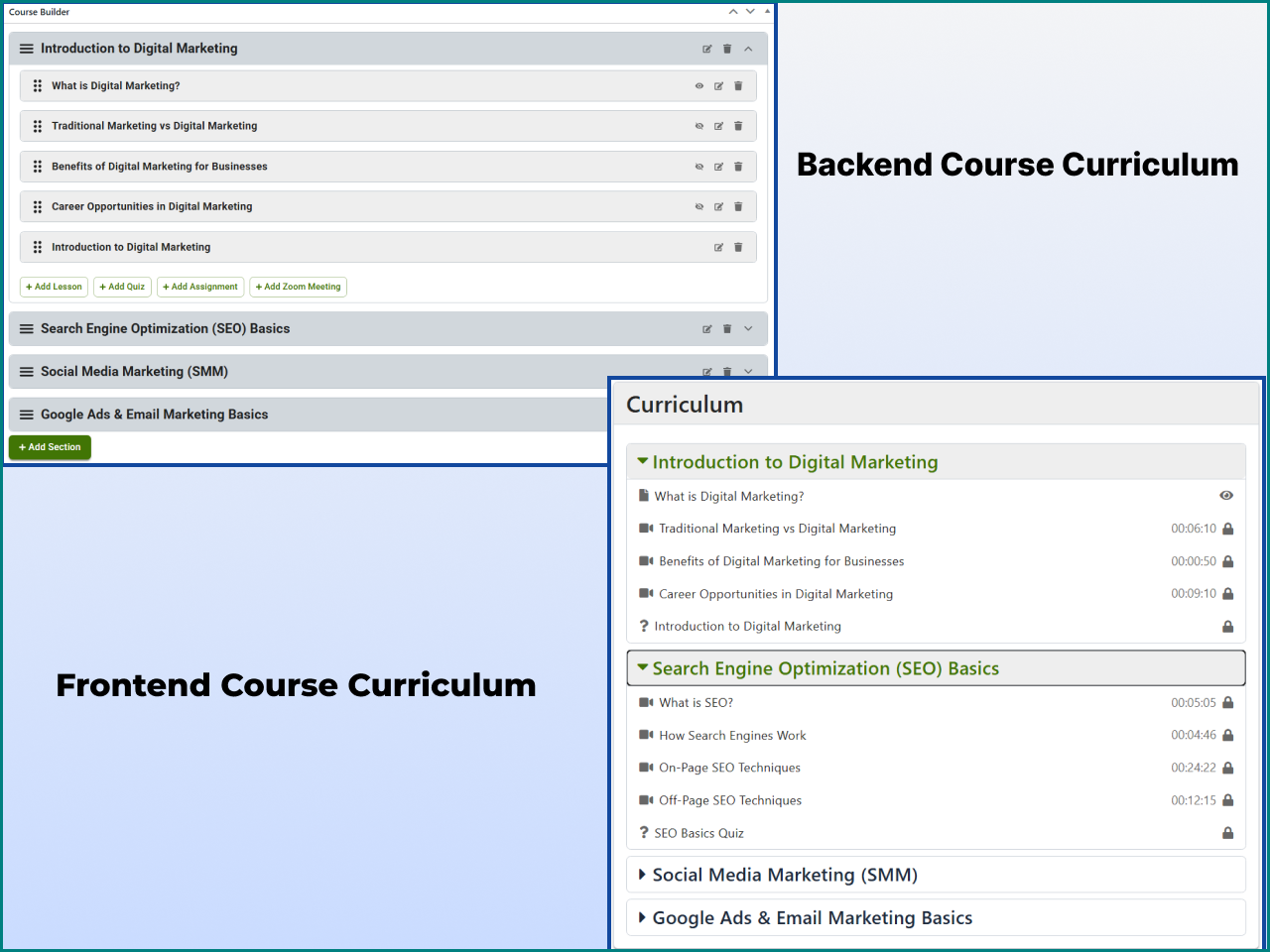
- Updated: Course content visual and structural UI enhancements.
- Fixed: Automatic scroll-to-top behavior issue in the student dashboard.
- Fixed: Password reset functionality issue in the login.
- Added: Student dashboard REST API caching options.
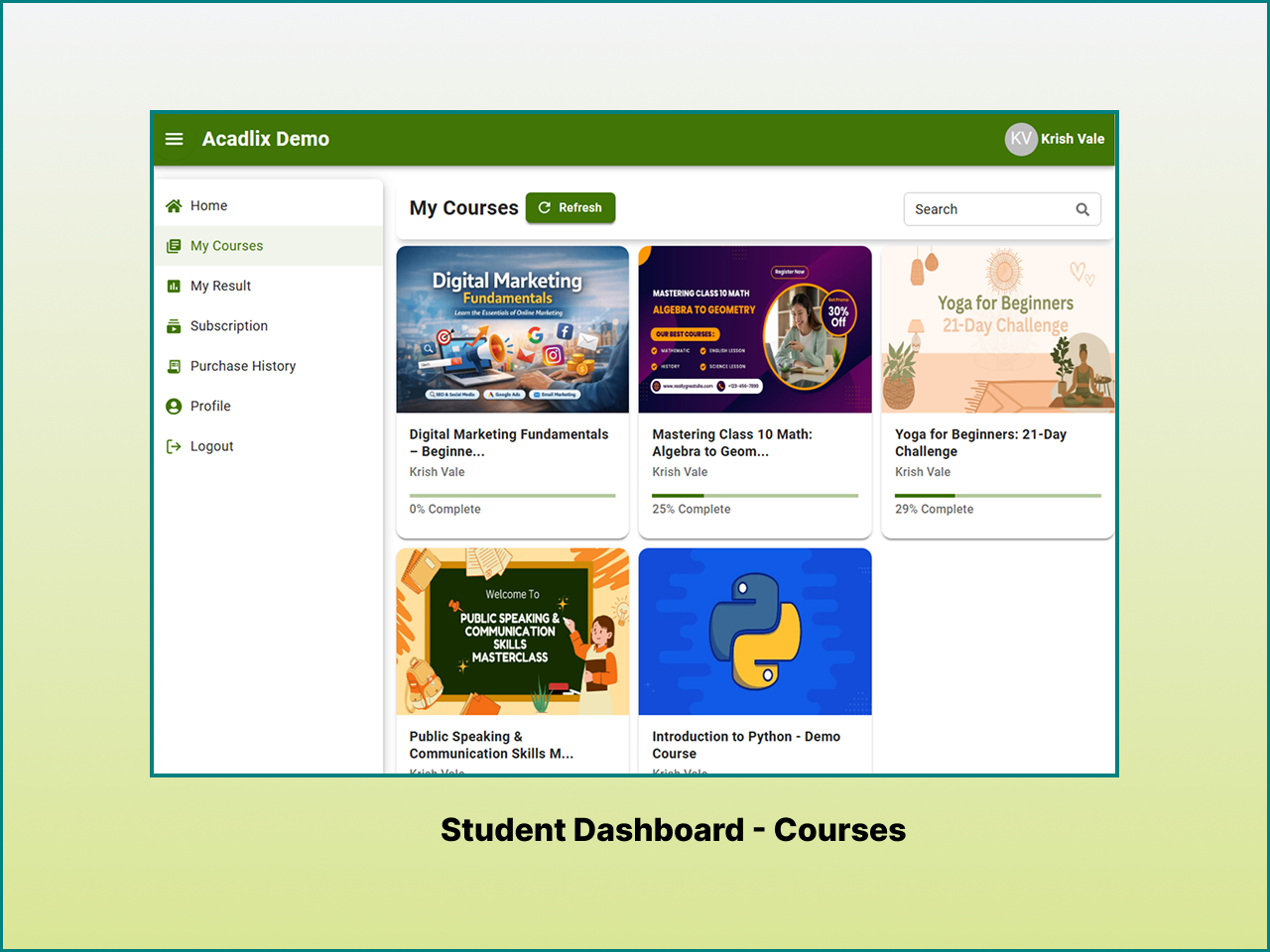
- Added: Student experience improvements in the dashboard with added all course page in the student dashboard for easier navigation and course management.
- Fixed: Quiz Shortcode load optimization issue.
- Fixed: Coupon page and announcement not working issue in admin dashboard.
- Fixed: Leaderboard load more button not working issue in front end.
- Fixed: Dark mode color issue in login and registration page.
- Fixed: Change rank fallback from 1 to N/A in leaderboard.
- Fixed: Issue with advertisement banner not displaying on the student dashboard and user name.
- Fixed: Redirect issue on free course purchase.
- Added: Deactivation feedback popup to collect admin feedback during plugin deactivation.
- Added: Setup wizard to streamline initial plugin configuration.
- Added: Save and Continue Edit button for faster content editing workflows.
- Added: Course announcement functionality.
- Added: Lesson Category.
- Added: Lesson template.
- Added: Gutenberg support for lesson content.
- Added: Dark mode support for student dashboard.
- Added: Add access to super admin to acadlix.
- Added: Resources, requirements, target audience, faqs, fake students, and featured course in course settings.
- Added: Inbuild password reset functionality for users.
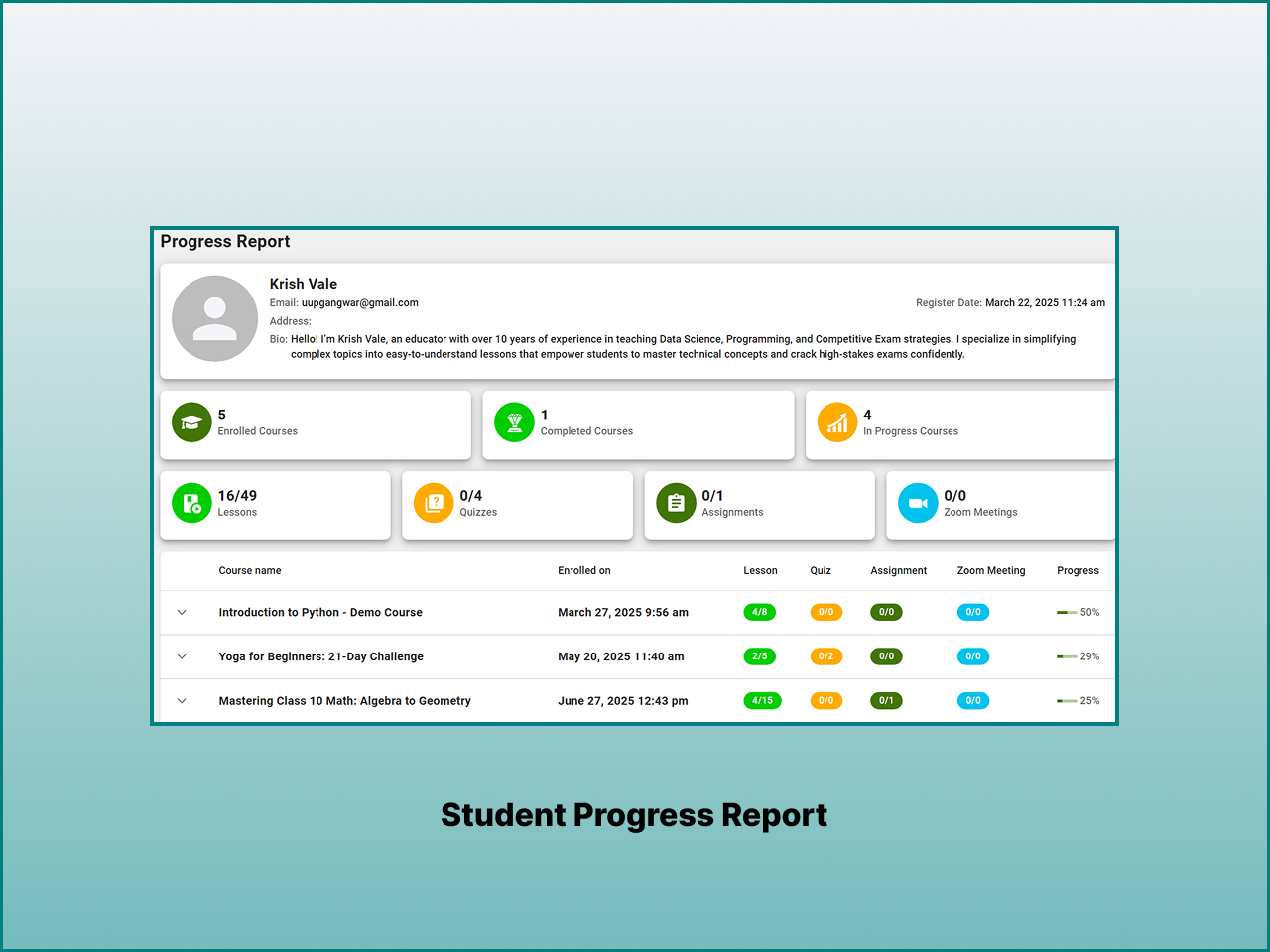
- Added: Dashboard page in student dashboard to show course overview, progress, and quiz results.
- Updated: Enrollment management flow for smoother enrollment updates.
- Updated: View answersheet interaction with swipe control support in mobile.
- Updated: Leaderboard design.
- Updated: Student dashboard design.
- Fixed: Issue with activation.
- Added: Deactivation feedback popup to collect admin feedback during plugin deactivation.
- Added: Setup wizard to streamline initial plugin configuration.
- Added: Save and Continue Edit button for faster content editing workflows.
- Added: Course announcement functionality.
- Updated: Enrollment management flow for smoother enrollment updates.
- Updated: View answersheet interaction with swipe control support in mobile.
- Added: Reattempt text option support in quizzes.
- Updated: Course start date and time saving behavior.
- Updated: AI content generation to prevent creating H1/H2 tags.
- Updated: Quiz result comparison CSS for improved UI consistency.
- Fixed: AI content generator issue causing inconsistent list output.
- Fixed: Course content iframe CSS issue.
- Fixed: Lesson video player poster display issue.
- Fixed: AI question generation issue.
- Added: Lesson render shortcode support.
- Added: Sort Question question type.
- Added: Quiz shortcode and leaderboard block support.
- Added: Login shortcode block support.
- Fixed: Quiz template attempt handling issue causing incorrect attempt behavior.
- Fixed: Video player double-tap gesture support for play/pause and 10-second forward/backward seeking.
- Added: Free checkout support without requiring any payment gateway configuration.
- Added: Change password from student dashboard.
- Added: Resume video playback for lessons.
- Added: Login functionality for non-logged-in users at view answersheet or start quiz.
- Added: Sticky save button in settings and admin pages for improved usability.
- Added: Redirect option specifically for login shortcode.
- Added: Template override support for quiz shortcode with configurable fields.
- Added: Skeleton loader for student dashboard for better user experience during data fetch.
- Added: Course analytics in admin to view course performance and student engagement.
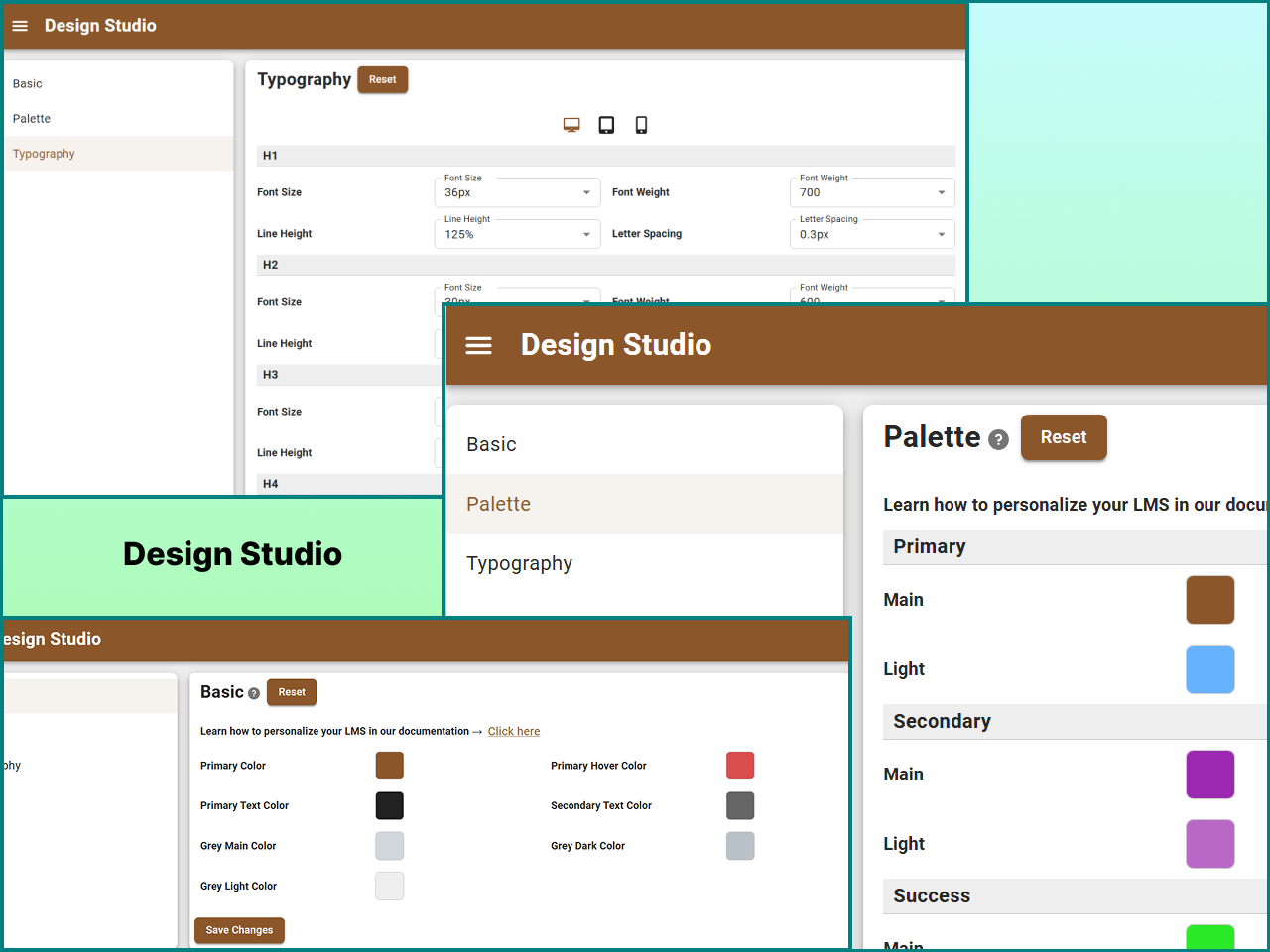
- Added: Design studio palette for better design control.
- Updated: Student certificate name formatting now displays first letter in uppercase automatically.
- Updated: Passing percentage restriction now disables the answer sheet access button when set score is not met.
- Updated: Course price validation at checkout before leaving to payment gateway.
- Updated: User avatar background in student dashboard top bar.
- Updated: Scroll to viewport when view answer sheet button is clicked for better user experience.
- Fixed: Quiz answer sheet reopening issue when quiz is submitted using finish quiz button.
- Fixed: Video player button CSS styling inconsistencies.
- Fixed: Single choice & true false question manual save issue caused by multiple clicks.
- Fixed: Reduced the volume slider for mobile view in video player.
- Added: Knit Pay payment gateway integration.
- Added: Quiz template delete functionality.
- Added: Course content icons in course backend for improved visual identification.
- Added: Category selection option in My Courses dashboard.
- Added: Column-per-row layout configuration for course listing.
- Added: Configure registration fields directly from backend settings.
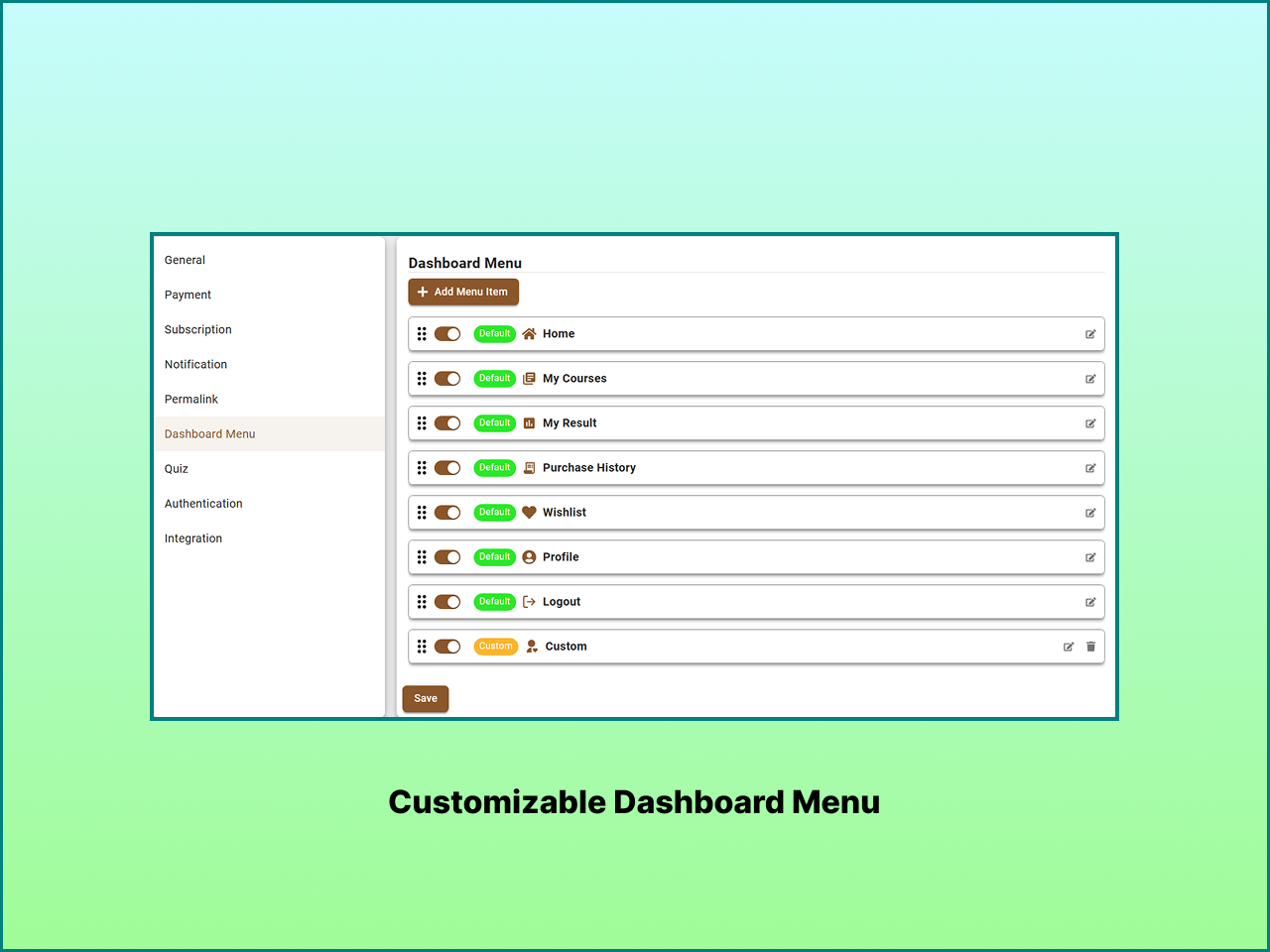
- Added: Custom Acadlix logo variant for student dashboard.
- Added: Automatic cache clearing after plugin update.
- Fixed: Leaderboard default button display issue in quiz interface.
- Fixed: Multiple category assignment issue in courses.
- Fixed: Coupon revalidation issue when course is removed from checkout.
- Fixed: Quiz import issue with language.
- Fixed: Frontend button and icon button CSS inconsistencies.
- Added: AI-powered question validation to ensure content accuracy and quality.
- Added: AI-powered question generation to assist educators in creating diverse and engaging quizzes.
- Added: AI-powered description generation for courses, lessons, and quizzes to save time and enhance content appeal.
- Added: Logout button on the header right-side for quick user access.
- Added: Category filter in quiz search within course curriculum backend.
- Added: Category filter on the admin quiz management page.
- Added: Category filter on frontend quiz result page for improved navigation.
- Added: Optional Finish Quiz button placement after the Next button across all quiz modes.
- Added: Remove youtube branding option for youtube videos in lessons.
- Added: Remove embedded option for video lessons.
- Improved: Quiz delete action icon repositioned at the end for clearer interface flow.
- Improved: Left sidebar user header redesigned with enhanced background and real-time app-like mobile view displaying username, email.
- Fixed: Course registration date display issue.
- Fixed: Quiz import/export functionality issues.
- Added: Certificate module for course completion.
- Added: Option to disable course enrollment visibility on the frontend.
- Added: Default phone code setting for user registration.
- Fixed: Trashed courses appearing in the "My Courses" section.
- Added: Coupon system to allow discounts on course purchases.
- Added: Import and export quiz functionality using JSON format for easy quiz migration and backup.
- Added: Category filter on the frontend for improved course browsing and discovery.
- Added: File upload option in Assessment question type to allow students to submit files as answers.
- Added: Content protection setting to disable right-click, copy, and text selection on course content, quizzes, and answer sheets.
- Added: Auto-start quiz option for all quiz modes except Advanced Quiz.
- Added: Option to disable the Hint feature in quizzes.
- Added: Ability to assign multiple courses to multiple users at once.
- Added: CSV import feature for bulk user creation.
- Added: Option to hide the WordPress admin toolbar for non-admin users from plugin settings.
- Improved: Updated question action icon in quiz interface for better clarity.
- Improved: Dashboard login page UI with centered layout for better user experience.
- Added - Rating and review system for courses.
- Added: Question difficulty level support for better question categorization.
- Improved: Enhanced UX for dynamic fields; new fields (Course Outcome, Question Options, Lesson Resources) now receive auto-focus upon addition.
- Improved: Real-time leaderboard updates; the leaderboard now refreshes automatically upon quiz completion if placed on the same page.
- Improved: Streamlined Quiz Category and Question Subject creation with "Enter" key support for faster additions.
- Improved: Refined UI/UX for Quiz Category and Question Subject settings for better management.
- Fixed: Corrected UI layout issues in the Subject-wise results view.
- Fixed: Removed unnecessary button underlines on the Thank You pages.
- Update: Update assets and readme for better performance and user experience.
- Improvement: Enhanced compatibility with WP Local development environments.
- Bug Fix: Resolved issues.
- Initial public release