
Accepted Payment Methods
| 开发者 | dewebkiller |
|---|---|
| 更新时间 | 2026年6月1日 16:54 |
| 捐献地址: | 去捐款 |
| PHP版本: | 8.0 及以上 |
| WordPress版本: | 7.0 |
| 版权: | GPLv2 or later |
| 版权网址: | 版权信息 |
详情介绍:
The Accepted Payment Methods plugin is a straightforward, lightweight solution that enhances your website by displaying visually appealing icons of the payment methods you accept.
This plugin is ideal for a variety of websites, including e-commerce platforms, service-oriented websites, and informational blogs. By integrating this plugin, you can effectively communicate to your customers the payment options available, thereby enhancing their user experience and building trust.
The easy-to-use interface allows you to customize the appearance of the icons to match your website’s design, ensuring a cohesive and professional look. Whether you are aiming to boost your online sales or simply provide clear payment information, the Accepted Payment Methods plugin is an essential tool for achieving these goals.
The image set for various payment icons can be found here
Features
- Supports svg, jpg, png, webp and other image formats.
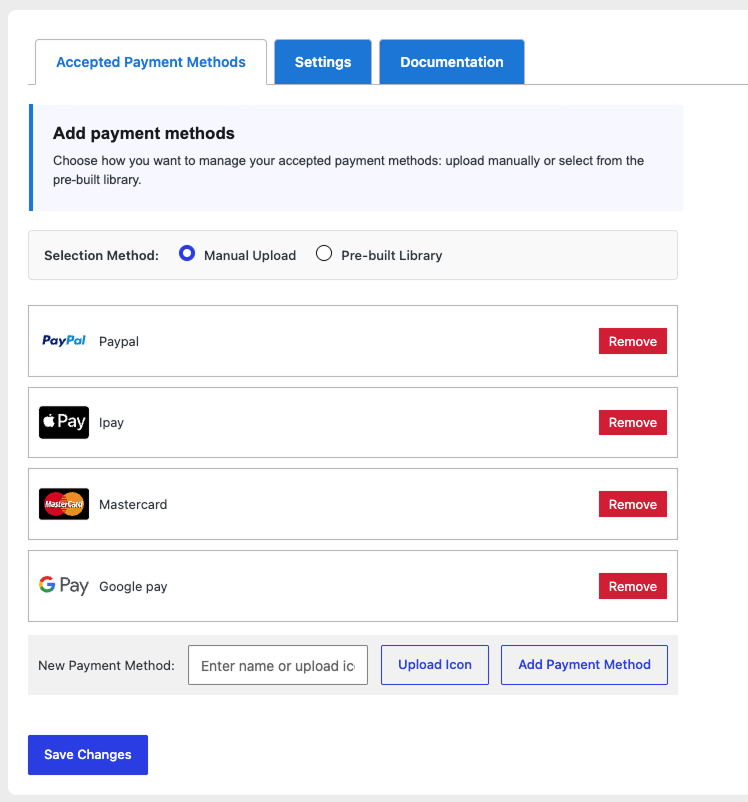
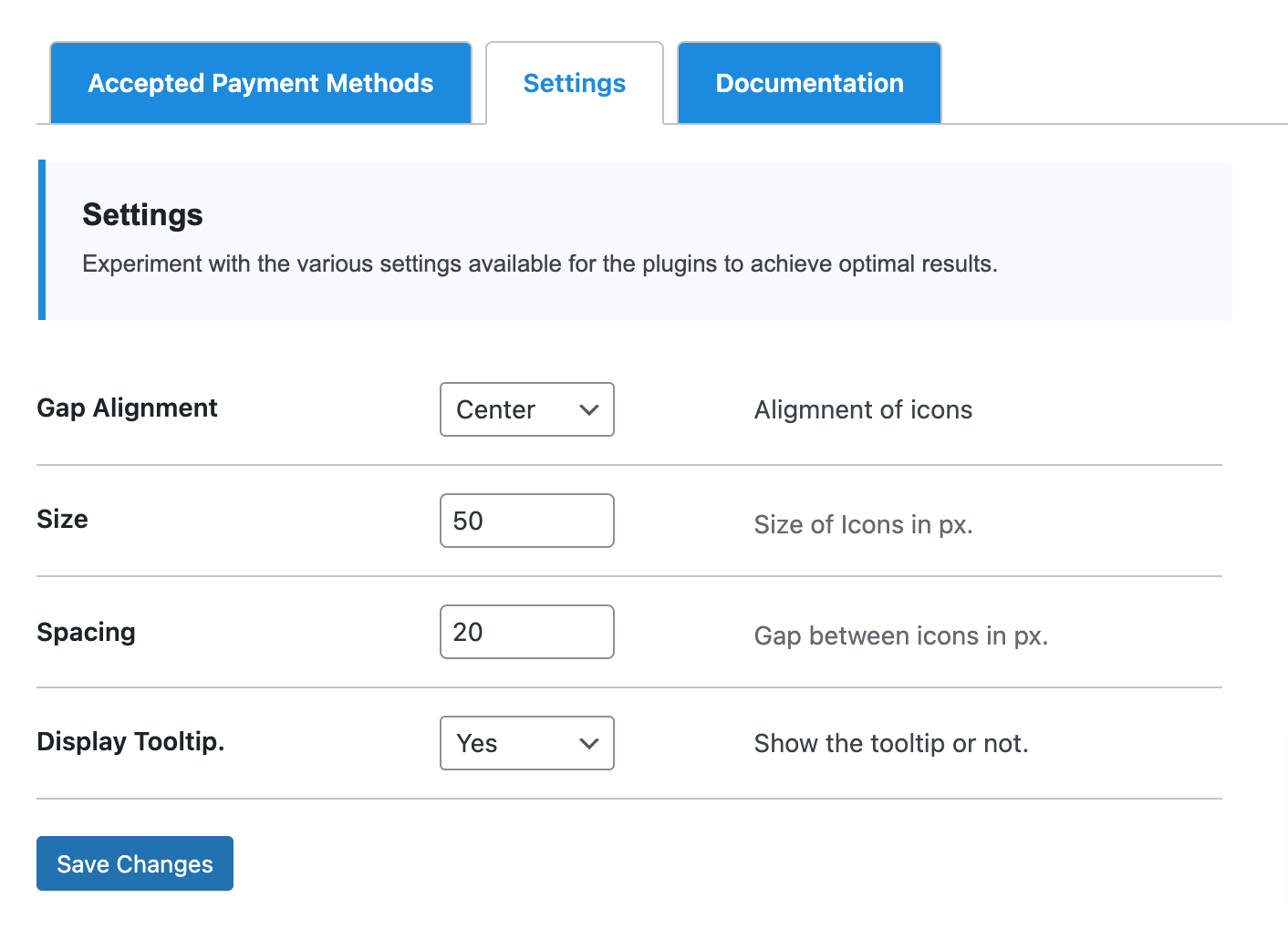
- Simple settings page within the plugin dashboard for multiple options to display the icons.
- Customizable icon size, placement, tooltip options, spacing and other settings.
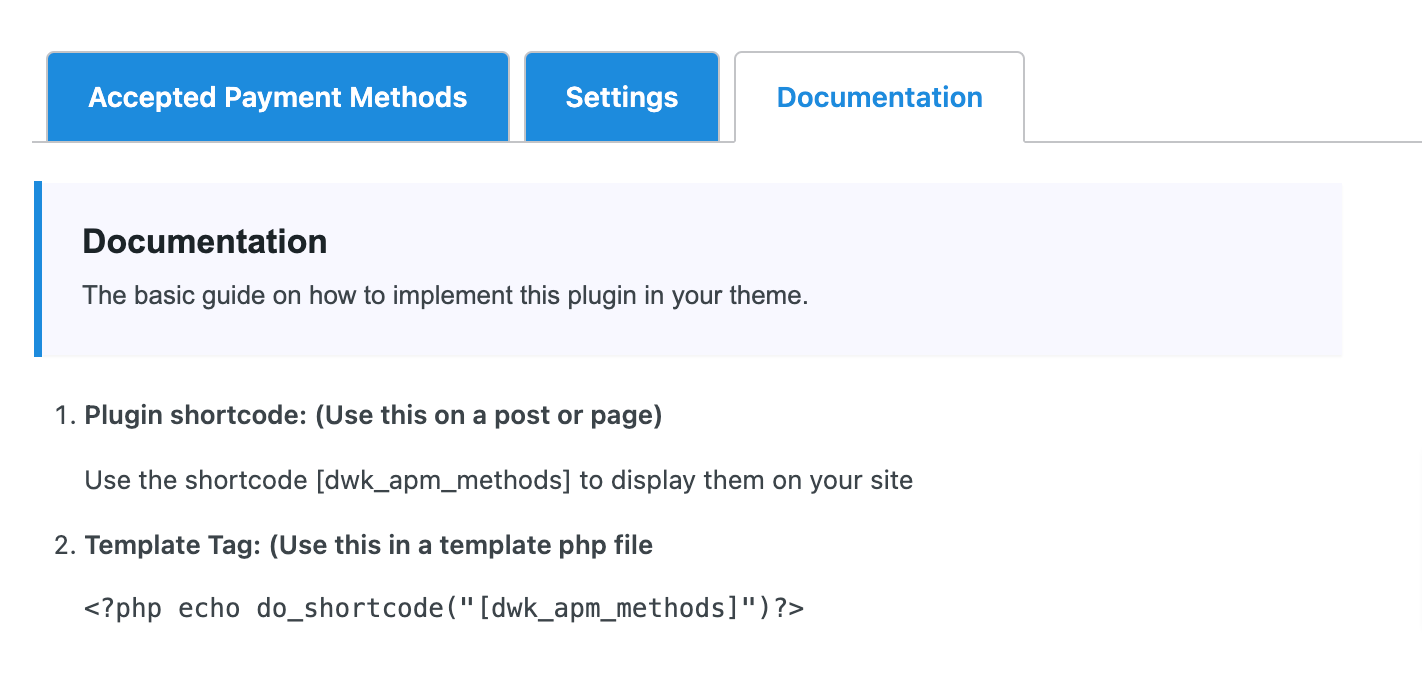
- Simple to implement and documentation within the plugin dashboard.
- Simple drag and drop option for managing the order of the icons.
- Popular payment svg icons like: Visa, MasterCard, American Express, Paypal, iPay, Google pay etc are included with the plugin files.
- External resources for the other payment icons like: Amex, Amazon, skrill, Stripe, LIQPAY, Western Union, Discover.
安装:
This section describes how to install the plugin and get it working.
e.g.
- Upload the plugin files to the
/wp-content/plugins/accepted-payment-methodsdirectory, or install the plugin through the WordPress plugins screen directly. - Activate the plugin through the 'Plugins' screen in WordPress
- Use the Payment Icons screen to configure the plugin
屏幕截图:
常见问题:
How many icons can I add?
You can add unlimited icons unless it affects your design.
Can I upload svg file?
Yes you can. You don't have to install other plugin to make the support for the svg file.
Can I change the order of the icons?
Yes you can. Its simple as drag and drop and save the options.
What is the size and shape of the icons?
You can adjust the size of the icon. The shape depends upon your uploaded file.
Can I display the title of the payment methods?
Yes you can. There is a tooltip option to display the title with some cool css.
Does this plugin work with all the themes especially with Block themes?
The plugin is developed to work with all the major themes and tested, but we cannot guarantee due to the diversity and different working methods of the developers.
更新日志:
1.5.0
- Add support for a Pre-built Library of popular payment method icons (Visa, Mastercard, PayPal, Apple Pay, Google Pay, Amazon Pay, Bitcoin).
- Implement dynamic directory scanning to automatically load newly uploaded icons from assets/icons/ folder.
- Support switching between Manual Upload and Pre-built Library selection modes.
- Relocate branding assets and layout images to assets/images/ directory.
- Improve security check standards (add manage_options capability checks to AJAX actions).
- Scope stylesheet and script enqueuing strictly to the plugin's administration page to avoid global admin page conflicts.
- Fix HTML5 validation focus failure on hidden icon inputs by utilizing input change bindings.
- Initial Release