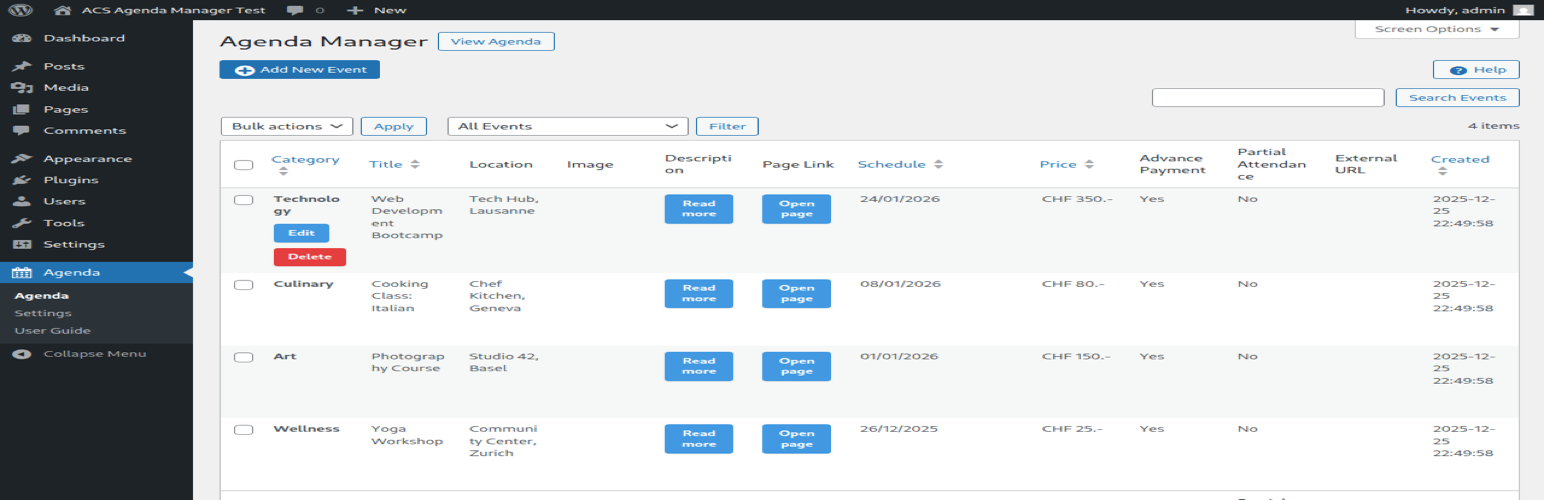
ACS Agenda Manager
| 开发者 |
masteracs
esysc |
|---|---|
| 更新时间 | 2026年8月21日 00:21 |
| 捐献地址: | 去捐款 |
| PHP版本: | 7.4 及以上 |
| WordPress版本: | 7.1 |
| 版权: | GPLv2 or later |
| 版权网址: | 版权信息 |
详情介绍:
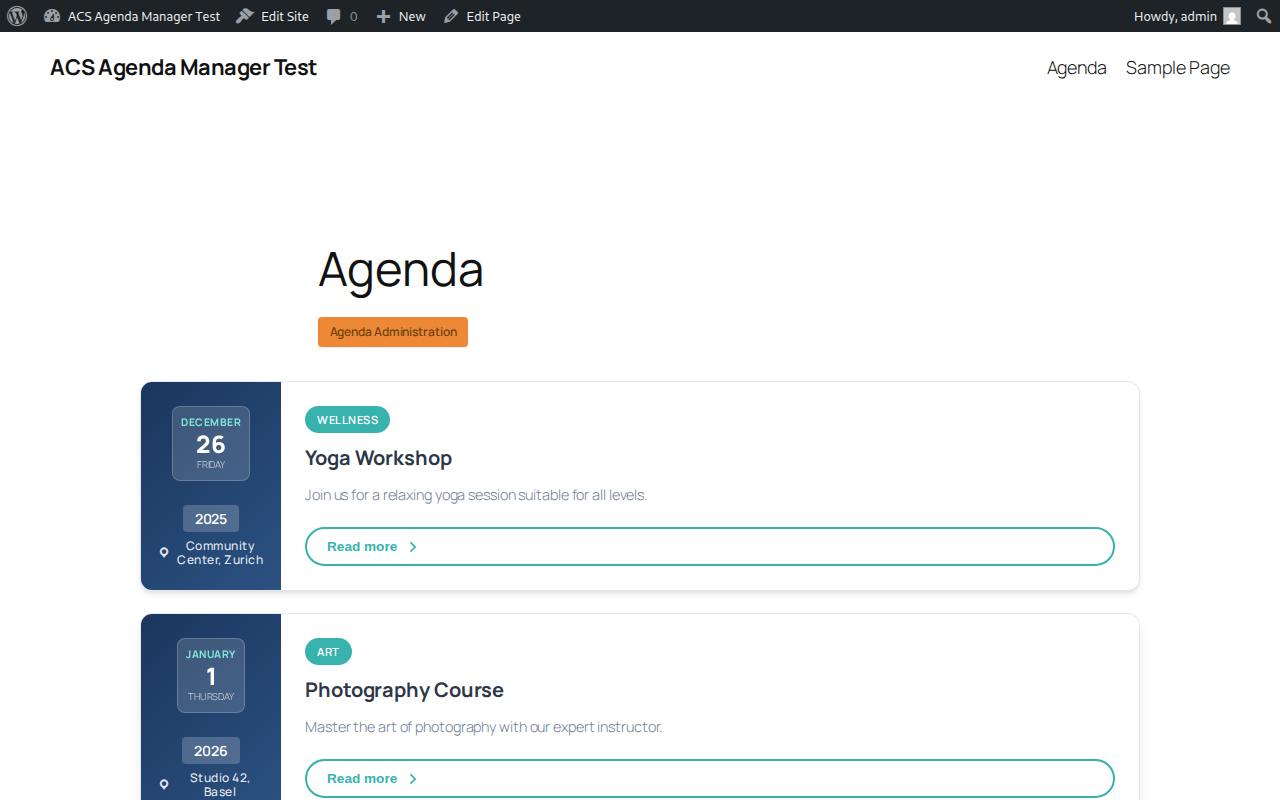
ACS Agenda Manager provides an easy way to create and manage an event agenda on your WordPress site. Display upcoming events with dates, locations, images, and descriptions in a clean, responsive layout.
Features
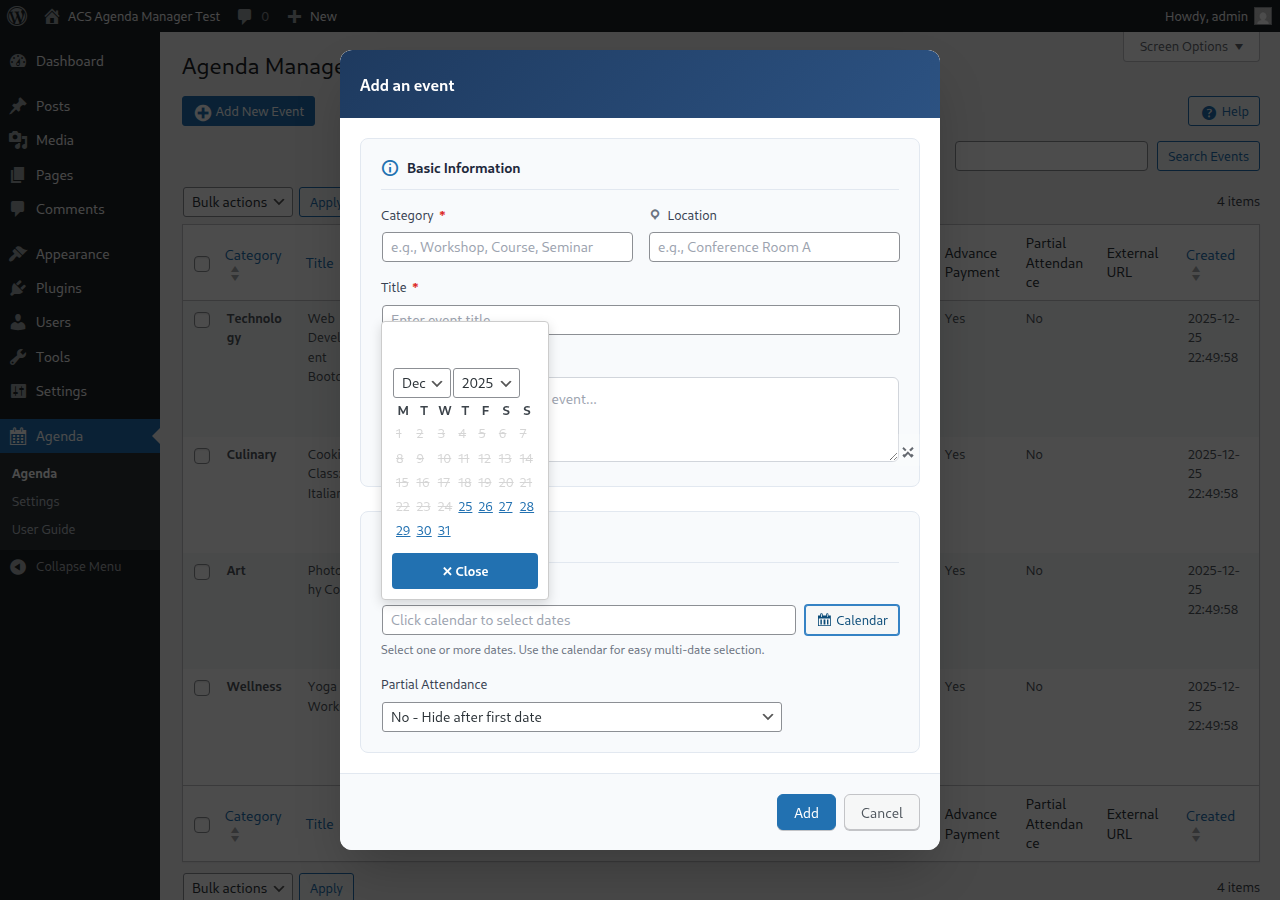
- Multi-date support: Events can span multiple days with visual multi-date calendar picker
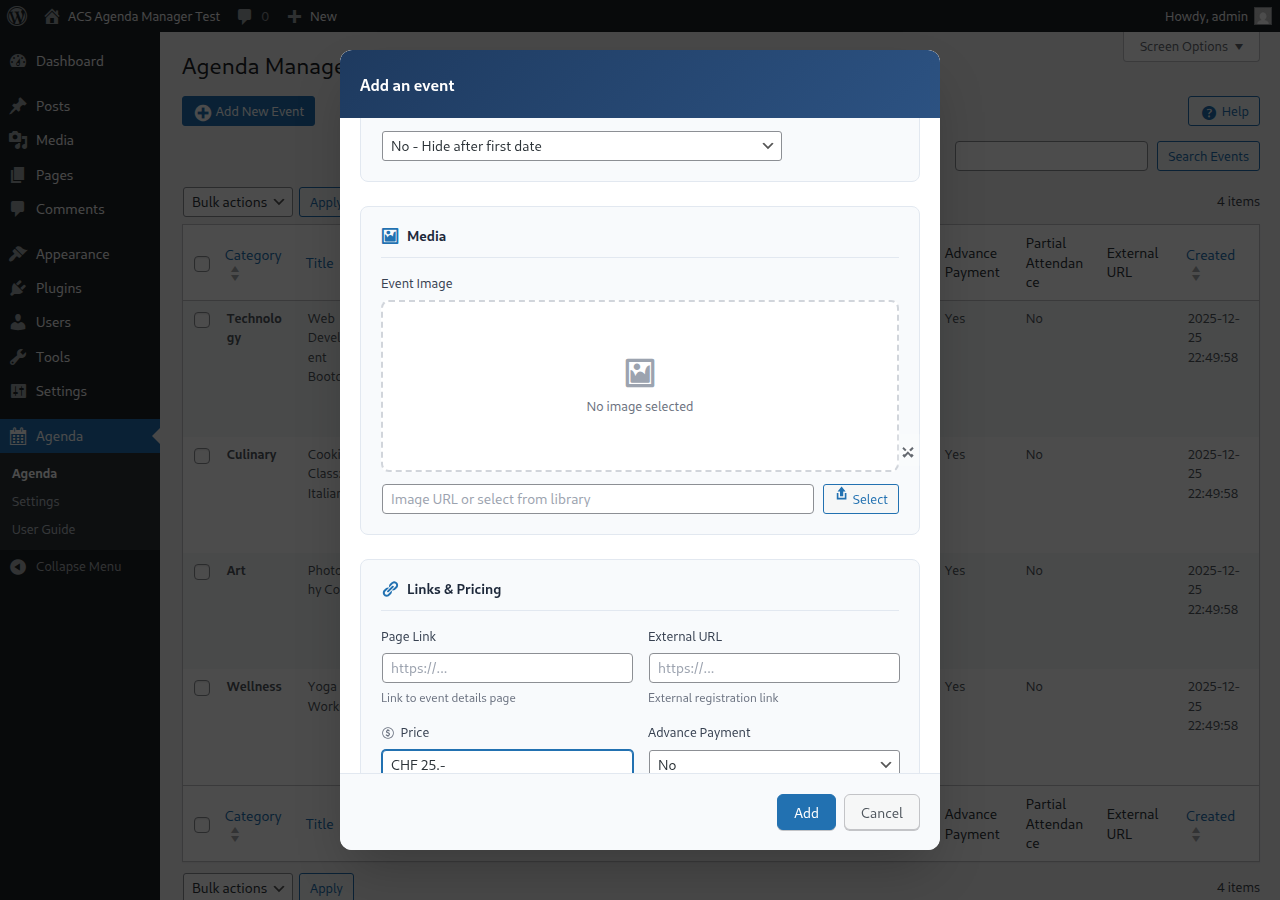
- Media integration: Upload and display event images via WordPress Media Library
- Image lightbox: Click images to view full-size in a popup overlay
- Location display: Show event locations prominently
- Linked pages: Connect events to detailed WordPress pages
- Automatic expiration: Past events are automatically hidden
- Modern responsive design: CSS Grid layout with glass-morphism effects
- Easy administration: Intuitive admin interface with card-based form sections
- Real-time validation: In-dialog error messages and success notifications
- Native contact form: Built-in organizer contact form available via the dedicated Contact action
- English (en_US) - Default
- French (fr_FR)
- German (de_DE, de_CH)
- Italian (it_IT)
- Japanese (ja)
[acsagma_agenda]
The plugin automatically creates an "Agenda" page upon activation with the shortcode included.
安装:
- Upload the
acs-agenda-managerfolder to the/wp-content/plugins/directory - Activate the plugin through the 'Plugins' menu in WordPress
- Navigate to Agenda in the admin menu to start adding events
屏幕截图:
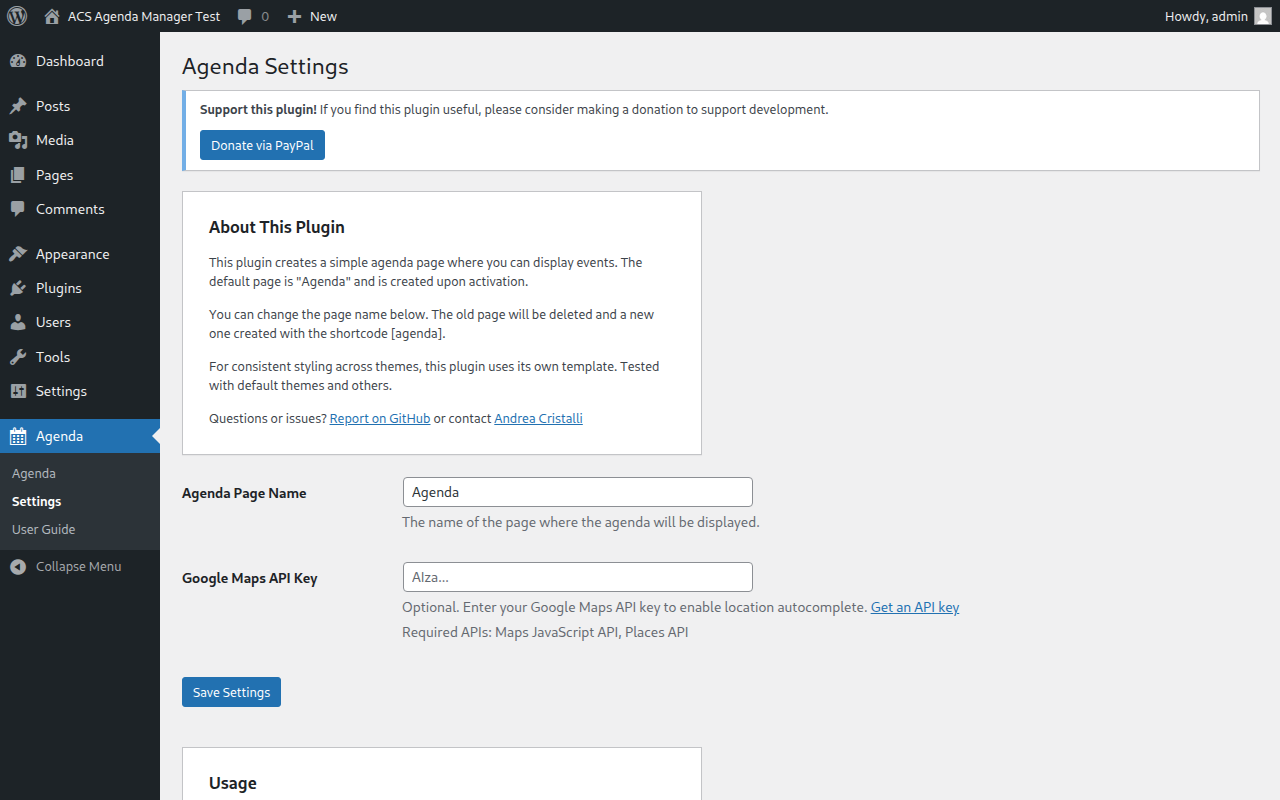
常见问题:
How do I display the agenda?
Use the [acsagma_agenda] shortcode on any page or post.
Can events have multiple dates?
Yes, events can have multiple dates. Use the calendar in the event editor to select multiple dates.
What happens when an event expires?
By default, events are hidden after their last date passes. You can control this behavior with the "Partial Attendance" setting under "Advanced settings" in the event editor.
Can I customize the appearance?
Yes, you can override the CSS in your theme or copy the template file to your theme for full customization.
更新日志:
3.6.1
- Bumped "Tested up to" from 7.0 to 7.1 for WordPress 7.1 compatibility
- Updated test environment to WordPress 7.1
- Added dedicated Contact button and split dialog modes so Read More shows linked page preview content while Contact shows event intro plus the contact form (without linked page preview)
- Improved contact-form UX and styling, including clearer field states for validation feedback
- Strengthened contact email validation in frontend and backend (rejects invalid one-letter TLD addresses)
- Added and updated E2E coverage for contact mode behavior, validation messages, and settings persistence
- Updated translations and regenerated locale assets for new and adjusted contact/validation strings
- Removed obsolete ACScontactform integration references from the plugin codebase, documentation, and tests
- Fixed intermittent E2E/global-setup login reliability in CI after fresh environment restarts
- Improved admin image preview hardening by validating URLs and rendering preview nodes via safe DOM APIs
- Improved date-chip accessibility with visible keyboard focus styling in the admin calendar UI
- Updated help/README wording for Advanced settings and Partial Attendance to keep instructions aligned
- Refined translation entries and rebuilt locale assets for updated help/instruction strings
- Added frontend toolbar with search, category filter, date-range filter (today/week/month), sort toggle, and compact/full layout toggle
- Added windowed client-side pagination (current ± 1 with ellipses)
- Added Read More button to expand additional event content per card
- Added
acsagma_max_eventsfilter hook to make DB fetch limit configurable (default 500) - Performance: new
last_date_tsDB column pre-filters expired events in SQL on every shortcode render; backfilled automatically on upgrade - Fixed event filter: encoding changed from hyphen-string to JSON — fixes breakage when titles/categories contain hyphens and fixes category filter being silently ignored
- Fixed week/month date-range filters incorrectly excluding today's events mid-day
- Fixed event sort/group order for partial-attendance mode 2 events with leading expired dates
- Fixed Settings rename deleting the Agenda page
- Fixed capabilities check for admin delete actions
- Fixed event list count not matching the filtered query
- Fixed
type="button"missing on Read More button - Prevented HTML injection in month heading rendering
- Accessibility:
role="navigation"on pagination,aria-current="page"on active page button,aria-hiddenon decorative dashicon - Translated all new strings into French, German (DE/CH), Italian, and Japanese
- Added "Delete Data on Uninstall" option in Settings to optionally remove all plugin data when uninstalling
- Added proper uninstall cleanup with uninstall.php
- Translations are now automatically installed to WordPress languages directory on activation
- Removed Swiss French (fr_CH) and Swiss Italian (it_CH) translations (not supported by WordPress core)
- Fixed SQL injection prevention in uninstall script
- Fixed shortcode naming for WordPress.org compliance
- Improved admin menu branding: renamed "Agenda" to "ACS Agenda" for better identification
- Complete Japanese translation now available
- Updated all translation files with correct shortcode references
- Added comprehensive E2E test coverage for advanced fields, help page, image management, settings, and form validation
- Fixed global variable naming in help-page.php template to use proper acsagma prefix
- Updated test environment to exclude development files for Plugin Check compliance
- Added Plugin Check integration to Docker test setup
- Fixed all WordPress.org plugin review compliance issues
- Updated all prefixes from 'acs' (3 chars) to 'acsagma' (7 chars) for uniqueness
- Fixed AJAX action names to use proper acsagma_ prefix
- Fixed menu slugs after prefix rename
- Fixed E2E tests: calendar navigation, frontend event display, and filter functionality
- Updated calendar tests to read dropdown values correctly
- Fixed event creation date to use future dates for frontend visibility
- Added automated screenshot generation for WordPress.org
- Added GitHub Actions workflow for WordPress.org deployment
- Fixed Docker test environment SELinux compatibility
- Fixed MySQL 8.4 authentication compatibility with WP-CLI
- Added Japanese language support
- Added success notifications for event operations
- Added in-dialog validation error messages
- Improved form with card-based sections (Basic Info, Schedule, Media, Links & Pricing)
- Fixed date field validation and dialog button styling
- Split CSS into modular files for better organization
- Added image lightbox for full-size image viewing
- Added close button for calendar date picker
- Modern frontend redesign with CSS Grid and glass-morphism effects
- Improved mobile responsive design
- Fixed calendar to properly disable past dates
- Added E2E test suite using Playwright
- Fixed "Headers already sent" error when deleting events
- Complete rewrite with modern PHP 7.4+ code
- New class-based architecture
- Improved security and performance
- Better admin UI with template files
- User guide integrated in admin
- Added German translations (de_DE, de_CH)
- Added French and Italian translations
- Various bug fixes
- Initial public release