Add To Cart AI
| 开发者 |
add-to-cart-ai
darwinsantos elvistejeda craulynfeliz addtocartai |
|---|---|
| 更新时间 | 2026年1月5日 14:31 |
| PHP版本: | 7.4 及以上 |
| WordPress版本: | 6.9 |
| 版权: | GPLv2 or later |
| 版权网址: | 版权信息 |
详情介绍:
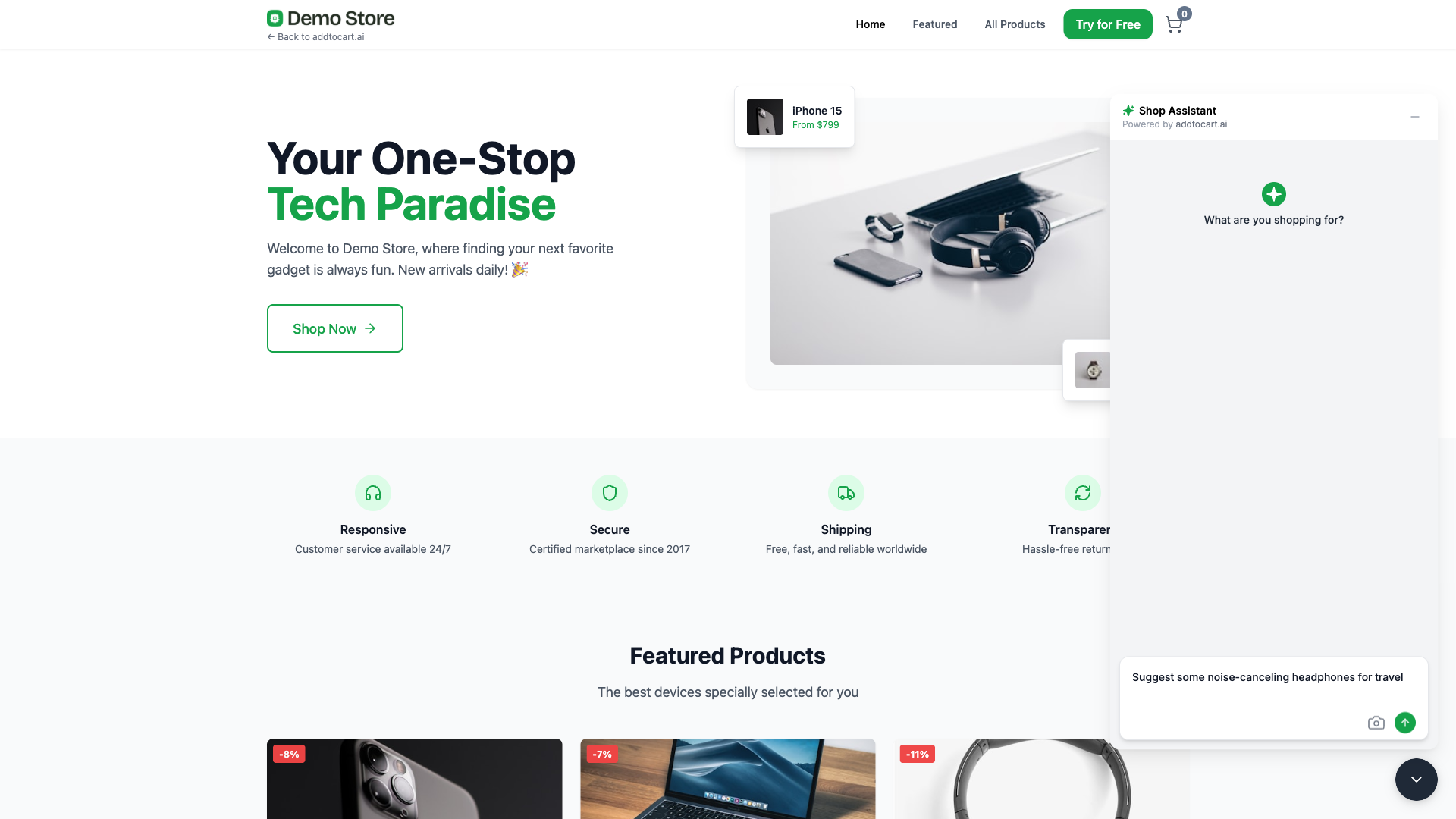
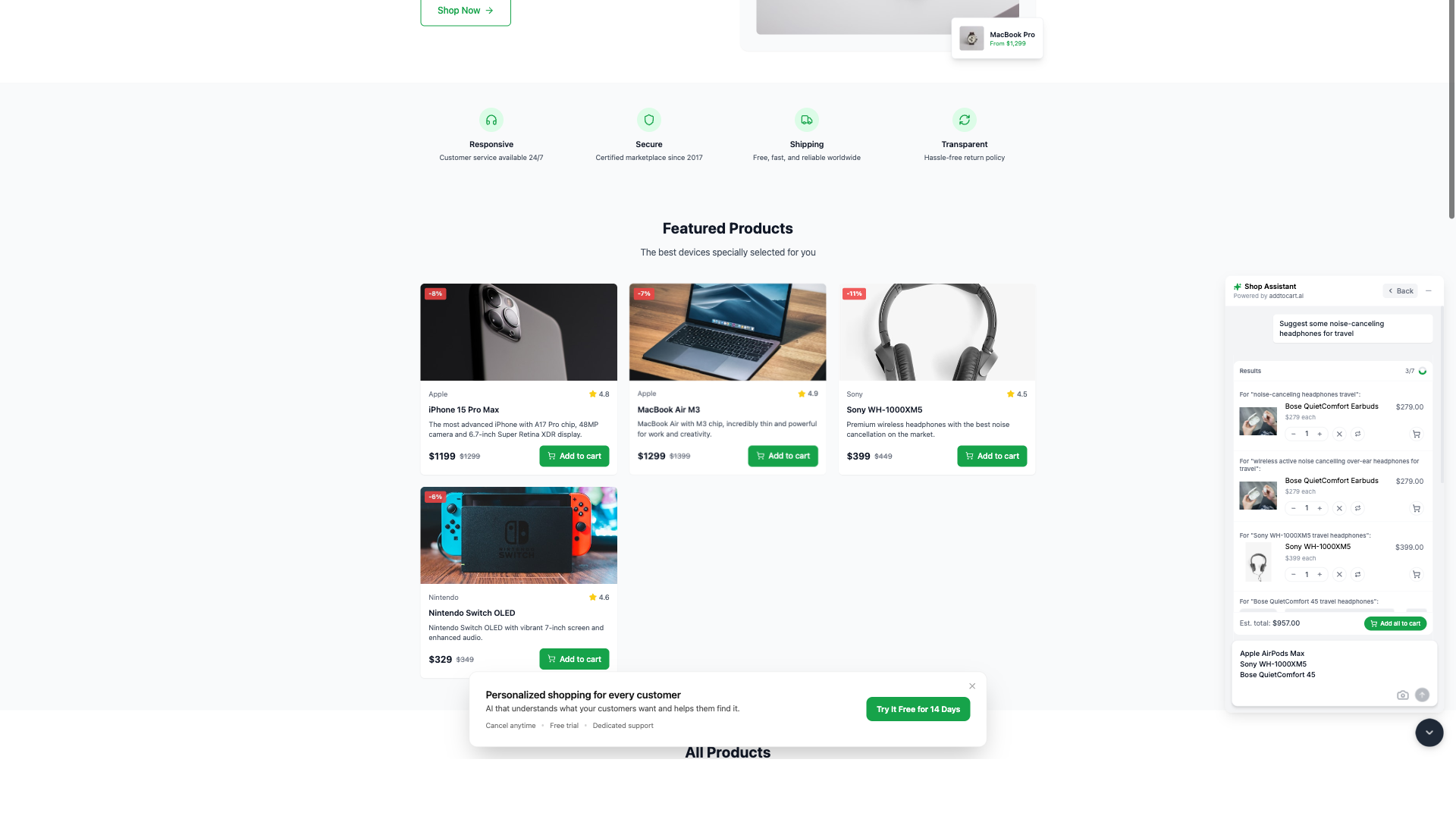
- Chat — Customers type natural requests like "I need ingredients for tacos" and the assistant builds their cart.
- Lists — Shoppers paste any shopping list and the AI matches items from your catalog instantly.
- Photos — Customers upload a reference image and the assistant finds similar products in your store.
- Install the plugin on your WooCommerce store
- Create a free account at addtocart.ai and get your API key
- Enter your API key in the plugin settings
- The shopping assistant appears on your storefront, ready to help customers
- WooCommerce 5.0 or higher
- An Add To Cart AI account (free trial available)
安装:
- Upload the
add-to-cart-aifolder to the/wp-content/plugins/directory, or install directly through the WordPress plugins screen. - Activate the plugin through the 'Plugins' screen in WordPress.
- Go to Settings → Add To Cart AI to configure the plugin.
- Create an account at addtocart.ai if you haven't already.
- Copy your API key from the Add To Cart AI dashboard and paste it into the plugin settings.
- Save your settings — the assistant will appear on your store.
屏幕截图:

常见问题:
What is Add To Cart AI?
Add To Cart AI is an AI shopping assistant that helps your WooCommerce customers find and add products to their cart through conversation, shopping lists, or product photos.
Do I need an account to use this plugin?
Yes. The plugin connects to the Add To Cart AI service, which requires an account. You can sign up for a free trial at addtocart.ai.
Which e-commerce platforms are supported?
Currently, Add To Cart AI supports WooCommerce. Support for additional platforms is planned.
Is the assistant customizable?
Yes. You can toggle the widget on or off per page, change the display language, and adjust the appearance to match your store's design.
How does Add To Cart AI handle customer data?
The service is designed with privacy in mind and provides controls to help merchants meet GDPR and CCPA requirements, including data deletion and minimal data retention options. Merchants remain responsible for their own compliance.
Where can I get support?
Visit addtocart.ai/contact or email support for assistance.
更新日志:
- Add ABSPATH security checks for WordPress.org compliance
- Extract inline CSS and JS to separate files
- Improve automated packaging with correct plugin slug
- Initial release
- Chat-based product discovery and cart building
- Shopping list parsing and matching
- Photo-based product search
- Customizable widget appearance
- Privacy controls for GDPR/CCPA support