ADecksibility
| 开发者 | adecksibility |
|---|---|
| 更新时间 | 2026年4月22日 21:53 |
| PHP版本: | 7.4 及以上 |
| WordPress版本: | 6.9 |
| 版权: | GPLv2 or later |
| 版权网址: | 版权信息 |
详情介绍:
- One-click accessibility - A floating launcher gives instant access to all controls
- Visual modes - Switch between Dark Mode, High Contrast, Grayscale, and Saturation controls
- Text adjustments - Scale font size (70%-200%), enable bold text, or use OpenDyslexic font
- Reading helpers - Reading guide, reading mask, and highlight tools for easier reading
- Navigation aids - Hide images, enlarge cursor, and improve focus visibility
- Screen reader - Built-in text-to-speech in English and Indonesian
- Language toggle - Instant switch between English and Indonesian interface
- Modern, clean settings dashboard
- Customizable widget colors to match your brand
- Flexible launcher positioning (left or right)
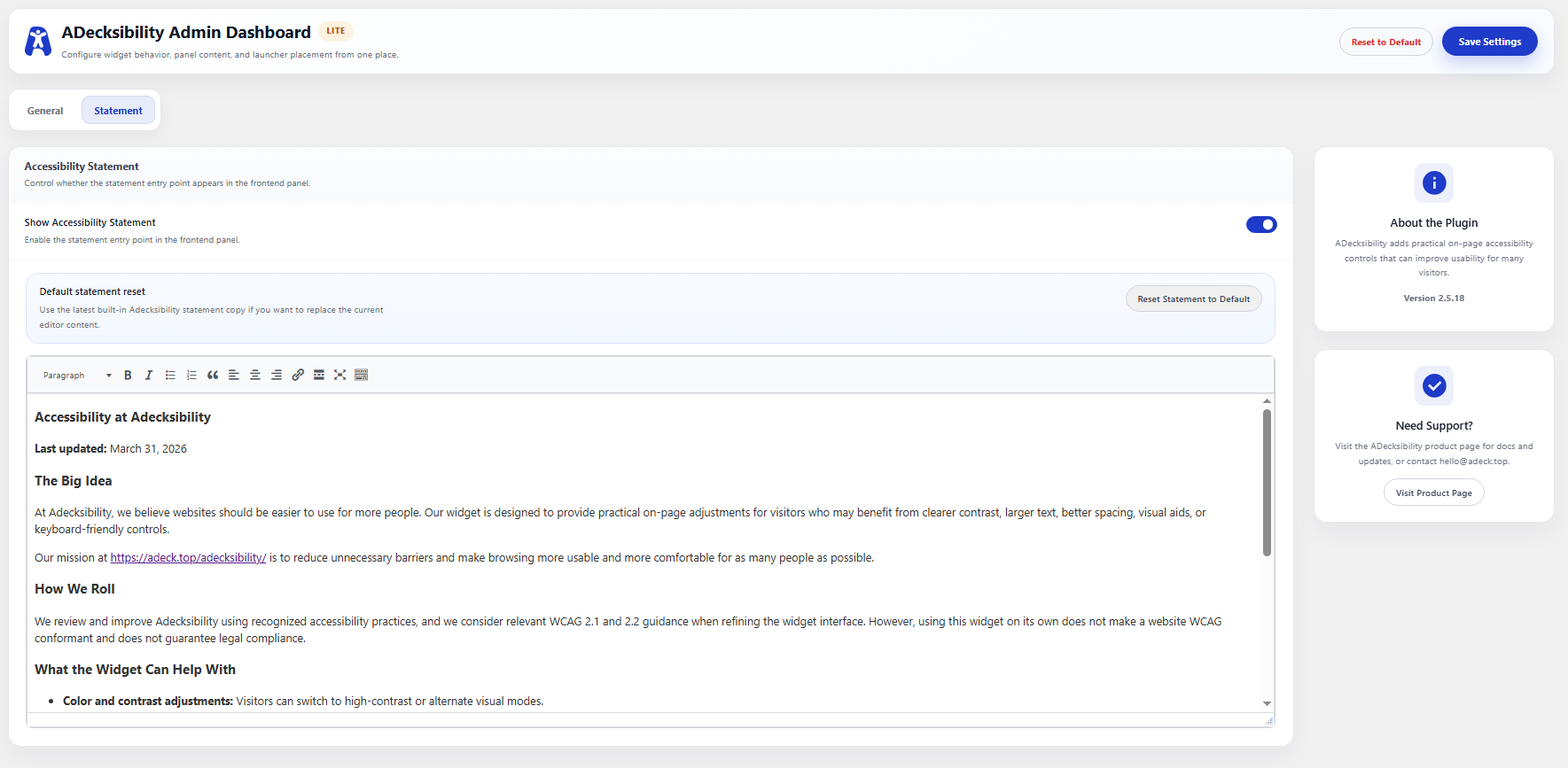
- Editable accessibility statement
- Smart state memory - visitor preferences persist across sessions
- Elementor
- Divi
- Gutenberg
- Bricks Builder
- GeneratePress
- Astra
- And all other themes
- Floating Launcher: A customizable floating action button with adjustable positions (Bottom-Left/Right) and colors.
- Bilingual Interface: Instant toggle between English and Indonesian.
- Visual Adjustments: Monochrome, High Contrast, and new Saturation controls (Low/High).
- Typography Suite: OpenDyslexic font, text scaling (70%-200%), and bold text mode.
- Reading Assistance: Horizontal reading guide and reading mask tools.
- Navigation Helpers: Highlight links, hide all background/inline images, and an enlarged mouse cursor.
- Modern Admin Dashboard: A clean settings page for widget placement, color customization, and statement content.
- Smart State Memory: Settings persist across page loads via local storage.
安装:
- Upload the
adecksibilityfolder to the/wp-content/plugins/directory. - Activate the plugin through the 'Plugins' menu in WordPress.
- Click ADecksibility in your WordPress admin sidebar.
- Enable the Floating Widget and customize the settings.
- Optionally, add
#adecksibility-widgetto any menu link to trigger the panel.
屏幕截图:
常见问题:
Does this plugin make my site WCAG compliant?
ADecksibility provides accessibility tools to help improve the visitor experience. However, achieving full WCAG compliance requires comprehensive website changes beyond what any plugin can provide alone. This plugin is an assistive tool, not a compliance guarantee.
Does it work with my theme?
Yes! ADecksibility is built to be theme-agnostic and works with any WordPress theme. It has been tested with the most popular themes and page builders.
Can visitors use it in their language?
Currently, the interface supports English and Indonesian. The widget auto-detects the visitor's browser language and displays accordingly.
How do I open the panel without the floating icon?
You can disable the floating icon in the settings and add a link with #adecksibility-widget to any menu item. Example: create a menu link with URL /#adecksibility-widget.
Will it slow down my site?
No. ADecksibility uses vanilla JavaScript with no heavy dependencies. The assets are lightweight and load only when needed.
Does it work on mobile?
Yes! The widget and panel are fully responsive and work on all devices.
更新日志:
- Improved compatibility with modern WordPress themes
- Fixed CSS specificity issues with third-party themes
- Enhanced keyboard navigation in the panel
- Updated language files
- Updated trigger documentation to use
#adecksibility-widget - Improved compatibility with existing theme skip links
- Fixed accessibility labeling for assistive technology
- Added customizable floating widget launcher
- Added widget position settings
- Added color controls for widget and buttons
- Complete admin UI overhaul
- Added bilingual support (EN/ID)
- Added click-outside-to-close functionality