Admin Safety Guard — Login Security, Limit Logins, 2FA & Brute Force Protection
| 开发者 |
themepaste
habibnote |
|---|---|
| 更新时间 | 2026年8月13日 20:15 |
| PHP版本: | 8.0 及以上 |
| WordPress版本: | 7.0 |
| 版权: | GPLv3 or later |
| 版权网址: | 版权信息 |
详情介绍:
- A bot loads
yoursite.com/wp-login.php, because that address is the same on every WordPress site in the world. - It guesses usernames and passwords, thousands of times an hour, until one works.
- Once it's in, it installs a backdoor, injects spam links, or quietly adds itself as an administrator.
wp-login.php. XML-RPC, application passwords and custom theme login forms all count towards the same limit, which is how most bots get around simpler login limiters.
Add your own IP to the trusted list so you can never lock yourself out. Single addresses, CIDR ranges (203.0.113.0/24), wildcards (203.0.113.*) and IPv6 all work.
Custom login URL
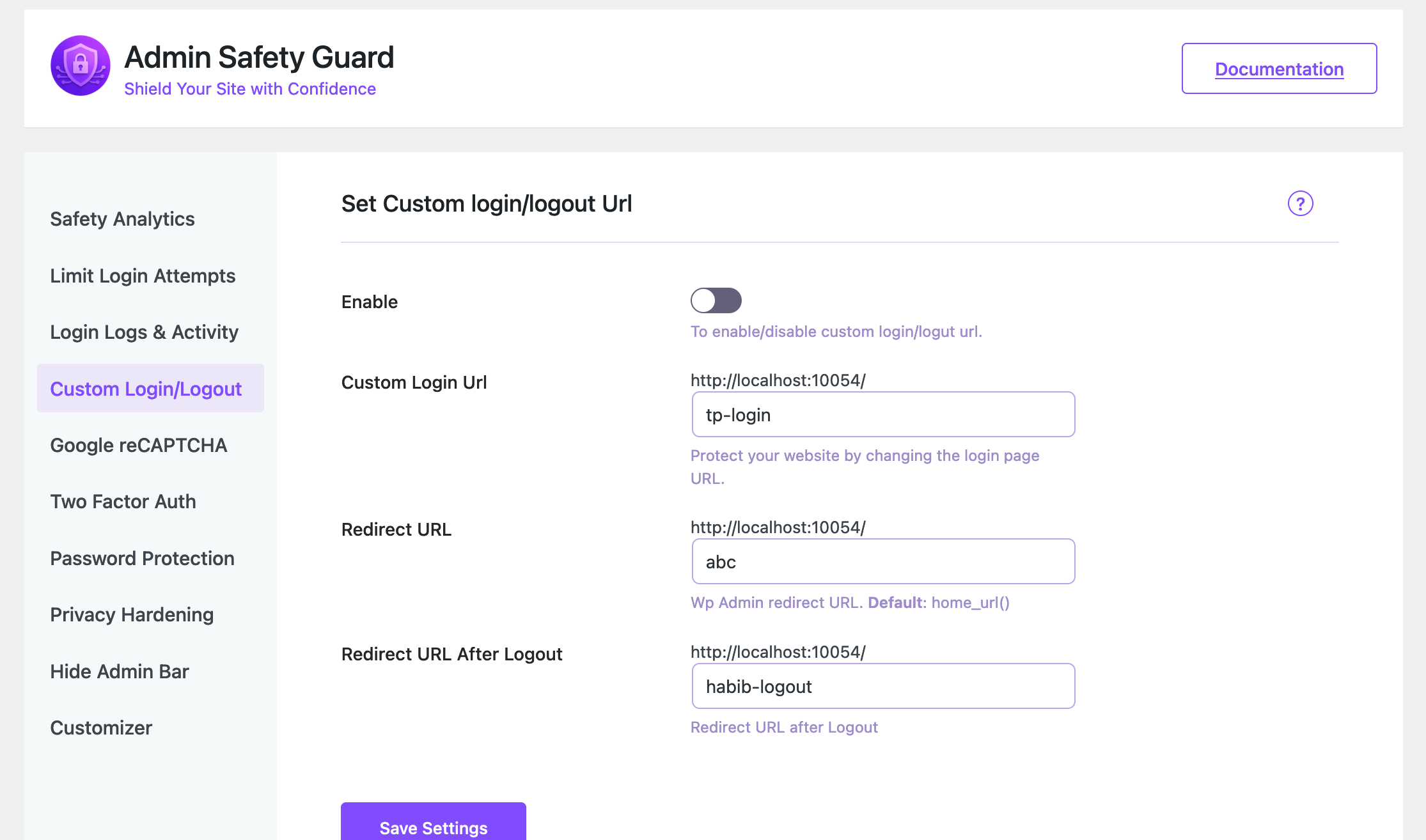
Move your sign-in page to an address only you know, like yoursite.com/office-door. After that, wp-login.php and wp-register.php return a 404 for everyone, so scanners find nothing to attack. It works on root installs, WordPress in a subfolder, and multisite. Reserved slugs that would break your site are rejected before you can save them.
Two-factor authentication by email
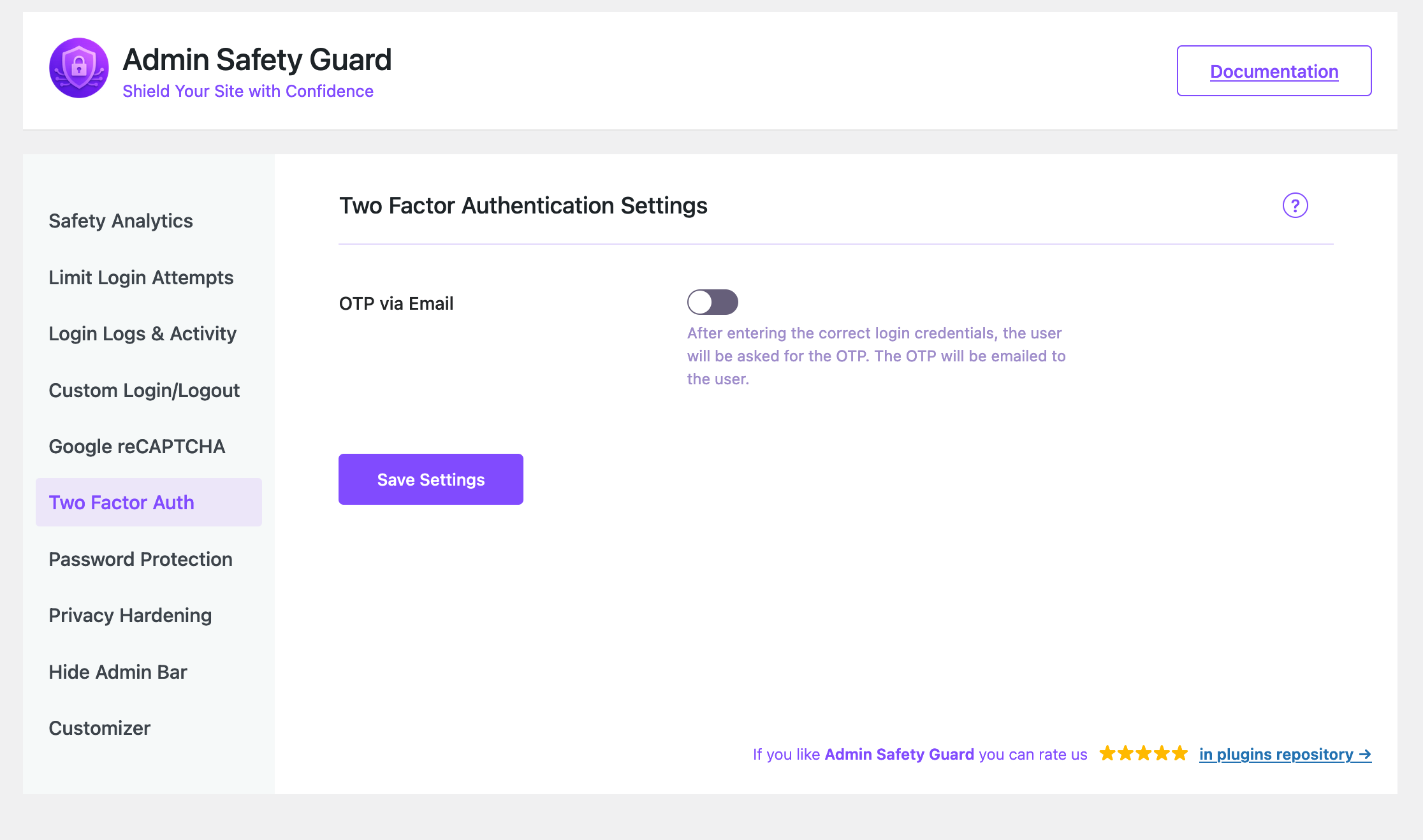
After the password comes a one-time code, sent to the user's inbox. A stolen password on its own becomes useless. You decide which roles need it (administrators and editors only, for example), how many digits the code has, how long it stays valid, and how many wrong guesses are allowed before it's destroyed. The email is styled by default, and you can write your own subject and body if you'd rather.
Google reCAPTCHA (v2 and v3)
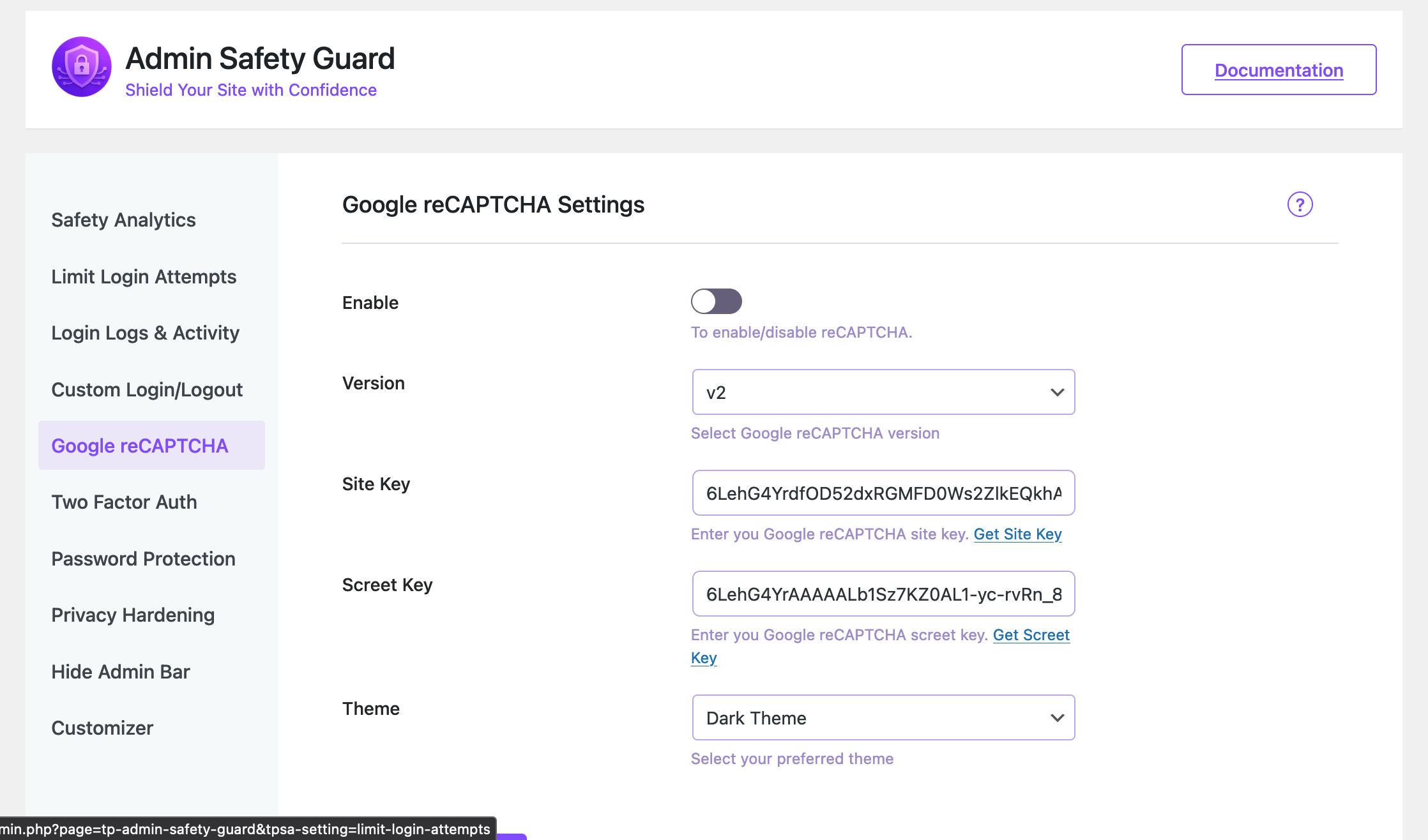
Add reCAPTCHA to your login form to stop bots before they ever submit a password. Both the "I'm not a robot" checkbox and the invisible v3 score check are supported. Paste in your site key and secret key, pick a version, done.
Session security
Everything above protects the sign-in. This protects what happens after it. WordPress keeps a session alive for two days, or fourteen if someone ticked "Remember Me" - however long the laptop sits open in a coffee shop.
Sign people out after a period of inactivity, shorten the maximum session length, end every other session when someone changes their password, and optionally tie a session to the IP address it started from so a copied cookie stops working elsewhere.
IP blocking
Some addresses don't deserve a second chance. Add them to the permanent block list and they never reach your login page again. You can also block an address in one click straight from the login log.
Login logs and activity tracking
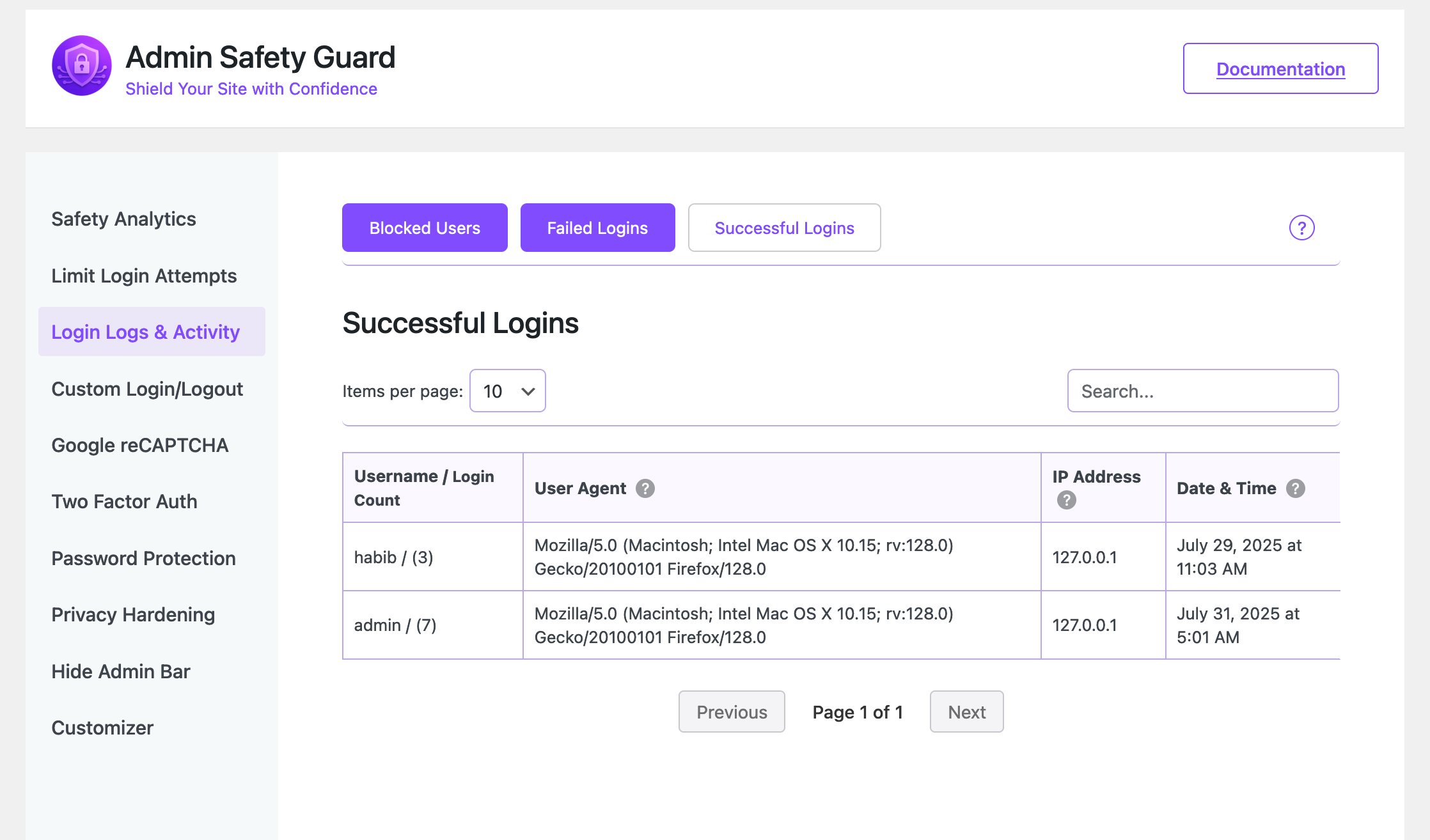
A real audit trail: every successful sign-in and every failed attempt, with username, IP address, browser, and timestamp. Search it, sort it, page through it, export it to CSV for a client report, or clear out old entries by date range.
You can also get an email the first time an administrator signs in from an address that account has never used before. That's often the earliest sign that a password has leaked.
Threats blocked
Every block the plugin performs is recorded in one place: lockouts, blocked addresses, failed reCAPTCHA checks, wrong two-factor codes, blocked XML-RPC requests, username-discovery attempts. The dashboard shows what was stopped and when, so "is anything actually happening?" has a real answer.
Security score
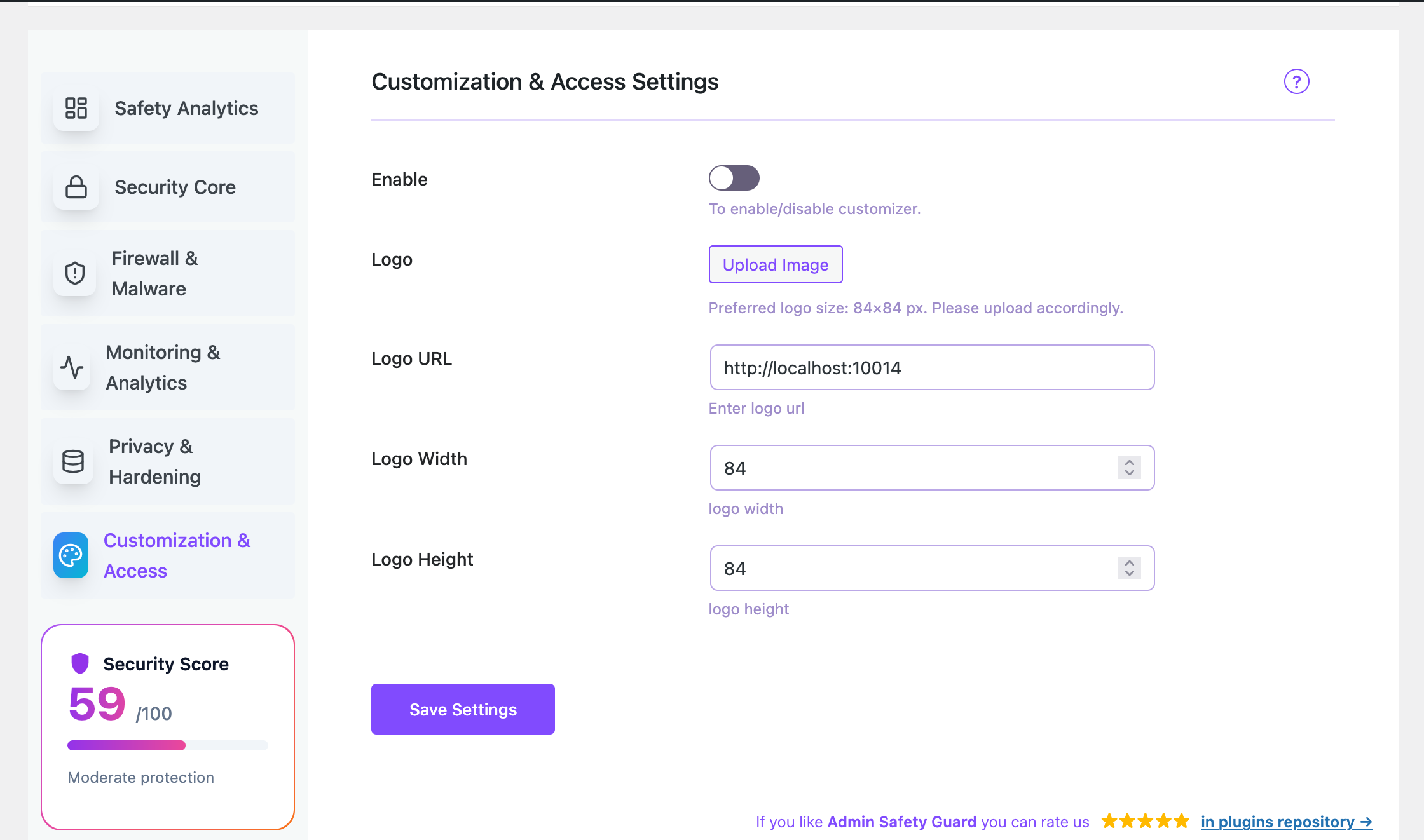
The score grades your site, not the plugin. It checks the things that matter - HTTPS, whether core and PHP are current, whether an account is literally called "admin", whether your usernames are public, whether file editing is still enabled - and weighs them against the protections you have switched on. Anything critical gets flagged at the top of your admin screen until it's dealt with.
Privacy hardening
Nine one-click switches that close the small leaks attackers use for reconnaissance:
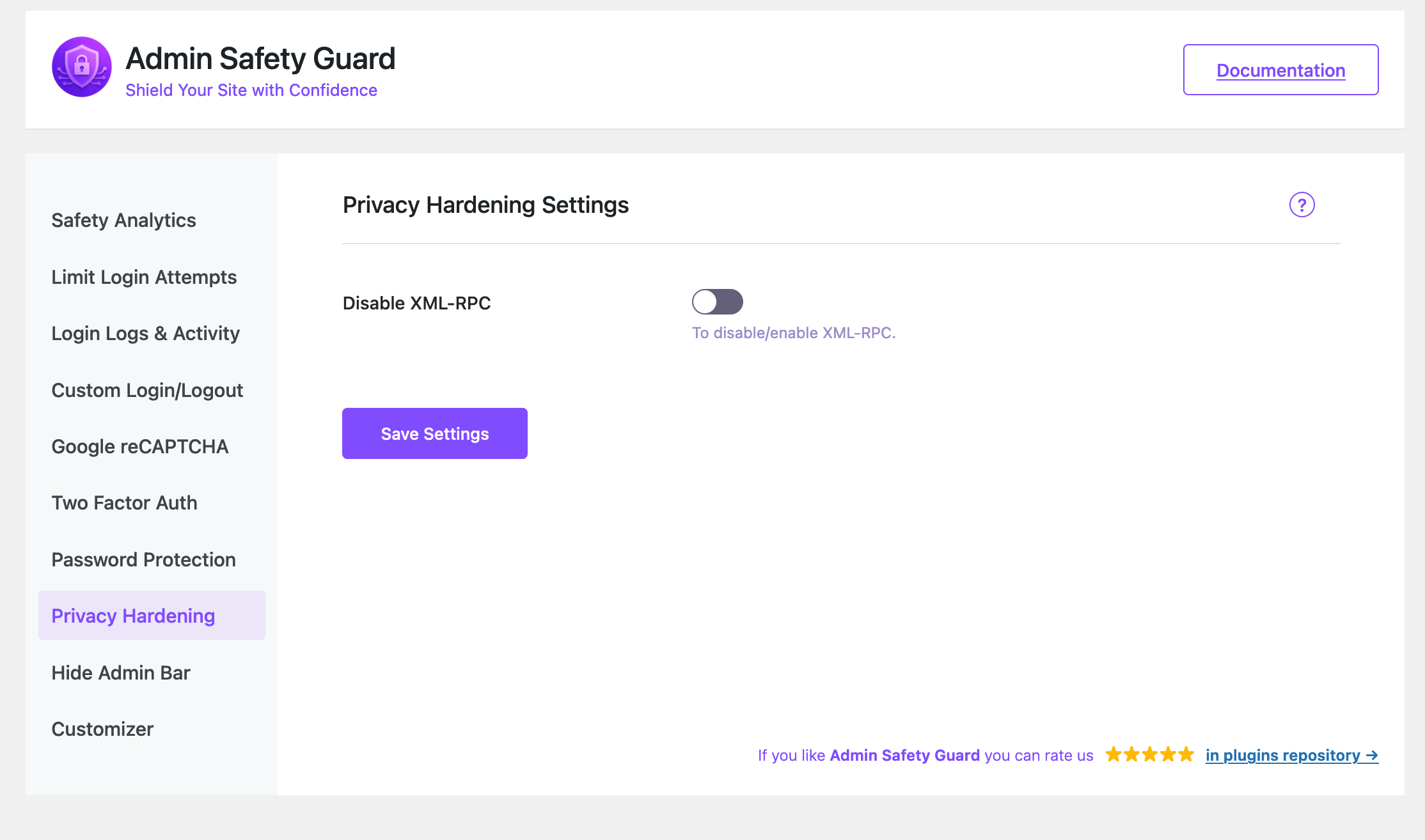
- Disable XML-RPC
- Block username discovery through
?author=1and the REST users endpoint - Show one generic error instead of telling people which half of the login was wrong
- Hide your WordPress version from page source, feeds and asset URLs
- Remove the RSD, Windows Live Writer and shortlink meta tags
- Disable pingbacks so your site can't be used to flood someone else's
- Disable the theme and plugin file editors
- Send browser security headers (clickjacking, MIME sniffing, referrer leaks, camera and microphone access)
- Disable application passwords
wp_ prefix is known to every attacker and makes SQL injection easier to write. This finds your current prefix and walks you through changing it safely.
Strong password enforcement
Set a minimum password strength. Weak passwords get rejected at the point they're created, not after an incident.
Advanced web application firewall
Inspect incoming requests and block SQL injection and cross-site scripting payloads before WordPress ever sees them. Run it in monitor-only mode first, whitelist trusted addresses, block user agents, and cap request size.
Malware scanning and cleanup
Handled by our separate free plugin, Deep Malware Cleaner, rather than a second half-built scanner in here.
Upgrade to Pro to unlock all Pro features.Who uses it Bloggers and content creators - protection that runs in the background with nothing to maintain. Small business owners - your site is your shopfront. A hack costs you customers and takes days to clean up. WooCommerce stores - customer records, addresses and order history sit behind that login form. Lock it properly. Freelancers and web designers - hand over a site that's already hardened and branded, without a security bill attached. Agencies - the same repeatable setup across every client site, with logs you can export when someone asks what happened. Developers - every limit, message and redirect is configurable, and the features are built on standard hooks and filters you can extend. What's different about it
- Light. Admin assets only load on the plugin's own screens, and only the code for the screen you're actually looking at. Nothing is added to your front end.
- Useful straight away. Limit login attempts switches itself on at activation. You're protected before you open the settings.
- Honest about free vs Pro. Pro features are visible and clearly labelled. Nothing pretends to be free and then asks for a card.
- Written to WordPress standards. Inputs sanitised, output escaped, nonces on every request, prepared statements on every query, and a real uninstall routine that removes its own data when you delete it.
安装:
- Go to Plugins → Add New.
- Search for Admin Safety Guard.
- Click Install Now, then Activate.
- Download the plugin zip from WordPress.org.
- Go to Plugins → Add New → Upload Plugin.
- Pick the zip, click Install Now, then Activate Plugin.
屏幕截图:


常见问题:
Is it really free?
Yes. Everything listed under Free Features works with no limits, no trial period and no account. Pro exists for magic links, app-based 2FA, social login, password policies and the web application firewall, but nothing in the free version is crippled to push you towards it.
Will it slow my site down?
No. The admin JavaScript and CSS only load on the plugin's own screens, and even there only the bundle for the screen you're viewing. Your front end gets nothing extra. The login checks themselves are a couple of indexed database queries.
Could I lock myself out?
That's the risk worth taking seriously, so two things protect you. Add your own IP to the trusted list and login limiting will never apply to you. And if you change your login URL, bookmark the new address before saving, because wp-login.php will return a 404 afterwards.
If it does happen: wait out the lockout (15 minutes by default), or rename the plugin folder over FTP to switch everything off.
How does limiting login attempts actually work?
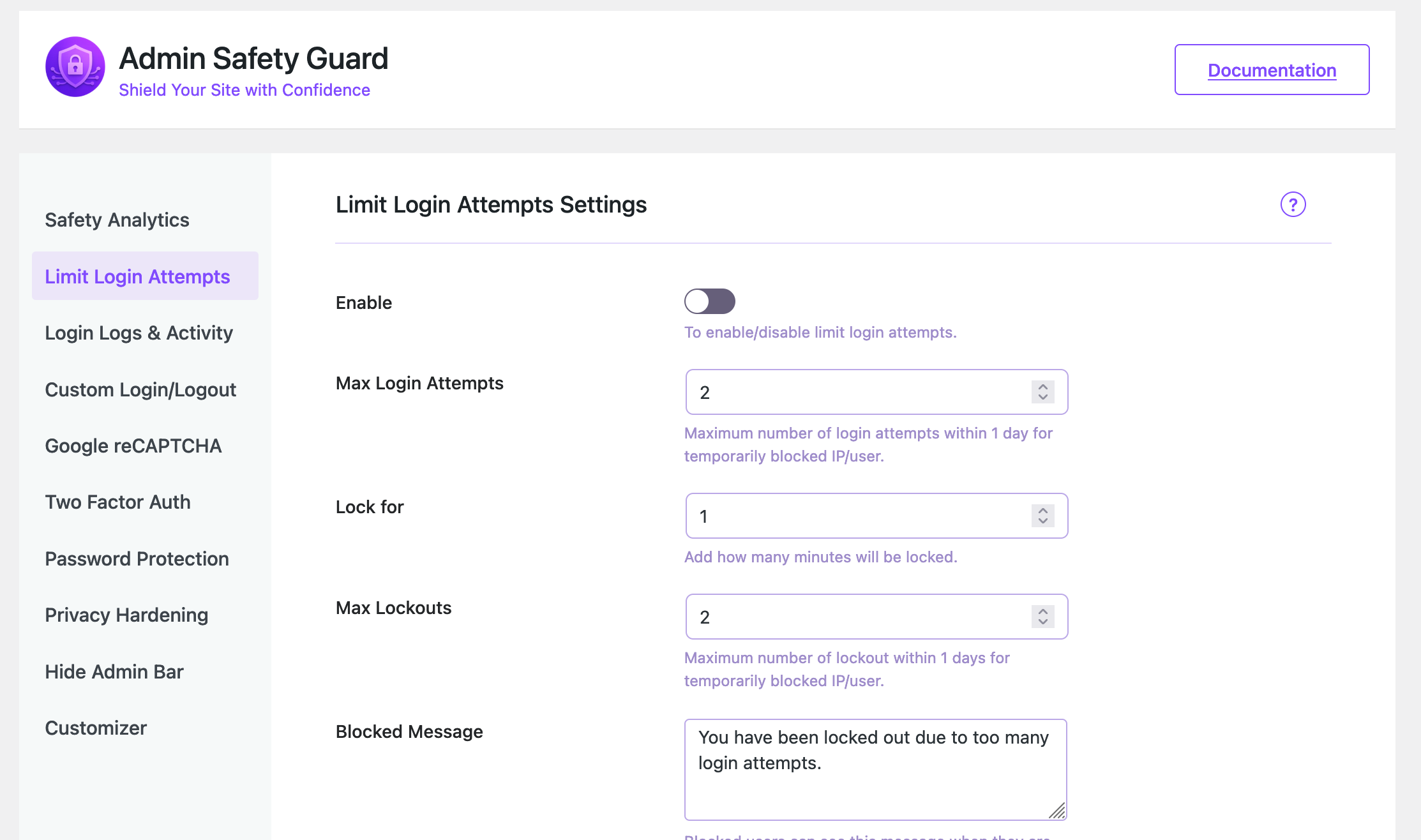
Each failed password is recorded against the IP address it came from. Hit your limit (3 by default) and that address is locked out for your chosen duration (15 minutes by default). If the same address collects several lockouts in a day, it's blocked for a full 24 hours. Trusted addresses are skipped entirely, and everything is logged.
What if the attacker changes IP address?
Per-IP limiting stops the overwhelming majority of automated attacks, because most run from a small number of addresses. For anything more determined, a custom login URL is the stronger layer: a bot that can't find the login form has nothing to attack. Running both is the usual answer.
What happens when I change my login URL?
The plugin points your new slug at the WordPress login system and makes wp-login.php and wp-register.php return 404 for logged-out visitors. Slugs that would collide with a real WordPress path are rejected. Permalinks are flushed automatically when you save.
Does the custom login URL work in a subfolder or multisite install?
Yes. Paths are resolved relative to the site's own home path, so root installs, WordPress in a subfolder, and both subdomain and subdirectory networks all behave the same.
Do all my users need two-factor authentication?
Only the roles you choose. Leave the role list empty to cover everyone, or tick just Administrator and Editor so sign-in stays simple for customers and subscribers.
Can I change the two-factor email?
Yes. Edit the subject and the body in the Two-Factor Authentication settings. Use {otp} where the code should appear and {site_name} for your site name. Leave the body empty to use the styled default.
What is Session Security, and will it log people out constantly?
It controls how long a signed-in session stays valid, and every part of it is off until you turn it on. The idle timeout is the one most sites want: 30 to 60 minutes. Tying a session to an IP address is the strict option - it stops stolen cookies working elsewhere, but it will sign out anyone on a mobile connection whose IP changes, so it suits fixed office networks best.
How is the security score calculated?
It grades your site rather than counting switches. HTTPS, WordPress and PHP versions, whether an account is called "admin", whether usernames are publicly listed, whether file editing is enabled, and how much of the plugin's protection you're using - each weighted by how much it actually matters. That's why a fresh install doesn't show 100%, and why turning on everything in the plugin won't hide an outdated core.
What counts as a "threat blocked"?
Anything the plugin actively stopped: a lockout, a blocked IP trying to sign in, a failed reCAPTCHA, a wrong two-factor code, a blocked XML-RPC request, an attempt to discover usernames. Each one is recorded with the address, time and what was tried, and kept for 30 days.
Can I export the login logs?
Yes. Both the successful and failed login tables export to CSV, and you can clear out old entries by age or by date range. Handy for client reports and for keeping the tables tidy on a busy site.
Is disabling XML-RPC safe?
For most sites, yes. XML-RPC is an older interface that lets one request carry many login attempts, which is why brute-force tools love it. Leave it enabled only if you publish through the WordPress mobile app or use Jetpack or another service that needs it.
reCAPTCHA v2 or v3?
v2 is the visible checkbox: obvious to users, obvious in what it does. v3 is invisible and scores visitors on behaviour, which is smoother but means picking a threshold and occasionally reviewing it. Both are fully supported, so use whichever fits your audience.
Will password protection affect logged-in users?
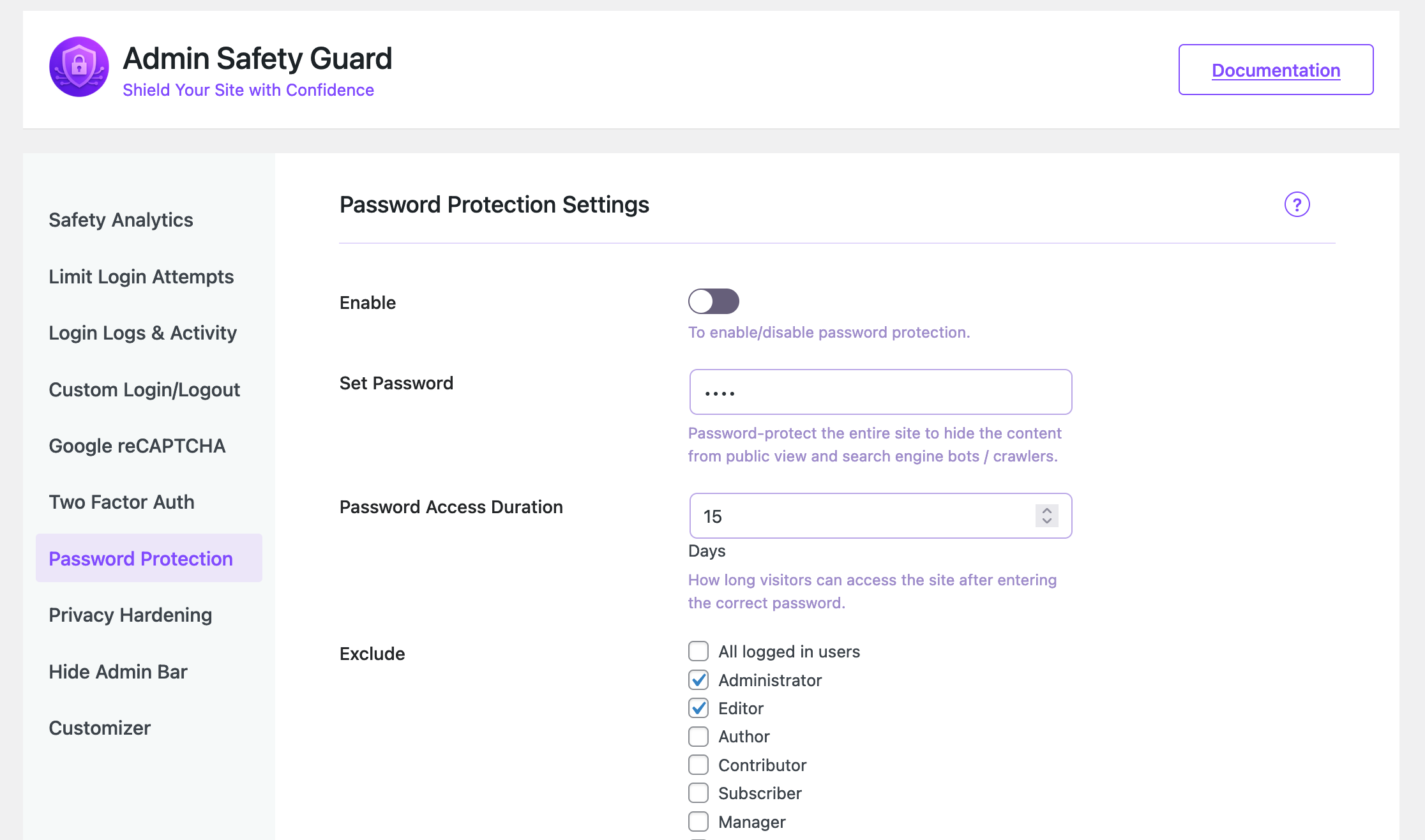
Only if you want it to. Exclude specific roles, or all logged-in users at once, and they'll browse the site normally while everyone else meets the password screen.
Does it work on multisite?
Yes. Tables are created for every site on the network, including sites added after activation, and each site keeps its own settings and logs.
What happens to my data if I delete the plugin?
It's removed. Deleting the plugin (not just deactivating it) drops the plugin's tables, options, transients and user meta, on every site of a network. Deactivating leaves everything in place so you can switch it back on.
Does it conflict with Wordfence, Solid Security or similar?
Generally no. Admin Safety Guard concentrates on login and admin protection and doesn't touch other plugins' firewall or scanning. The one thing to avoid is running two login limiters or two custom login URLs at once - pick which plugin owns that feature and turn it off in the other.
Is it WooCommerce compatible?
Yes. Login limits, 2FA, custom login URLs, IP blocking and the activity log all work alongside WooCommerce, including its own account pages.
Where do I get help?
Post in the WordPress.org support forum - it's free and we read it. For priority email support and Pro, see themepaste.com/contact.
更新日志:
- [security] The permanent block list only applied to the login page. An address you had blocked by hand could still sign in over XML-RPC, with an application password, or through a theme's own login form, as long as it had valid credentials. Blocked addresses are now refused on every authentication path, and the attempt is recorded in the threat log.
- [fix] Idle timeout signed out people who were still working. Time spent in the block editor, the media library or the Customizer was not counted as activity, because those screens talk to the site in the background rather than loading a new page. Background activity now keeps the session alive, while automatic traffic - Heartbeat polling, autosaves, cron and application passwords - still does not, so an unattended screen is signed out as before.
- [fix] The login screen said nothing after an automatic sign-out. It now explains whether the session ended through inactivity or an IP address change.
- [fix] IPv6 entries on the trusted and blocked lists never matched when written with a wildcard (
2001:db8:*). Matching is no longer dot-only, and is case-insensitive. - [fix] The security audit passed sites running PHP 8.1, which stopped receiving security fixes on 31 December 2025. The check now expects PHP 8.2 or newer.
- [fix] Usernames could still be read from the WordPress sitemap at
/wp-sitemap-users-1.xmlwhile "block username discovery" was on. Authors are now left out of the sitemap too. - [fix] A security check added by other code through the
tpsa_security_audit_checksfilter could raise a PHP notice while the issue list was being sorted.
- [feature] Session Security. A new feature covering what happens after sign-in: automatic sign-out after inactivity, shorter maximum session and "Remember Me" lengths, ending every other session when a password changes, and optionally tying a session to the IP address it started from.
- [feature] Threats Blocked log. Every block the plugin performs - lockouts, blocked IPs, failed reCAPTCHA, wrong two-factor codes, blocked XML-RPC, username discovery attempts - is now recorded and shown on the dashboard, with 30 days of history.
- [feature] Rewritten security score. The score now audits the site itself (HTTPS, WordPress and PHP versions, an account named "admin", publicly listed usernames, file editing, and more) alongside your plugin coverage, each check weighted by real-world impact. Critical findings raise a dismissible admin notice.
- [feature] Eight new privacy hardening switches: block username discovery via
?author=1and the REST users endpoint, generic login errors, hide the WordPress version, remove RSD/Windows Live Writer/shortlink meta, disable pingbacks, disable the theme and plugin editors, send browser security headers, and disable application passwords. - [feature] Trusted IP list and permanent block list for Limit Login Attempts, accepting single addresses, CIDR ranges, wildcards and IPv6.
- [feature] Limit Login Attempts now also covers XML-RPC, application passwords and custom theme login forms, can show remaining attempts to genuine users, and can email you on each lockout (throttled to one message per address per hour).
- [feature] Two-factor email codes can now be limited to chosen roles, with configurable code length, validity window and attempts per code, plus a styled default email.
- [feature] New admin location alerts. Optional email when an administrator signs in from an IP address that account has never used, limited to one alert per account and address per day.
- [feature] CSV export and purge for the login logs, plus search, sorting, pagination, summary cards, and one-click block or unblock straight from the table.
- [feature] Full login page branding: background colour and image, form background, text, link and button colours, rounded corners, hide the logo, lost password, register, back-to-site and language links, tick "Remember Me" by default, logo link and alt text, and custom CSS.
- [feature] The Firewall & Malware screen now detects the free Deep Malware Cleaner plugin and links to install, activate or open it.
- [feature] Deleting the plugin now removes everything it created - options, tables, transients and user meta - across every site of a network.
- [feature] Multisite support for table creation, including sites added to the network after activation.
- [improve] Admin assets are code-split: React and the webpack runtime load once as shared chunks, and only the bundle for the screen you're viewing is downloaded. The media library scripts now load on the branding screen only.
- [improve] Indexes added to the login, failed login and threat tables, so lockout checks and cleanup stay fast on a site under sustained attack.
- [improve] Daily cleanup with proper retention: 30 days for failed logins and threats, 90 days for successful logins, with cut-offs calculated in the site's own timezone.
- [improve] Every setting has been relabelled in plain English, with recommended values and a clear warning where a setting can lock people out.
- [improve] Custom Login URL now rejects reserved slugs that would break the site, and returns a proper 404 on the old login and registration URLs.
- [improve] reCAPTCHA v3 tokens are refreshed before submission, so a form left open no longer fails with an expired token.
- [improve] The user count on the dashboard is cached for an hour instead of running an uncached query on every page load.
- [fix] 24-hour IP blocks never expired. The cleanup job was never registered, so an address that tripped the lockout threshold stayed blocked permanently. It now runs daily as intended.
- [fix] The successful login log overwrote a single row per username, so it only ever showed the most recent sign-in. It now records one row per event, making it a genuine audit trail.
- [fix] Corrected the License URI in the plugin header, which pointed at GPL-2.0 while the plugin is licensed GPLv3.
- [fix] Replaced remaining
json_encode()calls withwp_json_encode(), and removed unused development constants and dead Pro placeholder classes. - [fix] Resolved PHP notices from missing array keys on fresh installs.
- [security] Two-Factor Authentication (Email OTP) now expires codes after 5 minutes and invalidates them after 5 failed attempts to prevent code reuse and brute-forcing.
- [security] Removed legacy storage of OTP credentials in user meta; a one-time cleanup automatically scrubs any plaintext data left behind by older versions on upgrade.
- [security] Added a clear "code expired, please log in again" notice on the login screen when an OTP session times out.
- [security] Password Protection now uses a signed, site-secret-keyed access token with constant-time comparison instead of a plain password hash, so the access cookie cannot be forged or precomputed.
- [improve] Reworked client IP detection with proxy and Cloudflare support, validation of forwarded headers, and IPv6 loopback normalization for more accurate logging and IP blocking.
- [improve] Database schema changes now apply automatically on plugin update, not just on activation, so updates stay reliable across versions.
- [improve] Cached table-existence checks to remove redundant database queries on every REST API request.
- [improve] More accurate Security Score calculation that only counts features with a real on/off control.
- [fix] Resolved minor PHP warnings and general stability improvements.
- [update] Refreshed the plugin short description in readme for better clarity on WordPress.org.
- [improve] Minor readme content polish and consistency tweaks.
- [maintenance] General housekeeping and version bump for ongoing compatibility.
- [fix] Fixed PHP warnings on fresh install: "Undefined array key sub" and "Trying to access array offset on value of type null" in layout.php.
- [fix] All features (free and pro) now correctly default to Inactive on fresh install, giving users full control over what is enabled.
- [feature] Limit Login Attempts is now automatically enabled with sensible defaults on first install to provide immediate brute-force protection out of the box.
- [improve] Feature status detection now correctly handles features without a master enable switch (Two-Factor Auth, Privacy Hardening) by checking their individual toggle fields.
- [improve] Updated plugin layout to be more user-friendly and easier to use.
- [improve] Optimized code for better performance and smoother experience.
- [update] Updated readme content for better clarity and documentation.
- [update] Changed plugin banner and refreshed screenshots with a new layout.
- [feature] Added visibility of all Pro features in free version (requires Pro plugin to use).
- [fix] Minor UI improvements and general stability fixes.
- [improve] Optimized React rendering by loading React assets in the head for faster UI initialization.
- [feature] Added Login Attempt Limiter to help prevent brute-force login attacks.
- [fix] Fixed React render delay issue on slow client sites.
- [fix] Resolved minor UI and stability issues.
- [improve] General performance improvements.
- Improved deactivation process
- Added nonce verification for AJAX security
- Fixed cross-origin (CORS) issue during API request
- Enhanced server-side API handling
- Deactivation issue fixed
- Enhanced stability and performance
- General bug fixes and cleanup
- Added a deactivation modal
- Fixed critical errors and PHP warnings
- Improved WordPress coding standards compliance
- Optimized long descriptions and code structure
- Enhanced stability and performance
- General bug fixes and cleanup
- Fixed security issues reported by WordPress Plugin Review Team
- Improved data sanitization and escaping across plugin files
- Updated code to follow WordPress coding standards and best practices
- Replaced unsafe database queries with prepared statements
- Improved nonce verification and permission checks
- Removed unused and deprecated functions
- Updated plugin documentation and inline comments
- Updated "Tested up to" version to latest WordPress release
- General code cleanup and optimization
- [Fix] fixed the taxdomain and esc issues.
- [New] Added breadcrumb navigation for better page clarity and navigation.
- [New] All major pages are now fully dynamic.
- [Improved] Updated UI/UX with refined layouts, spacing, and design elements.
- [Improved] Enhanced responsiveness and overall page behavior.
- [Fix] Fixed multiple minor issues from previous versions.
- [Fix] Resolved layout and alignment inconsistencies.
- [Maintenance] Refactored code for better performance and maintainability.
- [Maintenance] General stability improvements and internal optimizations.
- [New] Introduced a fully redesigned, modern admin UI for a cleaner and more intuitive experience.
- [New] Added colorful visual elements and icons across the plugin for better clarity and usability.
- [Improved] Improved overall navigation to make all features easier and faster to access.
- [Improved] Enhanced layout consistency and spacing for a more polished look.
- [Improved] Optimized UI responsiveness across different screen sizes.
- [Update] Updated iconography and color scheme to improve visual hierarchy and readability.
- [Maintenance] Refactored UI-related code for better performance and maintainability.
- [Maintenance] Minor internal improvements and stability enhancements.
- [Fix] Active license URL now shows correctly based on the Pro plugin status.
- [Fix] Fixed the documentation link on the plugin page.
- [New] - Introduced a dynamic Security Score system based on overall site protection status.
- [New] - Added Login Activity Rate Limiting (maximum 6 login attempts within 24 hours).
- [New] - Implemented Login & Activity Status React-based graphs for better visual insights.
- [Update] - Improved dashboard UI/UX for clearer security data presentation.
- [Update] - Enhanced activity monitoring layout and responsiveness.
- [Fix] - Resolved minor issues in login activity tracking.
- [Fix] - Fixed UI alignment and styling inconsistencies in the admin dashboard.
- [Maintenance] - Internal code optimization and performance improvements.
- [Maintenance] - Security hardening and internal consistency checks.
- [Maintenance] - Release preparation and version alignment.
- [Maintenance] - Internal consistency checks.
- [Maintenance] - No code or feature changes in this version.
- [new] - [New] All Pro features are now available in the free version.
- [New] - Added a Purchase / Upgrade button to allow users to unlock premium support and future enhancements.
- [Improved] - Updated plugin UI and feature visibility for better clarity between free and premium offerings.
- [Improved] - Minor UX and performance optimisations.
- [Fixed] - Small stability issues and internal clean-ups.
- Fixed an issue where OTP-verified logins could result in session cookies instead of persistent cookies.
- Refactored OTP verification to run earlier in the login flow via
login_init. - Updated the authentication process to use
wp_signon()so WordPress handles Remember Me cookies correctly. - Tested across multiple environments and browsers to confirm expected cookie expiration behavior.
- Minor improvements and stability adjustments.
- [fix] - 2FA login cookie session issue when OTP verification completed.
- [Improved] -
wp_set_auth_cookie()now uses correct $remember flag for persistent login. - [Improved] - OTP authentication flow now respects the user's "Remember me" choice.
- [new] - Added a phone number field to the in-plugin support form, including country code.
- [fix] - Resolved several important WordPress admin warnings.
- [new] - Added an in-plugin support system.
- [new] Added deactivation email feature on plugin activation
- [new] Release the pro version
- [new] Compatible with pro version
- [new] Added extendable action and filter hooks
- [new] Ready to integrate Pro version
- [new] Conditionally loaded all assets
- [new] Added default logo URL, width, and height
- [fix] Fixed logo issue from customizer
- [fix] General improvements and bug fixes
- [new] Auto permalink flush for custom login/logout URLs
- [new] Admin Notice added
- [new] Setup Wizard
- [new] Documentation link added
- [new] Subdirectory support
- [new] Tooltip in failed login table
- [new] Auto-redirect after max login attempts
- [fix] Custom login/logout URLs
- [fix] Lockout message
- [fix] Failed login table issues
- [fix] Minor bug fixes
- [fix] Build issue resolved
- Initial release featuring 2FA, CAPTCHA, Limit Login Attempts, IP Blocking, Custom Login URL, Password Protection, and Login Logs.