
Adminight – Dark Mode for the Dashboard
| 开发者 | jbosnakis |
|---|---|
| 更新时间 | 2026年10月23日 22:28 |
| PHP版本: | 7.4 及以上 |
| WordPress版本: | 7.1 |
| 版权: | GPLv2 or later |
| 版权网址: | 版权信息 |
详情介绍:
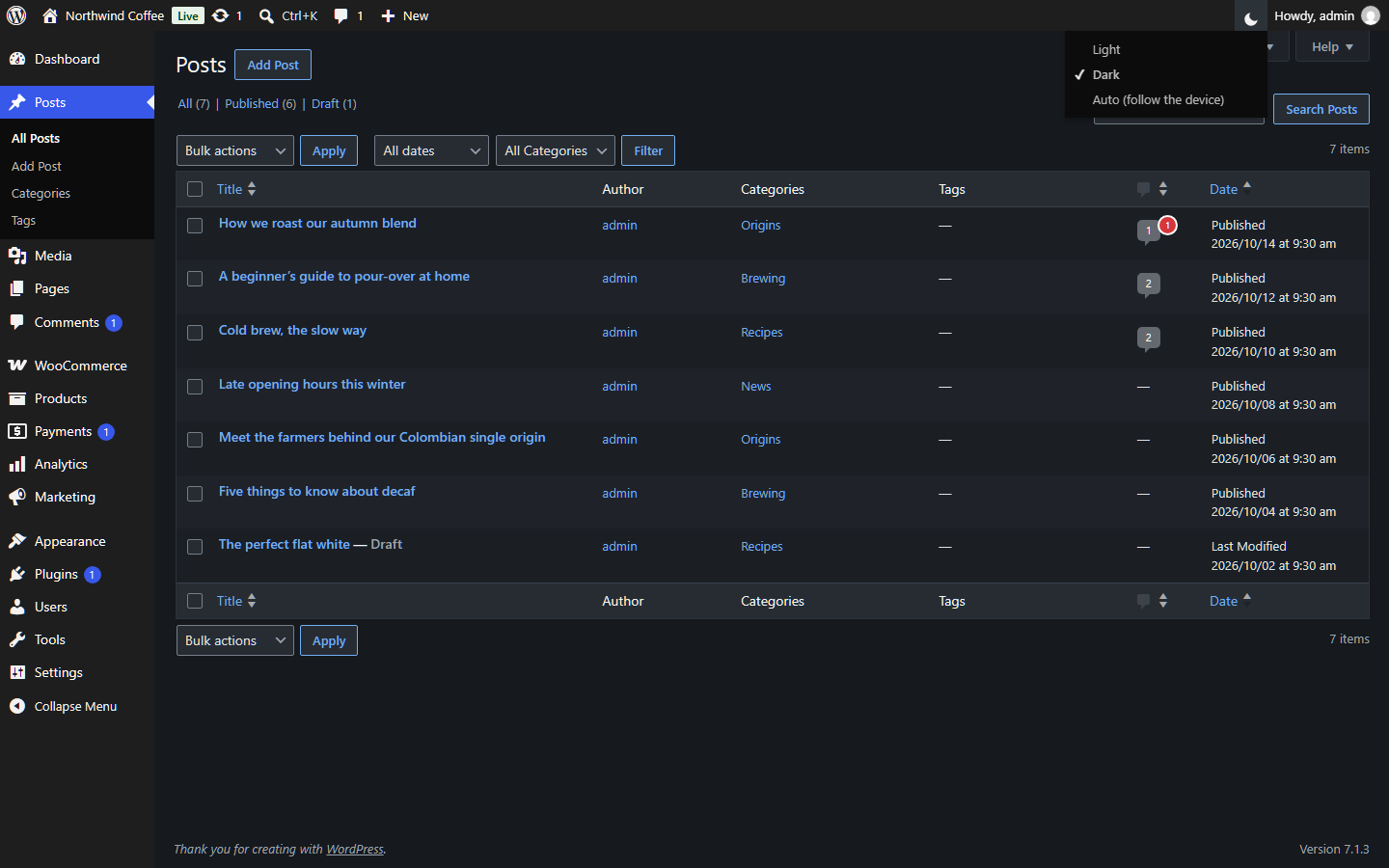
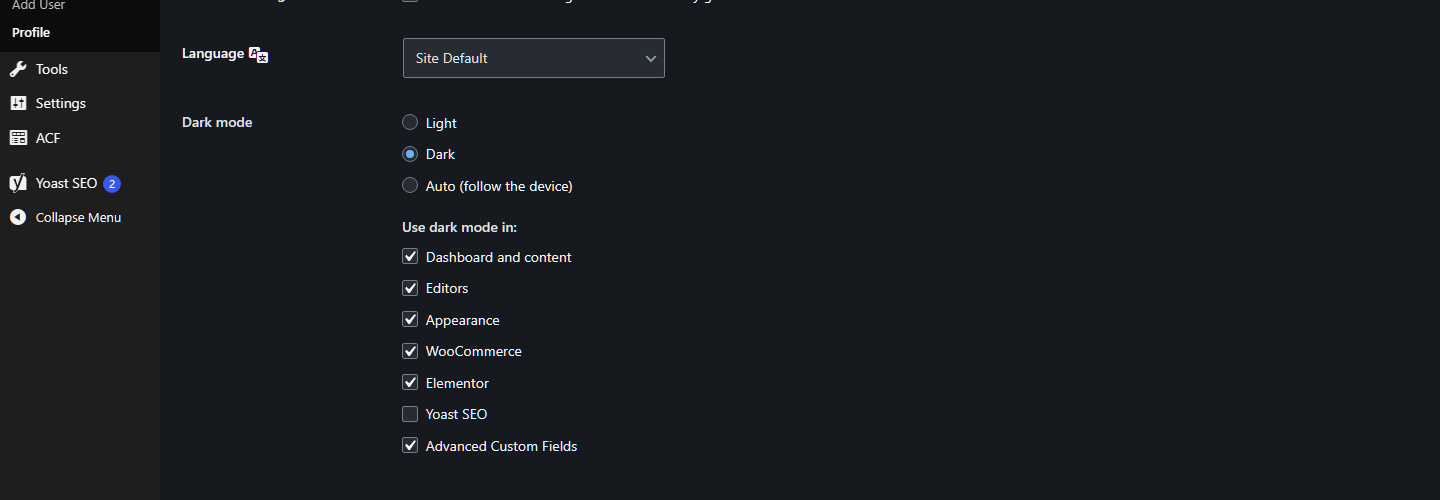
- Each user chooses. Light, Dark, or Auto. Auto follows the device's setting and switches by itself when the device does.
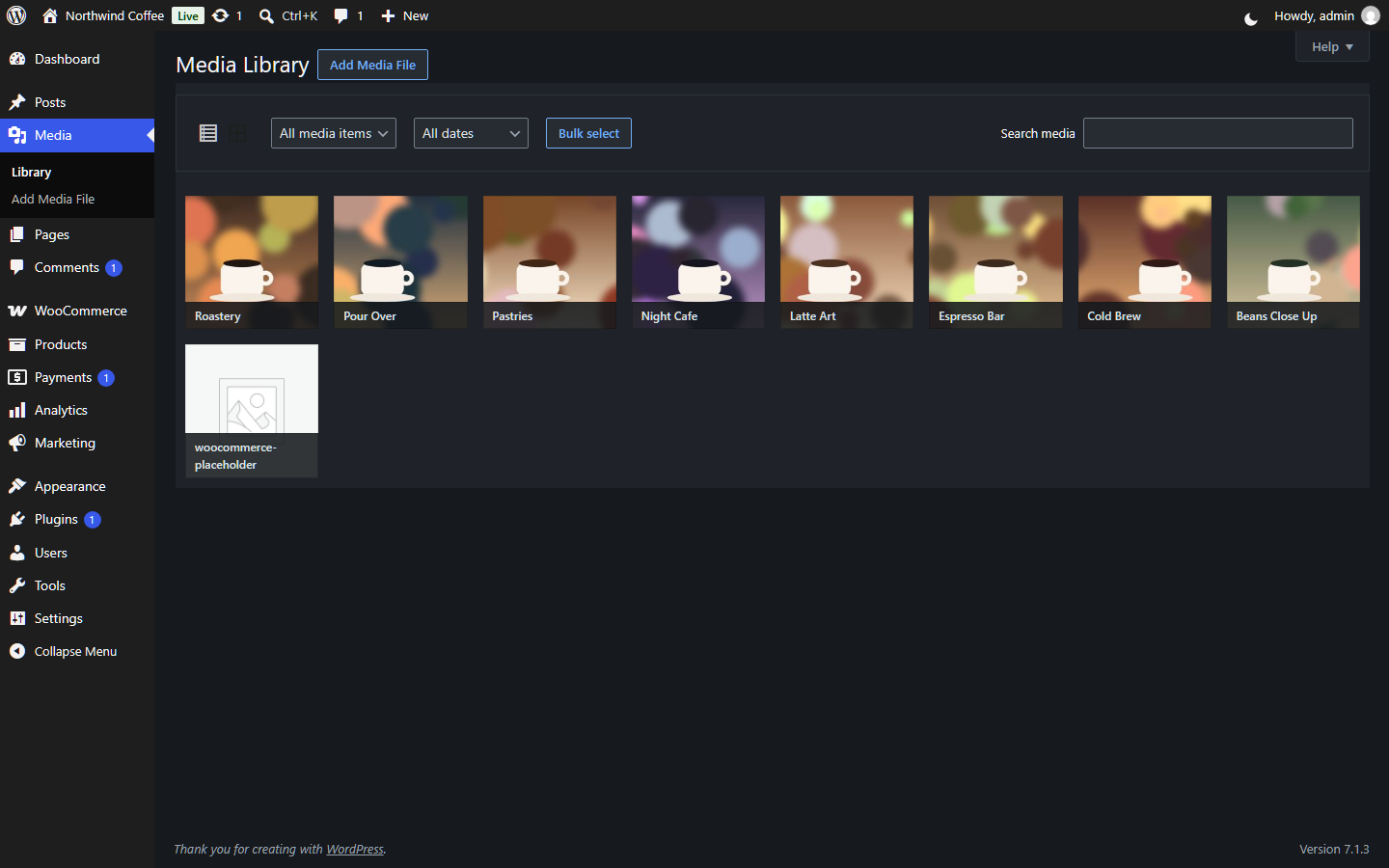
- One click from the toolbar. A small sun, moon or half-moon icon next to "Howdy" switches modes right away, without reloading the page. The same choice is in Users → Profile.
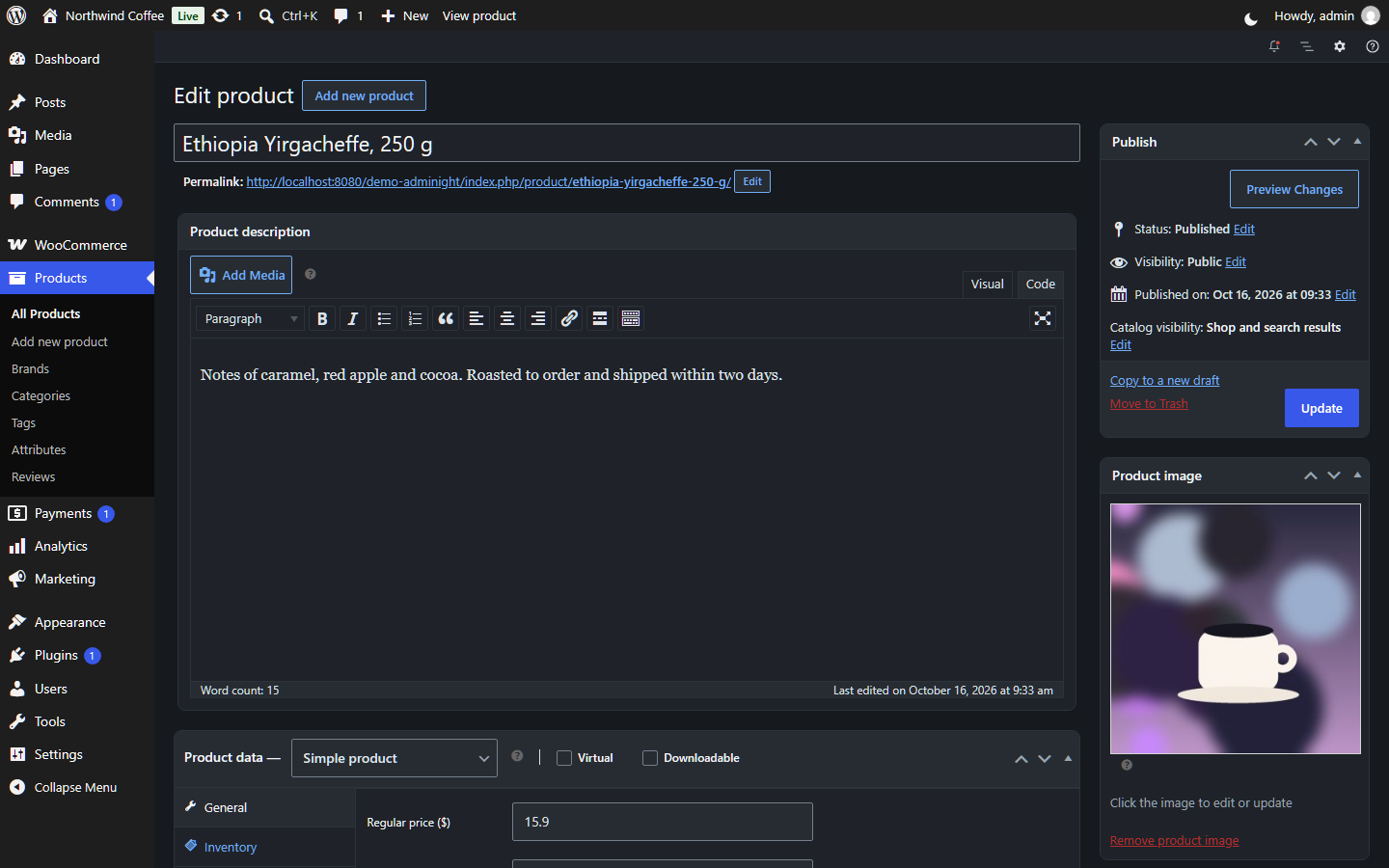
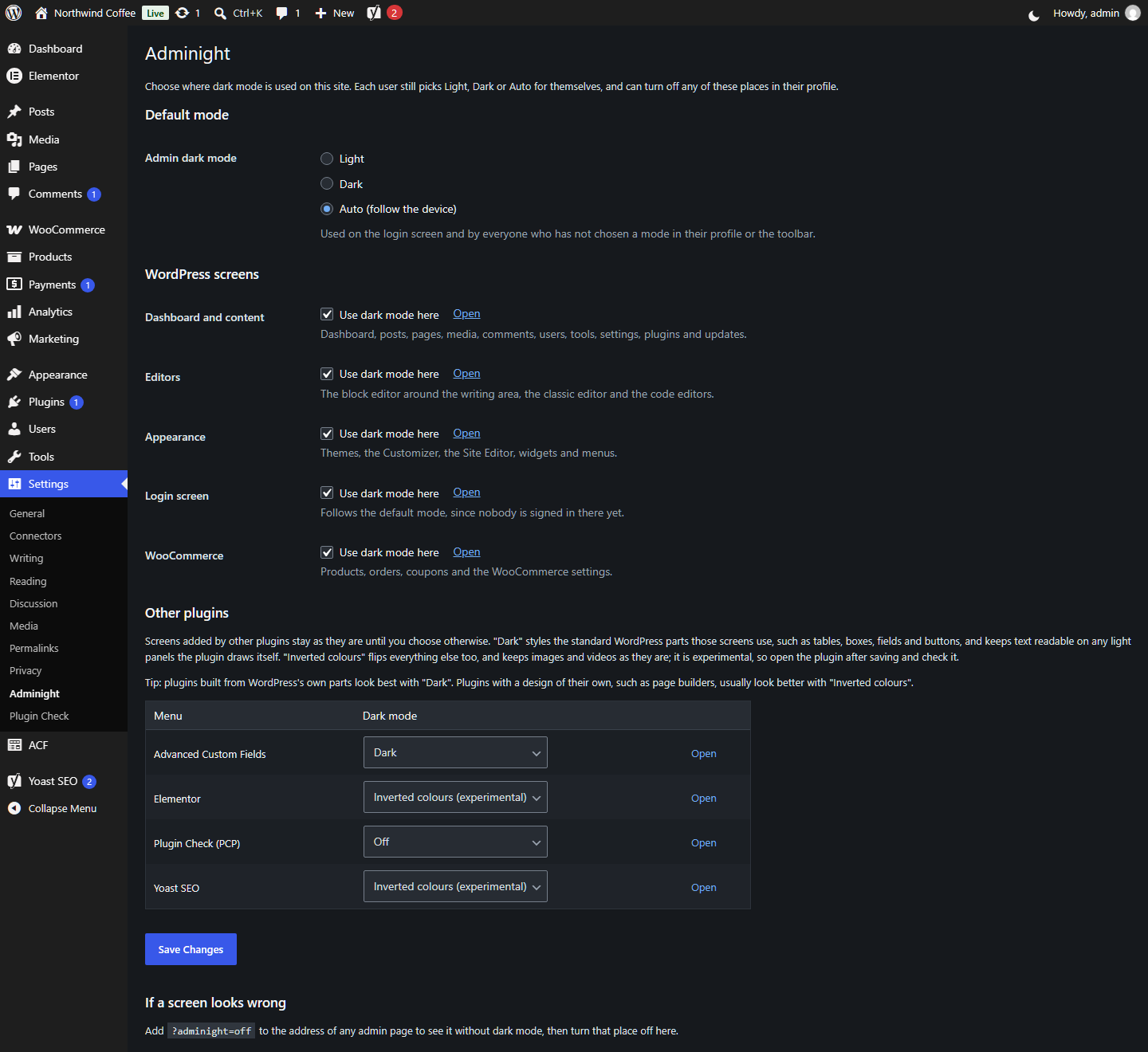
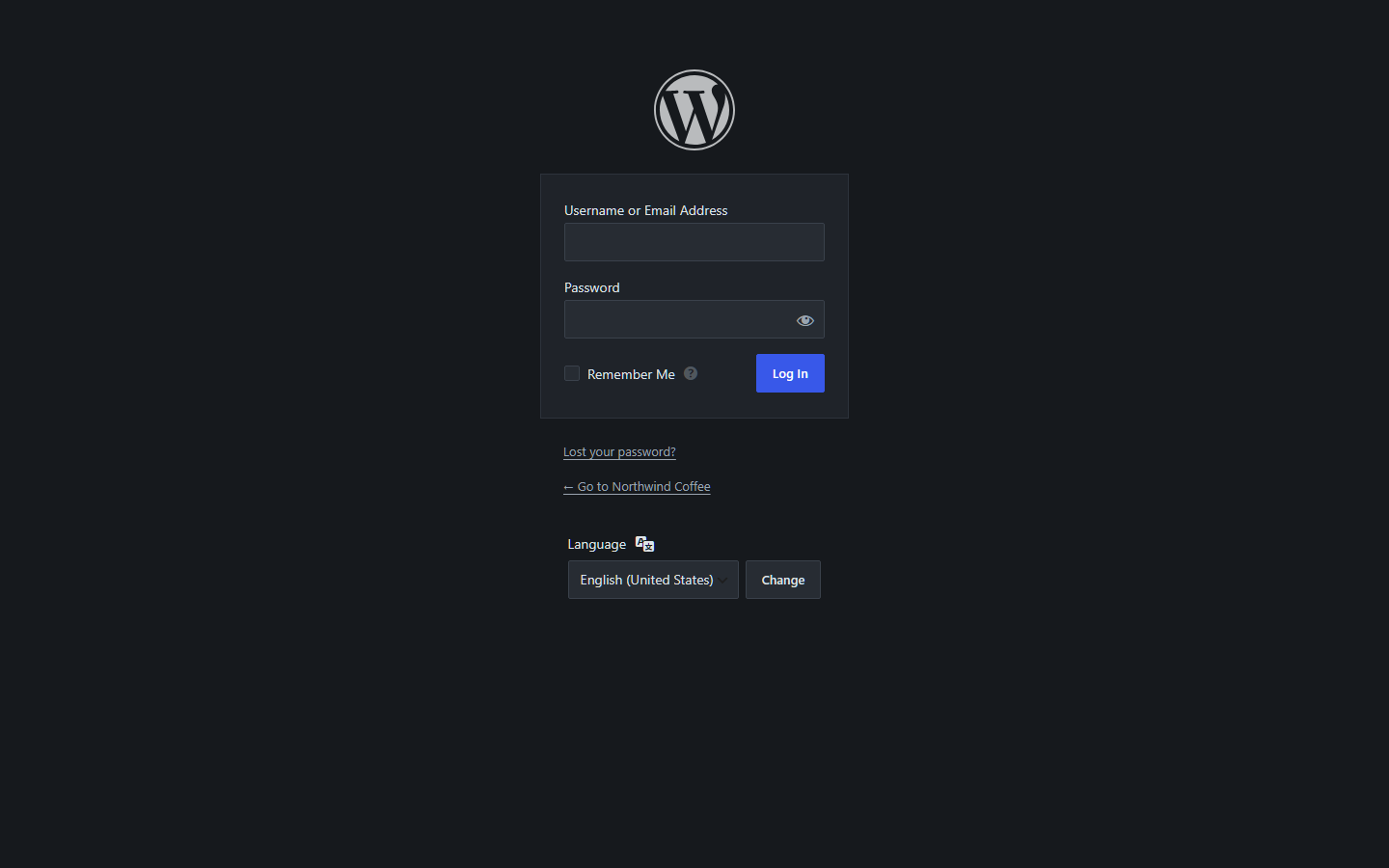
- You choose where. In Settings → Adminight, turn dark mode on or off for each part of WordPress: the dashboard and content screens, the editors, Appearance, the login screen and WooCommerce.
- Other plugins, one at a time. Adminight lists the plugins that add screens to your admin menu. Each one stays as it is until you pick "Dark" or the experimental "Inverted colours" for it.
- Every user can opt out. In their profile, each user can turn off any of these places for themselves.
- No white flash. The mode is set before the page is drawn, so a dark screen stays dark while it loads.
- Designed, not inverted. WordPress's own screens are styled with real colours, not a filter that flips them, so images, media thumbnails and colour pickers look right.
- Light. Plain CSS and a few lines of script, loaded only in the admin and on the login screen. No database tables.
- Screens added by other plugins are never touched until an administrator turns that plugin on.
- "Dark" styles the standard WordPress parts those screens use (tables, boxes, fields, buttons). A contrast guard watches those screens and gives text back its dark colour wherever a plugin draws its own light panel, so nothing turns into white text on white.
- "Inverted colours" flips the whole screen and turns images, videos and colour swatches back to their real colours. It suits plugins with a design of their own, such as page builders. It is marked experimental: open the plugin after saving and check it.
- Page builders that open their own full-screen editor are left alone.
- If a screen ever looks wrong, add
?adminight=offto its address to see it without dark mode, then turn that place off in the settings. - Adminight never changes another plugin's files or settings.
- Everything is free. There is no Pro version, no locked feature and no upgrade notice.
- It stays out of your way. Adminight adds no notices and no dashboard widget. It adds one icon to the toolbar, one settings page under Settings and one setting to your profile.
- It respects the front end. Visitors never see a change. It touches wp-admin and the login screen only.
安装:
- Install the plugin from Plugins → Add Plugin, or upload the folder to
/wp-content/plugins/. - Activate it. The dashboard follows your device's setting straight away.
- To choose a mode, click the icon next to "Howdy" in the toolbar, or open Users → Profile.
- To choose where dark mode applies, open Settings → Adminight.
屏幕截图:
常见问题:
Does it change my website for visitors?
No. Only the admin screens and the login screen change.
How does Auto work?
Your browser tells the page whether the device is in dark mode (the prefers-color-scheme setting of Windows, macOS, iOS, Android and Linux desktops). In Auto, the dashboard follows it, and changes with it while the page is open.
Can I set it for every user at once?
Yes. Settings → Adminight → Admin dark mode sets the mode for everyone who has not picked one. Each user can still change their own. Developers can also use the adminight_default_mode filter.
Can I use dark mode only in some places?
Yes. In Settings → Adminight, turn each part of WordPress on or off, and choose for each plugin. Each user can also turn off places for themselves in Users → Profile.
A plugin's screens are not dark. What can I do?
Open Settings → Adminight and choose "Dark" or "Inverted colours" for that plugin. Plugins built from WordPress's own parts look best with "Dark"; plugins with a design of their own usually look better with "Inverted colours". If neither looks right, tell us in the support forum which plugin and screen, ideally with a screenshot.
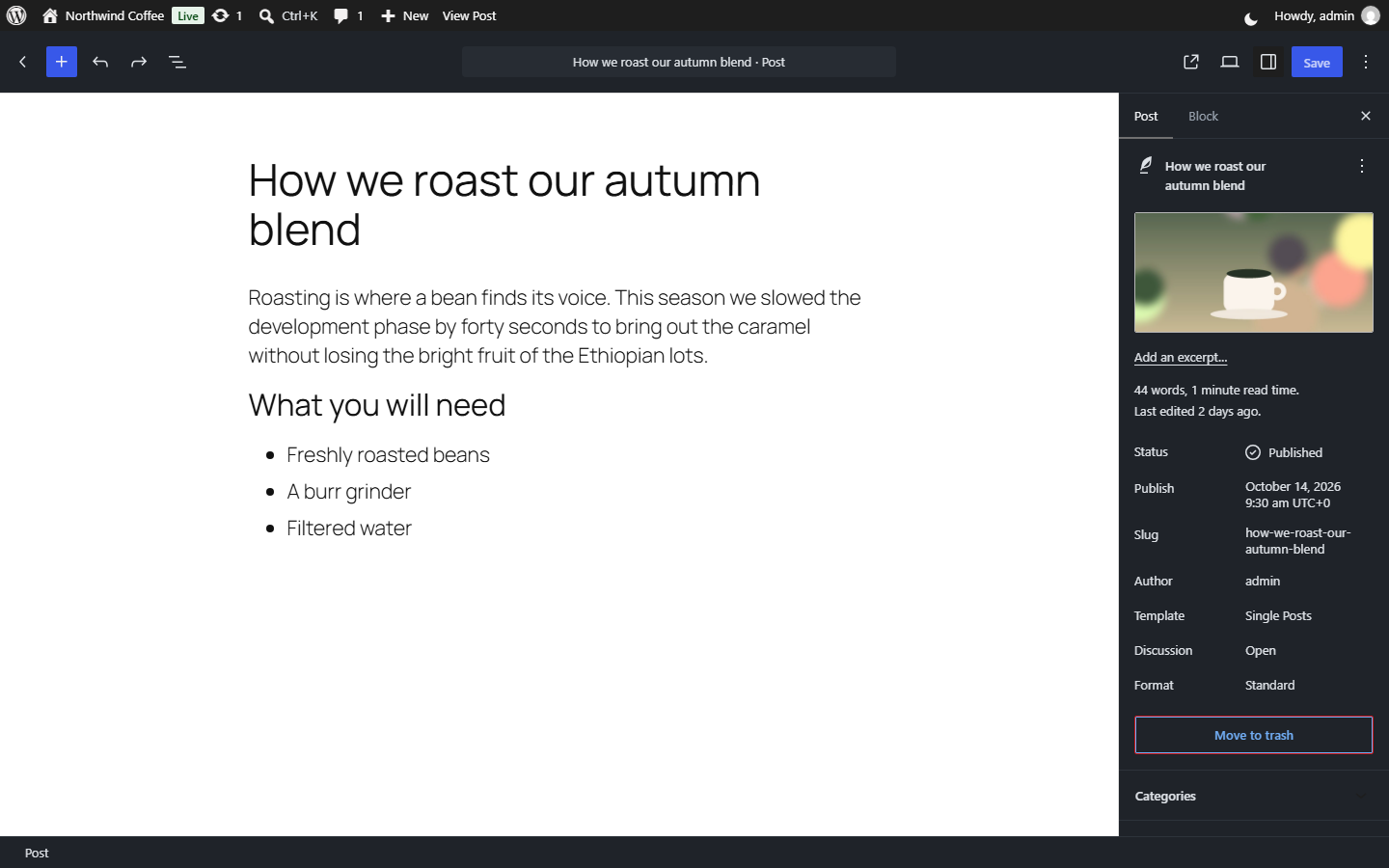
Why is the writing area of the block editor not dark?
It shows your post with your theme's editor styles, so what you see matches the published page. If your theme has a dark style, the writing area follows it.
What happens when I delete the plugin?
Everything it stored is removed: the site's choices and each user's choices.
Does it work on multisite?
Yes. Each user's mode applies on every site of the network, and each site has its own settings.
更新日志:
- The plugin's home page is now https://adminight.perforks.com, with the documentation and screenshots.
- New: Settings → Adminight. Choose the parts of WordPress where dark mode applies: dashboard and content, editors, Appearance, login screen, WooCommerce.
- New: other plugins' screens, one plugin at a time, with "Dark" or the experimental "Inverted colours". Off until you choose.
- New: a contrast guard keeps text readable on light panels drawn by other plugins.
- New: each user can turn off places for themselves in their profile.
- New: add
?adminight=offto any admin address to see that page without dark mode. - Changed: the site default moved from Settings → General to Settings → Adminight. Your choice is kept.
- Changed: other plugins' screens are no longer darkened unless you turn them on.
- Fixed: page builders' own full-screen editors are left alone.
- First release: Light, Dark and Auto modes per user, toolbar switch, profile setting, site default on Settings → General, dark login screen.