AdsDestroyer – clean admin panel & white label
| 开发者 |
wpaifactory
alexkovalevv |
|---|---|
| 更新时间 | 2026年8月28日 21:06 |
| PHP版本: | 7.4 及以上 |
| WordPress版本: | 7.1 |
| 版权: | GPLv2 or later |
| 版权网址: | 版权信息 |
详情介绍:
AdsDestroyer turns the WordPress admin into a clean, white-label workspace. Hide any element you do not need — advertising blocks, promotional notices, menu items, admin-bar nodes, or confidential data — by picking it visually. The plugin generates a precise XPath or CSS selector and applies it on every page load, so hidden blocks never flash back.
Perfect for:
- Focus & Productivity: Hide distracting admin notices, promotional banners, and unnecessary UI elements to concentrate on your work
- Brand Customization: Remove third-party branding, API keys, and sensitive information from admin screens
- Clean Interface: Eliminate clutter by hiding elements that can't be removed through standard WordPress settings
- Client Management: Create cleaner admin experiences for clients by hiding complex settings and technical information
- Development Workflow: Remove development notices, debug information, and testing elements from production admin Key Features:
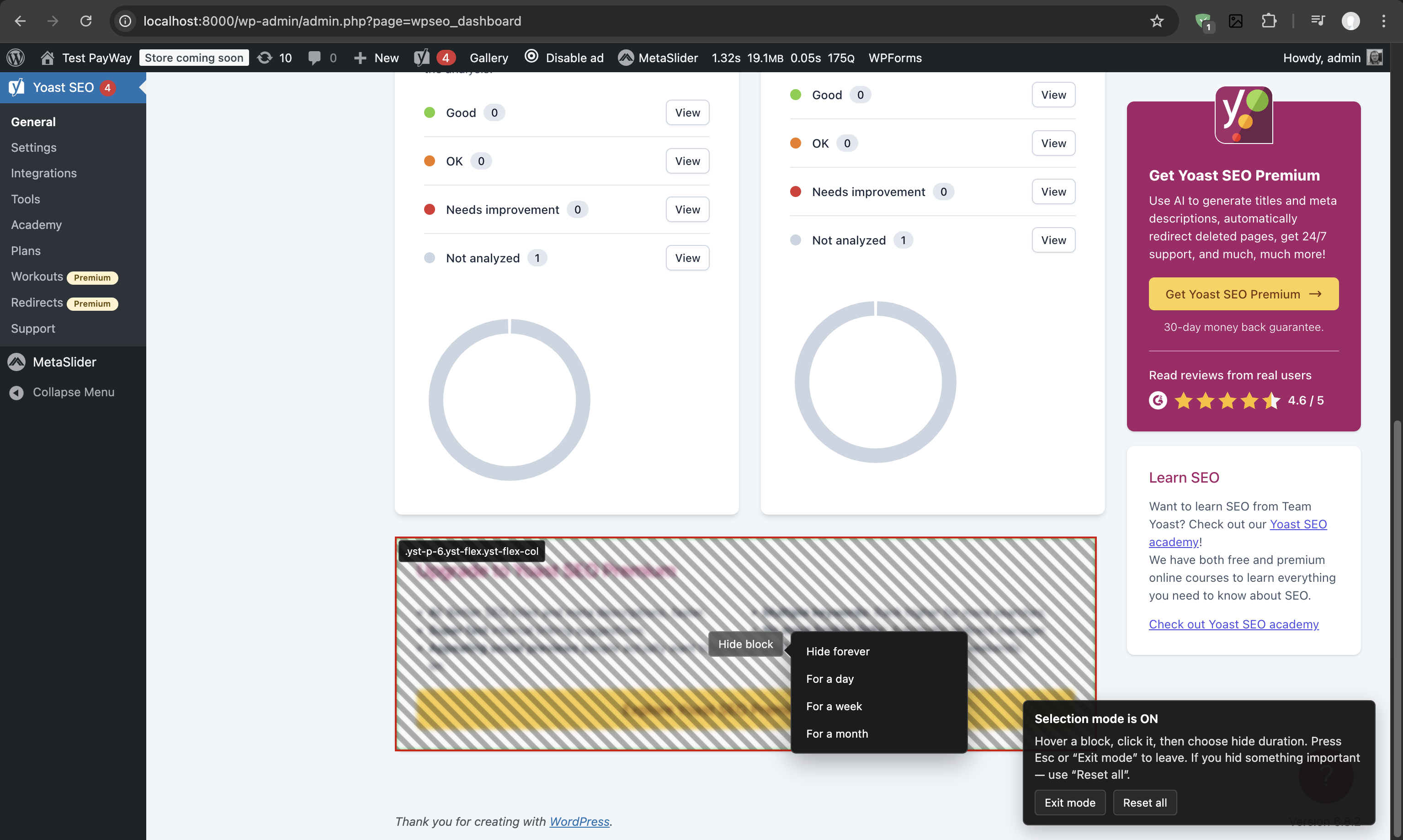
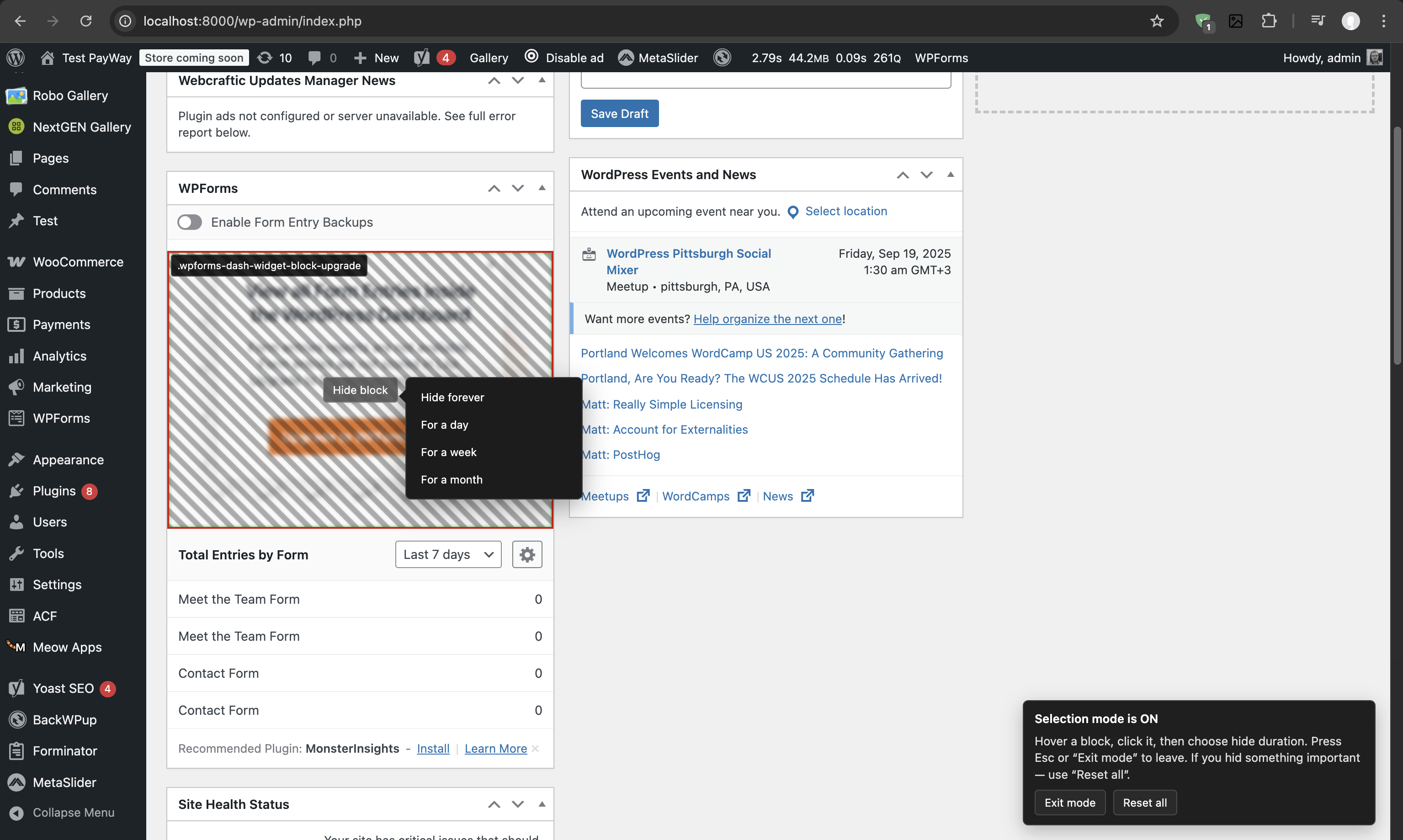
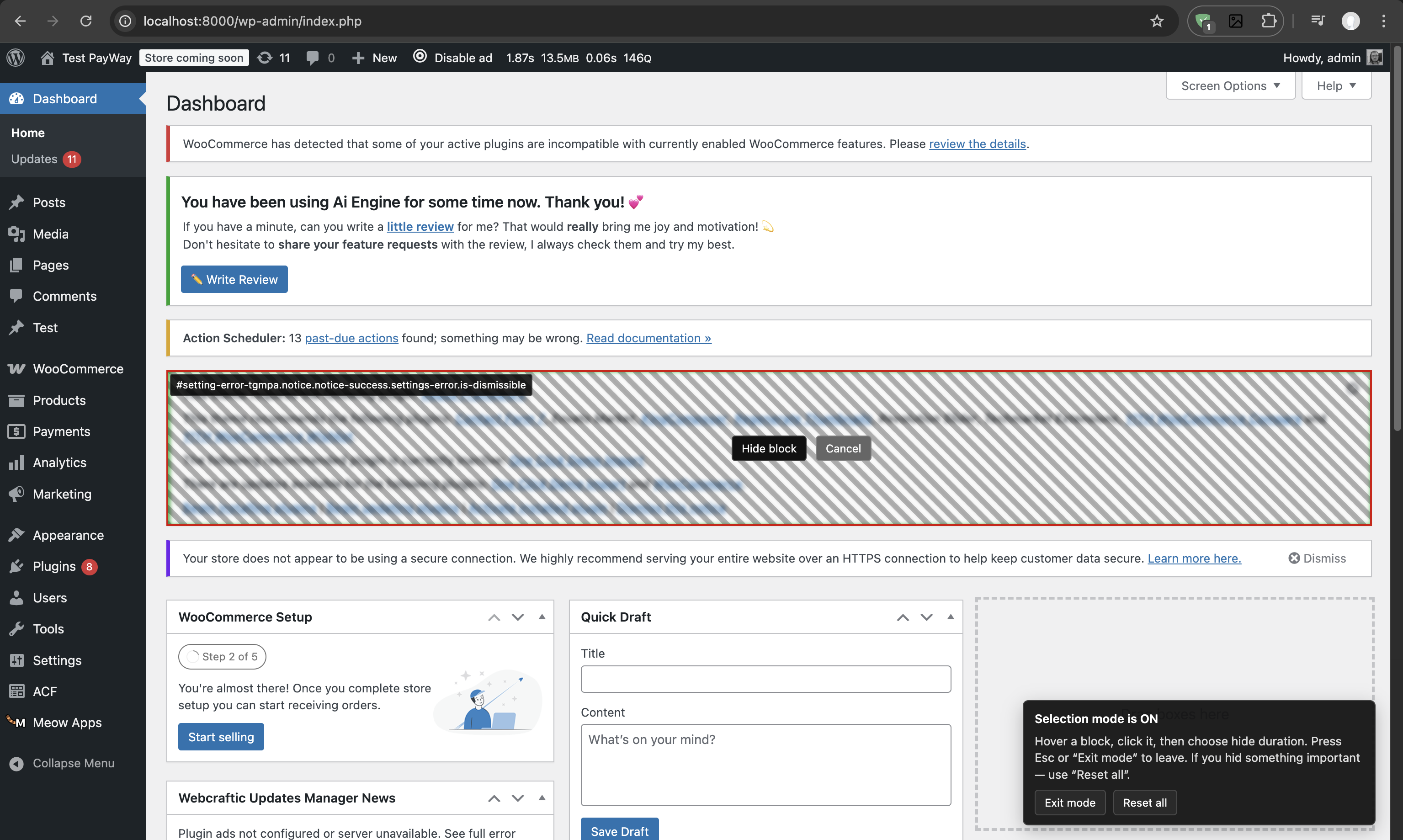
- Visual Selection Mode: Click the admin bar button and visually select any element to hide
- Smart Block Picker: Snaps to meaningful blocks and lets you preview and choose parent containers
- Collision-Aware Panel: Keeps controls clear of the selected block, admin bar, and menu, with a pointer to the target
- Smart Selector Engine: Chooses stable IDs, data attributes, classes, text, or a positional fallback and validates uniqueness
- Stable Admin Chrome Rules: Uses deterministic anchors for submenu items and global scope for admin menu and admin bar targets
- Flexible Duration: Set rules to hide elements forever or for specific time periods (hours, days, weeks, months)
- Safe Removal: Uses HTML5 parsing with placeholder replacement to prevent broken layouts
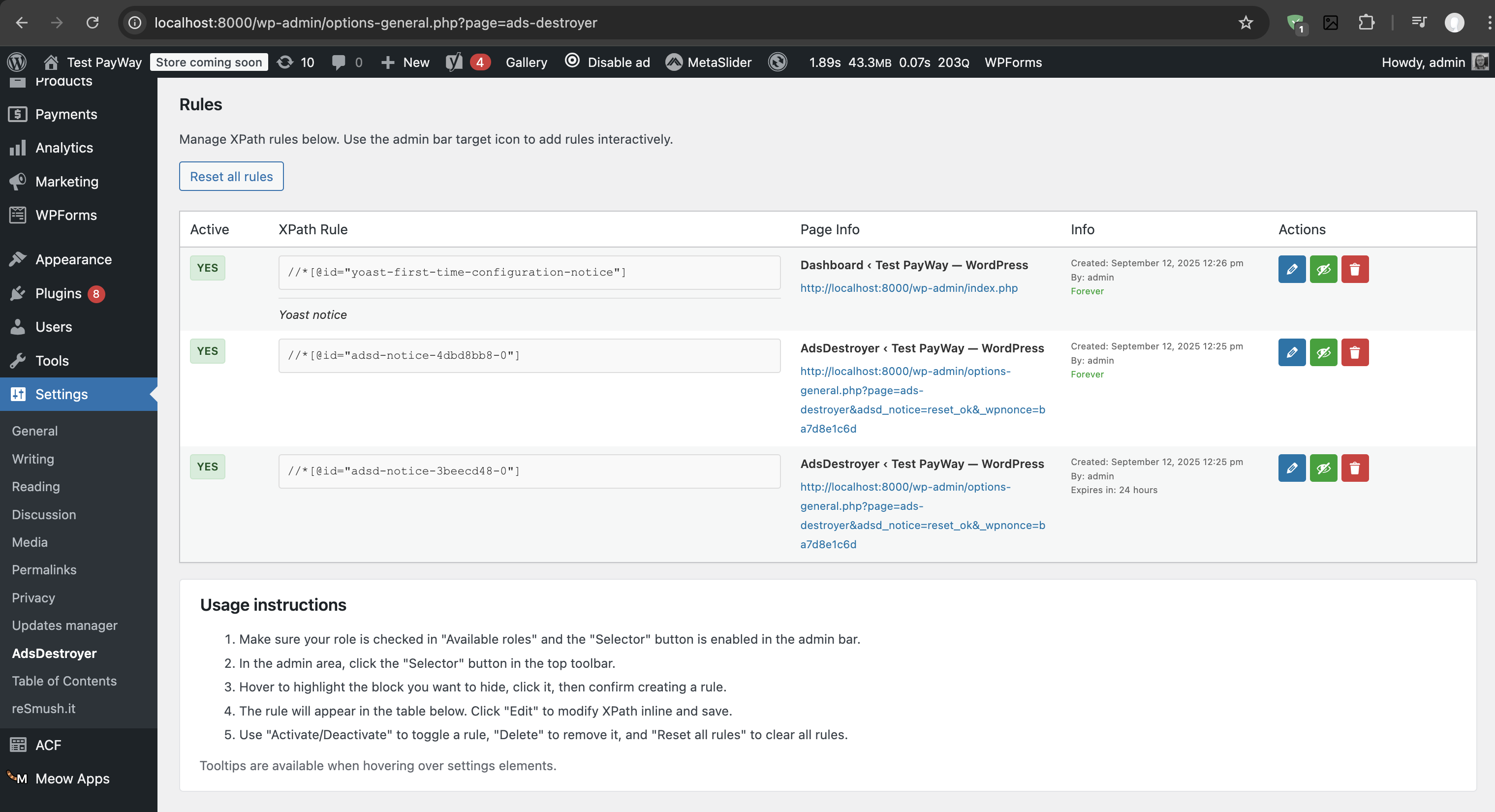
- Rule Management: Full CRUD interface to edit, activate/deactivate, and delete rules
- Conflict Resolution: Automatically detects duplicate rules and offers to activate existing ones
- Multisite Support: Per-site or network-wide rule management
- Performance Optimized: Only processes admin pages, never affects frontend performance We drew inspiration from these plugins:
- Admin Menu Editor Pro
- White Label CMS
- Adminimize
- Remove Admin Notices
- Admin Columns Pro
安装:
- Upload the plugin to wp-content/plugins/ads-destroyer or clone/install it there.
- Navigate to Plugins → Activate "AdsDestroyer - clean admin panel & white label".
- From Settings → AdsDestroyer - clean admin panel & white label, review defaults and permissions.
屏幕截图:
常见问题:
The page layout breaks after hiding a block
- The plugin uses HTML5 parsing with placeholder replacement to minimize layout issues. If you still experience problems, try selecting a parent container instead of the specific element, or use the "Reset all rules" option to start fresh.
A block with dynamic CSS classes is not hidden
- The plugin automatically handles dynamic classes and generates multiple XPath candidates. Try re-selecting the element or select a parent container with a stable ID. The plugin prioritizes elements with data attributes (data-test, data-testid, data-qa) for better targeting.
How do I reset all rules?
- Go to Settings → AdsDestroyer → "Reset all rules" button. This will remove all hidden elements and restore the original admin interface.
Can I hide elements temporarily?
- Yes! When creating a rule, you can choose from several duration options: hide forever, for a day, for a week, or for a month. Temporary rules automatically expire and restore the hidden elements.
What if I accidentally hide something important?
- Use the "Reset all rules" option in the settings page to restore all hidden elements. You can also edit individual rules to deactivate them without deleting them.
Does this plugin affect my website's frontend?
- No, this plugin only works in the WordPress admin area and never affects your website's frontend or public pages.
Can I use this on a multisite network?
- Yes, the plugin supports multisite installations with per-site rule management. Each site can have its own set of hidden elements.
更新日志:
1.0.35
- Fixed plugin installation from ZIP archives getting stuck while unpacking when AdsDestroyer rules are active
- Excluded streaming updater screens and incomplete HTML documents from server-side parsing
- Added verified compatibility with PHP 7.4 through PHP 8.4 and WordPress 7.1
- Added a collision-aware selection panel with a dashed pointer that stays clear of the target and WordPress admin chrome
- Added an ancestor picker, meaningful block snapping, and an empty-container warning
- Improved selector generation with stable ID, data, class, text, and positional strategies
- Added deterministic anchors and global scope for WordPress admin menu and admin-bar rules
- Added visible duration confirmation before a block is hidden
- Improved early CSS hiding, rule validation, failed-rule reporting, and selector regeneration
- Replaced overlapping picker controls with a single floating selection panel
- Added responsive panel placement for small elements, viewport edges, the admin bar, and the admin menu
- Added stable anchor classes for WordPress admin submenu items
- Improved global selector scope for WordPress admin chrome
- Added meaningful block targeting, ancestor selection, and hardened XPath strategies
- Added scope and selector metadata to stored rules
- Restored reliable selection-mode highlighting and isolated plugin UI classes from third-party styles
- WordPress 7.0 compatibility: verified compatibility with WordPress 7.0 and updated plugin metadata
- Release metadata: updated stable tag and tested WordPress version for the latest release
- Fixed HTML5 parser issue on options-general.php page by excluding problematic pages from server-side processing
- Added frontend-only approach for excluded pages (similar to React pages) - elements are hidden via JavaScript
- Changed .adsd-visually-hidden class from opacity: 0 to display: none for proper element hiding
- Improved settings page UI with white background and proper styling for tab content
- Enhanced page exclusion system with detailed documentation of HTML5 parser limitations
- Security improvements: proper data sanitization and escaping throughout the plugin
- Replaced session_start() with WordPress User Meta API for state management
- Fixed output buffer closure issues with register_shutdown_function
- Added XPath sanitization that preserves syntax while ensuring security
- Improved nonce handling with proper sanitization
- Added review notice system to encourage user feedback and ratings
- Fixed admin bar button appearing on frontend (now shows only in admin area)
- Fixed selection mode allowing to select the plugin's "Exit selection mode" button
- Improved element selection exclusions to allow selecting other admin bar elements while protecting only the plugin's button
- Enhanced user experience by preventing accidental hiding of the selection mode control button
- Fixed WordPress.org plugin directory compatibility issues
- Shortened plugin description to meet 150 character limit
- Removed invalid Update URI header field
- Added trunk synchronization to build process for better WordPress.org integration
- Complete refactoring of XPath engine for better performance and reliability
- Fixed compatibility issues with other plugins and themes
- Added ability to remove HTML blocks in React UI (currently hides blocks visually without DOM removal)
- Hidden blocks are now visible in selection mode for easier management and verification
- Improved element selection overlay with better visual feedback
- Enhanced XPath rule generation for more precise targeting
- Completely redesigned readme.txt with comprehensive use cases and examples
- Added detailed usage instructions with step-by-step guide
- Updated FAQ section with current plugin features
- Added inspiration credits for similar plugins
- Enhanced description with focus on productivity and customization benefits
- Improved documentation for better user understanding
- Added comprehensive build instructions to readme.txt
- Updated development documentation with Node.js build process
- Improved plugin documentation for developers
- Updated all plugin prefixes from AIDAD/aidad to ADSD/adsd for WordPress.org compliance
- Added output buffering documentation for hosting providers
- Improved admin-only buffering with clear frontend exclusion
- Visual overlay updated: blur/hatch on hover and selection, centered action button, instruction hint.
- Safe removal via HTML5 and placeholders.
- Dynamic class filtering in XPath builder and server-side relaxation.
- Rules: expiry support (duration on save).
- Settings: actions column, edit in place, author display, instruction.
- Initial modernized implementation.