Advanced OSM for Toolset Maps
| 开发者 | umbaumba |
|---|---|
| 更新时间 | 2026年6月30日 16:10 |
| 捐献地址: | 去捐款 |
| PHP版本: | 7.0 及以上 |
| WordPress版本: | 6.9 |
| 版权: | GPLv2 or later |
| 版权网址: | 版权信息 |
详情介绍:
Supercharge Toolset Maps with professional OpenStreetMap features that go beyond the basic core implementation.
While Toolset Maps provides a foundation for OSM, this plugin enhances the experience with advanced visualization and data tools, now fully integrated with the WordPress Block Editor.
🧱 Gutenberg Blocks
Forget about complex shortcodes. Version 4.0 provides a modern, visual workflow:
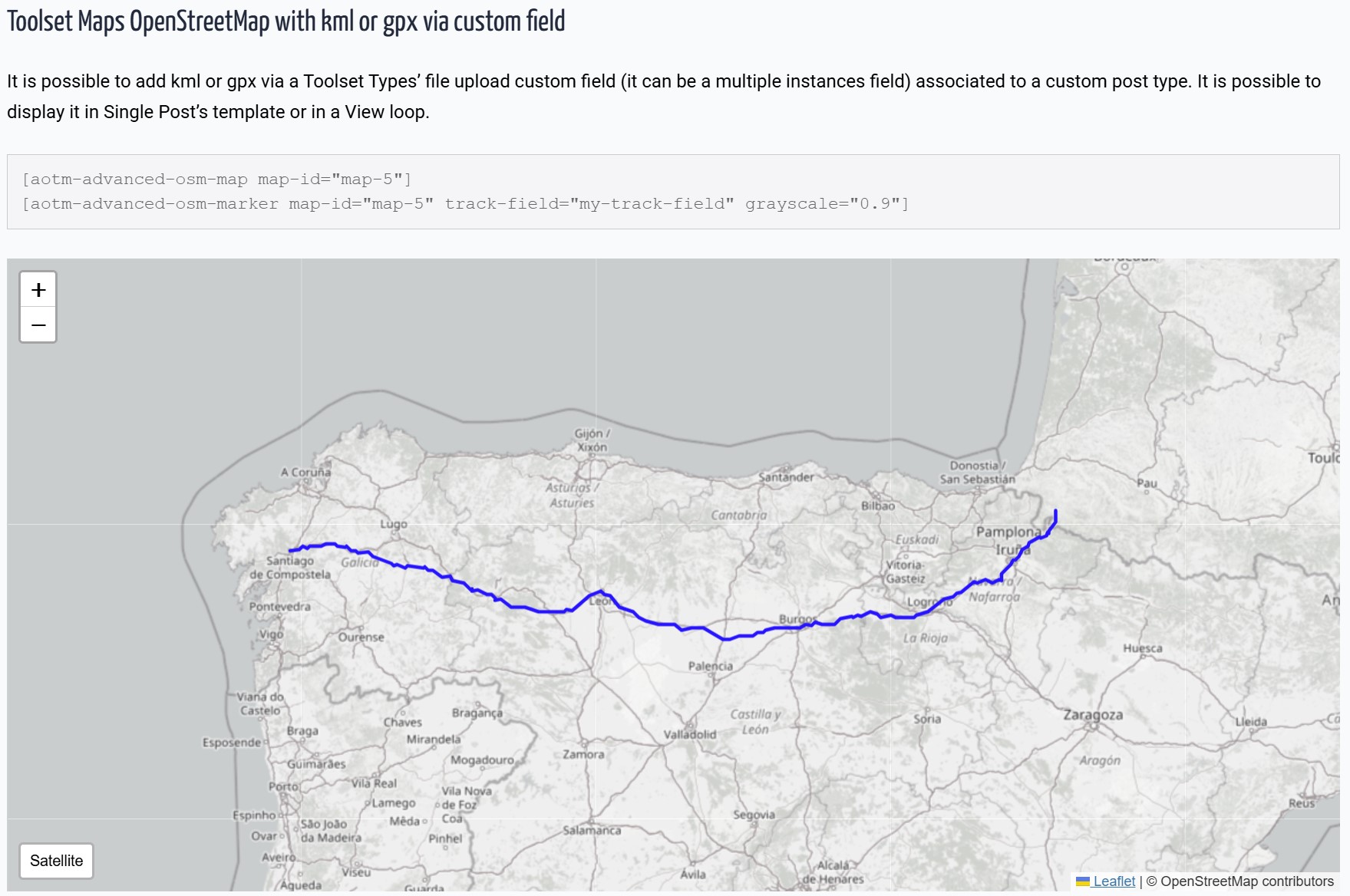
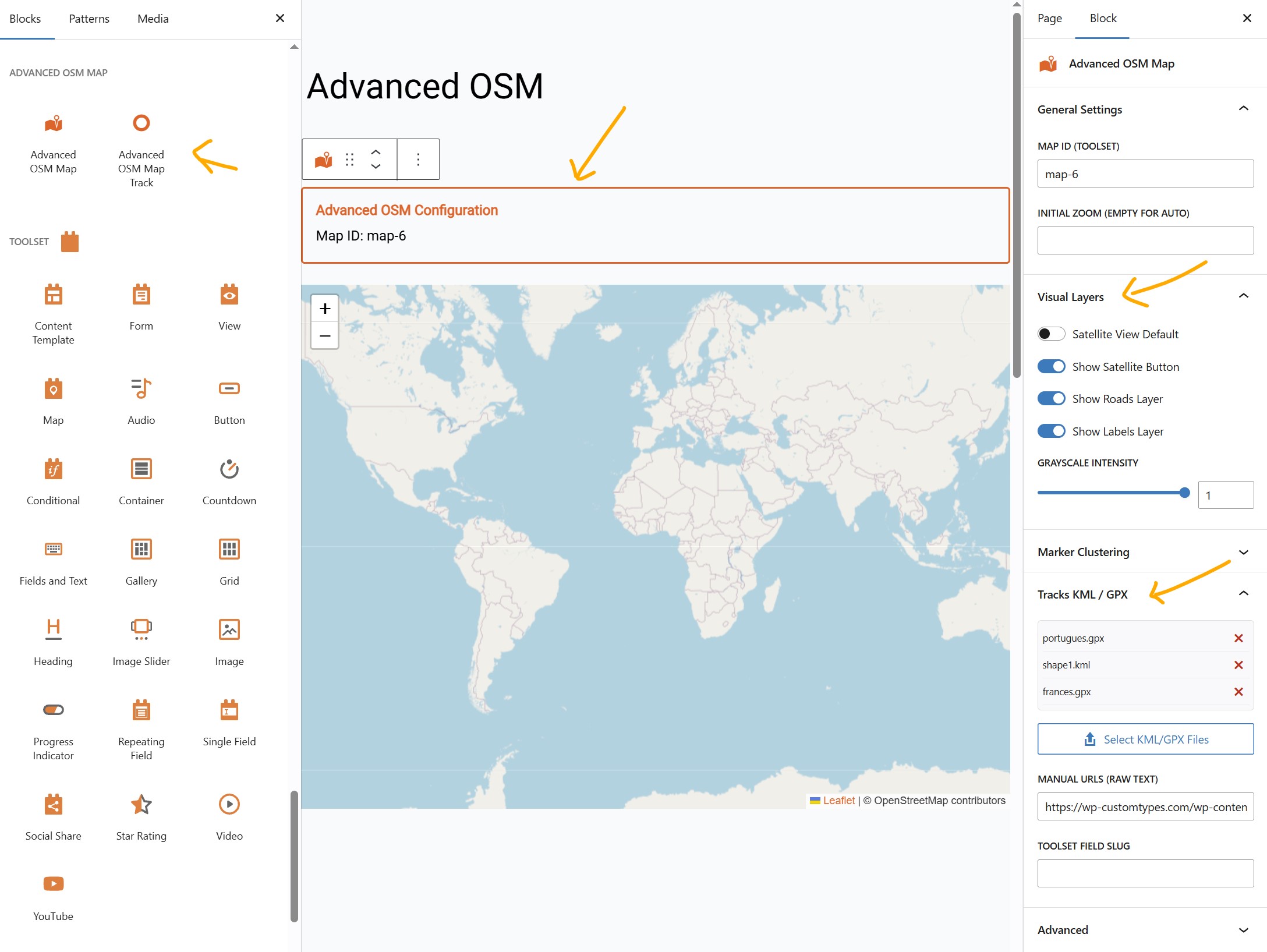
* Advanced OSM Map Block: Configure satellite/topo views, clustering, and tracks visually in the sidebar.
* Dynamic Track Loader Block: Easily link Toolset File Fields (KML/GPX) to your maps within Query Loops or Content Templates.
🛰️ Satellite & Topography Views
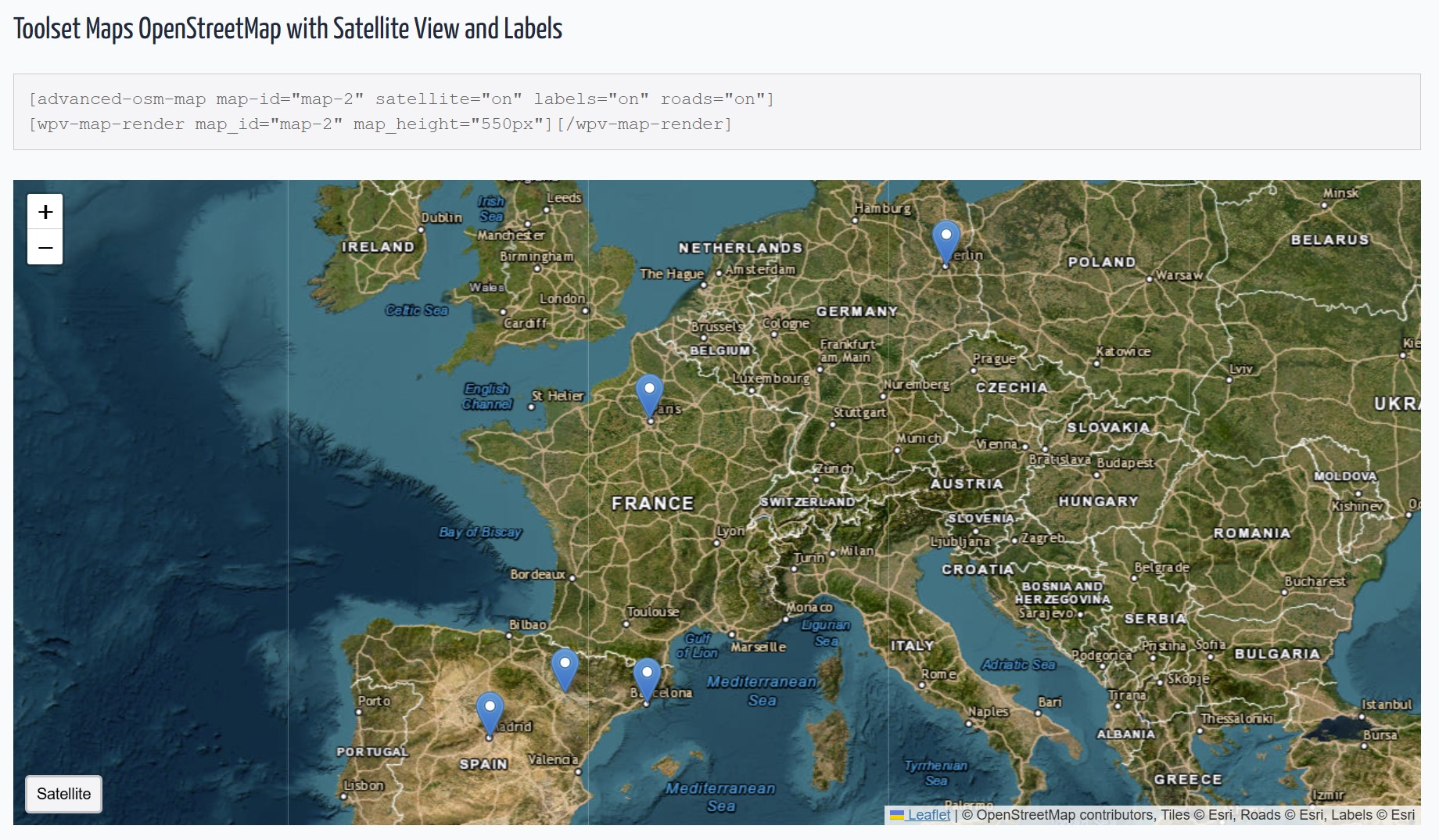
- Satellite: High-resolution Esri satellite imagery.
- Topography: OpenTopoMap integration for outdoor and adventure maps.
- Smart Toggles: Interactive front-end buttons to switch between layers.
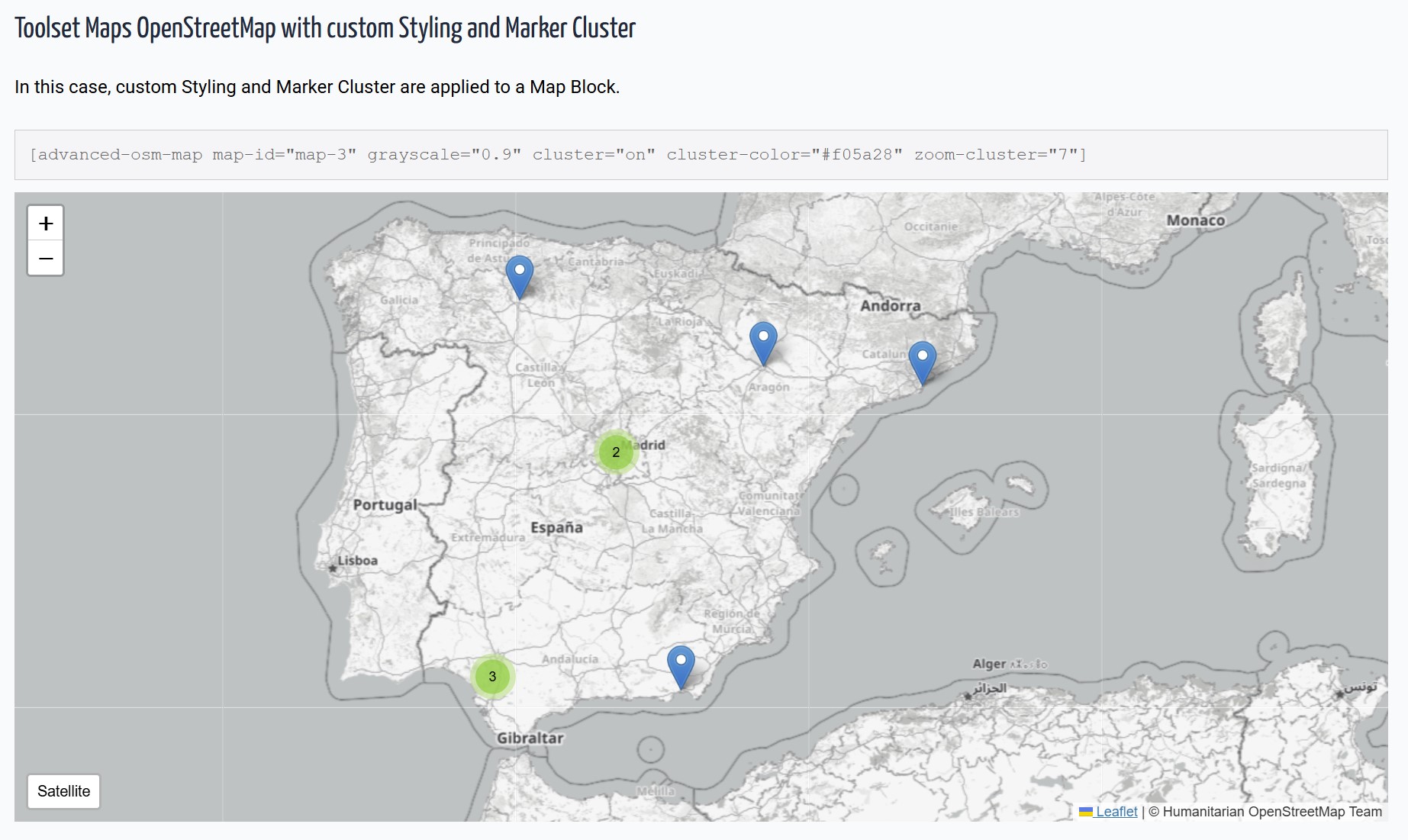
- Grayscale Mode: Apply "silver" or "muted" styles to standard maps.
- Layer Management: Toggle roads and labels independently on satellite views.
- Subfolder Compatible: Optimized for WordPress installations in subdirectories. Check DEMOS Check author page wp-customtypes.com
安装:
- Upload the plugin files to
/wp-content/plugins/advanced-osm-for-toolset-maps/ - Activate the plugin through WordPress admin.
- Using Blocks: Search for "Advanced OSM" in the Gutenberg editor.
- Using Shortcodes: Use
[aotm-advanced-osm-map]to configure the map settings.
屏幕截图:
常见问题:
Does this work with the Toolset Map block?
Yes! This plugin extends any map rendered by Toolset, whether via Blocks or the classic View integration.
How is this different from native Toolset Maps?
Toolset provides basic OSM functionality. AOTM adds:
- Satellite and Topography imagery with interactive buttons.
- Customizable clusters (colors and behavior).
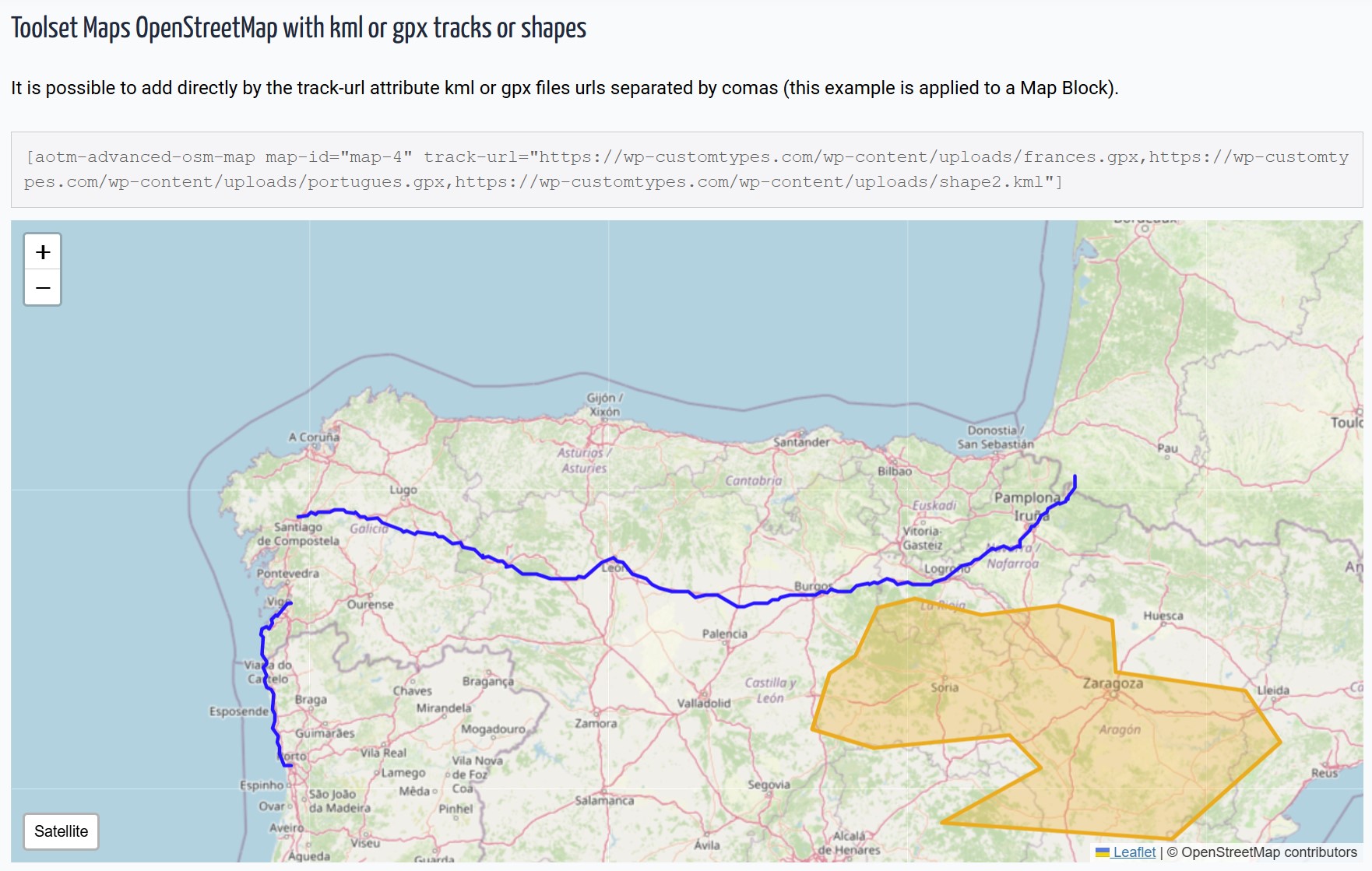
- KML/GPX support for tracks and shapes.
- Precise grayscale styling and independent layer controls.
Does this replace Toolset Maps?
No, it enhances it. You still need Toolset Maps installed and active.
更新日志:
4.0.0
- NEW: Topography layer (OpenTopoMap) with dedicated toggle button.
- NEW: Decoupled Leaflet loading logic to prevent "L is not defined" errors in non-map pages.
- IMPROVED: Automatic path detection for WordPress installed in subfolders.
- IMPROVED: Refined block UI with better labels ("Show Roads", "Show Labels").
- FIXED: Major dependency conflict with Toolset's internal Leaflet registration.
- Fixed: Admin rating notice dismissal logic.
- Improved: Internal admin hooks performance.
- NEW: Native Gutenberg Blocks support.
- NEW: Multiple file selection for KML/GPX from Media Library.
- NEW: Visual list management for tracks in the editor.
- Added support for KML and GPX tracks via Toolset File Fields.
- New shortcode [aotm-advanced-osm-marker] for dynamic track loading.
- Initial release.