Advanced Preloader
| 开发者 |
Sanju Shankar
sanju-shankar |
|---|---|
| 更新时间 | 2026年10月23日 00:23 |
| PHP版本: | 7.0 及以上 |
| WordPress版本: | 7.1 |
| 版权: | GPLv2 or later |
| 版权网址: | 版权信息 |
详情介绍:
- Built-in CSS Loaders (new):
- 6 animated loaders: Spinner, Dual Ring, Bouncing Dots, Bars, Pulse and Progress Bar
- Pick one visually, set its color and size, and optionally add text
- Pure CSS, no image upload needed, and gentler for visitors who prefer reduced motion
- Display Rules (new):
- Show on every page, the homepage only, only on selected pages, or everywhere except selected pages
- Show on every page load, once per visit, or on the first visit only
- Optionally hide it for logged-in users
- Works with page caching plugins
- Multiple Display Options:
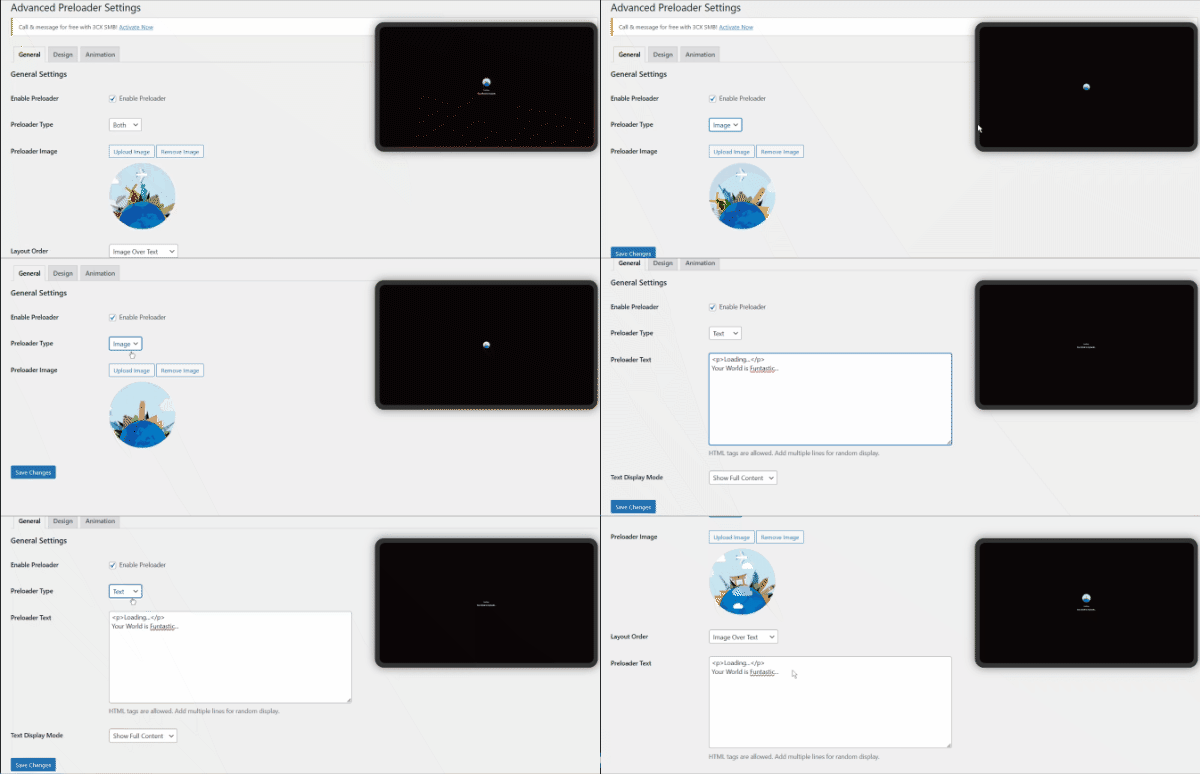
- Choose between Image, Text, Image + Text, Loader, or Loader + Text
- Four layout options: Image Over Text, Image Left to Text, Image Right to Text, Image Below Text
- Customizable Design:
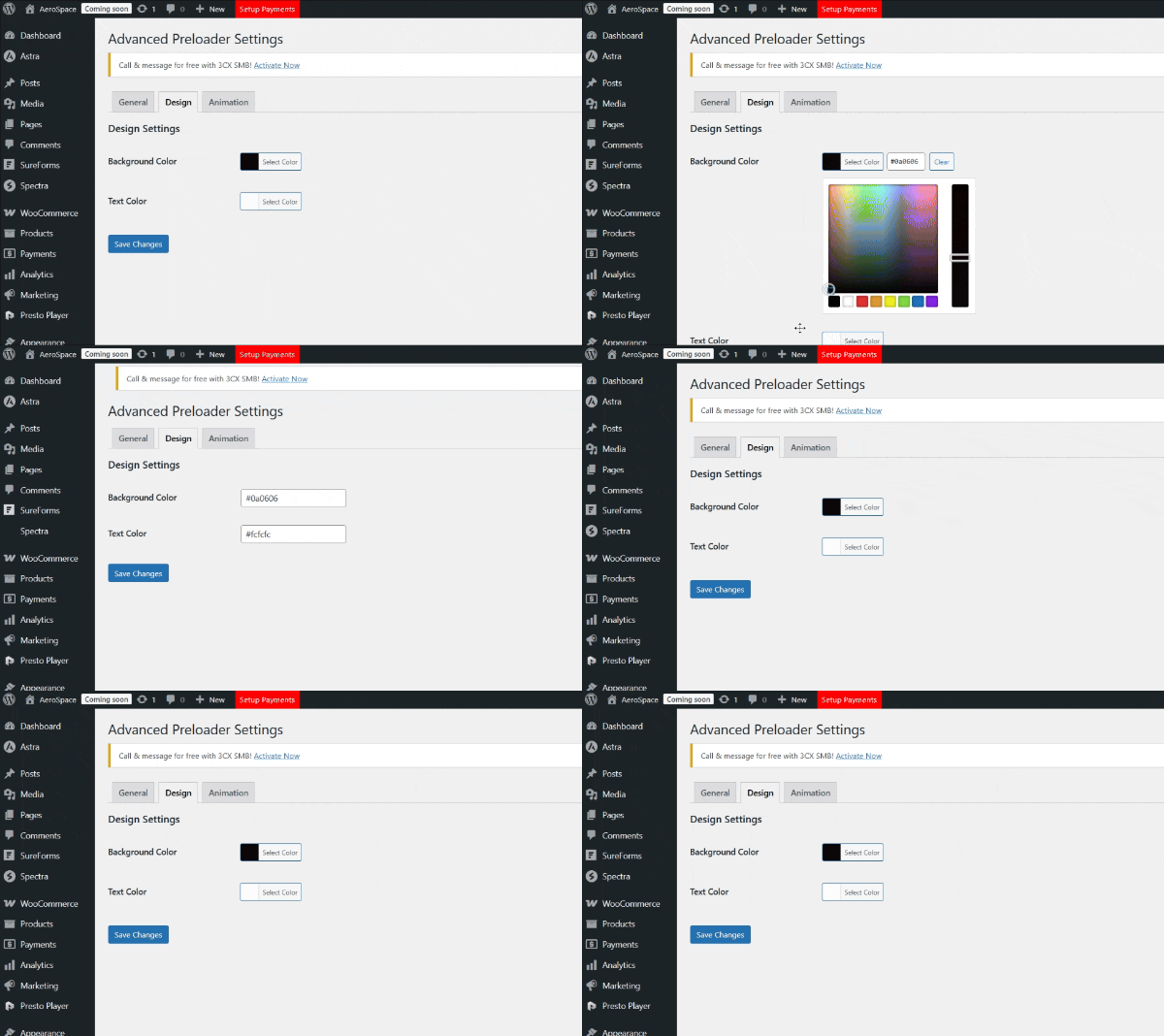
- Background and text color customization
- Upload your own preloader image
- Add custom HTML text with multiple lines
- Random text line display option
- Performance Optimization:
- Lightweight and fast loading
- CSS animations for smooth performance
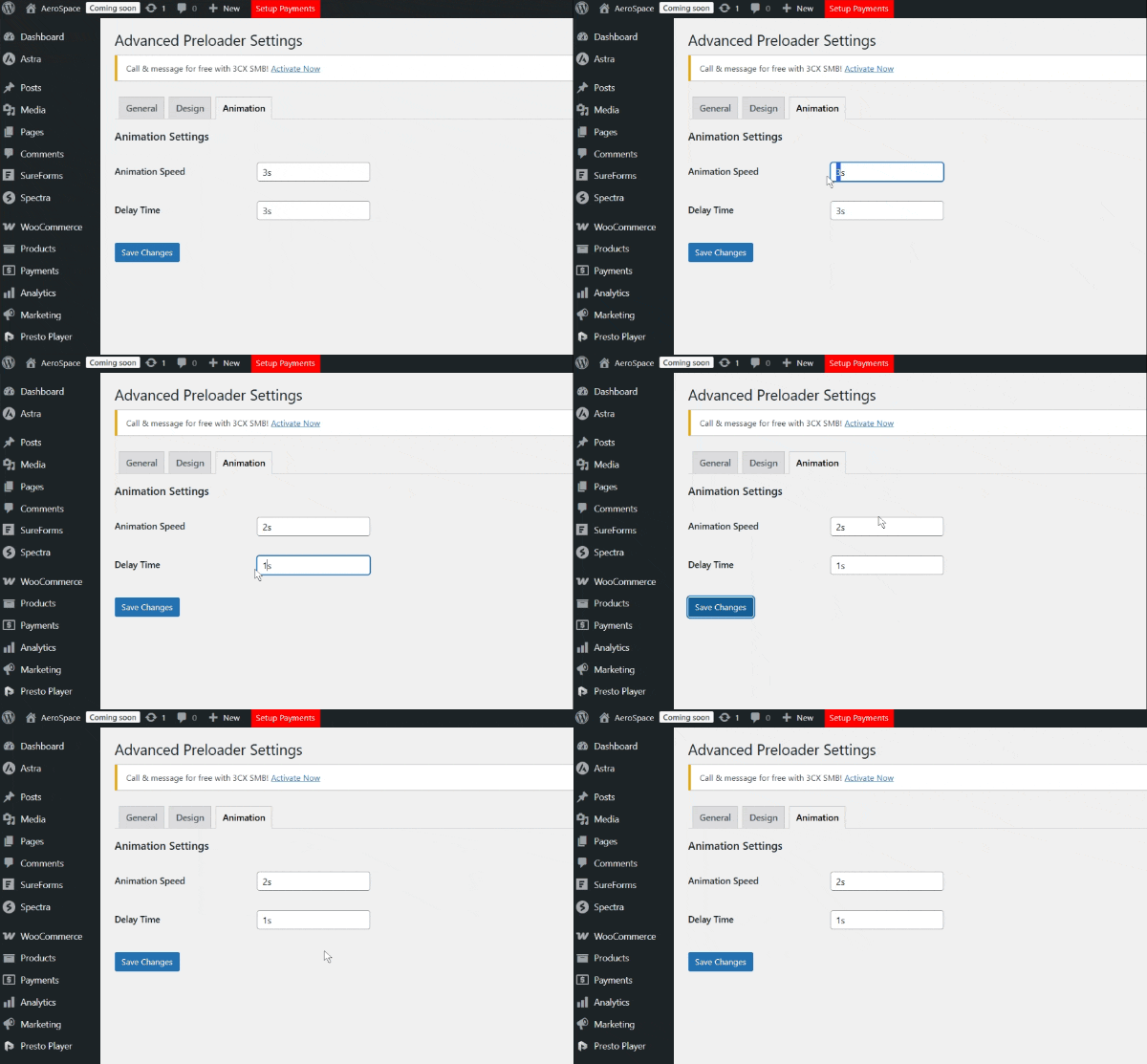
- Customizable animation speed
- Delay time configuration
- Responsive Preview:
- Live preview in admin panel
- Laptop-style responsive preview window
- Real-time updates as you customize
- Advanced Controls:
- Enable/disable preloader with one click
- Media uploader integration
- Color picker for easy color selection
安装:
- Upload the plugin files to the
/wp-content/plugins/advanced-preloaderdirectory, or install the plugin through the WordPress plugins screen directly. - Activate the plugin through the 'Plugins' screen in WordPress
- Go to Preloader in the admin menu to configure the plugin
- Customize your preloader settings and enjoy!
屏幕截图:
常见问题:
Can I use a loader animation instead of an image?
Yes. Set Preloader Type to "Loader Animation" (or "Loader Animation + Text") and pick one of the six built-in loaders. Its color and size are in the Design tab.
Can I show the preloader only on some pages?
Yes. In the Display Rules tab, choose Homepage only, Only on selected pages, or Every page except selected pages, and tick the pages.
Can visitors see it only once?
Yes. In Display Rules → How Often, choose "Once per visit" or "First visit only". This is remembered in the visitor's browser, so it keeps working with page caching.
Can I use my own image for the preloader?
Yes! The plugin includes a media uploader where you can upload and use your custom preloader image.
Is this plugin mobile-friendly?
Absolutely! The preloader is fully responsive and works perfectly on all devices.
Can I add HTML content in the text area?
Yes, the text field supports basic HTML tags for formatting your preloader text.
How do I change the animation speed?
In the Animation tab, set Animation Speed (how long the fade-out takes) and Delay Time (how long to wait after the page loads). Both accept values like 1s, 0.5s or 500ms.
Can I use different text each time the preloader appears?
Yes! Enable the "Random Line" display mode to show a different line from your text content each time.
更新日志:
- New: optional newsletter sign-up from the plugin author on the Preloader settings screen. Nothing is sent unless you click Subscribe, and closing the card hides it for 30 days.
- New: optional one-question survey when you deactivate the plugin, to help improve it. Skip & deactivate sends nothing.
- Docs: new External services section in the readme describing both.
- New: Six built-in CSS loaders (Spinner, Dual Ring, Bouncing Dots, Bars, Pulse, Progress Bar) with a visual picker, color and size
- New: Display Rules tab: homepage only, selected pages, excluded pages, once per visit, first visit only, hide for logged-in users
- Improved: The preloader now appears right after the page starts loading (wp_body_open) and sits above other overlays
- Improved: Live preview shows loaders and no longer covers the settings form
- Improved: Screen readers announce the loading state
- Tested with WordPress 7.1
- Fixed PHP warnings when the preloader is enabled before the type and layout settings are saved
- Fixed the Animation Speed setting, which was saved but never applied to the fade-out
- Delay Time and Animation Speed now accept values like 1s, 0.5s or 500ms
- Added WordPress 6.8.1 support
- Fixed Security bugs
- Improved UX
- Added random text line display mode
- Improved responsive preview system
- Enhanced admin interface
- Fixed tab navigation issues
- Added more layout options
- Improved media uploader integration
- Fixed color picker implementation
- Enhanced mobile responsiveness
- Initial release of Advanced Preloader