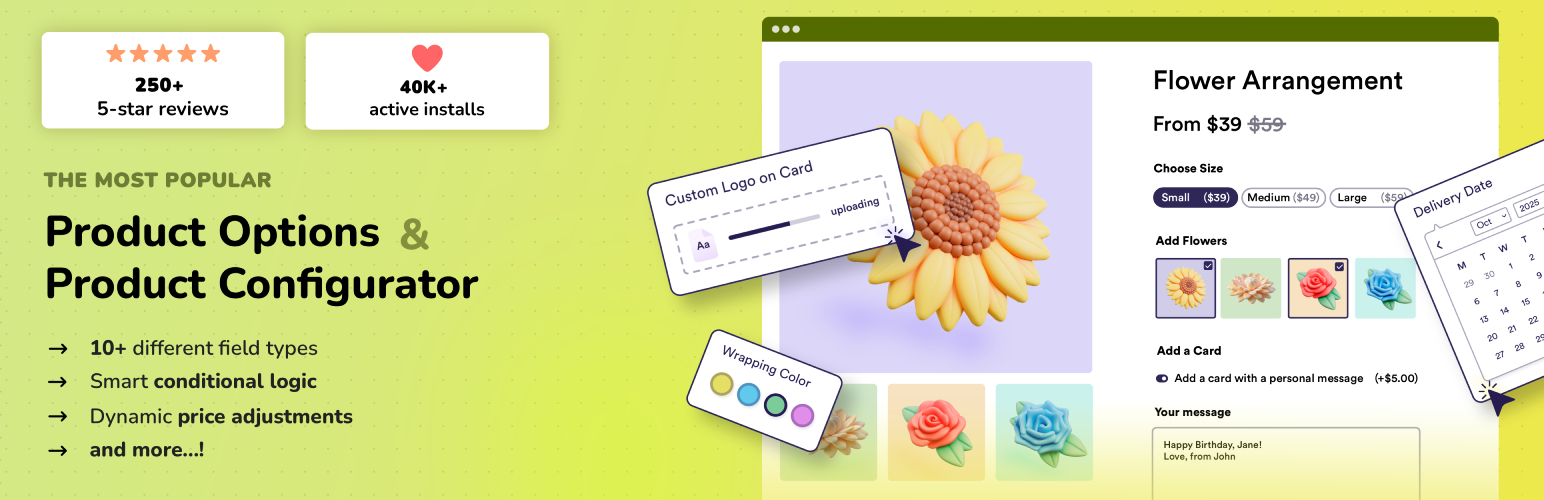
Advanced Product Fields (Product Addons) for WooCommerce
| 开发者 |
studiowombat
maartenbelmans |
|---|---|
| 更新时间 | 2026年10月8日 00:29 |
| PHP版本: | 7.0 及以上 |
| WordPress版本: | 7.1.3 |
| 版权: | GPLv2 or later |
| 版权网址: | 版权信息 |
标签
下载
详情介绍:
安装:
- Visit Plugins > Add New
- Search for "Advanced Product Fields for WooCommerce"
- Activate the plugin from your Plugins page
- Click on the new menu item WooCommerce > Product Fields and create your first Custom Field Group (product addons).
屏幕截图:
常见问题:
How do I add input fields to my products?
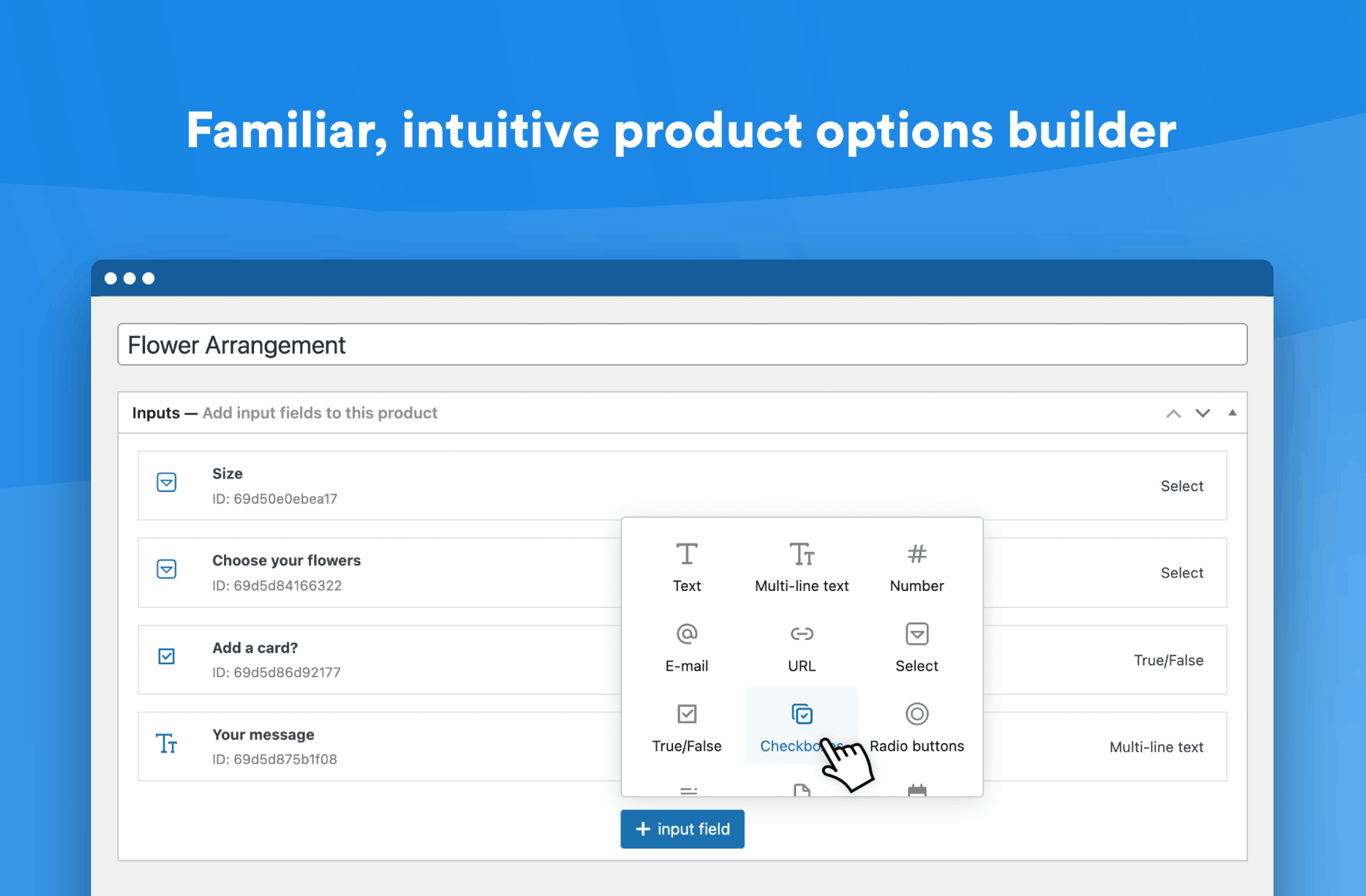
Once the plugin is installed, go to WooCommerce > Product Input Fields to start adding options to your products! Alternatively, you can also add input fields via each "Edit Product" page in WooCommerce.
Does APF slow down my website?
No, APF is designed with performance in mind. We prioritize speed and efficiency, ensuring it remains lightweight without compromising on features (something other plugins overlook). We regularly check our plugin against competitors and our code remains small, lightweight, and among the fastest!
Do I need coding knowledge to use APF?
No, APF is a no-code solution that's intuitive and easy to use, so you don't need any coding experience.
Can I create as many options as I want?
Yes, you can create unlimited product options with APF, giving you full flexibility to customize your products however you need.
What are the system or server requirements to use APF?
You'll need WooCommerce 6.0 or higher, WordPress 6.0 or higher, and PHP 7.0 or higher to make this plugin work.
更新日志:
- New: you can now search field types in the "add field" popup.
- New: added a setting to hide price hints (WooCommerce > Settings > Product fields).
- Improvement: price inputs in the field builder now accept your shop's decimal separator and validate input just like WooCommerce's own price fields.
- Fix: fixed minor admin styling inconsistencies due to WordPress 7.0 style changes.
- Improvement: Enhanced the admin UI for a more intuitive user experience and updated the overall look and feel.
- Improvement: improved guidance throughout some settings.
- Other: we'll increase the minimum WP version (possibly to 6.0) soon.
- Improvement: improved integration with Gift Card plugins.
- Fix: fixed fields not appearing at cart when dealing with variable products.
- Improvement: added minor extra security improvements.
- Improvement: added extra security to validate the cart data.
- Fix: fixed pricing hints sometimes showing when there is no price set.
- Other: increased minimum required WooCommerce version to 6.0.
- Other: verify WP 7.0 (beta) 10.4 compatibility.
- Improvement: added extra security for the "duplicate" field group logic.
- Other: verify WP 6.9 and Woo 10.4 compatibility.
- Improvement: the "Field groups" list now also displays private groups.
- Improvement: translation improvements.
- Improvement: improved compatibility with variable products and the pricing summary.
- Fix: fixed an issue where the default value "0" wouldn't be shown on number fields.
- Improvement: better integration with WooCommerce tax settings.
- Improvement: better integration with theme builders who don't adhere to Woo standards.
- Fix: fixed a few translation strings.
- Other: added changelog.txt.
- Other: verified Woo 9.8 pre-release compatibility.
- Dev: fixed developer filters for field and container classes.
- Fix: a few texts were not translatable yet. This is now fixed.
- Other: verified compatibility with the upcoming WP version 6.7.
- Fix: fixed a PHP 8 deprecation warning.
- Fix: products with a large amount of variations and no fields present wrongly called our "calculate" method.
- Fix: fixed a pricing issue when no quantity input can be found on the page.
- Other: test compatibility with the latest Woo & WP versions.
- Improvement: removed outdated code.
- Other: test compatibility with Woo & WP.
- Other: bumped minimum required WooCommerce version to 3.8.
- Other: test compatibility with Woo 8.8 (beta).
- Fixed: fixed a fatal PHP error.
- Improvement: minor code improvements.
- Other: soft-increase minimum PHP verion to 7.0 in accordance with the new WordPress minimal requirements. This is not a breaking change for now.
- Other: readme changes to reflect limitations.
- Improvement: started redesigning the admin fields, beginning with new field icons.
- Other: add rate link.
- Other: tested compatibility with WordPress 6.4 (beta release).
- Other: declare compatibility with the upcoming WooCommerce HPOS update.
- Fix: fixed readme formatting error.
- Other: verify latest WP and Woo compatibility.
- Fix: fixed an error when adding conditionals to fields in the backend (and a content field was present).
- Fix: a few texts had the wrong translation textdomain.
- New: new option for "number" field to allow decimal numbers as well.
- Fix: fixed a translation issue in German.
- Fix: Add WPML config file for add-to-cart text in the settings.
- Improvement: minor performance improvements.
- Improvement: price labels now take into account WooCommerce price arguments and "hide zeros" filter.
- Other: compatibility test with WordPress 6.2 (beta 1).
- Other: compatibility test with WooCommerce 7.4 (beta 1).
- Other: minimum WooCommerce version will be bumped up to 3.8 in the next release.
- Fix: include content.php.
- Fix: fixed a PHP warning when outputting the paragraph field in some cases.
- Other: tested WooCommerce 7.3 beta release.
- Improvement: modernized admin CSS, resulting in a smaller footprint.
- Other: verify Woo 7.3 (beta 1) compatibility.
- Other: verify Woo 7.1 compatibility.
- Other: update internal links to their proper addresses.
- Other: verify WP 6.1 compatibility.
- Other: verify Woo 7.0 compatibility.
- Fix: fixed an error when duplicating field groups with fields containing conditionals.
- New: new field type "paragraph", allowing you to add static content (text) in between other fields.
- Improvement: added styling to support modern page builders & themes like Elementor, Astra, and the Avada theme.
- New: included "order again" functionality.
- Other: tested & verified new Woo version.
- Other: tested and verified new major WP release + WooCommerce version.
- Other: bumped minimum required WooCommerce version from 3.4 to 3.6.
- Fix: fixed a bug with a field limit alert dialog showing incorrectly.
- Improvement: adding to cart via the URL (with '?add-to-cart=') now validates required fields.
- Improvement: the "True/False" fields's labels 'true' or 'false' can now be translated.
- Other: verify compatibility with latest WooCommerce & WordPress version.
- Other: verify compatibility with Woo 6.2.
- Fix: fixed a PHP warning.
- Other: verify compatibility with latest Woo version.
- New: added Danish translations.
- Other: verify compatibility with new WP & Woo version.
- Fix: fixed an issue with some "add to cart" validations.
- Fix: fixed an issue with "required" translation string.
- Other: verify compatibility with current Woo version.
- Fix: fixed a bug where some configurations would result in a general "add to cart" error.
- Other: verify compatibility with current Woo version.
- Update: changed all array() functions to shorthand syntax.
- Update: enhanced/secured "add to cart" validation.
- Other: verify compatibility with upcoming WP & Woo versions.
- Update: changed links to new version of the documentation.
- Update: verify WooCommerce & WP version tags.
- Update: verify WooCommerce & WP version tags.
- Update: minimum WooCommerce version is now set to 3.4.0. We ensure compatibility with previous minimum version (3.2.0) for the time being.
- Update: added translations for Italian, Norwegian, Swedish & Portuguese.
- Fix: fixed an issue with VAT-inclusive prices in combination with 0% VAT classes and calculating incorrect base price in the cart.
- Fix: fixed an edge case bug where reordering fields in the backend didn't work.
- Fix: fixed an issue with "wp_slash" for versions older than WP 5.5.
- Fix: removed some deprecated functions in jQuery.
- Other: tested & updated WP & Woo version tags.
- Update: allow more HTML tags in field labels & descriptions (while still being secure).
- Fix: fixed an issue where saved product fields were serialized twice.
- Fix: fixed PHP some notices when saving fields in the backend.
- Fix: minor styling issues in WP 5.5+.
- Fix: fixed "advanced" tab of Yoast SEO plugin not showing.
- Added: support for Polylang.
- Fix: fixeded cart showing options with "(+$ 0.00)" when no pricing method was selected for this option.
- Fix: changed translations text-domain to match the plugin slug so transating via translate.wordpress.org is possible.
- Fix: fixed a PHP warning with stripslashes().
- Update: enhanced how field data is stored in the database: as array instead of objects. This ads more compatibility with migration/export plugins.
- Update: disable stripe "pay now" buttons on the product page as they can't pick up custom pricing.
- Fix: fixed an issue when a user entered text with a quote symbol, a slash would appear before it in cart/checkout.
- Added: the plugin now fully supports your WooCommerce tax settings.
- Update: added CSS to make the admin backend play nicer with the new WP styling.
- Fix: fixed a bug where empty fields were still shown in cart.
- Fix: fixed a bug where some fields would be wrapped in a new row unintentionally.
- Fix: fixed a bug with duplicating field groups under "WooCommerce > Product Fields". field ID's weren't unique when duplicating.
- Update: changed frontend JS a bit to support more themes.
- Update: verify Woo 4.0 & 4.0.1 compatibility.
- Fix: fixed an issue with cart validation of radio buttons, select lists or checkboxes.
- Update: UX improvement: admin won't save if choice field labels are not set and display the error.
- Update: UX improvement: show error message when duplicating field groups doesn't work.
- Update: allow 5 field groups in free version instead of just 4.
- Update: tested compatibility with latest Woo version and updated tags.
- Fix: fixed a bug when creating a 4th field group. Adding fields to it wasn't possible.
- Fix: removed a PHP warning.
- Fix: fixed typo in "checkbox" template.
- Update: added WPML support.
- Update: support for "ajax add to cart" themes and "required" fields.
- Fix: "select options" was sometimes incorrectly showing.
- Update: the dropdown label "choose an option" now only appears when necessary.
- Update: added frontend translations for Dutch, French, German, and Spannish.
- Fix: fixed an issue with column widths.
- Update: better dependency checking on the frontend.
- Fix: fixed an issue with select lists and pricing.
- Fix: fixed an issue with true-false field price labeling.
- Fix: fixed an issue with duplicating some fields in the backend.
- Fix: fixed an issue with hidden fields validating on the frontend.
- Fix: fixed an issue with decimal pricing on the frontend.
- Update: When searching for products in the backend, you can now also find products in draft.
- Update: added extra info dialogs to the pricing options, so you better understand all options available.
- Update: support variations via ajax.
- Fix: fixed pricing calculation when a variation is selected by a user.
- Fix: fixed an issue with hidden fields wrongly validating in cart.
- Fix: fixed an issue with product price not updating when the user select a variation.
- Fix: fixed an issue with decimal price formatting on the single product page.
- Update: added .pot file for translators.
- Update: added filter for devs to change the "product totals" HTML.
- Update: allow some HTML in field descriptions & labels.
- Fix: fixed a bug with item pricing when changing item quantity on the cart page.
- Update: small backend Javascript bugfix.
- Update: Made frontend Javascript file 19% smaller, to 5.9kb.
- HTML Changes so it can more easily be styled with CSS