
Advanced Scrollbar – Give Your Site a Sleek Branded Scrolling Feel
| 开发者 |
abuhayat
shehabulislam shehab24 freemius bplugins btechnologies muradwahid charlescormier |
|---|---|
| 更新时间 | 2026年10月3日 11:17 |
| 捐献地址: | 去捐款 |
| PHP版本: | 6.5 及以上 |
| WordPress版本: | 6.9 |
| 版权: | GPLv3 or later |
| 版权网址: | 版权信息 |
详情介绍:
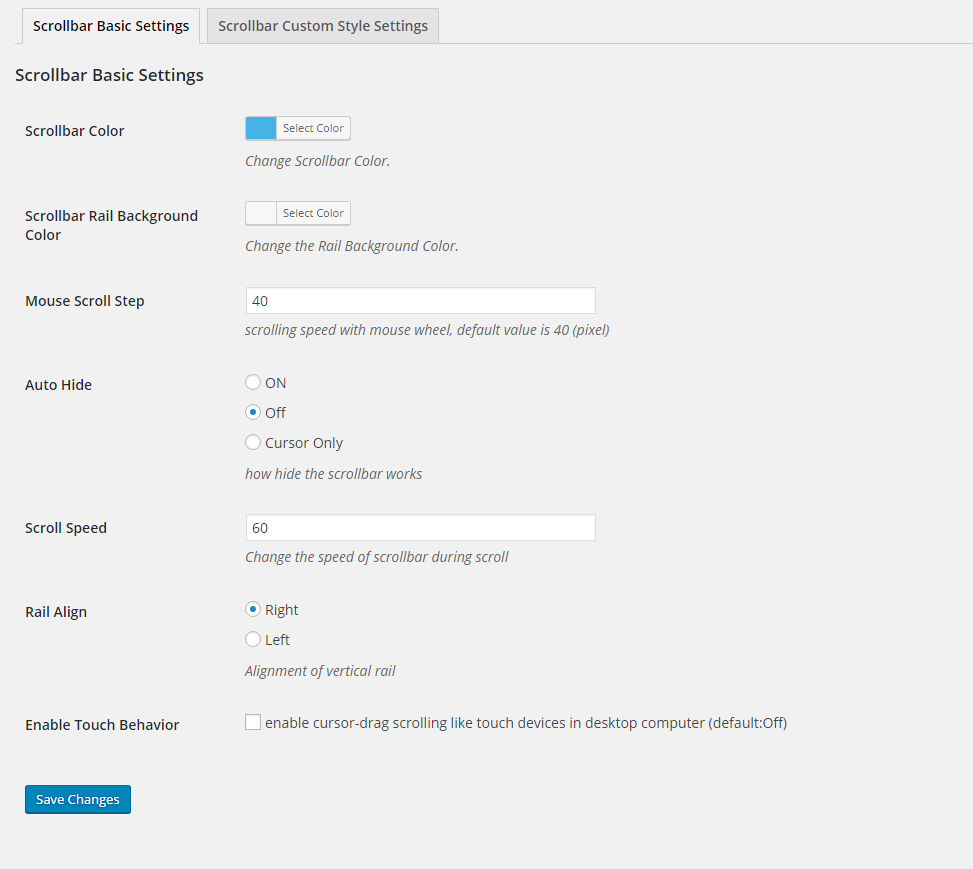
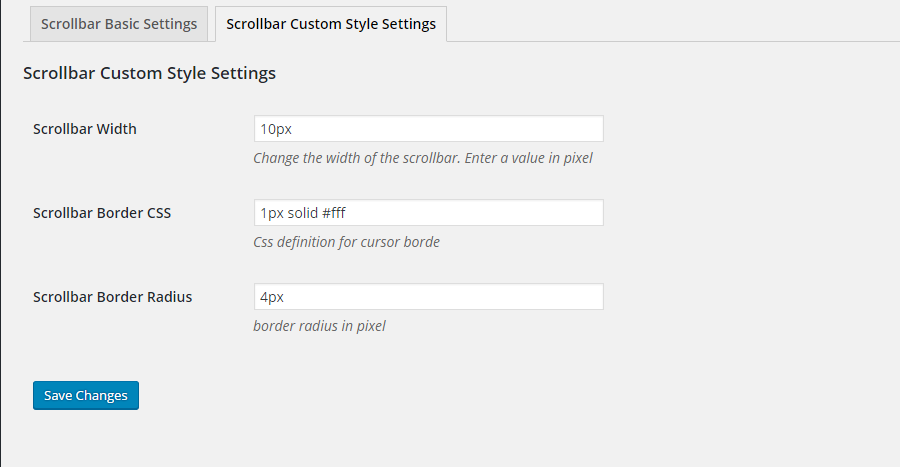
- Scrollbar Appearance: Customize thumb color, rail background, width, border, and rounded corners.
- Visibility Controls: Show or hide the scrollbar when not in use.
- Scroll Behavior: Adjust scroll speed, smoothness, and mouse scroll step.
- Alignment Options: Place the scrollbar on the left or right side of the page.
- Cursor Shapes: Follow, Dot, Blob, and Elastic cursor styles.
- Click Effects: Spark, Spark Simple, and Starburst animations on click.
- Flexible Application Modes: Apply styles site-wide from the dashboard, or per page/post directly in the WordPress editor – great for campaigns or featured content.
- Touch-Friendly: Enable optimized scrolling for touch devices.
- Lightweight & Universal: Ad-free, powered by jQuery, works across browsers and themes.
- Dynamic full-height scrollbars – ideal for long pages.
- Gradient & floating designs – apply modern gradient colors or floating scrollbars.
- Premium cursor shapes – Glitch Matrix, Neon, Gradient, Magnetic, Ribbon, Spotlight, and more.
- Premium click effects – Ripples, Pulses, Waves, Explosions, and other animations.
- Custom floating scrollbar colors – set background and text colors for floating scrollbars.
- Install and activate the plugin.
- Go to Settings → Advanced Scrollbar.
- Customize scrollbar and cursor styles in the settings panel.
- Save changes and enjoy your new scrolling experience.
- Content-heavy pages: Improve the scrolling experience on long-form articles and documentation.
- Brand consistency: Match the scrollbar to your site's color palette and design language.
- Campaign pages: Apply unique cursor and click effects to specific pages or posts for featured content.
- Modern portfolios: Add subtle motion and polish that makes a design-focused site feel finished.
安装:
- Go to Plugins → Add New.
- Search for "Advanced Scrollbar".
- Click Install Now, then Activate.
- Go to Settings → Advanced Scrollbar to customize your scrollbar.
- Download the Advanced Scrollbar plugin (.zip file).
- In your admin area, go to Plugins → Add New and click Upload Plugin.
- Choose the
advanced-scrollbar.zipfile and click Install Now. - Activate the plugin – or upload the extracted folder to
/wp-content/plugins/and activate from the Plugins menu.
屏幕截图:
常见问题:
How do I install this plugin?
Install it like any regular WordPress plugin – search for it under Plugins → Add New, or upload the ZIP file manually. See the Installation tab for full steps.
Does the plugin contain ads?
No. The plugin is ad-free and completely free of cost.
Can I change the scrollbar rail position from left to right?
Yes. You can place the scrollbar on either the left or the right side of the page from the settings panel.
Will Advanced Scrollbar work with my theme and browser?
Yes. The plugin is lightweight and compatible with all major browsers and WordPress themes.
Can I apply a different scrollbar style to a specific page or post?
Yes. Besides the global site-wide mode, you can apply unique scrollbar and effect settings directly in the WordPress editor for individual pages or posts.
Does it include cursor and click effects too?
Yes. The free version includes Follow, Dot, Blob, and Elastic cursor shapes plus Spark, Spark Simple, and Starburst click effects. The Pro version adds premium shapes and animations such as Neon, Magnetic, Ripples, and Waves.
Does it work on touch devices?
Yes. You can enable optimized scrolling for touch devices from the settings.
更新日志:
- Fixed: Removed GSAP library and replaced with raw JavaScript for GPL compliance
- Fixed: Standardized all internal prefixes from csb/CSB to casb/CASB
- Fixed: Removed all premium/trialware feature gating
- Fixed: Added Font Awesome Free 6.4.2 third-party library disclosure in readme
- Fixed: Updated jQuery nicescroll third-party library documentation in readme
- Fixed: Added source code repository link in readme
- Fixed: Removed premium feature gating to comply with WordPress.org Guideline 5 (Trialware)
- Fixed: Added public source repository link in readme for compiled/minified build files
- Fixed: Replaced GSAP library with a GPL-compatible alternative to comply with WordPress.org licensing requirements
- Fixed: Added Freemius external service disclosure in readme
- Fixed scroll behavior
- Fixed emulate touch issue
- Added Cursor shape and click effects
- Added Modern dashboard
- Update freemius sdk
- Update Settings
- Optimized
- Removed The admin menu from the dashboard.
- Initial Release