Advanced Sidebar Menu
| 开发者 |
Mat Lipe
onpointplugins |
|---|---|
| 更新时间 | 2026年8月24日 22:40 |
| 捐献地址: | 去捐款 |
| PHP版本: | 7.4.0 及以上 |
| WordPress版本: | 7.1 |
| 版权: | GPLv3 or later |
| 版权网址: | 版权信息 |
标签
下载
3.6.2
4.0.0
4.0.1
4.1.0
4.1.3
4.1.4
4.2.0
4.2.1
4.2.2
4.3.1
4.3.2
4.3.3
4.3.4
4.3.5
4.5.0
4.6.0
4.6.1
4.7.1
4.7.5
5.0.0
5.0.4
5.0.5
5.0.7
5.1.1
5.1.4
6.1.0
6.4.1
7.0.1
7.0.2
7.0.3
7.1.0
7.1.1
7.1.2
7.2.1
7.2.2
7.2.3
7.2.4
7.2.5
7.3.0
7.4.1
7.4.4
7.4.5
7.4.6
7.5.4
7.6.0
7.6.1
8.0.2
8.0.3
8.0.4
8.1.1
8.4.0
9.0.2
3.4.2
5.0.6
7.3.1
9.8.4
5.1.3
8.6.4
9.6.4
9.6.5
7.5.1
7.5.2
7.6.6
8.1.0
8.3.1
3.4.0
1.5.0
8.3.2
8.3.4
8.5.0
8.6.0
3.0
7.6.4
8.3.3
8.6.1
8.6.3
8.6.2
2.1
8.2.0
7.6.5
8.7.2
8.7.3
8.8.0
3.3.0
2.0
3.3.1
5.1.2
9.6.0
9.6.1
9.6.2
9.6.3
3.4.1
3.4.7
3.5.0
4.1.2
8.8.3
9.0.1
3.2.1
3.4.5
7.5.5
9.3.2
9.5.2
3.2.0
3.2.3
3.4.6
7.0.0
9.0.10
9.0.3
9.0.4
9.0.6
9.0.7
9.0.9
7.4.0
9.4.0
9.5.0
9.8.1
9.0.5
9.2.0
9.2.1
4.7.6
6.4.2
7.2.0
9.3.0
9.3.1
9.3.3
9.3.4
7.7.1
8.7.1
9.4.1
9.4.2
3.2.5
6.0.0
4.4.0
5.0.2
7.6.2
9.5.1
1.2
1.4.4
2.0.0
3.0.0
3.0.2
7.6.3
8.8.1
9.0.8
9.4.3
9.8.2
1.5
2.0.1
2.1.0
3.0.1
5.0.3
7.4.3
7.4.7
7.4.8
8.0.1
8.8.2
7.7.0
7.7.2
7.7.4
8.0.0
8.3.0
8.7.0
9.1.0
9.7.0
9.7.1
3.6.0
4.7.0
4.7.3
5.0.1
5.0.9
7.4.2
7.5.0
7.5.3
7.7.3
9.0.0
9.0.11
9.8.0
9.8.3
9.8.5
9.8.6
详情介绍:
Fully automatic sidebar menus.
Uses the parent/child relationship of your pages or categories to generate menus based on the current section of your site. Assign a page or category to a parent, and Advanced Sidebar Menu will do the rest for you.
Keeps the menu clean and usable. Only related items display, so you don't have to worry about keeping a custom menu up to date or displaying links to items that don't belong.
Blocks are available to display menus where you need them. Look for the "Advanced Sidebar - Pages" block, or the "Advanced Sidebar - Categories" block. Widgets are also available for page builders or sites using classic widgets.
Developed and Supported by OnPoint Plugins.
Documentation
The official documentation for the plugin may be found here.
Demo
An interactive demonstration of the generated menu structure may be found here.
You may also use the Live Preview to use a playground site to test the plugin.
How It Works
When your users view a page or category, the Advanced Sidebar Menu plugin will calculate the related content based on what you have selected using the standard WordPress parent selectors.
The menu will be different for every page that displays the Advanced Sidebar Blocks because the menu is generated specifically to the current page.
Depending on "Pages" block options, the menu will display:
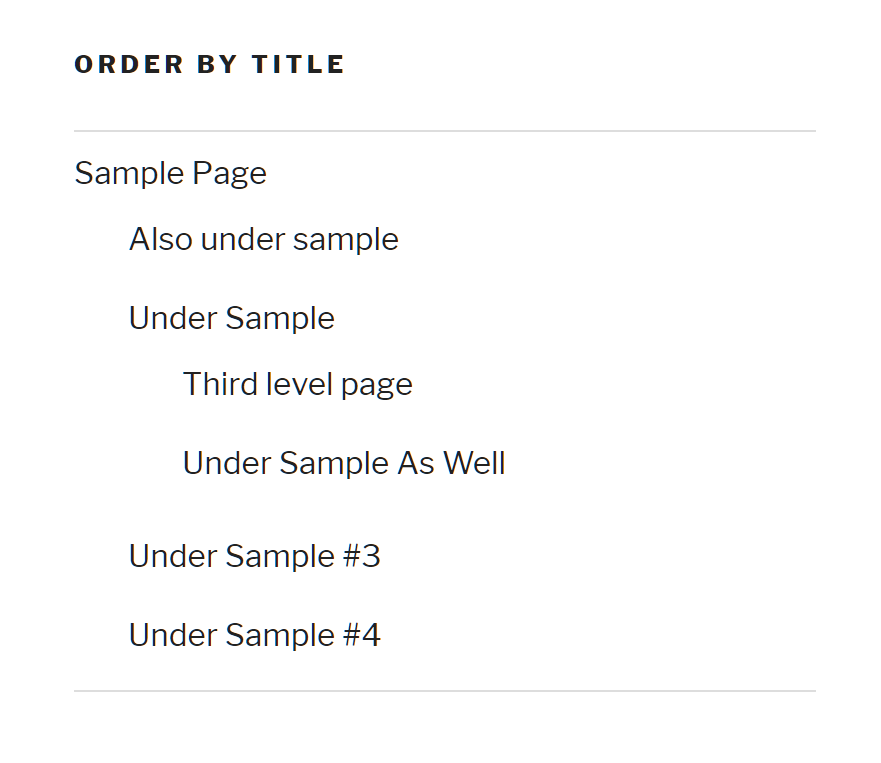
- The current page.
- Parent page.
- Child pages.
- Grandparent pages.
- Grandchild pages.
- First level child pages related to the current item.
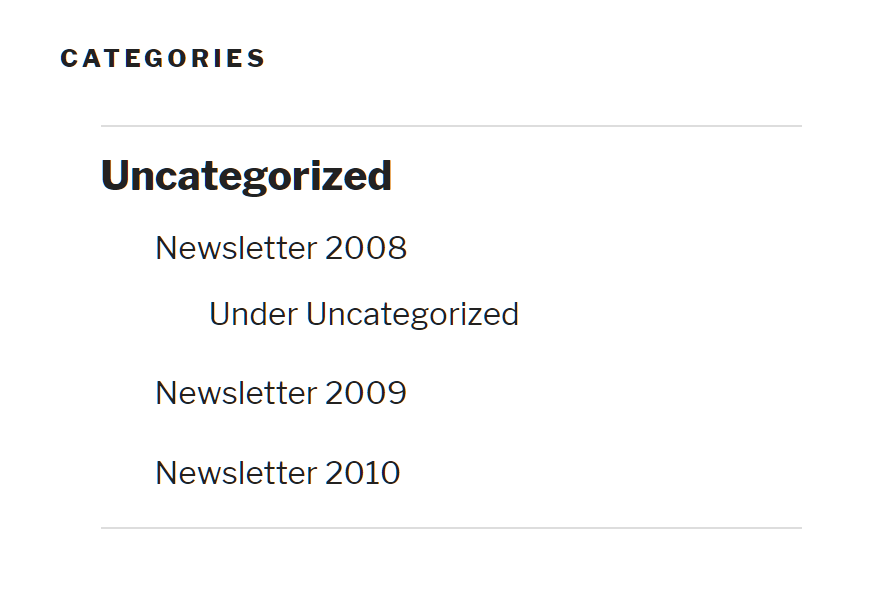
- The current category.
- Parent category.
- Child categories.
- Grandparent categories.
- Grandchild categories.
- First level child categories related to the current item.
- Page/post content.
- Widget areas.
- Theme customizer.
- Site Editor.
- Really anywhere blocks are supported.
- Elementor.
- Beaver Builder.
- Sites that have classic widgets enabled.
- Page and Category menu Gutenberg blocks.
- Page and Category menu widgets.
- Option to display or not display the highest level parent page or category.
- Option to display the menu when there is only the highest level parent.
- Ability to order pages by (date, title, page order).
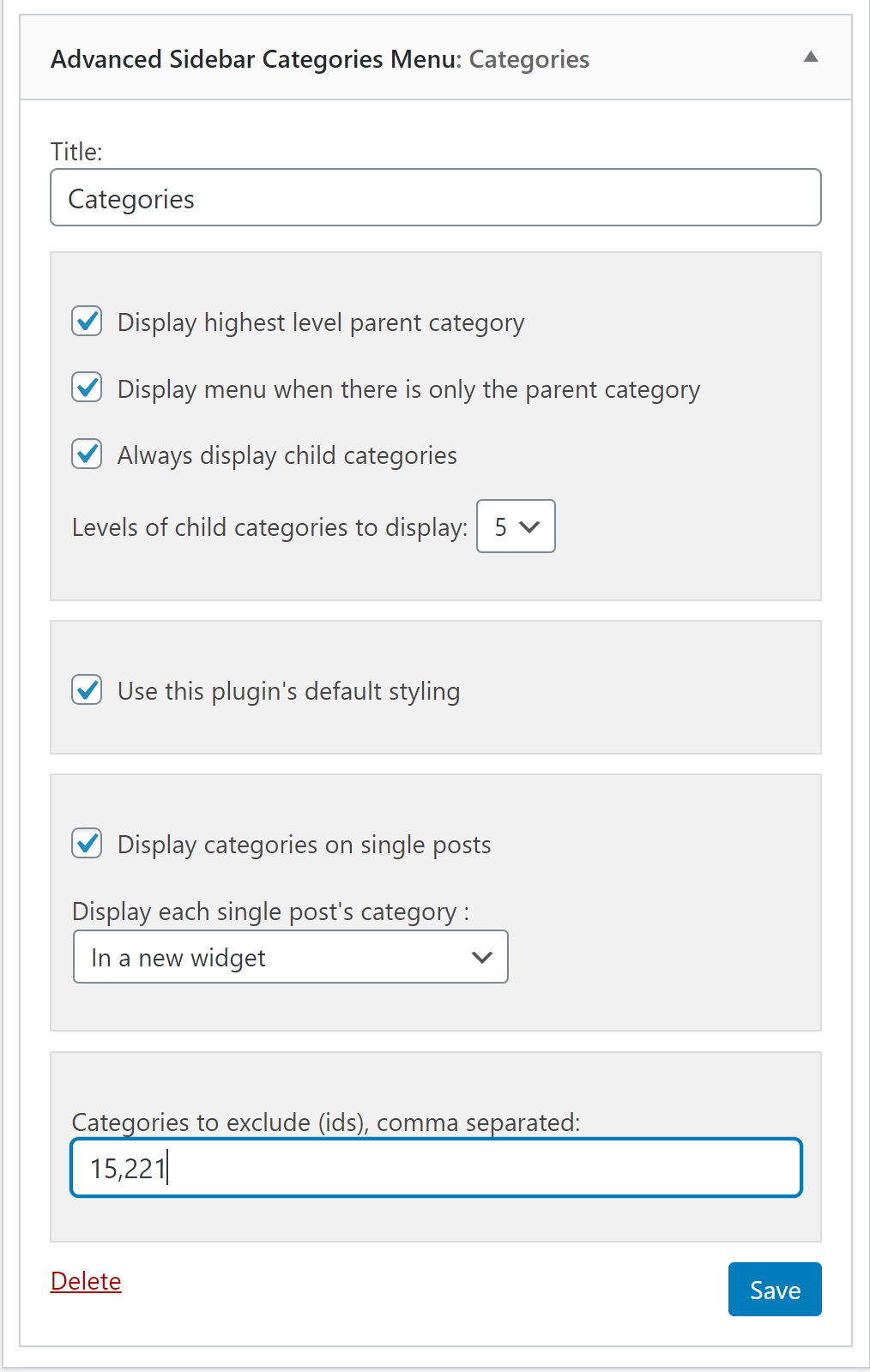
- Exclude pages or categories by entering a comma separated list of ids.
- Option to always display child pages or categories.
- Option to select the levels of pages or categories to display when always display child is used.
- Option to display or not display categories on single posts.
- Ability to display each single post's category in a new widget/block or in same list.
- Display the highest level parent page.
- Display menu when there is only the parent page.
- Order pages by (date, title, page order).
- Exclude pages.
- Always display child Pages.
- Levels of child pages to display when always display child pages is checked.
- Display the highest level parent category.
- Display menu when there is only the parent category.
- Display categories on single posts.
- Display each single post's category in a new widget/block or in same list.
- Exclude categories.
- Always display child categories.
- Levels of Categories to display when always display child categories is checked.
- English (en_US).
- French (fr_FR).
- German (de_DE).
- Spanish (es_ES).
安装:
Use the standard WordPress plugins search and install.
Manual Installation
- Upload the
advanced-sidebar-menufolder to the/wp-content/plugins/directory - 通过 WordPress 的“插件”菜单激活插件
- Drag the "Advanced Sidebar - Pages" widget, or the "Advanced Sidebar - Categories" widget into a sidebar.
- Use the block inserter to insert the "Advanced Sidebar - Pages" block, or the "Advanced Sidebar - Categories" block into Gutenberg content.
屏幕截图:
常见问题:
How do I change the styling of the current page?
= The menu won't show up? The menu in this plugin is smart enough to not show up on pages or categories where the only thing that would display is the title. While it may appear like the menu is broken, it is actually doing what it is intended to do. The most common causes for this confusion come from one of these reasons:
- The incorrect menu was selected. Categories have their own widget/block as pages have their own widget/block.
- "Display the highest level parent page" or "Display the highest level parent category" is not checked.
- The Pages menu is currently not being viewed on a page.
- The Categories menu is not currently being view on a category.
- Remove the dot to the left of the menu item.
- Change the link color.
- Add a background on hover.
.advanced-sidebar-menu li.current-menu-item a {
color: black;
}
.advanced-sidebar-menu li.current-menu-item {
list-style-type: none !important;
}
.advanced-sidebar-menu li.current-menu-item > a:hover {
background: teal;
}
How do you get the categories to display on single post pages?
The Categories Menu widget/block contains a "Display categories on single posts" checkbox, which will display the category menus based on the categories the current post is assigned to.
Does the menu change for each page you are on?
Yes. Based on whatever page post or category you are on, the menu will change automatically to display the current parents and children.
更新日志:
9.8.6
- Support WordPress 7.1
- Tested to WordPress Core 7.1
- Harden node security and resolve dependabot security alerts.
- Required PRO version 9.10.1+.
- Tested to WordPress Core 7.0.2
- Improve page ordering defaults.
- Officially support PHP 8.5.
- Tested to WordPress Core 7.0.
- Added JSON serialization to block attributes.
- Improved block attribute translation naming.
- Removed temporary common attribute filters.
- Tested to WordPress Core 6.9.0.
- Fixed the display of the "Show on single posts" option in category blocks.
- Introduced 'advanced-sidebar-menu/pages/general-after' slot fill.
- Updated expired @todos in PHP docs.
- Updated Node.js to version 22.21.1.
- Killed the JS block attribute handler.
- Updated ESLint rules to version 5 and fixed all suggestions.
- Combined WidgetWithId into the Widget interface.
- Required PRO version 9.9.0+.
- Tested to WordPress Core 6.8.3.
- Established a migration plan for removing the
WidgetWithIdinterface. - Improved GitHub Actions workflows security.
- Updated node packages to resolve vulnerabilities.
- Tested to WordPress Core 6.8.2.
- Added new individual block icons.
- Reduced block registration attribute size.
- Introduced new
Attributeclass for block attributes. - Required PRO version 9.7.2+.
- Officially added support for PHP 8.4.
- Tested to WordPress Core 6.8.1.
- Added PHP 8.4 to linting.
- Required the PRO version 9.6.1+.
- Tested to WordPress core 6.8.0.
- Improved labels and positions in block settings.
- Added original plugin author to the readme.
- Updated dompurify to version 3.2.4 to resolve dependency vulnerabilities.
- Improved
Core::get_template_partto return breadcrumb through reference instead of direct echo. - Tested to WordPress Core 6.7.2.
- Introduced
advanced-sidebar-menu.blocks.preview.attributesfilter. - Improved security of node packages.
- Improved deployment workflow.
- Tested to WordPress Core 6.7.1.
- Improved block style handling during previews.
- Disabled HTML editor for blocks.
- Introduced
is_server_side_renderhelper method on block abstract. - Improved isolation of passing block attributes to widget arguments.
- Fixed double up of block shadow in previews.
- Tested to WordPress Core 6.7.0.
- Introduce JEST unit testings for the basic version.
- Improved the automated testing suite.
- Improved deployment workflows.
- Fixed sourcemap generation on production builds.
- Tested to WordPress Core 6.6.2.
- Introduced
Widget/WidgtIdandWidget/WithWidgetIdinterfaces. - Introduced
Widget/WidgetIdAccessandWidget/Checboxtraits. - Improved debug handling in the browser.
- Introduced
advancedSidebarMenuDebughelper function. - Added support for PHP based translations.
- Fixed 'current-menu-ancestor' CSS class on category menus.
- Dropped support for PHP 7.2 in favor of 7.4+.
- Dropped support for React 17 in favor of 18+.
- Bumped required PRO version to 9.4.0.
- Bumped minimum required WordPress version to 6.2.0.
- Tested to WordPress Core 6.6.0.
- Provided unique HTML ids for category widgets with multiple top level categories.
- Continued work on converting the
Menu_Abstractto an interface. - Fixed click handling of menu previews in the block editor.
- Fixed fatal error when
is_plugin_activeis not available. - Implemented PHPStan array shapes for block classes.
- Improved falsey conditions in the
Utils::is_emptymethod. - Officially added support for PHP 8.3.
- Tested to WordPress Core 6.5.3.
- Improved the plugin readme.
- Improved the translation headers.
- Improved the
List_Pagescache. - Added support to live previews using a playground blueprint.
- Tested to WordPress Core 6.5.0.
- Introduced
is_truthyutility method. - Introduced
get_post_type_labelutility method. - Introduced
is_emptyutility method. - Introduced
Menuinterface and began promotingMenu_Abstractto it. - Introduced
Utils_Interfaceto guarantee the existence of shared methods. - Included classic editor state in debug information.
- Fixed the missing dashicons shown in the Preview component inside iframes.
- Fixed PHPCS minimum_wp_version config.
- Switched widget classes to trait/interface based structure.
- Introduced full array shapes for widget settings.
- Improved default widget settings.
- Prevented conflicts with theme styles and widget fields.
- Fixed excluding of child items if the top level parent is excluded.
- Converted deprecated block registering args to WordPress 6.1 version.
- Updated all block's api version to 3.
- Updated Node to version 20.
- Updated Yarn to version 4.
- Tested to WordPress Core 6.4.3.
- Required PRO version 9.2.0+.
- Fixed translation loading in blocks.
- Improved CSS and JS linting.
- Introduced 'advanced-sidebar-menu/block-wrapper-attributes' filter.
- Fully support PHP 8.2.
- Dropped support for PHP 7.0 in favor of 7.2.
- Bumped minimum supported WordPress version to 6.0.0.
- Improved block preview link handling.
- Required PRO version 9.1.8+.
- Passed block attributes and supports to JavaScript as well as PHP.
- Fixed issues with block previews in WordPress 6.4.
- Fixed issues with widget transformations in WordPress 6.4.
- Improved styles of legacy widget's info panel.
- Updated PHPStan level to 8 and fixed all warnings.
- Fixed issue with blocks loading in WordPress 6.4.
- Tested to WordPress 6.4.1.
- Fixed deployignore configurations.
- Improved select input styles in widget settings.
- Introduced 'advanced-sidebar-menu/scripts/admin-scripts' action.
- Aligned supported browsers with WordPress core.
- Updated the Node to version 18.
- Fixed all ESLint and Stylelint notices.
- Loosely a requirement for PRO version 9.3.0.
- Modernized legacy widget JS and CSS into the Webpack structure.
- Reduce bundle size of admin resources.
- Renamed CSS files with the "advanced-sidebar-menu" prefix.
- Added support for collapsing info panels on page builders and theme customizers.
- Updated the block
apiVersionto "3". - Tested to WordPress 6.3.2.
- Greatly improved widgets styles in Beaver Builder and Elementor.
- Introduced transform legacy widgets to blocks prompts.
- Moved configurations to the root of the plugin and general modernization.
- Made "Go PRO" callouts more tasteful and less intrusive.
- Improved styles of the info panels in widgets and blocks.
- Improved styles of buttons and fields in Beaver Builder.
- Updated WP-PHPCS to version 3 and fixed all warnings.
- Separated the exclude pages/categories field into a filterable component.
- Updated links to various documentation.
- Added default values to most block attributes.
- Updated block attribute TS definitions to accurately reflect default values.
- Updated TS to version 5.
- Updated PHPCS scanning to version 3 of WP PHPCS standards.
- Loosely update the minimum requirement for PRO to version 9.2.0.
- Changed default limit of child pages to 200 instead of 100.
- Simplified and improved the
List_Pages::parse_argsmethod. - Added links to documentation in the plugins list.
- Tested to WordPress core 6.3.1.
- Fixed compatibility with Jetpack widget visibility.
- Included the screen and section information in ErrorBoundary data.
- Improved static analysis testing.
- Improved unit testing for WordPress 5.8.
- Tested to WordPress core 6.3.0.
- Fixed conflict with Stackable WordPress plugin in the theme customizer.
- Improved block script reliability.
- Improved handling of Elementor previews.
- Improved error boundary informational messages.
- Removed conflicts with POST method requests.
- Disabled legacy widgets by default see docs.
- Update browser list support.
- Improved the widget/block transformation logic and types.
- Removed dangling WordPress version < 5.6 requirements.
- Tested to WordPress core 6.2.2.
- Fixed
data-levelon category menus larger than 3 levels. - Included classic widgets flag in debug information.
- Required PRO version 9.1.2+.
- Improved extendability by removing all
privateaccess modifiers. - Fully support PHP 8.1.
- Tested to WordPress Core 6.2.0.
- Switched to static uses of class constants to improve extendability.
- Switched to full namespaced constants.
- Improved PHPCS definitions.
- Improved translations.
- Included help information for the category widget exclude settings.
- Added "current-menu-ancestor" CSS class to Pages and Categories menus.
- Introduced "advanced-sidebar-page" CSS class to Pages menus.
- Tested to WordPress Core 6.1.1.
- Fixed issue with styles not loading in Elementor.
- Tested to WordPress Core 6.0.2.
- Moved
advanced-sidebar-menuCSS class to block widget wraps. - Introduced
isScreenhelper to make screen conditionals cleaner. - Included "Display each single post's categories" option on the customizer screen.
- Included PHP version in debug information.
- Improved readme.
- Introduced Gutenberg blocks.
- Improved translations.
- Improved Elementor support.
- Removed all deprecated functionality.
- Required PRO version 9.0.0+.
- Required WordPress Core 5.8.0+.
- Drop support for PHP 5.6 if favor of PHP 7.0+.
- Numerous bug fixes.