
AdvisorPPC – Ads Tracking for Google Ads, GA4, Tag Manager, Search Console & YouTube
| 开发者 | advisorppcai |
|---|---|
| 更新时间 | 2026年10月15日 21:03 |
| PHP版本: | 7.4 及以上 |
| WordPress版本: | 7.1 |
| 版权: | GPLv2 or later |
| 版权网址: | 版权信息 |
详情介绍:
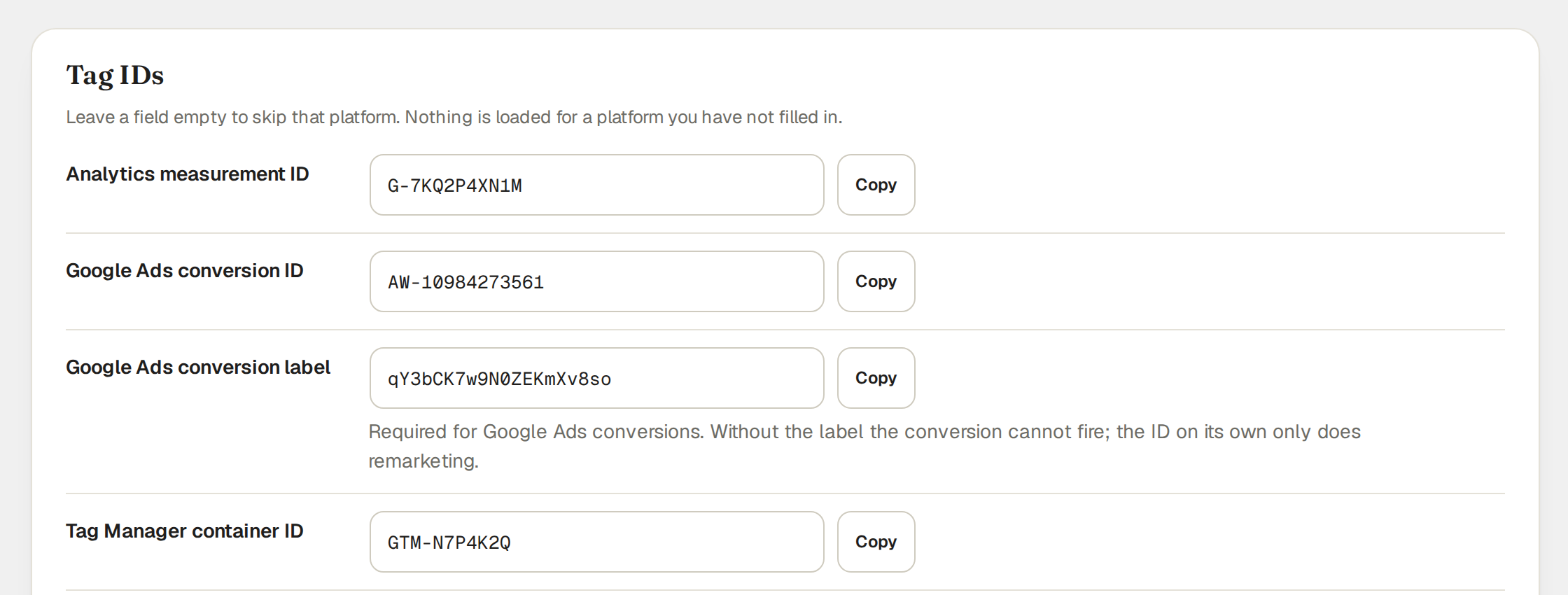
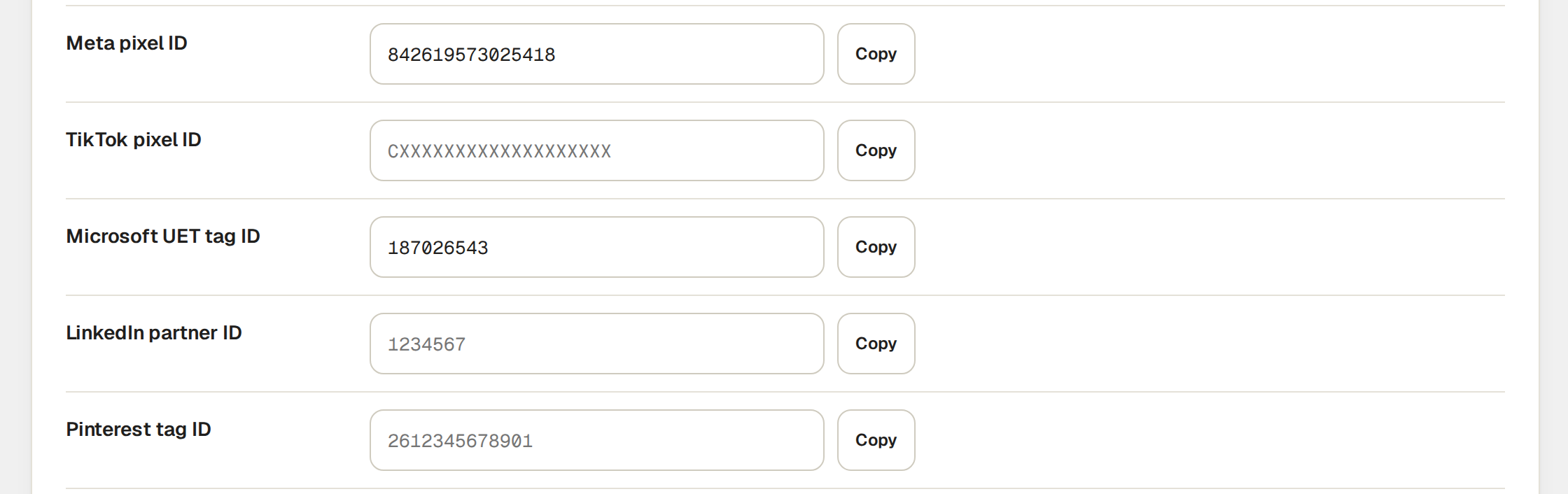
- Tracking tags: GA4, Google Ads, Google Tag Manager, Meta Pixel, TikTok, Microsoft UET, LinkedIn Insight and Pinterest. Enter the IDs for the platforms you use; leave the rest blank.
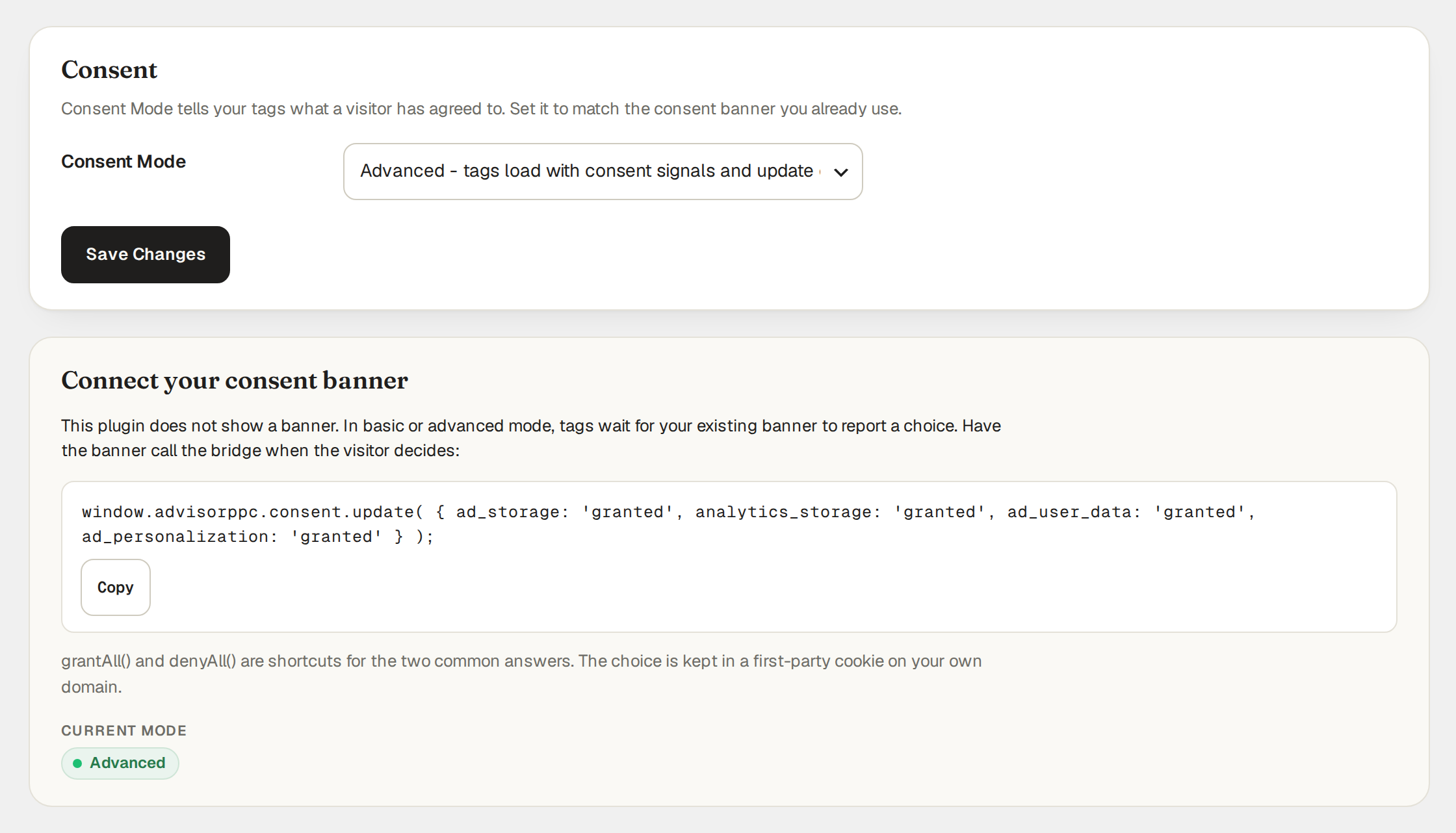
- Consent Mode: off, basic and advanced settings, with a bridge to the consent banner you already run.
- Auto setup: scans other plugins' settings, your theme and your own home page for tags you already have, and lets you apply the ones that are safe to load here, with a receipt and Undo for every change.
- Click-ID capture: saves gclid, gbraid, wbraid, fbclid, msclkid, ttclid, li_fat_id, twclid and epik from landing URLs in a first-party cookie.
- Site verification: paste the verification token from Google Search Console, Bing Webmaster Tools, Pinterest or Meta and the plugin prints the matching meta tag in your page head. Nothing is contacted; the service reads the tag when you ask it to verify.
- YouTube video tracking (off by default): adds
enablejsapi=1and your site's origin to the YouTube embeds you already have, so GA4 enhanced measurement and Tag Manager's YouTube trigger can record play, progress and complete. No YouTube script is added.
advisorppc_cids holds advertising click IDs, a random session identifier, landing page and referrer for 90 days; advisorppc_consent holds the choices your consent banner reports for 180 days; advisorppc_pending can hold a signed browser cart-event hand-off for 10 minutes.
Trademarks
Google Ads, Google Analytics, Google Tag Manager, Search Console and YouTube are trademarks of Google LLC. Meta, TikTok, Microsoft, LinkedIn and Pinterest are trademarks of their owners. AdvisorPPC is not affiliated with or endorsed by them.
安装:
- Install and activate the plugin.
- Open AdvisorPPC in the WordPress admin menu.
- Enter the measurement IDs for the platforms you use.
- Choose your Consent Mode setting and connect your existing consent banner to the plugin's consent bridge.
- Save changes. No AdvisorPPC account is needed.
屏幕截图:
常见问题:
Do I need an account?
No. Tracking tags, Consent Mode and click-ID capture work without an AdvisorPPC account or key. You use your existing advertising or analytics platform IDs to configure tags.
Does this plugin send anything to AdvisorPPC?
No. AdvisorPPC hosts are not contacted in this version, including on installation and activation. If you enter a measurement ID, or explicitly apply a detected ID with Auto setup, that platform's own tag loads on your pages and receives its normal measurements. The hosts and privacy policies are listed under "External services".
Does this plugin include a consent banner?
No. It provides a consent bridge for your existing banner. Choose basic or advanced mode and have your banner report choices through window.advisorppc.consent.update().
With Consent Mode set to off (the default), your tags load and the click-ID cookie (90 days) is set on the first page view without waiting for consent; choose basic or advanced to make them wait for your consent banner.
Can I verify my site with Search Console, Bing, Pinterest and Meta?
Yes. Open AdvisorPPC, go to the Tags tab, find "Site verification" and paste the token each service gives you for its HTML or meta tag method. You can paste just the content value or the whole meta tag. The plugin prints one meta tag per filled-in field on your public pages. It does not contact any of these services; they read the tag when you click verify in their own tools.
What does YouTube video tracking change?
Only the address of YouTube videos your site already embeds. With the switch on, the plugin adds two URL parameters, enablejsapi=1 and origin (your site's address), to each YouTube embed. Every other parameter stays, and an embed on youtube-nocookie.com stays on youtube-nocookie.com. GA4 enhanced measurement and Tag Manager's YouTube trigger need those two parameters to see play, progress and complete. The plugin loads no YouTube script and sends nothing itself. The video is still served by YouTube, and YouTube's own terms and privacy policy apply to it exactly as before.
What happens if I delete the plugin?
Deleting the plugin removes its settings from your database. The plugin no longer loads tags. Existing first-party cookies expire according to their lifetimes.
Does Auto setup change other plugins' settings?
No. Auto setup reads the settings of Site Kit by Google, GTM4WP, Google Analytics for WooCommerce and Facebook for WooCommerce with WordPress's read-only option lookup, and reads your theme's header.php, footer.php and functions.php. It never writes to another plugin's settings, never edits a theme file and never switches anything off. It only changes this plugin's own settings, for the rows you select, and each change can be undone from the same card. A tag that another plugin or your theme already loads is shown for inspection only and is never loaded a second time by this plugin.
Where is the debug log written?
To your own site's PHP error log, and only if you switch it on. It is never uploaded.
更新日志:
- New admin screen with tabs: Overview, Auto setup, Tags, Consent, Click IDs and Logs. Saving one tab never changes another, and a rejected ID now names the field and shows a valid example.
- Auto setup: finds tags your site already loads through other plugins, your theme or your home page, offers Apply only where this plugin would not load a tag twice, and keeps a receipt with Undo for every change. It contacts nothing but your own home page, and only when you click Scan.
- A tag that Site Kit, GTM4WP, Google Analytics for WooCommerce or Meta for WooCommerce already loads is no longer loaded a second time by this plugin.
- Site verification: meta tags for Google Search Console, Bing Webmaster Tools, Pinterest and Meta domain verification.
- YouTube video tracking (off by default): adds enablejsapi and origin to existing YouTube embeds so GA4 and Tag Manager can record video engagement.
- New plugin name: AdvisorPPC – Ads Tracking for Google Ads, GA4, Tag Manager, Search Console & YouTube.
- The Tracktor module ships hidden and switched off; it needs a workspace connection, which this build does not offer.
- Review fixes: escaping, nonce and capability checks on every new admin action, and no outbound request on activation.
- First public release.
- Tracking tags for GA4, Google Ads, Google Tag Manager, Meta Pixel, TikTok, Microsoft UET, LinkedIn Insight and Pinterest.
- Consent Mode with off, basic and advanced settings and a bridge to an existing consent banner.
- Advertising click-ID capture in a first-party cookie.