Agentorie Chat
| 开发者 | agentorie |
|---|---|
| 更新时间 | 2026年6月8日 18:20 |
| PHP版本: | 7.4 及以上 |
| WordPress版本: | 7.0 |
| 版权: | GPLv2 or later |
| 版权网址: | 版权信息 |
详情介绍:
- WooCommerce stores with product questions
- Documentation and knowledge base websites
- Service businesses with repetitive pre-sales questions
- Directory and listing websites (Classified Listing, real estate, events)
- Multilingual WordPress sites
- GDPR-sensitive projects
- AI chatbot trained on your website content, not generic responses
- Smart content indexing with automatic updates when you edit pages
- WooCommerce compatible, index your products so AI can answer product questions with real links
- Custom Post Types support, works with events, listings, portfolios, properties, and more
- Your indexed content stays on your servers, never stored on our infrastructure
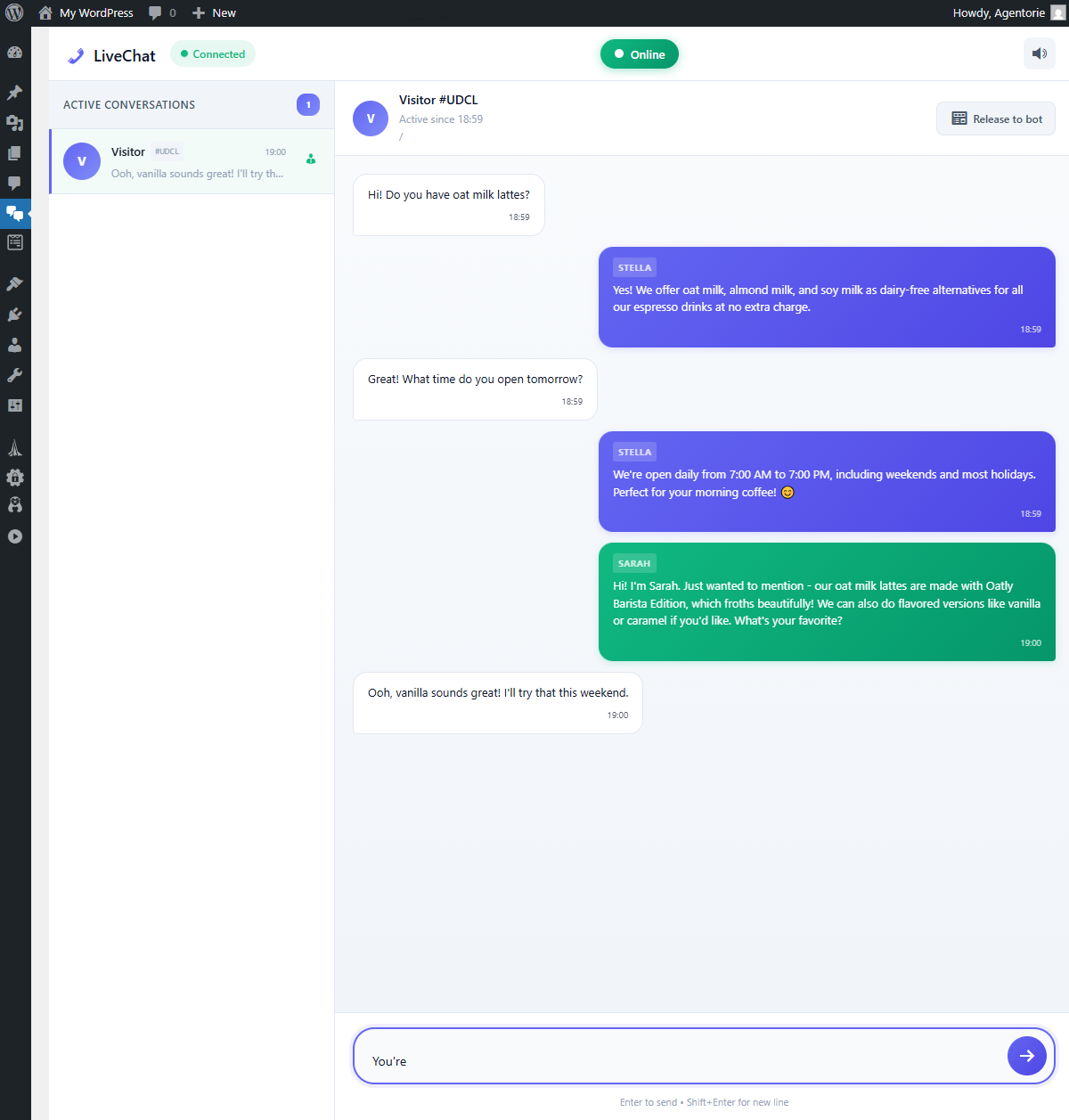
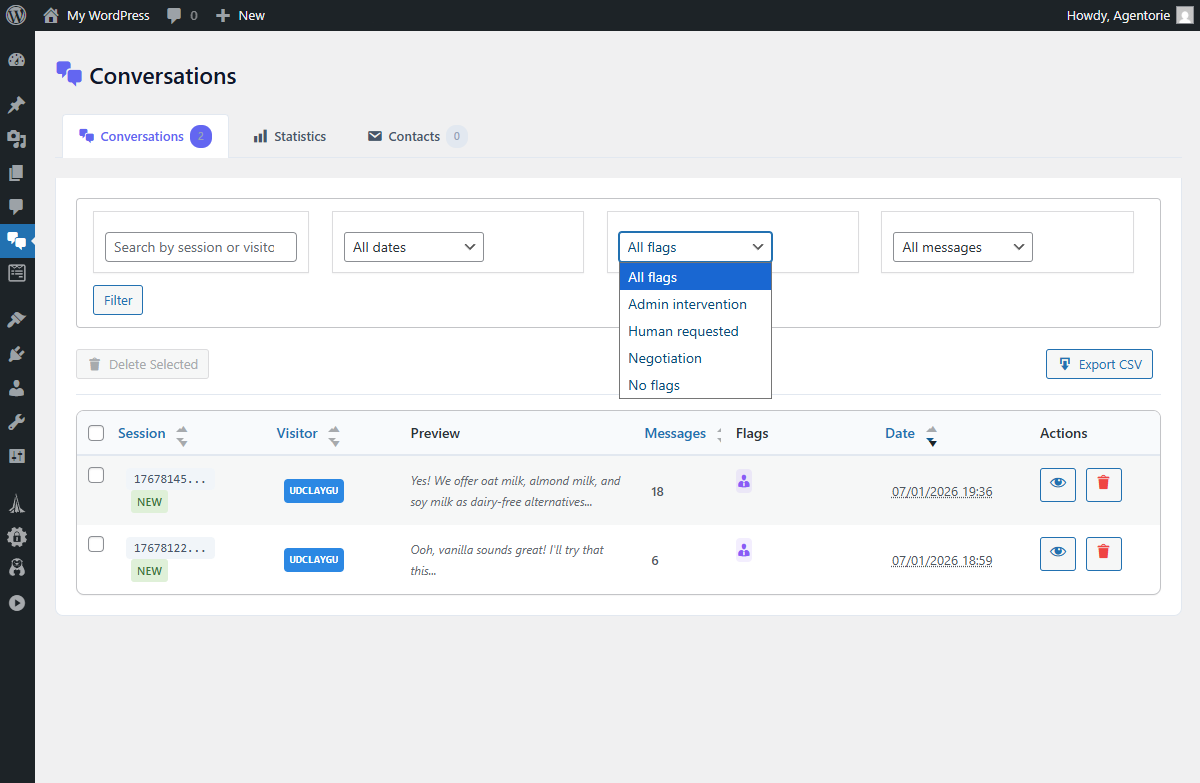
- Hybrid AI-to-human live chat takeover in real time
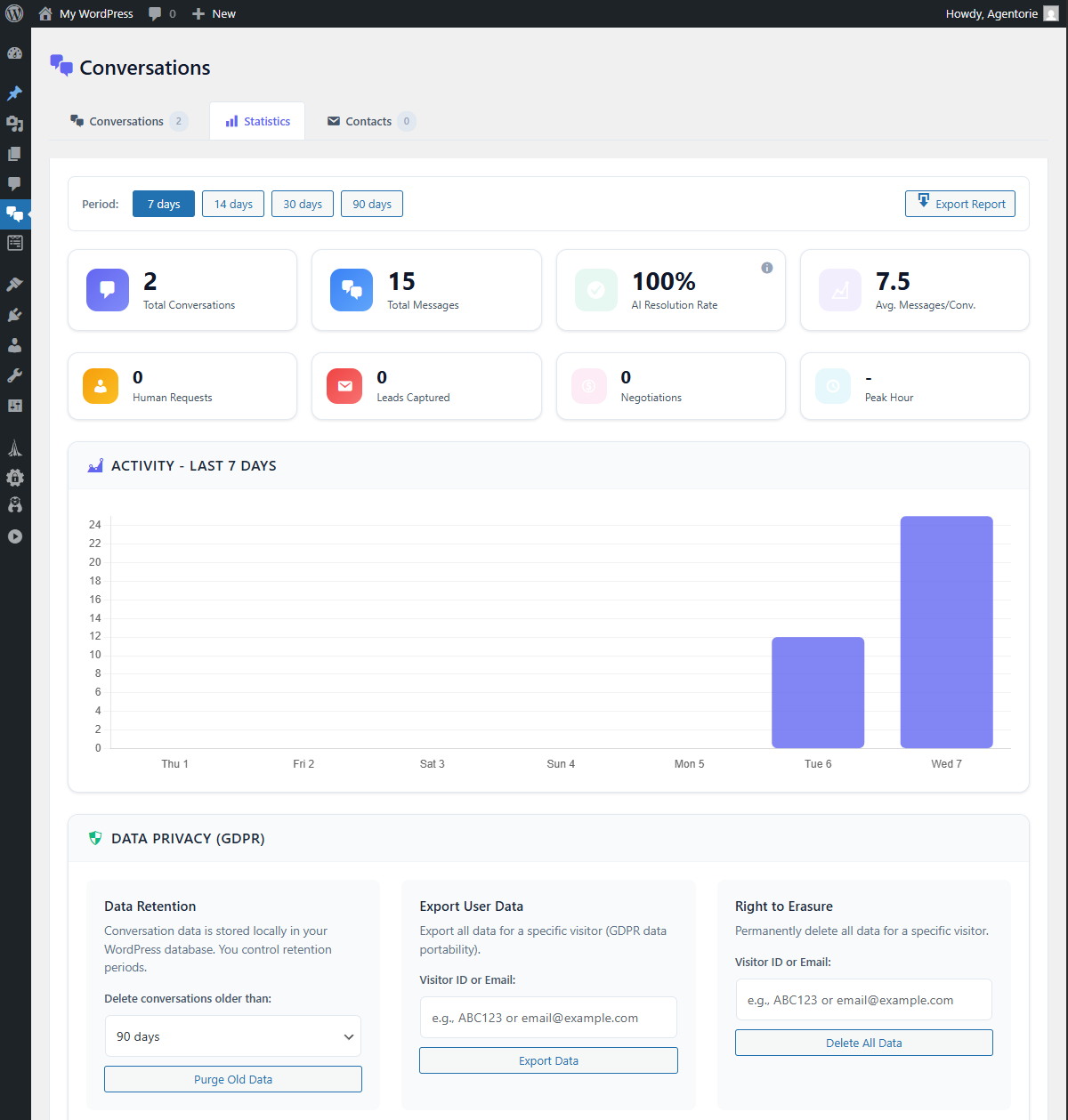
- GDPR compliant with built-in WordPress Privacy tools integration
- Conversations stored in your WordPress database for full data ownership
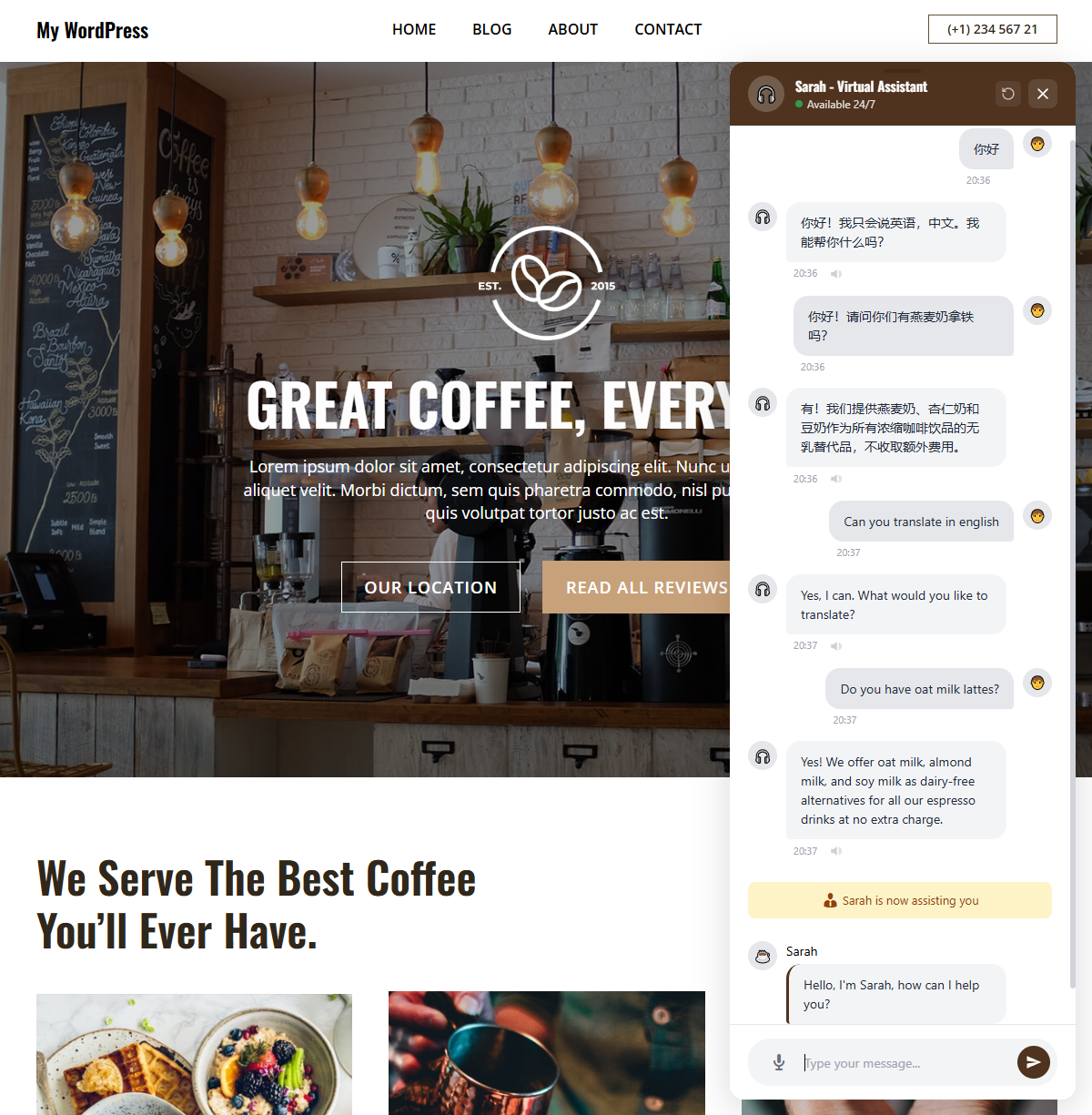
- Works in 50+ languages
- Beautiful, responsive widget that matches your brand
- Automatic Updates - Pages and posts are indexed instantly when you publish, edit, or delete them
- Daily Sync - Content is automatically re-indexed every 24 hours to catch any changes
- Manual Control - Choose exactly which pages to index or exclude
- WooCommerce Ready - Index your products so the AI can answer "What's on your menu?", "Do you have running shoes?", or "How much is the premium plan?" with real product links
- Custom Post Types - Index events, listings, portfolio items, properties, or any public custom post type registered by your theme or plugins
- Zero Hallucinations - AI only references real URLs from your indexed content
- Real-time messaging powered by WebSocket technology
- Get notifications by sound and alert
- AI and human messages clearly distinguished in the chat
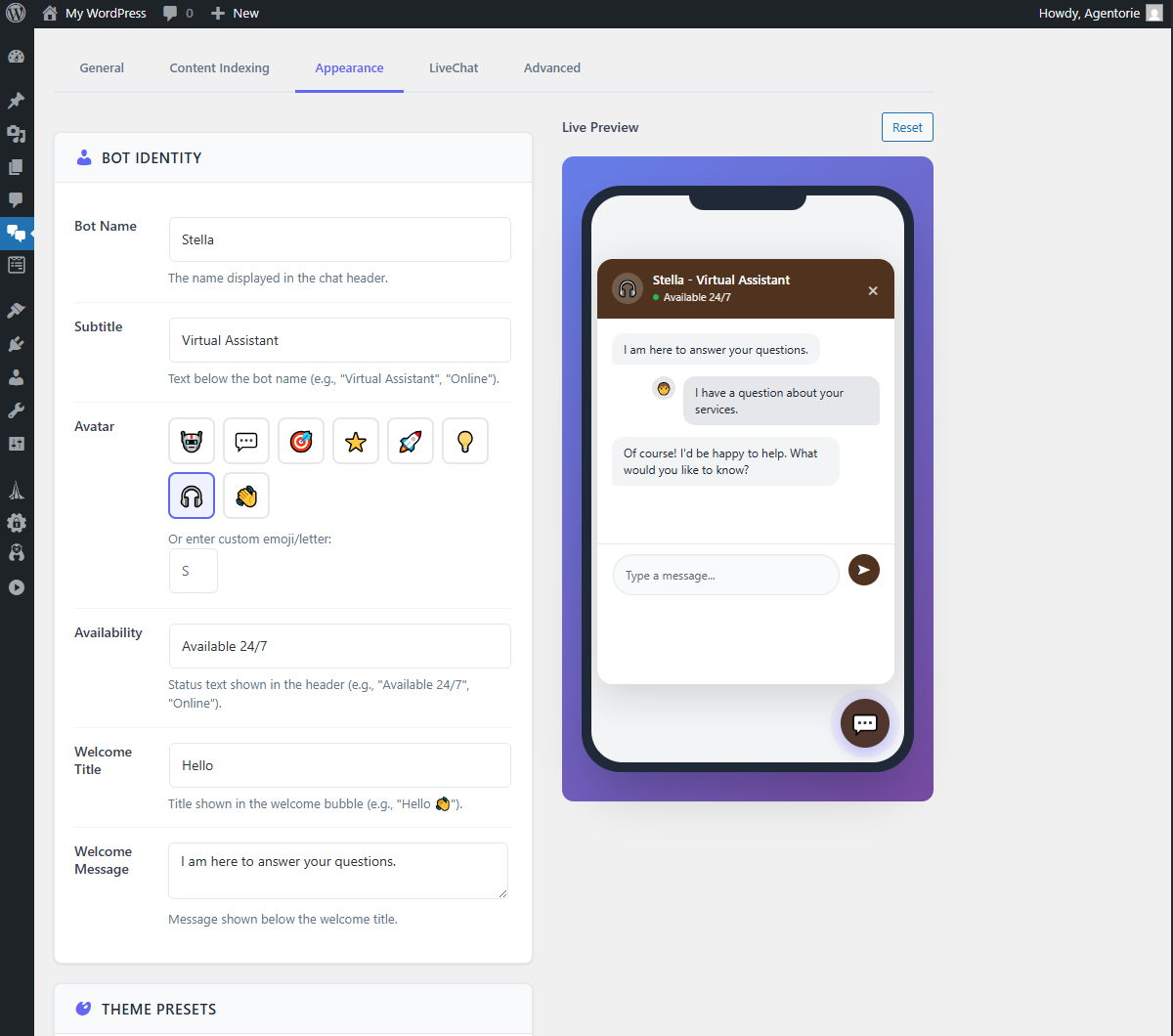
- Configure advisor name, avatar, and session timeout
- Automatic AI resume when the human session ends
- Conversations stored in your WordPress database for full data ownership
- Your indexed content stays on your servers, it is never stored on our infrastructure
- Integrated with WordPress Privacy tools (Tools > Export/Erase Personal Data)
- Data export and erasure on request
- Anonymized session identifiers
- No data sold or shared with third parties
- Match your brand colors and style
- Custom bot name and avatar
- Adjustable widget position
- Exclude widget from specific pages
- Mobile responsive design
- WordPress 5.8 or higher
- PHP 7.4 or higher
- An Agentorie account (free to create at https://app.agentorie.com)
安装:
- Go to "Plugins" > "Add New" in your WordPress admin dashboard.
- Search for "Agentorie" and click "Install Now", then activate.
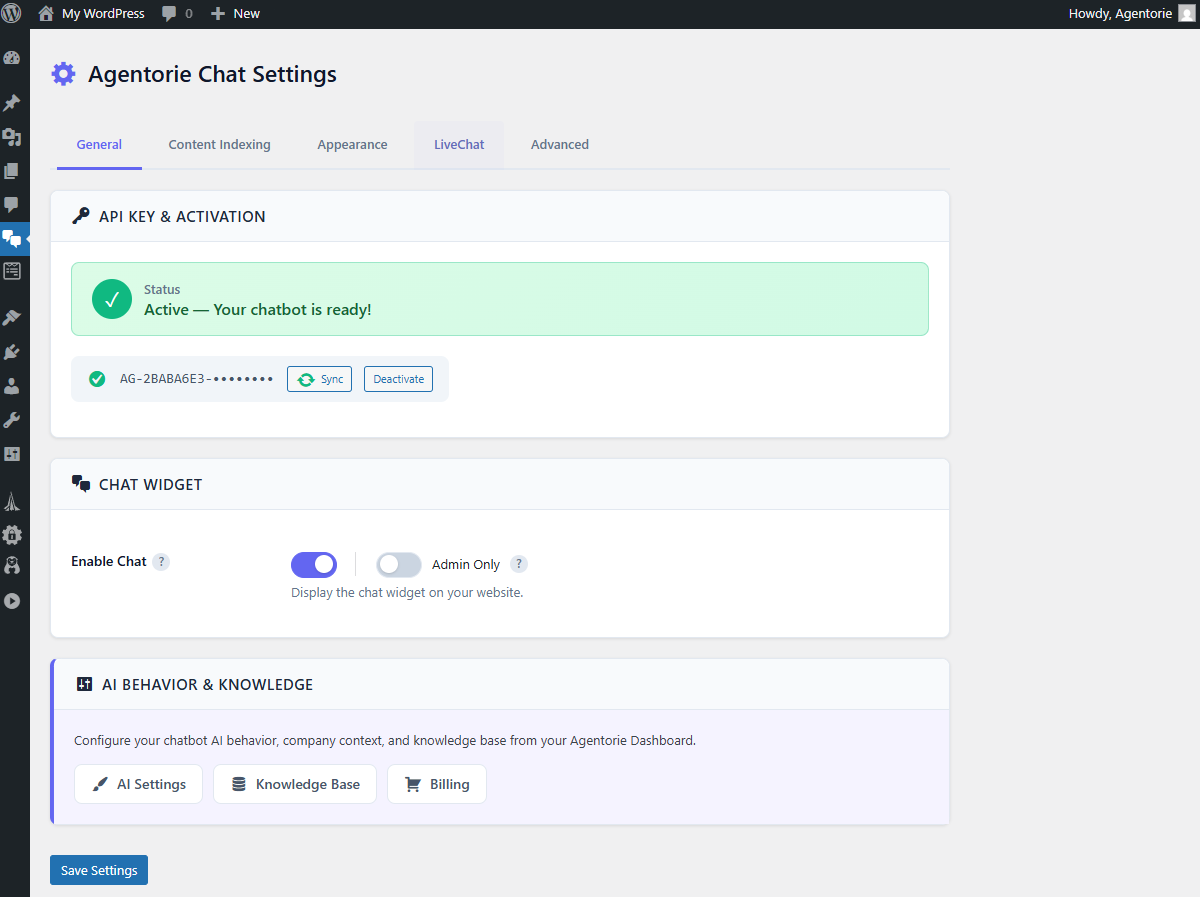
- Go to Agentorie in the left sidebar.
- Create your free account at https://app.agentorie.com and copy your License Key.
- Paste your License Key, save, and enable the chat widget.
- Enable AI content indexing in Settings > Content to let the chatbot learn from your website.
agentorie-chat folder to /wp-content/plugins/ and follow from step 3.屏幕截图:
常见问题:
Do I need technical knowledge to use this plugin?
No! Agentorie Chat is designed for ease of use. Just install, add your License Key, and customize the appearance. No coding required.
Is it free to use?
Yes, Agentorie Chat offers a free plan to get started. No credit card required. Create your account at https://app.agentorie.com and start chatting with your visitors right away.
Can I test the chatbot on a staging or private site?
Important: the chatbot's AI runs on Agentorie's servers and reads your published content over the internet, so it must be able to reach your site publicly. If you test on a preproduction or staging environment that is password-protected, behind a firewall or WAF, or not live yet, the AI cannot read your content and the bot will warn you in admin test mode. You do not need a separate staging site to test privately. Install the plugin on your live site and enable "Admin only" mode in the widget settings: only logged-in administrators will see the chatbot, your visitors will not, and the AI will have full access to your published content.
How does Smart Content Indexing work?
Enable it in Settings > Content. The AI will automatically index your published pages and posts. When visitors ask questions, the AI searches your indexed content and provides real URLs from your site. Updates happen automatically when you edit pages, plus a daily sync catches everything else.
Can I control which pages are indexed?
Yes! Choose Automatic mode (index all pages with exclusions) or Manual mode (select specific URLs). Only published, public pages are indexed. You can also exclude specific pages from indexing.
Does it work with WooCommerce and custom post types?
Yes! Agentorie Chat can index WooCommerce products with enriched data (prices, stock, categories, attributes) via a dedicated Product Indexing toggle. It also supports events, portfolio items, listings, properties, and any public custom post type registered by your theme or plugins. Enable "Include Custom Post Types" in Settings > Content and select which types to index.
How does the LiveChat human takeover work?
You can take over any conversation from the AI in real-time through your WordPress dashboard. The visitor sees a clear notification that a human advisor has joined. When you release the session, the AI resumes automatically.
Can I customize the chatbot's personality?
Yes! The AI Settings tab in your WordPress admin lets you configure your company information, default language, and conversation tone (Formal, Friendly, Casual, Enthusiastic, or Custom). Advanced AI behavior and knowledge base configuration is available through your Agentorie dashboard.
Does it work with my theme?
Agentorie Chat is designed to work with any WordPress theme. The widget floats above your content and doesn't interfere with your design.
What languages are supported?
Agentorie Chat supports 50+ languages including English, French, Spanish, German, Italian, Portuguese, Russian, Chinese (Mandarin), Japanese, Arabic, Korean, Hindi, and many more. You can choose your default language from the AI Settings tab.
I found a bug or need help, how can I reach you?
We'd love to hear from you! Post your question on the plugin support forum or contact us directly at contact@agentorie.com, we typically respond within 24 hours.
Is my data secure?
Yes. All conversations are encrypted in transit (HTTPS). Conversation data is stored in your WordPress database, giving you full control. Log files are stored in wp-content/uploads/agentorie-chat/logs/ and are protected by .htaccess rules on Apache servers. If you use Nginx, add this rule to your server configuration to block direct access to log files: location ~ /uploads/agentorie-chat/ { deny all; }
What about GDPR compliance?
Agentorie Chat is built with GDPR in mind. Conversations are stored in your WordPress database, and the plugin integrates with WordPress Privacy tools (Tools > Export/Erase Personal Data) for data export and erasure requests.
更新日志:
- Improved: Long assistant replies now scroll to their beginning instead of their end, so visitors read from the top of the message.
- Improved: The in-widget language selector is no longer cut off at the top when it opens.
- Fix: Conversation history is no longer deleted from the database by the cleanup cron.
- Fix: Content Indexing and WooCommerce Product Indexing toggles now auto-detect indexed content in database and re-enable correctly after plugin reinstallation
- Fix: Added missing default values for content indexing and WooCommerce settings to prevent undefined state on fresh installations
- New: Customizable input placeholder, voice placeholder, and language selector title in Appearance settings with live preview
- Improved: "AI Behavior & Knowledge" section updated to "AI Configuration" with accurate links to local AI Settings tab and Agentorie Dashboard
- New: AI Settings tab, configure company information, conversation tone, and default language directly from WordPress
- New: WooCommerce Product Indexing with prices, stock status, categories, and attributes
- New: Custom Post Types support for content indexing, index events, listings, portfolios, and any public CPT
- New: "Include Custom Post Types" toggle with per-type selection checkboxes
- New: Expanded language support from 10 to 50+ languages with BCP-47 codes
- New: In-widget language selector for multilingual visitors
- Improved: Code compliance with WordPress plugin directory requirements
- Improved: Translatable system messages for admin takeover/release (i18n compliance)
- Performance: Batch query for conversation export eliminates N+1 query problem
- Performance: Added composite database index (is_active, last_activity) for active session queries
- Documentation: Added Nginx log protection instructions in FAQ
- Improved: Targeted cache clearing instead of wp_cache_flush() to avoid site-wide performance impact
- Improved: Uninstall cleanup uses explicit option keys alongside wildcard deletion
- Initial release
- AI chatbot with smart content indexing
- LiveChat dashboard with admin takeover
- Contact/lead collection
- Statistics and analytics
- Multilingual support (10 languages, expanded to 50+ in 1.1.6)
- GDPR compliance tools