Answer Engine Optimizer (AEO)
| 开发者 | wordpress-contributors |
|---|---|
| 更新时间 | 2026年4月23日 17:47 |
| 捐献地址: | 去捐款 |
| PHP版本: | 7.4 及以上 |
| WordPress版本: | 6.9 |
| 版权: | GPLv2 or later |
| 版权网址: | 版权信息 |
详情介绍:
- Unified AEO score (0-100) with detailed component breakdown
- Yoast SEO-style scoring interface with color-coded indicators
- Real-time updates as you edit content in Gutenberg
- Instant feedback on content quality and optimization Smart Summary Management
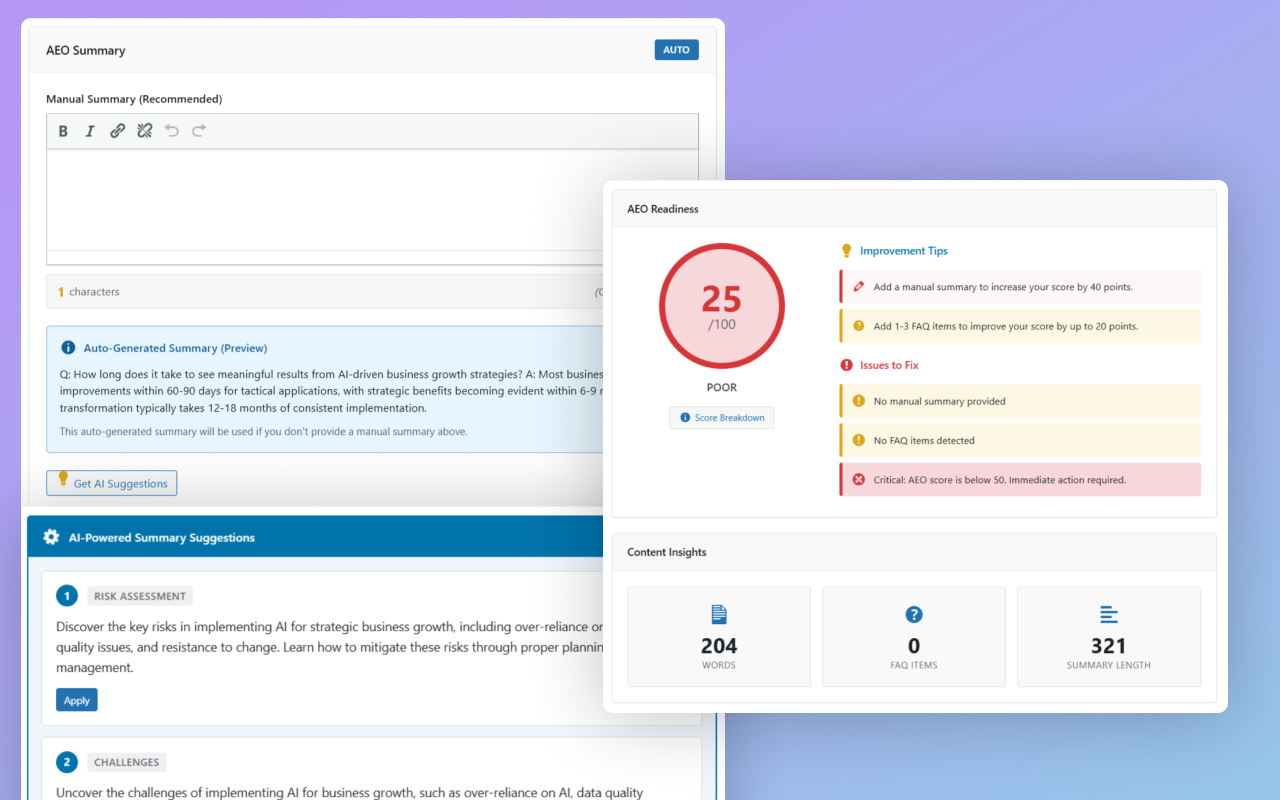
- Manual summary editor with character counter (optimal: 300-500 chars)
- Auto-generated summaries from content blocks
- AI-powered summary suggestions via OpenAI integration
- Summary type indicator (Manual/Auto) Structured Data & Schema
- Automatic JSON-LD schema generation
- Article schema with AEO summary integration
- FAQ schema for question/answer content
- Service schema for local businesses
- Proper schema markup for AI crawler understanding Content Analysis & Guidance
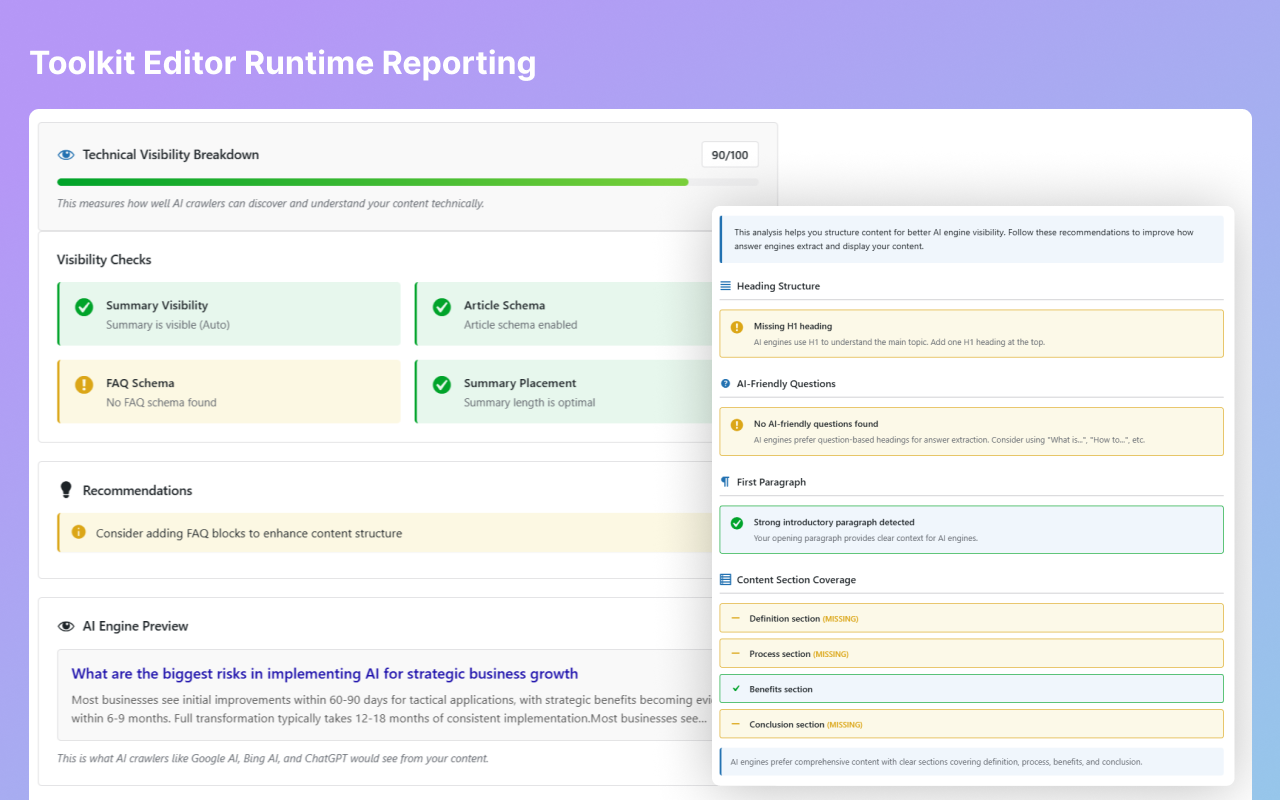
- Content Structuring recommendations
- FAQ items detection and optimization
- Service metadata validation (for service post type)
- Real-time improvement tips with severity levels
- AI Crawler Visibility checks Comprehensive Dashboard
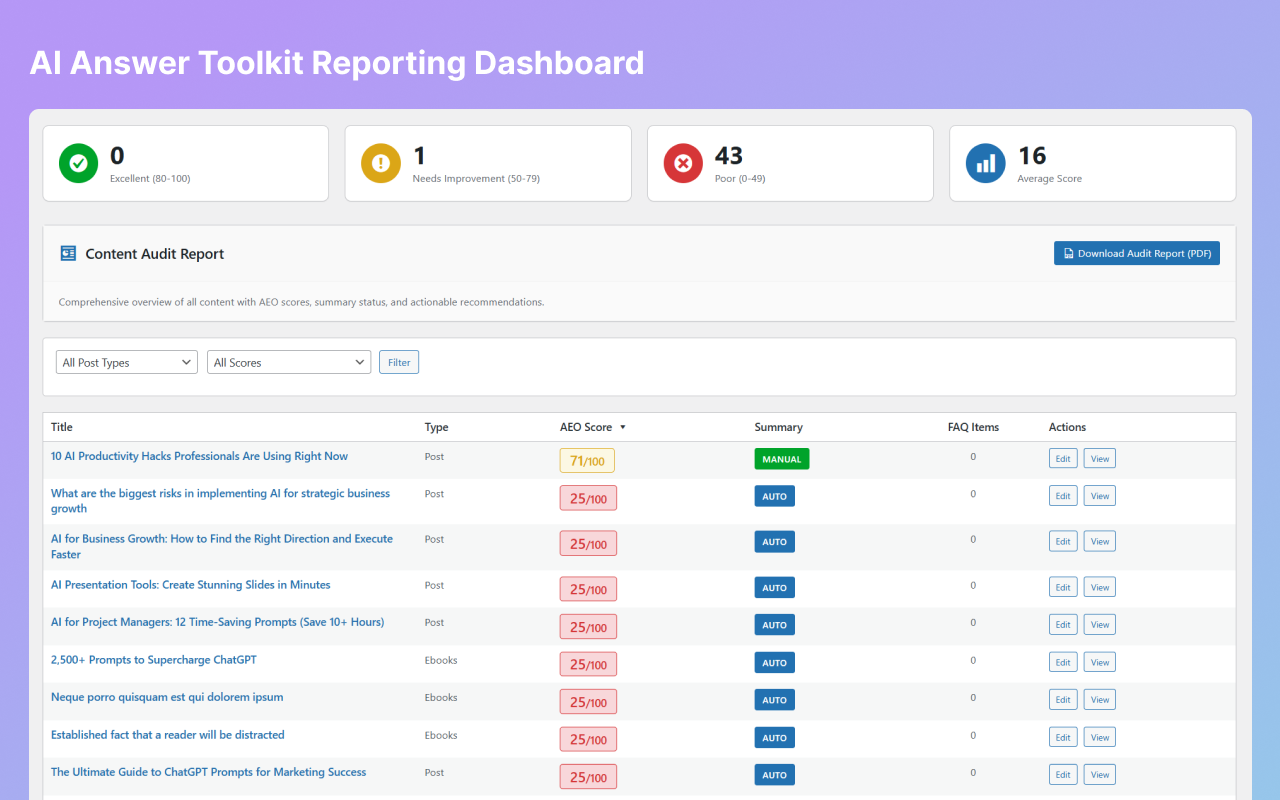
- Content audit report with PDF export
- Post-type filtering and score-based filtering
- Statistics cards (Excellent, Needs Improvement, Poor)
- Average score tracking
- Content coverage by post type REST API & Extensibility
- REST API endpoints for programmatic access
/wp-json/aeo/v1/analyze/{post_id}- Unified analysis/wp-json/aeo/v1/score/{post_id}- Score only/wp-json/aeo/v1/tips/{post_id}- Improvement tips/wp-json/aeo/v1/visibility/{post_id}- Visibility checks- Rate limiting and caching built-in
- Subscription-ready filter hooks Performance Optimized
- Debounced real-time updates (1.5s delay)
- 5-second server-side caching
- 2-second client-side caching
- Optimized for large content (5000+ words)
- Graceful fallback for Classic Editor
- Content marketers optimizing for AI discovery
- SEO professionals expanding into AEO
- Business owners wanting AI visibility
- Bloggers and publishers
- Local businesses with service offerings
- E-commerce sites with product content
- News and publishing platforms
安装:
- Upload the plugin:
- Download the plugin files
- Upload to
/wp-content/plugins/aeo-ranking/directory - OR install directly through WordPress Plugins → Add New
- Activate the plugin:
- Go to Plugins menu in WordPress admin
- Find "Answer Engine Optimizer (AEO)"
- Click "Activate"
- Configure API (Optional but recommended):
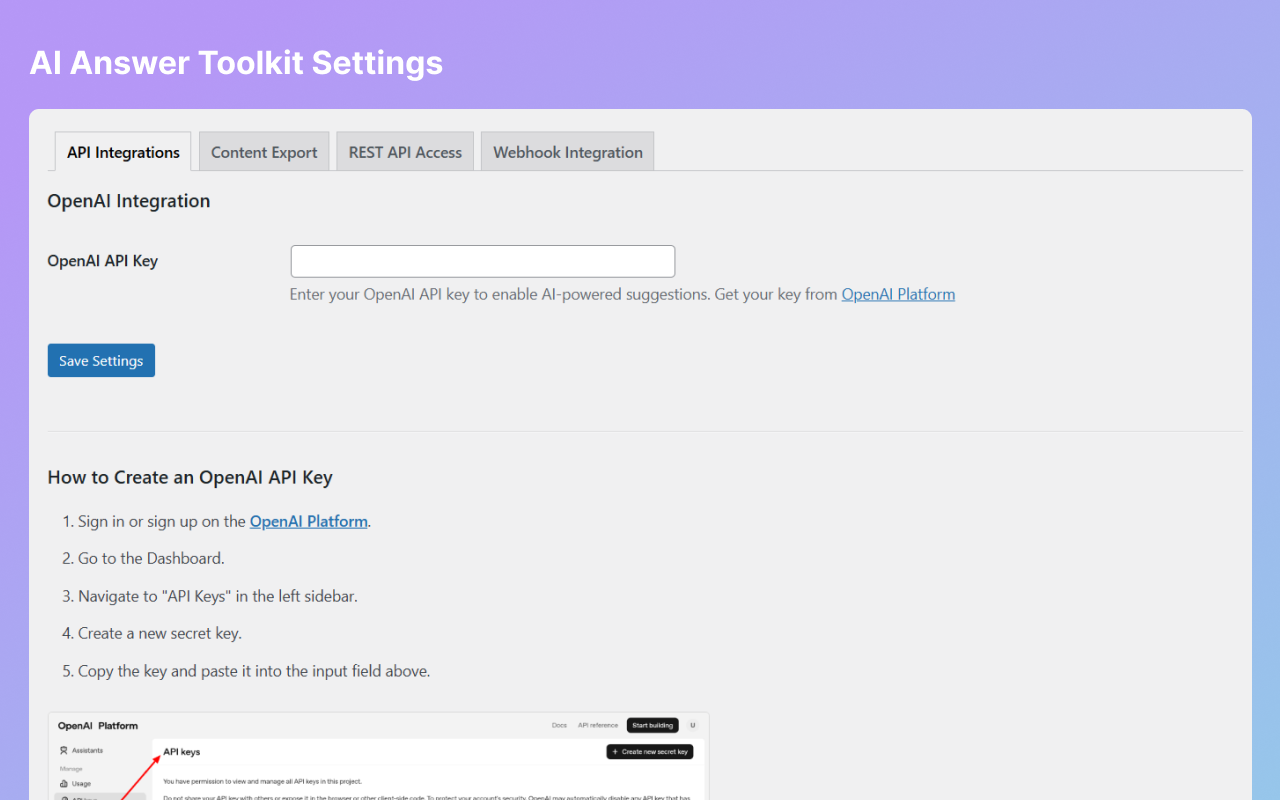
- Go to Answer Engine Optimizer → Settings
- Add your OpenAI API key for AI-powered features
- Get your key from https://platform.openai.com/api-keys
- Start optimizing:
- Edit any post or page
- Look for the "Answer Engine Optimizer" meta box
- Follow the real-time scoring and recommendations
- WordPress 6.0 or higher
- PHP 7.4 or higher
- Gutenberg or Classic Editor support
- OpenAI API key (optional, for AI features)
屏幕截图:
常见问题:
What is Answer Engine Optimization (AEO)?
AEO is the practice of optimizing content to appear in AI-generated answers from platforms like Google AI Overviews, ChatGPT, Perplexity, and other AI search engines. It's the next evolution of SEO for the AI era.
How is AEO different from SEO?
SEO focuses on ranking your content in traditional search results. AEO ensures your content is selected by AI systems to generate direct answers to user queries. Both are important for modern content visibility.
Do I need an OpenAI API key?
No, the plugin works without it. However, AI-powered features like summary suggestions require an OpenAI API key. You can still use all other features (scoring, schema, visibility checks) without it.
How much does the OpenAI API cost?
OpenAI charges per token used. Typical usage for summary generation costs a few cents per request. See https://openai.com/pricing for current rates.
Does this plugin work with Gutenberg?
Yes! The plugin works seamlessly with both Gutenberg block editor and Classic Editor. Real-time updates work in Gutenberg with automatic debouncing.
Will this slow down my website?
No. The plugin only loads admin assets in the WordPress dashboard. Frontend performance is unaffected. Real-time updates are optimized with debouncing and caching.
Can I use this with other SEO plugins?
Yes! Answer Engine Optimizer works alongside other SEO plugins like Yoast SEO, Rank Math, and All in One SEO. They complement each other.
How often does the AEO score update?
The score updates in real-time as you edit content in Gutenberg (with 1.5-second debounce). In Classic Editor, it updates on save. You can also manually refresh using the refresh button.
What post types are supported?
By default: Posts, Pages, and Services. You can extend support to custom post types via filters.
Can I export reports?
Yes! The dashboard includes a "Download Audit Report (PDF)" button for comprehensive content analysis.
How does the Content Insights update?
Content Insights (Words, FAQ Items, Summary Length) update in real-time as you edit, just like the AEO score.
Is there a REST API?
Yes! Full REST API support with endpoints for analysis, scoring, tips, and visibility checks. Perfect for custom integrations.
What about privacy and data?
All analysis happens on your server. Only OpenAI API calls (if configured) send content to external services. No data is stored externally.
How do I get support?
Visit the plugin support forum on WordPress.org or check the documentation at https://troontechnologies.com/aeo-docs
Can I contribute to development?
Yes! The plugin is open source. Visit our GitHub repository for contribution guidelines.
更新日志:
- 🐛 Fixed: Removed unintended DOM injection of AEO summary that was appearing in frontend content
- 🔧 Fixed: Summary now only appears in JSON-LD schema (head) for AI engines, not in visible DOM
- ✅ Fixed: Resolved compatibility issues with page builders (Avada, Elementor, etc.)
- 📝 Improved: Cleaned up unused frontend rendering methods
- ✨ Real-Time AEO Scoring with Gutenberg integration
- ✨ Unified AJAX endpoint for batch component updates
- ✨ REST API with 4 endpoints for programmatic access
- ✨ Real-time Content Insights updates (Words, FAQ Items, Summary Length)
- ✨ AI-Powered Summary Suggestions via OpenAI
- ✨ Automatic JSON-LD Schema Generation
- ✨ Article, FAQ, and Service Schema Support
- ✨ AI Crawler Visibility Checks
- ✨ Content Structuring Guidance
- ✨ Improvement Tips with Severity Levels
- ✨ Dashboard with PDF Audit Report Export
- ✨ Reporting page with filtering and sorting
- ✨ Character counter with optimal range (300-500)
- ✨ Auto-generated and manual summary support
- ✨ Service metadata validation
- ✨ Performance optimized with caching and debouncing
- ✨ Classic Editor and Gutenberg support
- ✨ Rate limiting and subscription-ready hooks
- ✨ Comprehensive documentation and guides