WPadmin.AI - AI Assistant for WordPress
| 开发者 | wpspin |
|---|---|
| 更新时间 | 2026年8月4日 22:43 |
| PHP版本: | 5.0 及以上 |
| WordPress版本: | 7.0.2 |
| 版权: | GPLv2 or later |
| 版权网址: | 版权信息 |
详情介绍:
安装:
- Install and activate the plugin from your WordPress admin area.
- Go to Settings > AI Assistant for the WPadmin.
- Choose the Free plan or WPadmin.AI Premium.
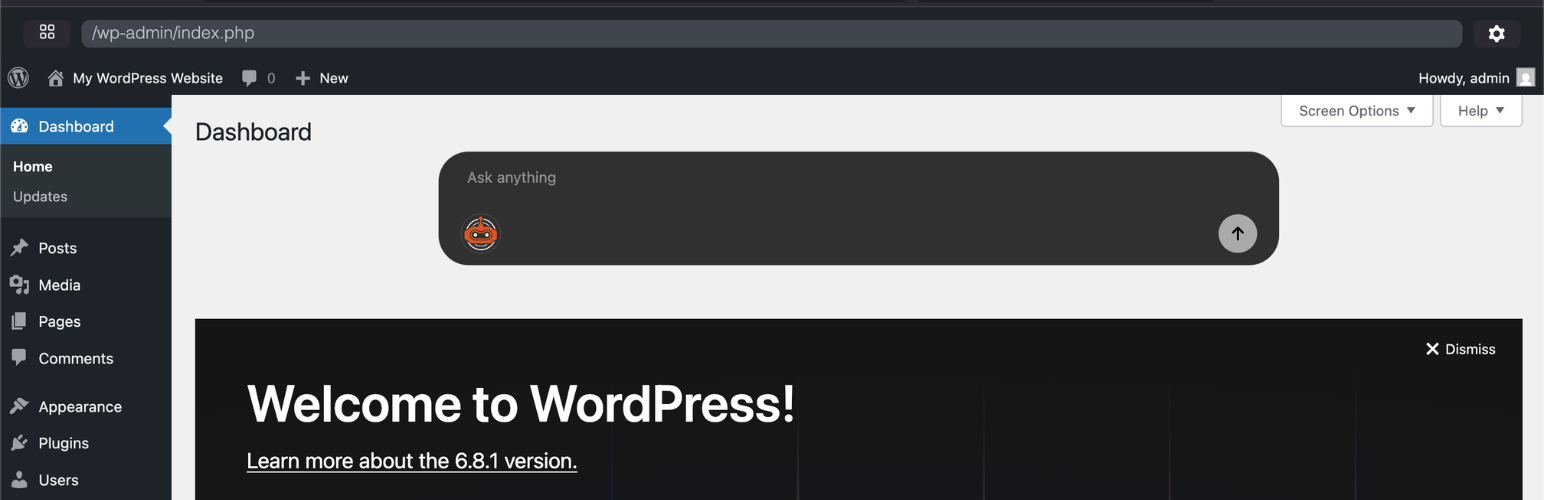
- Start asking questions from the dashboard chatbox.
常见问题:
Is this an AI assistant for WordPress?
Yes. WPadmin.AI Assistant for WordPress runs inside the WordPress dashboard and answers WordPress questions based on your site context.
Is the premium plugin an AI developer for WordPress?
Yes. WPadmin.AI Premium adds AI development help for WordPress sites. It helps with deeper troubleshooting, plugin help, theme work, and guided changes on a test copy of your website.
Does this support Codex in WordPress?
WPadmin.AI Premium is designed for users who want help making deeper WordPress changes from the WordPress dashboard. It uses AI tools for approved Premium setup where available.
Is this a WordPress MCP plugin?
WPadmin.AI is not marketed as a generic MCP server plugin. It is for WordPress users looking for practical AI help, site-aware answers, and Premium AI development help for WordPress.
Does this add Claude in WordPress or Claude Code WordPress?
Claude Code support is planned and will be released soon. Today, WPadmin.AI Premium provides AI development help for WordPress through the current Premium setup.
Does the Free plan make changes to my website?
No. The Free plan focuses on answers, guidance, suggestions, and troubleshooting steps.
What is different in Premium?
WPadmin.AI Premium is the paid plan. It adds more usage, data-aware answers, support, and the WPadmin.AI Premium for deeper WordPress help after pairing and setup.
How much is WPadmin.AI Premium?
WPadmin.AI Premium includes the first month free, then is $30 per month.
How many sites can use one Premium license?
Each Premium license covers one WordPress site.
How many users can use one Premium license?
Unlimited users can use the license on the covered site. Pricing is not seat-based at this time.
更新日志:
- Added a Premium upgrade modal when Free-plan responses point to Premium action workflows.
- Updated tested-up-to metadata for WordPress 7.0.2.
- Sent Free-plan upgrade actions directly to the Premium checkout flow.
- Updated Premium pricing copy to show the first month is free, then $30/month.
- Improved Premium checkout links so return URLs with WordPress dashboard query parameters are encoded safely.
- Improved Premium checkout return handling when a new license needs a few minutes to become active.
- Fixed the Premium setup prompt visibility on the Assistant settings page.
- Improved Premium setup after checkout so eligible sites are guided into WPadmin.AI Premium installation more reliably.
- Fixed settings page redirects used during subscription setup.
- Updated public copy to use WPadmin.AI Assistant for WordPress and WPadmin.AI Premium consistently.
- Updated Premium pricing copy to $10 for the first month, then $30/month.
- Reworded public descriptions for WordPress.org trademark guidance.
- Replaced technical Premium wording with simpler language about a test copy and one-click Sync.
- Improved Premium onboarding so admins finish WPadmin.AI Premium setup before continuing with the old Assistant chatbox.
- Added a clearer chatbox call-to-action for Premium sites that still need WPadmin.AI Premium installed.
- Redirects admins to WPadmin.AI Premium setup after successful installation and activation.
- Keeps the Assistant minimized by default in the WordPress dashboard to reduce distraction.
- Improves the Premium setup card layout and install retry flow.
- Added self-serve WPadmin.AI Premium installation for Premium sites.
- Premium admins are guided from Assistant settings to the Premium pairing screen after installation.
- When WPadmin.AI Premium is active, the Assistant launcher opens the Premium page instead of loading the chat modal.
- Improved Premium onboarding copy for pairing token and safe staging preparation.
- Shortened the WordPress.org short description to stay within the supported 150-character limit.
- Improved compatibility with popular page builders, including Elementor, Gutenberg, Oxygen Builder, Divi Builder, Bricks Builder, Beaver Builder, Visual Composer, WPBakery Page Builder, Breakdance, and similar WordPress builder tools.
- Improved admin performance by preventing the assistant chatbox from loading on post, page, custom post type, and page builder editing screens where it is not useful.
- Improved compatibility with popular WordPress plugins by reducing unnecessary assistant loading during editing.
- Renamed the public plugin to WPadmin.AI - AI Assistant for WordPress.
- Updated public copy to explain WPadmin.AI Assistant for WordPress and WPadmin.AI Premium.
- Removed overly technical public wording and refreshed Free vs Premium positioning.
- Improved chatbox stability in wp-admin.
- Reduced duplicate chatbox loading issues on admin screens.
- Improved Premium plan detection so promotional discounts do not accidentally limit Premium-only features.
- Updated README and plugin readme copy to clearly explain Assistant and Premium positioning.
- Highlighted Premium capabilities, setup requirements, and typical use cases.
- Bumped the client plugin version to 2.2.0
- Switched middleware and service links back to members.wpadmin.ai
- Carried forward the Premium marketing updates from the staging branch into the production client release
- Updated Premium pricing copy for the first month and monthly renewal.
- Updated plugin description, use cases, and compatibility info
- Updated tested up to WordPress 6.9.1
- Added support banner on settings page
- Improved plugin tags for better discoverability
- Bugfix for data sharing checkbox not accounting premium plan