
Leezy – AI Chatbot for Customer Support
| 开发者 | hypescale |
|---|---|
| 更新时间 | 2026年3月13日 18:56 |
| PHP版本: | 7.4 及以上 |
| WordPress版本: | 6.7 |
| 版权: | GPL-2.0+ |
| 版权网址: | 版权信息 |
详情介绍:
- Create a free account at leezy.ai
- Train your chatbot on your content (paste a URL — done)
- Install this plugin, enter your Bot ID
- Your AI support agent is live
- Actually understands questions — Not a keyword-matching chatbot. Leezy uses large language models to understand context and give real answers.
- Speaks 50+ languages — Your German site gets a Japanese visitor? Leezy handles it. Automatically.
- Learns your content — Feed it your website, docs, or knowledge base. It becomes an expert on your business.
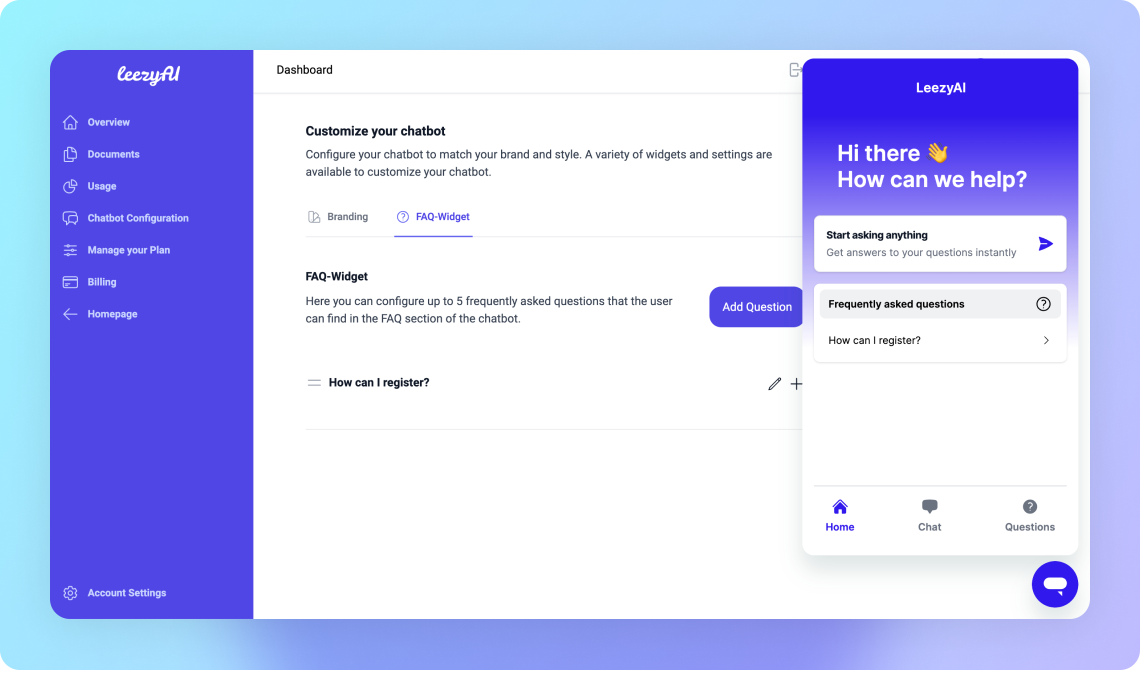
- Looks native — Light/dark theme, custom colors, adjustable position. Matches your brand.
- GDPR compliant — EU data processing. Privacy-first. No data selling. Ever.
- Analytics included — See what customers ask, find content gaps, improve your support.
- E-commerce stores — Answer product questions, reduce returns, increase conversions
- SaaS companies — Deflect repetitive support tickets automatically
- Service businesses — Qualify leads and answer FAQs while you sleep
- Agencies — Deploy AI chatbots for clients in minutes
- Bot ID — Connect your Leezy chatbot (get one free at leezy.ai)
- Theme — Light or dark mode
- Language — 20+ interface languages (chatbot responds in 50+)
- Position — Bottom-right, bottom-left, top-right, or top-left
- Button Color — Match your brand with a custom color picker
- Auto-Open — Proactively start conversations with visitors
- Greeting — Custom welcome message
- Go to leezy.ai/signup and create your account
- Create a new chatbot in the dashboard
- Add your website URL — Leezy will learn your content automatically
- Copy the Bot ID from Settings → Installation
- Paste it into the plugin settings in WordPress
安装:
- Install the plugin from the WordPress plugin directory, or upload the files to
/wp-content/plugins/ai-chatbot/ - Activate the plugin — you'll be redirected to the settings page automatically
- Enter your Bot ID (get one at leezy.ai/signup)
- Click "Save Settings"
- Visit your site — the chatbot widget appears in the corner
屏幕截图:
常见问题:
Do I need a Leezy account?
Yes. The plugin connects your WordPress site to the Leezy AI platform. Create a free account to get your Bot ID — it takes 30 seconds.
Is there a free plan?
Yes! The free plan includes 50 conversations per month. Upgrade anytime as your traffic grows. See pricing.
Where do I find my Bot ID?
Log in to your Leezy dashboard, go to Settings → Installation, and copy the Bot ID.
Will it slow down my website?
No. The chatbot loads asynchronously and deferred — it won't affect your page speed or Core Web Vitals.
Can I customize how it looks?
Yes. Choose light/dark theme, set a custom button color, pick the position (any corner), and write a custom greeting. Advanced styling is available in the Leezy dashboard.
Does it work with caching plugins?
Yes. Compatible with WP Rocket, W3 Total Cache, LiteSpeed Cache, Autoptimize, and all other major caching plugins.
What languages does it support?
The chatbot responds in 50+ languages automatically, based on what the visitor writes. The interface language can be set to 20+ languages in the plugin settings.
Is it GDPR compliant?
Yes. All data is processed in the EU. No data is sold or shared with third parties. See our Privacy Policy.
Can I use it on multiple sites?
Yes. Create a separate chatbot for each site in your Leezy dashboard, each with its own Bot ID and knowledge base.
更新日志:
- Complete rewrite with new embed system
- WordPress Settings API integration
- Configurable theme, language, position, and button color
- Auto-Open with configurable delay
- Custom greeting messages
- Auto-redirect to settings on activation
- Settings link on plugins page
- WordPress Color Picker for button color
- Admin notice when Bot ID is not configured
- WordPress 6.7 / PHP 7.4+ compatibility
- Initial release