AI Post Summarizer Lite for WordPress
| 开发者 | sabbir37 |
|---|---|
| 更新时间 | 2026年9月8日 19:43 |
| PHP版本: | 7.4 及以上 |
| WordPress版本: | 7.1 |
| 版权: | GPLv2 or later |
| 版权网址: | 版权信息 |
详情介绍:
- Zero API Keys Required — Works instantly after activation. No OpenAI accounts, no Google Cloud setup, and no billing configurations.
- Zero Server Overhead — All AI prompt generation happens in the visitor's browser. Zero impact on your server CPU or hosting bill.
- 100% Privacy & GDPR Compliant — No visitor data, cookies, or personal information is ever collected, stored, or transmitted to tracking servers.
- Tested with WordPress 7.1 — Fully certified and compatible with modern WordPress releases.
- One-Click Instant Summaries — Visitors click once and get an instant AI-generated TLDR summary in a new tab.
- ChatGPT & Google AI Support — Let readers choose between OpenAI's ChatGPT or Google AI for their preferred summary experience.
- Floating Action Button (FAB) — Sleek floating widget that smoothly accompanies readers as they scroll through long articles.
- Flexible In-Content Placement — Display summary buttons before post content, after post content, or in both locations simultaneously.
- Customizable Button Styles — Match your website branding with Square, Rounded, or modern Pill button styles.
- Granular Size Controls — Independently adjust button size and typography size (Small, Medium, Large) for desktop and mobile devices.
- Performance-First Design — CSS and JS scripts are strictly conditionally loaded only on single post pages. Zero impact on sitewide speed.
- Theme & Page Builder Friendly — Works out-of-the-box with Gutenberg Block Editor, Classic Editor, Elementor, Divi, and standard WordPress themes.
- Translation Ready — Fully localized and internationalized for multilingual websites.
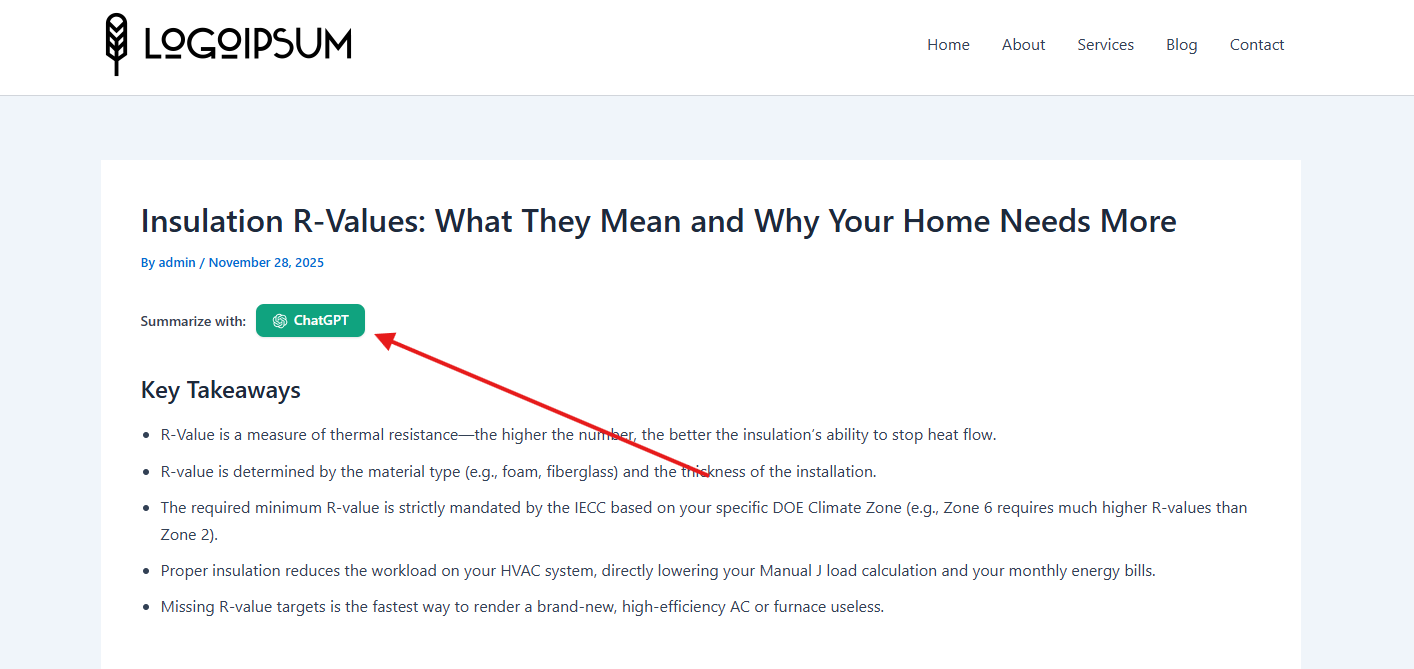
- The plugin generates an unobtrusive "Summarize with AI" button on your selected posts.
- When a reader clicks the button, a smart prompt is prepared using the post's title and article text.
- The prompt opens directly in ChatGPT or Google AI in a new browser tab.
- The AI instantly generates a concise, readable TLDR summary for the reader.
- No personal data collection — No visitor metrics, IP addresses, or personal info are stored.
- No cookies or trackers — Completely cookie-free.
- Direct client-to-service links — Content is sent only via the user's explicit interaction.
- 100% Compliant with GDPR, CCPA, and PECR regulations.
安装:
- In your WordPress admin dashboard, navigate to Plugins > Add New.
- Search for "AI Post Summarizer".
- Click Install Now, then click Activate.
- Navigate to AI Summarizer in your sidebar to configure button appearance and positioning.
- Download the plugin ZIP package.
- In your WordPress admin dashboard, go to Plugins > Add New > Upload Plugin.
- Choose the ZIP file and click Install Now, then Activate.
- Go to AI Summarizer in your sidebar to customize your options.
屏幕截图:


常见问题:
Do I need an OpenAI API key or paid subscription?
No. That is the core advantage of AI Post Summarizer Lite. It utilizes client-side prompt routing directly to ChatGPT or Google AI. You do not need any API keys, tokens, or paid subscriptions.
Will this plugin slow down my website?
Not at all. The plugin assets (CSS and JS) are lightweight and conditionally loaded only on single post views where the button is enabled. It makes zero background API requests from your server, maintaining 100% PageSpeed and Core Web Vitals scores.
Does it work with page builders like Elementor and Divi?
Yes. The plugin integrates via WordPress standard content filters (the_content) and works smoothly alongside Gutenberg, Elementor, Divi, and other popular builders.
Can I customize the button appearance?
Yes. From the admin settings, you can choose between Square, Rounded, and Pill designs, select independent button and label sizes, configure button colors, and enable the Floating Action Button (FAB).
Is this plugin GDPR compliant?
Yes, 100%. The plugin sets no cookies, tracks no analytics, and does not transmit any visitor data to external servers.
Does the AI summary get stored in my WordPress database?
No. Summaries are dynamically generated in the user's browser session. No content or summary data is stored in your database, preventing database bloat.
更新日志:
- Compatibility: Officially tested and confirmed fully compatible with WordPress 7.1.
- Security: Hardened parameter validation and sanitization across all admin views.
- Performance: Optimized asset enqueuing logic to ensure minimal footprint on single post views.
- Enhancement: Refined repository tags and search discoverability.
- Improvement: Enhanced core features and UI responsiveness for a smoother administrative workflow.
- Compatibility: Officially tested and confirmed fully compatible with WordPress 7.0.
- Feature: Floating Action Button — Introduced a floating summary widget for instant AI access on any post.
- Improvement: Enhanced flexibility and customization options.
- Improvement: Core performance and reliability optimizations.
- Feature: Integrated Google AI alongside ChatGPT for one-click summaries.
- Feature: Added independent Label Size and Button Size controls.
- Security: Hardened file access with strict ABSPATH checks across all files.
- Initial public release on WordPress.org.
- One-click AI summary button for WordPress posts.
- 100% client-side operation with zero server load.