Meep AI Translator – Multilingual for Elementor, WooCommerce & Forms
| 开发者 |
meeptechdev
meeptech denislwh |
|---|---|
| 更新时间 | 2026年9月26日 02:41 |
| PHP版本: | 7.4 及以上 |
| WordPress版本: | 7.1 |
| 版权: | GPLv2 or later |
| 版权网址: | 版权信息 |
标签
下载
详情介绍:
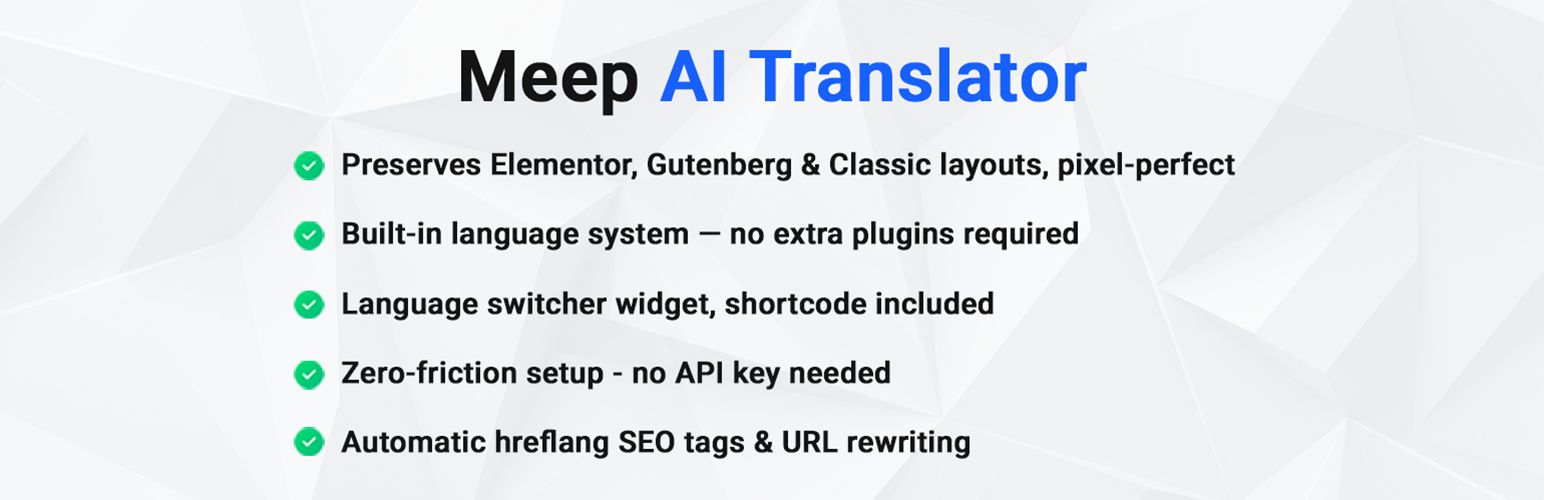
- Elementor layout preserved — pixel-perfect after every translation
- Multi-Engine AI routing — DeepL, Claude & OpenAI
- Smart Translation Memory — translates repeated phrases once, reuses them forever at 0 word cost
- Autonomous Background Auto-Sync — edit in default language, translations update automatically
- Built-in language system — no Polylang or WPML required
- Dynamic list translation directly from standard WordPress Posts and Pages admin screens
- Date Created sorting on Dashboard to quickly find newly created content
- Custom Post Types & Dynamic Tags — Testimonials, Team Members, Case Stories, FAQs (JetEngine, ACF, Meta Box)
- Image Gallery & Media Synchronization — ACF galleries, JetEngine media, and WooCommerce product galleries
- Media Library Localization — optional language-specific Media Library records with zero disk bloat
- WooCommerce & SureCart support — products, variations, attributes, gallery SEO
- Contact forms translated — Contact Form 7, WPForms, Gravity Forms, JetFormBuilder
- Works with the Jet suite — JetEngine, JetThemeCore, JetSmartFilters
- No API key needed — zero setup friction
- 7,200 words per month free — resets automatically
- Multi-Engine AI switcher: choose Auto Smart Routing, DeepL, Claude, or OpenAI
- Smart Translation Memory (TM) to deduplicate repeated headings, buttons, and text across pages
- Autonomous Background Auto-Sync for pages, posts, WooCommerce products, and templates
- One-click translation for Elementor pages (single page or bulk)
- Custom Post Type translation — translate all custom post types individually or in bulk, including dynamic tag sources like Testimonials, Employees, and Case Studies, with custom fields included (ACF, JetEngine, Meta Box, Pods)
- Media & Image Gallery Synchronization — automatically copies and synchronizes custom gallery fields (ACF Gallery, JetEngine Media fields, and WooCommerce product galleries) so Elementor image galleries work out of the box
- Optional Media Library Duplication — create linked attachment database records per language in the WordPress Media Library with localized Alt text, Titles, and Captions without duplicating files on disk
- WooCommerce product translation (title, description, excerpt, attributes, variations, gallery SEO)
- Built-in language management — add languages directly in the plugin, no extra plugins needed
- Polylang and WPML integration also supported if you prefer
- Gutenberg block-based pages supported
- Classic pages and posts supported
- Context-aware AI translations using advanced LLMs and neural machine translation — not word-for-word
- Automatic hreflang SEO tags and clean URL prefixes (/fr/, /de/)
- Language switcher widget, shortcode, and nav menu integration (4 display styles)
- Full WooCommerce store localization — shop loops, mini-cart, cart & checkout pages, and prices in the visitor's language
- SureCart product translation — name and description translated and reviewed on the Products tab, just like WooCommerce, and shown in the visitor's language across product pages, grids, and checkout
- Contact form translation — Contact Form 7, WPForms, Gravity Forms, and JetFormBuilder, ready to use in every language
- Theme builder support — JetEngine listings, JetThemeCore templates (single, header, footer, archive), and JetSmartFilters labels all render in the visitor's language
- "Scan forms" tool — see which forms, filters, and SureCart products were detected before translating
- Bulk "Translate All" — queue an entire site and let it run in the background
- Internal link localization — absolute /fr/... links in content and Elementor widgets auto-point to the matching language
- String Translations — translate payment gateway titles, the checkout privacy notice, and other plugin strings, with one-click auto-translate
- Maintenance tools — Repair Translation Links, Localize Media Library, re-translate SEO titles and product short descriptions
- Install and activate — no API keys, no complicated setup.
- Choose your language system: Built-in (recommended), Polylang, or WPML.
- Pick any Elementor page, Gutenberg post, or WooCommerce product.
- Choose your target languages and click Translate.
- Your site is multilingual — layouts intact, SEO tags in place.
- Starter – $9.99/month – 1 site, ~18,000 words/month. Perfect for small business sites.
- Agency – $34.99/month – Up to 10 sites. Best for agencies and freelancers.
- Agency Lifetime – $299 one-time – 50 sites, unlimited words. Pay once, use forever.
- Enterprise – $53.99/month – Up to 50 sites, dedicated account manager.
安装:
- Upload the plugin folder to
/wp-content/plugins/or install via the WordPress Plugins screen. - Activate the plugin through the 'Plugins' screen in WordPress.
- Choose your language setup option:
- Built-in (Recommended): Use the plugin's built-in language system — no extra plugins needed
- Polylang: Go to Languages → Languages tab → Add your languages
- WPML: Go to WPML → Languages → Add languages and configure
- Navigate to AI Translator in your WordPress menu.
- Start translating your pages, posts, and WooCommerce products!
屏幕截图:


常见问题:
How do I translate Elementor pages without breaking the layout?
Meep AI Translator reads Elementor's internal JSON structure directly instead of treating your page as plain text. This means every widget, column, heading, and button stays exactly where you placed it after translation. No broken sections, no collapsed widgets, no manual CSS fixes needed.
Can I translate a WordPress site without Polylang or WPML?
Yes. Since v1.3.0, Meep AI Translator includes a fully built-in language management system. You can add languages, configure URL prefixes (/fr/, /de/), and get a language switcher widget — all without installing any additional plugins. Polylang and WPML are still supported if you prefer them.
How do I use AI translation with Polylang?
Meep AI Translator connects directly to Polylang without requiring separate API keys. Once Polylang is installed with your target languages, Meep AI Translator automatically detects your translation pairs and translates entire pages, posts, and forms into Polylang's language slots while keeping Elementor layouts pixel-perfect. Read our full free AI translation for Polylang guide for step-by-step instructions.
How do I add multiple languages to WooCommerce?
Install Meep AI Translator, choose Built-in language system during setup, add your target languages, then go to the Products tab in the dashboard. Select the products you want to translate, choose target languages, and click Translate. Product titles, descriptions, attributes, variations, and gallery alt text are all translated automatically.
Can I translate my contact forms?
Yes. Meep AI Translator translates Contact Form 7, WPForms, Gravity Forms, and JetFormBuilder. Field labels, descriptions, placeholders, dropdown/radio/checkbox options, button text, and confirmation messages are translated automatically at render time. Build the form once in your default language, click "Auto-translate strings" on the Custom String Translations screen, and the labels appear in every language — the form logic and submitted data stay untouched. Use the "Scan forms" button to see which forms were detected.
Does it work with SureCart?
Yes. SureCart products appear on the Products tab in the dashboard, alongside WooCommerce products. Each product's name and description are translated and reviewed the same way, and the translated version is shown in the visitor's language everywhere the product renders — product pages, collection grids, and checkout line items. SureCart's own buttons and checkout labels are covered by the string-translation system.
Does Elementor translation work with dynamic widgets?
Meep AI Translator translates static Elementor content — text, headings, buttons, image captions, and any text stored inside Elementor's JSON. Dynamic widgets that pull content from external sources or custom fields at runtime are skipped to avoid conflicts. Standard Elementor widgets are fully supported.
Does this work with Elementor Free or only Elementor Pro?
Both. Meep AI Translator works with Elementor free and Elementor Pro. No Pro license is required for translation to work.
Do I need my own OpenAI, Claude, or DeepL API key?
No. All translation routing is handled through our secure, optimized cloud translation gateway — no API keys, no separate subscriptions, and no complicated setup required. Just install, pick your engine (or leave on Auto), and translate.
Which AI translation engine is best for my website?
You can switch AI models anytime under Settings -> General:
- Auto / Smart Routing (Recommended): Automatically routes each request to the fastest and most optimal engine for your language pair.
- Anthropic Claude: Best for marketing copy, brand voice, storytelling, and nuanced tone.
- DeepL Pro: The gold standard for European languages, technical documentation, and precise phrasing.
- OpenAI GPT: Maximum speed and global coverage across 100+ languages.
What is Smart Translation Memory and how does it save words?
Smart Translation Memory (TM) analyzes your site's content segments and deduplicates repeated sentences, headings, buttons, and footers. When an identical phrase appears across multiple pages (e.g. "Read More", "Get in Touch", or common guarantee boxes), it is translated once and reused instantly everywhere at 0 additional word cost. This typically cuts your total word consumption by 30% to 50%!
How does Autonomous Background Auto-Sync work?
When you edit any page, post, or WooCommerce product in your default language and click "Update", the plugin calculates a content hash. If changes are detected, it schedules an asynchronous background translation task. Translation Memory ensures only newly edited or added sentences consume words, automatically keeping all translated languages in sync with zero manual work.
How many words can I translate for free?
The free version includes 7,200 words per month, which resets automatically at the start of each month. There are no one-time limits — you can keep translating month after month on the free plan.
Does this require Polylang Pro?
No. It supports both Polylang free and Polylang Pro. And since v1.3.0, you don't need Polylang at all — the built-in language system replaces it completely.
Will this modify my existing content?
No. Translations are created as separate pages or posts in the target language. Your original content remains completely unchanged.
How do I check how many words I have left?
Go to AI Translator -> Dashboard to see your current usage, words remaining, translation memory stats, and monthly reset date.
Does it translate my whole WooCommerce store, including cart and checkout?
Yes. Products, shop and category loops, the mini-cart preview, and the cart and checkout pages all render in the visitor's language — including product links, prices, and the "View cart" / "Checkout" buttons. WooCommerce's own interface strings follow the installed language packs; for admin-entered text such as payment gateway titles/descriptions and the checkout privacy notice, use the built-in String Translations tool (with one-click auto-translate).
Does it work with custom post types (JetEngine, ACF, etc.)?
Yes. All UI-enabled custom post types — including dynamic tag sources like Testimonials, Employees, Team Members, Portfolios, Case Stories, and FAQs — can be translated individually from the Custom Types dashboard or in bulk via Translate All. Custom fields and repeaters from ACF, JetEngine, Meta Box, and Pods are preserved and translated automatically.
Can I translate image galleries and media attachments?
Yes! When translating Case Studies, Portfolios, or WooCommerce products, custom gallery fields (ACF Gallery, JetEngine media fields, and WooCommerce product galleries) are automatically copied and synchronized to the translated post so your Elementor image gallery widgets work immediately.
Does it duplicate image files on my server or waste disk space?
No. By default, Meep AI Translator reuses your existing image files across all languages and translates the Alt text and SEO directly on the page without cluttering your Media Library. If you optionally enable "Media Library Duplication" (for workflows requiring language-specific attachment management in the WordPress Media Library), it creates linked database records that share the exact same physical files on disk — zero duplicate files and zero wasted disk space!
更新日志:
- Fixed: Resolved translation misalignment in Review Editor by pairing source and translated segments by structural path instead of positional array indexing.
- Fixed: Enhanced Elementor Toggle, Accordion, and Tabs widget text extraction to guarantee all tab titles and body content are detected, translated, and written back accurately.
- Fixed: Hardened server and client batch translation prompts and 1-to-1 index matching for single-word labels and divider elements.
- Fixed: Corrected in-plugin upgrade and support links to point directly to active destination endpoints.
- Fixed: Enhanced icon contrast on floating quick translate toolbar and feedback support button.
- Improvement: Single-line layout normalization for Posts & Pages floating translation toolbar.
- Feature: Added option to hide floating toolbar for session or permanently with instant database persistence.
- Feature: Added toggle for list screens floating toolbar in Meep Settings.
- Improvement: Standardized branding to "Meep" across floating toolbar and bulk actions dropdown.
- Feature: Added Meep dynamic translation toolbar on WordPress Admin Posts and Pages list screens (
edit.php) with real-time word calculation and live quota tracking. - Feature: Integrated "Translate with Meep AI" into standard WordPress bulk actions dropdown on all translatable post types.
- Feature: Added Date Created sorting (Newest first / Oldest first) and Title sorting (A-Z / Z-A) to the main Meep Translator Dashboard with default newest-first ordering.
- Fixed: Resolved critical error on free installations by safely guarding license status and Freemius SDK lookups.
- Fixed: Restored smooth hover color styling on top Admin Bar translation actions (Edit and View Original/Translation links).
- Improvement: Restored Meep Translator label in the WordPress admin sidebar.
- Improvement: Standardized AI translation engine labels across settings and dashboard.
- Improvement: Refined top admin bar icon styling to match native WordPress theme and locked flag dimensions.
- Fixed: Resolved dynamic PRO header title display on free installations.
- Improvement: Unified single-page translation actions and global statistics hub into a single, cohesive Meep top WordPress admin bar menu.
- Improvement: Unified Dashboard Header Stats Hub — integrated real-time translation completeness meter directly into the compact header statistics bar.
- Improvement: Updated admin branding to Meep with official SVG brand mark in the WordPress top admin bar and dashboard navigation.
- Improvement: Streamlined multi-model AI routing descriptions across documentation and interfaces.
- Feature: Global WordPress Admin Bar Hub Menu with persistent live word balance meter, limit pill badge, site translation score, and quick navigation.
- Feature: PRO Feature Preview Gates for Free version — visual previews of Brand Voice presets, Formality controls, and AI Engine switcher with 1-click upgrade CTAs.
- Feature: Limit-Reached Dashboard Hero Card with dismissible admin notice and instant capacity upgrades.
- Feature: Social Sharing Referral Tool — claim +2,500 free bonus words by sharing on X (Twitter) or LinkedIn.
- Feature (PRO): Brand Voice & Localization Tone Adaptation (Language Enhancer) — 5 tailored copywriting presets (Hospitality, Corporate/B2B, eCommerce/Sales, Casual/Modern, Custom Persona) for native brand tone alignment on the first pass.
- Feature (PRO): Grammatical Formality Selector (Strict Formal T-V address, Friendly/Informal, or Auto) across German, French, Spanish, Italian, Russian, and other multilingual targets.
- Feature (PRO): 1-Click "Detect Site Context & Suggest Tone" AI tool that scans site title, tagline, and homepage content to recommend tone preset and extract domain keywords.
- Feature (PRO): Custom Brand Persona and phrasing rules textarea integrated directly into OpenAI, Claude 3.5 Sonnet, and DeepL translation prompts.
- Improvement: Added comprehensive automated test suite for brand voice, formality modes, and context scanning.
- Fixed: Resolved an issue where the Translation Health & Completeness Meter showed 0% or missed completed translations on sites with legacy or Polylang linked translation families.
- Improved: Restructured dashboard compact stats header bar with flexible responsive distribution, improved badge alignment, and streamlined license action buttons for Free and PRO plans.
- Feature: Added Translation Health & Completeness Meter Widget on the dashboard — live site-wide translation score, language-by-language breakdown with flags, category completion chips, and 1-click "Translate Remaining" action.
- Feature: Deep translation and management for Contact Form 7 (wpcf7_contact_form) — translates form markup, placeholders, option choices, notification/validation messages array (_messages), and mail subjects.
- Feature: Deep translation support for SureForms (sureforms_form) and Gutenberg block forms — translates labels, placeholders, help texts, validation errors, submit buttons, and nested choices.
- Feature: Dedicated Forms tab on the translation dashboard with form content detection, translatable word counts, and status tracking.
- Feature: Automatic shortcode and block comment rewriting during translation and at runtime for Contact Form 7, SureForms, and WPForms.
- Fixed: Resolved an issue where translated Elementor Saved Templates (containers, sections, pages) were erroneously categorized in Theme Builder instead of Saved Templates.
- Fixed: Preserved internal template taxonomy terms (elementor_library_type, elementor_library_category) and synchronized Elementor document assets so translated templates maintain full CSS styling and layouts.
- Improvement: Added automatic background self-healing repair that restores previously translated templates back into Saved Templates with regenerated CSS files.
- Feature: Added full-screen frosted glass AI translation overlay with live progress indicator and animated feedback for 1-click Admin Bar translations and retranslations.
- Improvement: Added URL/slug preservation safeguard on retranslation (enabled by default under Settings -> Multilingual & URLs) to protect active SEO rankings, backlinks, and permalinks when updating existing content.
- Improved: Top Admin Bar quick translation menu with smart directional context (1-click retranslation from original source, direct original view/edit shortcuts, and vertical alignment).
- Fixed: Dashboard table layout responsiveness and screen fitting across all viewport sizes.
- Fixed: Cleaned up pseudo-element tooltips to use native browser tooltips and eliminate center-of-screen floating boxes.
- Improved: Post editor translation metabox placement and styling.
- Fixed: Resolved an issue where Translation Memory and Cache could store untranslated source text if an API/network error occurred during translation fallback, preventing duplicate untranslated content.
- Improved: Hardened Translation Memory and Cache lookups with automatic self-healing and pruning of identical source/translation entries.
- UI: Replaced raw emojis across admin pages, Translate All tools, modals, review prompts, and action buttons with sleek, theme-matching SVG icons.
- Fixed: Resolved an issue in batch translation and Classic Editor post processing where Translation Memory key alignment could cause translations to return empty and leave posts in their original language.
- Improved: Added error propagation and empty translation safeguards to prevent creating untranslated duplicate pages during bulk Translate All jobs.
- Fixed: Resolved an issue where Elementor Theme Builder header/footer templates and global layouts could be excluded by frontend query filtering after initial wizard setup.
- Fixed: Resolved syntax error in setup wizard preventing the "Continue to Languages" button from responding on initial configuration.
- Branding: Updated setup checklist widget, page/post metaboxes, and admin notices to consistent "Meep Translator" branding.
- Improvement: Enhanced Free Word Cap experience with positive ROI summary, Smart Translation Memory savings breakdown, and content-aware plan recommendations.
- UI: Replaced notification and modal emojis with sleek, crisp SVG UI icons.
- Feature: Added optional Media Library Duplication feature with automatic attachment localization and gallery remapping per language.
- Tools: Added "Localize Existing Media Library" 1-click tool under Settings -> Tools & Maintenance to generate language-specific Media Library records for existing media.
- Feature: Added automatic media attachment, ACF gallery, and custom field synchronization for Case Stories and custom post types, ensuring Elementor image galleries work out of the box.
- Settings: Added dedicated "Synchronize Media & Galleries" toggle under Advanced Settings (enabled by default).
- Feature: Added support for all UI-enabled Custom Post Types (Testimonials, Employees, Team Members, FAQs, and dynamic tag sources) in Dashboard and Translate All.
- Improved: Unified cache purging so clearing translation cache synchronizes across Translation Memory and query cache.
- Fixed: Unified Glossary, Excluded Terms, and Brand Protection rules across single and batch AI translations.
- Fixed: Enhanced prompt enforcement on backend translation cluster so excluded phrases and slogans are strictly preserved verbatim.
- Fixed: Resolved fatal TypeError in Freemius get_upgrade_url() during word demand plan recommendation.
- Improved: Updated API routing with isolated high-speed translation endpoint and failover resilience.
- Fixed: Resolved method naming inconsistency in Translation Review workspace selector.
- Improved: Added defensive method existence checks and backward-compatible alias in Admin Menu.
- Feature: Added Smart Translation Memory (TM) & String Deduplication — identical headings, buttons, and paragraphs across your site are translated once and reused at zero word cost.
- Feature: Added Autonomous Background Auto-Sync ("Set & Forget") — automatically detects edits on pages, posts, WooCommerce products, and Elementor templates and updates all linked translations in the background.
- Feature: Added Visual AI Translation Engine Switcher with support for Anthropic Claude 3.5 Sonnet, DeepL Pro, and OpenAI GPT-4o with smart multi-model routing.
- UI/UX: Interactive carousel navigation for Settings tabs with smooth scrolling and clean Lucide-style vector SVG icons.
- UI/UX: Real-time Site Content & Word Demand Inventory with 1-click recalculation.
- Architecture: Dynamic API endpoint resolution with environment constant overrides and filter hooks.
- Major UX: Reorganized settings into 6 intuitive, dedicated tabs (General & Performance, Languages & Switcher, Site Elements & Auto-Translate, Plugin Integrations, Brand & Glossary, Tools & Advanced).
- Added: Real-time live search and instant filter for String Translations and plugin UI strings.
- Added: Smart floating translation indicator on the dashboard with one-click return to translation bar when scrolling long lists.
- Added: Graceful Pause and Resume controls in Translate All for server-friendly batch processing.
- Improved: Responsive dashboard toolbar layout for laptops and smaller displays.
- Improved: Dynamic dashboard tabs that automatically hide empty post types (0 items) and focus on existing content.
- Improved: Cleaned up settings action buttons with dedicated per-tab saving and streamlined reset tools.
- Performance: Optimized transient caching and state management for remote license checks.
- Tested: Verified compatibility with WordPress 7.1 and PHP 8.3+.
- Improved: Performance transient caching for remote license status checks.
- Added: In-plugin warning notice nudge at 80% usage with WordPress.org review request.
- Added: In-plugin persistent warning notice block at 100% usage or cooldown.
- Improved: WordPress 7.1 compatibility verification and Tested up to bumps.
- Feature: Added deactivation feedback survey for Free version users to share improvement suggestions
- Fixed: Conflict with Sureforms causing forms to disappear in backend dashboard
- Fixed: Excluded JetFormBuilder post types from language queries to prevent conflicts
- Fixed: JetSmartFilters 'Show all' label translation
- Fixed: Broken JetProductGallery widget on translated CPT pages
- Improved: Copying custom post metadata fields starting with underscore
- Fixed: Corrected word usage estimation to prevent premature limit block on Free plan sites.
- Fixed: Updated fallback word limit defaults in assets and server helper class to 7,200 words.
- Fixed: Adjusted PRO version name header in zip compression to match Freemius configuration.
- Feature: Raised Free plan translation limit to 7,200 words per month.
- Feature: Lifted target language selection limitations from the Free plan, allowing simultaneous translation into multiple target languages.
- Feature: Added native translation and swapping support for Elementor Header Footer Builder templates (
elementor-hfpost type) out of the box. Automatically swaps header and footer templates to their current-language translations at render time. - Feature: Added JetEngine Listing Grid loop item filter support to guarantee post order synchronization on lazy-loaded and AJAX-loaded listing grids.
- Feature: Moved post ordering synchronization logic to a unified Multilingual Manager level to automatically support sorting synchronization on Polylang and WPML multilingual integrations.
- Feature: Added "Preserve Post Order" settings toggle option under the Advanced Settings tab in the plugin admin dashboard.
- Feature: Added native translation and swapping support for JetThemeCore templates (
jet-theme-corepost type) out of the box. Extends automatic language swapping to Nav Menu widgets embedded in custom headers, footers, and page sections built via JetThemeCore.
- Fixed: Improved post ordering synchronization on translated pages. Enabled sorting order mapping during AJAX and REST API requests (e.g. JetEngine query grids/pagination), resolved edge case when query sorting fields (
orderby) are passed as arrays, and added unified translation mapping retrieval fallback for Polylang and WPML compatibility.
- Fixed: Resolved conflict with WordPress Media Library grid view, Elementor media modal, and WooCommerce media selectors. Excluded media attachments (
attachmentpost type) andquery-attachmentsAJAX requests from language taxonomy registration and query filtering.
- Fixed: JetEngine Listing Grid lazy-loading language resolution on custom frontend-facing AJAX URLs (e.g. page/?nocache=1). Extended early $is_ajax check to capture JetEngine AJAX requests targeting front URLs, ensuring the target page context is correctly resolved to the active language.
- Fixed: JetEngine Listing Grid lazy-loading language resolution for REST API requests. Added support for parsing JSON payloads (content-type application/json) in detect_ajax_language() to reliably extract page metadata.
- Fixed: JetEngine Listing Grid lazy-loading language resolution for initial page load. Enabled just-in-time taxonomy registration during early language detection, allowing term lookup queries to run successfully prior to normal init priority 20.
- Fixed: Bypassed network-interrupted tag lock on Freemius distribution platform.
- Fixed: JetEngine Listing Grid lazy-loading language resolution. Added fallback checks to extract the active language directly from the request payload's page metadata (post_id or queried_id) during AJAX/REST requests, ensuring lazy-loaded lists load in the correct language even when browser security settings strip the HTTP referer path.
- Changed: Updated plugin short description to highlight supported page builders (Elementor, Gutenberg), WooCommerce, SureCart, and forms integrations.
- Fixed: JetEngine Listing Grid and JetSmartFilters AJAX/REST pagination filtering. Enabled frontend query-filtering and term/link translation hooks inside frontend-facing AJAX/REST requests (like admin-ajax.php and wp-json endpoints) by checking for DOING_AJAX and REST_REQUEST constants, resolving language-specific CPT posts on subsequent AJAX pages correctly.
- Fixed: Language switcher dropdown toggle script tag stripping in header widgets. Enqueued the switcher toggle script safely to load in the footer (
wp_footer), preventing WordPress page builders (like Astra Header Builder) from sanitizing/stripping inline<script>tags which caused plain JavaScript text to display on the page.
- Fixed: WooCommerce My Account endpoints link localization in Elementor widgets. Preserved any trailing custom URL path segments (like endpoints /commandes/, /downloads/, etc.) during link translation inside internal link localizer by comparing URL path segments to resolved posts' slugs.
- Fixed: WooCommerce My Account endpoints redirect conflicts. Adjusted the parse_request language and URL endpoint extraction filter to execute at high priority (-100) on the parse_request hook. This ensures WooCommerce's default query variables parser receives fully resolved endpoints, preventing redirection loops back to the base page under certain language prefix configurations.
- Fixed: Restored default WordPress query routing hooks (parse_request) to prevent page/CPT slugs resolving to 404 on frontend page loads, while keeping early language pre-detection on init to support lazy-loaded AJAX REST API grids.
- Fixed: REST API language detection and cookie hijacking of default-language AJAX requests. Registered language detection on the early init action (priority 5) to support WordPress REST API queries (used by JetEngine for lazy-loading grids), and restricted referer-based AJAX language resolution so default-language pages bypass the cookie when loaded via AJAX.
- Fixed: Added a global pre_get_posts query filter for translatable custom post types (CPTs) on the frontend. This acts as a global catch-all to ensure query-builder, custom grids, and third-party filtering/pagination plugins (like JetSmartFilters) are strictly scoped to the active language at the SQL level, preventing cross-language duplicates in dynamically updated loops.
- Fixed: Mapped batch translation results back to original text keys and restored excluded word placeholders correctly. This resolves an issue where custom/meta fields (e.g. ACF, JetEngine) containing brand name exclusions were skipped from translation during batch requests.
- Fixed: JetProductGallery swiper container auto-height loading issues. Added a client-side layout helper to trigger swiper updates on window load and image load, ensuring the swiper gallery calculates height correctly when lazily loading product images.
- Fixed: Attachment slug collision resolution in language routing. Restricted
get_page_by_pathcalls during language parsing to strictly check for post typepage, preventing image attachment pages with colliding slugs (e.g. from gallery/media library) from hijacking custom post type single requests and redirecting visitors to the home page. - Fixed: Dynamic fallback sorting synchronization. If translated posts are sorted by menu order (e.g. via drag-and-drop ordering plugins) or publication date, they are now dynamically sorted on-the-fly to match the exact relative ordering sequence of their original default-language source posts.
- Fixed: Copied creation and GMT publication dates of original posts during new translation insertion.
- Fixed: Cache invalidation for Brand Exclusions. Any cached translations that previously translated an excluded brand name are now dynamically detected and cleared on-the-fly during translation lookups. This ensures new programmatic exclusions apply immediately without requiring a manual cache purge.
- Fixed: Programmatic brand protection for the "Exclude words" settings. Excluded words are now safely protected using structural placeholders before sending them to the translation engine and restored afterward, guaranteeing brand names are never translated even if they match common vocabulary terms.
- Fixed: Query pagination issue with JetEngine Listing Grid. Replaced the post collapsing filter with a clean SQL-level taxonomy query, which ensures that total post counts are accurate and pagination renders correctly on translated pages.
- Fixed: Post dates and custom page ordering synchronization. Post creation dates, GMT dates, and menu_order attributes are now fully copied to translated versions when creating new translations, and synchronized in real time when editing existing pages (critical for custom-ordered grids).
- Improved: "Repair Page Content Links" tool now repairs links inside standard post content HTML (post_content column) as well as Elementor JSON metadata.
- Fixed: Normal translation save now localizes links inside the post_content column of translated posts, ensuring the compiled static HTML renders localized links on the frontend immediately.
- Added: "Repair Page Content Links" tool under Settings -> Tools. This scans all translated pages/posts and re-localizes internal links inside their Elementor data based on the latest translation mappings and slug resolution fallbacks. Saves you from having to re-translate pages after path or domain updates.
- Fixed: Internal link translation fallback when using simplified, shortened, or legacy redirect URLs. It now resolves links by slug if standard path-based matching fails, ensuring all mapped page links swap successfully.
- Fixed: Internal link translation fallback when using the built-in language manager (without Polylang active), resolving original post IDs and matching their translated permalinks.
- Improved: Local development database support for internal link translation, automatically resolving staging/production domains mismatch to internal posts.
- Added: Dropdown language switcher styling rule for pill theme with language name to prevent text truncation.
- Fixed: Elementor template swapping (header, footer, and templates) and conditions resolver logic after default language switch, ensuring the translated templates swap correctly and the original templates preserve their conditions.
- Fixed: Default Language Switch migration logic did unnecessary slug renames and sometimes broke redirects. It now only renames slugs when there is a genuine collision or if a suffix needs cleaning.
- Improved: Captures redirects for all affected posts whose URL moves (since the language prefix moves when the default flips) rather than just the renamed ones.
- Fixed: All render-time localization gates (internal links, Elementor/JetThemeCore/JetEngine template swaps, taxonomy terms) now run for any language when 2+ languages exist — fixes content staying in the wrong language after a default-language switch
- Fixed: Switch Default Language migration pre-flight guard — refuses to run when the group table disagrees with posts' language tags; directs to Repair Links first
- Fixed: Repair Links now reconciles group-table language records to the authoritative language tags
- Fixed: Repair Links conflict false-positive — no longer flags default-language items as conflicts after a default switch
- Fixed: "Set as default" button in Language Management now routes to the Switch Default Language migration instead of doing a bare flag-flip that breaks the site
- Improved: Elementor template classification — embedded templates (Template widget, Loop widget, [elementor-template] shortcode) are now detected as Active instead of "Advanced / optional"; usage scan cached for 5 minutes
- Fixed: Translated subpages now nest under the translated parent (e.g. /de/eltern/kind/) instead of the source parent — both creation paths use the new get_translated_parent_id() helper
- Fixed: Root-relative internal links (href="/path/") now localized — catches links that the absolute-URL matcher missed; skips admin/asset/protocol-relative paths and only rewrites to published translations
- Added: Repair Links now re-parents translated child pages — finds children still attached to a wrong-language parent and re-attaches them, reporting "N child pages re-parented"
- Fixed: CPT archive ordering — translated posts no longer scramble date ordering; listing collapse re-sorts each group by source post date
- Added: Retranslate row action in every translation's ⋯ menu — re-runs translation from source with confirm (e.g. after adding Exclude Words)
- Added: Bulk actions for translations — checkboxes + sticky bar with Publish selected, Retranslate selected, and Clear; tab-scoped with sequential progress
- Added: Switch Default Language helper text — "translate everything first, then migrate" guidance in Language Management and Tools sections
- Improved: Default-language migration skips self-mapping no-ops and guards against same-post groups
- Fixed: Stale upgrade notice — added current version entry to == Upgrade Notice ==
- Added: SureCart settings section with Enable/Disable toggle — appears only when SureCart is installed; frontend render hook respects the toggle
- Improved: WooCommerce and Elementor Templates sections now show heading + detected/not-detected notice even when the plugin is absent; controls are hidden until the plugin is active
- Improved: Consistent conditional UI pattern across all integration sections (forms, filters, commerce, templates)
- Fixed: JetFormBuilder/WPForms "No strings found" — collector now queries draft/pending/private forms alongside published, and dropped the has_blocks gate
- Fixed: JetSmartFilters term labels not translating — collector now pulls taxonomy option labels via _source_taxonomy so Auto-translate covers the full filter
- Improved: Scan strings is now scope-aware — Contact Forms section reports forms only, String Translations section reports filters only
- Improved: Scan reports actual translatable string counts per plugin (e.g. "2 forms → 18 strings")
- Added: Contact Forms section split from String Translations — forms have their own scan/translate buttons; JetSmartFilters lives in String Translations with "Used in" labels
- Fixed: Dropdown select arrows restored — authoritative caret CSS rule appended last to win the cascade
- Improved: Advanced Settings has its own Save button; Inspect Elementor Data input widened; translate buttons in one flex row
- Added: Contact form translation — Contact Form 7, WPForms, Gravity Forms, and JetFormBuilder are translated at render through each plugin's own hook (fields, options, buttons, and messages included)
- Added: SureCart products now translate like WooCommerce — sc_product appears on the Products tab with the full translate + review flow (name + HTML description), rendered in the visitor's language on product pages, collection grids, and checkout
- Added: JetSmartFilters label translation — option labels resolved from translated term meta, "Show all" and admin-entered labels via the custom-string map; works through the indexer and AJAX re-renders
- Added: "Scan forms" tool (Settings → Custom String Translations) — reports which forms, filters, and SureCart products were detected before you translate
- Added: "Show language names on mobile" switcher option — flag-only on desktop, language names in the mobile menu
- Improved: Auto-translate Strings now collects labels from all supported form and filter plugins automatically
- Updated: Listing and documentation refreshed to reflect form, SureCart, and Jet-suite support
- Added: SureCart product translation — sc_product appears under Products tab with full translate + review flow (title + HTML description as editable segments, block-template post_content skipped)
- Added: SureCart frontend translation — surecart/product/get_attribute model filter returns translated title/description on non-default languages, covering product pages, collection grids, and checkout line items
- Cleaned up: SureCart removed from string collector/scan tools — products now use the content translation path, not the string table
- Added: JetSmartFilters label translation — term option labels resolved from translated term meta, "Show all" and admin-entered labels via custom-string map. Works despite JetSmartFilters' indexer caching default-language names
- Added: JetFormBuilder form translation — field labels, descriptions, placeholders, option labels, and button text translated at render via render_block_data
- Added: WPForms form translation — field labels, descriptions, placeholders, choice labels, submit text, confirmation messages translated via wpforms_frontend_form_data
- Added: Gravity Forms translation — field labels/descriptions/placeholders, choice text, button text, confirmation messages via gform_pre_render + GFAPI
- Added: Contact Form 7 translation — visible text nodes in form markup via wpcf7_form_elements (DOMDocument), response messages via wpcf7_display_message
- Improved: Auto-translate Strings scanner now collects strings from all five form/filter plugins automatically
- Fixed: Language switcher dropdown not opening — Astra clones the switcher into the mobile menu causing double-binding; toggle script is now idempotent (data-aitrfoel-bound guard)
- Added: Permanent Publish/Update button in review screen — Publish for drafts, Update (re-translate from source with confirm) for published translations
- Added: "Show language names on mobile" setting (Settings → Language Switcher) — compact flag-only on desktop, language name visible in mobile menu. Pure CSS, no JS cost
- Fixed: JetThemeCore single/header/footer/archive templates now render in the correct language — swaps template ID at JetThemeCore's own filters (jet-theme-core/location/render/template-id and page-template-conditions/page-template-id) so it renders the translated template directly, bypassing all caching issues
- Fixed: Astra header button/link localization — all internal links in the Astra header are now automatically pointed at the current-language translation via output buffering (astra_header_before/after). Language switcher cross-language links are preserved
- Improved: Template swap debug logging — logs the exact template ID and post type being swapped for easier diagnosis of JetThemeCore/JetEngine render paths
- Fixed: JetThemeCore single/header/footer templates now swap to their translation at Elementor's render layer (elementor/frontend/builder_content_data) — covers jet-theme-core post type alongside elementor_library and jet-engine
- Improved: Review screen de-duplicates identical strings (repeated default/global widget text like tooltips) so the list stays readable
- Fixed: JetEngine Listing Grid language handling — replaced tax_query scoping with collapse-with-fallback: shows published current-language translation if it exists, otherwise the original. No duplicates, no empty grids
- Added: "Additional template post types" setting (Settings → Elementor Templates) — comma-separated slugs to treat as translatable templates alongside elementor_library and jet-engine, without code changes
- Removed: Bulk "Delete selected translations" bar — redundant with per-row ⋯ actions menu
- Added: Publish button for draft translations — in both the dashboard ⋯ menu and review screen header. AJAX publish with proper nonce + permission checks, updates status in place
- Fixed: Premium Addons repeater text (item_txt and other _txt fields) now translates — added Premium/Essential Addons text-field names to the translatable fields whitelist
- Fixed: JetEngine Listing Grid showing wrong-language posts — listing and query-builder queries are now scoped to the current language via tax_query, so only same-language items appear
- Added: JetEngine listing template translation — jet-engine post type included in template translation set, and listing _elementor_data is swapped to the translation at render time so static labels display in the visitor's language
- Added: Language Switcher Border Color and Flag Size controls (Settings → Language Switcher) — custom border colour picker and flag width (8–128 px), applied via CSS
- Added: Astra header button localization — automatically swaps Astra header-button links to the current language's translation of the linked page
- Added: "Auto-translate templates when translating a page" setting (Settings → Elementor Templates, default off) — automatically translates embedded and theme-builder Elementor templates into the target language. Guarded against re-entry and skips already-translated or translation-derived templates
- Fixed: Pages and Posts disappeared from dashboard (showed 0) — WordPress registers 'page' with publicly_queryable=false, so the CPT-hiding filter from 1.7.23 accidentally excluded core types. Now always keeps page/post/product and only applies viewability check to other CPTs
- Fixed: Non-viewable CPTs (e.g. JetFormBuilder forms with publicly_queryable=false) no longer appear on the translation dashboard. Added aitrfoel_dashboard_post_types filter for overrides
- Added: Language switcher themes — Default (bordered), Light border, Minimal (transparent), Pill (rounded). Compact flag-only trigger no longer forced to min-width
- Added: Separate "Show language names inside the dropdown list" setting — dropdown can show names even when trigger is flag-only, fully user-controlled
- Added: aitrfoel_is_translatable_elementor_field filter for whitelisting addon widget fields (e.g. Premium Addons Textual Showcase) without core edits
- Added: Editable custom fields in review screen — JetEngine/ACF/Meta Box text fields appear as editable segments with source on the left and translation on the right, saving to post meta. Meta-only CPTs no longer show "No editable segments"
- Fixed: CPT singles (JetEngine/SureCart/Pods) 404ing under language prefix — four-layer resolution: init:99 second rewrite pass for late-registered CPTs, auto-heal flush when a CPT rule is missing, query-var-independent rewrite rules (post_type+name), and runtime parse_request fallback that resolves CPT URLs before any flush
- Improved: Rewrite rules now use post_type=…&name=… instead of the CPT's query var, so CPTs with custom or disabled query vars resolve correctly
- Fixed: Meta/SEO field translations were silently discarded — translate_batch returns an associative map but the write loop used positional indexing, so translations were looked up with wrong keys and never saved. All SEO meta (Yoast/Rank Math) and custom-field translations now write correctly
- Fixed: CPT 404s when JetEngine registers post types after our rewrite rules — added second rewrite-rules pass at init:99 and auto-flush when a CPT's language-prefixed rule is missing from stored rules
- Added: SEOPress support — _seopress_titles_title/desc, OG and Twitter meta now translated alongside Yoast/Rank Math
- Improved: Translation log now reports exact field keys written (e.g. "beschrijving, _yoast_wpseo_title") for easier debugging
- Fixed: Source language detection fallback — meta-only CPTs (empty post body) now use the post's assigned language, then the site default, instead of hardcoded 'en'. Fixes "en → en" no-op that left titles and custom fields untranslated
- Added: Heuristic text detector for custom-field translation — multi-word human-readable values are translated even when JetEngine/ACF field definitions can't be read; slugs, IDs, URLs, numbers left alone
- Added: ACF relational field remap — relationship / post_object / page_link fields on translations now point to the target-language posts instead of source-language originals
- Added: Three filter hooks (aitrfoel_translatable_meta_keys, aitrfoel_exclude_meta_from_copy, aitrfoel_relational_meta_keys) for fine-tuning field copy/translate/remap behavior
- Fixed: Delete handler now allows any public CPT (was restricted to page/post/product, blocking JetEngine types)
- Fixed: Dashboard remembers active tab across reloads (sessionStorage) — stays on Custom Types after delete instead of jumping to Pages
- Fixed: Hierarchical CPT routing — multi-segment language-prefixed rules (/en/slug/parent/child/) now resolve instead of 404ing
- Added: Custom-field text counted in word estimates — meta-only CPTs no longer show "0 words" in pre-flight and cron budgets
- Added: Generic custom-field copy — all meta fields (galleries, media, dates, numbers, relations, repeaters) are now copied from source to translation; text-type fields (JetEngine + ACF) are translated. Works with JetEngine, ACF, Meta Box, Pods and plain custom fields
- Fixed: Dashboard Custom Types tab now refreshes after AJAX translation — CPT rows update in place alongside pages/posts/products
- Fixed: One-time rewrite-rules flush when a custom post type first gets a translation — /en/cpt-slug/post-slug/ resolves immediately instead of 404ing
- Fixed: PHP memory exhaustion (256 MB fatal) on template-heavy pages — added re-entrancy/cycle guard to Elementor template shortcode swapping, preventing infinite recursion when JetThemeCore or Page Generator Pro templates reference each other
- Fixed: Action column icons (Edit, View, trash, translation, search/Review) replaced with inline SVGs — eliminates wrong glyph rendering caused by conflicting Dashicons font registrations from other plugins/themes
- Improved: Actions column replaced with compact icon buttons (Edit / View) + ⋯ overflow menu holding destructive/secondary actions — source rows show "Delete page" and "Delete translations (N)", translation rows show "Review" and "Delete"
- Improved: Column widths rebalanced — Actions 30%→14%, Page 22%→28%, Languages 16%→18%; table wrapper set to overflow:visible so the dropdown isn't clipped
- Added: Translations for all 9 supported languages — new action menu strings (Delete page, More actions, Delete translations %d)
- Fixed: "Delete translations" button now renders on its own line below the three action buttons instead of overflowing the cell
- Fixed: Delete and Delete translations tooltips updated to reflect permanent deletion (no longer mention trash/restore)
- Added: Translations for all 9 supported languages — Fix Elementor Template Shortcodes tool, Repair Translation Links updated description, Delete translations button, and tool hub card descriptions
- Improved: Repair Translation Links and Fix Elementor Template Shortcodes moved to the Tools section (were buried in SEO) — hub cards anchor directly to each tool
- Added: Fix Elementor Template Shortcodes is now its own independent tool with separate Scan/Fix buttons (aitrfoel_repair_template_shortcodes) — Repair Links no longer touches shortcodes
- Fixed: Blog prev/next navigation now scopes to the viewed post's language — English posts link to English neighbours, translated posts link to same-language neighbours (get_previous/next_post_where filters; default-language and untagged posts stay eligible)
- Added: "Delete translations" button on source rows — permanently deletes all translations of a page while keeping the source intact (with confirmation prompt)
- Fixed: Per-row Delete and bulk-delete permanently delete translations (wp_delete_post) as before — not trash
- Fixed: Onboarding wizard opt-in checkbox no longer drops below text on narrow screens (flex layout hardened with flex-wrap:nowrap and explicit toggle dimensions)
- Fixed: Translate-All scan now returns a readable error message instead of a 500 when a post has malformed data — Throwable guard surfaces the actual exception to the UI
- Fixed: Freemius is_migration() fatal when the add-on parent instance is unregistered (stale account data, free<>PRO dev switching) — returns false safely instead of fatal
- Added: Template pill now shows the translated template's ID and a one-click copy button for its [elementor-template id="X"] shortcode
- Added: During translation, [elementor-template id="X"] shortcodes are rewritten at write time to use per-language template IDs (complements the runtime swap from 1.7.07)
- Added: Repair Links — new step rewrites legacy translated posts where [elementor-template id="X"] still references the source-language template
- Added: Elementor v4 atomic widget translation — e-heading and e-paragraph (html-v3 typed-prop) are now parsed and translated
- Fixed: WooCommerce mini-cart AJAX fragments rendered in wrong language — cart-fragment endpoint URL now carries the current language prefix (e.g. /de/?wc-ajax=get_refreshed_fragments)
- Fixed: [elementor-template id="X"] shortcode now renders the current-language translation — swapped at pre_do_shortcode_tag so the right document loads regardless of Elementor's per-id caching
- Added: Inspect Elementor Data tool in Advanced settings to diagnose widget structure (v4 atomic vs classic)
- Fixed: Elementor translated templates with missing/wrong language term now always get empty conditions (source_page meta fallback prevents competing with original)
- Fixed: Elementor CSS leak into AJAX response — document save now buffered in engine and template handler (resolves "Request failed" on template translation)
- Added: Switcher preview updates live as options change (AJAX endpoint with pre_option overrides, debounced on custom-name fields)
- Added: Sidebar widget now has per-widget Show flags / Show names checkboxes, defaulting to global switcher settings
- Fixed: Template translate error now shows actual cause in status (fatal/OOM extracted from response body, not "Request failed")
- Fixed: WooCommerce checkout privacy text now hooks raw option (before placeholder swap) so saved source matches
- Improved: String Translations gettext filter also tries source msgid as fallback so gateway titles match regardless of locale
- Fixed: String Translations section is now separate from WooCommerce with its own nav link
- Added: "Used in" column shows WooCommerce origin (gateway title/description, checkout privacy) or Custom
- Fixed: Auto-translate strings data no longer wiped on reload (sanitizer now accepts both form and tool shapes)
- Added: Template translate logs size and memory limit before start; fatal errors written to plugin log
- Added: Custom Types tab in dashboard — JetEngine and other public custom post types now appear alongside Pages/Posts/Products, translatable individually and via Translate All
- Fixed: Auto-translate strings now correctly fills accented-text sources (NFC key lookup + positional fallback); results identical to source are skipped
- Improved: Template retranslation memory limit raised to 512M (only if current is lower, never lowered, silent no-op if blocked)
- Improved: Theme Compatibility section softened — low-confidence now shows "Standard — no extra setup needed" instead of red alert; section marked optional
- Improved: Elementor tested up to 4.1.3; readme updated with WooCommerce store localization, CPT support, and String Translations features
- Added: Auto-translate strings button in String Translations — auto-fills all language columns for detected strings (saved entries + WooCommerce gateway titles/descriptions + checkout privacy text) via the translation engine
- Fixed: Template retranslation fatal errors now return a readable error message instead of "Request failed" — catch widened to Throwable and uncatchable fatals surfaced via register_shutdown_function
- Improved: Menu icon updated to white Meep brand mark for correct display on dark admin sidebar
- Added: String Translations feature — per-language overrides for payment method titles/descriptions, checkout privacy notice, and third-party plugin strings not covered by .mo files
- Improved: Translate All now runs a self-chaining batch loop — each poll advances ~12 seconds of work back-to-back with no idle gap, dramatically increasing throughput
- Added: Tools hub tab in Settings — card grid linking to all maintenance tools (Repair Links, Retranslate SEO, Short Descriptions, String Translations, Exclude Paths)
- Improved: Menu icon updated to Meep brand mark (blue M); menu label changed to "Meep Translator"
- Improved: AJAX language detection memoized for better per-request performance
- Updated Freemius SDK to 2.13.1. Updated Elementor tested-up-to version to 4.1.3.
- Fixed: WooCommerce/cart UI translations now load in the visitor language from the earliest hook and are force-reloaded on init, preventing stale default-language mini-cart and checkout labels
- Fixed: Add-to-cart on translated product pages now redirects to the same language's cart page instead of the default-language cart (cart/checkout URL filters now detect the language directly from REQUEST_URI, which is needed because WooCommerce runs add-to-cart on wp_loaded before parse_request fires)
- Fixed: Cart and checkout URL filters now resolve the language from the referer/cookie during AJAX cart-fragment requests, so mini-cart links always point to the correct language even when request-level detection is unreliable
- Fixed: Repair Translation Links tool moved to the SEO settings section — applies to all content types, not just products
- Fixed: Repair scan now reports only genuine inconsistencies; shows green confirmation when all links are already consistent
- Fixed: Cart and checkout buttons in mini-cart now render in the visitor's language (View cart / Checkout)
- Added: Repair Translation Links tool in WooCommerce settings — reconciles broken translation groups via Scan (preview) and Repair buttons
- Fixed: AJAX language detection now also covers WooCommerce Store API (REST) cart fragment requests
- Fixed: Mini-cart basket preview now shows product names, links and "View cart" in the visitor's language
- Fixed: Cart item links in basket preview now point to the current-language product page
- Improved: Added translations for Exclude Paths and Retranslate Short Descriptions UI in all 9 supported languages
- Improved: Retranslate Short Descriptions tool now skips already-translated products (idempotent re-runs)
- Added: Force re-translate checkbox to override skip logic and redo all short descriptions
- Changed: Retranslate SEO button now labelled SEO Titles only, with pointer to the dedicated Short Descriptions tool
- Added: Separate Retranslate Short Descriptions button in WooCommerce settings section
- Fixed: Short descriptions (post_excerpt) not retranslated when source product has empty excerpt
- Fixed: Language switcher links broken when link localization is active — switcher hrefs are now protected from being rewritten to the current language
- Fixed: Elementor Pro Products / Loop Grid widget still showing default-language products — now also filtered via elementor/query/query_args hook
- Fixed: Added loop-level product localization on the_post so Elementor Products/Loop Grid and Woo related/up-sell/cross-sell render current-language products even when widget queries bypass shortcode query hooks.
- Improved: Updated SEO retranslation tool to "Retranslate SEO & Short Descriptions" and expanded copy to cover WooCommerce product short-description backfill for older translations.
- Added: Configurable "Exclude Paths from Language Routing" plus endpoint guards for default-prefix and untranslated-page redirects (including support for tokens like wcsag-api).
- Fixed: Added display-time WooCommerce short-description localization so translated pages render the current-language short description for products shown via single product, related, upsell, cross-sell, and Elementor product templates.
- Improved: Added fallback behavior for short descriptions to keep original text when no published translation exists or translated excerpt is empty.
- Fixed: WooCommerce/Elementor Products widget now localizes manual and category queries to current language, with fallback-consistent behavior and deduped remapped IDs.
- Fixed: Internal absolute links are localized in content and Elementor widget render output (Button/Icon/Image/CTA/Text Editor), including header/footer templates.
- Improved: Added per-request memoization for get_post_translations with cache flush on relationship changes for faster multilingual lookups.
- Added: Admin warning when Elementor Element Caching experiment is active with localization features enabled, with direct link to Elementor Features settings.
- Fixed: "Check Translation Status" now correctly treats SEO titles using Rank Math/Yoast template variables (%%title%%, %%sep%%, etc.) as correctly translated — these are language-neutral and do not need retranslation
- Fixed: Check status total count now matches the retranslate total (subquery deduplication prevents duplicate postmeta rows from inflating the count)
- Fixed: "Check Translation Status" now correctly counts posts without a custom SEO title (using Rank Math/Yoast default) as "correctly translated" instead of incorrectly flagging them as needing retranslation
- Improved: SEO retranslation tool — renamed from "Patch" to "Retranslate", added margin so buttons don't collapse, added "Check Translation Status" button that shows how many translated pages have missing or untranslated SEO titles vs correctly translated ones
- Improved: All 9 UI languages updated with new translations for the SEO tool strings
- New: Added "Patch SEO Titles" batch tool in Settings → SEO — re-translates Rank Math / Yoast SEO title and description for all existing translated pages to fix pages translated before SEO translation was active
- Fixed: HTML lang attribute on translated pages now correctly reflects the current language regardless of theme or SEO plugin overrides (Rank Math, Yoast, etc.)
- Fixed: Re-translating pages now reliably updates Rank Math and Yoast SEO meta title/description fields to the target language
- Improved: Added official compatibility support for WordPress 7.0 (metadata and release validation updated)
- Fixed: Translated WooCommerce Shop pages now correctly render products by converting translated Shop page requests from singular page queries into product archive queries
- Fixed: WooCommerce utility pages with title-only content (Shop/Cart/Checkout/My Account) are treated as translatable pages instead of Unknown
- Improved: Large text chunks are now sent in parallel instead of sequentially, reducing translation time for long pages from ~N×20s down to ~one chunk time (~20-30s)
- Fixed: Word usage double-counting — removed legacy report-usage API call that was charging words twice per translation run
- Fixed: Word limit precheck now only counts uncached strings, allowing partial translations to be retried without being blocked by an overstated word estimate
- Fixed: Translation queue no longer retries indefinitely when word limit is exhausted — shows upgrade prompt instead
- Fixed: Gap-filler PHP fatal on large pages — similar_text() now operates on bounded 2000-char prefix, fields over 8000 chars are skipped, 60s time budget prevents request timeout
- Fixed: Added set_time_limit(120) before saving translated page to prevent fatal timeout after a long translation pass
- Fixed: Very large pages (300+ strings) now fully complete — increased time budget per pass from 120 s to 200 s (50% more strings per pass) and increased max retry passes from 6 to 11, handling pages with up to 660+ strings
- Fixed: Partial-save retries no longer create duplicate translated pages with slug suffixes like "-2" or "-3" — added a tracking meta key so the plugin can find an existing partial translation even when the multilingual plugin hasn't committed the relationship yet
- Fixed: Pages built with Gutenberg, Classic editor, or third-party page builders now appear in the translation interface — the page list no longer filters exclusively to Elementor pages
- Fixed: Very large pages no longer hang for 16+ minutes without saving — added time-budget check inside the per-string fallback loop so a partial save fires even when a batch API call times out and the fallback iterates 20 individual strings (each up to 60 s)
- Fixed: SEO/meta field translation and title translation are now skipped during partial saves, preventing additional API calls from blocking the response after a time-budget break
- Fixed: Very large pages (8000+ words) now reliably create a partial translated page — reduced batch size from 100 to 20 strings and capped the per-batch API timeout at 60 s, so the time-budget partial-save fires well before PHP can be killed by the host
- Improved: Time budget reduced from 200 s to 120 s, giving more headroom for page creation to complete within the PHP execution limit
- Fixed: Very large Elementor pages (e.g. Terms & Conditions with 1000+ strings) now always produce a translated page — a 200-second time budget creates a partial save mid-batch, and automatic retries complete the translation quickly from cache
- Fixed: Translation history is now recorded immediately after page creation, so it is never lost if post-processing (analytics, usage reporting) fails
- Improved: Publish pipeline now requires explicit confirmation before each deployment step (WordPress.org SVN and Freemius)
- Fixed: Large Elementor pages (e.g. Terms & Conditions) no longer silently fail during bulk translation — the sync fallback now uses a dedicated handler with a 6-minute XHR timeout matching the PHP execution time limit
- Fixed: Single-page translation handler now keeps working even if the browser disconnects mid-request (PHP ignore_user_abort)
- Fixed: Exclusion list now correctly protects brand names that resemble common words (e.g. 'LaVie' no longer translated as 'TheLife')
- Fixed: Original posts in non-default languages no longer disappear from the AI Translator admin menu after translation
- Fixed: Admin users can now preview draft translated pages directly — visiting a draft translation no longer redirects to the source-language published page
- Fixed: Bulk translation no longer times out with 504 Gateway Error on classic WordPress pages/posts — each language is now translated in its own short AJAX request instead of one long-running PHP request
- Fixed: Bulk translation jobs no longer abort with "Failed to update bulk translation job" on long-running requests — progress updates are now non-fatal so all languages complete even if the DB connection drops mid-job
- Fixed: Checkbox column in translation list now has correct left/right padding on both header and body rows
- Fixed: Nav menu location selector now shows the dropdown chevron arrow
- Fixed: Bulk bar language selector (De / Vers buttons) now fits on one line for all languages including French
- Fixed: License card in the stats bar is now right-aligned on desktop
- Added: Compact inline error message in bulk bar replaces full-width WordPress notice on failure
- Fixed: Bulk translation no longer fails with "Failed to update bulk translation job" on sites where the queue table uses MySQL utf8 charset — the table is automatically upgraded to utf8mb4, and emoji in step labels are stripped as a fallback
- Added: "Generate Sample CSS" button in Language Switcher settings — generates a boilerplate CSS template based on the selected switcher style (dropdown or list/flags variants)
- Fixed: Admin notices from other plugins no longer render inside the dashboard hero block
- Fixed: Checkbox column in translation list now has consistent left/right padding
- Fixed: Page type pills (Elementor, Gutenberg, etc.) now display with correct capitalisation
- Fixed: Bulk translation progress bar now stays within the stats bar width instead of expanding to full page width
- Fixed: "Unlimited words" usage stat no longer takes up excessive horizontal space
- Fixed: License action buttons (Buy / Upgrade) now fit on a single line on the dashboard card
- Added: Translate URL Slugs setting in Multilingual Plugin section — toggle whether translated posts/pages/products get localized URL slugs (post_name) derived from the translated title, or keep the source-style slug pattern
- Added: WooCommerce product translation review support — the Review Translation page now shows editable segments for product title, excerpt, and content, with inline save working for all three fields
- Fixed: WordPress.org plugin description now displays correctly - removed emoji characters from readme, fixed text encoding issue that caused the description to appear blank
- Fixed: Version bump to ensure WordPress.org readme and changelog are published correctly
- Fixed: Bulk translation no longer fails with "Failed to update bulk translation job" on long/complex posts; job updates are now schema-safe and length-safe
- Fixed: Translated posts/pages now keep the same featured image as the source content
- Added: Elementor Templates settings now includes "Translate Advanced Templates Only" in the Advanced section (separate from "Translate All Templates")
- Added: Bulk delete for translations — checkboxes now appear on translated items in the dashboard; selecting one or more shows a "Delete selected translations" bar for permanent deletion in one click
- Fixed: WooCommerce My Account endpoint pages now work with the default language prefix by adding explicit rewrite rules for all registered WP/WooCommerce endpoints (orders, downloads, edit address, etc.), which is more reliable than the runtime parse_request fix shipped in v1.4.50
- Fixed: WooCommerce My Account endpoint pages (orders, downloads, edit address, edit account, logout, etc.) no longer return 404 when the default language prefix is enabled; the fix is generic and covers any plugin that registers URL endpoints via the WordPress endpoint API
- Fixed: Paginated blog and static page archives (e.g. /fr/blog/2/ or /fr/blog/page/2/) no longer return 404 when the default language prefix is enabled
- Fixed: Post category and tag archive pages with language prefix now resolve correctly on sites where WordPress uses a translated category/tag base slug (e.g. French core translates the category base to "categorie" without it being explicitly set in Settings > Permalinks)
- Fixed: Post category and tag archive pages now resolve correctly with language prefix when using a custom category/tag base in Settings > Permalinks; also fixed pagination on category and tag archives with language prefix
- Fixed: WooCommerce product category and custom taxonomy archive pages no longer redirect to home when accessed via language-prefixed URL
- Fixed: WooCommerce product category and custom taxonomy URLs with language prefix (e.g. /fr/product-category/slug/) now resolve correctly instead of returning 404
- Fixed: Elementor Pro header/footer templates now reliably show the correct language on translated pages
- Fixed: Elementor Pro header/footer templates now reliably show the correct language on translated pages; reworked internal template resolution so translated templates never compete with the original via display conditions
- Fixed: Elementor editor no longer swaps original templates to translated versions when editing
- Fixed: Translated Elementor templates now inherit same display conditions as original; language filter prevents them showing on wrong-language pages
- Fixed: Force-retranslating a template now correctly syncs display conditions instead of leaving stale conditions that caused translated footer to show on all pages
- Fixed: Elementor theme location swap now replaces document objects with translated documents (not only array IDs), ensuring translated header/footer assignment on frontend
- Fixed: Translated Elementor headers and footers now swap nested reusable Elementor template references, not just nav menu IDs
- Fixed: Elementor template preview/editor no longer swaps the original template to a translated language when opening header/footer templates
- Fixed: Translated Elementor templates no longer inherit display conditions — conditions were being re-applied by Elementor after reading _elementor_page_settings; now stripped at copy time
- Added: Per-template translate button in Elementor Templates table — translate or re-translate a single template per language without reprocessing all templates at once
- Improved: Language code debug panel now only shown on code mismatch or when WP_DEBUG is active, not always
- Fixed: Translated Elementor templates no longer inherit display conditions from the original — prevents translated footer/header from showing on all languages
- Fixed: Template translation no longer times out on servers with short PHP max_execution_time — each template is now translated in its own AJAX request instead of all at once
- Fixed: Elementor template translation now only processes default-language templates, preventing translated copies (e.g. German) from being re-translated and overwriting the correct Spanish/Italian group entries
- Fixed: Language root URLs without a translation (e.g. /it/) now redirect directly to the default language home, fixing ERR_TOO_MANY_REDIRECTS; draft translations also redirect instead of serving a 404
- Added: Language code debug panel in Language Management section to diagnose template translation issues
- Fixed: Single posts no longer return 404 when default language URL prefix is enabled and the site uses a post base like /blog/%postname%/
- Added: Settings link in the WordPress Plugins page row actions
- Fixed: 500 error during bulk translation on sites with built-in language system and default language prefix
- Fixed: WordPress.org plugin page missing Description and Changelog (invalid UTF-8 byte in readme.txt)
- Fixed: WooCommerce product pages returning 404 when language prefix is enabled (e.g., /fr/product/my-product/)
- Fixed: Rewrite rule ordering for CPT URLs with language prefix (WooCommerce products, custom post types)
- Added: Save button in Multilingual Plugin settings section
- Fixed: Language switcher "Show language names" toggle not working (flags-text style and nav menu ignored settings)
- Added: Name display format setting for language switcher (native name, English name, code uppercase, code lowercase)
- Added: Custom language names per language for the switcher
- Added: Bundled local SVG country flags (86 flags, no external CDN dependency)
- Improved: Language switcher preview renders actual frontend output
- Improved: Added 116 missing translation strings across all 9 languages
- Fixed: Build scripts now correctly exclude development files (meeptech.svg, .pot templates, readme folder)
- Fixed: Admin bar language switcher flag and text stacking vertically on some themes
- Added: WooCommerce product fallback — show default language products when no translation exists (configurable)
- Added: Force re-translate option for Elementor templates to fix incomplete translations
- Fixed: WooCommerce breadcrumb and page detection on translated pages (shop, cart, checkout, my account)
- Improved: Templates section in Settings now splits into Active (headers/footers with display conditions) and Advanced (other templates) for cleaner UX
- Improved: Template translate buttons now only translate active templates by default, with option to include all
- Added: Elementor Templates section in Settings - translate headers/footers/sections directly from the settings page
- Added: Template translation status table showing which templates have translations per language
- Fixed: Nav menu not swapped on frontend when no theme location assignments exist (early return bug)
- Added: Runtime menu ID swap in Elementor templates - dynamically shows correct language menu in headers/footers
- Fixed: Elementor display conditions no longer copied to translated templates (prevents duplicate header/footer conflicts)
- Added: Elementor template (header/footer/section) translation support in Translate All
- Added: Frontend Elementor template swap - shows translated header/footer based on language
- Improved: Nav menu IDs in Elementor widgets auto-swapped to translated menus during translation
- Fixed: BR tags lost in translation - added to placeholder protection in i18n_extract_with_placeholders
- Fixed: Non-location menus not translated - now translates ALL menus and stores direct ID map
- Improved: Menu swap fallback uses direct menu ID map for Elementor Nav Menu widgets
- Fixed: BR tag restoration now works on all code paths (fallback and pattern-matching paths were missing restoration)
- Improved: BR tag detection now case-insensitive and handles all variants including attributes
- Added: TranslatePress detection with admin notice explaining incompatibility and recommending Built-in Language System
- Fixed: BR tags inside Elementor widgets now preserved during translation (e.g. line breaks in headings)
- Fixed: Freemius API token no longer included in pro build ZIP
- Fixed: Admin trash view now shows all languages by default and language filter works correctly in trash
- Fixed: Post status counts (All/Published/Draft/Trash) now reflect language filter selection
- Fixed: Translation cache no longer stores untranslated results preventing poisoned cache entries
- Fixed: Gap-filler no longer skips common headings like "Our Story" or "Our Services" as proper nouns
- Fixed: Gap-filler best-candidate detection no longer fooled by HTML entity encoding differences
- Improved: Gap-filler corrections now update the translation cache for future use
- Improved: Admin bar language switcher and dropdown preserve post_status when switching languages
- Added: One-click auto-translate for menus — clones default menus, translates all item labels, and assigns per language automatically
- Added: One-click auto-translate for widget content — translates block widget text and widget titles per language
- Added: Frontend widget content swap — block widgets automatically display translated content based on current language
- Added: Home URL language prefix filter — logo and home links now point to the correct language URL (builtin integration)
- Added: Untranslated page redirect — visiting a non-translated page in another language redirects to the default language version
- Added: Runtime menu item URL swap — menu items automatically resolve to translated post URLs without re-translating menus
- Fixed: Translated front page now served correctly at language root URL (e.g. /cs/ shows Czech home page)
- Fixed: Front page permalink for translated versions uses clean /lang/ URL instead of /lang/slug/
- Fixed: Menu items now link to translated posts instead of original language posts
- Fixed: Double language prefix in permalinks (e.g. /fr/fr/page/) when home_url filter was active
- Fixed: Language switcher now correctly links to default language version of the current page
- Fixed: Redirect loop when switching languages on untranslated pages
- Improved: Menus & Widgets settings — manual assignment sections collapsed into an Advanced toggle for cleaner UI
- Improved: Auto-translate button layout with progress log and per-language status
- Fixed: Moved "Default Language URL Prefix" setting from Language Switcher to Multilingual Plugin section where it belongs
- Improved: Individual reset-to-default buttons for Cache, Pages, and SEO sections (previously combined into one)
- Added: Language Switcher disable toggle — hide the switcher without removing it
- Added: Default language URL prefix option — adds /en/ prefix to default language URLs
- Added: Taxonomy term name translation — category and tag names translated via AI and displayed in the correct language (stored as term meta)
- Added: Inline save buttons in settings sections — save without scrolling
- Added: Reset-to-default buttons for Switcher, Cache/Pages/SEO, and WooCommerce settings
- Fixed: Slug translation now preserved on re-translation (both Elementor and generic paths)
- Fixed: Default language URL prefix causing redirect loop (WordPress canonical redirect conflict)
- Fixed: Default language root URL (/en/) now correctly shows static front page instead of blog
- Fixed: Settings checkbox styling — reverted to native browser checkmarks with accent-color
- Fixed: Add language dialog error "Language code and name are required" — JS now sends language_name
- Fixed: Duplicate setting registration for default language prefix
- Improved: Batch translation 429 handling — retries with smaller sub-batches instead of falling back to slow individual API calls
- Improved: Server-side batch route now resolves word limits from plan instead of stale DB values
- Added Extra 50,000 Words Pack addon support
- Addon license detection and word limit boost
- Dashboard badge for active addon
- Added: Translations for setup checklist, info card, and metabox strings (34 new strings across 9 languages)
- Fixed: Word count accuracy for languages with apostrophes (French, Italian, etc.) — no longer splits contractions into separate words
- Fixed: Classic Editor post title now correctly translated (batch results keyed by text, not path)
- Improved: Translation speed — parallel batch API calls for large content, word-count-aware batch splitting
- Improved: API timeout increased from 120s to 300s to prevent fallback to slow individual requests
- Added: 262 new admin UI translations across 9 languages (German, Spanish, French, Italian, Dutch, Polish, Portuguese, Russian, Ukrainian)
- Added: Plugin version number displayed in footer
- Fixed: Word count overcounting due to HTML entities not being decoded before counting
- Fixed: Classic Editor translation speed improved by removing duplicate regex processing
- Fixed: Post title no longer double-counted when it appears as H1 in content
- Fixed: Title extraction from batch translation results (was never matching due to path-keyed lookup)
- Fixed: Plain permalink support — translated pages now use ?lang= parameter instead of URL prefix
- Fixed: Pages without explicit language assignment now correctly show as default language instead of "(?)"
- Fixed: Pre-flight word limit check now applies the same server factor as the engine (no more false "fits" then block)
- Fixed: Bulk translation now stops all loops when word limit or cooldown is hit
- Fixed: Translation status text no longer keeps cycling after an error occurs
- Fixed: "Clear History" button now works (AJAX handler was not registered during AJAX requests)
- Fixed: Elementor translations now recorded in translation history
- Fixed: AI-preserved HTML no longer stripped and re-translated unnecessarily (major speed improvement)
- Fixed: Gutenberg post title now correctly translated (batch results keyed by text, not path)
- Fixed: Elementor title extraction moved before gap-filler to prevent path errors
- Fixed: Gap-filler no longer falsely re-translates content with valid HTML closing tags
- Added: Language badges in history tab are now clickable to filter by language
- Fixed: Translated pages now get proper translated slugs instead of reusing the source language slug
- Added: Exclude Words tab in Settings page for managing terms that should not be translated
- Improved: Settings button on main plugin page now clearly indicates exclude words functionality
- Fixed: Settings button now opens the exclude words modal instead of showing "coming soon" toast
- Fixed: "Monthly Limit Reached" notice incorrectly showing for paid license users
- Fixed: Usage reporting now sends actual license key instead of null
- Improved: Paid license detection prevents false cooldown activation
- Improved: Metabox now shows helpful setup message with link to dashboard when no multilingual plugin is configured
- Minor stability improvements
- Removed unnecessary dependency notices (Elementor/multilingual no longer required)
- Fixed checkbox alignment in admin settings
- Fixed language card checkbox visibility in Translate All
- Added review prompt URL trigger for dashboard
- Free version: single language selection with upgrade prompts
- UI improvements and minor fixes
- Added review prompt after successful translation
- Minor fixes
- NEW: Full WooCommerce product translation support
- Added: Translate product titles, descriptions, short descriptions, and attributes
- Added: Variable product support — variations translated with proper parent-child relationships
- Added: Product gallery image SEO — translates alt text, captions, and descriptions
- Added: WooCommerce block support in Gutenberg (skips dynamic blocks, translates content blocks)
- Added: Products tab in dashboard with dedicated management
- Added: Frontend locale switching — WooCommerce UI (Add to cart, etc.) displays in the correct language
- Added: Single custom post type URL rewrite rules for built-in language system (/de/product/slug/)
- Fixed: Built-in language taxonomy now registered for all public post types including products
- Fixed: Product content detection — products with no editor content now properly detected as WooCommerce type
- Fixed: Dashboard grouping — translated products no longer appear as duplicate entries
- Fixed: Product deletion now supported from the plugin dashboard
- Fixed: Language column in WooCommerce admin fits properly in table layout
- Improved: Translation title mapping fixed for batch API responses
- Improved: Slug generation reuses original slug when multilingual plugin is active
- Fixed: Word count estimates now account for server-side usage (source + translated words counted)
- Fixed: Translate All recommendation now updates dynamically based on page selection checkboxes
- Fixed: Usage reporting changed from non-blocking to blocking so cooldown and word limits propagate correctly
- Fixed: License status cache now invalidated after each usage report for accurate word-limit enforcement
- Improved: Selection summary and recommendation labels clarified as "estimated API words"
- Fixed: Translated pages returning 404 — built-in language URL rewrite rules were not persisted to database after setup
- Fixed: Rewrite rules now self-heal if missing from stored rules (e.g. after reinstall or AJAX setup)
- Improved: Translation slug now uses translated title instead of original-slug-lang pattern
- Changed: Admin menu label shortened to "AI Translator"
- Updated: Plugin short description to fit WordPress.org character limit
- NEW: Built-in language management system — translate without Polylang or WPML
- Added onboarding screen with 3 options: Built-in (recommended), Polylang, or WPML
- Added inline language setup wizard with searchable language picker
- Added language switcher WordPress widget (list, dropdown, or flags style)
- Added [aitrfoel_language_switcher] shortcode
- Added optional language switcher auto-append to navigation menus
- Added language column to Posts/Pages admin list
- Added REST API language and translations fields for all public post types
- Added hreflang SEO tags for built-in language system
- Added WordPress core sitemap filtering by language
- Added URL rewriting with language prefix (/fr/page-slug/) including pagination, feeds, categories, tags
- Added full language management in Settings page (add/remove languages, set default)
- Polylang is no longer a required plugin dependency
- Updated all readme files and installation instructions
- Compact onboarding screen — "What You Need" and "How It Works" now side by side so everything fits in one view
- Hides all admin notices on the onboarding page for a clean, focused experience
- Removed redundant multilingual plugin notice on the plugin's own setup page
- Dashboard now separates Pages and Posts into dedicated tabs for cleaner navigation
- Modernized dashboard UI with refined styling, card-based stats, and improved visual hierarchy
- Added "Go to Source Post" link on translation posts metabox for quick access to translate
- Improved tab navigation with animated transitions and item counts
- Updated language flags, page type badges, and table headers with modern design
- Improved onboarding experience when no multilingual plugin is installed
- Added friendly welcome screen with step-by-step setup guide
- Added language configuration detection - shows warning when languages not set up
- Updated installation instructions with Polylang and WPML setup details
- Updated "How it works" to include Gutenberg and Classic Editor support
- Fixed critical error on settings page when no multilingual plugin active
- Updated Enterprise plan to 50 sites limit
- Fixed critical batch translation bug - translations now apply correctly in first pass
- Fixed permanent deletion for translated pages (skips trash for cleaner workflow)
- Added auto-refresh after deleting translations to update available languages
- Fixed AI instruction artifacts appearing in translations (e.g., "Translating the text...")
- Fixed PHP warning for levenshtein() with strings over 255 characters
- Added proper noun and acronym detection (names like "John Smith" and "CEO" no longer mistranslated)
- Improved translation quality for less common languages (Romanian, Bulgarian, Croatian, etc.)
- Added language-specific retry boost for rare languages
- Fixed WPML permalink caching issue - translation links now show correct language immediately
- Added Debug Mode toggle in settings to control verbose logging
- Improved delete confirmation messages for translations vs original pages
- Minor bug fixes
- Fixed license plan sync issue - Enterprise/Agency plans now correctly sync from Freemius
- Added auto-sync for plan mismatches (checks hourly)
- Added "Sync Plan" button in settings for manual plan synchronization
- Improved Luxembourgish translation support with language-specific instructions
- Fixed HTML structure corruption during translation (SVG elements, nested tags)
- Fixed issue where original text was appearing above translation
- Added language instructions for rare languages (Frisian, Breton, Occitan, Corsican, Romansh)
- Plugin now sends language-specific instructions to translation server for better accuracy
- Improved license activation to properly extract plan from Freemius license
- Added basic WPML support
- Added Gutenberg/Block Editor translation support
- Added "Manage Languages" button in settings for quick access to Polylang/WPML
- Plugin now visible in menu even when dependencies are missing (with setup guide)
- Fixed translation not being applied to Gutenberg content
- Fixed HTML tag corruption during translation
- Fixed API response mapping for translations
- Fixed HTML entity handling during text replacement
- Improved error messages with direct links to install required plugins
- Renamed plugin references to "Meep AI Translator" for consistency
- Added "Activate License" submenu for PRO version
- Users can now enter license key without reactivating plugin
- Improved license activation flow
- Fixed YouTube video error 153 in welcome popup
- Video now opens on YouTube instead of embed (more compatible)
- Fixed all remaining emoji encoding issues
- Fixed translation completion detection
- Fixed JavaScript syntax error causing dropdowns to not work
- Fixed language selector not responding to clicks
- Added server-side Freemius license validation
- License expired users are now properly downgraded to Free plan
- Added admin notice for expired licenses
- Dashboard now shows "Expired" status when license is invalid
- Updated pricing: Starter $9.99/month, Agency $34.99/month
- Added translated readme files for 9 languages
- Improved license status accuracy
- Added pricing plans to readme
- Improved PRO build script with automatic readme branding
- Minor improvements
- Fixed plugin name (removed PRO from free version)
- Updated readme for free version
- Added admin interface translations for 9 languages
- Added optional usage analytics with user consent
- Fixed WordPress plugin checker errors
- Performance improvements
- Bug fixes and improvements
- Initial public release
- Elementor + Polylang integration
- OpenAI translation engine
- Usage tracking and limits
- Clean admin interface