AI Virtual Try-On for WooCommerce
| 开发者 | replicatewp |
|---|---|
| 更新时间 | 2026年5月24日 23:33 |
| PHP版本: | 7.4 及以上 |
| WordPress版本: | 6.9 |
| 版权: | GPLv2 or later |
| 版权网址: | 版权信息 |
详情介绍:
- 🤖 AI-Powered - Uses Replicate.com's advanced IDM-VTON model for realistic try-on visualization
- 👕 Multiple Categories - Full support for upper body, lower body, and dresses
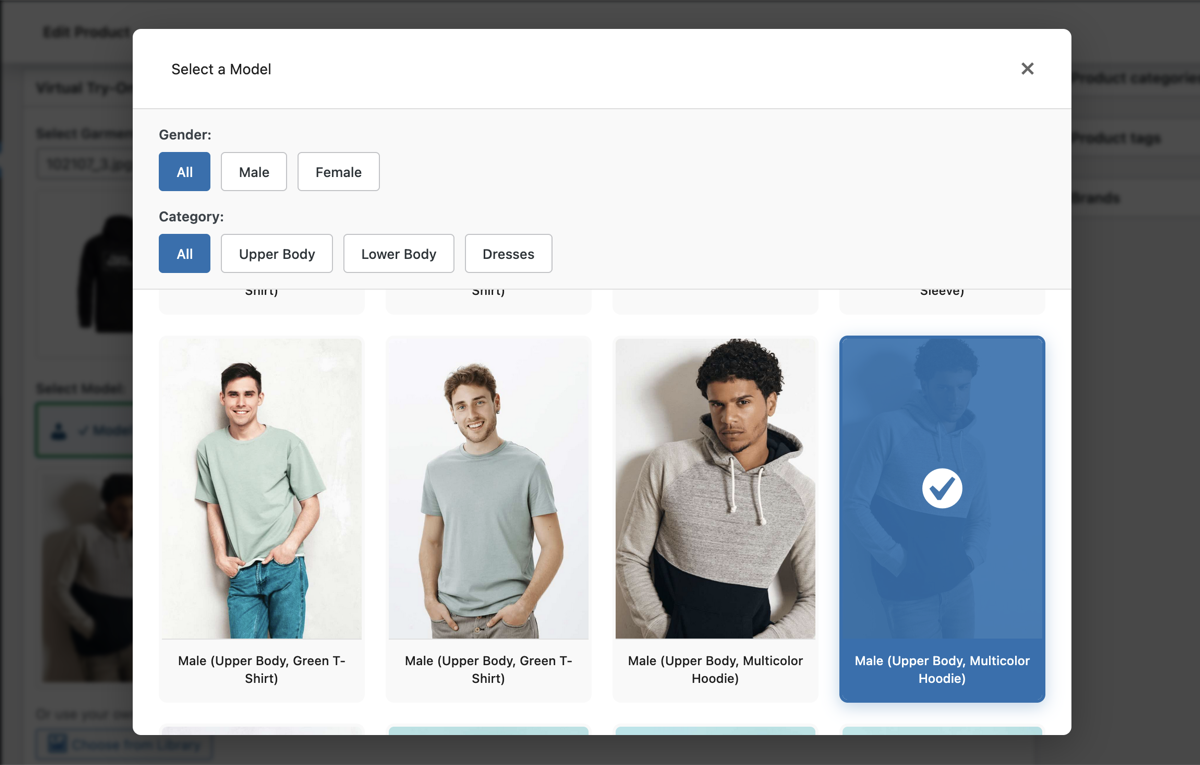
- 🎨 50 Default Models - Diverse selection of male and female models included
- 🔍 Category Filtering - Filter models by garment category (upper body, lower body, dresses) for easy browsing
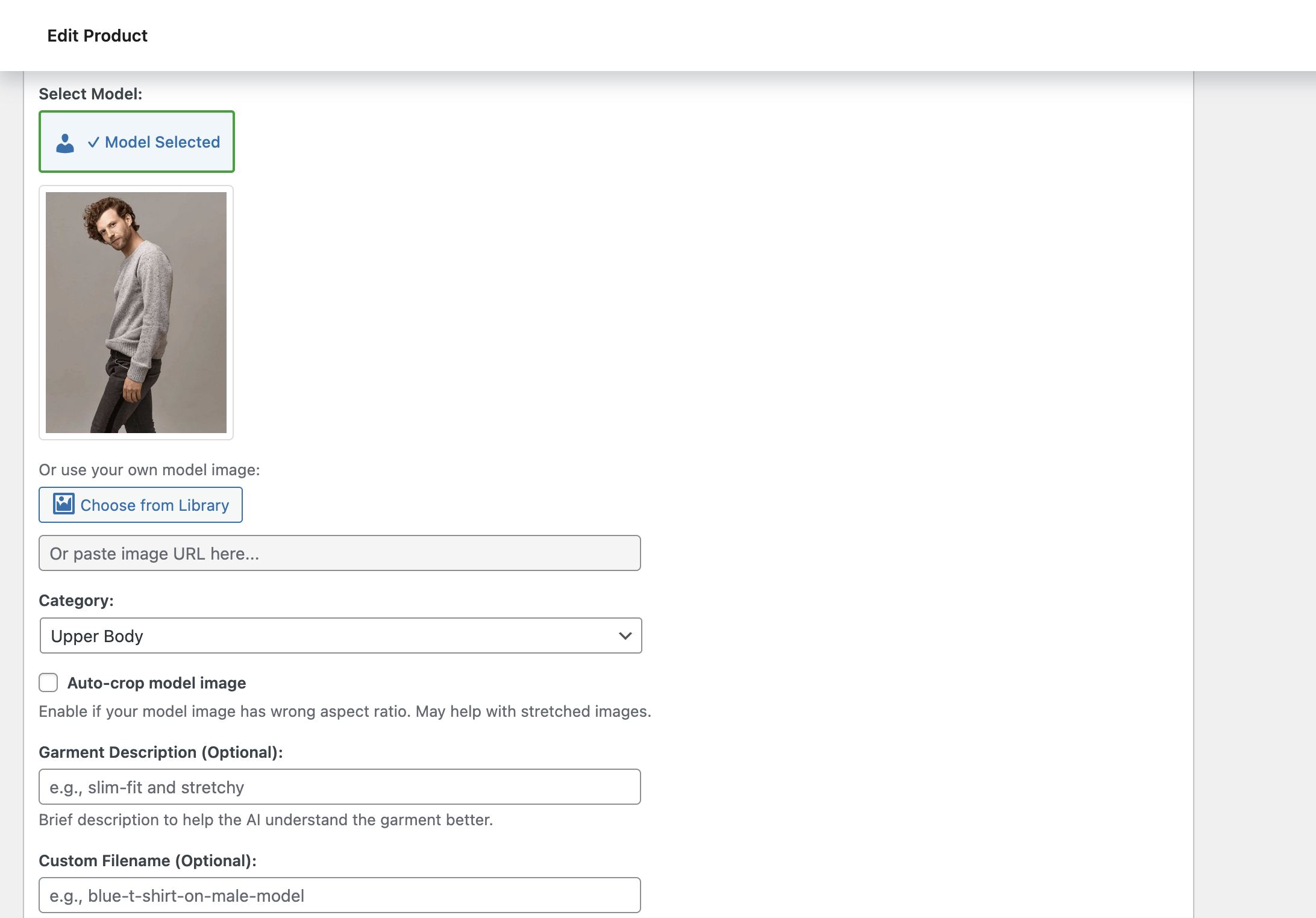
- 📸 Custom Models - Upload and use your own model images
- 🖼️ Gallery Integration - Add generated images directly to product galleries with one click
- ⚡ Fast & Reliable - Asynchronous processing with real-time status updates
- 🎯 User-Friendly - Intuitive admin interface built into product edit pages
- 📱 Modern UI - Clean, responsive design with inline notifications
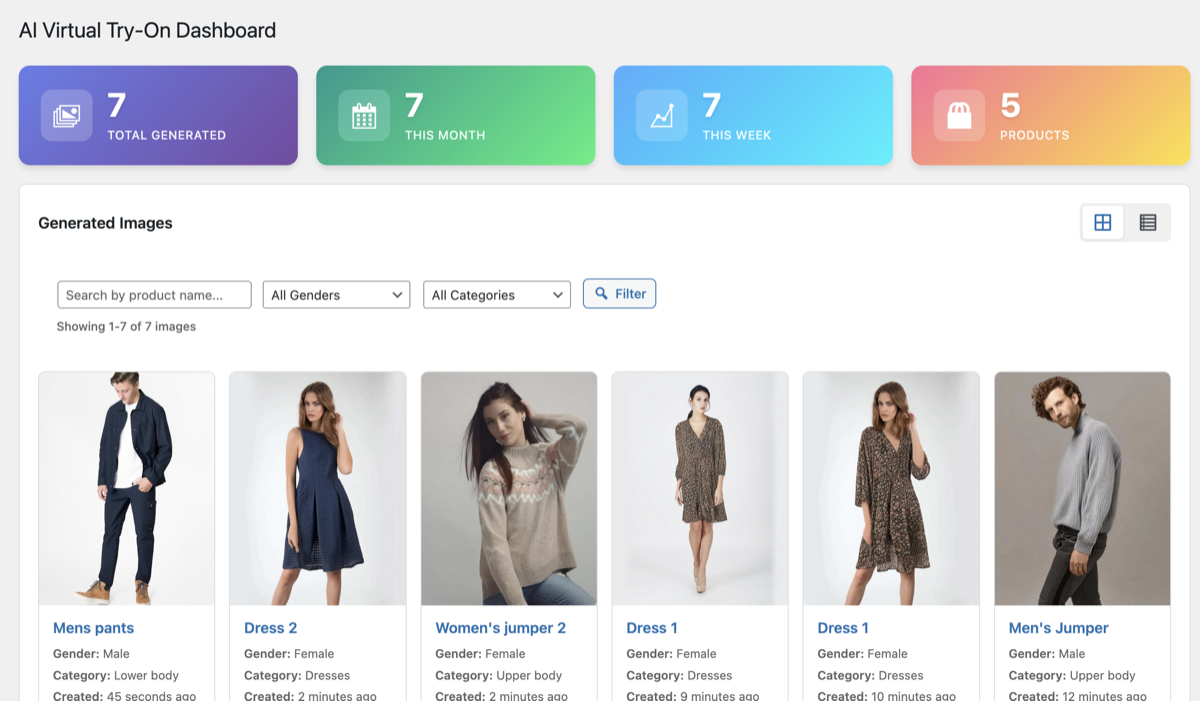
- 📊 Dashboard - Centralized view of all generated images and generation history
- Select a garment image from your product images
- Choose from 50 built-in diverse models or upload your own (filter by category for easy browsing)
- Select the garment category (upper body, lower body, or dress)
- Click generate and wait 1-5 minutes for AI processing
- Preview the result and add it to your product gallery
- Generate lifestyle images for new products without photoshoots
- Show how clothing looks on different body types
- Create diverse marketing materials quickly and affordably
- Reduce product returns by helping customers visualize fit
- Scale your product imagery without expensive photo sessions
- Active WooCommerce installation
- Replicate.com API key (sign up at replicate.com)
- Products with clear garment images
安装:
- Log in to your WordPress dashboard
- Navigate to Plugins → Add New
- Search for "AI Virtual Try-On for WooCommerce"
- Click "Install Now" and then "Activate"
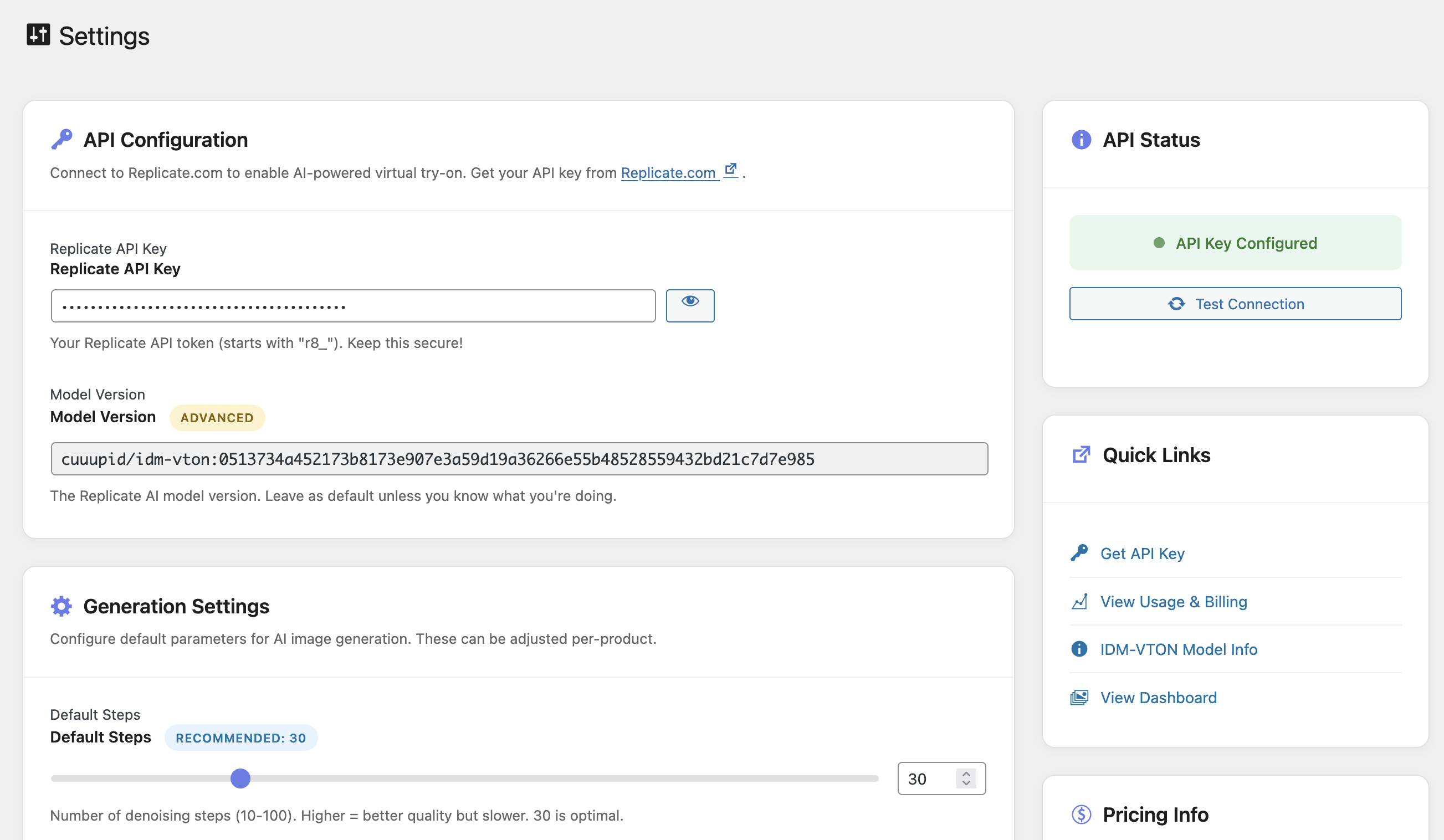
- Go to Virtual Try-On → Settings and add your Replicate API key
- Download the plugin ZIP file
- Log in to your WordPress dashboard
- Navigate to Plugins → Add New → Upload Plugin
- Choose the ZIP file and click "Install Now"
- Click "Activate Plugin"
- Go to Virtual Try-On → Settings and add your Replicate API key
- Navigate to Virtual Try-On → Settings
- Enter your Replicate API key (get one at replicate.com)
- Configure default generation parameters (optional)
- Click "Test API Connection" to verify setup
- Start generating virtual try-on images from any product edit page!
屏幕截图:
常见问题:
Do I need a Replicate.com API key?
Yes, this plugin requires a Replicate.com API key to function. You can sign up for a free account at replicate.com and get your API key from the dashboard. Replicate charges per API usage.
How much does it cost to generate images?
The plugin itself is free, but Replicate.com charges approximately $0.01-0.02 per image generation. Pricing may vary, so check replicate.com for current rates.
What image formats are supported?
The plugin supports standard image formats including JPG, PNG, and WebP for both garment and model images.
Can I use my own model images?
Yes! While the plugin includes 50 diverse default models, you can upload and use your own model images. Models should be clear, full-body or upper-body shots on clean backgrounds.
How long does it take to generate an image?
Generation typically takes 1-5 minutes depending on Replicate.com's server load and image complexity. The process runs asynchronously, so you can continue working while it generates.
What garment categories are supported?
Currently supports:
- Upper body (shirts, t-shirts, sweaters, jackets)
- Lower body (pants, shorts, skirts)
- Dresses (full-body garments)
Can I add generated images to my product gallery?
Yes! Once an image is generated, you can add it to your product's gallery with a single click directly from the generation interface or from the Dashboard.
What happens if generation fails?
If generation fails, you'll see an error message. Common issues include invalid API keys, unsupported image types, or Replicate.com service issues. Check the error message for details.
Is there a limit to how many images I can generate?
There's no limit imposed by the plugin. Your only limitation is your Replicate.com account usage and budget.
Can I use this for products other than clothing?
The AI model is specifically trained for garment try-on and works best with clothing items. Using it for other product types may produce unpredictable results.
更新日志:
- Improved API key sanitization to preserve special characters in tokens
- Added whitelist validation for category field
- Added range validation for steps parameter
- Fixed privacy policy description for clarity
- Fixed support forum URL placeholder
- Added Requires Plugins header for WooCommerce dependency
- Verified text domain consistency throughout plugin
- Initial release
- AI-powered virtual try-on using Replicate.com's IDM-VTON model
- 50 built-in diverse model images
- Category filtering for easy model browsing (upper body, lower body, dresses)
- Support for upper body, lower body, and dresses
- Full body models work for both upper and lower body garments
- Custom model upload capability
- Product gallery integration
- Centralized dashboard for generated images
- Real-time generation status updates
- API connection testing
- Asynchronous image generation