AICOSO Wishlist for WooCommerce
| 开发者 | aicoso |
|---|---|
| 更新时间 | 2026年9月23日 01:56 |
| PHP版本: | 7.4 及以上 |
| WordPress版本: | 7.1 |
| 版权: | GPLv3 or later |
| 版权网址: | 版权信息 |
详情介绍:
- Save products for a future purchase
- Compare products before deciding
- Keep track of favorite products
- Save a particular size, color, or other product variation
- Plan gifts or purchases for an occasion
- Share product ideas with friends or family
- Return to products on a later visit
- Save for later - Shoppers can keep products without adding them to the cart immediately.
- Product comparison - Customers can collect products they want to compare before purchasing.
- Favorite products - Visitors can keep a list of products they want to revisit.
- Gift lists - Customers can organize and share products for birthdays, holidays, and other occasions.
- Variable products - Shoppers can save the selected variation of a WooCommerce product.
- Shopping planning - Customers can create separate wishlists for different future purchases.
- Shared decisions - A wishlist link can be shared with another person before a purchase is made.
- Return visits - Saved products give shoppers a direct way to find products they previously selected.
安装:
- In your WordPress admin area, go to Plugins > Add New.
- Search for "AICOSO Wishlist".
- Select AICOSO Wishlist for WooCommerce.
- Click Install Now.
- Activate the plugin.
- Review the plugin settings and configure the wishlist experience for your store.
- Download the plugin ZIP file.
- In WordPress, go to Plugins > Add New > Upload Plugin.
- Select the ZIP file.
- Click Install Now.
- Activate AICOSO Wishlist for WooCommerce.
- Review the available wishlist settings.
- Extract the plugin ZIP file.
- Upload the
aicoso-wishlist-for-woocommercefolder to/wp-content/plugins/. - Activate the plugin from the Plugins screen in WordPress.
- Review the wishlist settings.
屏幕截图:
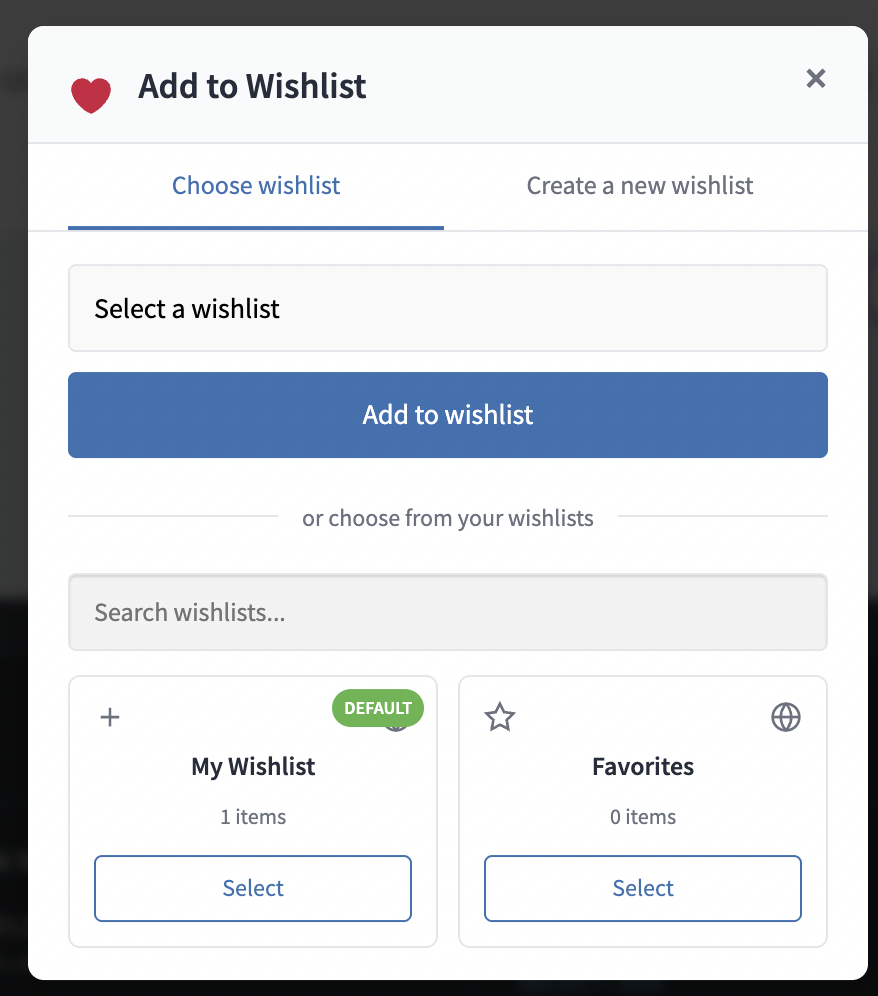

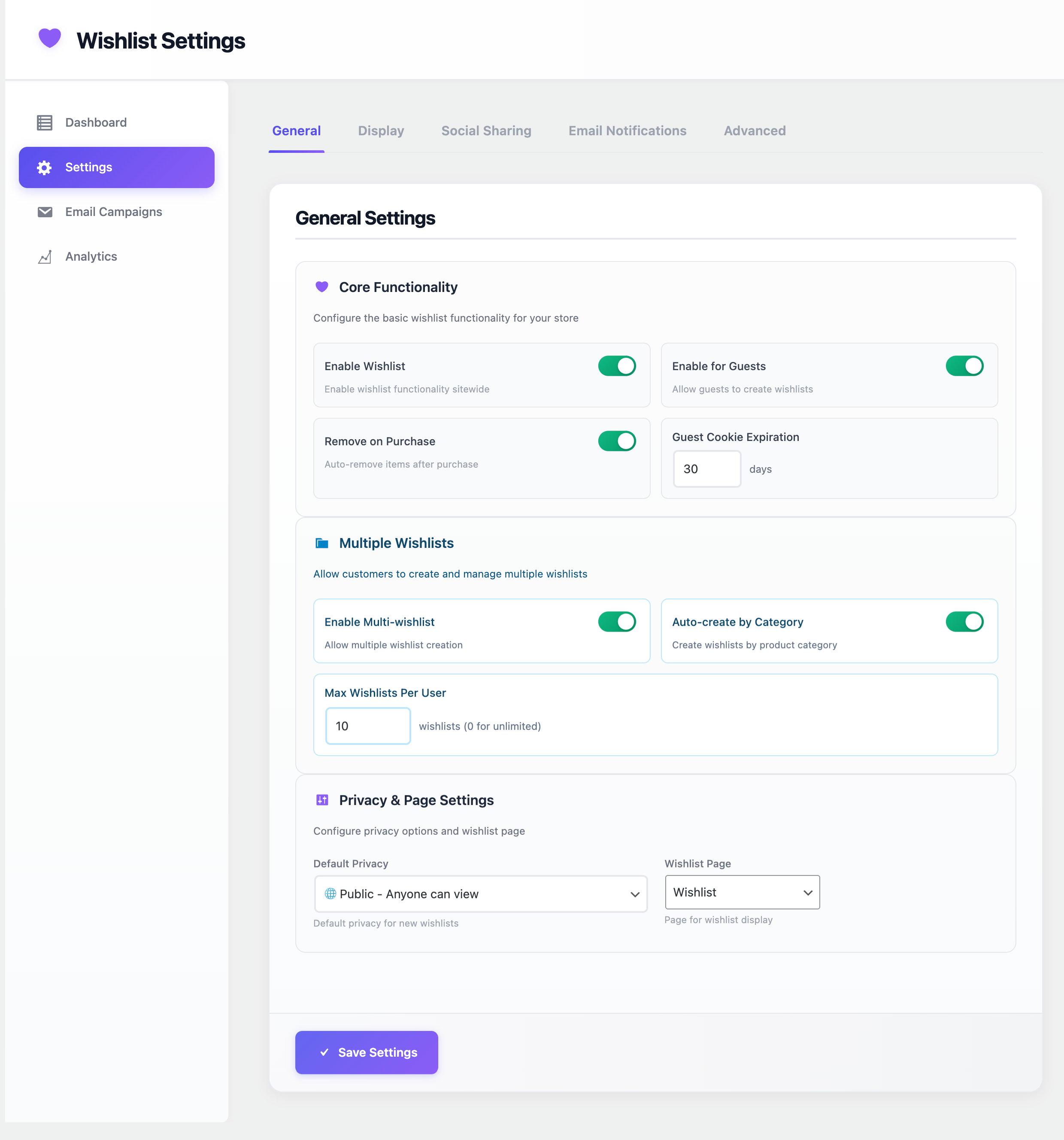


常见问题:
What is a WooCommerce wishlist plugin?
A WooCommerce wishlist plugin lets customers save products they are interested in so they can find them again later. Depending on the available features, customers may also organize saved products, share wishlists, save product variations, and add wishlist items to the cart. AICOSO Wishlist for WooCommerce provides this functionality for WordPress stores using WooCommerce.
How do I add a wishlist to WooCommerce?
Install and activate AICOSO Wishlist for WooCommerce from the WordPress plugin directory or upload the plugin manually. After activation, review the plugin settings and configure the wishlist functionality for your WooCommerce store.
Can WooCommerce customers save products for later?
Yes. AICOSO Wishlist lets shoppers save WooCommerce products to a wishlist so they can return to them later.
Can guests use the WooCommerce wishlist?
Yes. Guest visitors can save products without creating an account first. Guest wishlist information can later be associated with the shopper when they register.
Can registered customers create multiple wishlists?
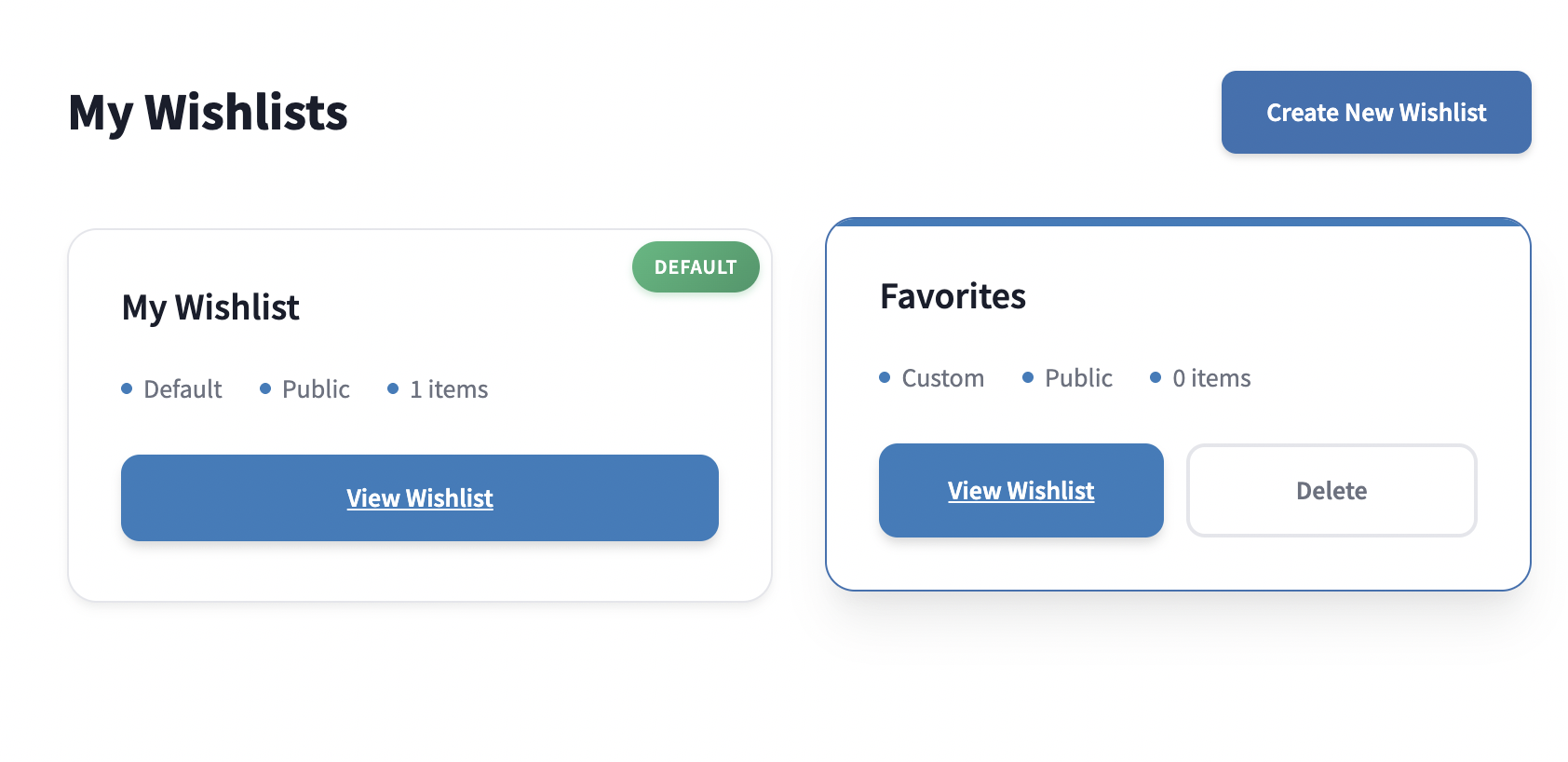
Yes. Registered customers can create and manage multiple wishlists to organize saved products for different purposes.
Can customers share their WooCommerce wishlist?
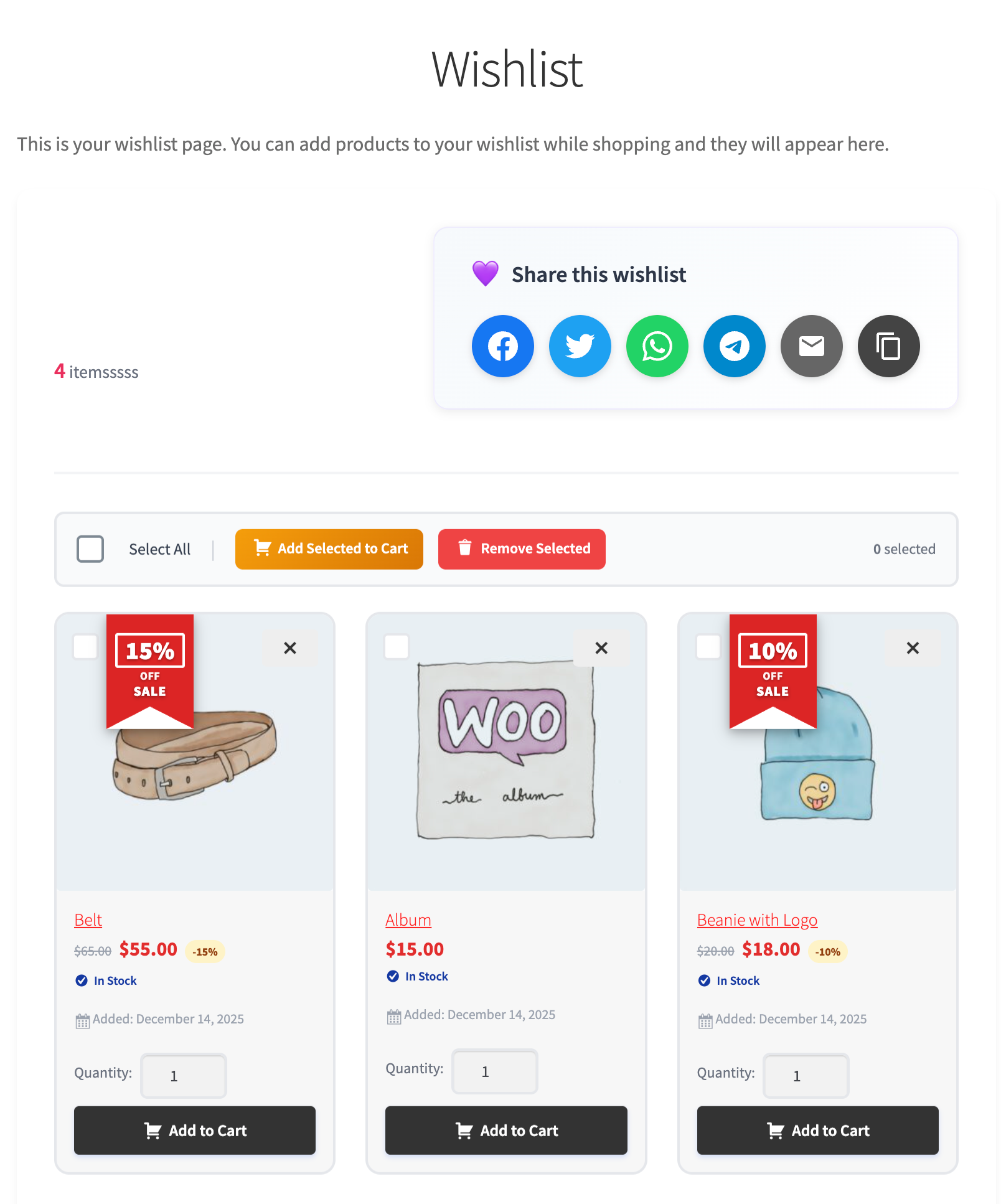
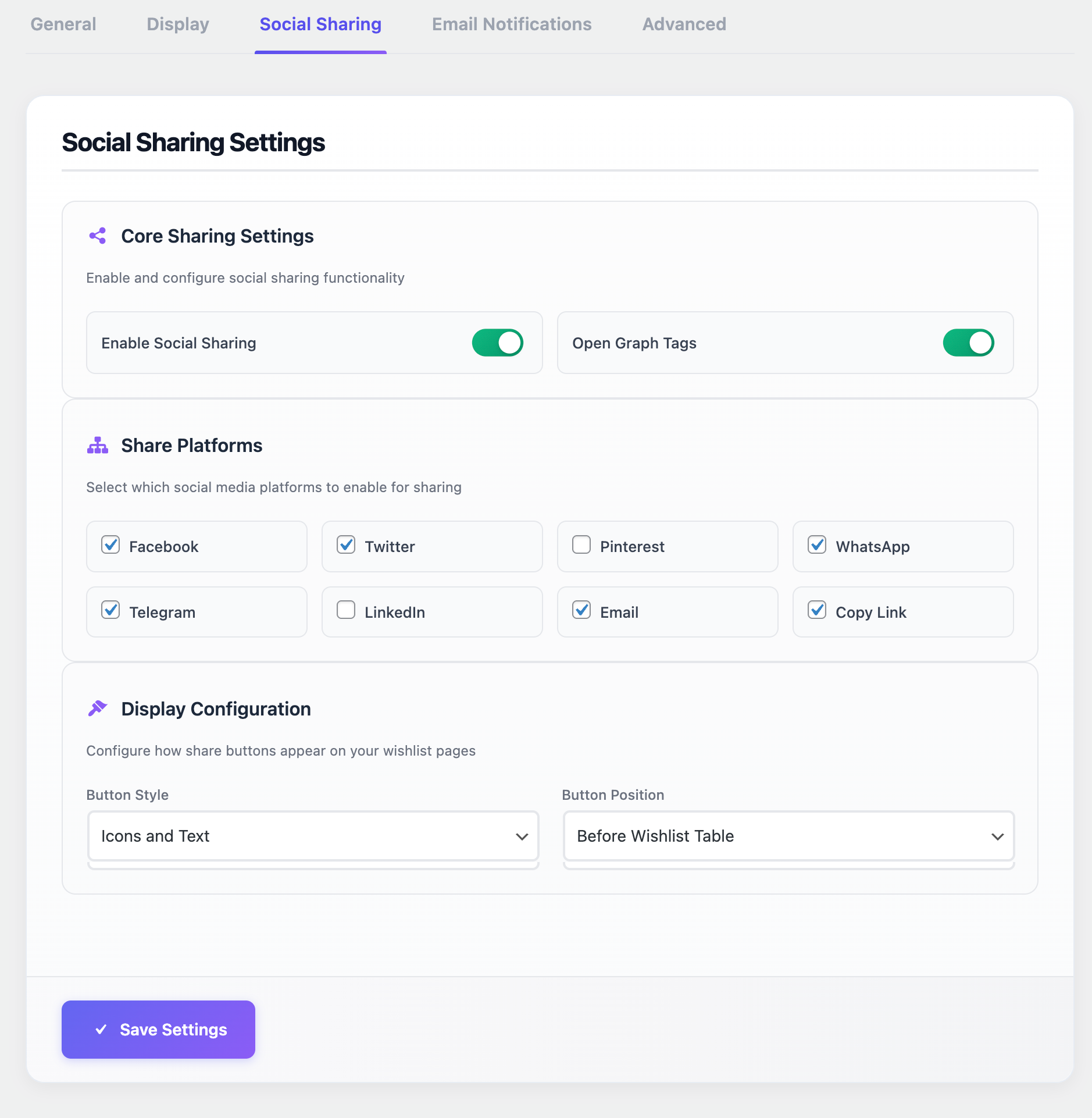
Yes. Wishlists can be shared using a direct link and supported social-sharing options.
Does the wishlist support WooCommerce variable products?
Yes. Customers can save selected WooCommerce product variations, including available attributes such as size or color.
Can customers add wishlist products directly to the cart?
Yes. Products can be added to the WooCommerce cart from the wishlist.
Does AICOSO Wishlist support WooCommerce Blocks?
WooCommerce Blocks compatibility is included in the current AICOSO Wishlist release. Because WordPress, WooCommerce, themes, blocks, and extensions change over time, test important store workflows in a staging environment when making major updates.
How do wishlist price-drop notifications work?
AICOSO Wishlist includes price-drop notifications for saved products. These notifications can inform customers when a product they have saved goes on sale.
Does the plugin include wishlist reminder emails?
Yes. The plugin includes reminder-email functionality for wishlist products.
Does the plugin provide wishlist analytics?
Yes. The plugin includes an analytics dashboard for reviewing wishlist activity and interest in saved products.
Where is wishlist information stored?
Wishlist information is stored in your WordPress environment. Guest wishlist functionality may use browser cookies or temporary browser/session information to maintain a shopper's wishlist before registration.
Is AICOSO Wishlist GDPR compliant?
Privacy and data-protection compliance depends on the complete configuration of your website, the services you use, your legal obligations, and how you process personal information. AICOSO Wishlist stores wishlist information for its functionality, and guest wishlist functionality may use cookies or temporary browser/session data. When customers voluntarily use a social-sharing feature, information required for that action may be handled by the selected third-party service. Site owners should document applicable wishlist data and cookies in their own privacy information where required and review their site's configuration for the jurisdictions in which they operate.
Does the plugin work with every WooCommerce theme and extension?
AICOSO Wishlist is designed for WooCommerce stores, but WordPress themes and WooCommerce extensions can change templates, product interfaces, AJAX behavior, and other frontend functionality. For stores with heavily customized themes or complex extension stacks, test wishlist workflows in a staging environment before deploying major changes to production.