
AIM Transparency - AI Disclosure for EU AI Act
| 开发者 | itsnothuman |
|---|---|
| 更新时间 | 2026年10月23日 13:29 |
| PHP版本: | 7.4 及以上 |
| WordPress版本: | 7.1 |
| 版权: | GPLv2 or later |
| 版权网址: | 版权信息 |
详情介绍:
- Say how it was made. Pick a source type from the dropdown on the image in your Media Library: AI Generated, AI Modified, or one of the honest non-AI answers. One image at a time, or a hundred at once with the bulk action.
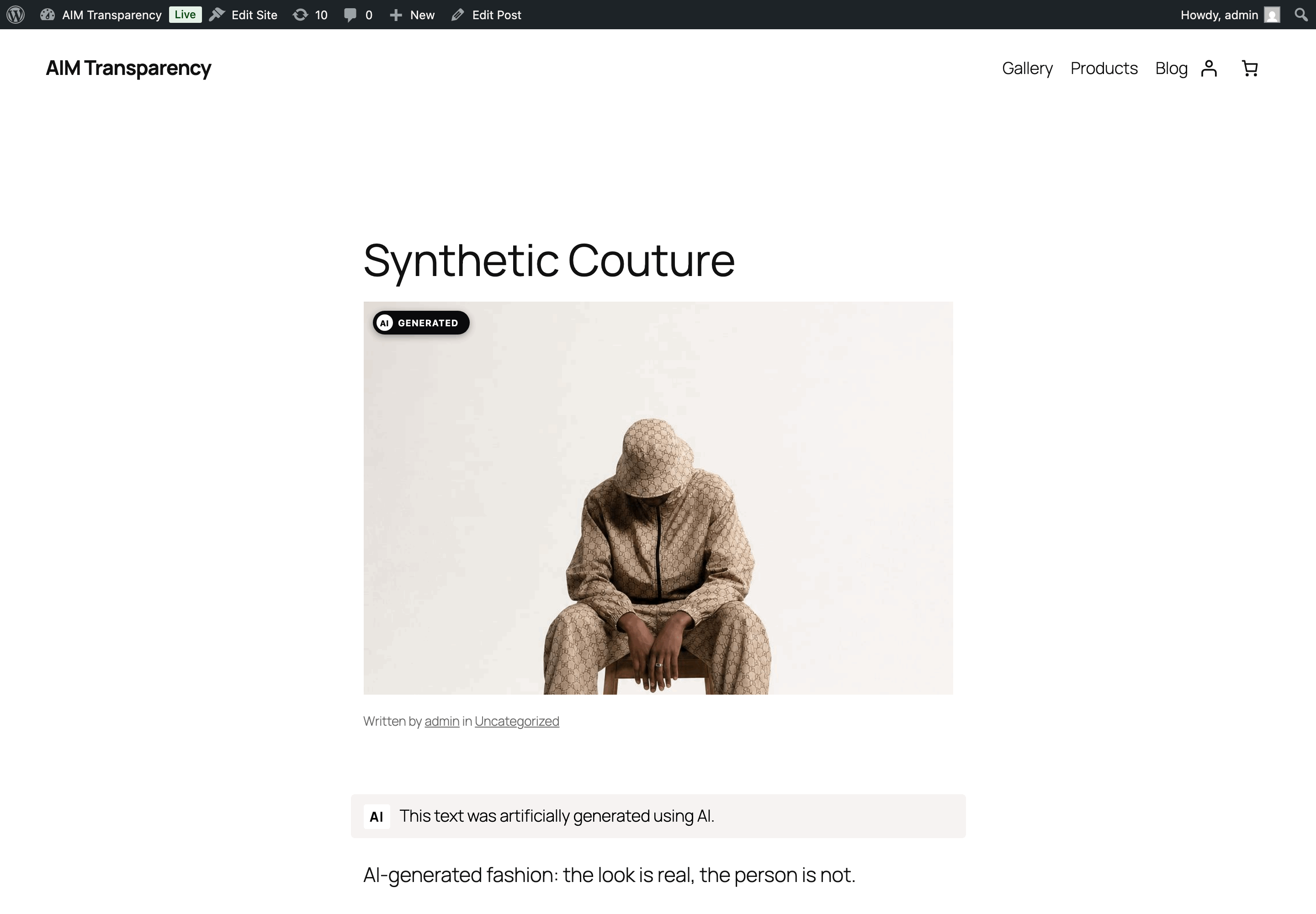
- Your visitors see a badge. A small "AI Generated" label appears on that image wherever it is shown, inside your own theme's layout.
- The file carries the mark. The same answer is written into the image file as standard IPTC provenance, and onto the page as schema.org JSON-LD.
- Flag images as AI Generated or AI Modified, one at a time or in bulk, with an "AI" column in the Media Library.
- Or record that an image is not AI: Camera Photo, Human Created and Composite write the matching IPTC value, with no badge.
- The badge renders on galleries, portfolio grids, masonry, featured images, content images, and block and FSE themes.
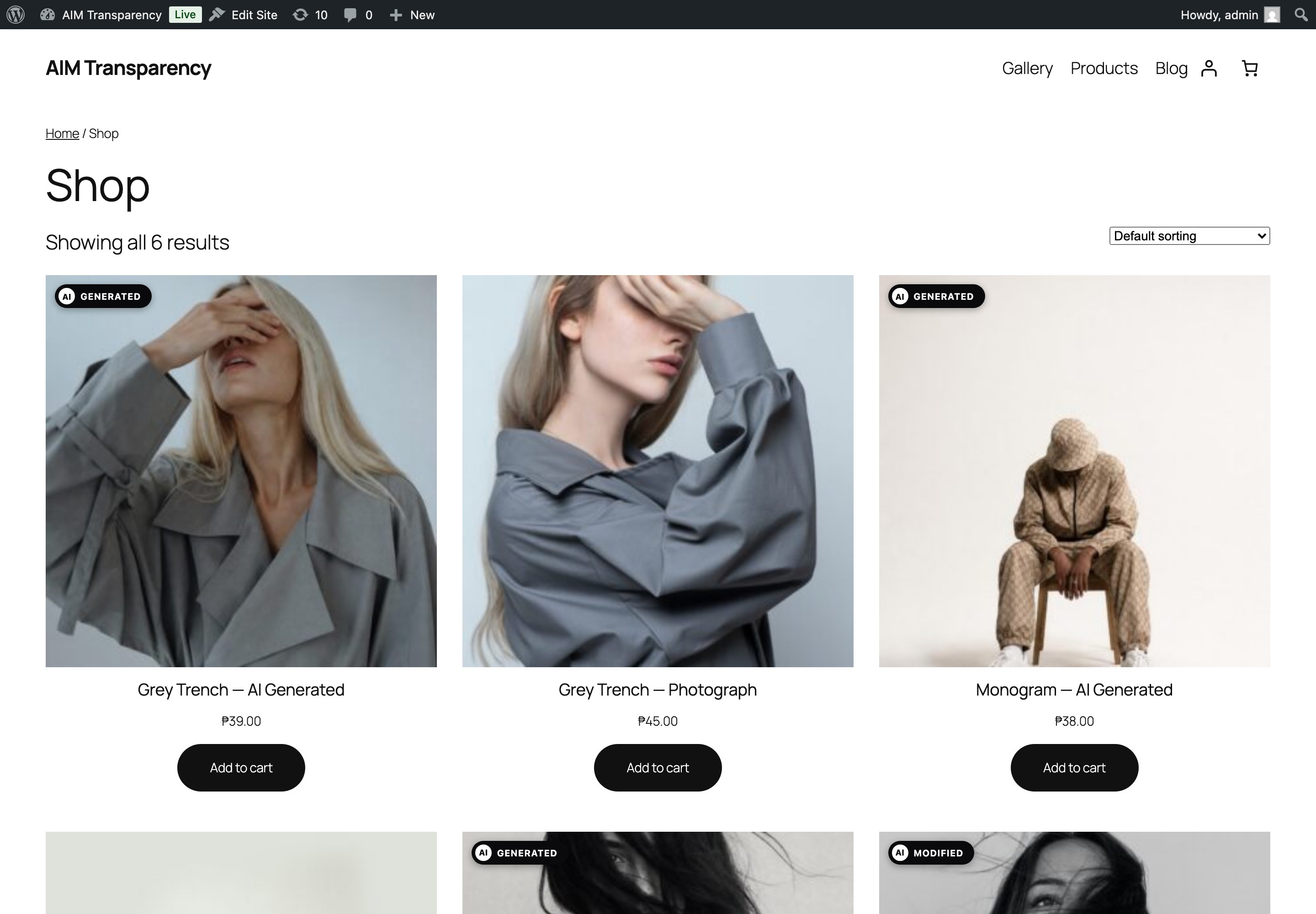
- WooCommerce is covered: shop grids, the single-product gallery, cross-sells, and the image that swaps in when a buyer picks a variation.
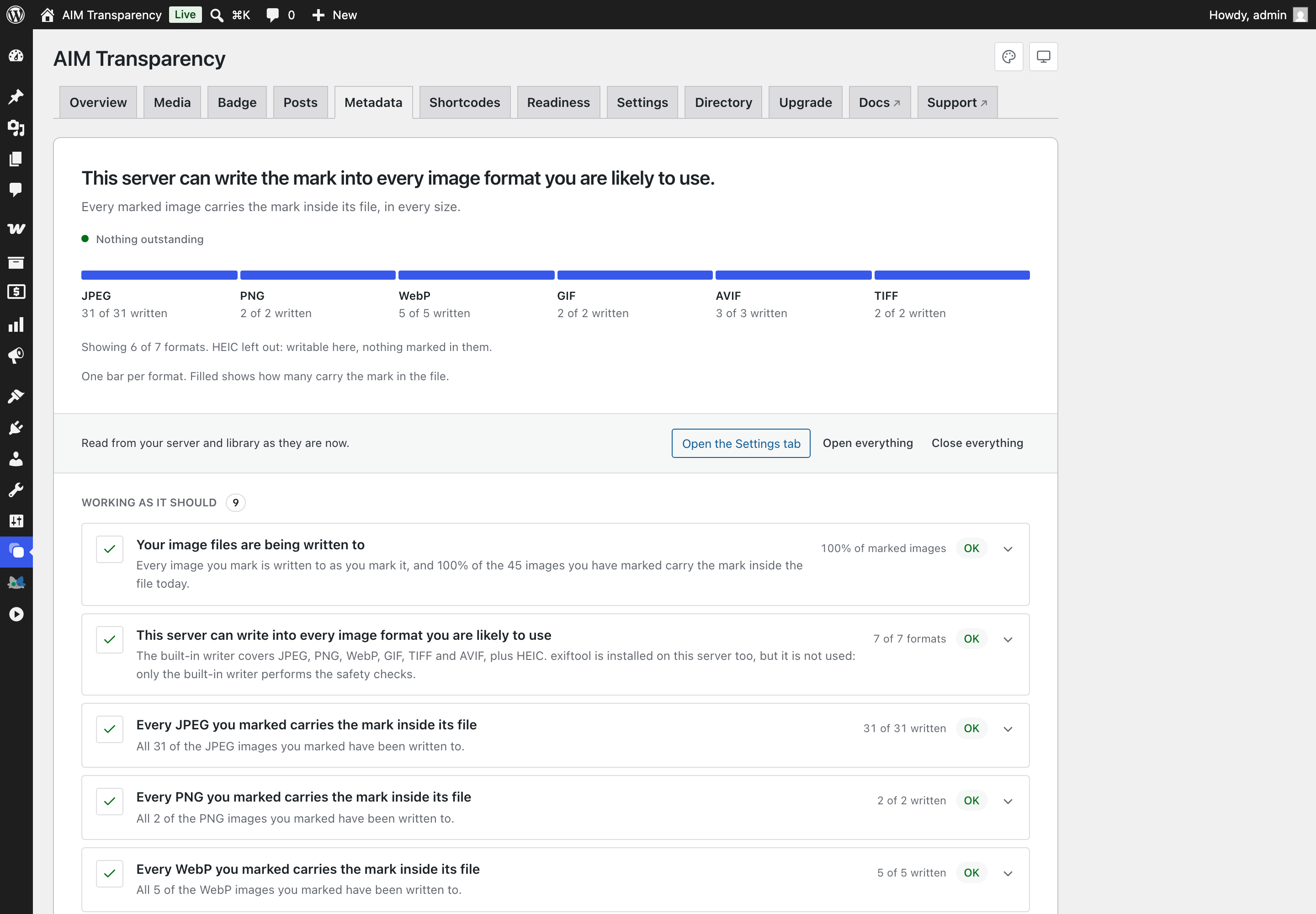
- Every image format WordPress accepts is written with nothing installed: JPEG, PNG, WebP, GIF, TIFF, AVIF and HEIC. No server tools, no command line, nothing to ask your host for. Every generated thumbnail is marked, not just the original.
- 22 official EU languages, following your site language, with nothing to configure.
- A chatbot notice for Article 50(1), which covers AI that talks to people rather than AI that makes pictures.
- Detection finds what you have missed: it reads your unflagged images for AI provenance and names the AI tools running on your site, all on your own server.
- A compliance record: export a CSV of every disclosed image, alongside an Article 4 AI-literacy checklist you fill in yourself.
- Disclose AI-written text under Article 50(4), recorded per post in the block or classic editor, with the human-review exemption worked out rather than claimed.
- Disclosure shortcodes for written content, where there is no image for a badge to sit on.
- Badge Studio designs the badge without CSS: 12 shapes, your own colours, border, rounding and shadow, per-type wording, your own logo inside the badge, and an optional panel that opens when a visitor clicks it. All of it free.
- Three dashboard themes, including one that matches WordPress admin, so the plugin looks like part of your site.
wpml-config.xml, which Polylang and WPML both read: it marks the source-type fields to be copied to translations, and exposes any badge or notice wording you have typed yourself for string translation. Leave that wording empty and the built-in text is used, already translated into 22 languages.
WPML is not tested yet. The integration uses WPML's own documented API and configuration file, so it is built for it, but we have not run it against a real WPML install and will not claim it works until we have. Using WPML? Tell us how it goes: support@aimtransparency.com.
Legal note
The EU AI Act (Regulation (EU) 2024/1689) has applied since 2 August 2026. Article 50 asks deployers publishing AI-generated or AI-manipulated content to disclose it clearly, in a way a person can notice. If your site displays AI images you are the deployer, not your AI vendor. The image duty is aimed at content that would pass as real people, places or events; whether yours is in scope, and how you word the disclosure, remain your decisions.
This plugin is tooling for that duty. It is not legal advice. Whether your content is in scope, what counts as a deepfake, and how you word your disclosure remain your decisions. If the answer matters to your business, consult a legal professional.
Who it is for
Anyone publishing AI-generated or AI-edited visuals to an EU audience: blogs, news and magazine sites, agencies building client sites, shops using AI product photography, and portfolios. A small site is not exempt on size alone, and the Act reaches sites outside the EU whose content is seen by people in it.
Shortcodes
[aicl_disclosure]takestype(ai-generated,ai-edited,ai-assisted,chatbot) andstyle(inline,badge,banner), with an optionaltextoverride.[aicl_ai_notice]is the chatbot notice.[aicl_text_disclosure]places the Article 50(4) line by hand on a post you have marked, instead of letting it sit above or below automatically. It prints nothing on a post you have not marked, or on one the exemption covers.
- AI-generated:
http://cv.iptc.org/newscodes/digitalsourcetype/trainedAlgorithmicMedia - AI-edited composite:
http://cv.iptc.org/newscodes/digitalsourcetype/compositeWithTrainedAlgorithmicMedia - Algorithmic, not AI:
http://cv.iptc.org/newscodes/digitalsourcetype/algorithmicMedia - Camera photo:
http://cv.iptc.org/newscodes/digitalsourcetype/digitalCapture - Human created:
http://cv.iptc.org/newscodes/digitalsourcetype/digitalCreation - Composite of non-AI elements:
http://cv.iptc.org/newscodes/digitalsourcetype/composite
directory.aimtransparency.com lets you list your site publicly as one that discloses AI. It is off by default, nothing is shared without your explicit consent, and you can remove the listing whenever you like. See "External services" below.
A free site checker at https://aimtransparency.com/checker reads any URL's public code and lists the chatbots and generators it finds, grouped by the article that applies. No signup.
Built by itisnothuman, a small independent studio: https://itisnothuman.com . Docs at https://aimtransparency.com , guides at https://aimtransparency.com/guides/ .
安装:
- Upload the plugin to
/wp-content/plugins/, or install it from the Plugins screen in wp-admin. - Activate the plugin.
- Open the AIM Transparency menu, flag images in the Media Library (single, bulk action, or the per-image control), and configure the badge in Settings. The badge and machine-readable metadata are on by default; switch the badge to the official EU AI-content icons in Badge settings if you prefer them.
屏幕截图:




常见问题:
Is it really free?
Yes, everything in this plugin is fully functional, nothing is locked. Flagging, the visible badge with all its styles and shapes (including the click-to-disclose modal and a custom logo), the in-dashboard media library, IPTC/XMP embedding for every supported format, JSON-LD, the AI-assistant notice, the AI-on-your-site detection card, and the CSV compliance export are all free. A separate, optional AIM Transparency Pro add-on (sold on our site, not hosted here) adds its own features on top: automatic flagging on upload, a library scanner (strip-guard plus retroactive discovery of provenance your files already declare), additional report export formats (a print-ready report you can save as PDF, plus JSON, Markdown & TXT), and a WooCommerce gallery cover for themes that replace WooCommerce's own gallery template.
Does the badge satisfy the law on its own?
The visible badge addresses the deployer's human-visible disclosure (Art. 50(4)); the embedded metadata addresses machine-readability. Both are on by default.
Can I change how the badge looks?
Yes, and without writing any CSS. Badge Studio is on the plugin's Badge screen. Choose the official EU icons, the built-in AIM label, or Custom, which gives you twelve shapes, your own colours, border, rounding and shadow, the wording for each source type, your own logo inside the badge, and an optional panel that opens when a visitor clicks it. If you need something the studio cannot make, every part of the badge has a stable class name and the plugin publishes its design as CSS custom properties. There is a guide for that, including the specificity trap that makes correct-looking CSS do nothing: https://aimtransparency.com/guides/style-the-ai-badge-with-css
Will it work with my theme?
It hooks WordPress's own image and template filters, including render_block for block/FSE themes, so any theme using standard functions is covered. For themes that hardcode <img> tags, enable Universal badge coverage in Settings.
Will it modify my files?
When file embedding is on, it writes XMP into flagged image files (and every generated size). It is idempotent. Turn it off to use the visible badge + JSON-LD only.
My host has no exiftool.
It does not need one. Every format the plugin supports, including WebP, AVIF and the HEIC photos an iPhone produces, is written by the built-in PHP writer. Since 2.2.1 exiftool is not used at all, even where a host has it, because only the built-in writer performs the safety checks that leave an iPhone photo or an awkward HEIC alone. The Metadata screen shows your current capability.
What are the shortcodes for?
Disclosure is not only for images. [aicl_disclosure] places a labelled notice anywhere shortcodes run, so you can disclose AI-assisted writing, a generated hero image, or a chat widget in your own words and in the exact spot you choose. Pick a type (ai-generated, ai-edited, ai-assisted, chatbot) and a style (inline, badge, banner). [aicl_ai_notice] is the dedicated chatbot notice.
Does it detect chatbots as well as images?
Yes. The Detection card matches your site against a registry of 672 AI systems and separates them by duty: chatbots and assistants fall under Article 50(1), which asks you to tell visitors they are talking to an AI, while image and content generators fall under 50(2), which asks you to label the output. It reports which tools are present, not that any specific image or message is AI.
Does Detection send my site anywhere?
No. It reads your active plugin list and fetches your own front page over a local loopback request, both on your server. Nothing is sent to any third party, and the result is cached so it does not run on every page load.
The translation in my language reads wrong.
Tell us and we will fix it: support@aimtransparency.com. The translations were made with AI assistance and every visitor-facing string was checked against the EU AI Act's own language versions, but not by a native speaker of all 22. A correction from someone who actually speaks the language is the most useful thing you can send us.
Can I check a site before installing anything?
Yes. The free checker at https://aimtransparency.com/checker scans any URL you paste and lists the AI systems it finds. It reads public page code only, never your files.
更新日志:
- Fixed: uninstalling left a site listed in the public directory with no way to remove it. Opting into the directory stores a token that lets a site ask to be delisted; uninstalling deleted that token without ever using it, so a site that had opted in stayed listed as verified permanently, with no self-service way out. Uninstalling now asks the directory to delist the site first. Sites that never opted in are unaffected.
- Changed: the Pro add-on now asks this plugin which formats it can mark, instead of keeping its own list. Pro's library scanner held a separate list of writable formats, written before 2.2.0 taught the built-in writer WebP, GIF, TIFF, AVIF and HEIC. That list never moved, so on a server without exiftool the scanner skipped those formats as unmarkable while this plugin marked them perfectly well: the paid add-on found fewer images than the free plugin. There is one answer now, given by the code that does the writing, so the two cannot drift apart again. Nothing changes for anyone running the free plugin on its own. Requires Pro 1.2.8.
- Fixed: on servers with exiftool installed, none of the safeguards added in 2.2.0 were running. The plugin used to hand the writing to exiftool wherever a host had it, and that handover happened before any of the checks the built-in writer performs. On those servers three things went wrong quietly: a photo containing more than one image, which is what an iPhone produces, was rewritten instead of being left alone; a HEIC whose internal layout the plugin cannot safely rewrite was modified instead of being declined; and marking an image a second time added a second, contradictory record beside the first rather than replacing it. The built-in writer now does the writing on every server, so every check applies everywhere. Nothing on your site needs repairing: an image marked twice can simply be marked once more, which now replaces both.
- Fixed: the check that tells you whether the mark reaches your visitors never ran. It was built in 2.2.0 and nothing started it, so it always reported that it had not run. It now runs once a day on its own, and the Metadata screen says what it found: arriving intact, being stripped in delivery, or could not be checked. Where it recognises what stripped it, such as Cloudflare Polish, it names it.
- Fixed: on servers without exiftool the Metadata screen said four formats could not be marked, while marking them. The screen kept a list of which formats the built-in writer could reach, and that list was never updated when the WebP, GIF, TIFF and AVIF writers arrived. So the servers this release was written for were told to ask their host to install a tool nothing needs. The list now matches what the plugin actually writes, and HEIC appears on that screen for the first time.
- Fixed: in PNG files the mark was written after the image data instead of before it. The PNG format allows either, and every reader we tested found it, but the convention is to put it ahead of the pixels and some readers only look there. Marks written before this update are still valid; re-marking a PNG moves it to the usual place.
- Fixed: the Metadata screen could say this server can only write JPEG and PNG. That was true before 2.2.0 and false afterwards. It now describes what the built-in writer actually covers, and no longer asks you to contact your host about a tool nothing needs.
- New: every image format is marked without exiftool. The mark used to need a command-line tool most shared hosts do not have, so on those servers WebP images could not be marked at all, and the plugin said so rather than pretending otherwise. WebP, GIF, TIFF, AVIF and HEIC are all now written by the built-in PHP writer, so a plain shared host covers the whole library. HEIC matters for anyone publishing photographs straight from a phone. WebP matters most: it is the format WordPress increasingly delivers, and it was the largest gap in what the free plugin could cover. Image data is copied through untouched in every case, so nothing is re-compressed and no quality is lost.
- New: the plugin can now tell when something between your server and your visitors is destroying the mark. Some CDN features and image optimisers re-compress images after the plugin has written to them, which quietly removes the embedded mark on its way to the reader. The plugin used to report those images as marked, because from the server they are. It now fetches one of your own images the way a visitor would and reads what actually arrives, so a mark that is not reaching anyone is reported as exactly that. Your visible badge and the note in your page code are unaffected either way.
- Improved: images you marked before this update are re-checked automatically. Where a format could not be written on your server, that was recorded against each image at the time. Those records do not revisit themselves, so a library marked before this update would have gone on reporting that its WebP or GIF files were skipped, on a version that now writes them without difficulty. The plugin now revisits them in the background after updating, a small batch per admin page load, and reports what is actually true.
- Improved: images re-compressed by ShortPixel, Imagify, Smush or EWWW are marked again automatically. Those plugins optimise on their own schedule, often minutes after an upload, and the mark was lost until the next library scan noticed. The plugin now listens for each of them finishing and rewrites the mark straight away.
- Fixed: a settings update naming only some badge types could reset the rest. The badge is shown or hidden per source type, and each type can carry wording of your own. An update sent to the plugin's REST API mentioning only some types was read as the full picture, so every type it left out was recorded as hidden and any wording set on it was cleared. Each type is now merged into what is already stored. Badge Studio has always sent every type, so a site changed through the dashboard was never affected.
- Fixed: an incomplete request to the readiness API could clear your Article 4 record. The AI-literacy checklist is saved through the plugin's REST API. A request naming only some items, or none at all, was read as the whole record, so everything it left out was recorded as unticked and its note cleared. Items are now merged into what is already stored, and a request carrying no items is refused outright. The Readiness screen has always sent all nine items, so a record kept through the dashboard was never affected.
- Improved: the dashboard tabs now follow the order of the work. Media comes straight after Overview, so the part that runs on its own comes first, and Readiness, which is a record you fill in by hand, sits with the settings instead of second in the list.
- Fixed: a fatal error when marking images on hosts without
getmypid(). Kinsta and some other managed hosts make that function unavailable, and 2.1.5 began calling it to build a unique temporary filename. On those hosts every attempt to write the mark into a file ended in "Call to undefined function getmypid()", so marking failed outright, including from the Media Library bulk action. The temporary name no longer depends on it, and uniqueness now rests on the random component, which is widened when there is no process id to pair it with. Reported by @comankey.
- Fixed: the official EU icon could be drawn with a border around it. A border width set for the custom badge was applied to the EU icon as well, painting a rectangle around artwork whose appearance is fixed by the disclosure standard. It was most visible on shop grids and galleries, where every badge wore one. The custom badge's own border is unchanged.
- New: the small dot the custom badge draws before its label can now be switched off in Badge Studio, for sites that want a plainer mark.
- Improved: setting your own logo hides that dot automatically, so the badge carries one mark instead of two.
- Fixed: the badge preview in the Media viewer and in Badge Studio now shows what your site actually shows. On the custom style it drew the small dot whether your settings called for one or not, and no preview ever drew your logo. Older releases are listed in full at https://aimtransparency.com/changelog. wordpress.org trims a long changelog, so only the recent entries are repeated here.