
Airkas Scroll Progress
| 开发者 | Airkas |
|---|---|
| 更新时间 | 2026年9月30日 13:07 |
| PHP版本: | 7.4 及以上 |
| WordPress版本: | 7.1 |
| 版权: | GPLv2 or later |
| 版权网址: | 版权信息 |
详情介绍:
Airkas Scroll Progress adds a lightweight reading progress indicator to your WordPress website.
The progress bar automatically updates as visitors scroll through a page, giving them a visual indication of their reading progress.
The plugin is designed to be simple, lightweight, and easy to configure.
安装:
- Upload the
airkas-scroll-progressfolder to the/wp-content/plugins/directory. - Activate the plugin through the Plugins menu in WordPress.
- Go to Airkas Scroll Progress in the WordPress admin menu.
- Enable the progress bar.
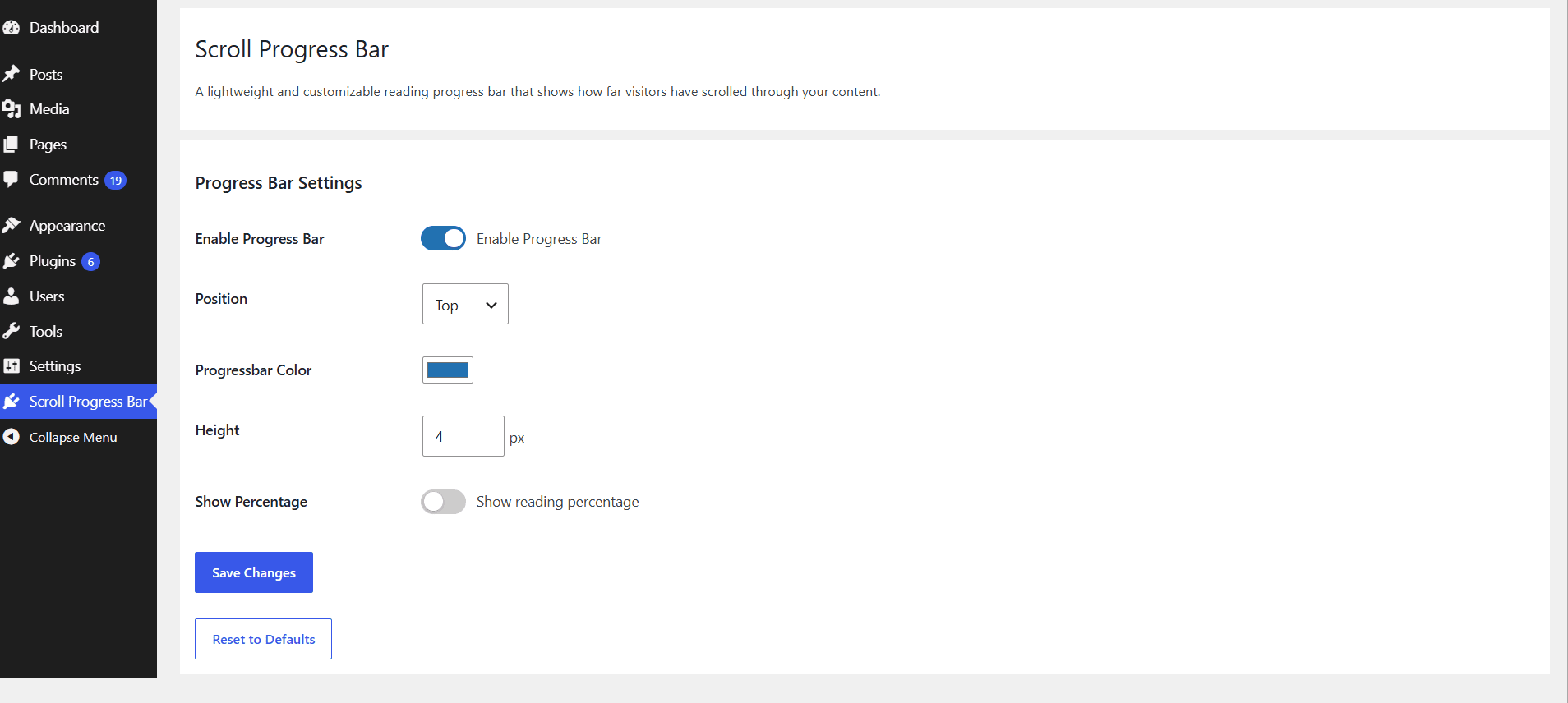
- Configure the position, color, percentage, and height.
- Click Save Changes.
屏幕截图:

常见问题:
Does the plugin work with block themes?
Yes. The plugin is designed to work with both classic WordPress themes and block themes.
Can I change the position of the progress bar?
Yes. You can display the progress bar at the top or bottom of the screen.
Can I change the color?
Yes. You can choose a custom progress bar color from the plugin settings.
Can I change the height?
Yes. You can customize the progress bar height in pixels.
Does the plugin use JavaScript?
Yes. JavaScript is used to calculate the visitor's scroll position and update the progress bar.
Does the plugin require jQuery?
No. The progress bar uses vanilla JavaScript.
更新日志:
1.0.0
- Initial release.
- Added enable/disable option.
- Added top and bottom position options.
- Added optional reading percentage display.
- Added custom color option.
- Added custom height option.
- Added support for classic and block themes.