Alt Audit - Bulk Alt Text Manager & Image SEO
| 开发者 | flance |
|---|---|
| 更新时间 | 2026年7月8日 14:05 |
| PHP版本: | 7.4 及以上 |
| WordPress版本: | 7.0 |
| 版权: | GPLv2 or later |
| 版权网址: | 版权信息 |
详情介绍:
- 100% Offline Generation: Works instantly on your server without connecting to any third-party services.
- Unlimited Bulk Processing: Scan your entire media library and generate alt text for hundreds or thousands of images simultaneously.
- Smart Customizable Templates: Automatically create descriptive alt text using dynamic variables like site name, page title, product title, and image filename.
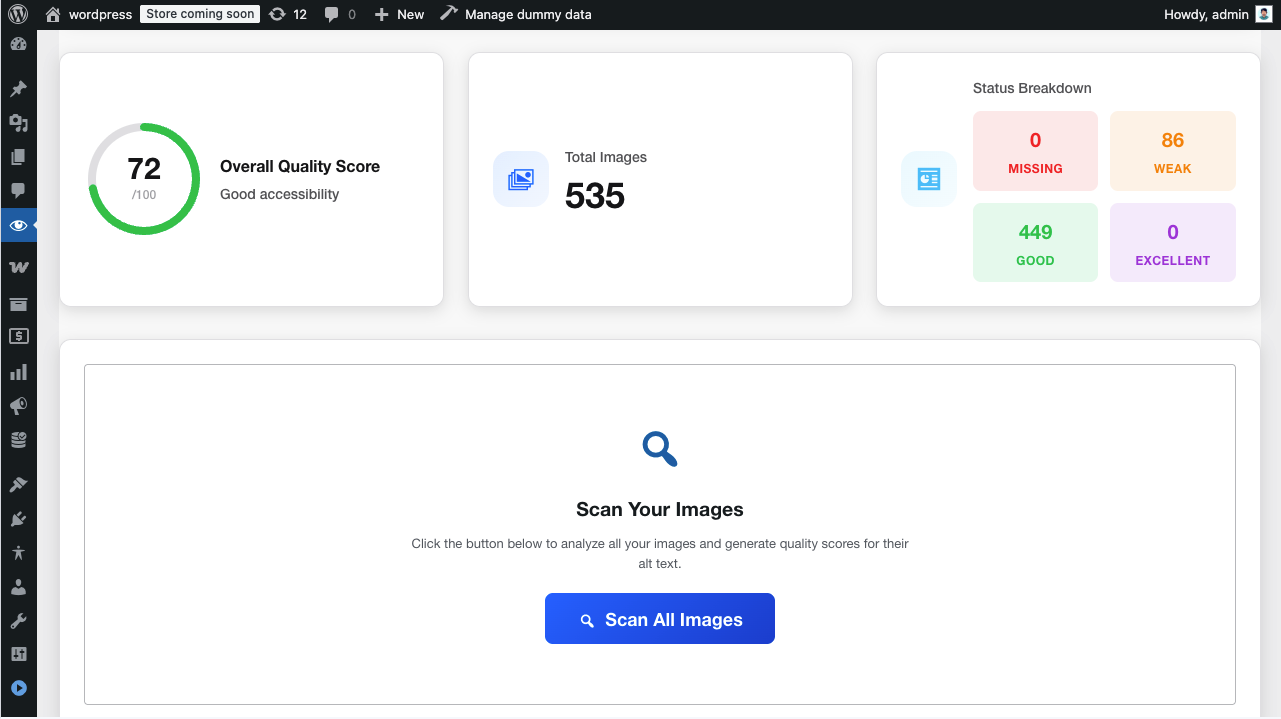
- 5-Status Quality Scoring: Instantly see which images have Missing (Critical), Decorative, Weak, Good, or Excellent alt text.
- Context-Aware Patterns: The plugin automatically adapts the generation rules whether it's a blog post, a WooCommerce product, or a custom post type.
- Computer Vision Analysis: Analyzes actual image content to generate natural language descriptions.
- 130+ Languages Supported: Automatically generate alt text in French, German, Spanish, Chinese, Russian, and over 100 other languages.
- SEO Keyword Integration: Seamlessly pulls focus keywords from Yoast SEO and Rank Math.
- Free Credits: New users get 25 free credits to test the AI capabilities.
- Gutenberg (Block Editor) Support: Real-time quality checking right inside your image blocks.
- Classic Editor Support: Meta boxes for content-specific auditing.
- Media Library Enhancements: Inline editing, quality indicators, and bulk actions directly in your standard media grid.
安装:
- Upload the plugin files to
/wp-content/plugins/alt-audit/or install through the WordPress plugins screen. - Activate the plugin through the 'Plugins' screen in WordPress.
- Go to Alt Audit > Settings to configure your free generation templates.
- Start bulk auditing and generating alt text from the Alt Audit dashboard immediately!
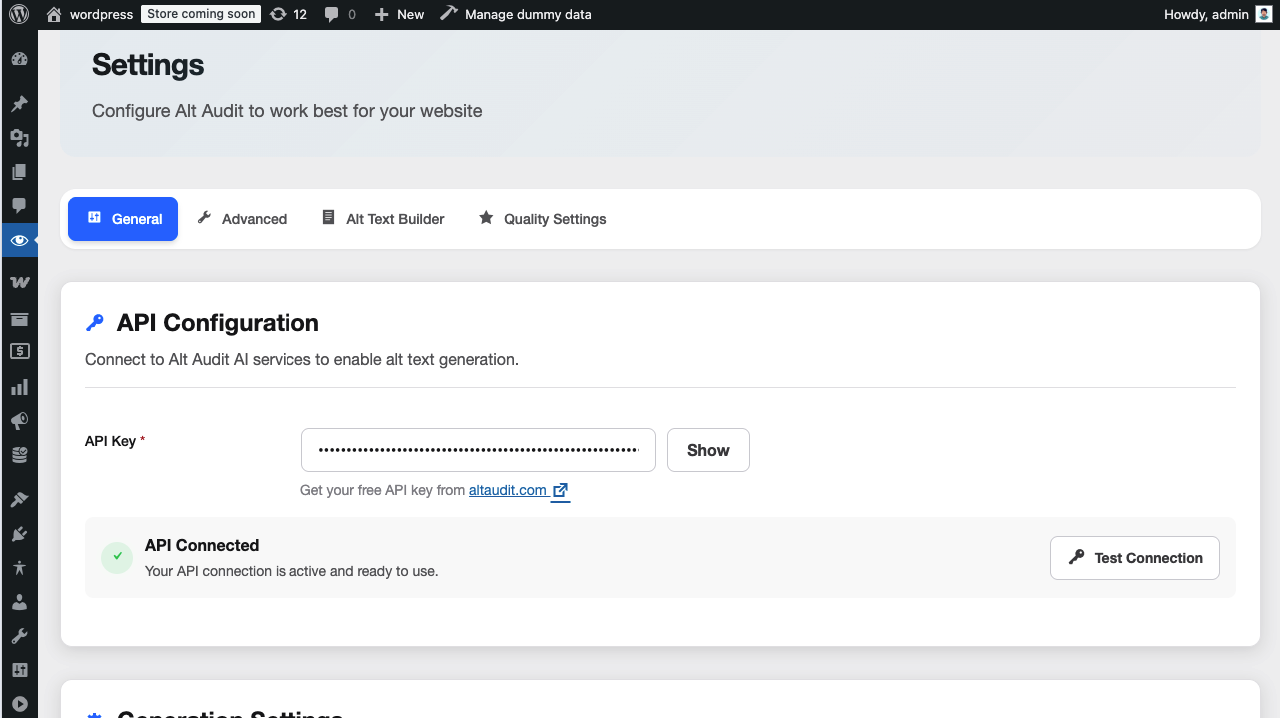
- (Optional) Enter your API key if you want to use the advanced AI-powered generation features.
屏幕截图:
常见问题:
Do I need an API key to use Alt Audit?
No! You can start using Alt Audit immediately without an API key. The core bulk rule-based alt text generation works completely offline and is 100% free. You only need an API key from altaudit.com if you want to use the optional AI-powered generation (which analyzes actual image content using computer vision). New users get 25 free credits to try the AI features.
What's the difference between Free and AI generation?
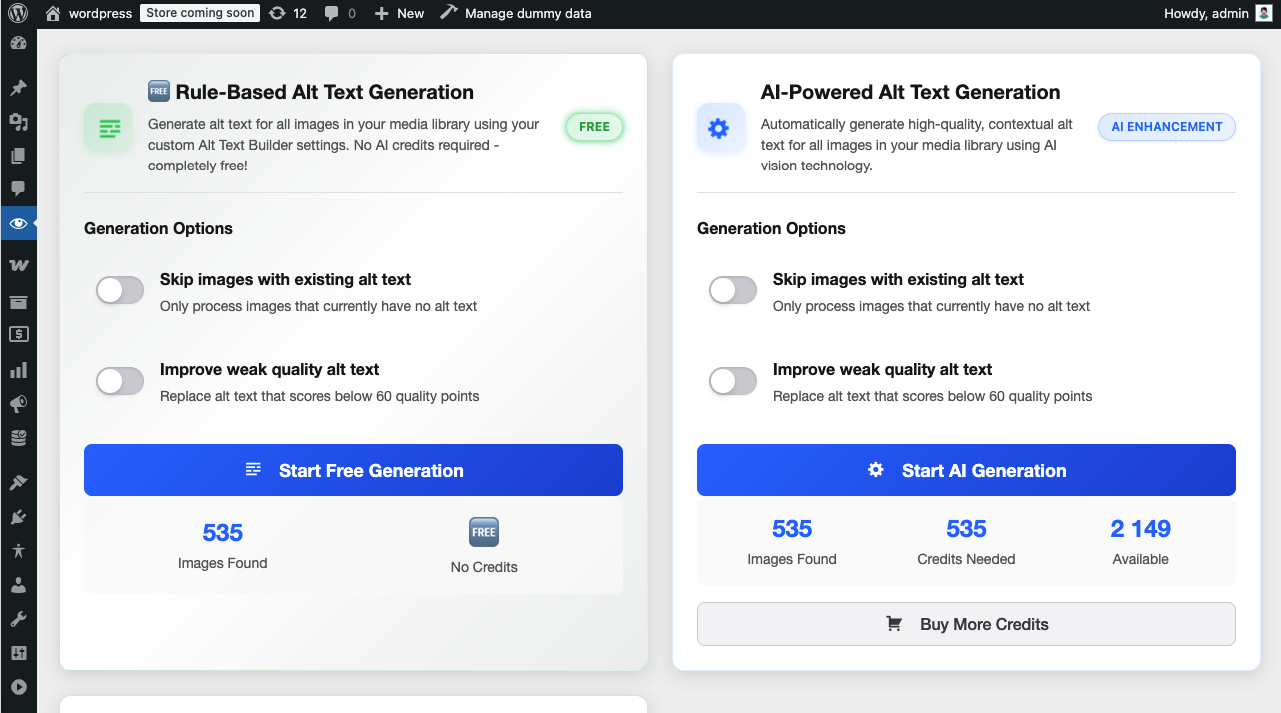
Free Rule-based generation (NO API NEEDED):
- Works instantly offline on your server.
- Uses smart templates with 9 variables (site name, page title, product title, image filename, etc.).
- Context-aware patterns that adapt based on content type (homepage, posts, WooCommerce products).
- 100% free and unlimited. Perfect for large image libraries and quick SEO wins. Optional AI-powered generation (REQUIRES API):
- Analyzes actual image content using advanced computer vision.
- Generates highly detailed, natural language descriptions.
- Supports 130+ languages.
- Automatically integrates SEO focus keywords from Yoast SEO and Rank Math.
Can I use this for bulk alt text generation?
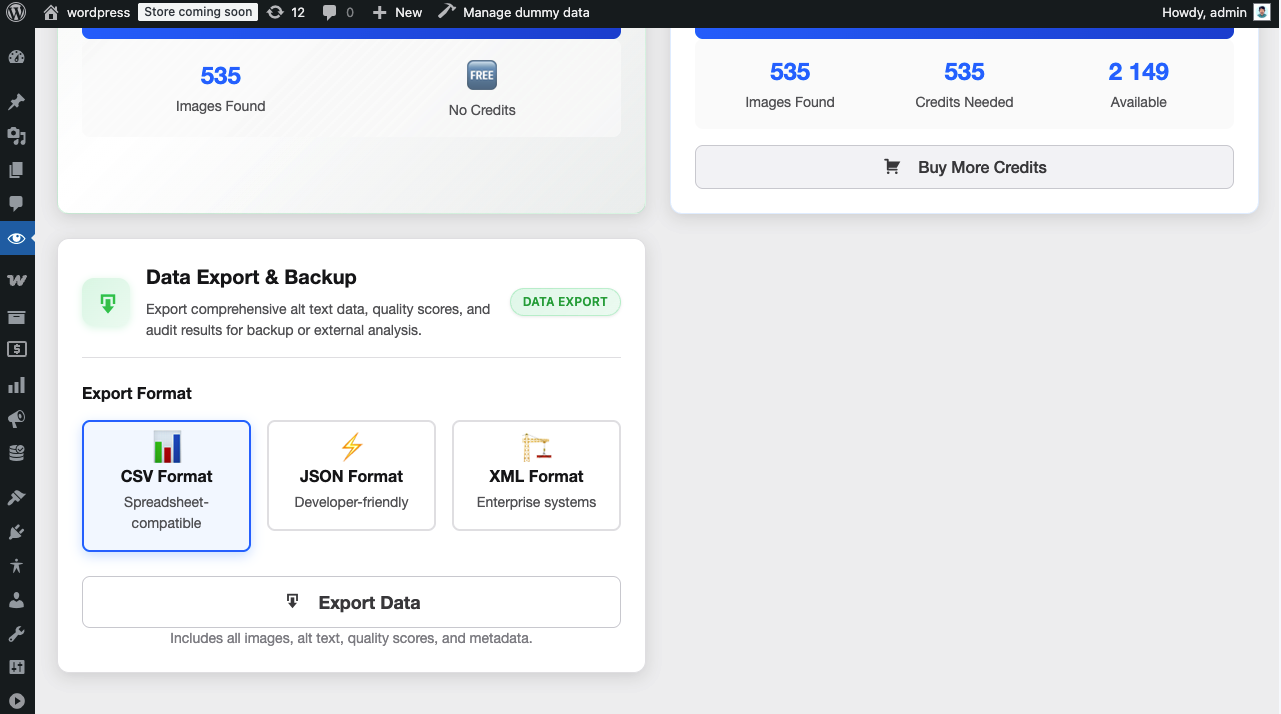
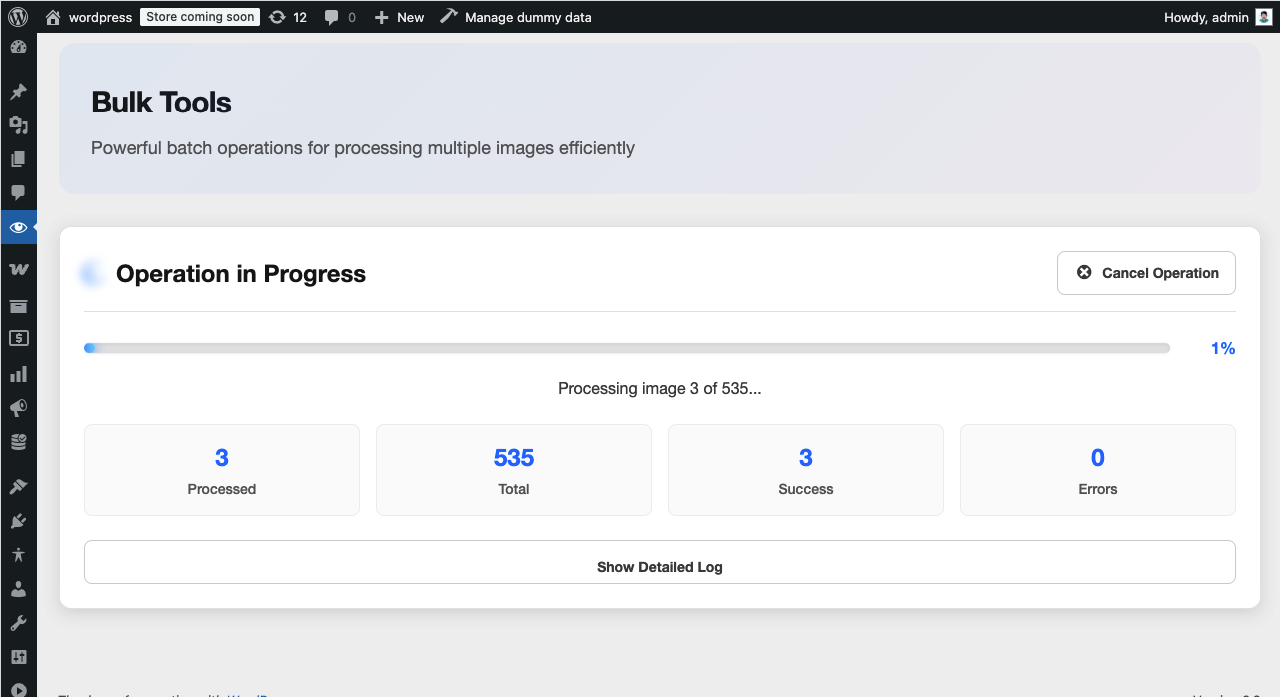
Yes! Alt Audit includes powerful bulk processing tools completely for free. You can scan your entire media library at once, identify missing alt attributes, and generate text for hundreds of images simultaneously using our free rule-based engine.
Will this improve my image SEO?
Absolutely! Properly written alt text is one of the most important factors for Image SEO. It helps search engines index your images, improves visibility in Google Image Search, and enhances overall page relevance.
Does this connect to third-party services?
Only if you choose to use the AI features. The free rule-based generation does NOT connect to any external services and works completely offline on your server. The optional AI-powered feature connects securely to the Alt Audit API (https://altaudit.com/api/v1) to analyze images. This is strictly optional and transparent.
Can I generate alt text in my language?
Yes! If you use the optional AI-powered generation, Alt Audit supports 130+ languages. Simply select your preferred language in Settings, and all AI-generated alt text will be written natively in that language (including Spanish, French, German, Russian, Chinese, Arabic, and more). Perfect for European Accessibility Act (EAA) compliance and multilingual websites.
Does this plugin make my website 100% accessible?
No single plugin can guarantee 100% accessibility. Alt Audit is a powerful tool specifically focused on WCAG 2.1 Level A Success Criterion 1.1.1 (Non-text Content). It makes finding and fixing image accessibility issues significantly easier and faster.
What WCAG standards does this plugin check?
Alt Audit focuses on WCAG 2.1 Level A compliance for images. It checks for:
- Missing alt text (critical barrier)
- Empty alt text for decorative images
- Weak or insufficient descriptions
- Length compliance (under 125 characters)
Does this work with Gutenberg and page builders?
Yes! Alt Audit integrates seamlessly with the Gutenberg Block Editor (real-time quality checking), the Classic Editor, and the standard WordPress Media Library.
Is the quality assessment automatic?
Yes! Alt Audit scans and assesses all your images into 5 statuses:
- Missing (Critical - fails WCAG)
- Decorative (Appropriate for decorative images)
- Weak (Needs improvement)
- Good (Acceptable)
- Excellent (Optimal)
Can I manually edit the generated alt text?
Yes, you have full control. You can review, edit, or reject any generated alt text before saving it to your media library.
How is pricing structured for AI generation?
Remember, rule-based generation is always 100% free and unlimited. If you choose to use AI, we use a simple pay-as-you-go model:
- Get 25 free credits on signup (1 credit = 1 image analyzed).
- Purchase credit packages only when needed. No monthly subscriptions!
- Special white-label plans are available for SEO agencies.
Do you offer plans for SEO agencies?
Yes! We have Agency Plans with discounted pricing, white-label options to rebrand the plugin, and centralized management for multiple client sites. Contact us at altaudit.com/contact.
Will this slow down my website?
No! Alt Audit is built for performance. Scanning happens only in the admin dashboard, and no front-end scripts are loaded for your visitors. It will not impact your page load times.
更新日志:
- Updated: Confirmed compatibility with WordPress 7.0
- Improved: Short description rewritten for better discoverability in WordPress.org search (highlights AI, WooCommerce, Yoast, and accessibility)
- Highlighted: AI-powered alt text generation as the primary feature for SEO, accessibility (WCAG), and image quality
- Updated: Plugin description with stronger focus on AI generation and altaudit.com subscription
- Improved: Marketing copy to better communicate value of unlimited AI alt text generation
- Updated: Video demo
- Added: Organic review request notice
- Improved: Milestone-based engagement tracking
- Fixed: Improved WordPress Coding Standards compliance in admin controllers
- Added: Multi-language support for AI alt text generation (130+ languages)
- Added: Language selection dropdown in Generation Settings
- Added: Context-aware generation now passes site name, page title, excerpt, focus keyword, and image caption to AI for better results
- Improved: AI prompt now uses full WordPress context data for more accurate alt text
- Added: Russian translation (ru_RU) as example for translators
- Updated: Short description optimized to 133 characters (WordPress.org requirement)
- Refactored: Improved image MIME type handling across controllers and services
- Refactored: Enhanced image handling in list table and meta box components
- Refactored: Simplified max_length handling in API client
- Removed: PHP execution time limit adjustment for batch processing
- Improved: Overall code quality and performance optimizations
- Refactored: Migrated to WordPress core APIs (WP_Query, Options API, Custom Taxonomy)
- Refactored: Enhanced input validation and sanitization across all controllers
- Refactored: Strengthened nonce verification and permission checks
- Refactored: Updated all prefixes to unique identifier
- Fixed: Bulk processing duplicate image issue
- Improved: Code quality and WordPress coding standards compliance
- Security: Added nonce verification to all AJAX handlers using check_ajax_referer()
- Security: Added permission checks (current_user_can) to all AJAX handlers
- Security: Refactored SQL queries to use wpdb::prepare() with proper placeholders
- Security: Removed direct $_GET/$_REQUEST manipulation
- Security: Added input validation for style, status, and filter parameters
- Fixed: PHPCS line length compliance - shortened plugin description header
- Improved: WordPress Coding Standards compliance
- Removed: Unused backup files from distribution
- Fixed: Removed all inline scripts and styles for WordPress.org compliance
- Fixed: Moved inline CSS to compiled SCSS modules
- Fixed: Moved inline JavaScript to proper module files
- Updated: Contributors field to match WordPress.org account
- Enhanced: All scripts and styles now properly enqueued
- Improved: Code organization and WordPress Coding Standards compliance
- Added free rule-based alt text generation
- Updated plugin name to reflect full feature set
- Updated WCAG compliance text to accurately reflect Level A (1.1.1) focus
- Added translator comments for internationalization
- Improved settings page clarity
- Fixed activity logging for dashboard
- Initial release
- AI-powered alt text generation
- 5-status quality assessment system
- WCAG Level A compliance checking
- Media Library integration
- Gutenberg block support
- Bulk audit tools