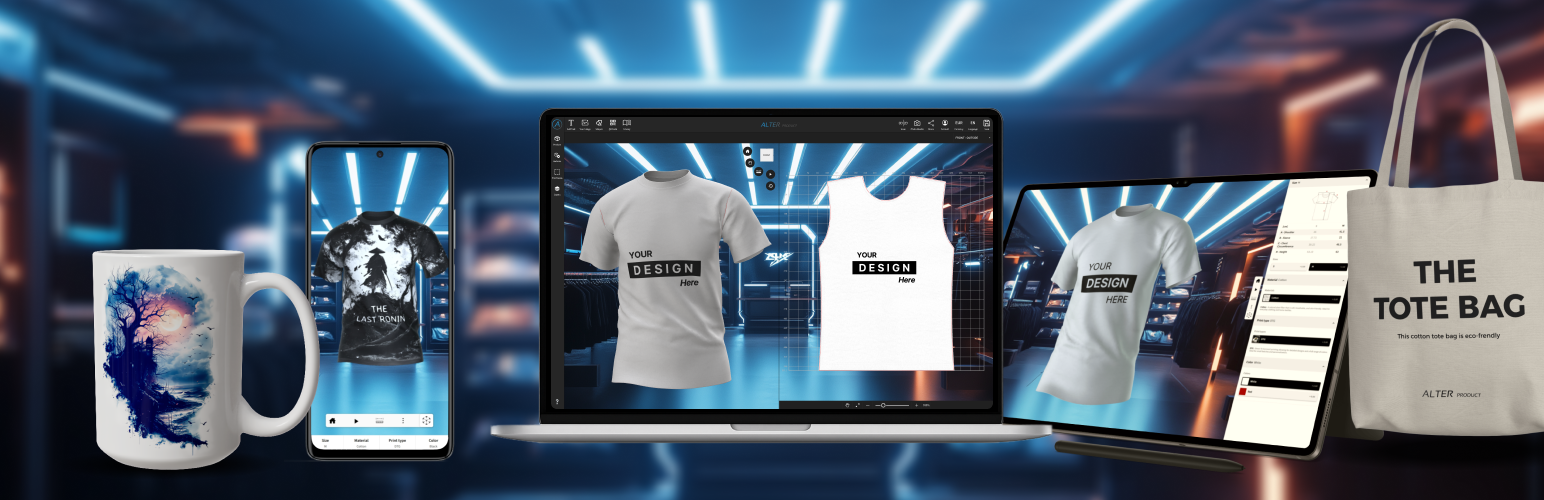
Alter Product - 3D Configurator for WooCommerce
| 开发者 | lucasmacon |
|---|---|
| 更新时间 | 2026年10月25日 06:36 |
| PHP版本: | 8.0 及以上 |
| WordPress版本: | 7.1 |
| 版权: | GPLv2 or later |
| 版权网址: | 版权信息 |
详情介绍:
- Embed 3D product customizer, configurator or viewer on WooCommerce product pages
- Add a click-to-load 3D viewer or configurator to the classic WooCommerce product gallery
- Publish optimized WebP mockups from the Designer into product and variation galleries
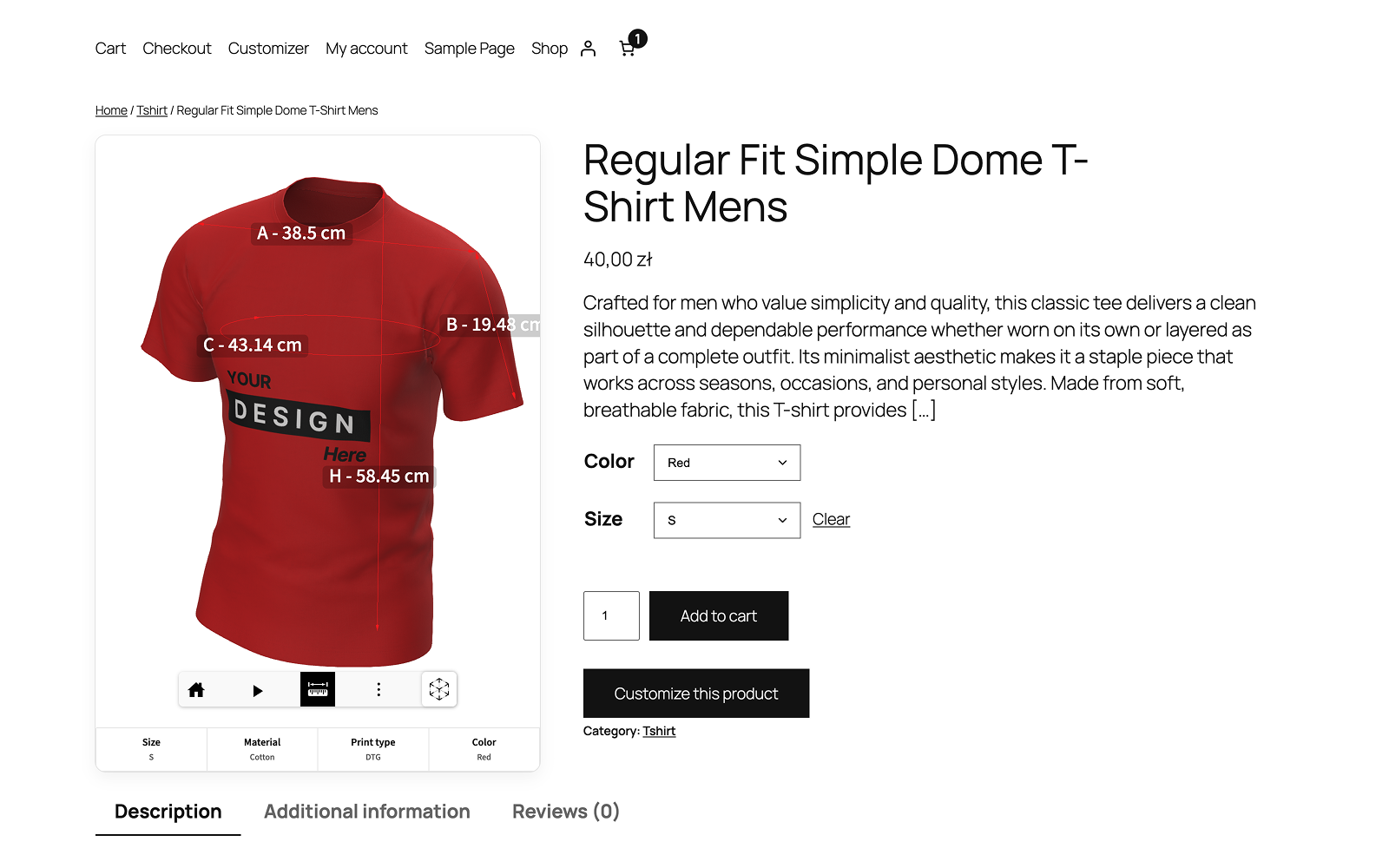
- Show linked size charts and measurement guides in product descriptions
- Add color swatches and custom-color pickers to WooCommerce variation attributes
- Create and edit product designs from the WordPress admin area
- Manage local projects in Product Generator and import published models with their generator revisions
- Generate AI product mockups in Product Generator using administrator-owned AI connections and private WordPress history
- Download and update model templates, mannequins, textures and model backgrounds in Assets
- Create models from downloaded templates and open linked generators from Product designs
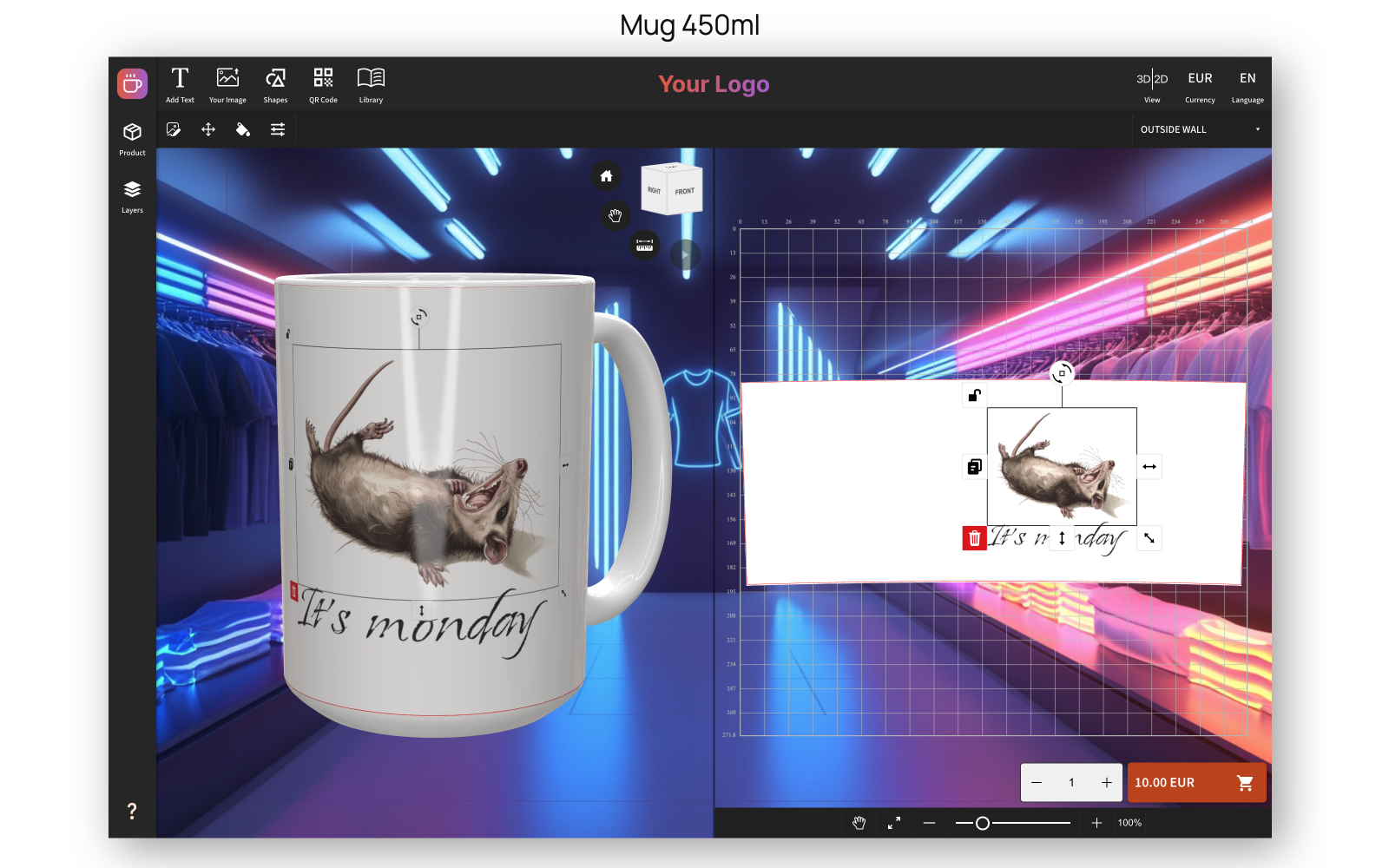
- Allow customers to personalize products live (text, images, sizes, colors, materials, QR codes, layouts, etc.)
- Sync selected configuration to WooCommerce cart
- Save customer customizer designs, order details, and mockup previews with WooCommerce orders
- Manage order print files and manually submit configured Printify, Printful, Gelato and CustomCat print-on-demand orders
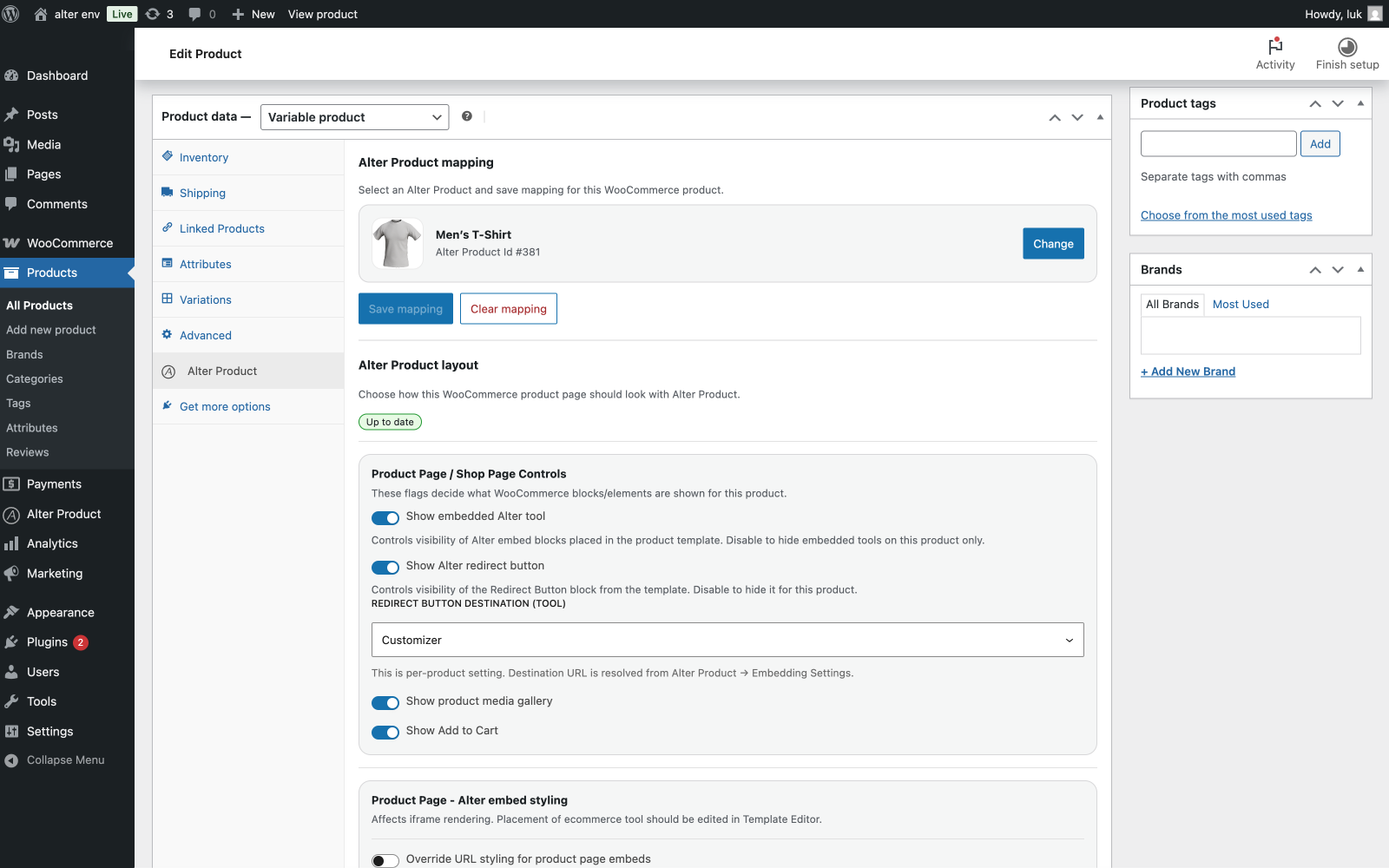
- Map WooCommerce products and variations to Alter Product models
- Import selected Alter Product assets and designs into WordPress
- Store product assets, designs, order files and mockups on your shop server or in a private AWS S3 bucket, with migration between storage locations
- Publish unlimited embedded Customizers, Viewers and Configurators with an eligible plan; session and Alter cloud transfer allowances still apply
- Archive and restore product designs and model generator projects without removing existing product or order references
- Secure API integration with token authentication
- Works with simple and variable products
- Fully responsive interface
- Does not modify WooCommerce core behavior
- Install plugin
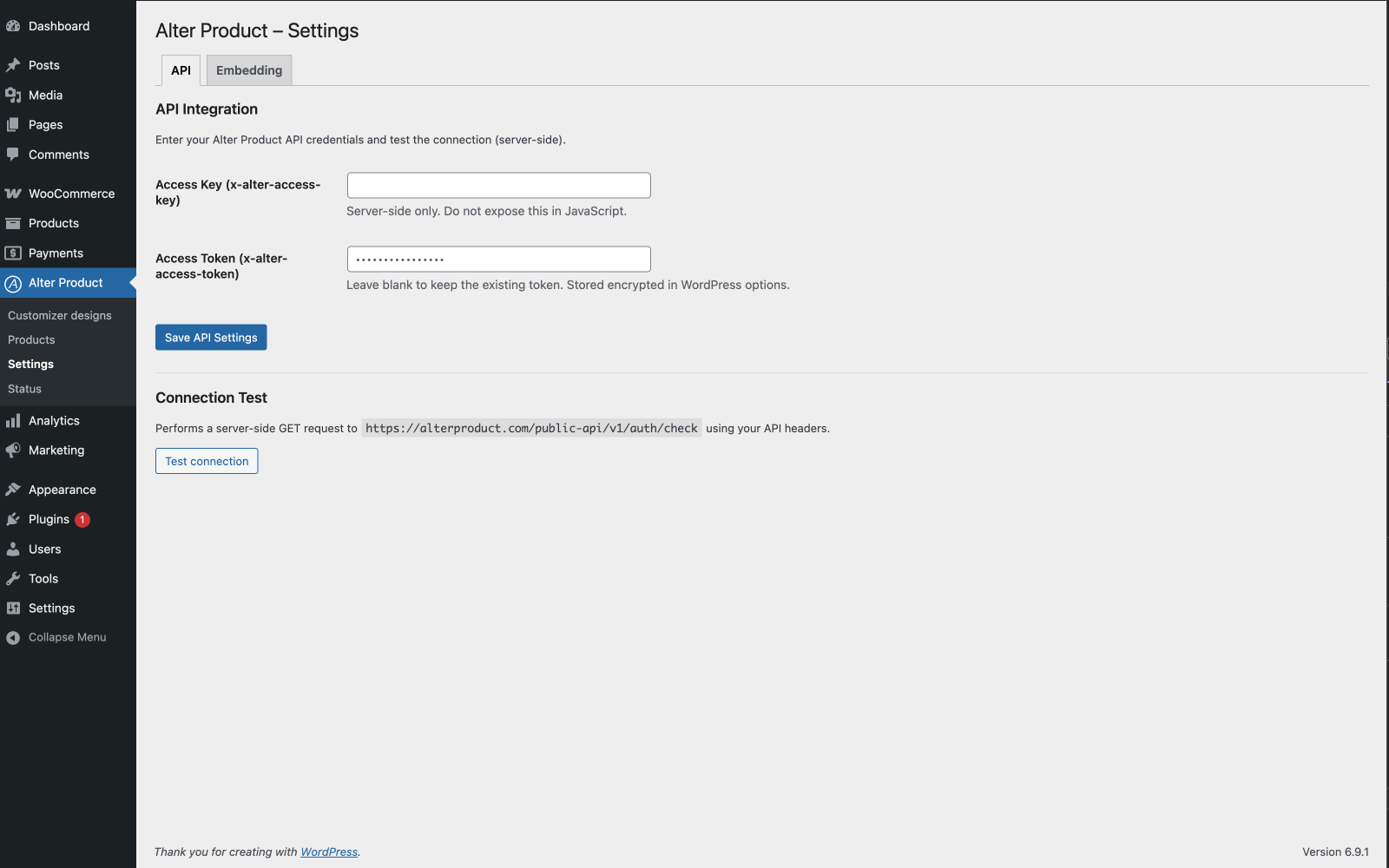
- Connect your Alter Product account via API credentials automatically or manually
- Choose a starter model with its generator and download its required assets
- Create or import a product design in the WordPress admin area
- Map WooCommerce products and variations to the design
安装:
- Install and activate WooCommerce, then install and activate this plugin.
- Connect your Alter Product account and download the starter resources offered during setup.
- Create or import a product design and map it to a WooCommerce product.
- Choose the embedded tool and preview your product. Configure optional storage or POD connections if needed.
屏幕截图:




常见问题:
Does this plugin work without an Alter Product account?
No. This plugin is an integration with the Alter Product platform.
Does it send data before configuration?
No. API requests are disabled until credentials are saved.
Where are designs stored?
Product designs, customer order files, and mockup previews are stored on your shop server by default. Settings -> Storage lets you connect your own private AWS S3 bucket, select it for new files and explicitly migrate existing file groups between S3 and the shop server. WordPress continues to serve file downloads. AWS storage, request and transfer charges are billed to your AWS account.
Are project JSON files compressed?
New and updated local project documents, editable layers, templates and generator revisions use lossless gzip when it reduces storage size. WordPress serves decoded JSON to the editors. Older plain JSON remains readable and is compressed when rewritten. Searchable database metadata stays ordinary JSON. Raster previews and editable source layers remain separate. Private customer-order layer files are compressed and encrypted; existing referenced files migrate in small background batches. Keep WordPress salts together with database and uploads backups: replacing the salts without re-encrypting these files makes them unreadable, just like encrypted AI history and provider keys.
Can I create product designs inside WordPress?
Yes. Store owners can create, import, duplicate, edit, and manage product designs from the WordPress admin area, then map them to WooCommerce products.
How does Sync variants choose preset colors?
New Designer color presets use the WooCommerce attribute term's Swatch color first. Set it under Products → Attributes → Configure terms as a six-digit HEX value such as #F2EBDD. This also supplies the swatch shown in product variation dropdowns. When no swatch is set, the Designer uses an approximate palette of 116 named shades, including Clay, Sage, Ivory, Navy, Charcoal, heather and solid variants. Unknown names start as white. These previews are not manufacturer color specifications. Already mapped presets and their per-area edits are preserved; edit an existing preset in the Designer to change its color. POD imports only initialize new term swatches when the provider supplies an explicit HEX value.
Are product files stored in WordPress?
Yes. Product assets, graphics, logos, backgrounds, fonts, mockups, and design templates can be imported and managed in WordPress when your plan supports it. Files can use the shop server or your configured private AWS S3 storage and are served through your site.
Where do I manage Product Generator resources?
Use Assets → Model templates, Mannequins, Textures, and Model backgrounds. Each library has Local and Import from Alter views, download/update actions, and an explicit update check. Environment selection uses the existing shared Assets → Environments library. Downloading a model template stores it for reuse; Create model creates a separate local generator project.
Which models can I import into Product Generator?
The Product Generator import list contains published models with an available generator from your account or the global catalog. WordPress imports the published generator revision and model resources. Existing local projects appear under Local projects. Standalone templates belong to Assets; a linked Product Designer project displays a clickable Generator badge.
Are generator projects and library files stored on Alter Product?
In the WordPress integration, project metadata and revision references are kept in your WordPress database. Model, project and library files use the shop server or your configured private AWS S3 storage. Alter Product serves the embedded frontend and verifies subscription/session access using the shared session limit. Downloads, missing-resource imports and explicit catalog refreshes contact Alter Product; later reads reuse your chosen storage.
Does it affect WooCommerce checkout?
No. Checkout remains unchanged. The plugin only adds configuration data, mockup previews, and edit/view design links when appropriate.
Does it slow down my store?
The 3D tools load inside an iframe. With the product gallery integration, the tool loads only after the customer selects 3D, leaving ordinary photo browsing available without starting a 3D session. Automatically embedded tools still load when their page opens.
Can I manage print files manually?
Yes. Open the customer's design from a WooCommerce order and use the Printing manager to download files or save them to the order. The order item's Print files list also supports uploads, previews, downloads and selecting artwork for POD placements. Submitting a provider order requires a separate administrator action in the order's POD controls.
Does this plugin require WooCommerce?
Yes. WooCommerce must be installed and active.
Which languages are included?
English, Polish, German, Spanish, French, Russian, Brazilian Portuguese, Simplified Chinese, Hindi, Swedish, Norwegian Bokmål, Italian, Dutch, Romanian, Greek, Danish, Czech, European Portuguese, Turkish, Ukrainian, Japanese and Arabic translations are included for the WordPress plugin's PHP and JavaScript interface. The administration area uses the language selected in Users -> Profile -> Language; the storefront uses Settings -> General -> Site Language. Standard POT, PO, MO and JavaScript JSON catalogs are bundled in the languages directory. User-created product names and the separately hosted editor use their own content and language settings.
How is the embed session token delivered to the iframe?
The embed session token is requested server-side through a nonce-protected WordPress REST endpoint and then passed to the iframe with origin-verified postMessage. The iframe does not receive WordPress API credentials; API secrets remain on the server.
更新日志:
- Added Gelato template imports, variation mapping and manual order fulfillment; a Template ID configures the product and does not replace print artwork.
- Added CustomCat catalog imports, SKU mapping, print-area validation and destination shipping methods.
- Improved manual order print-file management and POD artwork checks.
- Sped up administrator pages and asset imports, with grouped downloads and consistent filtering.
- Improved product mockup publishing, variation previews and embedded-tool navigation.
- Moved S3 transfers to the WordPress HTTP API with bounded streaming and integrity checks.
- Updated interface translations and setup instructions.
- Added a server-side print queue available only in DEV mode; its controls remain hidden in normal mode.
- Added a shared print-file manager for each WooCommerce order item, with files grouped by print area, drag-and-drop uploads, replacement, removal, previews and downloads.
- Added secure saving of Designer print exports directly to the current order item, with authenticated administrator downloads for saved files.
- Let merchants choose generated or uploaded production files for each POD placement, while keeping other saved files available and making mockup generation optional.
- Use saved order print-area settings and product mappings for POD setup, preserving each area's format, dimensions and DPI without requiring a separate fulfillment profile.
- Import POD attributes and variations without clearing existing variation choices or replacing established provider mappings. Refresh mapping status after saving and provide a direct route to synchronize variations in the Designer.
- Improved administrator editing of existing order designs and variations while preserving paid amounts, order-item boundaries and WooCommerce stock adjustments.
- Show incomplete POD setup and sandbox restrictions clearly, and refresh order fulfillment controls after WooCommerce reloads its order items.
- Added clearer generation, transfer and server-save progress. Reduced repeated file downloads and media loading when saving or managing production files.
- Prioritize visible POD catalog thumbnails, cancel offscreen image requests while scrolling, and fall back to original supplier images when thumbnail resizing fails.
- Load Printify provider variants and shipping independently, reuse pending catalog requests, and keep refreshed provider data consistent with variation imports.
- Made the POD product catalog more compact, with a narrower selection column and an outlined button for the selected product.
- Added previous/next navigation with centered arrows and saved view names in cart, drawer and checkout mockup previews; prevented unnecessary image reloads.
- Strengthened print-file validation, order ownership checks and private-storage integrity, and updated the bundled translations.
- Prioritize the WooCommerce store's theme and background over personal Alter Product preferences in embedded tools, and preserve cleared custom background images after reloading.
- Speed up reopening saved customizer designs and updating cart drawers without rebuilding all catalog variation prices. Cart and checkout still validate current WooCommerce prices and artwork surcharges.
- Load embedded tools faster by reusing variation metadata and validated asset data during rendering, while preserving live availability checks and native WooCommerce cart rules.
- Keep the selected WooCommerce product's prices and native options when several products share a design.
- Preserve concrete printing-method choices for wildcard variations when adding and editing a customizer cart item.
- Recognize local variation attributes in mapping diagnostics and keep missing prices unavailable.
- Show compact print-color swatches in the cart and checkout, keeping area surcharges included in the price without verbose metadata rows.
- Refresh cart drawers once per customizer change, avoid duplicate mockup thumbnails and support keyboard navigation in image previews.
- Use the customer's current variation choices when reopening Customize from a product page.
- Preserve original variants, quantities, addresses and production files when retrying rejected POD shipments; prevent duplicate submissions after uncertain provider responses.
- Invalidate stale POD connection tests after configuration changes and keep saved connections when updating global defaults.
- Validate provider acknowledgements and use stable Printful external IDs within the API length limit.
- Preserve server-owned print color prices, saved recipes and generator revision checks.
- Protect POD shipments from overlapping submission and cancellation requests, and preserve their status after refreshing production files.
- Validate all batch groups before dispatch and keep artwork permissions and supplier routing when retrying a rejected shipment.
- Added product printing-method settings, print-color options and surcharges synchronized with the customizer, cart and orders.
- Improved Printify and Printful printing-method imports and validation of supported variations and print placements.
- Sped up product galleries and product/order administration by reducing repeated data loading.
- Fixed session renewal and retry in storefront and administrator editors while preserving open designs.
- Reduced memory usage when reading project files and improved gallery stability and translation support.
- Added private AWS S3 storage with connection setup, default storage selection and migration between S3 and the shop server.
- Removed publication and monthly reassignment limits for embedded Customizers on eligible plans. Session and Alter cloud transfer allowances remain separate.
- Kept product assignments in WordPress and removed remote assignment synchronization and repair requests when publishing or opening tools.
- Added archiving and restoration of product designs and model generator projects while retaining existing product and order references.
- Improved model imports with source revision status and updates that create separate local copies, preserving existing projects, product designs and orders.
- Sped up Product Designer and new-design creation by reusing catalog metadata and verified model descriptors. Reduced blocking API checks and moved temporary-file cleanup to background maintenance.
- Fixed pinned generator resource links after changing the WordPress site address or switching to HTTPS.
- Added an explicit color-attribute setting so swatches and custom-color fields appear only for color attributes, keeping sizes and other options as text.
- Fixed Viewer, Configurator and Customizer previews for local designs before assigning them to WooCommerce products.
- Added session renewal in the open administrator editor, preserving unsaved changes and restoring save access after signing in to WordPress again.
- Show POD fulfillment actions only for configured items and validate the provider connection before submission.
- Added click-to-load 3D previews to the WooCommerce product gallery, with administrator settings for Viewer or Configurator mode, navigation visibility and the 3D button position.
- Added administrator AI mockup generation to the embedded Model generator, with local provider connections, encrypted references/results, private history, retries and project image storage.
- Added publishing of optimized WebP mockups from Designer to product and mapped size/preset-color variation galleries. Mockups can be appended or replaced while preserving manual photos, and the gallery follows the selected variation.
- Added optional size charts in product descriptions, with cm/in units, selected-size highlighting, an expandable measurement guide and controls for visible measurements.
- Added consistent WooCommerce variation dropdowns with attribute-defined color swatches and a picker for custom-color options. New colors imported from POD receive swatches when the provider supplies a hex color.
- Updated the supported Gemini models for AI tools.
- Fixed duplicated designs losing their size-specific print areas.
- Added German, Spanish, French, Russian, Brazilian Portuguese, Simplified Chinese, Hindi, Swedish, Norwegian Bokmål, Italian, Dutch, Romanian, Greek, Danish, Czech, European Portuguese, Turkish, Ukrainian, Japanese and Arabic gettext and JavaScript translations.
- Prepared the WordPress interface for Arabic RTL, including product/order panels, assets, dialogs, block controls and storefront previews.
- Included language-specific plural forms and extended translation validation to all twenty-two bundled languages.
- Prepared the release with WordPress 7.1 and WooCommerce 11.1.0 compatibility metadata.
- Verified compatibility with WordPress 7.1 and WooCommerce 11.1.0.
- Added an optional WordPress AI Client connection through shared provider connectors, with explicit model selection and no automatic fallback.
- Honored the WordPress AI policy for both shared connectors and direct BYOK connections.
- Added lossless compression for local project/template JSON and generator revisions while retaining legacy file compatibility.
- Hardened customer design ownership, public embed permissions, SQL queries and local file boundaries.
- Added administrator-only AI provider connections with encrypted local history and direct provider requests.
- Added complete Polish and English gettext catalogs, JavaScript translations and Polish plural forms.
- Added Model generator with local project, revision and model storage.
- Added imports of published account/global models with their pinned generator revisions.
- Added signed generator sessions using the existing shared subscription key limit.
- Cached generator catalogs, mannequins, thumbnails, textures and backgrounds in WordPress, with local image uploads.
- Added Assets libraries for model templates, mannequins, textures and model backgrounds, with local/import views and explicit updates.
- Reused the shared WordPress environments library and added Creator-style template categories and previews to Assets.
- Extended the starter pack with the selected model's generator, template, textures and both mannequins.
- Added clickable Generator badges to linked Product designs.
- Added Printify and Printful print-on-demand order creation and API connection disclosure.
- Added WordPress product design management.
- Added embedded product designer support in WordPress admin.
- Added WordPress storage for products, graphics, logos, backgrounds, fonts, mockups, and templates.
- Added import tools for selected Alter Product designs and assets.
- Added customer order design storage and mockup preview handling for WooCommerce cart and order views.
- Improved subscription-aware access checks for embedded tools.
- Added support for mockup previews in cart, drawer cart, and order views.
- Added support for custom color selection.
- Minor bug fixes and stability improvements.
- Initial release