
AmicaChat Widget
| 开发者 | amicachat |
|---|---|
| 更新时间 | 2026年10月29日 00:40 |
| PHP版本: | 7.4 及以上 |
| WordPress版本: | 7.1 |
| 版权: | GPLv2 or later |
| 版权网址: | 版权信息 |
详情介绍:
- Shortcode
[amicachat]for pages and posts, with per-shortcode options - Classic widget for sidebars and footers
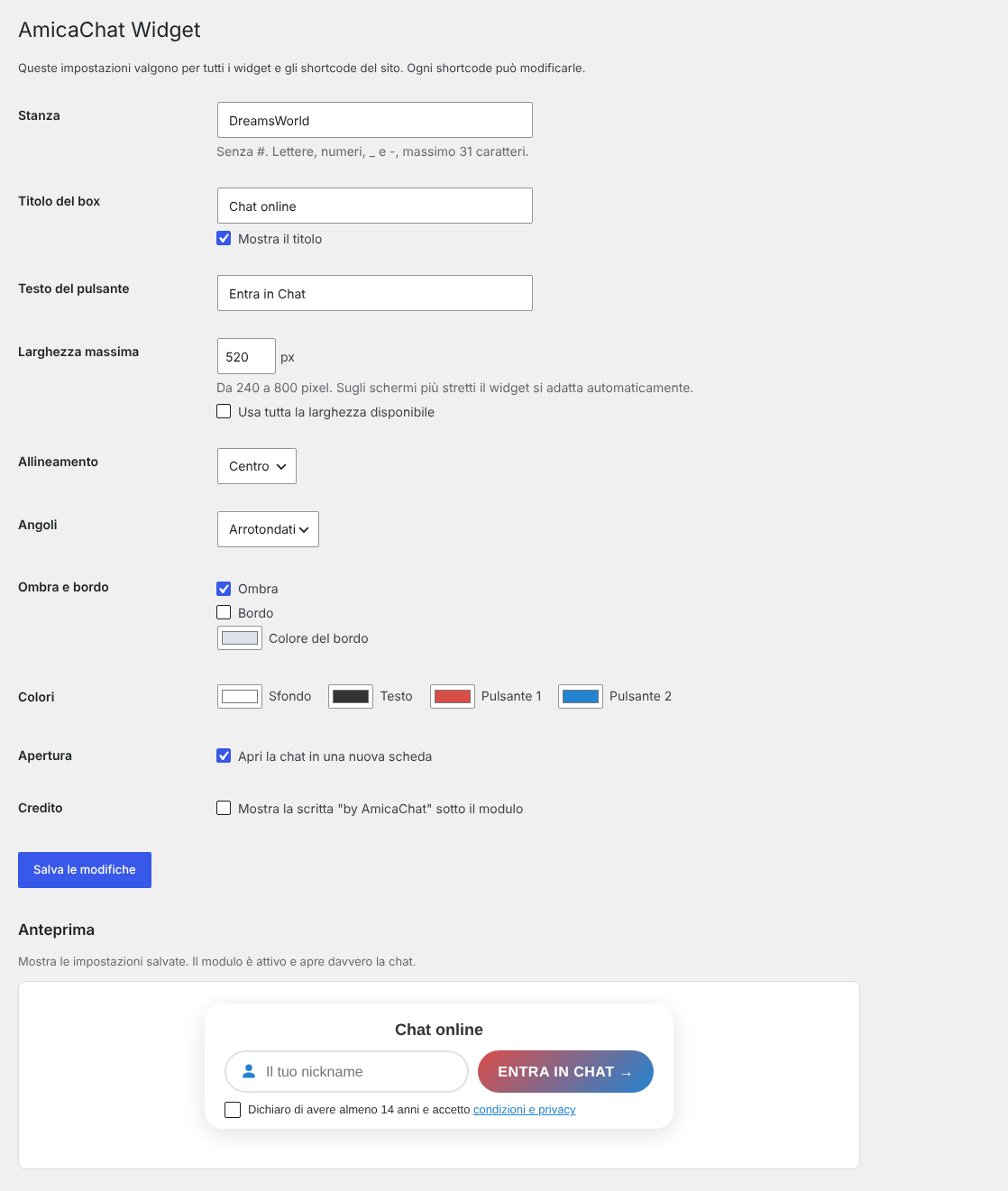
- Settings page with live preview
- Adjustable chat room, title, button text, maximum width or full width, alignment, rounded or square corners, shadow, border and colors
- Responsive layout: nickname field and button on one line, stacked on narrow screens
- Shortcode attributes in English and Italian
- No JavaScript and no external files: the stylesheet is included in the plugin
- The "by AmicaChat" credit is off by default and can be enabled in the settings
安装:
- Install the plugin from Plugins > Add New, or upload the
amicachat-widgetfolder to/wp-content/plugins/. - Activate the plugin.
- Go to Settings > AmicaChat to choose the chat room and the look of the form.
- Add
[amicachat]to a page or post, or add the AmicaChat widget in Appearance > Widgets.
屏幕截图:

常见问题:
Is the chat free?
Yes. AmicaChat is a free chat with no registration and no subscription.
Can I use a chat room just for my site?
Yes. Enter the room name in the settings, or use the shortcode attribute, for example [amicachat room="MyRoom"]. Letters, numbers, _ and - are allowed, up to 31 characters.
Can I use different settings in different places?
Yes. Every shortcode attribute overrides the general settings, for example [amicachat width="100%" corners="square" shadow="no"]. The full list of attributes is on the settings page.
Does the plugin work with the block editor?
Yes. Add a Shortcode block and type [amicachat]. In block themes without widget areas, use the shortcode in your templates.
Does the plugin collect or store visitor data?
No. The form sends the data directly to AmicaChat only when the visitor presses the button. See the External services section.
Can visitors register their nickname?
Yes. Nickname registration is optional and is handled by the chat server, as explained in the AmicaChat privacy policy.
更新日志:
- First release.