Annotix — Drag, Annotate, Feedback
| 开发者 | nativeinfotech |
|---|---|
| 更新时间 | 2026年4月8日 20:42 |
| PHP版本: | 7.4 及以上 |
| WordPress版本: | 6.9 |
| 版权: | GPLv2 or later |
| 版权网址: | 版权信息 |
详情介绍:
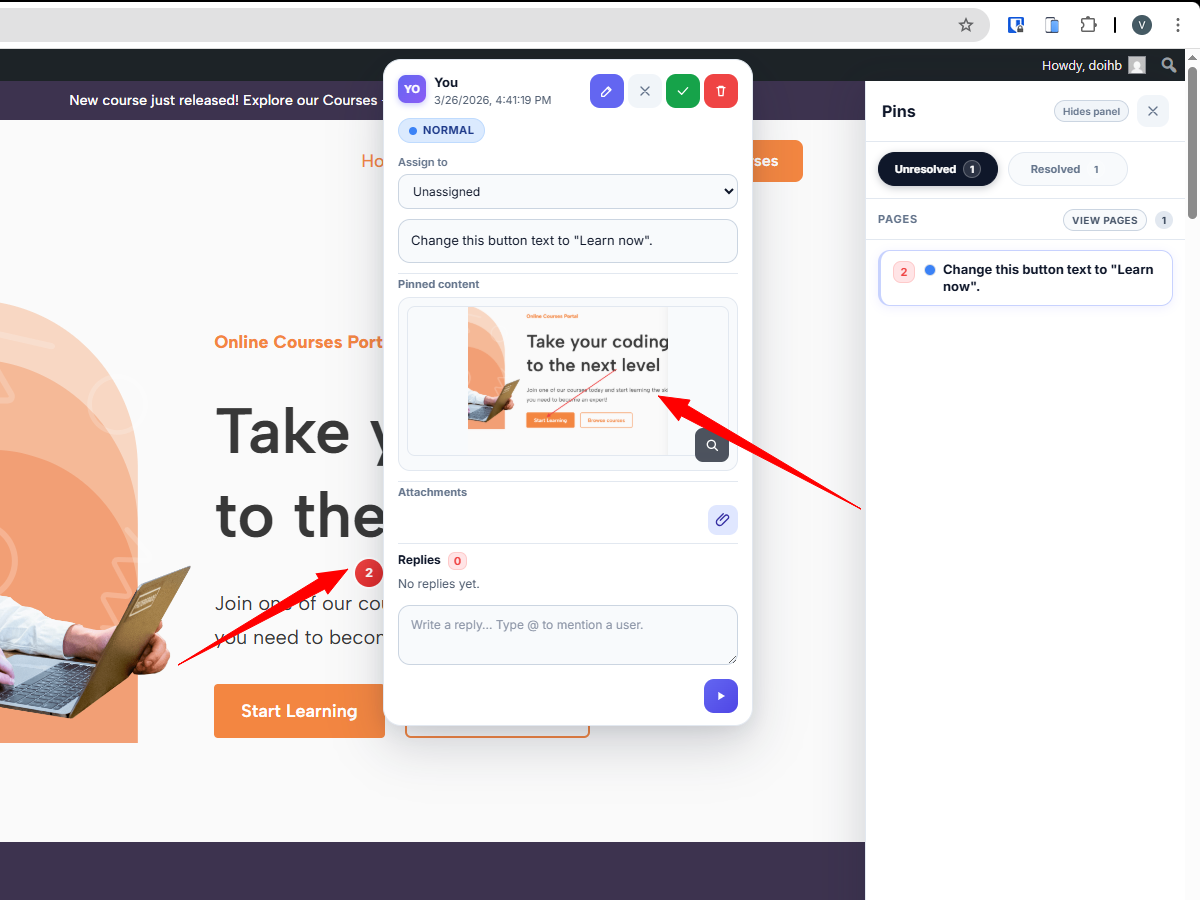
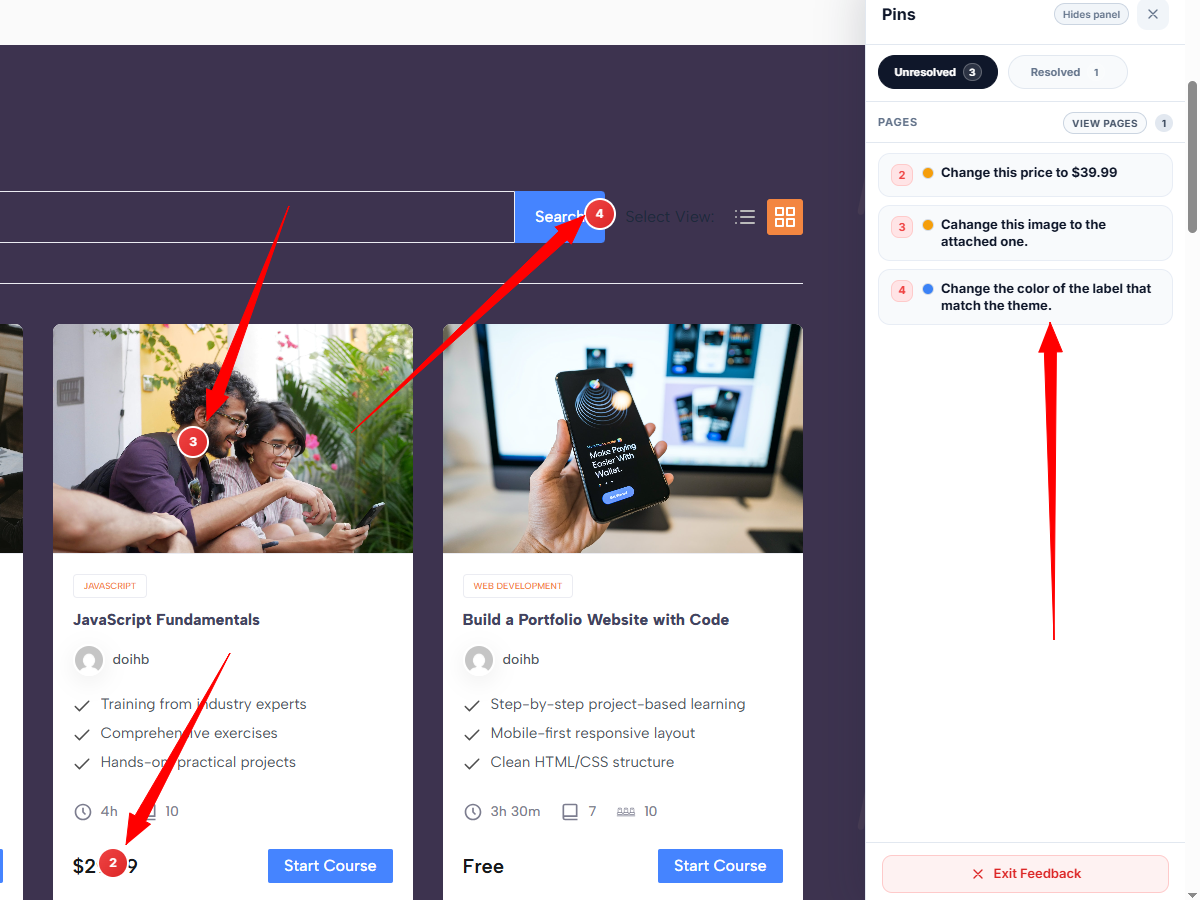
- Click-to-annotate — click anywhere on any page to drop a feedback pin.
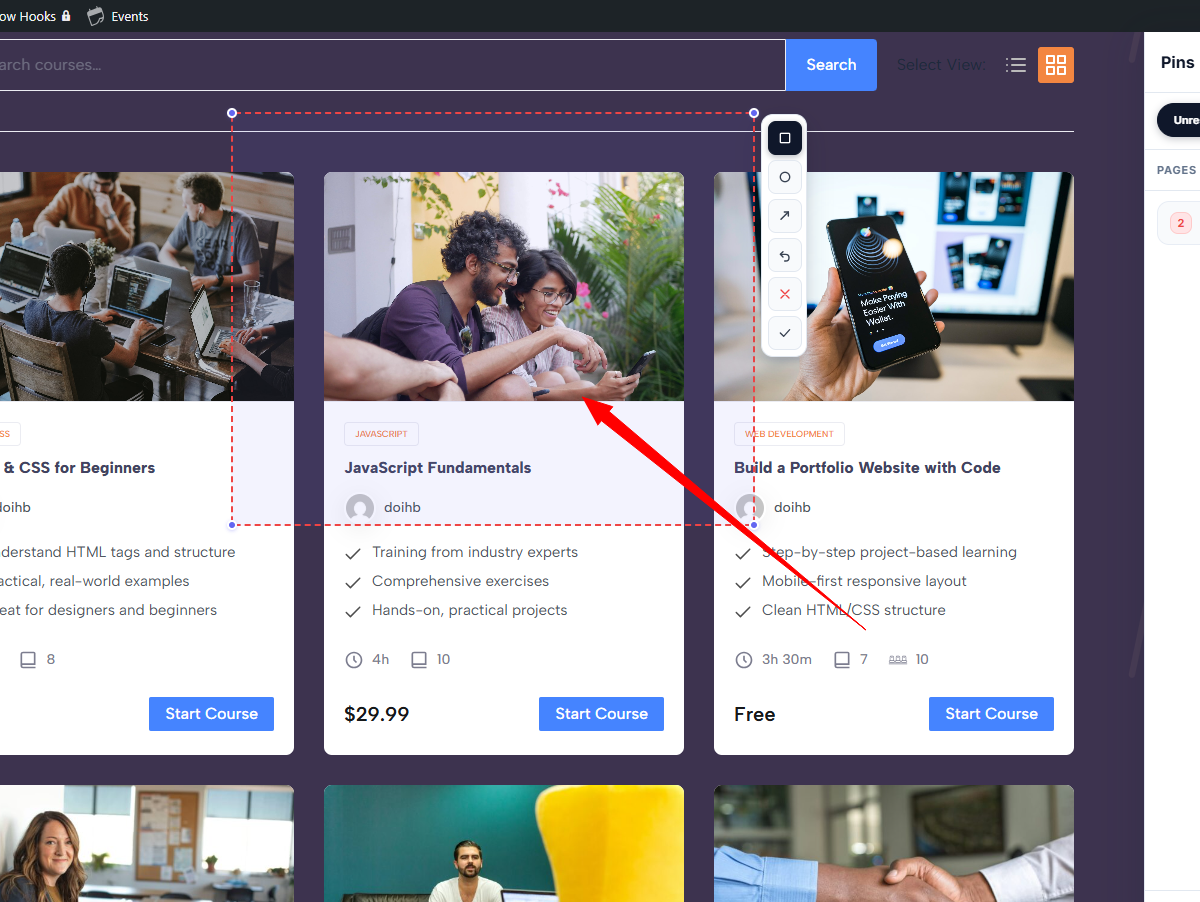
- Area selection — drag to select a specific region of the page before capturing. Selection is draggable and resizable with corner handles.
- Screenshot capture — optionally attach a viewport screenshot via bundled html2canvas. The library is lazy-loaded on demand for faster page loads.
- Annotation tools — draw rectangles, circles, and arrows over the selected area before saving.
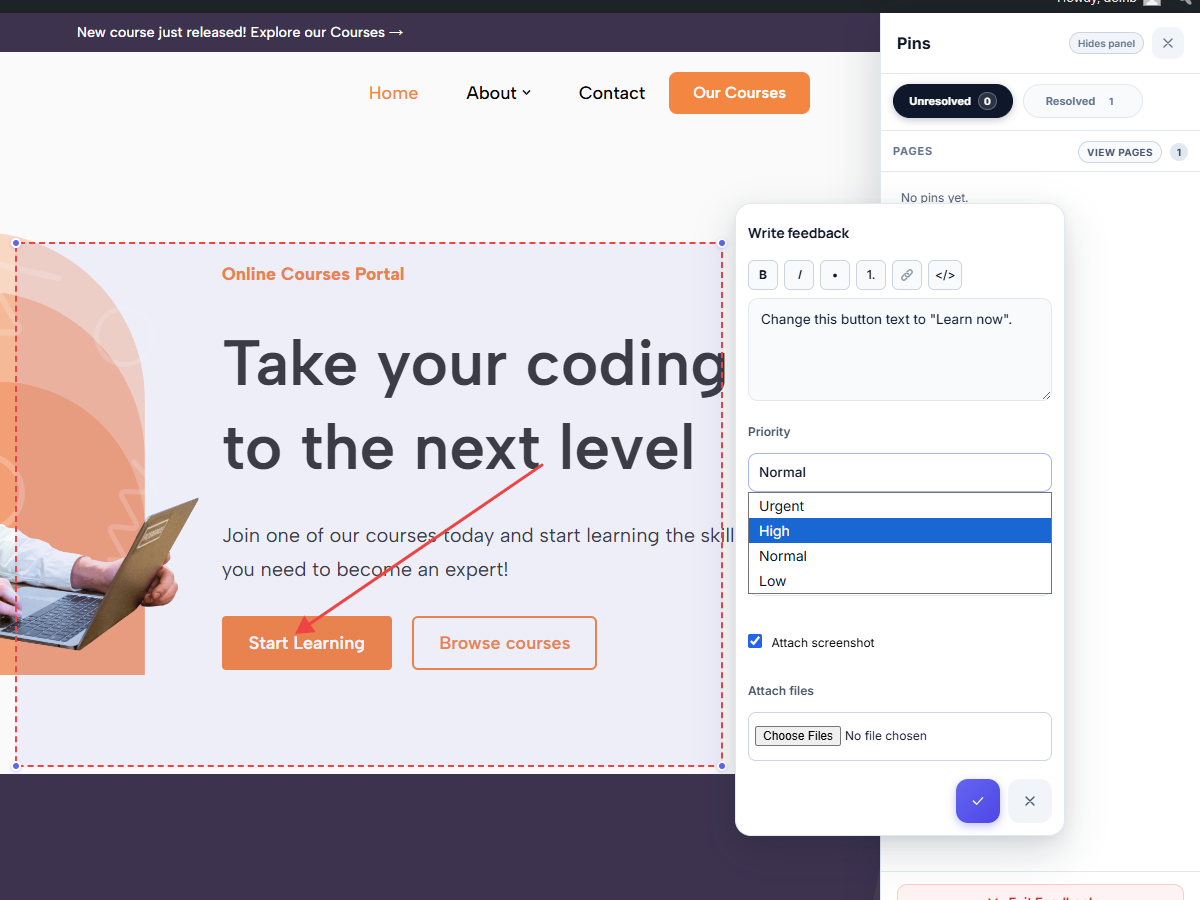
- Markdown toolbar — format feedback descriptions with bold, italic, bullet lists, numbered lists, links, and inline code.
- File attachments — upload images, PDFs, documents, spreadsheets, and other files alongside feedback. Attachments open in a new tab and display file-type badges.
- Priority levels — tag each feedback item as Urgent, High, Normal, or Low with colour-coded badges and dots.
- Assignment — assign feedback items to specific team members from a dropdown.
- @Mentions — type @ in any comment or reply to mention a user and trigger an instant notification.
- Threaded replies — discuss feedback with your team in context under each pin.
- Inline editing — edit your own feedback descriptions and replies in place.
- Delete with confirmation — delete your own feedback or replies with a skippable confirmation dialog.
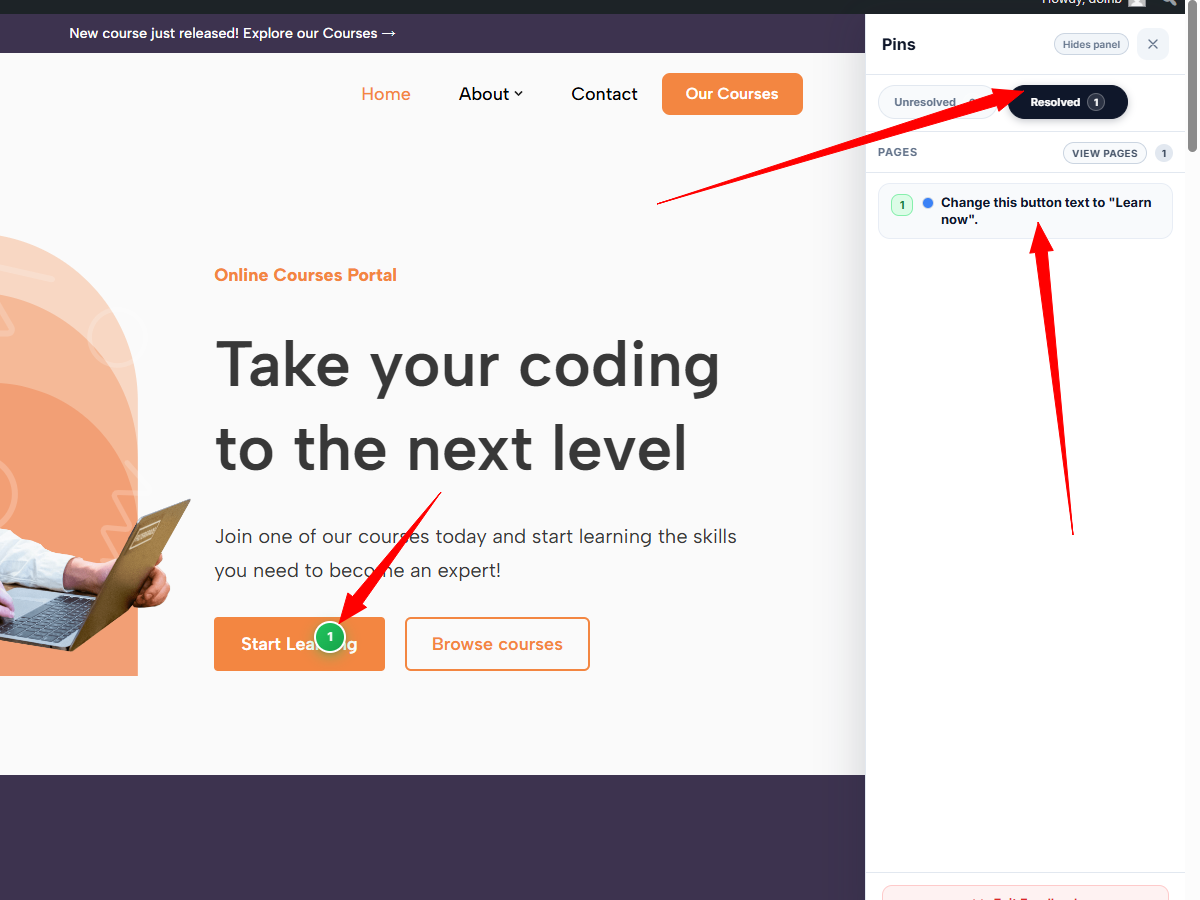
- Resolve / Unresolve — track completion state for each item. Resolved pins turn green.
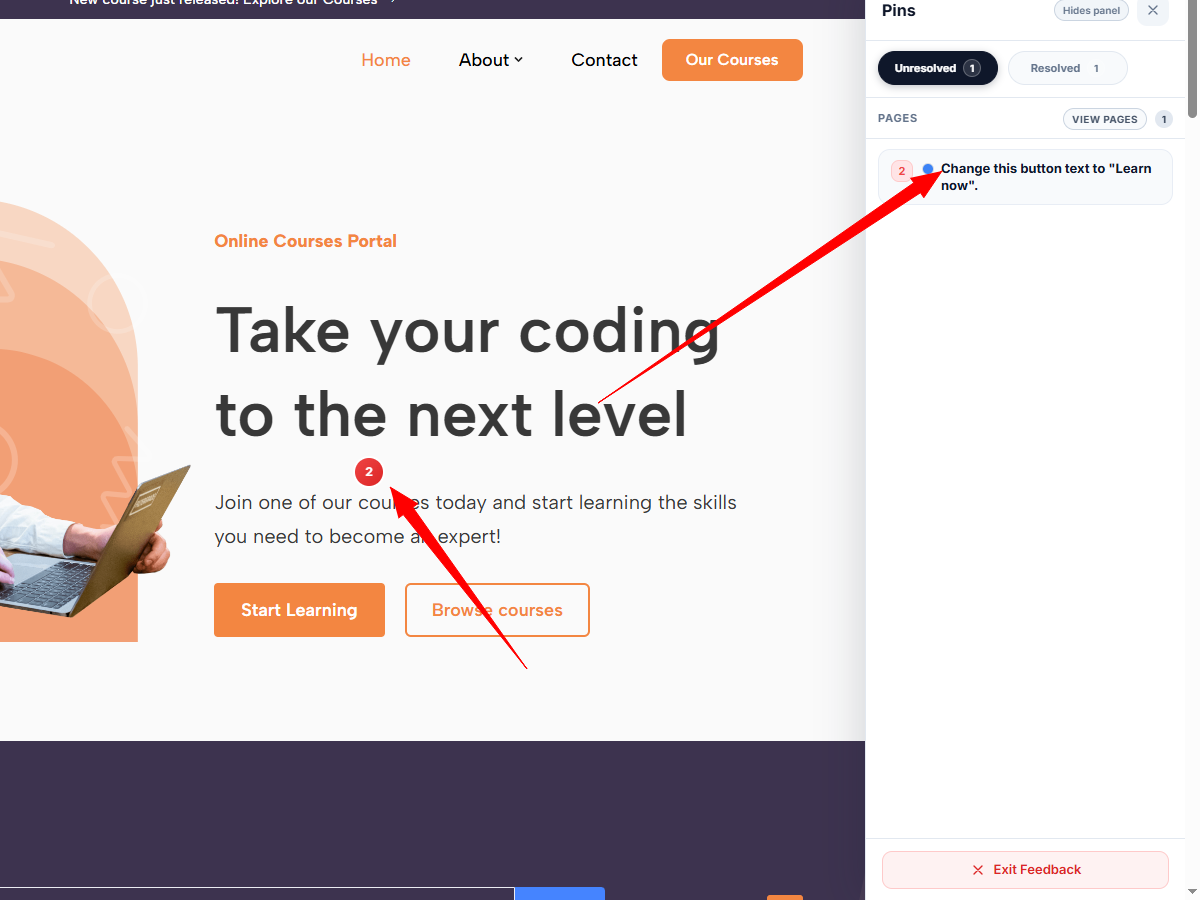
- Draggable pins — reposition saved pins by dragging them to a new location.
- Pins sidebar — a collapsible sidebar lists all feedback on the current page with status filters (Unresolved / Resolved).
- Pages overview — an expandable pages panel shows feedback counts across all pages on the site.
- Priority dots — sidebar items display colour-coded priority indicators for quick scanning.
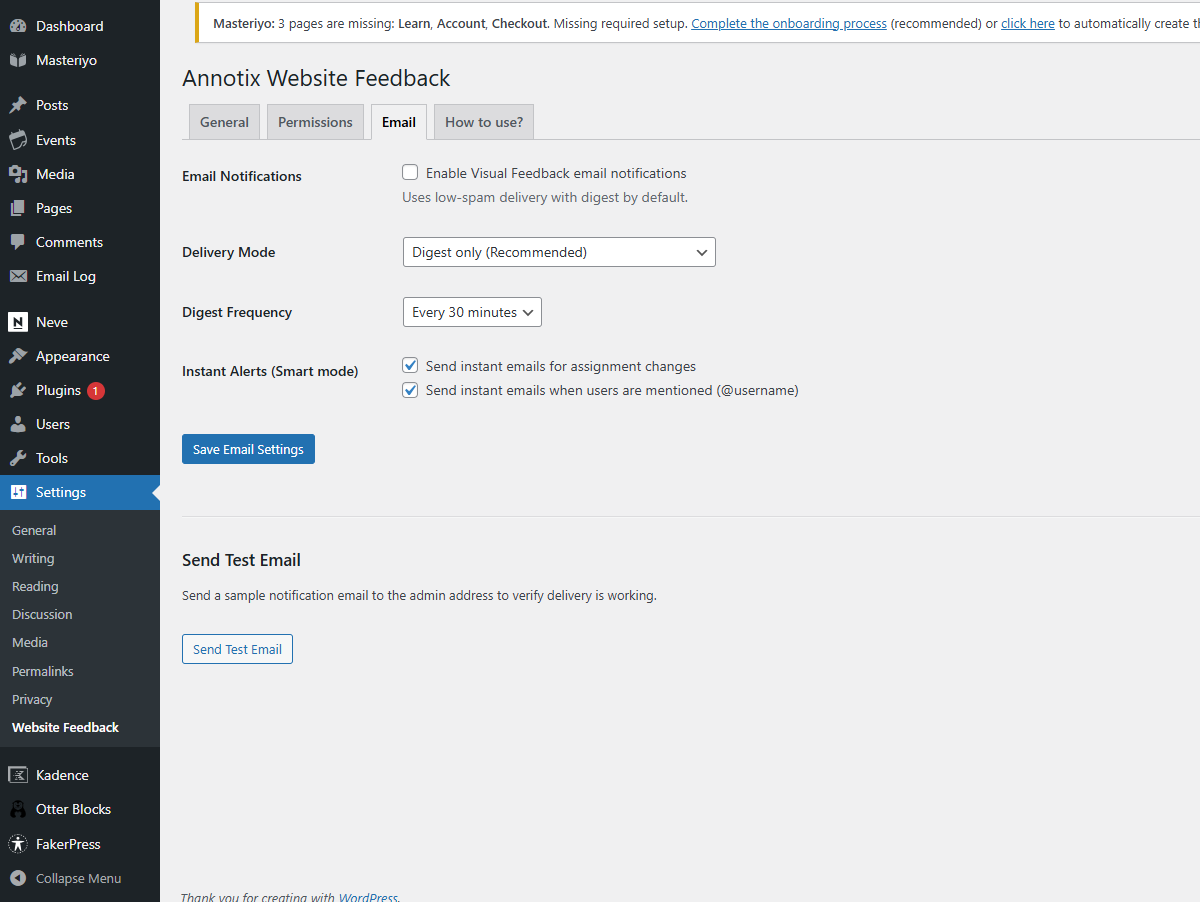
- Digest mode (recommended) — batches all activity into a single email at a configurable interval (15 / 30 / 60 minutes).
- Smart mode — digest by default, but sends instant emails for assignments and @mentions.
- Configurable — enable or disable notifications, choose delivery mode, and toggle instant alerts for assignments and mentions independently.
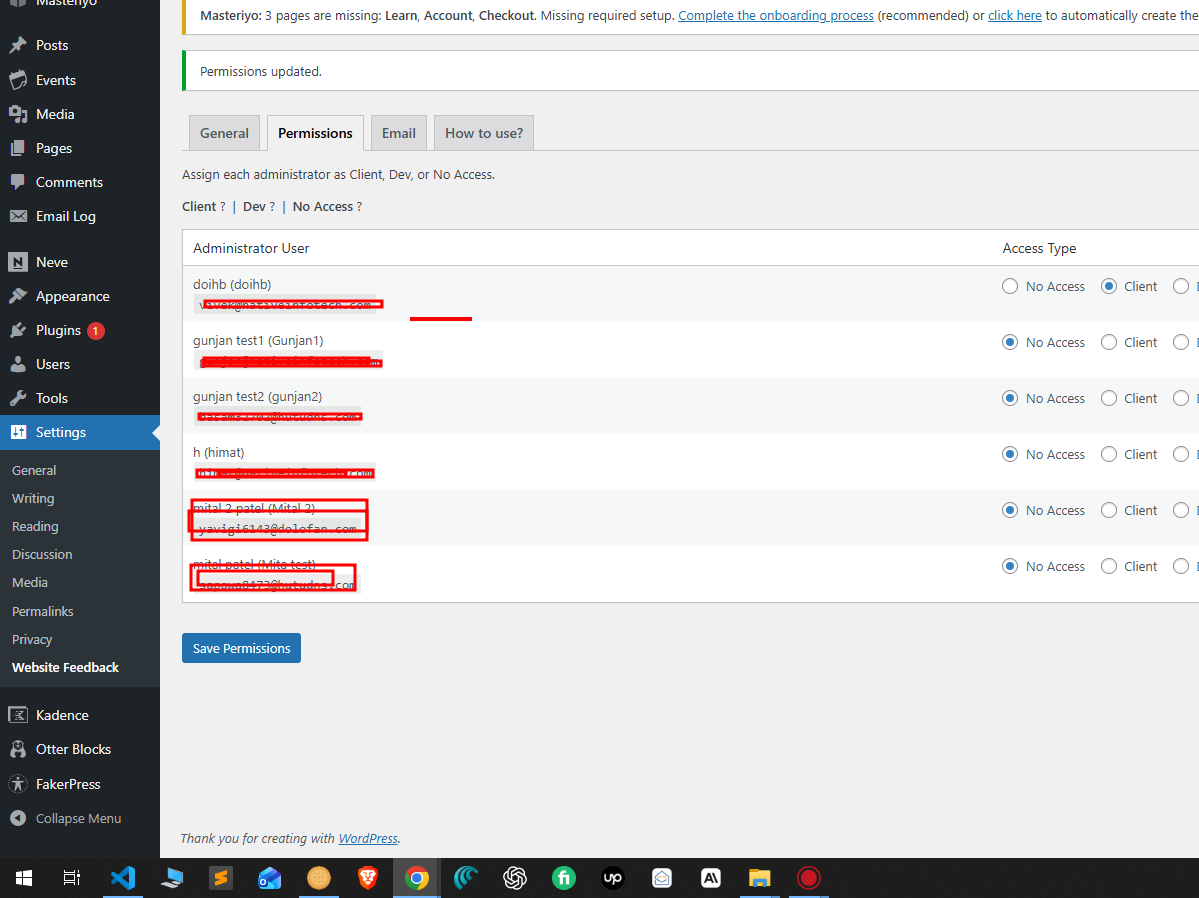
- Role-based access — assign each WordPress administrator as Client, Dev, or No Access.
- Client role — full access: create, edit own descriptions, move pins, assign, reply, resolve, delete, and upload attachments.
- Dev role — limited access: view, reply, and resolve/unresolve only.
- No Access — cannot see or use Annotix.
- Zero public routes — all REST endpoints require authentication with valid permissions.
- Rate limiting — built-in abuse protection on all REST endpoints.
- Lazy-loaded screenshot library — the 195 KB html2canvas library is only fetched when the user actually takes a screenshot, not on every page load.
- Non-blocking font loading — Google Fonts are loaded via the WordPress enqueue API instead of a render-blocking CSS import.
- Session caching — REST responses are cached in sessionStorage for instant rendering on repeat visits, with background refresh.
- Transient caching — mention-user queries are cached with a 5-minute WordPress transient to reduce database load.
- Conditional loading — all plugin assets only load for logged-in users who have been granted access.
安装:
- Upload the plugin folder to
/wp-content/plugins/. - Activate the plugin through the Plugins screen in WordPress.
- Go to Settings > Website Feedback.
- Open the Permissions tab and assign each administrator as Client, Dev, or No Access.
- Open the General tab to configure the feedback button position and offset.
- Optionally open the Email tab to enable and configure notifications.
- Visit any page on the frontend and click the Feedback button to start annotating.
屏幕截图:
常见问题:
Who can use Annotix?
Only logged-in WordPress administrators who have been assigned a Client or Dev role in the Permissions settings. No access is granted to editors, subscribers, or unauthenticated users.
Does it work with page builders like Elementor or Divi?
Yes. Annotix is injected as a fixed-position UI layer on the frontend and is compatible with any theme or page builder. The plugin applies its own CSS reset to prevent theme style conflicts.
Where is feedback data stored?
Feedback items and replies are stored in two custom database tables ({prefix}_wpvf_feedback and {prefix}_wpvf_feedback_replies). Screenshots are saved in a protected subdirectory inside the WordPress uploads folder (uploads/wpvf/). File attachments are stored in the WordPress media library.
Is feedback data deleted when the plugin is uninstalled?
Yes. The uninstall routine drops both custom tables, removes all plugin options, deletes all saved screenshots, and removes the custom capabilities from all roles.
Can I use this on a multisite installation?
The plugin is not explicitly tested for multisite. It may work on individual sites within a network but multisite support is not guaranteed in this version.
Does screenshot capture work in all browsers?
Screenshot capture uses html2canvas which works in all modern browsers. Some CSS features (SVG backgrounds, custom fonts loaded from external origins) may not render in the captured screenshot due to browser security restrictions.
What file types can I attach?
You can attach images (PNG, JPG, GIF, WebP, SVG), PDFs, plain text, CSV, RTF, and Microsoft Office documents (Word, Excel, PowerPoint).
更新日志:
- Fix: Feedback button no longer appears in Divi 5 frontend builder edit mode.
- Initial release.