Announcement Notification Bar - Notification Top Bar & Sticky Call to Action Banner
| 开发者 | mathewt |
|---|---|
| 更新时间 | 2026年9月7日 18:22 |
| PHP版本: | 7.4 及以上 |
| WordPress版本: | 7.1 |
| 版权: | GPLv2 or later |
| 版权网址: | 版权信息 |
详情介绍:
安装:
- Upload the plugin files to the
/wp-content/plugins/announcement-notification-bardirectory, or install the plugin through the WordPress plugins screen directly. - Activate the plugin through the 'Plugins' screen in WordPress.
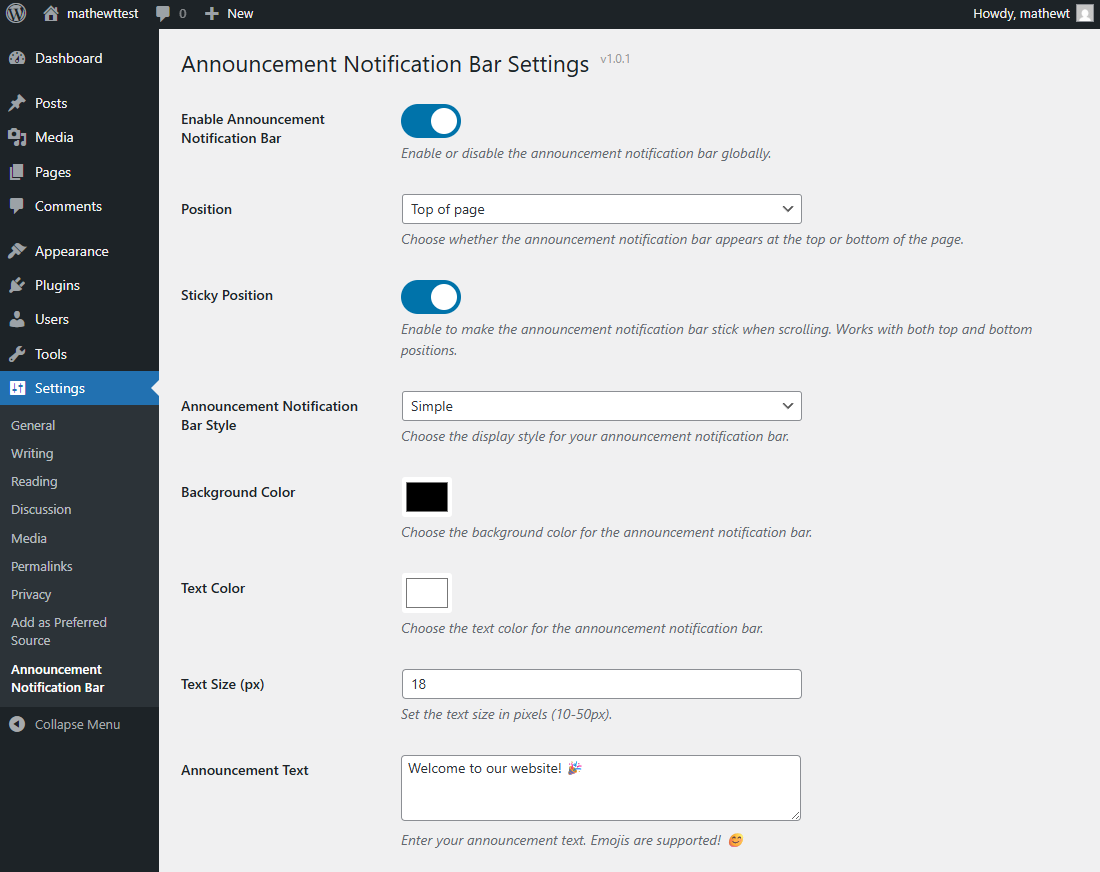
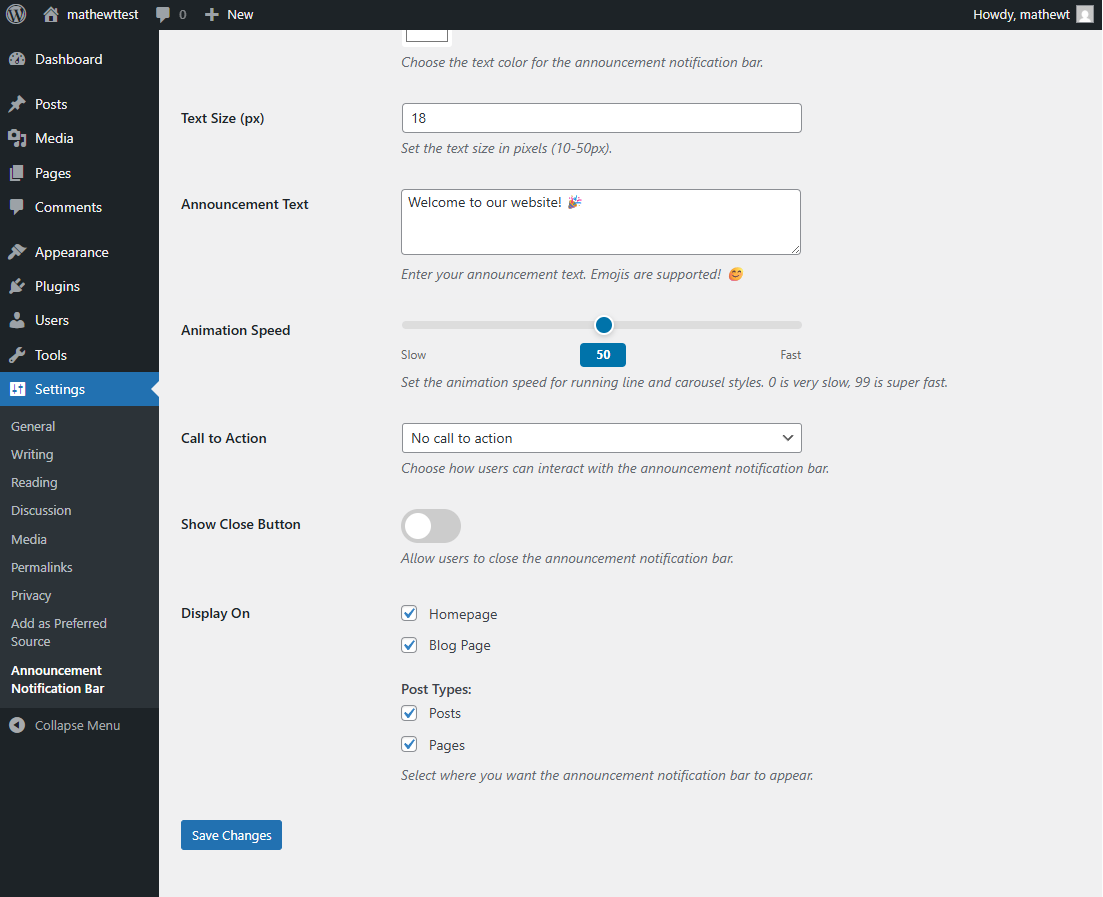
- Go to Settings > Announcement Notification Bar to configure your announcement.
- Customize your announcement notification bar settings and save.
- Visit your website to see the announcement notification bar in action!
屏幕截图:
常见问题:
How do I create multiple rotating messages?
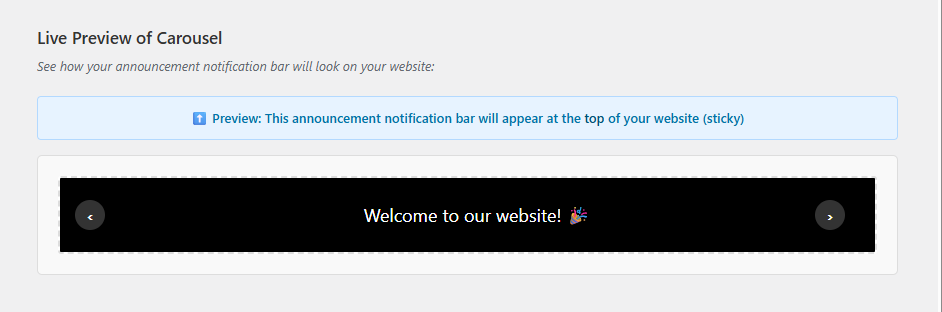
For the Carousel style, separate your messages with " | " (pipe symbol with spaces). For example: "First message | Second message | Third message"
Can I use emojis in my announcement?
Yes! The plugin fully supports emojis. Just paste them directly into the announcement text field. 😊
Will this work with my theme?
Announcement Notification Bar works with any properly coded WordPress theme. The announcement notification bar uses fixed positioning and does not interfere with your theme's layout.
Can visitors close the announcement notification bar?
Yes, you can enable the close button option in the settings. When visitors close the announcement notification bar, it won't show again during their current session.
Does it work on mobile devices?
Absolutely! The announcement notification bar is fully responsive and adapts to different screen sizes automatically.
Can I choose which pages show the announcement notification bar?
Yes, you have full control over where the announcement notification bar appears. You can choose homepage, blog page, and select specific post types.
Can I position the announcement notification bar at the bottom of the page?
Yes! You can choose to display the announcement notification bar at either the top or bottom of your website. You can also enable sticky positioning to make it stay visible when scrolling.
Does the announcement notification bar affect my site's performance?
No! The plugin is highly optimized and uses minimal resources. It only loads its assets when the announcement notification bar is enabled and displayed.
更新日志:
- New: Settings page sidebar with troubleshooting guide (bar not showing tips) and plugin support card
- New: Display On - "All Pages" option (enabled by default) to show the bar across the entire site with a single toggle
- New: Display On - Taxonomy Archives section with per-taxonomy checkboxes (categories, tags, and custom taxonomies)
- New: Running Line - separator character option with presets (Bullet, Pipe, Em Dash, Star, Slash, Diamond) and a custom character input
- New: Running Line - spacing slider to control the gap between each text repetition (0-500px)
- New: Carousel style now uses a visual repeater UI with individual message rows instead of a plain textarea
- New: Automatic cache clearing on settings save (supports WP Super Cache, W3 Total Cache, WP Fastest Cache, WP Rocket, LiteSpeed Cache, and Autoptimize)
- Fixed: Running Line animation not working on mobile devices (iOS Safari and Android)
- Fixed: Running Line animation speed inconsistency between mobile and desktop devices
- Fixed: Running Line animation not playing in admin preview
- Fixed: Running Line speed=0 was incorrectly treated as speed=50
- Fixed: Running Line style no longer blocks saving when a short message is entered
- WordPress 7.0 compatibility confirmed
- Initial release
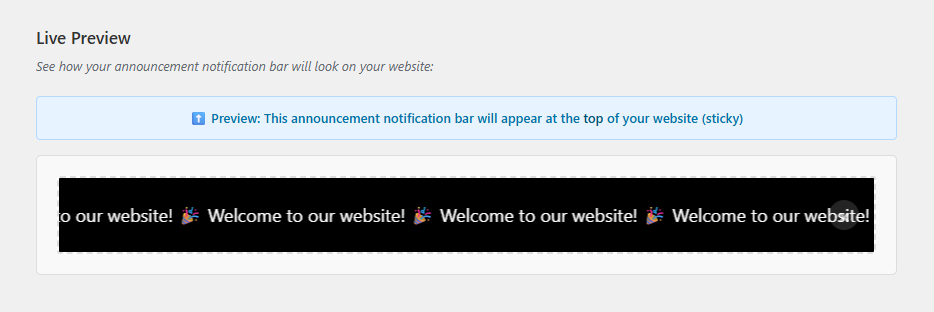
- Multiple display styles (Simple, Running Line, Carousel)
- Full customization options (colors, size, text)
- Emoji support
- Call-to-action options (None, Button, Clickable)
- Display control for different post types and pages
- Optional close button
- Mobile responsive design
- Live preview in admin
- Performance optimized
- Top and bottom positioning options
- Sticky and non-sticky modes