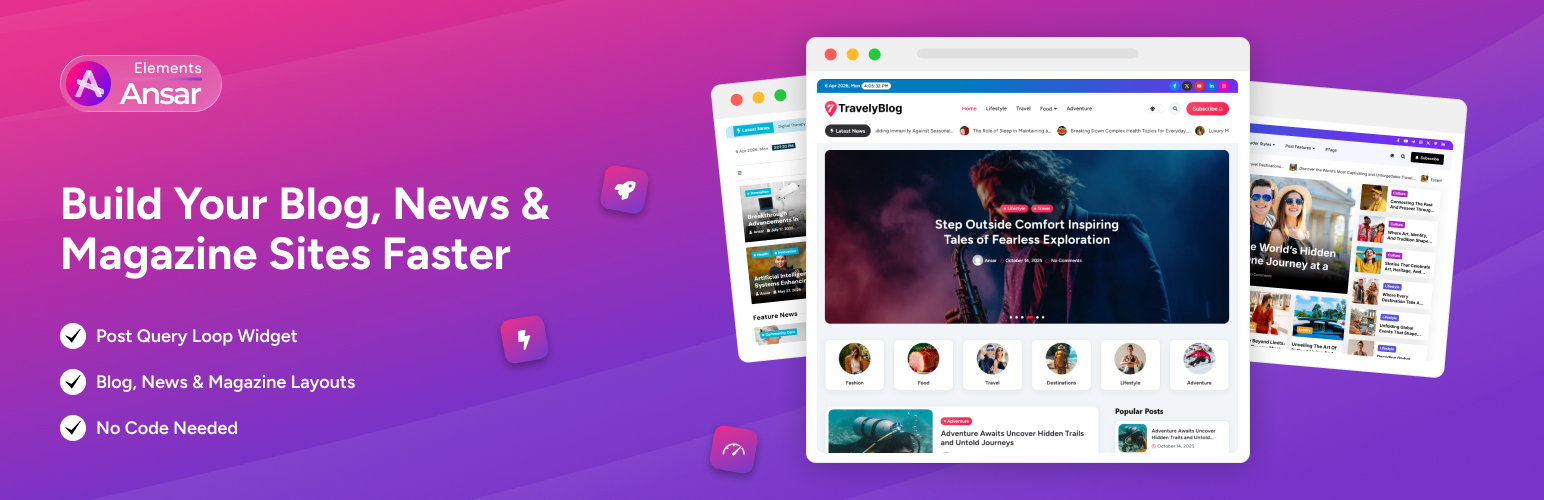
Post Query Loop for Blog, News & Magazine Sites – Ansar Elements
| 开发者 | themeansar |
|---|---|
| 更新时间 | 2026年10月15日 13:33 |
| PHP版本: | 7.4 及以上 |
| WordPress版本: | 6.9 |
| 版权: | GPLv3 or later |
| 版权网址: | 版权信息 |
详情介绍:
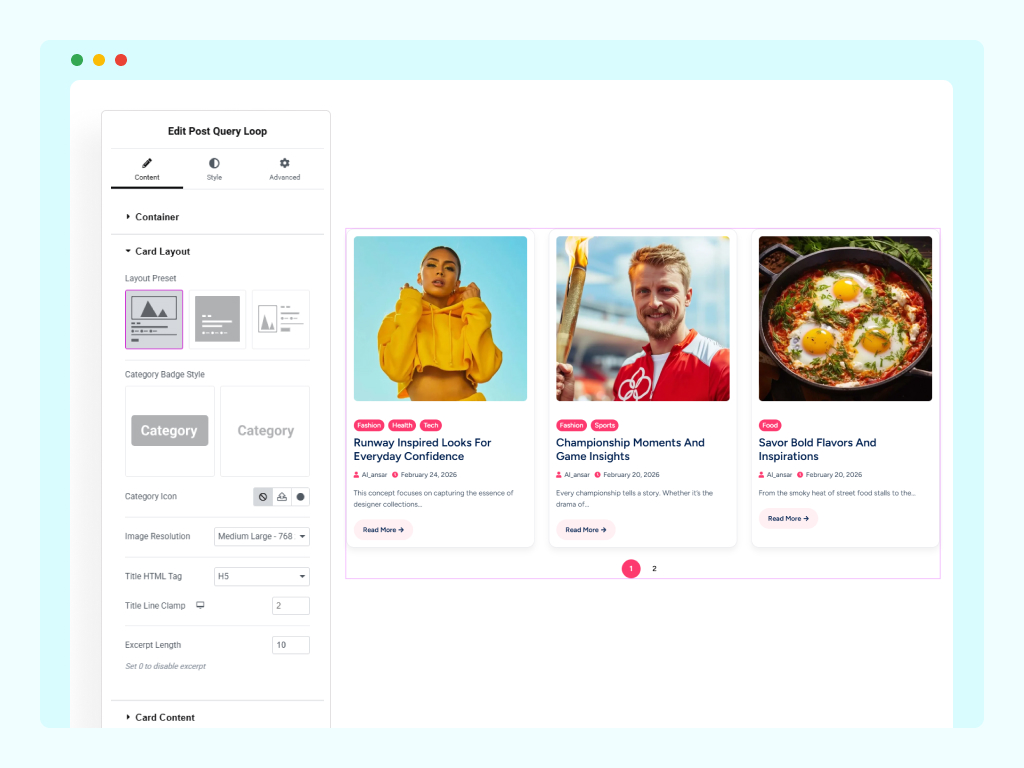
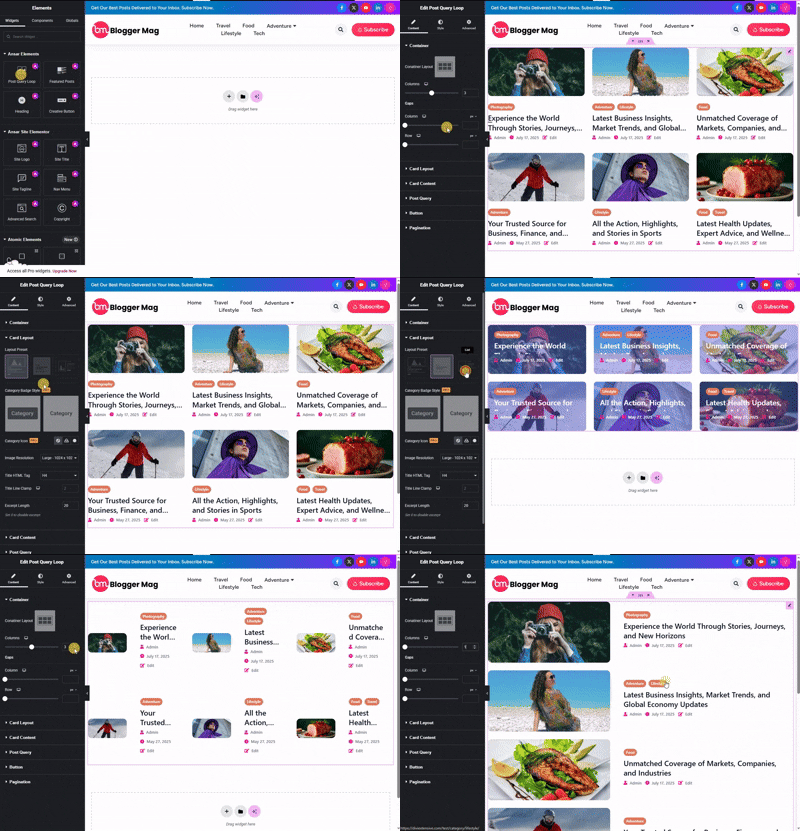
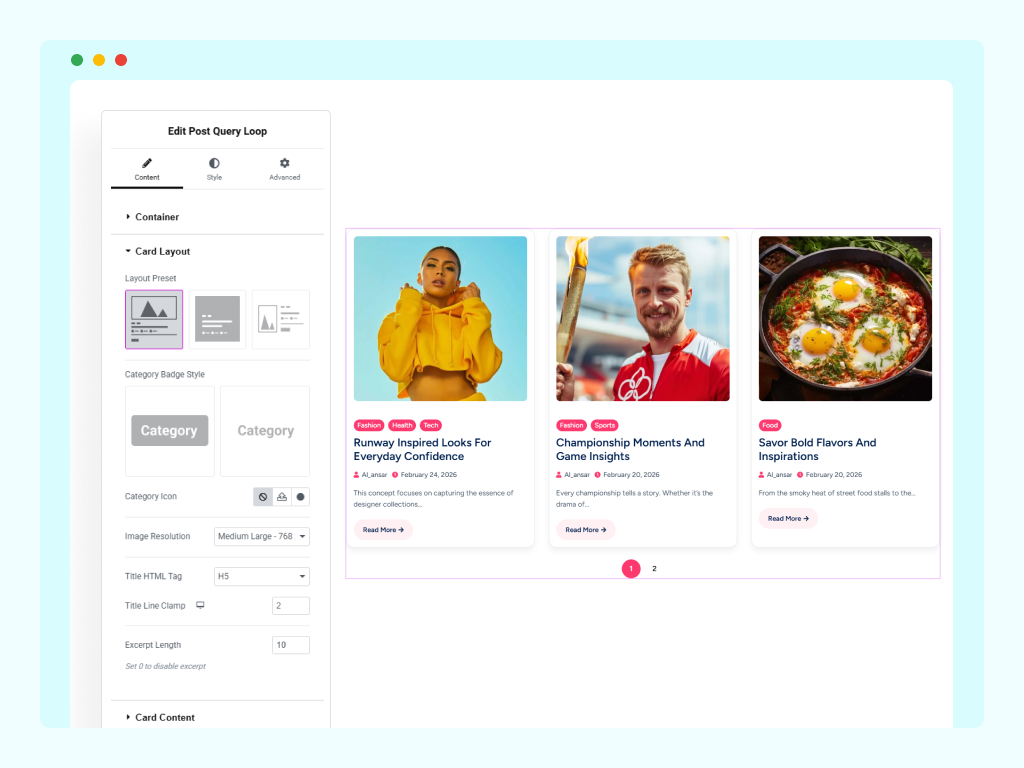
- 3 card presets: Standard (image top), Overlay (content over image), and List (horizontal)
- Responsive columns — set 1–5 columns separately for desktop, tablet, and mobile
- Control column gap and row gap independently
- Works with any post type
- Filter posts by category, tag, author, or custom taxonomy
- Set posts per page (1–100)
- Order by date, popularity, or custom fields
- Show or hide: featured image, title, excerpt, category, meta, and read more button
- Control excerpt length
- Custom button text and icon
- Numbered pagination with previous / next controls
- Custom prev/next labels
- Style every card element — image, title, category, meta, excerpt, and button
- All styling controls are responsive
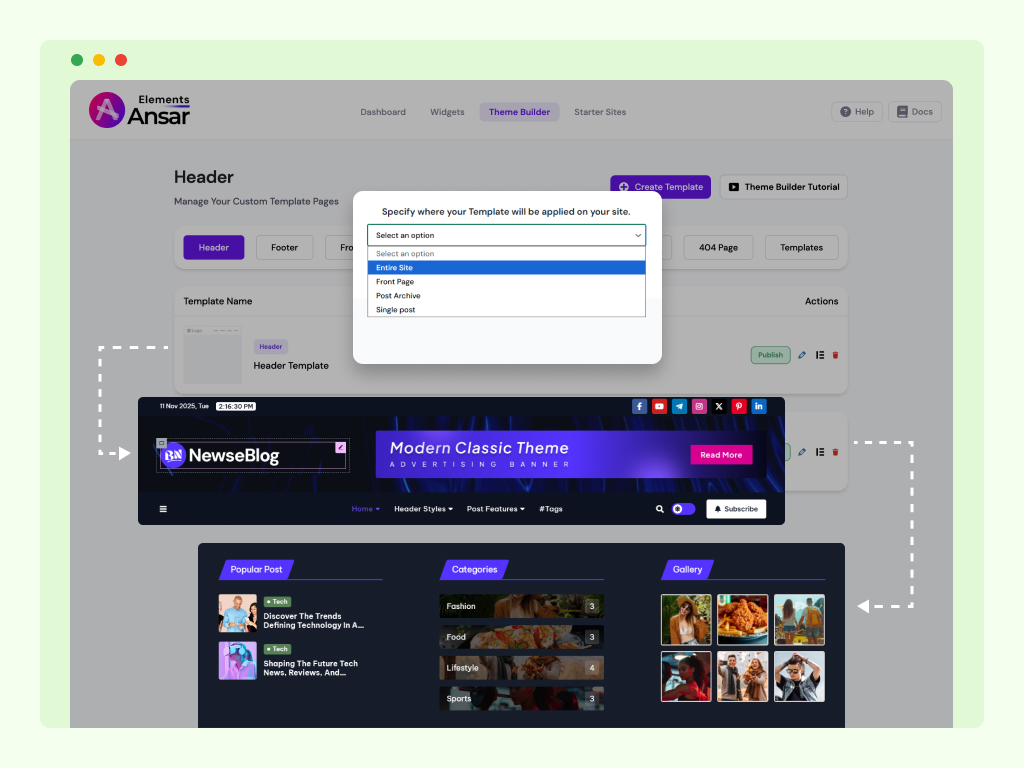
- Header Builder – Custom headers for your blog or news site
- Footer Builder – Dynamic footers with full widget support
- Archive Builder – Custom layouts for category and tag pages
- Single Post Builder – Unique templates for posts and articles
- 404 Page Builder – Branded error pages
- Site Logo – Custom sizing and linking
- Site Title & Tagline – Styled to match your brand
- Navigation Menu – Horizontal, vertical, or mobile-expandable
- Search Widget – Multiple layout styles
- Copyright – Auto-updating year, zero maintenance
- Date & Time – Display current date/time in various formats
- Breadcrumb – Improve navigation and SEO with clear, structured breadcrumb trails.
- Live Search – Provide instant search results as users type for a faster browsing experience.
- Light/Dark Toggle – Let visitors switch between light and dark modes for comfortable reading.
- Scroll to Top – Smooth scroll-to-top button for better navigation on long articles.
- Lightweight — scripts and styles load only where used, keeping your site fast
- Works with the free version of Elementor
- Built specifically for news, blog, and magazine sites
- Beginner-friendly with advanced controls for power users
- Follows WordPress coding standards
- Compatible with most modern WordPress themes
- Category Filter Bar – Let visitors filter posts by category without a page reload
- Section Heading – Styled headings with accent lines above your post grids
- Post Counter – Display post numbers on each card
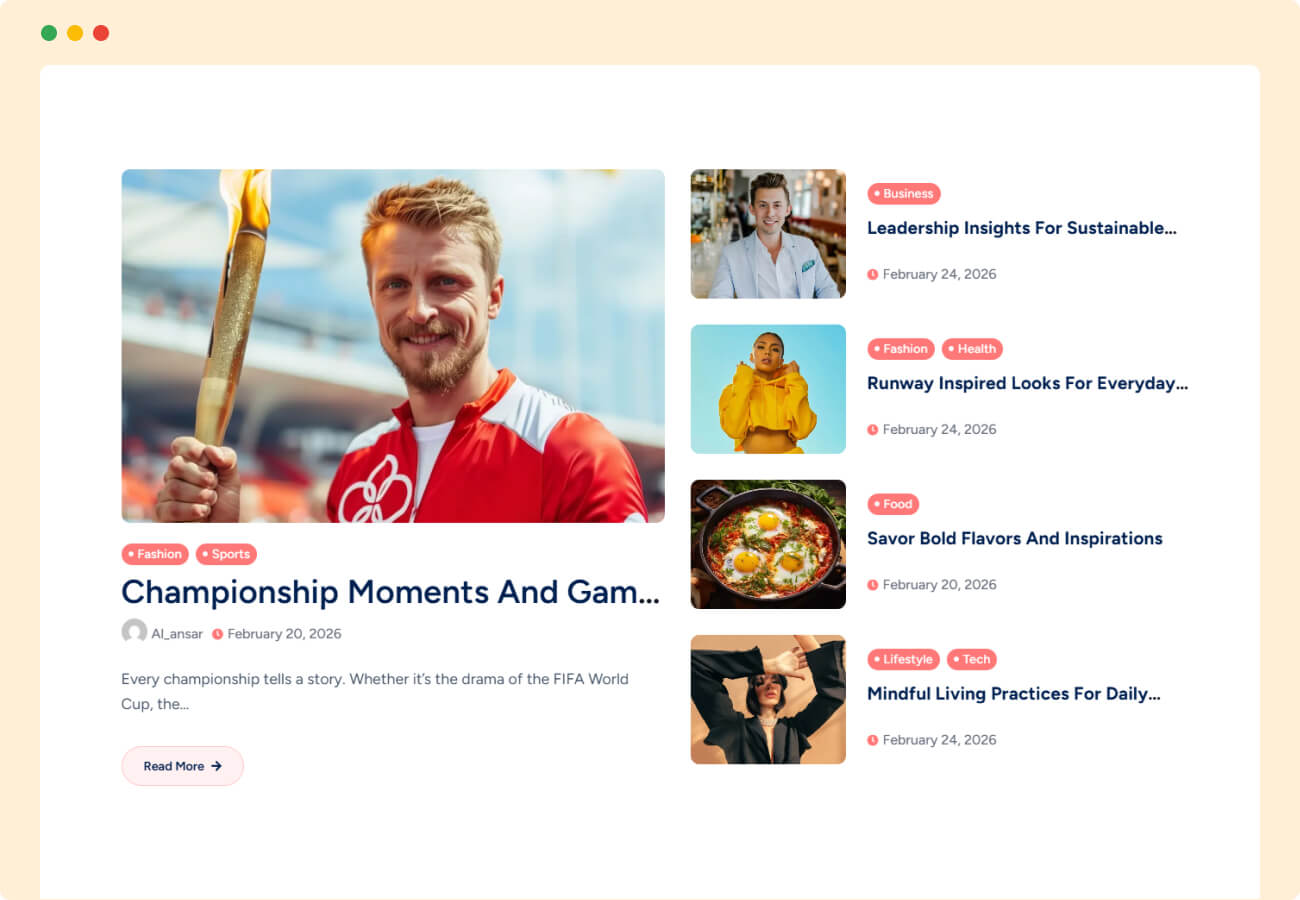
- Editorial Layout Widget – Magazine-style layouts with featured + supporting post combinations
- Featured Posts Widget – Hero layouts: cover, left/right side, top/bottom with small posts
- Engagement widgets – Trending posts, related posts, author box, social share
- Advanced pagination – Improve navigation with clean, Ajax & numbered pagination.
- load More – Improve Load More.
- Dark mode support – Built-in light/dark toggle for better UX
- WooCommerce compatible – Works with online stores and product blogs
- Single Post Enhancers – Reading time, breadcrumbs, meta controls
- News Ticker – Display scrolling breaking news with customizable speed, direction, and styling.
- Post Query Loop – Create stunning blog post grids with multiple layouts, filtering, and pagination options.
- Featured posts – Build professional magazine-style layouts with featured posts and category sections.
- Post Slider – Display your posts in an elegant slider layout — ideal for featuring the latest news and updates.
- Post Carousel – Display posts in beautiful sliding carousel with navigation controls.
- Post Tab Trending – Highlight trending content in organized tabs for better user engagement.
- Featured Posts Category filter – Let users easily explore posts by category with interactive filtering options.
- Post timeline – Tell stories or showcase updates in a clean, chronological timeline layout.
- post accordion – Organize content into expandable sections for a neat and user-friendly interface.
- table of contents – Improve readability and navigation with an auto-generated content index.
- Comparison Table – Present features, plans, or products side-by-side for easy decision-making.
- Heading Widget – Advanced heading styles with animations and decorative elements.
- Creative Button – Drive conversions with eye-catching call-to-action buttons featuring dynamic hover effects and icons.
安装:
- Go to Plugins → Add New in your WordPress dashboard
- Search for Ansar Elements
- Click Install Now, then Activate
- Make sure Elementor is installed (free version works fine)
- Open any page in Elementor — find the Post Query Loop widget in the panel
- Drag it onto your page and start building
屏幕截图:

常见问题:
Is this plugin completely free?
Yes. The Post Query Loop widget and all theme builder modules are free and Pro Has advanced publishing features.
Do I need Elementor Pro?
No. Ansar Elements works fully with the free version of Elementor.
Will it slow down my site?
No. Scripts and styles are loaded conditionally — only on pages where the widgets are used.
What card layouts are available in the free version?
Three layouts: Standard (image top, content below), Overlay (content over image), and List (horizontal card).
Can I control how many columns show on mobile?
Yes. Column count is fully responsive — set separate values for desktop, tablet, and mobile independently.
How is this different from Popular or other post grid plugins?
Ansar Elements is free, lightweight, and focused on blog, news, and magazine use cases. No bloated feature sets, no subscription required for the core widget.
What does the Pro version include?
Pro adds the Category Filter Bar, Section Heading, Post Counter, Editorial Layout widget, and Featured Post widget with hero-style layouts, advanced publishing features.
Does it work with my theme?
Yes. Compatible with most modern WordPress themes that support Elementor.
Is support available?
Yes. Free support is available through the WordPress.org support forums.
Is it translation-ready?
Yes. The plugin follows WordPress standards and is ready for translation.
更新日志:
- Added Freemius integration for licensing and monetization support.
- Fixed admin panel design and layout issues.
- Improved overall UI responsiveness and user experience.
- Enhanced code quality and standards compliance.
- Performed compatibility and stability testing with WordPress 7.0.
- Minor performance and backend improvements.
- Fixed: Design issues.
- Improved: Code standards compliance.
- Tested: Plugin checked for compatibility and stability.
- New: Added Archive Query Loop feature for advanced post display and dynamic content layouts.
- New: Added Post meta For Single Page display and dynamic content.
- New: Added Archive Query Loop feature for advanced post display and dynamic content layouts.
- New: Added Post Categories For Single Page display and dynamic content.
- New: Added Featured Posts Loop feature for advanced post display and dynamic content layouts.
- Fixed minor CSS issues.
- Fixed minor CSS issues.
- Enhancement: Improved and Optimize Query For Speed.
- Fixed minor CSS issues in menu Widget.
- Updated editor icons.
- Added custom demo content controls for header/footer builder.
- Fixed minor CSS issues in post-query loop widget.
- Enhancement: Improved Elementor widget registration process.
- New: Added Post Query Loop feature for advanced post display and dynamic content layouts.
- New: Introduced Post Query Loop Widgets for flexible content filtering and customization.
- Enhancement: Improved performance and optimized query handling for better speed and stability.
- New: Search Widget with multiple layout options.
- New: Copyright Widget with dynamic year auto-update.
- New: Archive Title widget.
- New: Single Post Title widget.
- New: Single Post Content widget.
- Improvement: General stability and performance enhancements.
- Added Header Builder module for custom headers
- Added Footer Builder module for dynamic footers
- Archive Builder and Single Post Builder for custom post layouts
- Introduced Admin Theme Builder Dashboard for easier template management
- Added Site Title, Site Tagline, and Site Logo widgets for flexible header/footer design
- Minor bug fixes and performance optimizations
- Added advanced Admin Management System for better control and flexibility
- Introduced secure Admin Registration Module
- Launched powerful Widgets Manager for dynamic customization
- Added a custom Admin Dashboard Interface for improved user experience
- Minor bug fixes and performance optimizations for smoother operation
- Initial release.