
Antikton Topbar Countdown
| 开发者 | antikton |
|---|---|
| 更新时间 | 2025年12月20日 07:59 |
| 捐献地址: | 去捐款 |
| PHP版本: | 7.4 及以上 |
| WordPress版本: | 6.9 |
| 版权: | GPLv2 or later |
| 版权网址: | 版权信息 |
详情介绍:
Antikton Topbar Countdown is a lightweight yet powerful plugin that allows you to display a customizable top bar on your WordPress site. It features an integrated countdown timer and advanced scheduling options, making it perfect for announcements, sales, maintenance notices, and more.
Core Features
- Global Top Bar: Easily display a notification bar across your site.
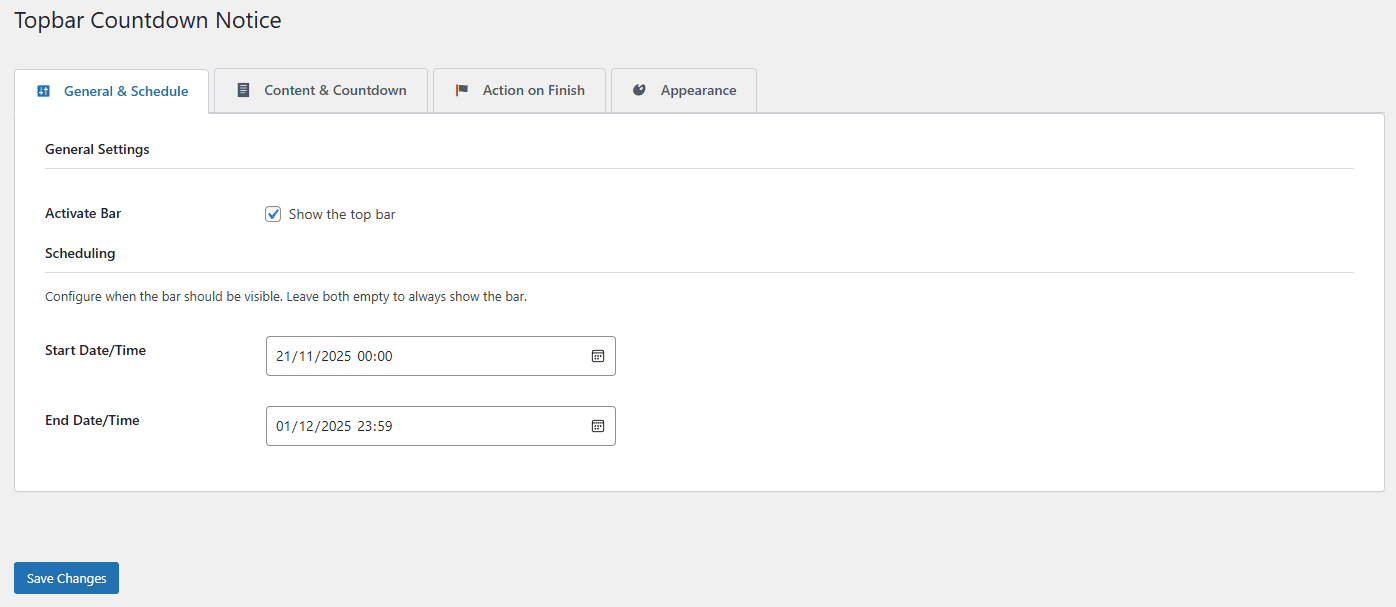
- Flexible Scheduling: Set start and end dates/times for the bar to appear automatically.
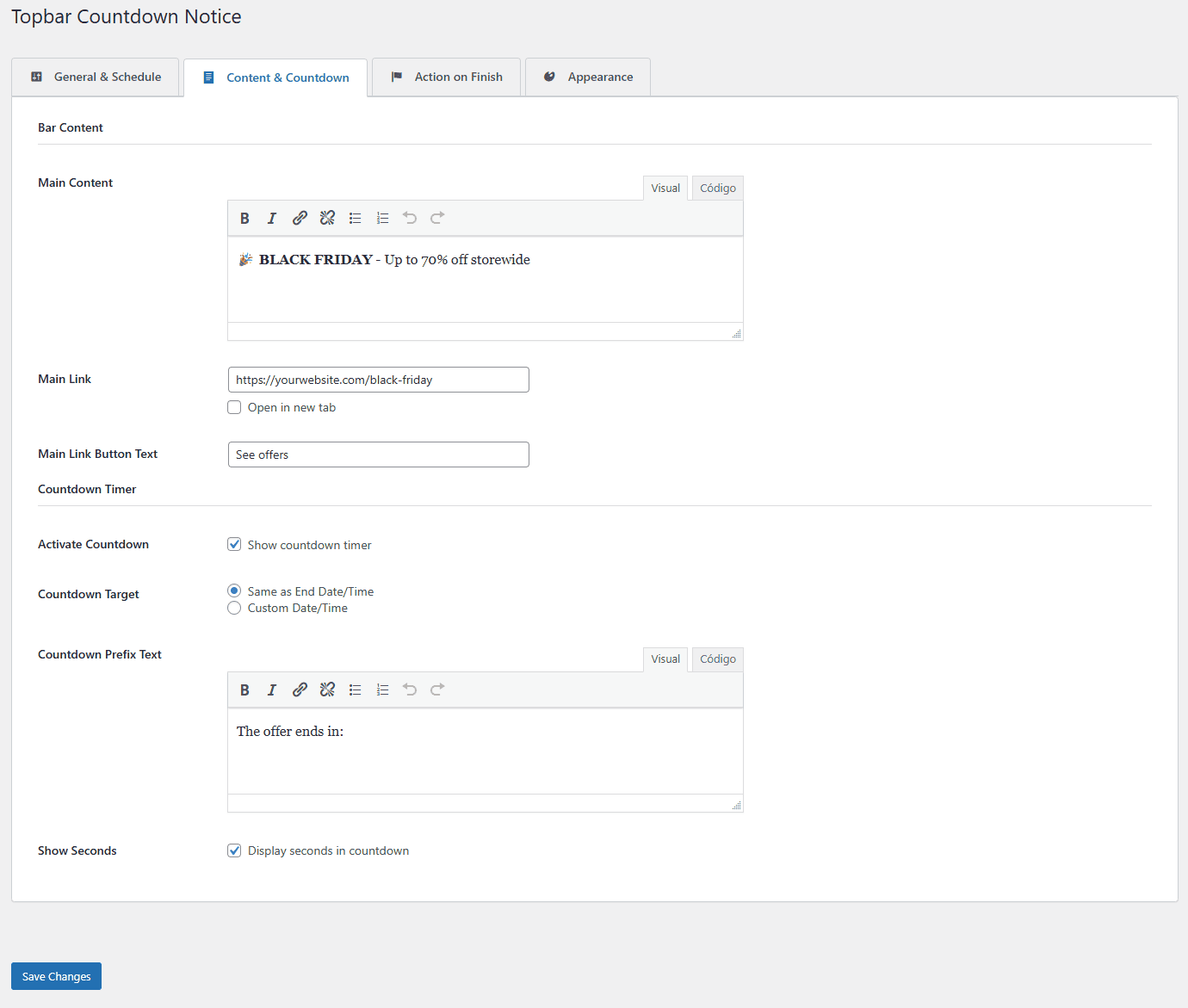
- Countdown Timer: Drive urgency with a countdown timer targeting a specific date or the end date.
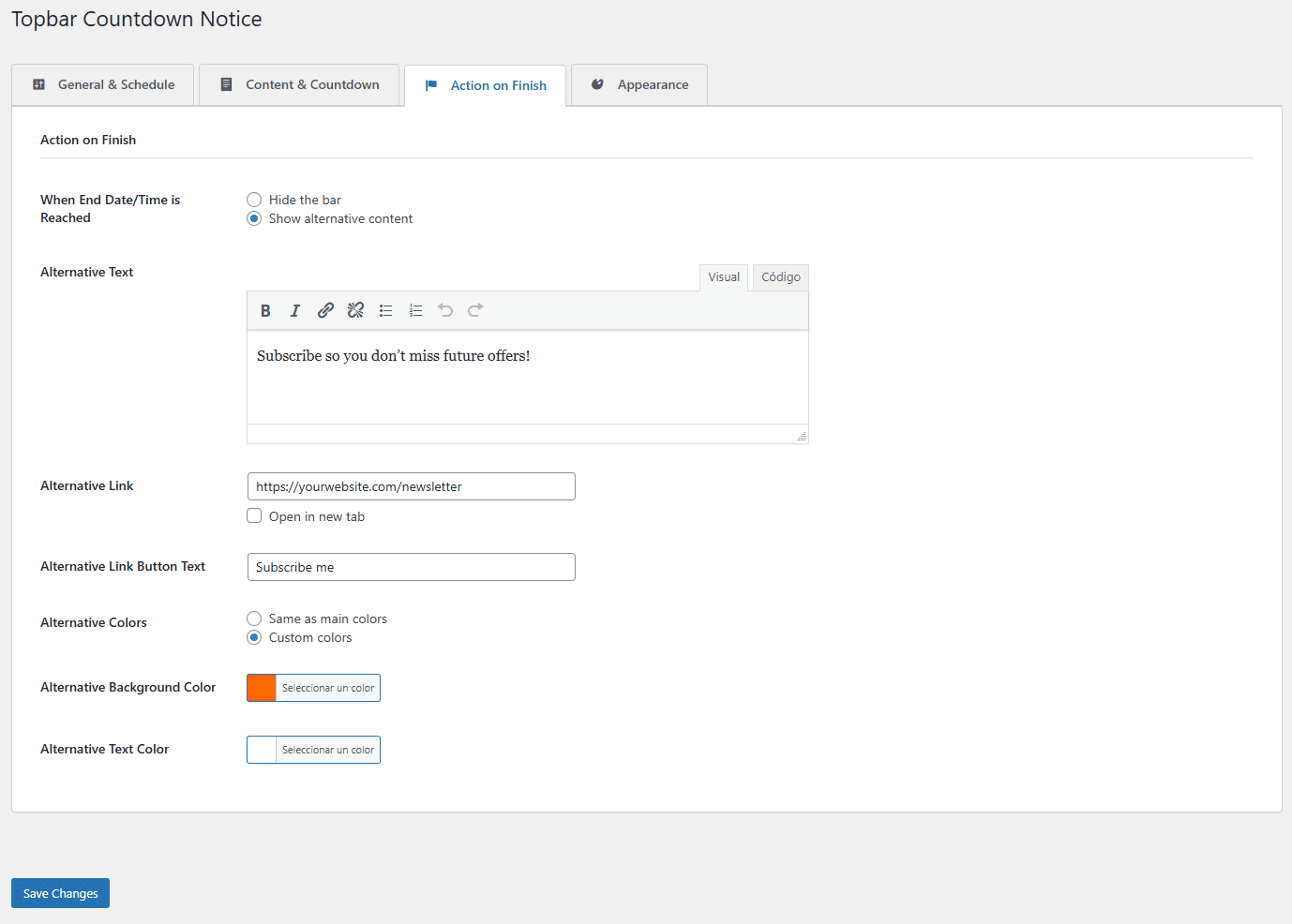
- Alternative Content: Choose to hide the bar or show different content when the timer finishes (e.g., reveal discount coupons, announce "Sale is LIVE!", or show "Offer Ended" messages).
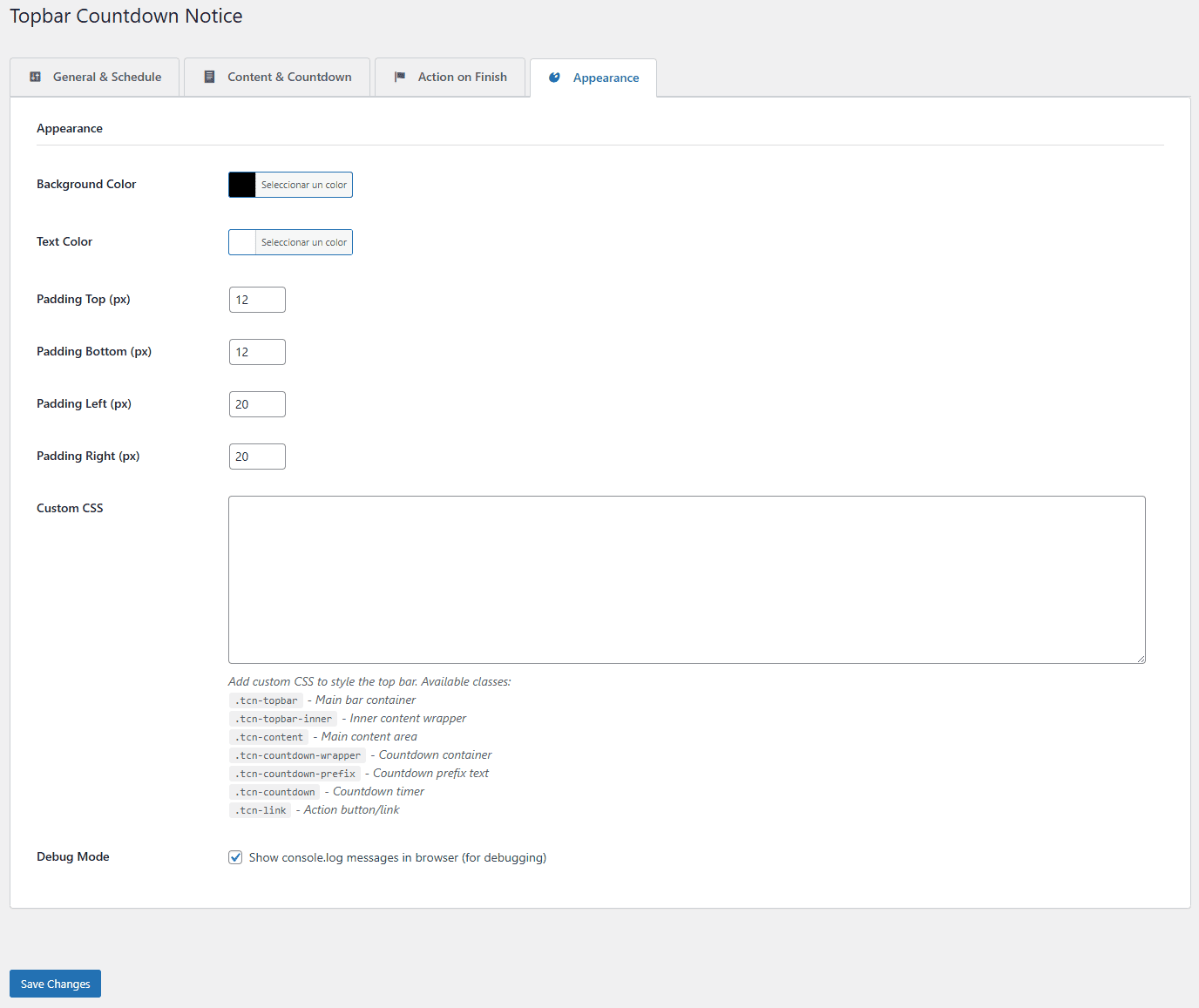
- Full Customization: visual control over background colors, text colors, and padding.
- Rich Content Editor: Use the familiar WordPress editor for your bar's content.
- Hide the bar: The bar disappears automatically.
- Show alternative content: Replace the countdown/message with a new message and link (perfect for revealing discount codes when a sale starts, showing "Sale is LIVE!" messages, or displaying "Missed the sale?" notifications).
安装:
- Upload the
antikton-topbar-countdownfolder to the/wp-content/plugins/directory. - Activate the plugin through the 'Plugins' menu in WordPress.
- Go to Settings > Topbar Countdown to configure the plugin.
屏幕截图:

常见问题:
Can I use this for a scheduled sale?
Yes! Set the Start Date/Time to when your sale begins and the End Date/Time to when it ends. You can enable the countdown to target the End Date.
What happens when the countdown ends?
You can choose to either hide the bar completely or show an alternative message (like "This offer has expired").
Is it mobile friendly?
Yes, the top bar is designed to be responsive and works on mobile devices.
Can I reveal a discount code after the countdown ends?
Absolutely! This is a popular use case. Set up a countdown to build anticipation, then use the "Show alternative content" option to reveal your discount code, coupon, or special offer when the timer reaches zero. You can even change the colors to make it stand out!
更新日志:
For complete version history, see changelog.txt
1.1.1
- Updated: Modern, eye-catching plugin banners with updated "Antikton Topbar Countdown" branding
- Improved: GitHub Actions workflow now automatically extracts changelog from readme.txt
- Improved: GitHub Actions now generates plugin ZIP file and attaches it to releases
- Improved: Enhanced release notes generation with version-specific changelog integration
- IMPORTANT: WordPress.org compliance update - All functionality preserved
- Changed: Class name from
Topbar_Countdown_NoticetoAntikton_Topbar_Countdownfor uniqueness - Changed: Prefix from
tcntoantitoco(8 characters) across all functions, options, and CSS classes - Changed: JavaScript object from
tcnDatatoantitocoData - Changed: All AJAX actions now use
antitoco_prefix - Changed: All settings groups now use
antitoco_prefix - Changed: All CSS classes from
.tcn-*to.antitoco-* - Changed: All script/style handles from
tcn-*toantitoco-* - Removed: Custom CSS functionality per WordPress.org guidelines (use Customizer instead)
- Improved: Topbar positioning changed from
fixedtorelativefor better compatibility - Improved: All variables properly escaped for enhanced security
- Added: Settings link in plugins list for easier access
- Fixed: Admin CSS selectors updated to match new class structure
- Security: Comprehensive escaping review - all outputs properly sanitized
- Changed: Plugin renamed to "Antikton Topbar Countdown" for better distinction and WordPress.org compliance
- Changed: Plugin slug updated from "topbar-countdown-notice" to "antikton-topbar-countdown"
- Changed: Text domain updated to "antikton-topbar-countdown" across all files
- Changed: Main plugin file renamed to "antikton-topbar-countdown.php"
- Changed: All language files renamed to match new text domain (19 files: 9 .po + 9 .mo + 1 .pot)
- Improved: Inline styles and scripts now properly enqueued using wp_add_inline_style() and wp_add_inline_script()
- Improved: WordPress.org directory assets moved to separate folder for SVN upload
- Improved: Full WordPress coding standards compliance for plugin review
- Updated: Composer autoload configuration to reference new main file
- Updated: All documentation files (README.md, composer.json) with new plugin name
- Added: New "Help & Ideas" tab in settings with practical configuration examples
- Added: 12 seasonal campaign examples (Christmas, New Year, Valentine's, Black Friday, Spring, Summer)
- Added: Product launch and event registration examples (Product Launch, Webinar, Coupon Reveal)
- Added: Informational announcements examples (Maintenance Notice, Important Announcements, Course Deadlines)
- Added: 7 professional tips for creating effective countdown bars
- Translation: Updated ALL 9 language files with 60+ new strings for Help & Ideas tab
- Translation: Complete translations for Spanish, French, German, Italian, Portuguese, Dutch, Russian, Japanese, and Polish