
AP Casework Manager – Client Management for Genealogists
| 开发者 | ancestorpress |
|---|---|
| 更新时间 | 2026年10月25日 01:55 |
| PHP版本: | 8.0 及以上 |
| WordPress版本: | 7.1 |
| 版权: | GPLv2 or later |
| 版权网址: | 版权信息 |
详情介绍:
- Enquiries and engagements. Record each piece of work and move it from Enquiry to Scoping to Closed. Every change is recorded with the date, who made it and any note.
- Clients. Contact details, your private notes, and the date the client gave permission to hold their information - recorded automatically when they send their intake form.
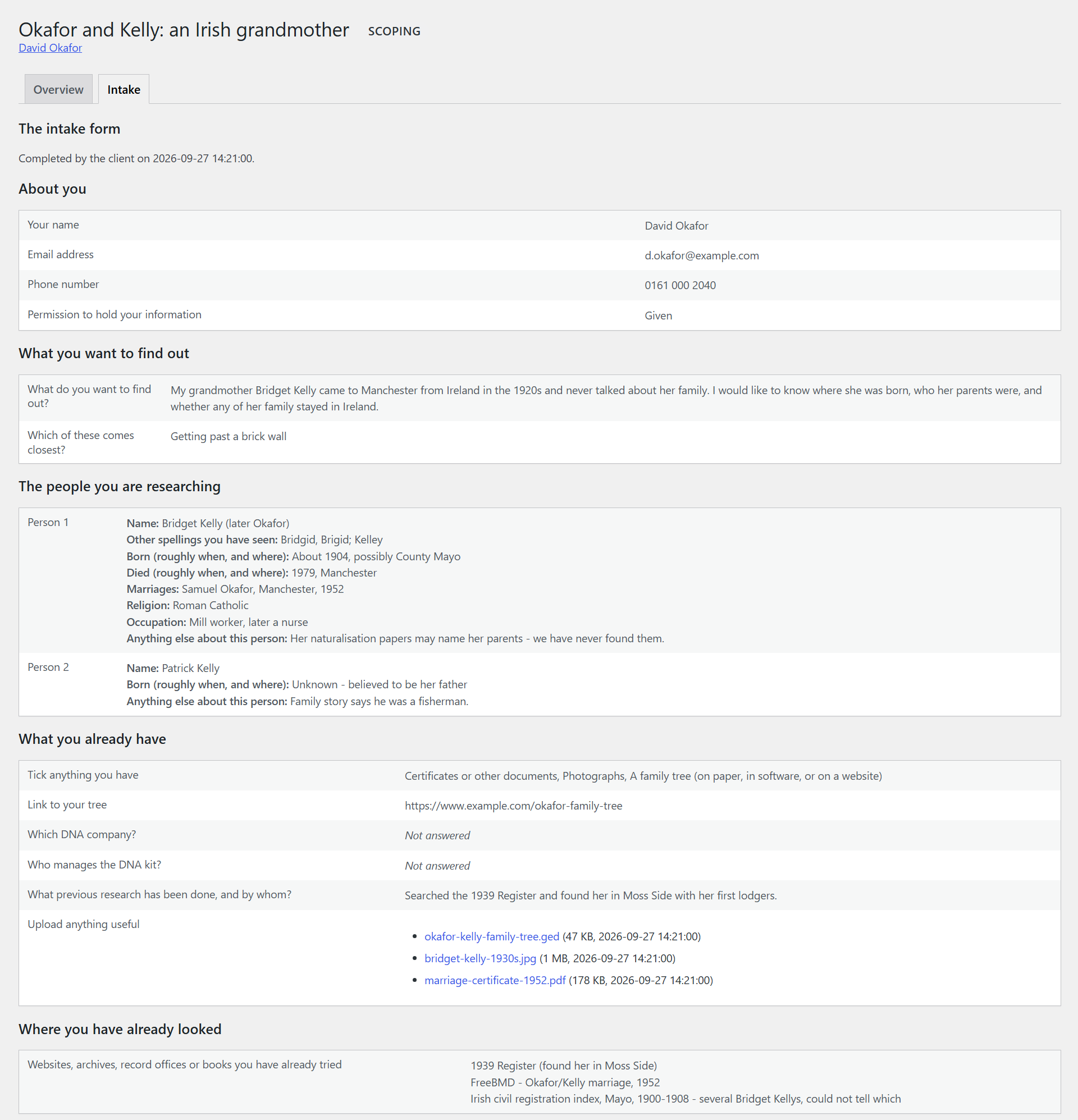
- A genealogy intake form, sent as a private link. No account and no password for the client. The form asks what a genealogist needs to know: who the client is and their consent; what they want to find out, in their own words; the people involved (name, other spellings, birth, death, marriages, religion, military service, occupation); what they already hold (a tree, certificates, photographs, DNA results, earlier research); where they have already looked, so you never charge them for a search they have done themselves; and their budget, timescale and how they like to hear from you.
- Save and finish later. Clients can come back to the form until they send it. Sending it records their consent, moves the engagement to Scoping, and emails you - the email carries no client details, only a link to read them on your own site.
- An optional PIN on any link, for clients who want the extra step. Repeated wrong PINs are slowed down.
- Secure uploads. Clients can send certificates, photographs, GEDCOM files and documents. Each file is checked by its content, not just its name, stored outside your media library under a long random name, and handed out only through the plugin, to you. The plugin also checks that your web server refuses direct requests for these files, and tells you how to fix it if it does not.
- Your branding. Your practice name, logo, accent colour and footer on the client pages. The client pages use their own styling and never load your theme, so a theme update cannot break a form a client is part-way through.
- A Help button on every Casework screen. The AncestorPress Support Copilot answers questions about using the plugin, from documentation matched to your version. It is optional, read-only, and sends nothing about your clients - see External services below.
- Privacy tools. Download everything held about a client as one file, anonymise a client while keeping your business record of the work, and handle requests by email address through WordPress's own Tools > Export Personal Data and Erase Personal Data. Closed engagements are kept for a period you choose (six years unless you change it) and can then be deleted permanently - never automatically. Suggested text for your privacy policy is added to Settings > Privacy.
- A research plan and quote your client agrees to by typing their name - frozen exactly as agreed - with changes of scope agreed the same way.
- A private client page with progress updates, the research log (searches that found nothing included, written as work done), hours used, and a link to your invoice.
- Reports written in the plugin, with PDF export in your own fonts, colours and letterhead.
- GEDCOM deliverables with a living-people checklist, and family-share links that show relatives only what you choose.
- A set number of questions after delivery, consultation offers, and follow-on engagements.
- AI first drafts of a research plan built from your own methods, through the AI service you connect to WordPress - and a disclosure statement for every report.
安装:
- In WordPress, go to Plugins > Add New, search for "AP Casework Manager", then install and activate it.
- Open the new Casework menu. Add your practice name and logo under Casework > Settings.
- Add a client, start an engagement for them, and send the intake form from the engagement's Intake tab.
屏幕截图:


常见问题:
Does my client need an account?
No. Clients use a private link you send them. You can add a PIN to any link.
Where is my clients' information kept?
In your own WordPress database, and their files in a protected folder in your uploads directory. The free edition sends nothing about your clients anywhere.
Does it make my practice GDPR-compliant?
It gives you the tools: consent recorded at intake, a copy of everything you hold about a client, anonymising, WordPress's own export and erase requests, and a retention period with deletion at the end. How you use them, and your privacy notice, remain your responsibility.
My site runs on nginx. Is anything different?
nginx ignores the .htaccess rule the plugin writes to close its upload folder to the web, so the dashboard will tell you the folder is open and show the line to add to your nginx configuration (or ask your host to add it). Until then your clients' files are still stored under random names the plugin never reveals.
Can I ask a client to fill in the form during a call?
Yes. Open the link yourself and fill it in with them.
What happens to my data if I delete the plugin?
Its settings are removed. Your clients, engagements and files are kept unless you have ticked "delete everything" under Casework > Settings > Keeping records first.
Is there documentation?
Yes: the Help button on every Casework screen answers questions from it, and it is all at AP Casework Manager documentation. What is planned next is on the roadmap.
更新日志:
- Updated Freemius SDK to the latest version.
- First public release: enquiries and engagements, clients, the genealogy intake form sent as a private link with an optional PIN, secure uploads, branding for the client pages, the AncestorPress Support Copilot behind a Help button on every Casework screen, and the privacy tools - a client's data as one file, anonymising, WordPress's Export and Erase Personal Data, and deletion at the end of the retention period.