
Appointly
| 开发者 | tscholene |
|---|---|
| 更新时间 | 2026年6月11日 03:24 |
| PHP版本: | 7.4 及以上 |
| WordPress版本: | 7.0 |
| 版权: | GPLv2 or later |
| 版权网址: | 版权信息 |
详情介绍:
- Customer picks a date or time slot and submits an inquiry
- You review the request in the admin dashboard
- You send a personalized quote with a price and personal note
- Customer accepts or declines via a link in the email
- Booking confirmed, everyone gets notified
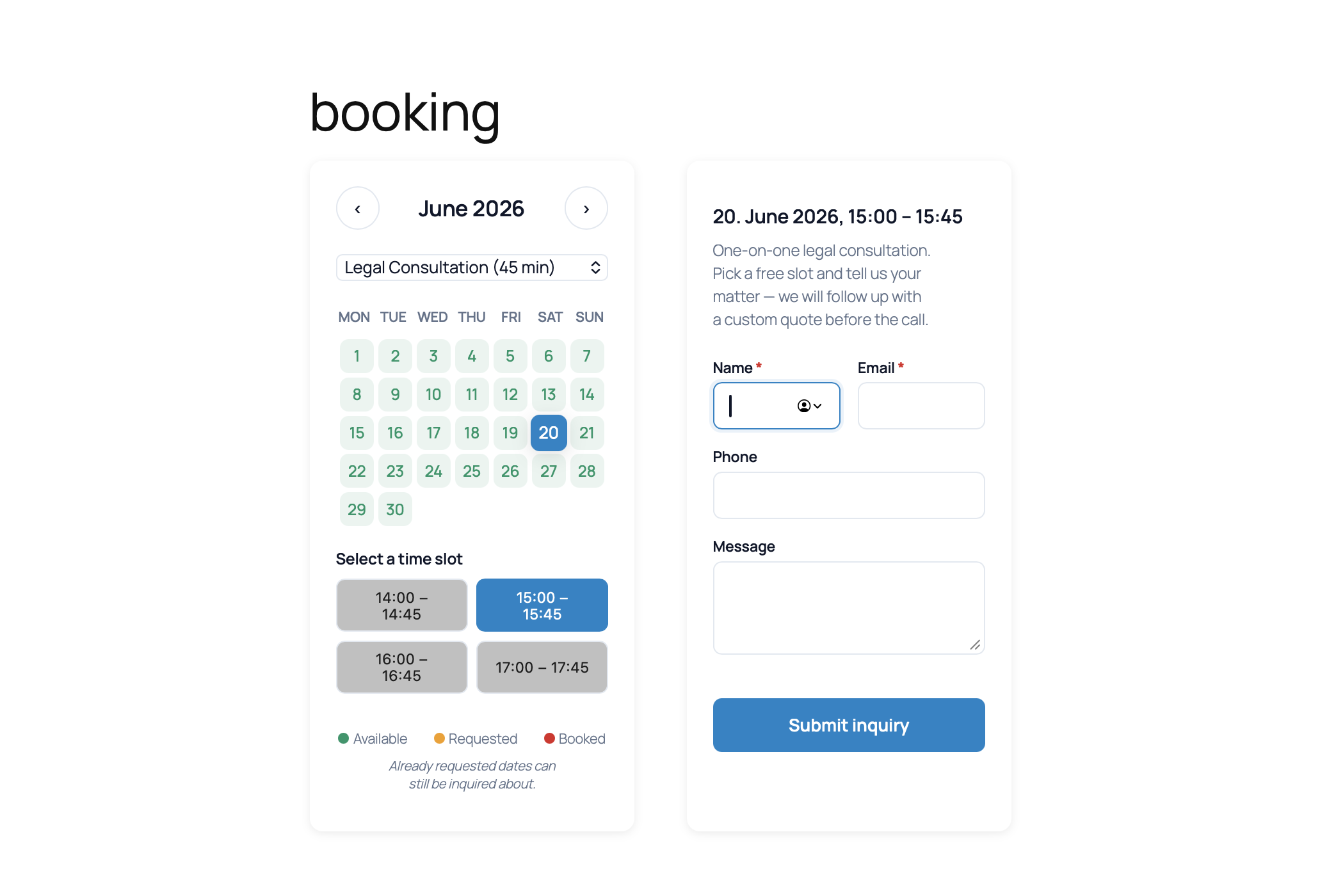
- Booking Calendar: Beautiful, responsive appointment calendar with real-time availability. Day-mode (whole-day) and timeslot mode (customer picks a time slot of configurable length within a daily window)
- Unlimited Services: Create as many services as you need, with title, description, image, and base price
- Personal Offer Workflow: Review every inquiry and send customised offers with automatic email delivery and one-click Accept / Decline links
- SMTP Email Delivery: Reliable email delivery with presets for Gmail, Outlook, Yahoo, iCloud, IONOS, Strato, World4You, Host Europe, ALL-INKL, Hetzner, and more
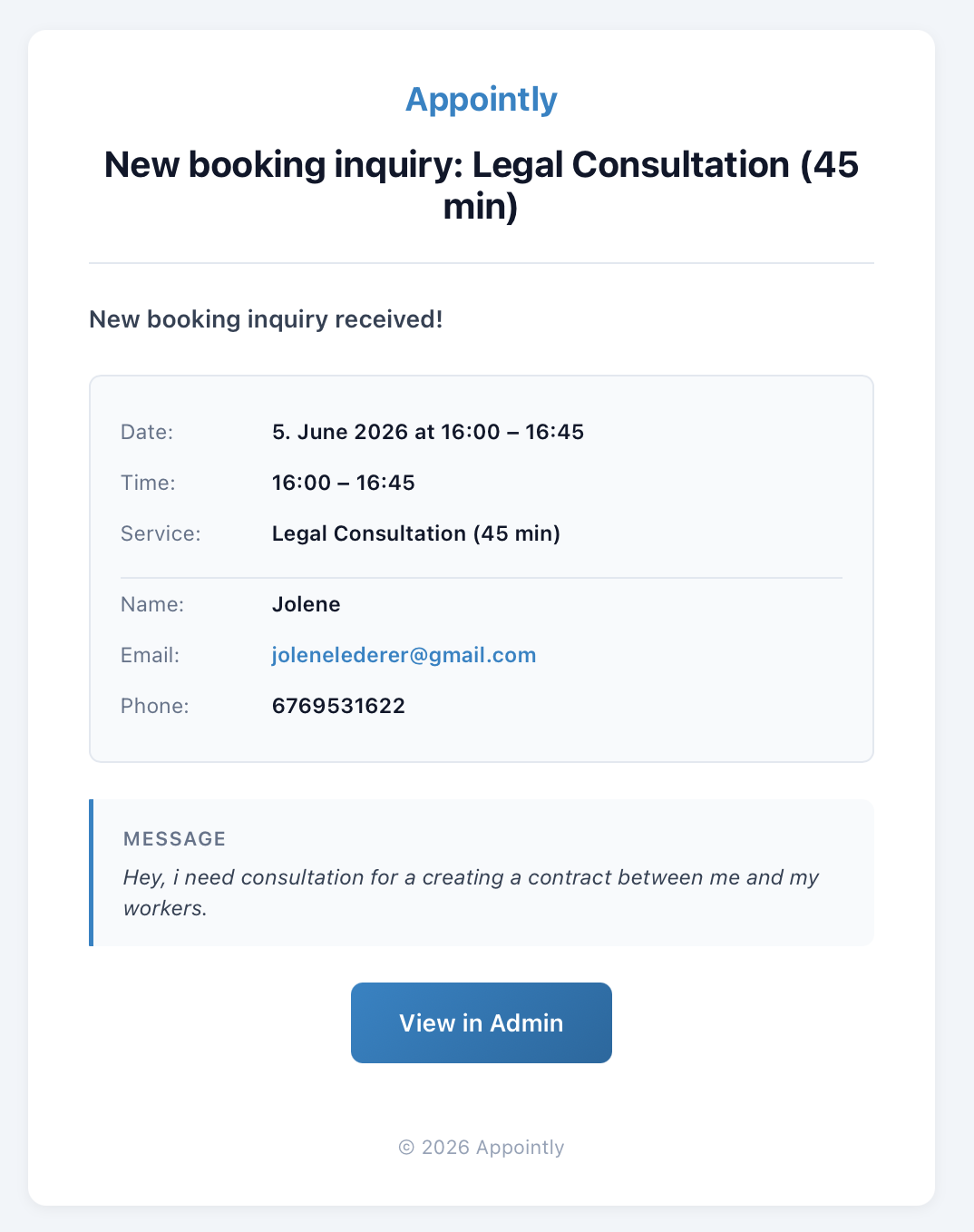
- Default Email Templates: Five polished HTML email templates (inquiry, admin notification, offer, confirmation, cancellation) with light and dark modes, fully translatable
- Dark Mode: Calendar automatically adapts to the visitor's colour scheme
- Accessibility: WCAG AA compliant with keyboard navigation
- Gutenberg Block & Shortcodes: Add the calendar via block editor or shortcode
- Setup Wizard: Guided onboarding in four steps
- GDPR Ready: Consent checkbox on the booking form, personal data exporter and eraser integration, encrypted SMTP credentials
- Multilingual: Full i18n support. German translation included (de_DE, de_DE_formal, de_AT, de_CH, de_CH_informal)
- Custom Branding: Primary colour, accent colour, and logo applied across the frontend booking form and all customer emails.
- Custom Email Template Editor: Live preview editor for all 10 customer-facing and admin notification templates with placeholder picker.
- Custom Service Fields: Build your own booking form per service with text, textarea, number, select, and checkbox fields. Validation rules, drag-and-drop reordering, conditional rendering.
- Service Addons & Upsells: Offer extras with configurable pricing, quantity, and per-service availability. Per-line pricing in offer and confirmation emails.
- Recurring Bookings: Automatic re-booking for weekly, bi-weekly, and monthly sessions. Ideal for yoga teachers, therapists, coaches, and anyone running regular appointments.
- Direct Booking (Auto-Confirm): Per-service auto-confirm for fixed-price services. Customers book instantly without admin approval. Configurable lead-time and cancellation window.
- Blocked Dates: Block individual dates globally or per service, plus date-range blocks ("block December 20 to January 3").
- Customer Self-Cancel: Secure email-link cancellation for direct-booking services. No admin contact needed.
- Booking Reminders: Automatic reminder emails sent before each appointment, plus an optional daily admin digest.
- Multi-day Bookings: Date-range bookings for multi-day events, workshops, retreats, and courses.
- Group Bookings: Multiple seats per time slot for classes and small-group events.
- Customer Self-Service Reschedule: Token-authenticated reschedule on top of the existing self-cancel flow.
- Cancellation Policies: Rule-based cutoff times and fees per service.
- Per-weekday Slot Schedules: Different availability windows per weekday (e.g. Mon/Wed/Fri morning + afternoon, Tue/Thu only afternoons) on top of the basic timeslot mode shipped in Appointly 2.1.0.
- iCal Feed: Subscribe to bookings in Google Calendar / Apple Calendar / Outlook.
- Deposit Collection via Stripe (using your own Stripe keys, no middleman).
- Gutenberg Block: Search "Booking Calendar" in the block editor
[appointly_calendar]: Display the booking calendar[appointly_calendar service="2"]: Calendar for a specific service[appointly_form service="2"]: Standalone booking form
安装:
- Upload the
appointlyfolder to/wp-content/plugins/ - Activate the plugin through the 'Plugins' menu in WordPress
- Complete the setup wizard (Admin → Booking)
- Add
[appointly_calendar]to any page or post, or use the "Booking Calendar" Gutenberg block - Optionally configure SMTP under Booking → Settings → Email Delivery
屏幕截图:
常见问题:
Does this plugin require any external dependencies?
No PHP dependencies. The free plugin is fully self-contained and works offline. The admin SPA is bundled with @wordpress/scripts and ships with its own translation files. Google Fonts (Instrument Serif, Plus Jakarta Sans, DM Mono) are loaded on admin pages only for the Appointly brand typography. This is documented in the "External services" section below. No fonts or third-party assets are loaded on customer-facing booking pages.
Can I use multiple calendars on one page?
Yes. Each [appointly_calendar] shortcode creates an independent instance.
How does the booking flow work?
- Customer selects a date (and optionally a timeslot) and fills out the booking form
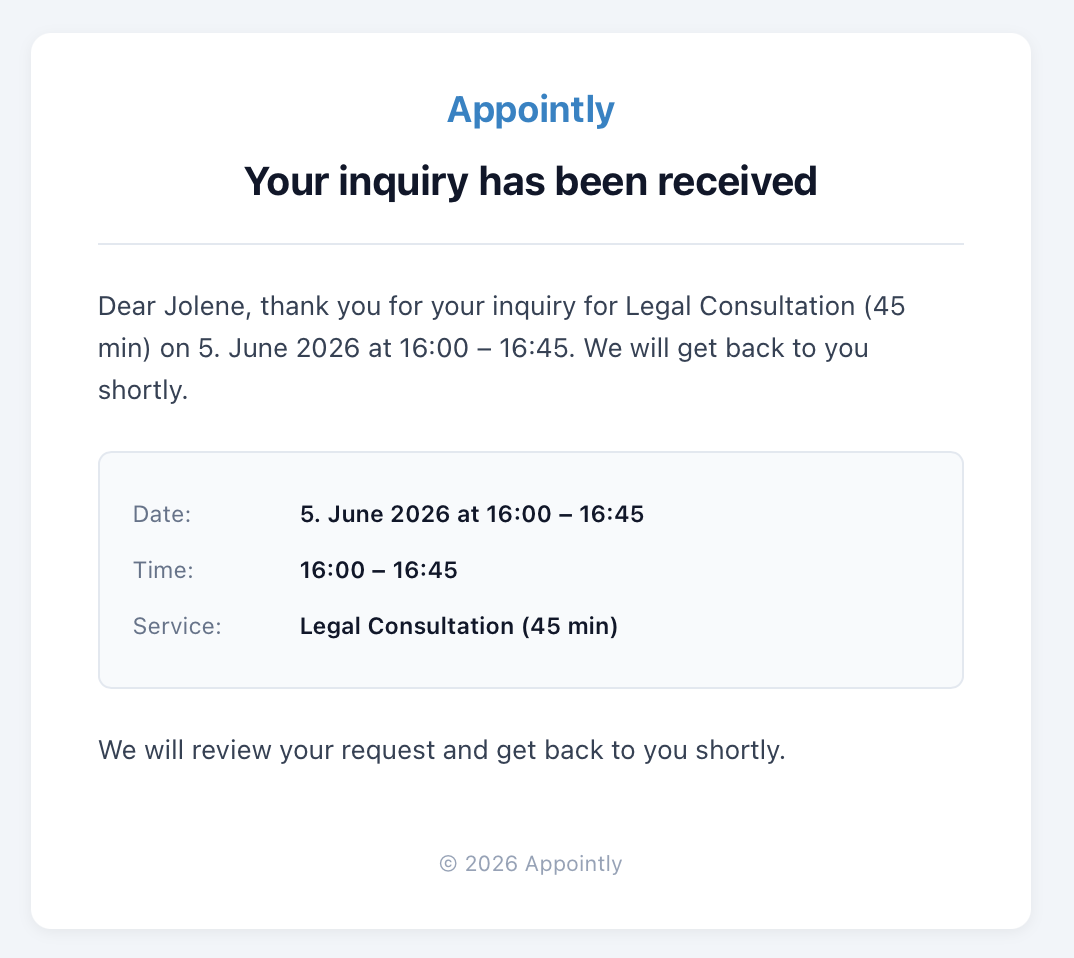
- Customer and admin receive confirmation emails
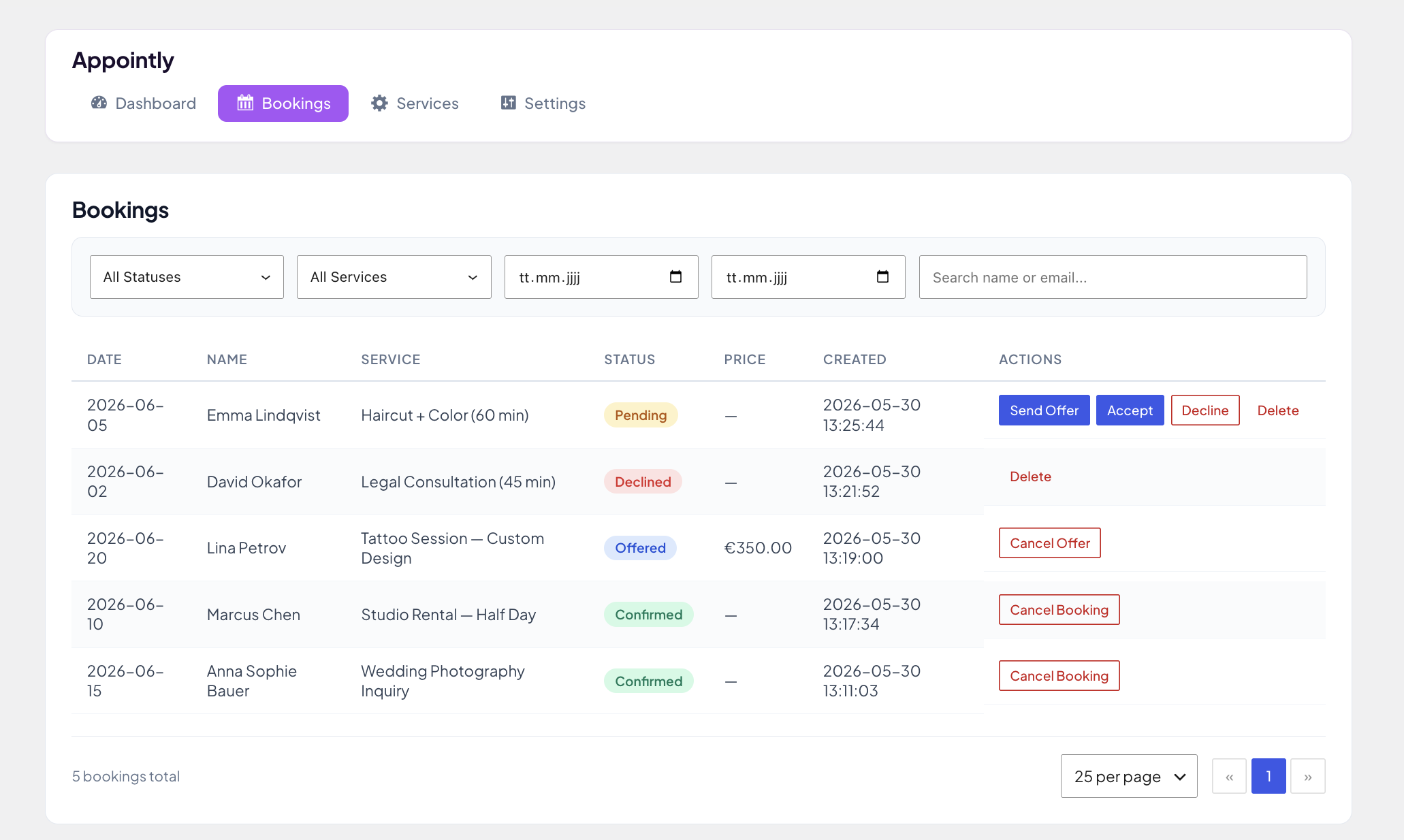
- Admin reviews the request in Booking → Bookings and clicks "Send Offer" with a price and personal note
- Customer receives an offer email with Accept / Decline buttons
- On acceptance, both parties receive the final confirmation email
Does it support multiple languages?
Yes. All strings are translatable via the standard WordPress .po/.mo system. German translations are included for de_DE, de_DE_formal, de_AT, de_CH, and de_CH_informal. The admin React bundle also ships per-bundle .json translation files so all admin UI strings render in the selected language. You can override the customer-facing email language independently of the site language under Booking → Settings → General → Email Language.
Can I customize the email templates?
The free plugin ships ten default HTML email templates that are fully translatable through the standard WordPress translation system. If you need to rewrite the copy beyond translation, you can either override the templates in a child theme via the standard WordPress template loader, or use the live preview template editor in Appointly Pro.
Does it support payments?
The free plugin does not collect online payments directly. The booking flow supports manual / offline payment arrangements: when you send an offer, you state the price, the customer accepts, and you handle payment out-of-band (invoice, bank transfer, cash on arrival, etc.). Online payment collection via Stripe, using your own Stripe keys, will be available through Appointly Pro in a later release.
How is Appointly different from other booking plugins?
Unlike most booking and appointment plugins that push automatic scheduling, Appointly is built around a personal offer workflow. You receive booking requests, review them personally, and send customised offers. This gives service providers full control over their calendar, pricing, and customer communication, perfect for businesses where every reservation deserves a personal touch.
How do I get Appointly Pro?
Visit https://appointly.tscholene.com to subscribe. When you subscribe, you receive a download link and a license key via email. You install Appointly Pro as a second plugin (Plugins → Add New → Upload Plugin) alongside this free plugin, paste your license key under Appointly → License, and the Pro features activate. The installation takes about two minutes. Appointly Pro is NOT distributed through the WordPress.org Plugin Directory. It is sold directly on appointly.tscholene.com via Lemon Squeezy, which handles EU VAT, subscriptions, failed payments, the customer portal, and refunds. Appointly Pro coexists with this free plugin in one admin menu, no duplicate menu entries, no configuration conflicts, and Pro can be removed independently without affecting any of your booking data.
更新日志:
- NEW: Admin presence & feedback touchpoints. Appointly now has a proper admin home. The "Booking" menu gained a full submenu structure (Dashboard, Requests, Services, Settings) plus a "Help & Support" page and a colour-accented "Upgrade to Pro" entry at the bottom (the upgrade entry hides automatically when Appointly Pro is active).
- NEW: Dashboard widget. A compact booking overview (open requests, awaiting response, bookings this month) now appears on the WordPress dashboard home, with a quick link to the requests list.
- NEW: Help & Support page. One place for documentation, feedback, leaving a review, and reaching support by email.
- Improved: The review prompt is now time-based. It appears 2, 7, or 30 days after installation (or as soon as you have 5+ requests, whichever comes first), only on Appointly's own screens. New "Remind me later" snoozes to the next milestone; "Don't show again" dismisses it for good. Existing installs are backfilled so the cadence applies to everyone.
- Added: A discreet "leave a ★★★★★ review" link in the admin footer on Appointly screens.
- Added: New filter
appointly_is_pro_activeso extensions can override Pro detection (defaults to whether Appointly Pro is installed). - Translations: 34 new admin strings added and translated across all bundled German locale variants. No DB migration, no Pro plugin breakage.
- Compatibility: Tested up to WordPress 7.0.
- Fixed: Service switcher on the front-end booking calendar no longer leaves a stale time-slot grid visible when the visitor changes from a timeslot service to a day-mode service. The
appointly-cal__slotscontainer is now hidden alongside theselectedSlotreset. - Positioning: Tags, short description and long description re-framed around the "quote workflow" terminology (was "offer workflow"). Clearer match for service businesses with variable pricing (lawyers, tradespeople, salons, photographers, consultants) and stronger keyword match in the WP.org plugin directory. Internal code identifiers (
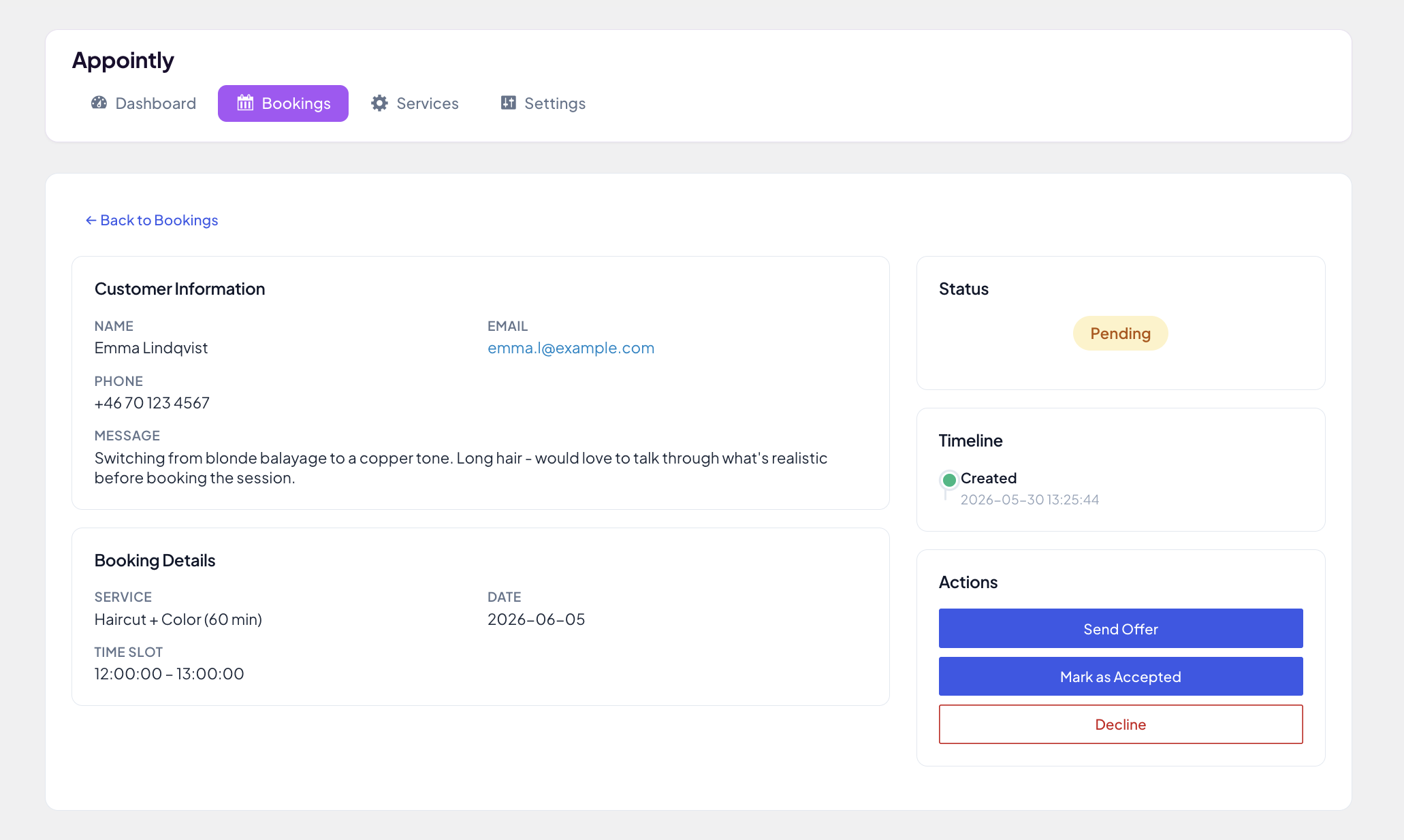
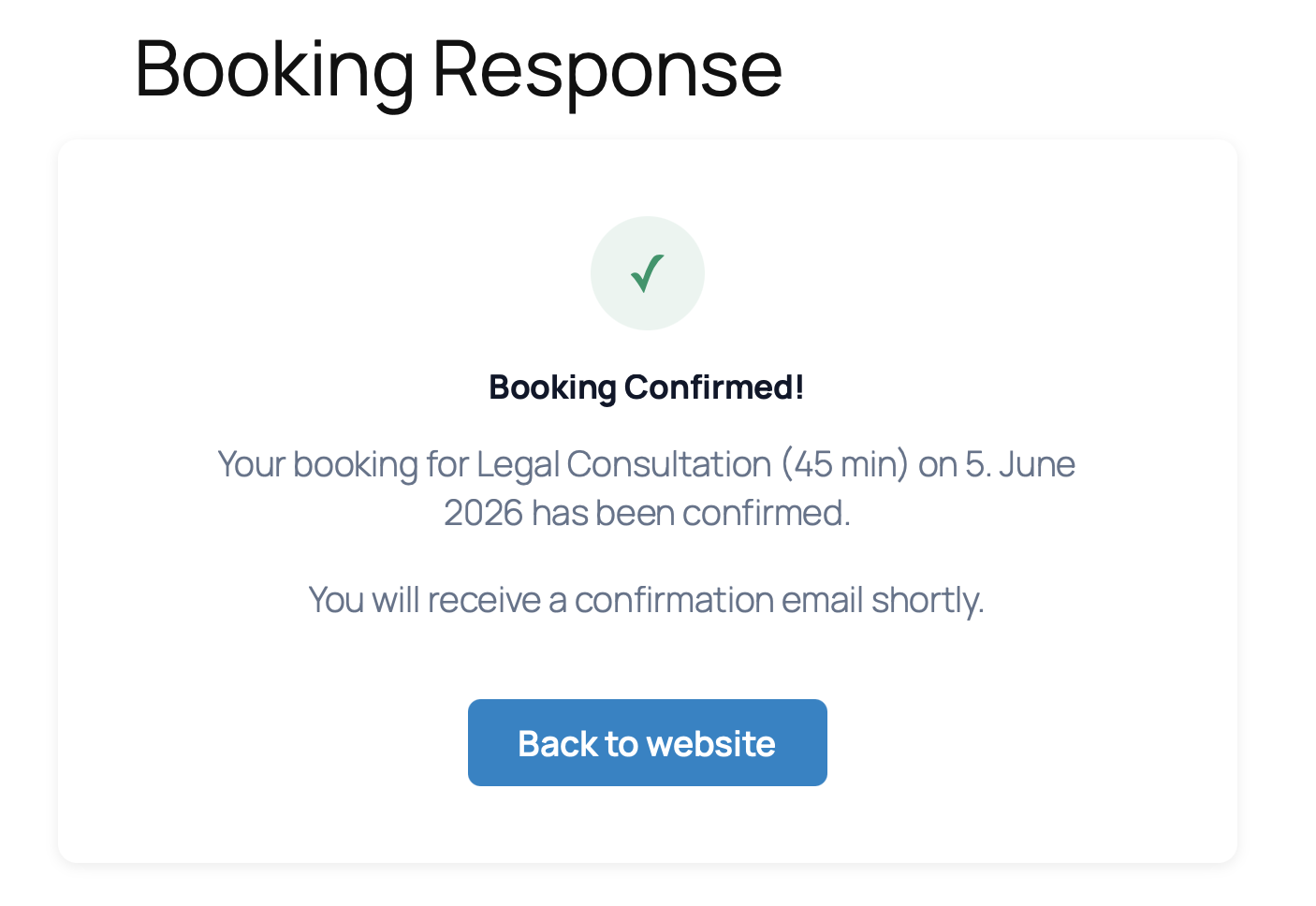
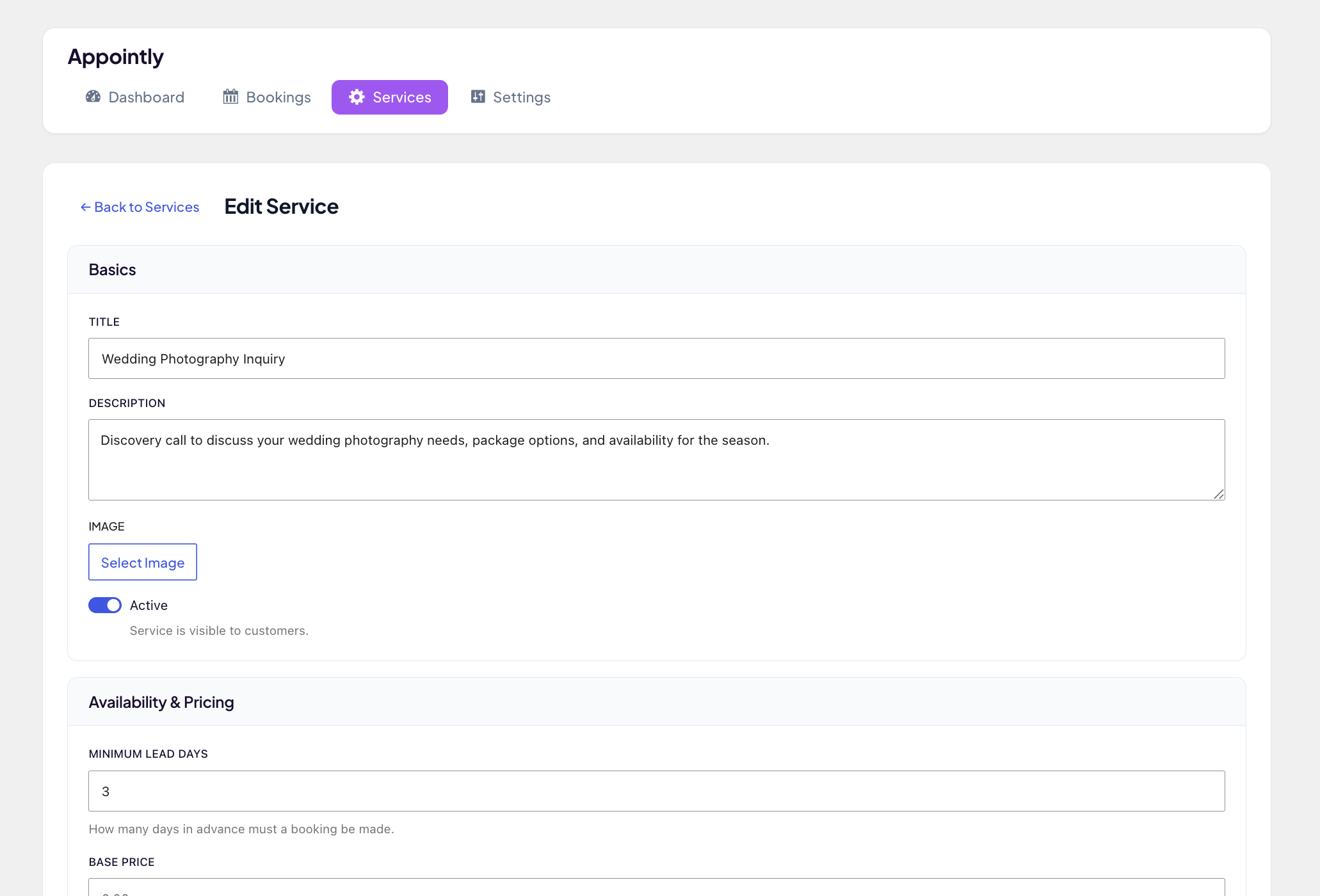
STATUS_OFFERED,send_offer, actionappointly_booking_offered, email-template keysoffer,admin_offer_accepted) are unchanged. No DB migration, no Pro plugin breakage, no translation churn. - New screenshots: Replaced the old 6-screenshot set with 8 screenshots showing the full quote workflow end-to-end. Day-mode + timeslot front-end, customer email, bookings overview, booking detail with action sidebar, admin email, customer accept page, service editor.
- New banner: Updated the WP.org plugin-listing banner with "quote workflow" tagline + INQUIRIES / QUOTES / TIME SLOTS feature chips.
- NEW: Timeslot Scheduling. Services can now be configured for time-of-day slot booking in addition to the existing day-mode. Per service, the admin sets the daily availability window (e.g. 09:00–17:00), the slot duration (e.g. 30 minutes), and an optional buffer between slots. The customer-facing calendar shows the day grid, then reveals a row of time-slot buttons once a day is picked. Conflict detection is per-slot with a
SELECT ... FOR UPDATErow-lock around the insert so two concurrent customers cannot book the same slot. - Added:
appointly_slot_configscolumns (buffer_minutes) on theappointly_booking_servicestable. Existingbooking_mode,slot_start,slot_end,slot_durationcolumns are now actively populated by Free (previously reserved for Pro). - Added: New REST endpoint
GET /wp-json/appointly/v1/calendar/{service_id}/slots?date=YYYY-MM-DDreturning the generated slot list with per-slot availability. - Added: Service Editor in admin gets a "Time Slots" section with a booking-mode toggle, time inputs, slot duration / buffer fields, and a live slot-count preview.
- Added: Email placeholders
{time},{time_start},{time_end}resolved fromtime_slot_start/time_slot_end. The existing{date}placeholder is automatically augmented to "10.05.2026 at 09:00 – 09:30" for timeslot bookings and stays "10.05.2026" for day-mode bookings. Default email templates are NOT changed so existing translations keep working unchanged. - Added: New filter
appointly_booking_pre_save_validation(Pro extension point. Used by upcoming Pro 1.0.0 per-weekday availability editor). - Added: New filter
appointly_slot_generation_strategy. Lets Pro 1.0.0 substitute the flat daily slot grid with a weekday-aware grid. - Changed: Calendar day-status aggregation in
CalendarService::get_availability()now respects the booking mode. For timeslot services, a day is marked "booked" only when every slot is taken, and "free" as long as at least one slot is still bookable. - Changed:
APPOINTLY_DB_VERSIONbumped to 2.1.0 so existing installs pick up the newbuffer_minutescolumn viadbDelta. - Note for translators: one new translatable string was added. "%1$s at %2$s". Used to combine date and slot time in the
{date}placeholder for timeslot bookings. All other default email template strings are unchanged.
- Added: Two new default email templates registered in
SettingsRepository::get_default_templates().booking_reminder(sent to clients before their appointment) andadmin_daily_digest(daily summary of confirmed bookings to the admin). Both are dormant in Free; they are activated by Appointly Pro 0.7.0 or later, which provides the cron-driven sending logic. No user-facing changes in Free 2.0.12 itself from these templates. - Added:
APPOINTLY_DB_VERSIONbumped to 2.0.12 so existing installs pick up the new template defaults via the standard upgrade path. - Changed: Dashboard Pro upgrade card now reflects the 8 features actually shipped in Appointly Pro 0.6.0 (custom branding, email template editor, custom service fields, service addons, recurring bookings, direct booking / auto-confirm, blocked dates, customer self-cancel). Previous card listed 12 features, most of which were still on the roadmap.
- Changed: Customer self-cancel description now correctly notes the feature is currently scoped to direct-booking services (was listed without that qualifier). The offer-workflow path does not ship a self-cancel link in 0.6.0.
- Changed: Pro CTA copy. "Join the waitlist →" → "Get Pro →". The Lemon Squeezy checkout is now live.
- Added: New filter hook
appointly_email_templateinSettingsRepository::get_email_template(). Free plugin behavior unchanged (no callback registered = defaults returned). Appointly Pro 0.6.0 registers a license-gated callback to inject admin-customized subject and body lines.
- Fixed: Installer now adopts legacy
wpbk_response_page_idwhen upgrading from pre-2.0.7 installs where the prefix migration may have been skipped. Prevents a duplicate "Booking Response" page in the frontend menu. - Fixed: Auto-created Booking Response page is also excluded from
wp_list_pages()exclusion arrays (belt-and-suspenders on top of the existingget_pagesfilter) for broader block-theme compatibility.
- Added: Three new filter hooks (
appointly_branding_primary_color,appointly_branding_accent_color,appointly_branding_logo_url) used by frontend shortcodes and email templates. Free plugin behavior is unchanged (defaults to blue/green and the site name as text logo). Appointly Pro 0.5.0 uses these hooks to inject custom branding.
- Fixed: Service image picker in the service editor now opens the WordPress Media Library correctly. The admin bundle was missing
wp_enqueue_media(), sowindow.wp.mediawas unavailable and the picker silently fell back to an alert.
- Changed: Consolidated all internal prefixes to
appointly/APPOINTLY_/Appointly\per WordPress.org plugin review guidance. Database tables, options, hooks, constants, namespaces, REST namespace, script handles, JS globals, and CSS classes/custom properties were all unified under a single plugin-specific prefix. - Fixed: SMTP connection test no longer loads core PHPMailer files directly; uses
wp_mail()withwp_mail_failedhook for error capture. - Fixed: Booking Response page contrast (light-on-light text on some themes).
- Fixed:
manage_bookingscapability is now ensured on everyadmin_initas a safety net for file-overwrite upgrades that skip the activation hook. - Fixed: Cancelling a booking whose service has been deleted no longer produces a stuck "cannot cancel" error. The cancellation proceeds and skips the email step with a clear explanation.
- Internal: DB tables renamed from
wpbk_*toappointly_*. CSS custom properties renamed from--wpbk-*to--appointly-*. REST namespace changed fromwp-booking/v1toappointly/v1.
- Added: New filter hook
wpbk_booking_initial_statusso Appointly Pro can implement direct-booking workflows (per-service auto-confirm). - Added: Status-driven email routing for newly created bookings. Confirmed bookings send
booking_confirmed+admin_new_booking, inquiry bookings keep the existing pair. - Added: New default email template
admin_new_bookingfor admin notifications on direct bookings. - Internal: DB version bumped to reflect new extension points.
- Added: Direct accept. Mark a pending booking as confirmed without sending an offer (offline workflow).
- Added: Status change dialog with an "Inform customer via email" checkbox and optional admin note for every confirm/decline/cancel action.
- Added: Offered bookings can be manually cancelled by the admin (withdraw the offer).
- Added: Decline email template for manual admin declines (pending → declined, offered → declined).
- Added: Status-sensitive action buttons in both BookingDetail and the Bookings list, each with a tooltip explaining what the action does.
- Changed: The cancel booking flow now lets the admin opt out of the cancellation email.
- Changed: Offers sent without a price now show "Price on request" in the customer email instead of hiding the price box.
- Changed: Delete action only available on rows where no customer email has been sent yet (pending) or on finalized records (declined/cancelled).
- Fixed: Several pre-existing German translation errors surfaced during regeneration (
Acceptwas "Angebot annehmen",Cancel Offerwas "Angebot annehmen",Price on requestwas "Offene Anfragen",Decline Bookingwas "Buchung stornieren").
- WordPress.org plugin directory compliance release.
- Fixed: Review prompt now uses wp_register_script + wp_localize_script instead of echoing inline tags. Admin notice styled via CSS classes only (no inline style attributes).
- Fixed: All 7 raw SQL queries refactored to use %i placeholder + static literal prepare() strings. Sentinel-value pattern for dynamic filters (BookingRepository::list, ServiceRepository::list), N+1 loop for dynamic IN() clauses (BookingAdminController).
- Fixed: Variables in uninstall.php now carry the $wpbk_ prefix.
- Fixed: Core file includes (PHPMailer, wp-admin/upgrade.php) annotated with rationale comments explaining the allowed exception pattern.
- Fixed: Confirmed bookings can now transition to cancelled (supports Pro recurring series management).
- Changed: Shortcodes renamed from booking_ to appointly_ for prefix uniqueness (BREAKING. No existing public users):
[appointly_calendar],[appointly_form],[appointly_response]. - Changed: Gutenberg block namespace renamed from
wp-booking/calendartoappointly/calendar(reservedwp-prefix removed). - Changed: Requires WordPress 6.2+ (was 6.0+) for %i placeholder support.
- Internal: Dashboard hides the Pro upgrade card automatically when Appointly Pro is active.
- Added: Extension point for Pro booking detail sections
- Added: Filter hook for booking data array (wpbk_booking_to_array)
- Fixed: Service description now renders on the public booking form
- New: Opt-in destructive uninstall. Free 2.0.1 wiped all bookings, services, settings, and auto-created pages the instant you clicked Delete in the Plugins screen. With no opt-out. 2.0.2 flips this: by default, deleting the plugin now KEEPS all your data. If you want the old behavior, enable it explicitly under Settings → General → Uninstall Behavior. Matches the WooCommerce / Yoast / WPForms industry standard. Prevents surprise data loss when temporarily deactivating to troubleshoot.
- New: BookingDetail now shows custom field labels instead of raw keys (via
custom_fields_metaenrichment in the booking REST response). Bothget_bookingandupdate_bookingendpoints include the meta so labels persist across status changes. - New: BookingDetail renders custom field values type-aware. Checkbox as Yes/No, numbers locale-formatted (1.234 in DE, 1,234 in EN), textarea with preserved line breaks.
- New: Public booking form inputs now apply
min,max, andmaxlengthHTML5 attributes from the field definition. Browser gives the customer immediate client-side feedback before hitting server-side validation. - New: Auto-created booking page is marked with
_wpbk_auto_createdpost meta. The uninstaller finds it via meta-query so it's robust against admin renaming, recreating, or relocating the page. - These Free 2.0.2 changes ship bundled with Appointly Pro 0.2.0, which adds per-service Custom Fields. All BookingDetail / frontend-form improvements also benefit sites that never install Pro.
- Fix: Calendar showed no days on installs with "Plain" permalinks. The frontend JS naively concatenated
?year=...&month=...to the REST base URL, but the "ugly" REST URL form (/index.php?rest_route=/wp-booking/v1/) already contains a?, producing URLs with two?that the REST router treated as part of the route name and returned 404. Calendar now correctly uses&when the base URL already contains a query string. Affects all WP installs that haven't switched permalinks to "Post name". Long-standing bug, was already broken in 2.0.0 and earlier. - New: Extension hooks for the upcoming Appointly Pro companion plugin (PHP filters, actions, JS extension points). See docs/PRO_HOOKS.md for the canonical contract.
- Fix: wpbk_email_placeholders filter was dead code due to an early return in EmailService::get_placeholders(). Pro features that injected custom email placeholders never received the filter call. Filter now fires correctly.
- Fix: wpbk_booking_declined action now passes both ($booking, $service) for consistency with all other lifecycle actions.
- New: BookingService::update_booking_date() public method for self-service rescheduling, fires wpbk_booking_rescheduled action.
- New: EmailService::render_preview() public method for live template preview rendering, with wpbk_email_template_keys filter to register additional template keys.
- New: wpbk_calendar_day_annotations PHP filter for per-day annotation strings on the public calendar.
- New: window.wpbkAdmin.proSettingsPanels and proBookingsListRowExtras JS extension points.
- New: window.wpbkConfig.proExtraFormFieldsHTML JS callback for injecting form HTML into the public booking form.
- No user-facing changes. Free 2.0.1 behaves identically to 2.0.0 when Pro is not installed.
- BREAKING. WordPress.org compliance release. Major rewrite to bring the plugin into full WordPress.org Plugin Directory compliance (Guideline 5: no trialware / locked features) and to reposition Pro as a separate companion plugin distributed outside the WP.org directory.
- Removed trialware gates. The license check and feature-gating system (
includes/Core/License.php,Limits.php) is gone entirely. Every existing feature is now unconditionally available: unlimited services, unlimited bookings, unlimited custom fields, unlimited add-ons per service, day and timeslot scheduling, automatic offer / confirmation emails, blocked dates calendar, multi-day bookings, and SMTP delivery are all free. - Pro feature strategy reworked. Stripe/PayPal payment integration, custom email template editor, conversion analytics, and custom branding are no longer part of the free plugin. These and other professional features will return in Appointly Pro. A separate companion plugin sold on appointly.tscholene.com (not on WordPress.org), launching in 2.1.0. The free plugin remains fully functional without Pro. Pro v1 will focus on recurring bookings, group bookings, customer self-service, automatic booking reminders, cancellation policies, and a live preview email template editor.
- New: Rebranded Admin UI. The admin dashboard has been rebuilt from scratch to match the appointly.tscholene.com brand identity. Warm plum/violet and amber/gold palette, Instrument Serif hero headings, Plus Jakarta Sans body, DM Mono for data labels. New status pills, stat tiles with accent borders, and a prominent Appointly Pro upgrade card.
- New: Design tokens. All admin UI colours, typography, radii, and shadows are now driven by CSS custom properties scoped to
.wpbk-admin, mirroring the website design system. - Setup Wizard rewritten. The onboarding wizard is now a 4-step flow (Welcome, First Service, Email, Finish) with an honest Free vs Appointly Pro comparison. The previous license-entry and branding steps have been removed.
- New: Extension points for Appointly Pro. The plugin now exposes PHP action hooks (
wpbk_booking_created,wpbk_booking_offered,wpbk_booking_confirmed,wpbk_booking_declined,wpbk_booking_cancelled) and filter hooks (wpbk_booking_can_cancel,wpbk_calendar_availability,wpbk_email_placeholders) plus JavaScript extension globals (window.wpbkAdmin.proNavItems,window.wpbkAdmin.proRoutes) so the upcoming Appointly Pro plugin can dock in without requiring any further changes to the free plugin. These are silent no-ops when Pro is not installed. - Fixed: Compliance issues flagged by the WordPress.org review team. Removed the absolute "The only WordPress booking plugin" marketing claim. Updated the Plugin URI to point at https://appointly.tscholene.com. Fixed the Contributors list to use the correct WordPress.org username
tscholene. Added justification docblocks to every REST route usingpermission_callback => __return_true. Removed the redundantload_plugin_textdomain()init-time call (WordPress 4.6+ auto-loads from languages/ for wp.org plugins; the EmailService runtime call stays because it is load-bearing for the email_language override). - Database: the
wpbk_analyticstable is no longer created on activation. Existing installs retain the table until uninstall. Booking rows retain thepayment_methodandpayment_statuscolumns for backwards compatibility but new bookings leave them null. - Migration: existing license data in the
wpbk_settingsoption is ignored from 2.0.0 onwards and removed on uninstall. No user action required. - Migration: existing services with
booking_mode = 'timeslot'continue to work exactly as before. Timeslot scheduling is now a free feature, not a Pro gate.
- Fix: Email preview in admin now renders in the configured email language instead of the admin's personal profile locale. Preview_template() is now wrapped in with_email_locale() like real sends
- Fix: Default email template subjects and bodies are now properly translatable. Previously the Installer wrote hardcoded English strings to the wpbk_email_templates option on activation, which could never be translated regardless of locale. SettingsRepository::get_default_templates() now returns __() wrapped strings resolved dynamically on every read.
- Migration: On upgrade, if the stored wpbk_email_templates option still contains the exact pristine English defaults from 1.5.0–1.6.3 (i.e. The user never customized them), the option is deleted so the translated fallback takes over. Any customization. Even a single character. Preserves the stored option untouched.
- i18n: Added German translations for all 12 default email subject/body strings (inquiry confirmation, admin notification, offer, booking confirmed, cancellation, payment received)
- DB version bumped to 1.5.0 to trigger the one-time email template migration
- Docs: Updated readme with full changelog for the 1.6.x series
- Maintenance: Synchronised Stable Tag with plugin header version
- i18n: Complete German translation of the admin UI (99% coverage, 418/420 React bundle strings). Dashboard, bookings, services, settings, analytics, onboarding, Pro upsell, email template editor, license manager
- i18n: Generated JavaScript translation JSON files for the admin React bundle (wp_set_script_translations needs per-bundle .json files in addition to .mo)
- i18n: Regenerated .pot template from source (1242 source references) and merged into all five German variants (de_DE, de_DE_formal, de_AT, de_CH, de_CH_informal)
- i18n: All 435 previously-untranslated admin and frontend strings now have German translations (formal "Sie" form across all variants)
- New: "Email Language" setting (Settings → General) lets commercial users force customer emails into a specific language regardless of the WordPress site locale. Useful when the admin UI is in one language but customers are in another
- Fix: Email templates now fully translatable. All hardcoded English labels (Date, Time, Service, Name, Email, Phone, Price, Custom Fields, Total Price, Payment Received, Accept Offer, Decline, etc.) wrapped in __()
- Fix: Addon table headers in offer and admin emails (Extra, Qty, Price) now translatable
- Fix: Plugin now calls load_plugin_textdomain() on init so shipped .mo files in /languages/ actually load (previously translations only worked if you dropped the .mo into wp-content/languages/plugins/)
- Fix: EmailService wraps every send in switch_to_locale() / restore_previous_locale() and reloads the text domain on switch (switch_to_locale does not do this for plugin text domains automatically)
- Fix: Email language defaults to get_locale() (site language) instead of determine_locale(). Customer emails triggered from admin actions no longer go out in the admin's personal profile language
- Fix: privacy_policy_url field is now sanitized and persisted correctly via SettingsController (was silently dropped before)
- i18n: 27 new German translations added for the email template labels across all five de_* variants
- Fix (critical): Service dropdown was invisible on the frontend for non-admin visitors whenever the page was served from a cache. Cause was a rest_cookie_invalid_nonce 403. The cached HTML contained a nonce belonging to a different session, which WordPress's rest_cookie_check_errors() rejected. FetchServices() then silently hid the dropdown on failure.
- Fix: CalendarShortcode and FormShortcode no longer embed a wp_rest nonce in wpbkConfig. All frontend REST endpoints use permission_callback => __return_true anyway, so the nonce was never protecting anything. It only created the cache-poisoning failure mode.
- Fix: fetchServices() now has an onError handler that surfaces a visible error message instead of leaving the dropdown hidden
- Maintenance: Plugin version bumped to bust browser caches of wpbk-calendar.js
- GDPR / Privacy: WordPress personal data exporter & eraser integration (Tools > Export / Erase Personal Data)
- GDPR / Privacy: Consent checkbox on booking form with configurable privacy policy URL
- GDPR / Privacy: Consent timestamp stored per booking (consent_given, consent_given_at)
- Security: SMTP credentials encrypted at rest (AES-256-CBC)
- Admin: New "Privacy" settings panel for privacy policy URL configuration
- i18n: Added consent label and validation strings (EN + DE)
- Complete plugin state with all features
- iCal calendar feed for Google/Apple/Outlook sync
- Theme mode setting (light/dark/auto) for calendar and emails
- SEO-optimized readme and review prompt after 5 bookings
- Date range booking support (multi-day)
- Initial release
- Booking calendar with day and timeslot modes
- Configurable services with custom fields and addons
- Offer-based booking flow
- 5 HTML email templates with dark mode
- React admin SPA
- SMTP support
- German translation