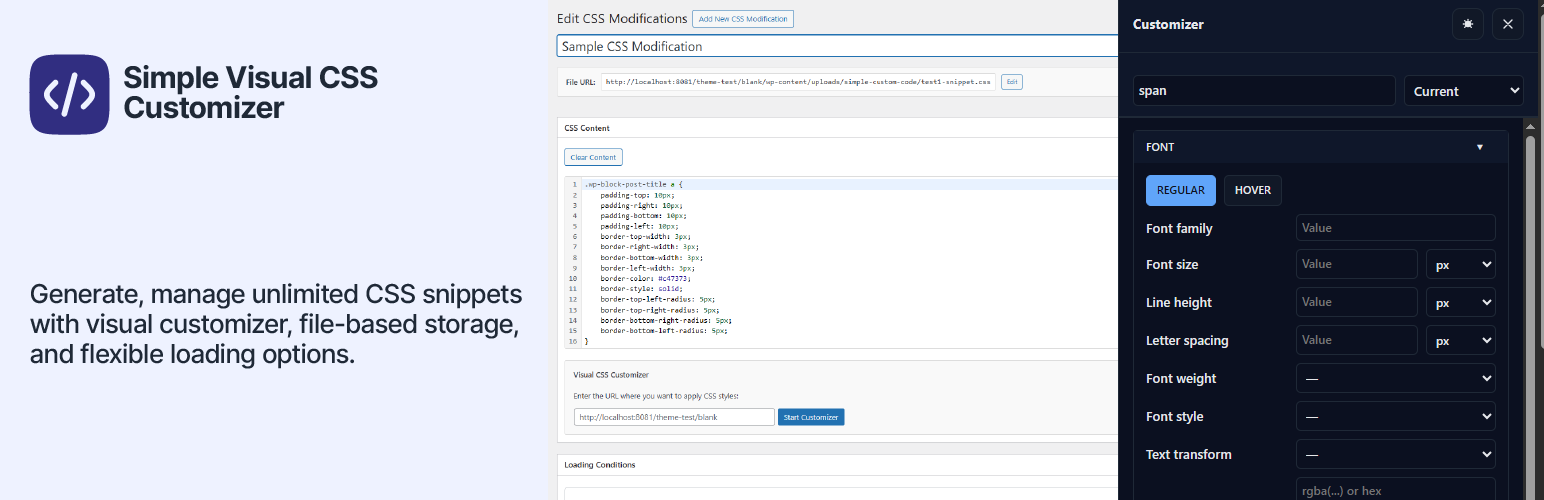
Simple Custom Code – Custom CSS, JS, and HTML, Visual CSS Customizer
| 开发者 | appscreo |
|---|---|
| 更新时间 | 2026年6月15日 00:40 |
| PHP版本: | 7.0 及以上 |
| WordPress版本: | 6.9 |
| 版权: | GPLv2 or later |
| 版权网址: | 版权信息 |
详情介绍:
- One-Click Activation: Launch the CSS Customizer instantly from your site's admin bar.
- Point, Click, Style: Select any element visually — no need to inspect HTML or write selectors manually.
- Real-Time Visual Controls: Adjust fonts, colors, spacing, borders, transitions, and hover effects with instant live preview.
- Automatic CSS Code Generation: Every visual change automatically produces clean, performance-optimized CSS.
- Safe Testing Environment: Preview your changes without affecting your live site until you hit "Save."
- Unlimited Snippets: Create as many snippets as you need for CSS, JS, or HTML — dedicated to different themes, layouts, components, or site sections.
- File-Based Storage: All snippets are saved as external files in
/wp-content/uploads/simple-custom-code/for better caching, performance, and portability — no database clutter. - Granular Control Per Snippet:
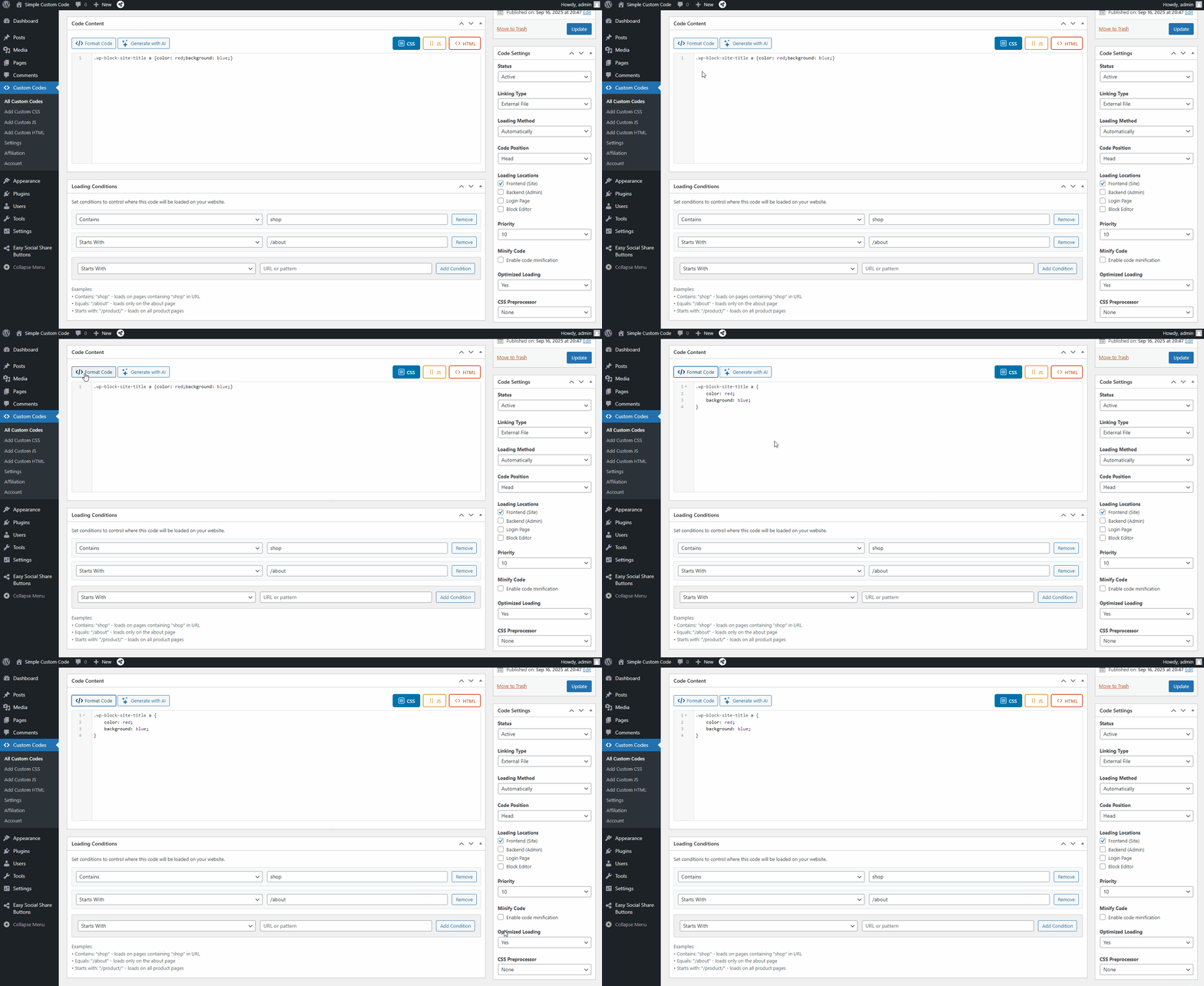
- Activate or deactivate snippets anytime.
- Load externally or inline for speed optimization.
- Choose code position (
<head>, before</body>, or right after<body>). - Set priority levels to control load order.
- Rename snippet files for better organization.
- Frontend: Load CSS, JS, or HTML on the public-facing side of your site.
- Backend (wp-admin): Inject code into the WordPress admin dashboard — useful for custom admin styles or admin-only scripts.
- Login Page: Target the WordPress login screen specifically — great for branded login pages.
- Block Editor: Load code inside the Gutenberg block editor environment for editor-specific tweaks.
- Syntax Highlighting: CSS, JavaScript, and HTML are visually color-coded for easy reading and editing.
- Real-Time Autocomplete: As you type, the editor suggests CSS properties, JavaScript functions, and WordPress hooks — dramatically speeding up your workflow and reducing typos.
- Code Beautifier: Automatically format and indent messy code with one click, turning unreadable code into clean, maintainable snippets.
- Smart Error Detection & Validation: The editor flags syntax errors and potential issues in real time, before you save — so you can fix mistakes before they ever reach your site.
- Works with CSS, JavaScript, and HTML snippets.
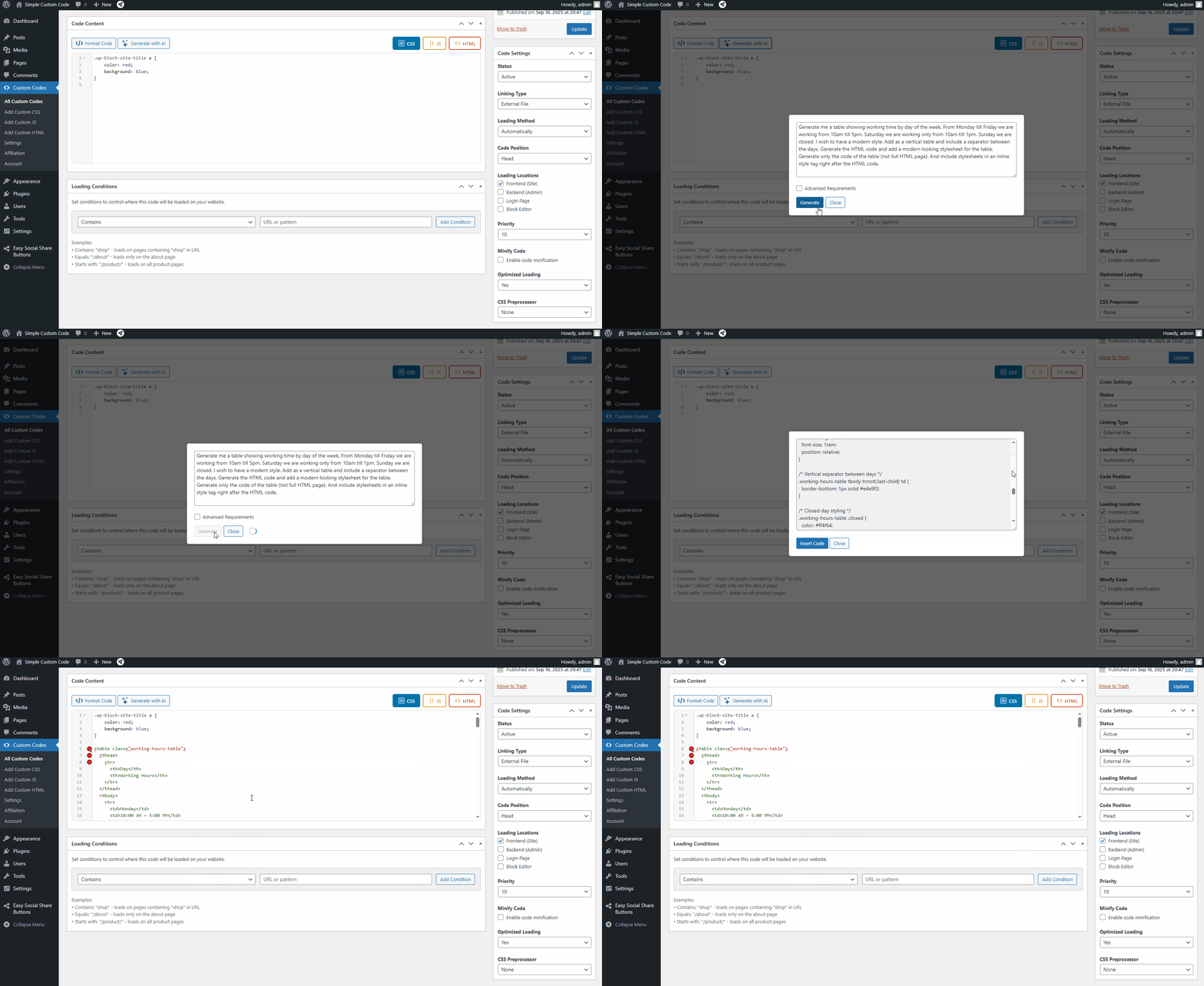
- Uses your own OpenAI API key — you stay in control of your API usage and costs.
- Generated code is inserted directly into the editor, where you can review, adjust, and save it as a snippet.
- Role-Based Access Control: Limit access to the code editor for specific WordPress roles (Administrator, Editor, etc.) — perfect for maintaining control in multi-user or agency environments.
- Cache-Busting File Versions: Automatically append version numbers to ensure browsers always load the most recent changes.
- Performance-Optimized Output: Choose between inline or external file loading to balance speed and caching efficiency.
- Clean, Intuitive Interface: A lightweight admin panel that keeps configuration simple — no unnecessary options or clutter.
- Advanced Control Options: Adjust snippet loading priority, file naming, and execution location directly from your settings page.
- Fine-Tuned Conditional Loading: Target your snippets to load only on specific URLs, post types, pages, or user conditions — not site-wide. This means faster pages and cleaner code delivery exactly where it's needed.
- Defer JavaScript Loading: Mark external JavaScript snippets to load with the
deferattribute, preventing render-blocking scripts from slowing down your page load speed. - Asynchronous CSS Loading: Load CSS files asynchronously to prevent stylesheet render-blocking — a key technique for improving Core Web Vitals and Lighthouse scores.
- SCSS & Less Compiler: Write your styles using SCSS or Less syntax and let the plugin compile them automatically into valid CSS. No build tools or command-line setup required.
- Automatic Code Minification: Automatically minify your CSS and JavaScript snippets on save. Minified versions are stored separately so you always have access to the readable original.
- Cache Mode: Combine all active snippets for a given page into a single cached file, dramatically reducing the number of HTTP requests and improving Time to First Byte (TTFB).
- Clean Source Code Output: Remove snippet loading comments from your site's HTML source code for a cleaner, more professional output.
- Fewer HTTP Requests: Pro's optimized snippet handling intelligently consolidates code delivery to minimize round-trips and maximize site speed.
- Priority Technical Support: Get faster responses, dedicated assistance, and early access to new features and updates.
- 💻 Web Developers — Maintain full control of your site's styling and scripting without modifying theme files.
- 🎨 Designers — Use the Visual CSS Customizer to fine-tune typography, colors, and layouts without touching code.
- ⚙️ Site Owners — Make small design adjustments or add scripts instantly without hiring a developer.
- 🧠 Agencies & Freelancers — Manage multiple client sites and store custom code snippets efficiently.
- 🌱 WordPress Beginners — Learn CSS and JavaScript interactively using visual controls, AI assistance, and instant preview feedback.
安装:
- Navigate to Plugins → Add New in your WordPress admin.
- Click the Upload Plugin button at the top of the page.
- Choose the
appscreo-visual-css-customizer.zipfile from your computer. - Click Install Now and wait for the installation to complete.
- Click Activate Plugin.
- Unzip the
appscreo-visual-css-customizer.zipfile to your computer. - Upload the
appscreo-visual-css-customizerfolder to/wp-content/plugins/on your server. - Navigate to Plugins in your WordPress admin dashboard.
- Find "Simple Custom Code – CSS, JS, and HTML" in the plugin list and click Activate.
- After activation, you'll see a Custom Code menu item in your WordPress admin.
- Click Custom Code → Add New to create your first snippet.
- Visit any page on your site's frontend and click the CSS Customize button in the admin toolbar to launch the visual customizer, or start directly from the snippet editor.
屏幕截图:
常见问题:
Can I use the Visual Customizer on any theme?
The customizer works on most modern, well-coded themes. It may have limited functionality on themes that: - Heavily rely on JavaScript for rendering their layout - Use excessive iframes or shadow DOM elements - Have complex, non-standard DOM structures For best results, we recommend using it with block themes (WordPress 5.9+) or classic themes with standard HTML structure.
Is it safe to use on a live site?
Absolutely! You have full control: 1. Create and test snippets while they are set to "Inactive" 2. The visual customizer shows a live preview, but changes are only saved when you explicitly click "Save Snippet" 3. Even after saving, snippets won't affect your live site until you change their status to "Active" 4. You can use URL conditions to test snippets on specific pages before applying site-wide
Can I use this alongside other CSS plugins?
Yes, but be mindful of potential conflicts. Simple Custom Code – CSS, JS, and HTML loads after most theme styles but before other plugins. Use the Priority setting to adjust load order if needed.
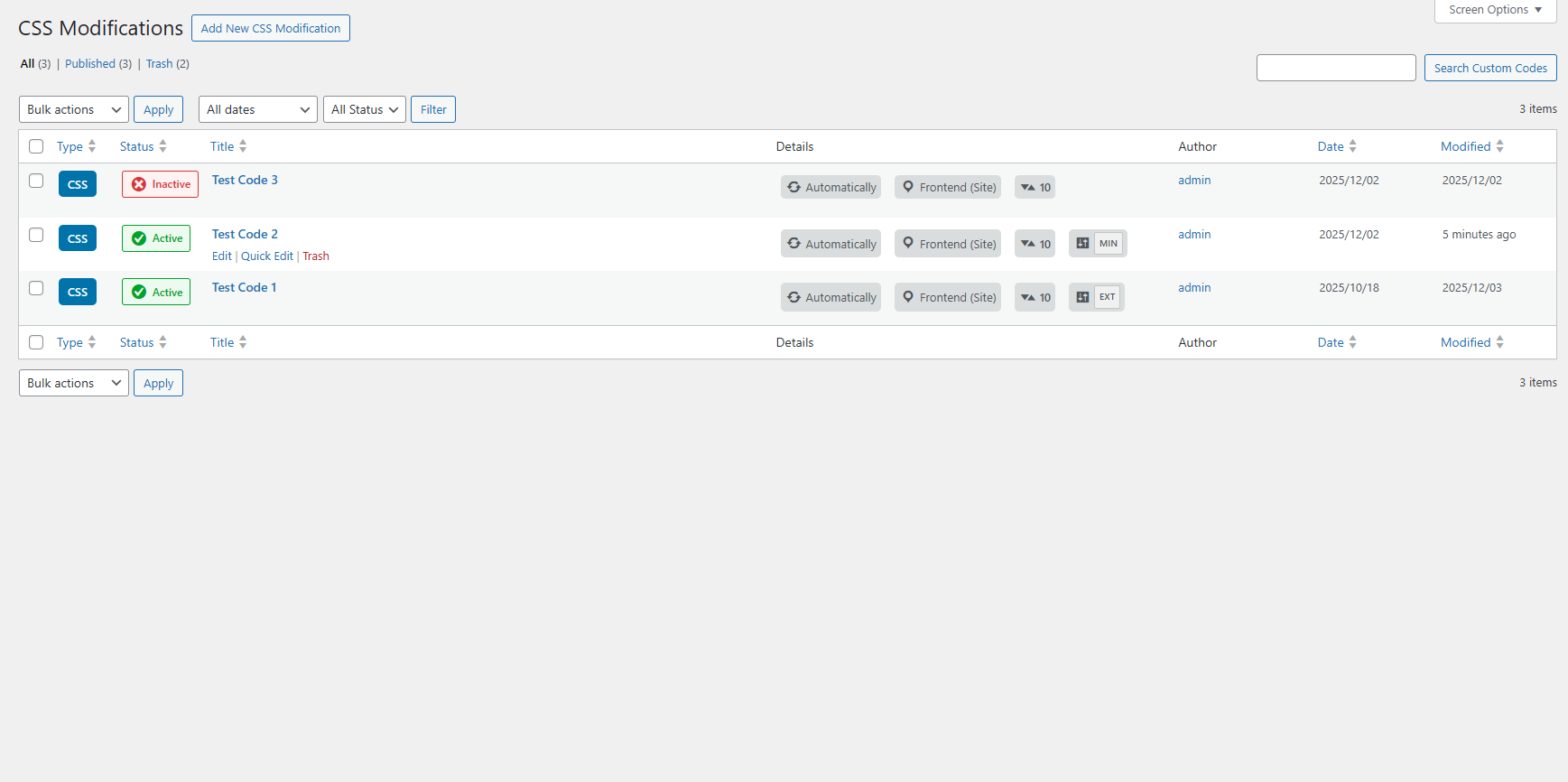
I'm upgrading from a version prior to 1.3 — where did the "CSS Modifications" menu go?
In version 1.3, the CSS Modifications admin menu item has been renamed to Custom Code. This reflects the expanded capabilities of the plugin, which now supports CSS, JavaScript, and HTML snippets — not just CSS. All of your existing custom CSS snippets, settings, and configurations are fully preserved and will continue to work exactly as before. Nothing is lost — the menu has simply been renamed to better represent what the plugin can now do.
Can I use the AI code generation feature?
Yes! AI-powered code generation is available in the free version. You'll need to provide your own OpenAI API key, which you can obtain from your OpenAI account. Once configured in the plugin settings, simply describe what you want in plain English and the AI will generate the appropriate CSS, JavaScript, or HTML code for you.
Does the plugin slow down my site?
No — performance is a core design principle. All snippets are stored as external files (not in the database), which means they benefit from browser and server-side caching. You can also choose between inline or external loading per snippet, and use priority settings to ensure optimal load order. Pro users gain additional performance tools including minification, async loading, and cache mode.
What's the difference between the free version and Pro?
The free version includes all the core features: unlimited CSS, JS, and HTML snippets, the Visual CSS Customizer, file-based storage, the advanced code editor, AI-powered generation, loading location control, and role-based access. Pro adds developer-grade performance tools: conditional loading by URL, JS defer, async CSS, SCSS/Less compilation, auto-minification, cache mode, and priority support.
Will upgrading to Pro affect my existing snippets?
Not at all. Upgrading to Pro is seamless — all your snippets and settings remain fully intact.
更新日志:
- Updated OpenAI code generation models to support the latest GPT-5.5 model.
- Added manual display support with shortcodes for all snippet types.
- Added a device targeting option for HTML snippets, allowing display on desktop or mobile devices only.
- Added support for processing shortcodes inside HTML snippet content, including shortcodes from other plugins and Simple Custom Code.
- Plugin Renamed & Expanded: Simple Visual CSS Customizer is now Simple Custom Code – CSS, JS, and HTML, reflecting full support for CSS, JavaScript, and HTML snippets — not just CSS.
- Menu Renamed: The admin menu item "CSS Modifications" has been renamed to Custom Code to reflect the plugin's expanded capabilities. All existing snippets and settings are preserved.
- Added unlimited JavaScript snippets with full editor support.
- Added unlimited HTML snippets with full editor support.
- Added new loading locations: Frontend, Backend (wp-admin), Login page, and Block Editor.
- Added real-time code autocomplete for CSS, JS, and HTML with WordPress hooks.
- Added built-in code beautifier for one-click formatting.
- Added syntax highlighting for CSS, JavaScript, and HTML.
- Added smart error detection and validation for cleaner, safer code.
- Added role-based access control to restrict snippet management by WordPress user role.
- Added AI-powered code generation (requires your own OpenAI API key) — describe what you need in plain English, get ready-to-use CSS, JS, or HTML.
- Added Visual CSS Customizer for real-time visual styling.
- Added Gravity Forms CSS live visual front-end customizer under "CSS Customize" → Gravity Forms in admin bar.
- Increased editor height to utilize full screen height.
- Added option to enable file versioning for externally loaded files.
- Added option to load code right after the body opening tag.
- Initial public release of Simple Visual CSS Customizer (now Simple Custom Code – CSS, JS, and HTML).
- Live visual front-end customizer with "CSS Customize" admin bar entry.
- File-based CSS storage system to prevent database bloat.
- Advanced snippet controls: loading positions, URL conditions, priorities.
- Complete settings panel with role-based access control.