AppsTech PHP Security Scanner
| 开发者 | appstechnz |
|---|---|
| 更新时间 | 2026年11月16日 17:58 |
| PHP版本: | 7.4 及以上 |
| WordPress版本: | 7.1 |
| 版权: | GPLv2 or later |
| 版权网址: | 版权信息 |
详情介绍:
- PHP version: end-of-life status and known vulnerabilities in the running version (using an advisory list that is bundled and refreshed by the live feed).
- Known vulnerabilities in your installed plugins, themes and WordPress version, matched from a live public vulnerability feed, with the fixed version to update to and email alerts for newly found issues.
- PHP settings that affect security.
- WordPress core, plugin and theme update status (from the update data WordPress already holds).
- WordPress configuration flags, unused themes and whether a backup solution appears to be present.
- Scheduling health: whether the daily scan ran on time.
- The plugin never changes your site, files, PHP or server settings. It does not fix anything.
- It makes no external requests unless you choose to turn on the optional vulnerability feed (see External services below). The feed is off by default, sends no site address and no personal data, and can be switched off again at any time. Scan results are never sent anywhere.
- Everything is stored in your WordPress database. Reports use your site's own mail configuration.
- Recipient emails are covered by the WordPress personal data export and erasure tools.
- Scans indicate observable risks, not proof that a website is uncompromised. This is not a guarantee against attack.
- This plugin does not patch the PHP engine, block attacks or remove malware. Ask your host to install vendor security fixes.
- A version check may not detect vendor backported patches or other server runtimes.
- Daily WP-Cron tasks can run late when a website receives little traffic.
- Only the PHP runtime serving the request is seen (not command-line PHP, other PHP-FPM pools, other virtual hosts or other load-balanced nodes).
- "Unknown" means a check could not be assessed. It does not mean "passed".
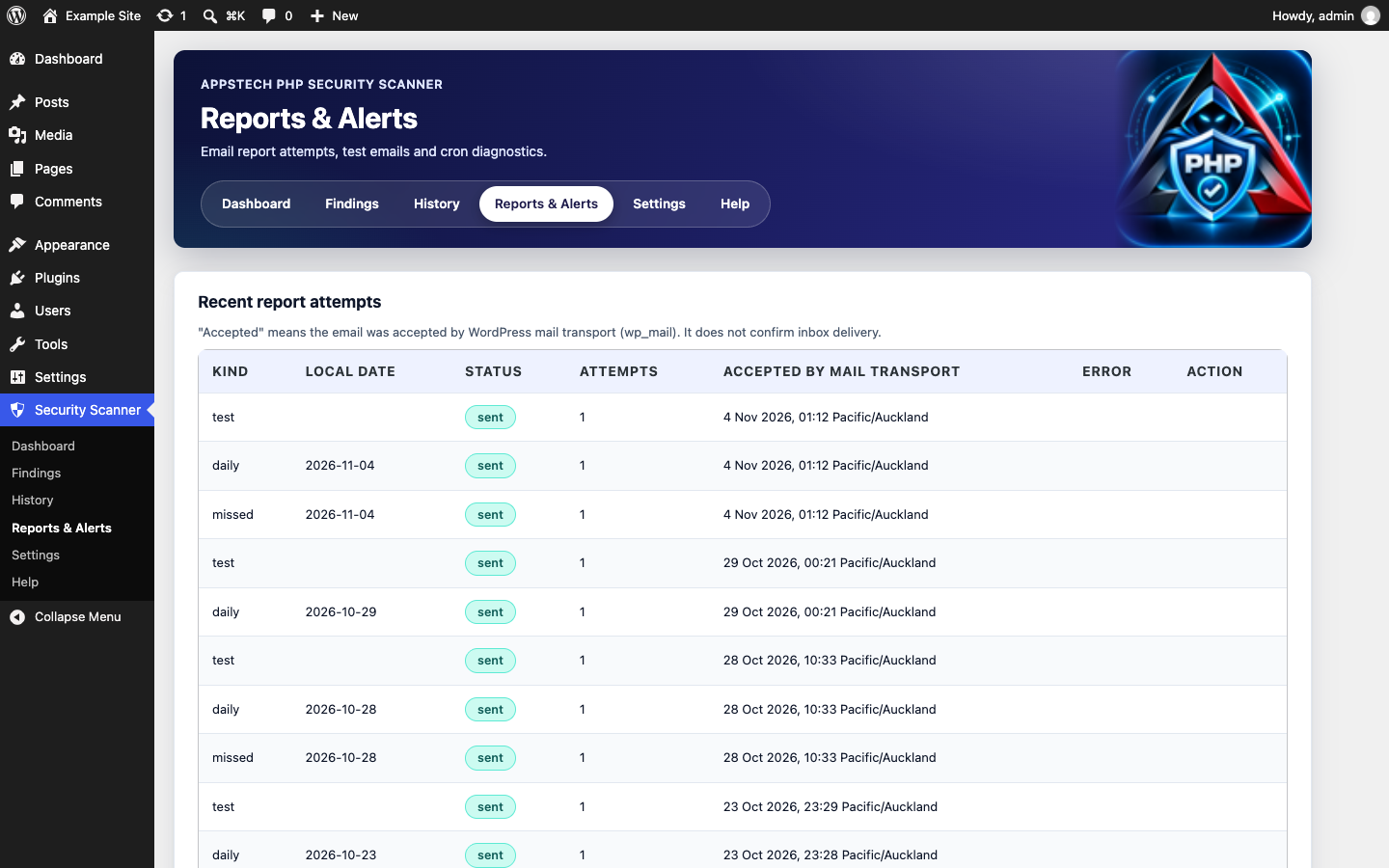
- An email marked "accepted" was accepted by the WordPress mail transport. It is not proof of delivery to an inbox.
- Multisite network mode is not supported. On a multisite network each site is scanned on its own.
安装:
- Upload the plugin to
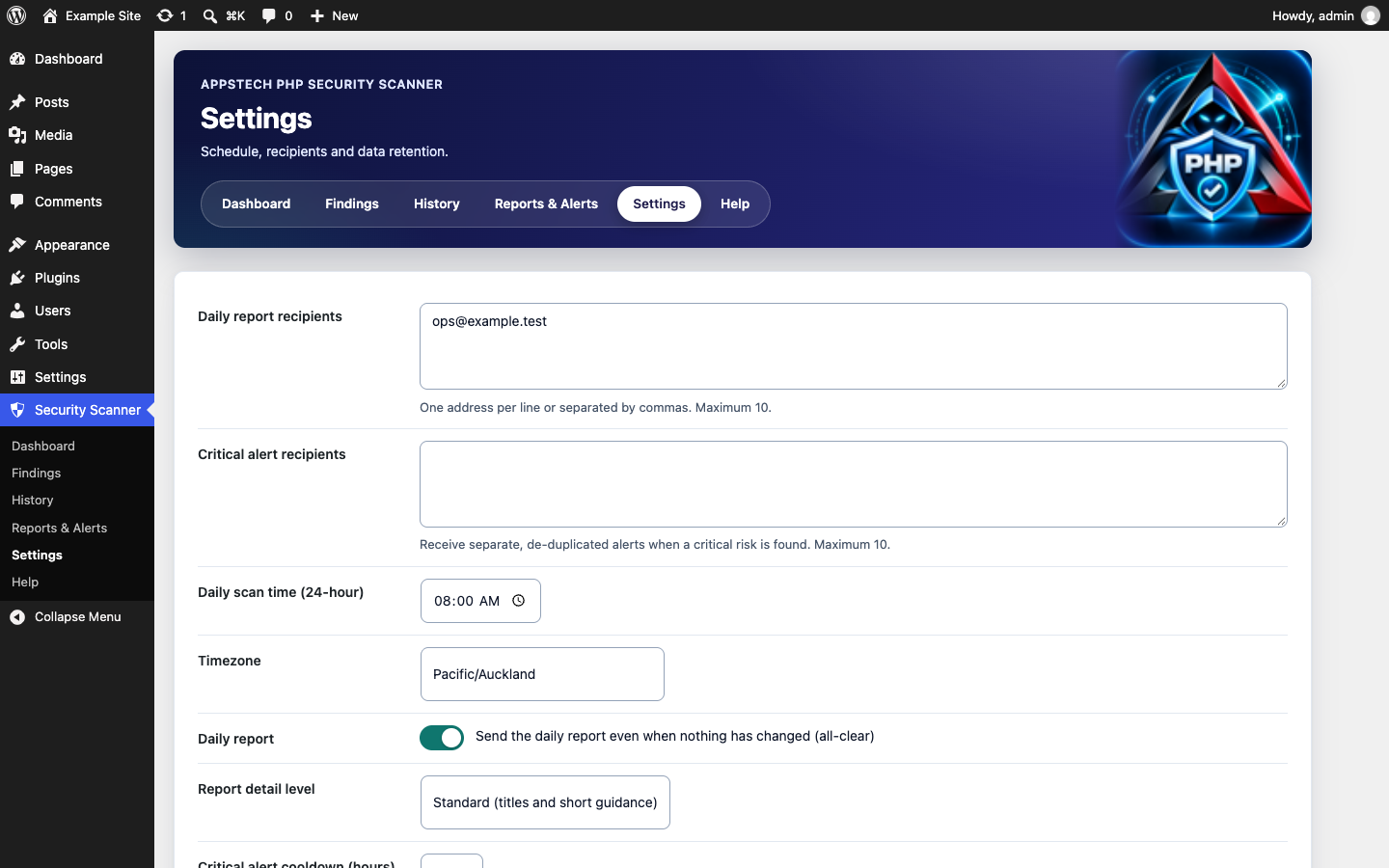
/wp-content/plugins/or install it from the Plugins screen, then activate it. - Open Security Scanner in the admin menu and complete setup (recipients, time, timezone). Nothing is scheduled before this.
- Run a first scan and send a test email from Reports & Alerts.
- For reliable timing, set up a server cron job that runs
wp cron event run --due-nowevery few minutes.
屏幕截图:
常见问题:
Does it fix problems it finds?
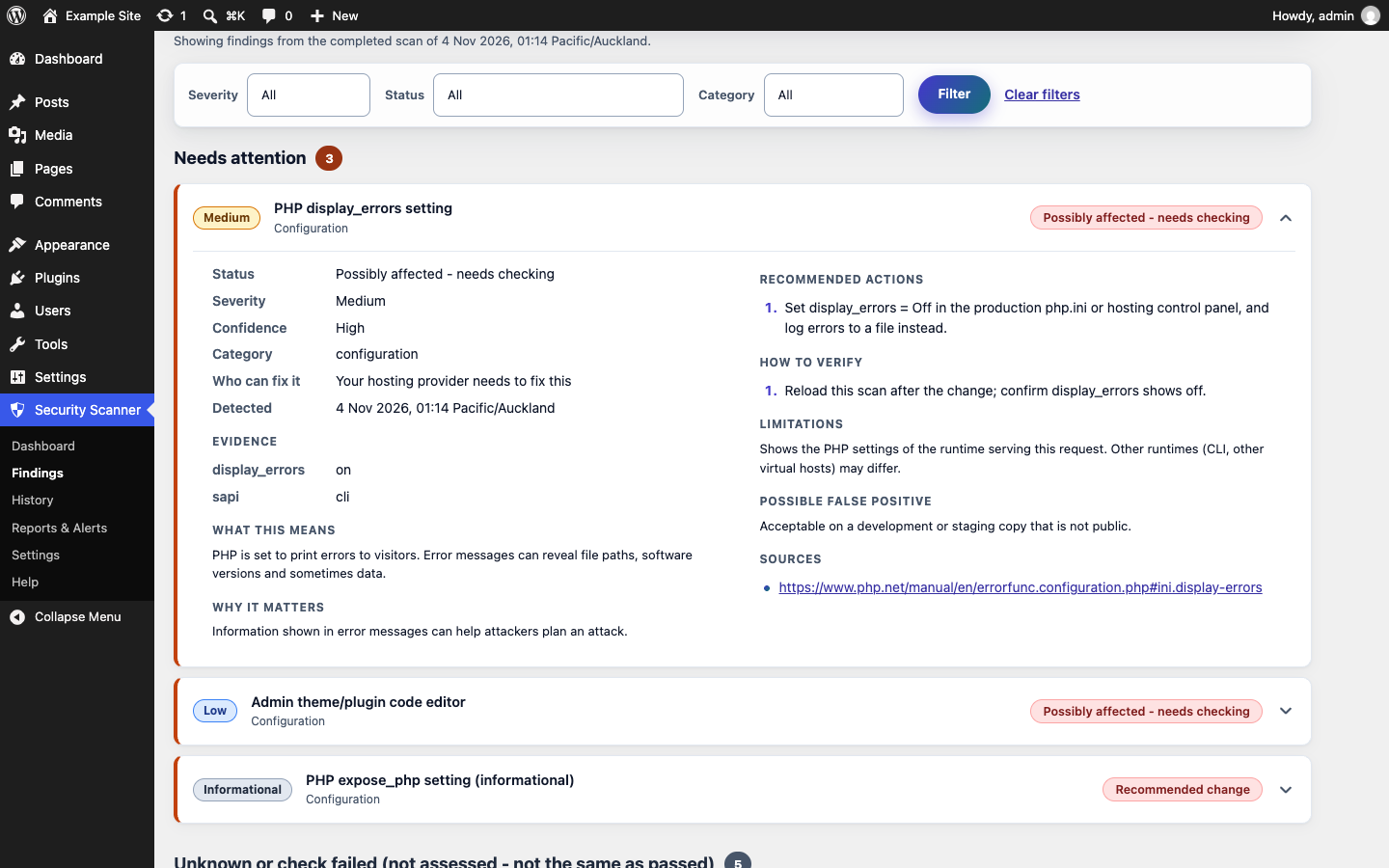
No. It is read-only. Each finding explains the risk and who can fix it (you, your host or a developer).
Does it send data anywhere?
Scan results never leave your site. The plugin makes no outgoing requests unless you turn on the optional vulnerability feed, which is off by default. It is an anonymous download of public vulnerability data that includes no site address and no personal data (details under External services). Reports go only through your site's mail configuration to the recipients you set.
How do vulnerability alerts work?
When the vulnerability feed is turned on, after each scan newly found vulnerabilities in plugins, themes, WordPress or PHP are emailed once, either right away (Daily) or as one weekly digest. Choose Daily, Weekly or Off, and the recipients, under Settings. Critical and high findings also show a dismissible admin notice on the Dashboard, Plugins and Updates screens and on this plugin's own pages.
Where does the vulnerability data come from?
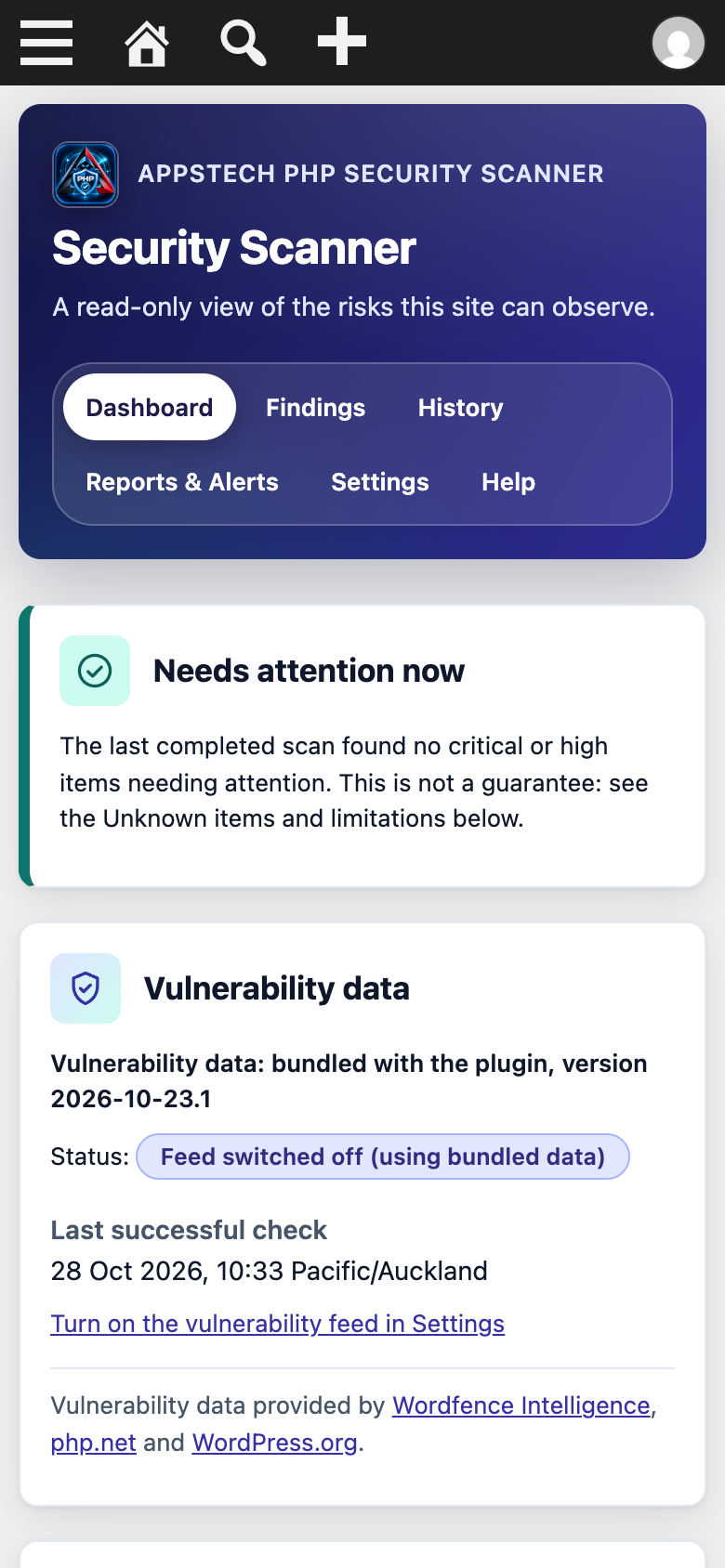
From Wordfence Intelligence, php.net and WordPress.org, collected and relayed by the plugin author's API. The Security Scanner dashboard shows the attribution and the date the data was last updated.
Why do I see "Unknown"?
Unknown means the plugin could not assess that item, for example because update data is not yet available or the server hides the information. Unknown is not the same as passed.
Why did my daily report arrive late or not at all?
WordPress scheduled tasks (WP-Cron) only run when the site receives visits. On a low-traffic site, tasks can run late. For dependable timing, disable the page-load trigger with define( 'DISABLE_WP_CRON', true ); and call wp cron event run --due-now from a server cron job every few minutes. Reports & Alerts shows scheduling health and missed runs.
Does it protect my site?
No. It reports observable risks only. It does not block attacks or remove malware.
Does it work on multisite?
Network mode is not supported. Each site scans only itself, and a notice explains this limitation.
Is there a paid version?
Yes, an optional add-on called AppsTech PHP Security Scanner Pro. It is sold by APPSTECH LIMITED through Freemius, not WordPress.org, and adds AI advice for findings, cloud history and multi-site dashboards. This plugin works fully without it. The plugin's own Dashboard and Help pages show a link to the plans, which is hidden once Pro is active. Nothing is loaded from that link unless you click it.
How do I get support or report a security issue?
Use the plugin's support forum on WordPress.org. To report a security issue privately, email info@appstech.co.nz.
更新日志:
- New: a short card on the plugin's own Dashboard and Help pages links to the optional Pro add-on. It is hidden when Pro is active and makes no outgoing requests.
- New: links to the WordPress.org support forum and review form on the plugin's own Dashboard and Help pages. They are plain links and make no outgoing requests.
- New: live vulnerability feed. Plugins, themes and WordPress are checked for known vulnerabilities, with the fixed version to update to, or advice to deactivate or replace when no patch exists. Inactive items are reported one severity step lower.
- New: PHP advisory data is refreshed from the feed when it is newer than the bundled data.
- New: email alerts for newly found vulnerabilities (Daily, Weekly digest or Off) with its own recipient list, and a dismissible admin notice for critical and high findings.
- New: "Vulnerability data" panel with last update, status, a Check now button and data source attribution.
- New: the feed is optional and off by default. Turn it on during setup or in Settings (see External services).
- First public release.
- Read-only scan of PHP version risk, WordPress core, plugin and theme update status, and configuration checks.
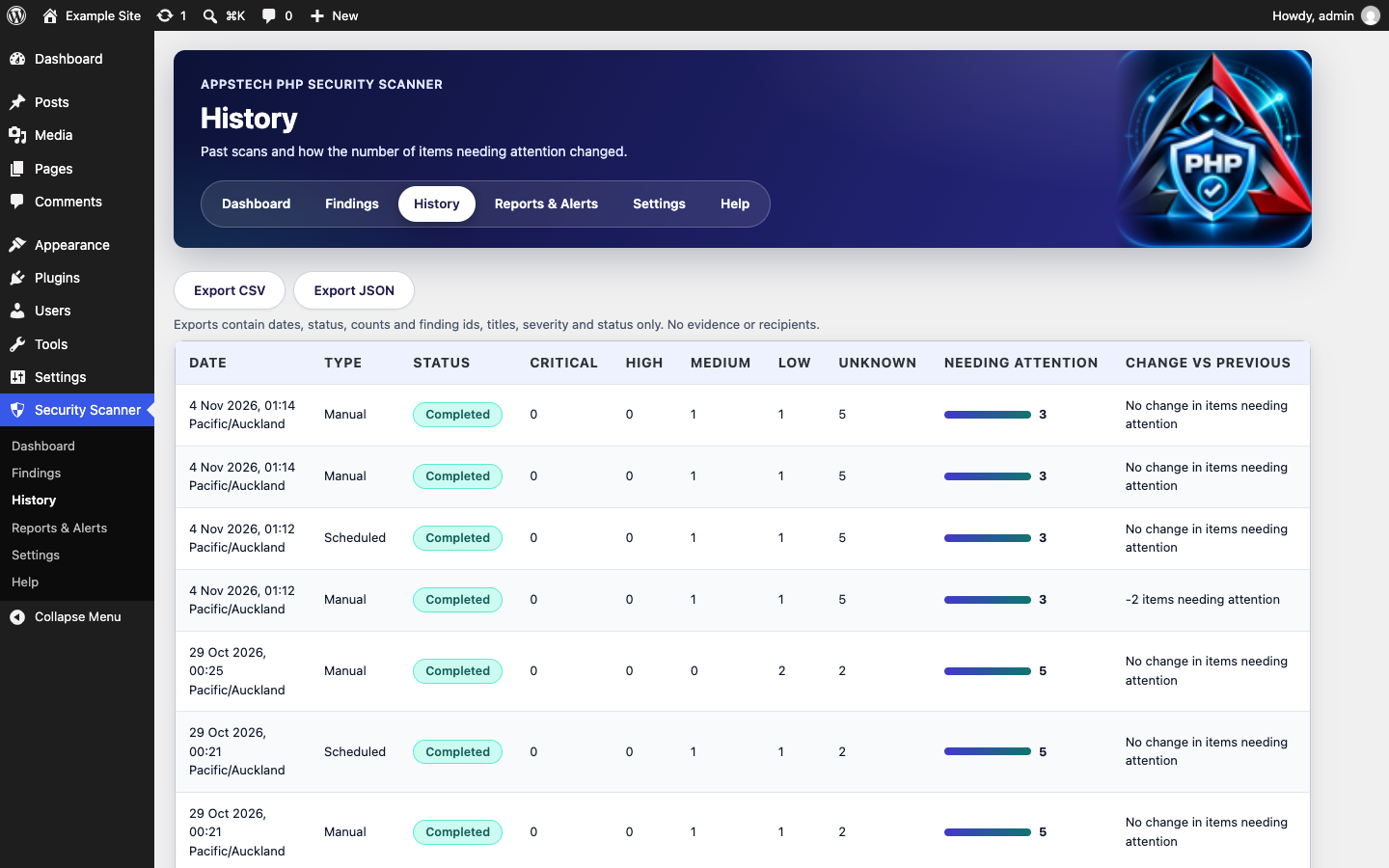
- Scan history with comparison to the previous scan.
- Daily email report, critical alerts and test email.
- Privacy export and erasure support, CSV and JSON history export.