
Archivarix Broken Links Recovery
| 开发者 | archivarixsupport |
|---|---|
| 更新时间 | 2026年5月24日 11:34 |
| 捐献地址: | 去捐款 |
| PHP版本: | 7.4 及以上 |
| WordPress版本: | 7.0 |
| 版权: | GPLv2 or later |
| 版权网址: | 版权信息 |
详情介绍:
- Multi-level link checking:
- HTTP status codes (4xx, 5xx, timeouts, DNS failures)
- Redirect analysis (different domain, redirect to root)
- Domain parking detection (30+ parking service signatures)
- Content-Type mismatch detection
- Soft 404 detection
- YouTube, Vimeo, TikTok video availability via oEmbed API
- Social network link validation (Twitter, LinkedIn, Instagram, Facebook, Pinterest)
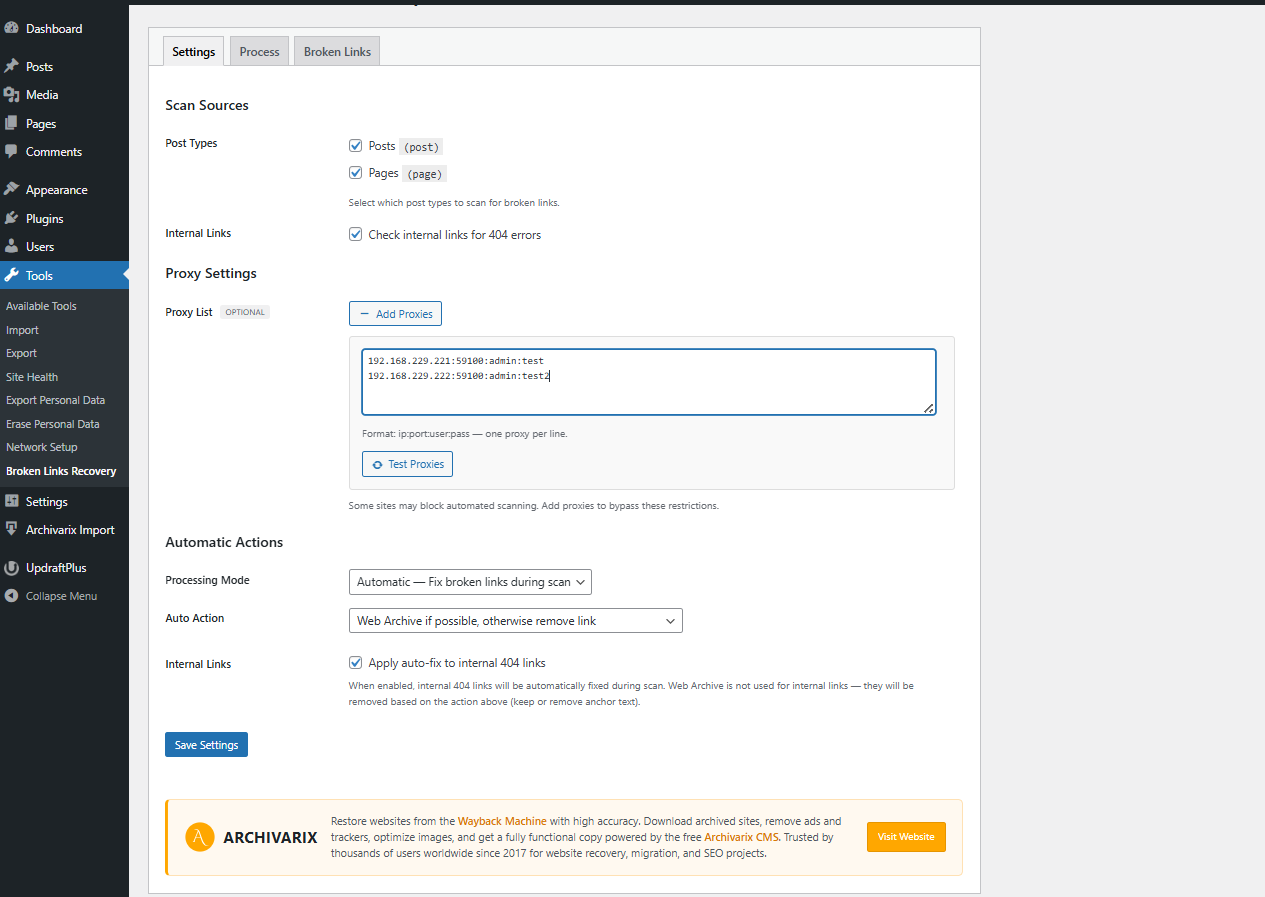
- Automatic mode: Replaces broken links with Web Archive copies using the post date as timestamp. Falls back to removing links when archive is unavailable.
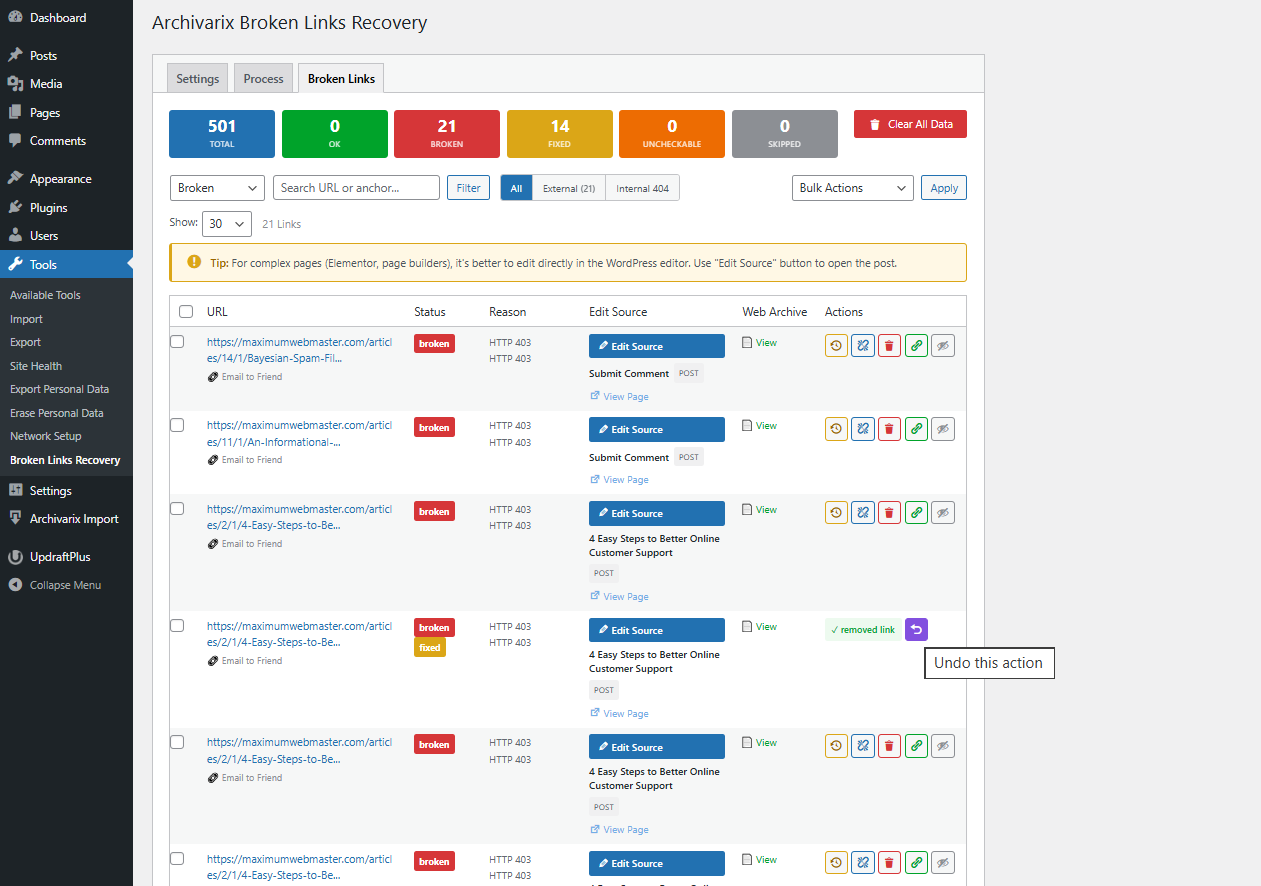
- Manual mode: Full control — review each broken link and choose the action:
- Replace with Web Archive copy
- Replace with custom URL
- Remove link (keep anchor text)
- Remove link and anchor text
- Whitelist (ignore and skip in future scans)
- Internal link checking: Validates internal links against WordPress database and HTTP verification.
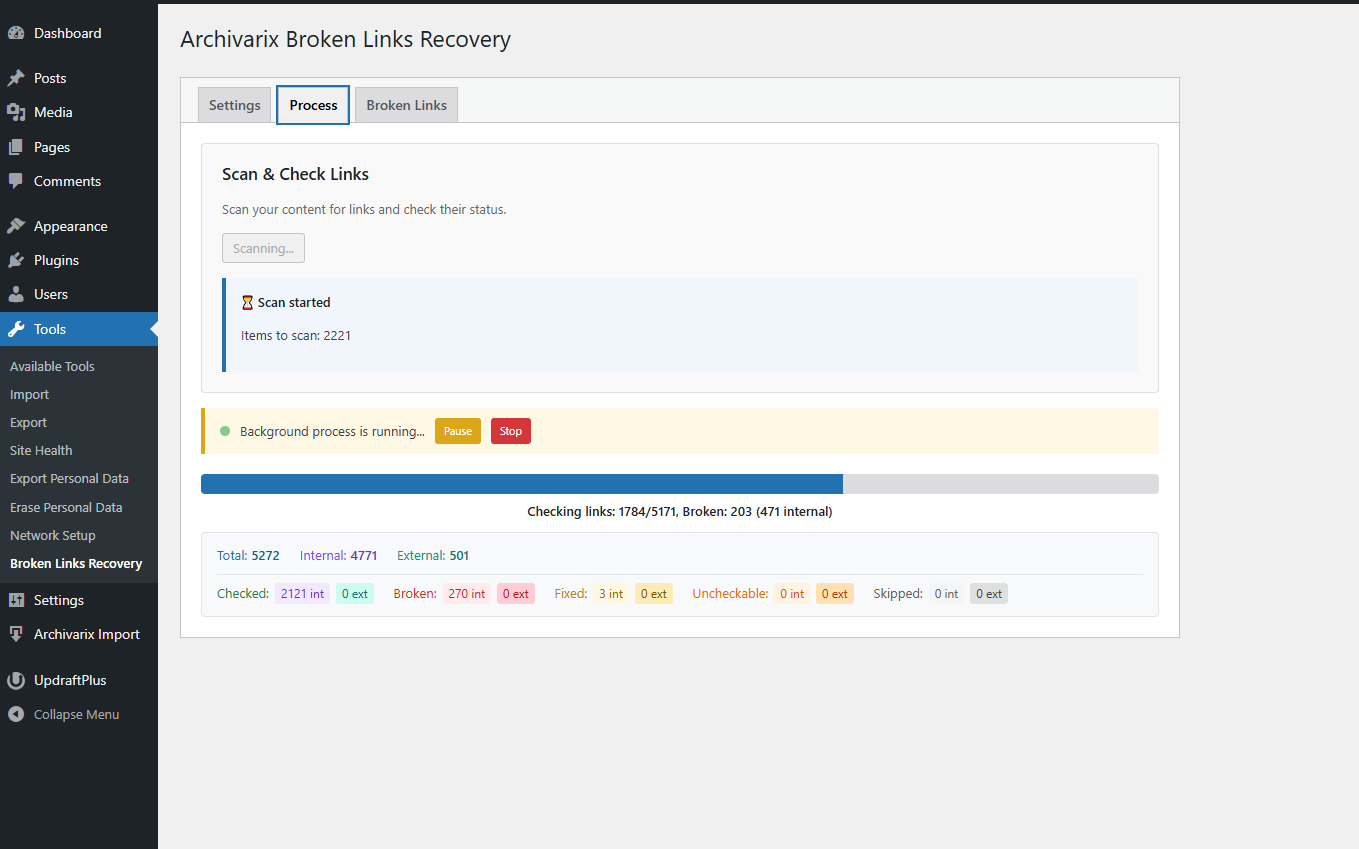
- Background processing: Scans run in the background without blocking your site.
- Scan sources: Posts, pages, custom post types, comments, custom fields, widgets, Elementor content.
- Proxy support: Configure HTTP proxies for external link checking to avoid rate limiting.
- Detailed logs: Every check and action is logged for review.
- Bulk actions: Fix multiple links at once.
- WP-CLI & multisite: Scan and fix from the command line (
wp ablr scan), and across a multisite network without logging into each site (wp ablr scan --network). - AI-ready (WordPress 7.0): Scan, list and fix operations are registered with the Abilities API and available over REST and MCP, so custom dashboards and AI agents can drive the plugin.
安装:
- Upload the plugin folder to
/wp-content/plugins/ - Activate through the 'Plugins' menu in WordPress
- Go to Tools → Broken Links Recovery
- Configure scan sources and mode in Settings tab
- Click "Start Scan" to begin checking your content
屏幕截图:
常见问题:
How does the Web Archive replacement work?
When a broken link is found, the plugin builds a Wayback Machine URL using the original URL and the post publication date as the timestamp. The Web Archive automatically finds the closest available snapshot.
Will this slow down my site?
No. All scanning and checking runs in the background using WP Background Processing. Your site visitors are not affected.
What about broken images?
This plugin only checks <a href> links. For broken images, use our companion plugin Archivarix External Images Importer.
What does "Whitelist" do?
Whitelisted links are marked as "ignore" and skipped during future scans. Useful when you know a link is temporarily down or has intermittent issues. You can remove links from the whitelist at any time.
Can I skip certain domains during a scan?
Yes. In Settings → Exclusions, list domains (one per line) to skip entirely. Excluded links are never collected or checked, which speeds up scanning, and a domain also covers its subdomains. This differs from Whitelist (which ignores individual links that were already found): exclusions keep whole domains out of the scan from the start — handy for sites you know are fine or that cause false positives.
Does it check internal links?
Yes. The plugin can check internal links using a hybrid approach: first it tries to resolve them via the WordPress database (fast), then falls back to HTTP verification for unresolved URLs.
What does "uncheckable" mean?
Some links cannot be reliably checked due to bot protection, rate limiting, or strict security policies (common on .gov/.edu domains). These are marked as "uncheckable" so you can review them manually.
Does it support Elementor?
Yes. The plugin scans Elementor content stored in _elementor_data post meta and can fix broken links within Elementor widgets.
Does it support WP-CLI?
Yes. The plugin registers a wp ablr command so you can scan and fix links from the command line without logging into wp-admin:
wp ablr scan— run a full scan (extract, check, and auto-fix if automatic mode is enabled)wp ablr status— show the current scan state and link statisticswp ablr list --status=broken— list links (supports--format=table|csv|json|count)wp ablr fix <id> --action=wayback|custom|remove_link|remove_text— fix a single linkwp ablr clear --yes— delete all scan data
Can I use it on a multisite network?
Yes. Activate it per site or network-wide; each site keeps its own settings and broken-links list. When network-activated, the plugin sets up its tables on every existing site and automatically on any site added later, and cleans them up when a site is deleted. To scan sites without logging into each one, use WP-CLI: wp ablr scan --url=site.example.com for a single site, or wp ablr scan --network to scan every site in the network in one run.
Can AI agents or external dashboards control it?
Yes, on WordPress 7.0+. The plugin registers its operations (scan, status, list broken links, fix a link) with the WordPress Abilities API. These are available over the REST API for your own dashboards and automation, and — when the WordPress MCP Adapter plugin is installed — to AI agents over the Model Context Protocol. On older WordPress versions this simply has no effect.
更新日志:
- WP-CLI commands: wp ablr scan/status/list/fix/clear
- Multisite support (per-site data; wp ablr scan --network)
- WordPress 7.0 Abilities API exposed over REST and MCP
- Exclusion list: skip chosen domains entirely during scans (Settings)
- Fix: re-scanning no longer re-wraps already-archived links into recursive Web Archive URLs
- Tested up to WordPress 7.0
- Initial release
- Multi-level broken link detection (HTTP, redirects, parking, soft 404)
- Web Archive replacement with post date timestamps
- Manual and automatic fix modes
- Background processing for large sites
- Internal link checking
- YouTube, Vimeo, TikTok video validation via oEmbed
- Social network link validation
- Elementor content support
- Proxy support for external checks
- Domain parking detection (30+ signatures)
- Soft 404 detection
- Bulk actions and detailed logs