
Archivarix External Images Importer
| 开发者 |
archivarixsupport
archivarix |
|---|---|
| 更新时间 | 2026年5月25日 13:26 |
| PHP版本: | 7.4 及以上 |
| WordPress版本: | 7.0 |
| 版权: | GPLv3 or later |
| 版权网址: | 版权信息 |
详情介绍:
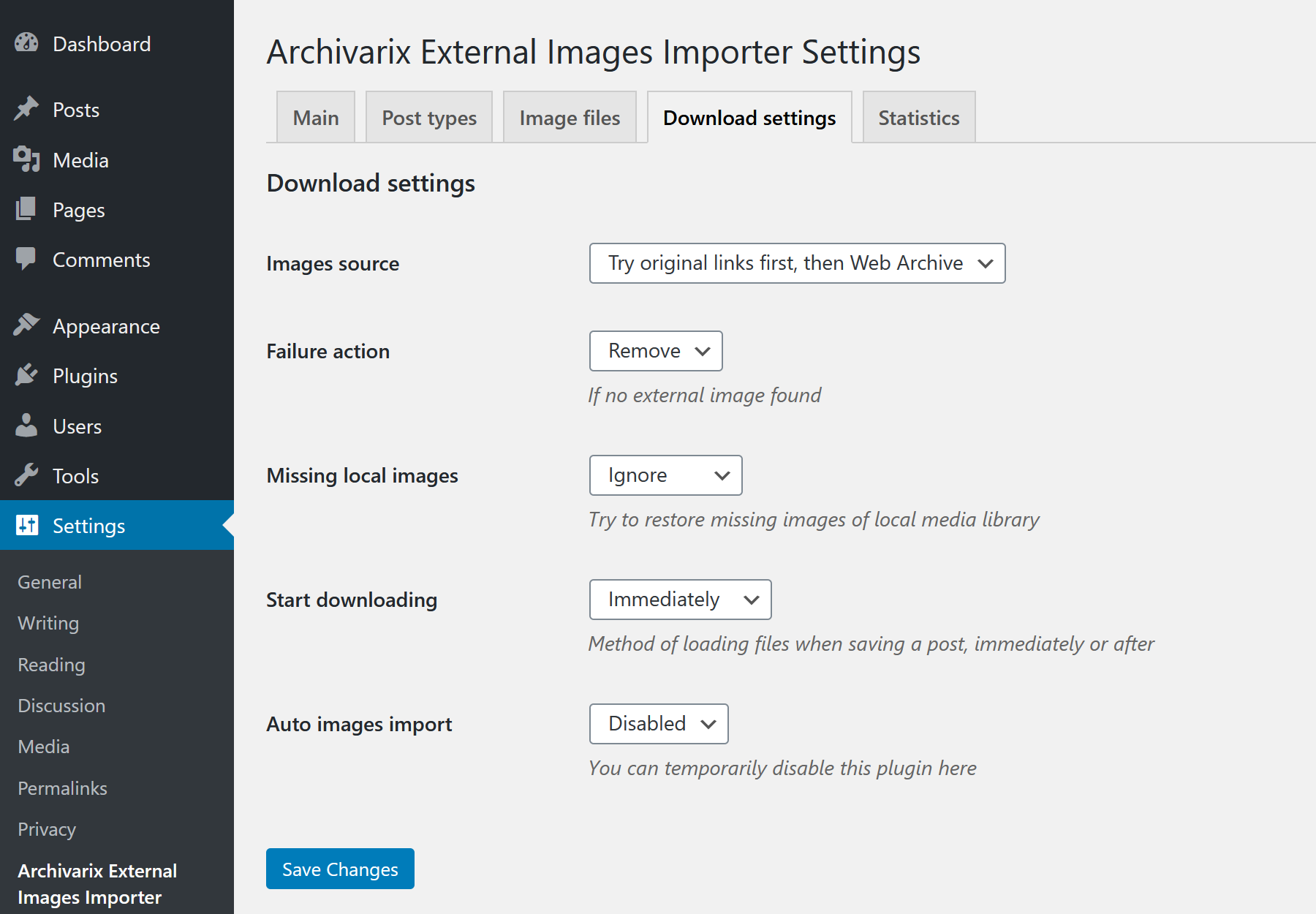
- Download images from their original external sources
- Download images from Internet Archive (Wayback Machine)
- Try to download from original source first, then from Internet Archive if failed
- Try to download from Internet Archive first, then from original source if failed
- Restore missing local images (404) from Web Archive
- Keep image unchanged
- Remove image from post completely
- Replace with 1x1 pixel placeholder
- Full compatibility with WordPress 7.0
- AI-ready: WordPress Abilities API / MCP integration (WordPress 7.0+) so AI agents can scan and import images
- Modern AJAX interface with real-time progress
- Background processing - you can close the browser while processing continues
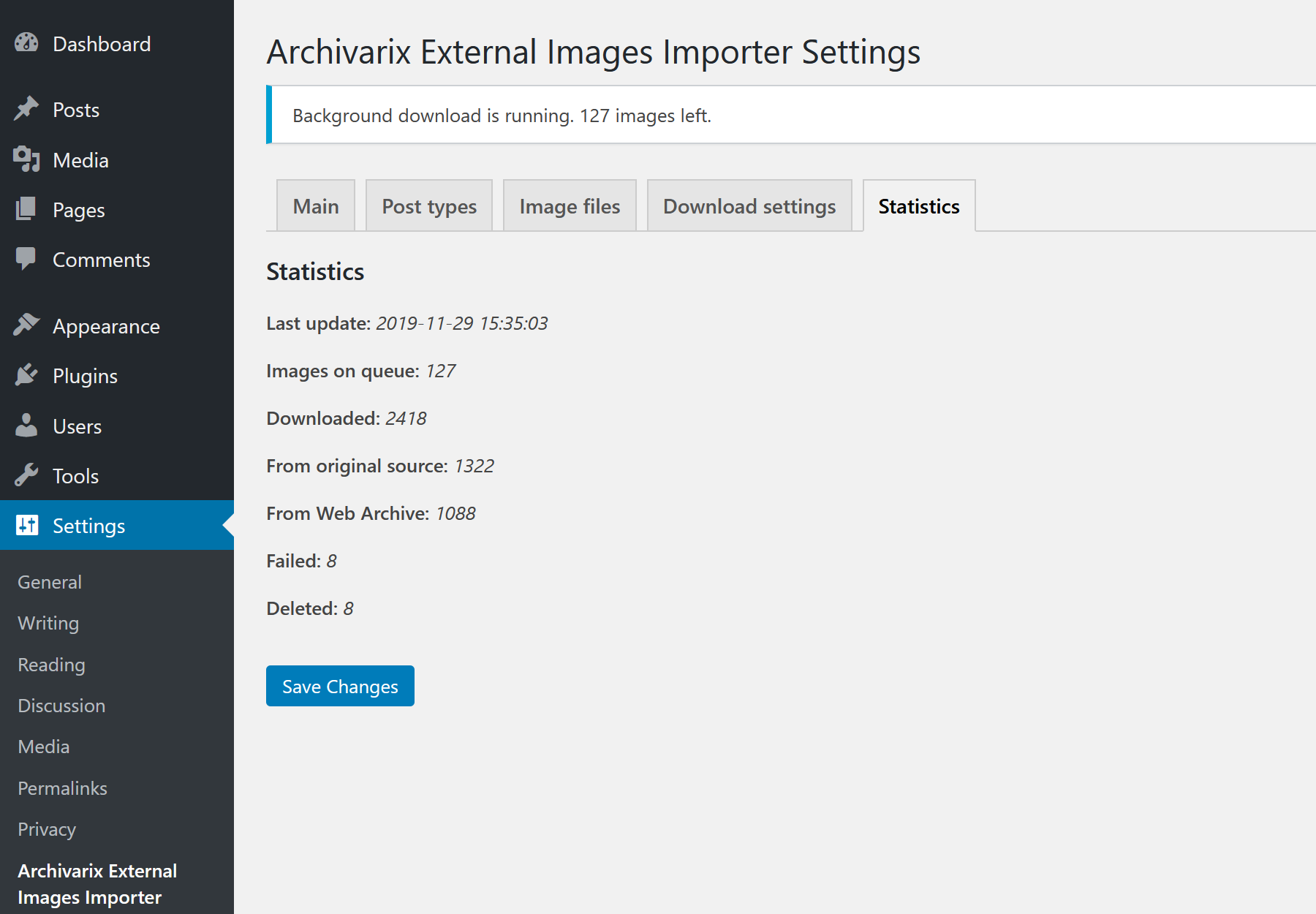
- Detailed import statistics and logs with CSV export
- Custom filename patterns support
- Automatic restoration of missing local images
- srcset attribute support
- Custom post types support
- Invalid URL detection and handling
- Improved error handling and logging
- Responsive design for all devices
安装:
- Log in to your WordPress admin panel
- Go to Plugins → Add New
- Search for "Archivarix External Images Importer"
- Click Install and then Activate
- Upload the
archivarix-external-images-importerfolder to/wp-content/plugins/ - Activate the plugin through the Plugins menu in WordPress
- Go to Settings → Archivarix Images Importer to configure
屏幕截图:
常见问题:
What WordPress versions are supported?
The plugin requires WordPress 6.0 or higher. Tested up to version 7.0.
Can I control the plugin with an AI assistant (MCP)?
Yes. On WordPress 7.0+ the plugin registers its capabilities through the core Abilities API (scan for images, start/stop import, check status and statistics, reset). When the WordPress MCP Adapter is active, these become MCP tools that AI agents such as Claude Desktop, Claude Code, Cursor, and VS Code can discover and call. All abilities require the manage_options capability, exactly like the admin interface. On older WordPress versions this feature is inactive and the plugin works as before.
What PHP version is required?
PHP 7.4 or higher is required.
Can I restore images from Internet Archive?
Yes! The plugin can automatically search and download images from Wayback Machine if original sources are unavailable.
What happens with invalid image URLs?
Invalid URLs (like p://... instead of http://...) are detected during scan and handled according to your "If Download Fails" setting - they can be kept, removed, or replaced with a placeholder.
Is it safe to use in production?
Yes! Version 2.0 includes improved error handling, permission checks, and safe file processing.
Can I close the browser during processing?
Yes! Processing runs in the background on the server. You can close the browser and check results later in the Statistics tab.
更新日志:
- Added WordPress 7.0 support (Tested up to 7.0)
- New: filter import logs by outcome (Downloaded, Cached/Existing, Failed, Removed, Placeholder)
- New: WordPress Abilities API integration. The plugin registers its capabilities (scan, start/stop import, status, statistics, reset) as abilities
- New: MCP-ready. With the WordPress MCP Adapter installed, these abilities are exposed as MCP tools, so AI agents (Claude Desktop, Claude Code, Cursor, VS Code) can scan and import images. No extra dependencies bundled; gracefully no-ops on WordPress < 7.0
- Refactored AJAX handlers to share a single logic layer with the new abilities
- Fixed local 404 detection when site uses mixed http/https URLs
- Fixed SVG placeholder filtering for lazy-load images
- Added French, Portuguese, and German translations
- Fixed image extraction: stricter src/srcset regex, added lazy-load attributes support
- Minor security and stability improvements
- Fixed various issues for WordPress.org Plugin Check compliance
- Code refactoring and minor bug fixes
- Complete rewrite with WP Background Processing for reliable server-side processing
- File-based logging system (wp-content/uploads/archivarix-logs/) instead of database storage
- Database-level URL locking to prevent duplicate downloads
- Log rotation: max 10000 entries and 100 days retention
- Enhanced security: proper escaping, nonce verification, capability checks
- Time-based processing (25s limit) to avoid server timeouts
- Added uninstall.php for complete cleanup on plugin deletion
- Full i18n support with Russian and Spanish translations
- Keep original filename option now enabled by default
- All public post types now selected by default
- Full srcset attribute support for both scanning and image replacement
- Download logs button for exporting logs as CSV
- Improved responsive design for statistics display
- WordPress 6.0 support
- WordPress 6.0 support
- Restore local missing images enabled by default
- Image date path matches post creation path
- Fixed alt attribute addition
- Initial release