ArchivioMD
| 开发者 | mtnviewpro |
|---|---|
| 更新时间 | 2026年5月10日 04:06 |
| PHP版本: | 7.4 及以上 |
| WordPress版本: | 6.9 |
| 版权: | GPLv2 or later |
| 版权网址: | 版权信息 |
详情介绍:
[hash_verify].
Supported algorithms include SHA-256/384/512 family, SHA-3, BLAKE2b/2s, BLAKE3, SHAKE, RIPEMD-160, Whirlpool, and GOST variants.
HMAC Integrity Mode adds a shared-secret layer on top of hashing. The key lives in wp-config.php — never the database — so an adversary with database access alone cannot silently update a hash.
define('ARCHIVIOMD_HMAC_KEY', 'your-secret-key');
Document Signing
All signing methods sign the same canonical message and run independently. Any combination can be active simultaneously.
Ed25519 (recommended for most sites) — uses PHP sodium (ext-sodium). Private key in wp-config.php; public key published at /.well-known/ed25519-pubkey.txt. In-browser keypair generator included. Supports DSSE envelope mode (Sigstore spec) with PAE binding to prevent cross-protocol replay.
SLH-DSA / SPHINCS+ (post-quantum) — pure-PHP implementation of NIST FIPS 205. No extensions, no Composer dependencies; works on any shared host running PHP 7.4+. Security rests on SHA-256 alone — not on factoring or discrete logarithms. Four parameter sets: SLH-DSA-SHA2-128s (default, 7,856-byte signatures), -128f (faster, 17,088 bytes), -192s, -256s. Signing takes 200–600 ms on shared hosting per publish event — front-end rendering is not affected. Running Ed25519 and SLH-DSA together (hybrid mode) provides both classical and quantum verifiability from a single DSSE envelope.
ECDSA P-256 ⚠️ Enterprise/compliance mode only. Enable when an external framework (eIDAS, SOC 2, HIPAA, government PKI) explicitly requires X.509 certificate-backed ECDSA. For all other sites, Ed25519 is recommended. Nonce generation is 100% delegated to OpenSSL.
RSA ⚠️ Legacy compatibility only. Enable when a downstream system cannot accept Ed25519, ECDSA, or SLH-DSA keys.
CMS / PKCS#7 — Detached DER signatures importable into Adobe Acrobat, Windows Explorer, and enterprise DMS platforms. Reuses your ECDSA or RSA key.
JSON-LD / W3C Data Integrity — Produces eddsa-rdfc-2022 and ecdsa-rdfc-2019 proof blocks per post and publishes a did:web DID document at /.well-known/did.json. Compatible with ActivityPub, W3C Verifiable Credentials, and decentralised identity wallets.
All private keys are stored in wp-config.php — never in the database. PEM files uploaded via the admin UI are stored outside DOCUMENT_ROOT, chmod 0600, with an .htaccess Deny guard.
DANE / DNS Key Corroboration
Publishes every active signing key as a DNSSEC-protected DNS TXT record, giving verifiers a trust path entirely independent of your web server and TLS certificate. An attacker must compromise both your web host and your DNS zone simultaneously to forge a key.
Records use the amd1 tag-value format (modelled on DKIM):
_archiviomd._domainkey.example.com. IN TXT "v=amd1; k=ed25519; p="
When ECDSA P-256 is configured, an optional TLSA record (RFC 6698, DANE-EE, Selector=1) binds the leaf certificate to your HTTPS service. A machine-readable discovery endpoint at /.well-known/archiviomd-dns.json lists all active records and expected values. A self-describing format specification is served at /.well-known/archiviomd-dns-spec.json regardless of whether DANE is enabled.
Weekly passive health checks via wp-cron surface failures as dismissible admin notices. Key rotation mode suppresses false-positive mismatch warnings during DNS TTL expiry. Full WP-CLI support: wp archiviomd dane-check.
DNSSEC is required for DANE to provide actual security. Most registrars offer it with a single toggle.
External Anchoring
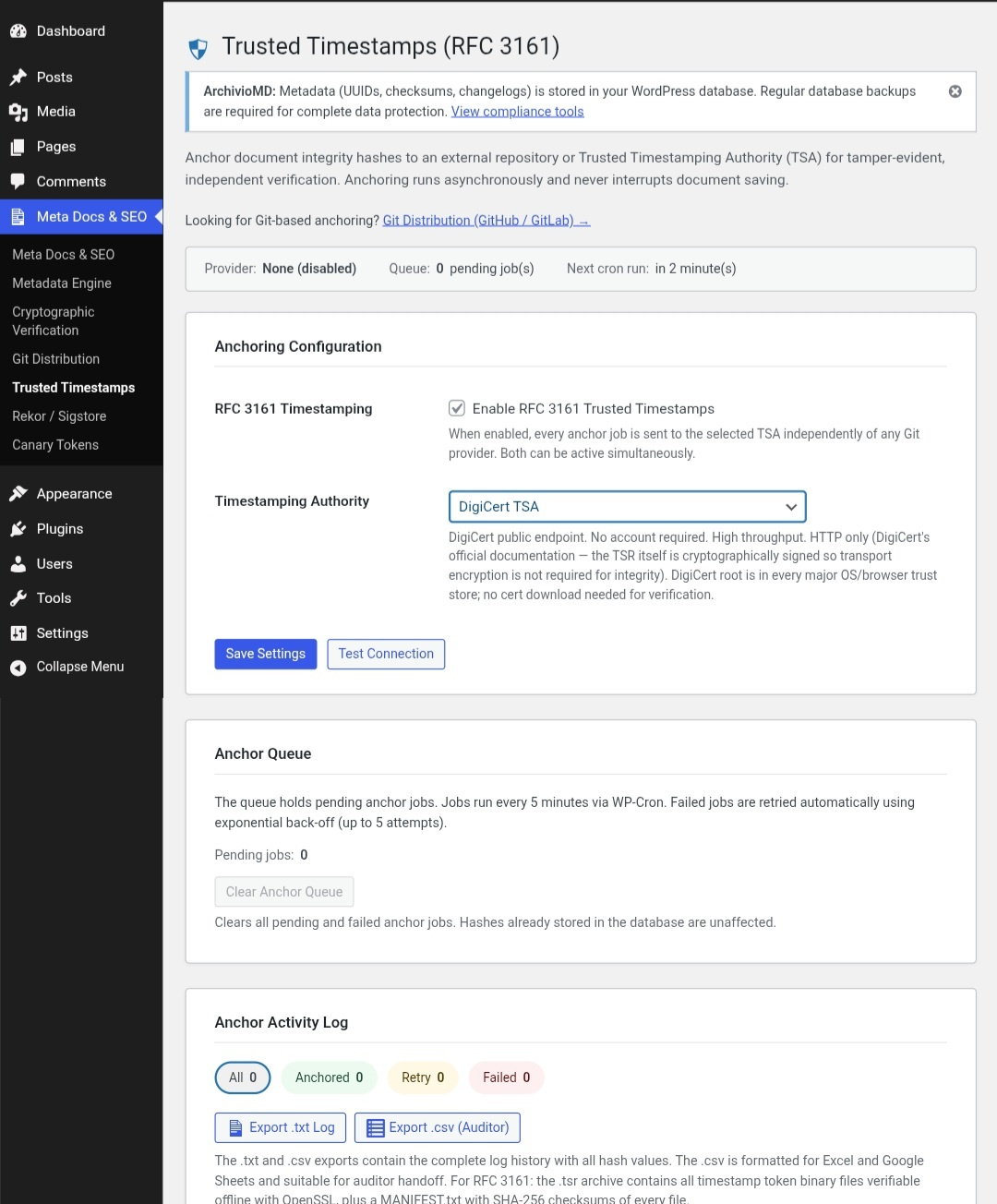
RFC 3161 Trusted Timestamps — Sends content hashes to a Time Stamp Authority on every anchor job. The signed .tsr token binds the hash to a specific time and is independently verifiable offline with OpenSSL. Built-in providers: FreeTSA.org, DigiCert, GlobalSign, Sectigo. Custom endpoint supported.
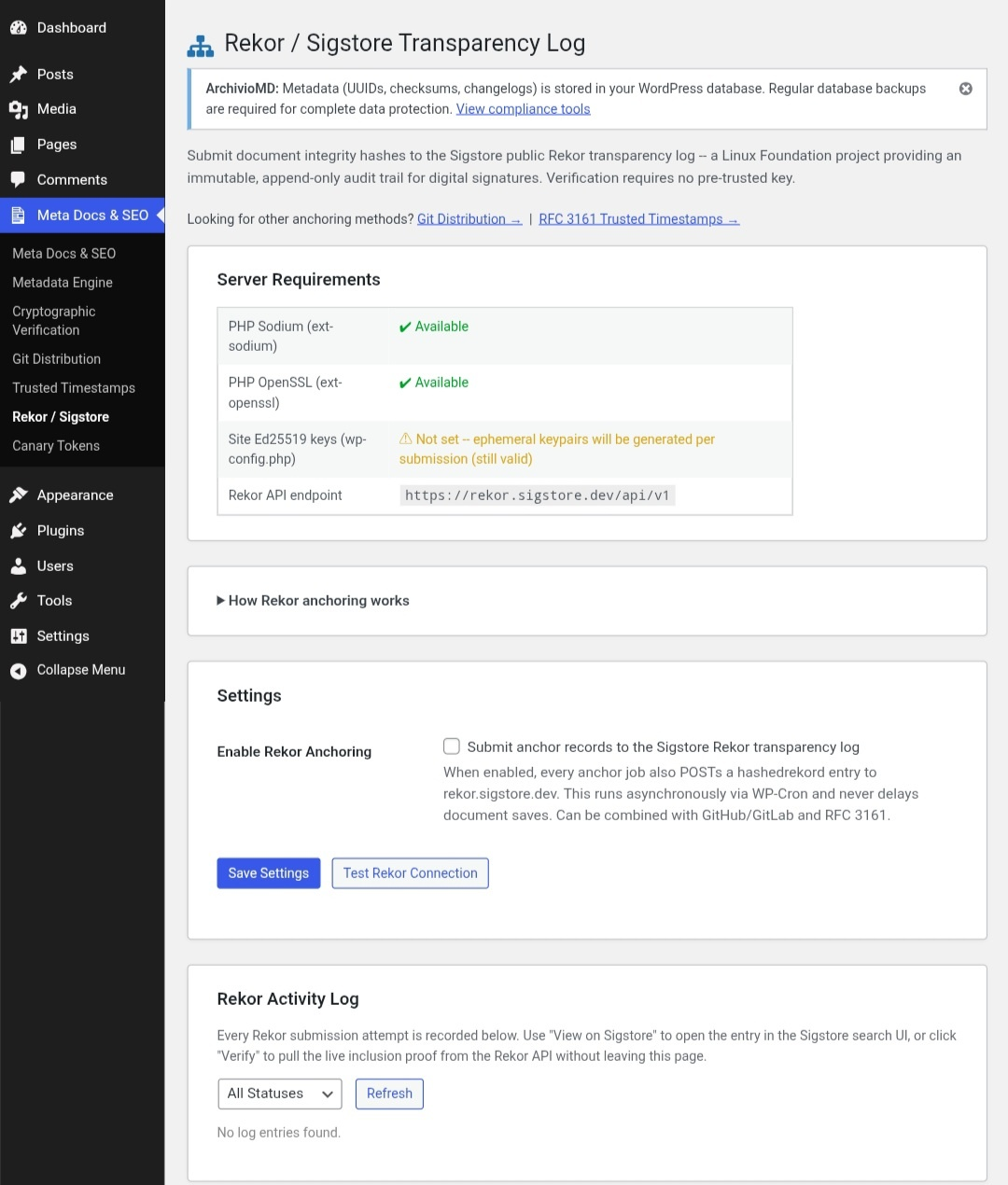
Sigstore / Rekor Transparency Log — Submits a hashedrekord entry to the public Rekor append-only log (rekor.sigstore.dev) on every anchor job. Entries are immutable and publicly verifiable without an account or API key. When Ed25519 keys are configured, entries are signed with the site key; otherwise an ephemeral keypair is generated automatically.
Git Repository Anchoring — Commits integrity records to GitHub or GitLab (public, private, or self-hosted) on every anchor job, creating an independent audit trail in commit history.
All three anchoring methods can run simultaneously on every job.
Document Management
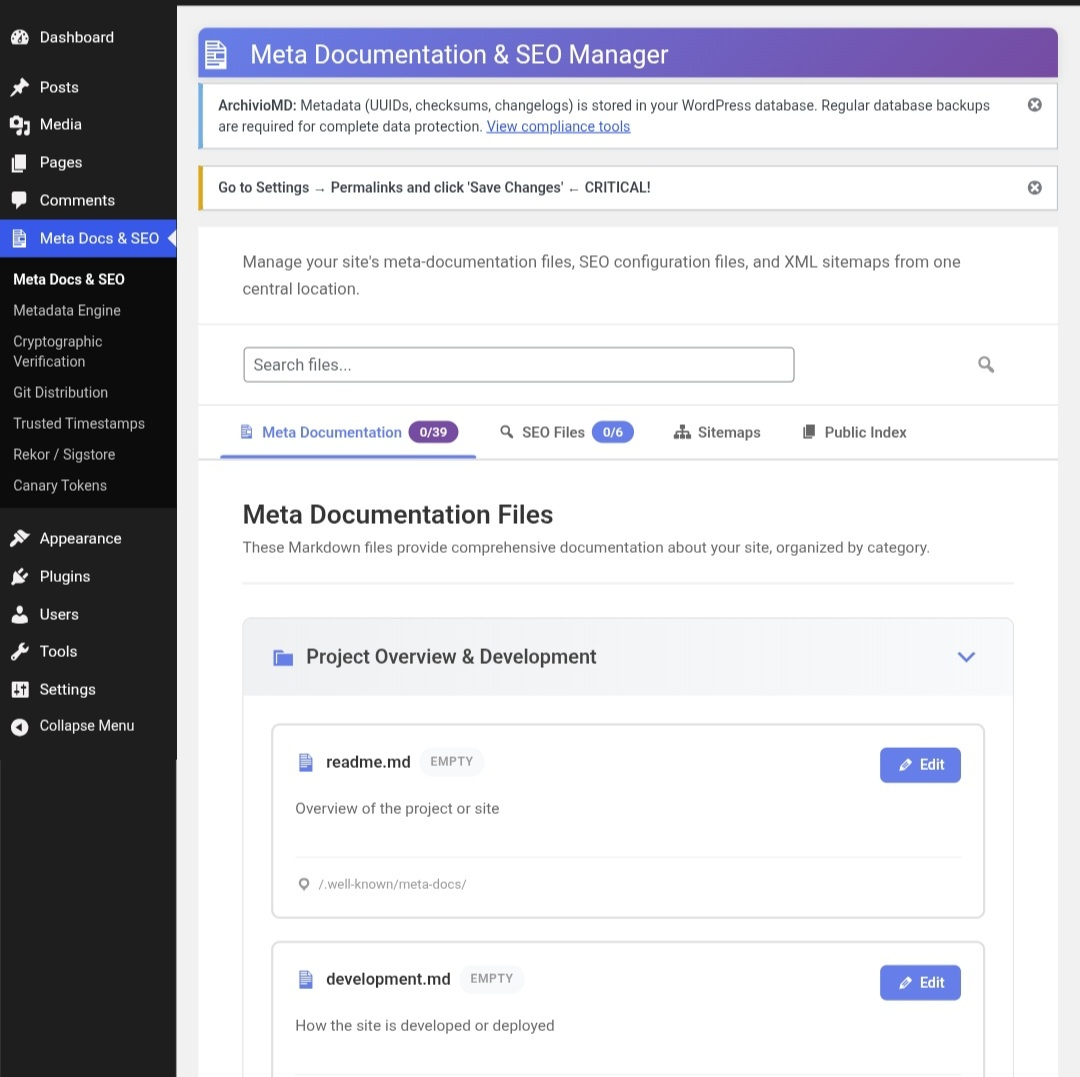
Browser-based editing (no FTP) for Markdown meta-documentation (security.txt, privacy policy, terms of service, etc.) and SEO/compliance files: robots.txt, llms.txt, ads.txt, app-ads.txt, sellers.json, ai.txt. Documents get automatic UUID assignment, SHA-256 checksum tracking, and an append-only changelog. Standard and comprehensive XML sitemaps included.
Compliance & Audit Tools
Metadata CSV, Compliance JSON, and Backup ZIP exports each generate a companion .sig.json integrity receipt (SHA-256 hash + optional cryptographic signature). The Compliance JSON export preserves full relationships between posts, hash history, anchor log entries, and RFC 3161 TSR manifests — suitable for legal evidence packages and SIEM ingestion.
Manual checksum verification (read-only; does not modify anything). Backup & Restore with mandatory dry-run before any restore operation.
WP-CLI: wp archiviomd process-queue, anchor-post <id>, verify <id>, prune-log.
Canary Tokens (Steganographic Fingerprinting)
Entirely opt-in. Nothing is injected unless you explicitly enable it.
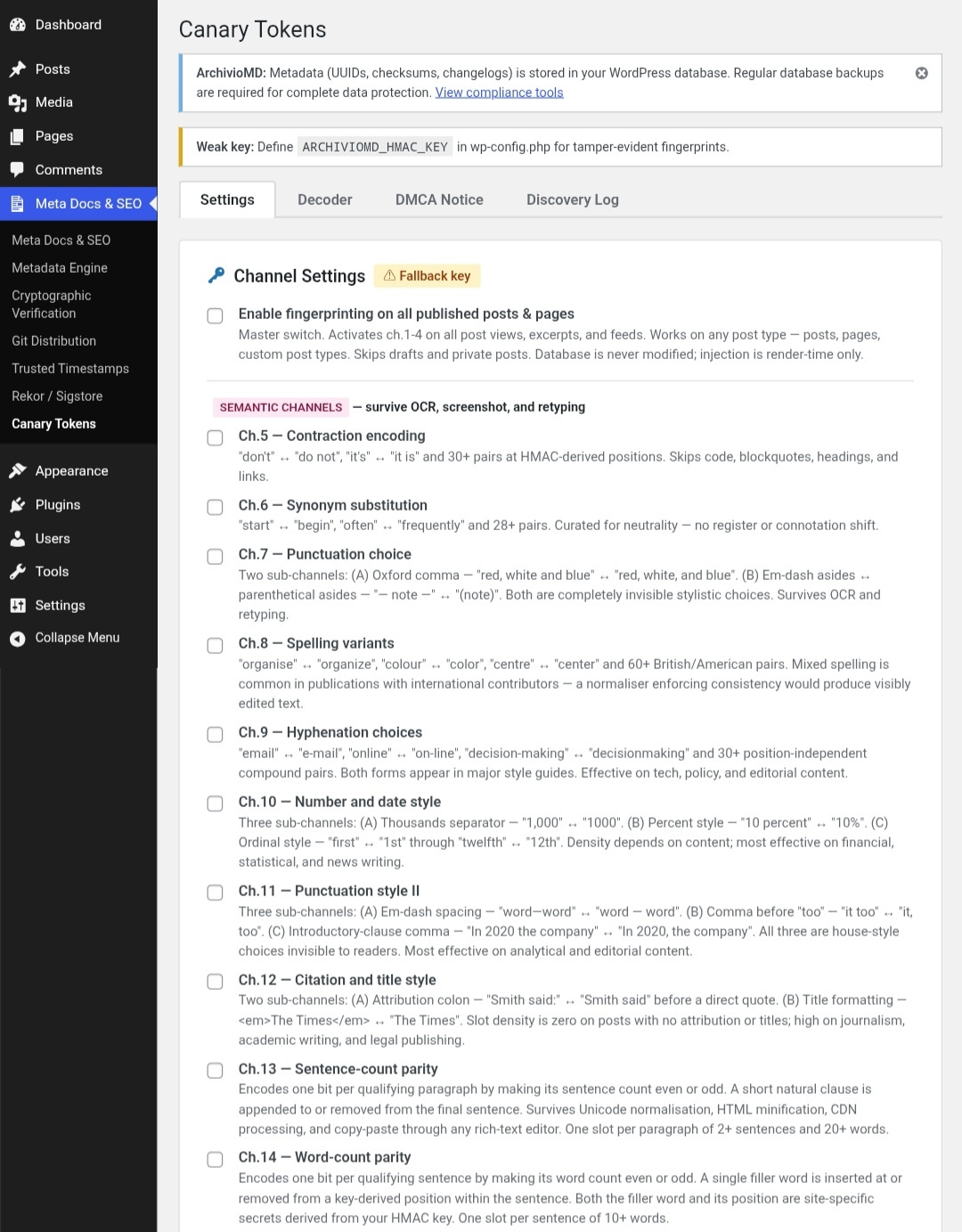
Embeds an invisible, HMAC-authenticated fingerprint (post ID + timestamp + 48-bit MAC) into published content at render time — stored content is never modified. Fingerprints survive copy-paste and can identify the source of scraped content. A built-in decoder and DMCA Notice Generator are included. Signed evidence packages (.sig.json) can be generated after a successful decode for use in legal proceedings.
Encoding operates across up to 14 channels in three layers:
Unicode layer (survives copy-paste; stripped by OCR): zero-width characters, thin-space variants, apostrophe variants, soft hyphens.
Semantic layer (survives OCR and Unicode normalisation; each opt-in): contraction encoding, synonym substitution, punctuation choice, spelling variants, hyphenation choices, number/date style, punctuation style II, citation/title style.
Structural layer (CDN-proof): sentence-count parity, word-count parity.
Each bit is encoded three times per active channel with majority-vote redundancy. A cache compatibility layer ensures fingerprints survive HTML minification by WP Super Cache, W3 Total Cache, LiteSpeed Cache, WP Rocket, and similar plugins. The Canary Coverage meta box on the post edit screen shows per-channel slot availability before you publish.
Ideal For
- Journalists and news publishers requiring tamper-evident records
- Legal teams and compliance departments needing auditable document trails
- Organisations subject to HIPAA, ISO 27001, SOC 2, or NIST SP 800-171 requirements
- Whistleblower platforms and activist publishers requiring integrity without platform trust
- Security researchers requiring transparent, verifiable publish records
uploads/meta-docs/ and are preserved on uninstall.
安装:
- Log in to your WordPress admin panel
- Navigate to Plugins → Add New
- Search for "ArchivioMD"
- Click "Install Now" and then "Activate"
- Navigate to Settings → Permalinks and click "Save Changes" (required for
.well-known/file serving)
- Download the plugin ZIP file
- Upload via Plugins → Add New → Upload Plugin
- Activate the plugin
- Navigate to Settings → Permalinks and click "Save Changes"
屏幕截图:
常见问题:
Where are my files stored?
Markdown and SEO files are stored in uploads/meta-docs/. Metadata (UUIDs, checksums, changelogs) is stored in wp_options with the prefix mdsm_doc_meta_.
Do I need to back up the database?
Yes. All metadata is stored in the database. The plugin's Backup & Restore tool provides portable archives, but standard database backups are still required.
What happens if I uninstall the plugin?
All files remain in the uploads directory. Database options are only deleted if you explicitly enable metadata cleanup before uninstalling.
Does this plugin enforce file integrity?
No. It tracks integrity and provides manual verification tools. Verification is admin-triggered and read-only — it does not prevent or block modifications.
Can I verify signatures without WordPress?
Yes. All signing methods are independently verifiable with standard tooling — no WordPress dependency required.
- Ed25519: retrieve the public key from
/.well-known/ed25519-pubkey.txtand verify with any sodium-compatible tool. - SLH-DSA: retrieve the public key from
/.well-known/slhdsa-pubkey.txtand verify with any FIPS 205-compatible library (e.g. pyspx). - ECDSA P-256: retrieve the certificate from
/.well-known/ecdsa-cert.pemand verify with OpenSSL or the Pythoncryptographylibrary. - RSA: retrieve the public key from
/.well-known/rsa-pubkey.pemand verify with OpenSSL. - CMS/PKCS#7: decode the base64 DER blob and verify with OpenSSL, Adobe Acrobat, Java Bouncy Castle, or Windows CertUtil.
- JSON-LD: retrieve the DID document from
/.well-known/did.jsonand verify with@digitalbazaar/jsonld-signatures(JS) orpyld+cryptography(Python). - RFC 3161: download the
.tsrand.tsqfiles from the compliance tools page and runopenssl ts -verify -in response.tsr -queryfile request.tsq -CAfile tsa.crt. - Rekor: use
rekor-cli verify --artifact-hash sha256:<HASH> --log-index <INDEX>or look up the entry athttps://search.sigstore.dev/?logIndex=<INDEX>.
When should I use ECDSA P-256 instead of Ed25519?
Only when an external compliance framework explicitly requires X.509 certificate-backed ECDSA — for example, eIDAS qualified signatures, certain government PKI mandates, SOC 2 audit requirements specifying certificate-bound signatures, or HIPAA requirements from a specific assessor. For all other sites, Ed25519 is recommended: simpler to configure, no certificate expiry to manage, and equally secure.
When should I use the extended signing formats (RSA, CMS, JSON-LD)?
Use RSA only when a downstream system cannot accept Ed25519, ECDSA, or SLH-DSA keys — for example, older HSMs or legacy enterprise toolchains hardcoded to RSA. Use CMS/PKCS#7 when a DMS, Adobe Acrobat workflow, or regulated-industry audit tool specifically requires .p7s format. Use JSON-LD / W3C Data Integrity when building interoperability with ActivityPub implementations, W3C Verifiable Credential ecosystems, or decentralised identity wallets. For general integrity verification, Ed25519 covers all common use cases with far less operational overhead.
Why is SLH-DSA signing slow?
SLH-DSA (SPHINCS+) builds a Merkle tree of hundreds of hash computations per signature. Because this implementation is pure PHP rather than a native C extension, expect 200–600 ms on shared hosting for the default SHA2-128s parameter set. To reduce it, switch to SHA2-128f — same NIST Category 1 security, 5–10× faster signing, larger signatures. This overhead occurs once per publish event and has no effect on front-end page rendering.
Should I run Ed25519 and SLH-DSA together?
Yes, if you need verifiability today and quantum resilience for the future. In hybrid mode the DSSE envelope carries both signatures. Existing verifiers that only understand Ed25519 continue to work unchanged.
Does Rekor require an API key?
No. The public good instance (rekor.sigstore.dev) is a free, unauthenticated API operated by the Linux Foundation's Sigstore project.
Does DANE Corroboration require DNSSEC?
Yes. Without DNSSEC, DNS responses are unauthenticated and the TXT records provide no additional trust over the web server alone. Most registrars now offer DNSSEC with a single toggle.
Is this plugin GDPR compliant?
The plugin does not collect, store, or process personal data from visitors. It stores administrative metadata associated with WordPress user accounts. Compliance with GDPR depends on how you use the plugin — consult your legal team.
Can non-admin users access these features?
No. All features require the manage_options capability (administrator role).
更新日志:
- Security: Strengthened access control on the content-verification download handler. Anonymous visitors (including the verification browser extension) are now restricted to verification files for published, publicly accessible posts only. Logged-in users retain full access to any post permitted by their WordPress role, so authors and editors can continue to verify drafts and pending content without disruption. Credit to Eason Yu of the University of Sydney cybersecurity programme for the responsible disclosure.
- Added five admin screenshots to the WordPress plugin directory listing, covering Cryptographic Verification settings, Meta Documentation & SEO Manager, Canary Tokens channel settings, Trusted Timestamps (RFC 3161), and Rekor / Sigstore Transparency Log. No functional changes.
- Fixed verification badge text ("Verified") appearing as plain text in search engine title tags when Yoast SEO (and other SEO plugins) are active. SEO plugins call
get_the_title()while building the<title>tag beforewp_headcompletes; the badge HTML was being appended, stripped of its tags, and indexed as part of the post title. Badge now only injects afterwp_headhas fired, ensuring it renders in the page body only and is never seen by search engines.
- Fixed custom markdown files returning 404. WordPress rewrite rules now register routes for both the root path and the
/.well-known/meta-docs/path, which is where the file manager stores custom files by default. Previously only the root-level route was registered, so any request to the.well-knownpath fell through to a 404. - Fixed unreliable rewrite rule flushing after creating or deleting a custom markdown file via the admin UI.
flush_rewrite_rules()called inside an AJAX handler does not always persist reliably; the fix schedules a guaranteed follow-up flush on the next real page load via a transient flag. - Added ArchivioID PGP Validator support to the browser extension. The extension now calls the ArchivioID REST API (
/wp-json/archivio-id/v1/posts/{id}/signatures), retrieves all PGP signature records, fetches public keys fromkeys.openpgp.orgby fingerprint, and performs client-side cryptographic verification using OpenPGP.js (Ed25519, RSA, ECDSA supported). Results are surfaced as Step 8 in the full verification report. - Hardened REST API verification endpoint: added per-IP rate limiting (60 req/min), restricted URL resolution to the site's own domain to prevent cross-origin post enumeration, replaced table-name SQL interpolation with a whitelisted identifier check, changed
Cache-Controlon/verifyfrompublictoprivateto prevent shared-proxy caching of verification status, and reduced/statuscache TTL to prevent stale feature-flag disclosure.
- Fixed version mismatch: plugin header
VersionandMDSM_VERSIONconstant were stuck at 1.16.0 across the 1.17.x release series. Both now correctly read 1.17.4 and match the readmeStable tag.
- Added
/.well-known/archiviomd-dns-spec.json— a machine-readable, self-contained specification for theamd1TXT record format, the TLSA profile, the canonical message format, and the end-to-end verification flow. archiviomd-dns.jsonnow includes aspec_urlfield pointing to the spec endpoint.
- Added TLSA cert-expiry staleness warning (≤ 30 days warns, expired errors).
- Added
ARCHIVIOMD_DANE_TTLconstant; TTL now configurable and used consistently across rotation threshold, admin UI, andCache-Controlheaders. - Added ETag /
If-None-Match/ 304 conditional response support to the discovery endpoint. - Fixed discovery endpoint returning HTTP 404 when DANE disabled — now returns HTTP 200 with
{"enabled":false}so verifiers can distinguish module-off from a wrong URL. - Fixed DoH network timeout surfacing as a false "DNSSEC not validated" admin notice.
- Added TLSA / DANE-EE support (RFC 6698) for the ECDSA P-256 certificate. Selector=1 (SubjectPublicKeyInfo) so the record survives certificate renewal without a key change.
- Added copy-to-clipboard buttons for all DNS TXT record values in the admin UI.
- Fixed
Cache-Controlbug in the discovery endpoint that overwrote the intendedpublic, max-age=3600header. - Added
--enableand--disableflags towp archiviomd dane-check.
- Added DANE / DNS Key Corroboration. Publishes Ed25519, SLH-DSA, ECDSA P-256, and RSA public keys as DNSSEC-protected DNS TXT records in the custom
amd1format. DoH-based health checks, weekly passive cron, key rotation workflow, machine-readable discovery endpoint at/.well-known/archiviomd-dns.json, JSON-LD integration, and WP-CLIwp archiviomd dane-check.
- Added RSA Compatibility Signing (Extended Format). RSA-PSS/SHA-256 (recommended) and PKCS#1 v1.5/SHA-256. Minimum key size 2048 bits enforced. Public key published at
/.well-known/rsa-pubkey.pem. - Added CMS / PKCS#7 Detached Signatures (Extended Format). DER blob importable directly into Adobe Acrobat and enterprise DMS platforms as
.p7s. Reuses existing ECDSA or RSA key. - Added JSON-LD / W3C Data Integrity Proofs (Extended Format). Cryptosuites
eddsa-rdfc-2022andecdsa-rdfc-2019. DID document at/.well-known/did.json. - All three new methods are opt-in, disabled by default, and sign the same canonical message as all other methods.
- Added ECDSA P-256 document signing (Enterprise / Compliance Mode). Nonce generation delegated entirely to OpenSSL. Certificate validated on every signing operation. Private keys stored outside
DOCUMENT_ROOT, chmod 0600. Leaf certificate published at/.well-known/ecdsa-cert.pem.
- Added SLH-DSA (SPHINCS+) post-quantum document signing — NIST FIPS 205, pure PHP, no extensions or Composer dependencies. Four parameter sets: SHA2-128s (default), SHA2-128f, SHA2-192s, SHA2-256s. Hybrid mode with Ed25519 via shared DSSE envelope.
- Fixed SSRF in the URL decoder (
ajax_decode_url()): hostname now resolved viadns_get_record()with full private/loopback range rejection and cURL IP pinning to prevent TOCTOU. - Fixed rate limiter bypass via
X-Forwarded-For: now uses rightmost IP with private-range validation, falls back toREMOTE_ADDR. - Fixed evidence receipts signed over arbitrary POST data: handler now fetches the authoritative server-written log row by ID.
- Fixed key rotation warning that could not be dismissed (wrong option key names in delete calls).
- Fixed three canary option keys missing from the site-specific obfuscation map (fell through to a site-agnostic fallback, defeating the scheme).
- Fixed ReDoS in
extract_main_content(): input capped at 2 MB;DOMDocumentused as primary extractor; regex fallback uses bounded quantifiers. - Removed
sslverify => falsefrom all outbound fetches. - Added persistent admin notice when
ARCHIVIOMD_HMAC_KEYis not defined inwp-config.php.
- Added Ch.13 (Sentence-count parity) and Ch.14 (Word-count parity) structural fingerprinting channels — CDN-proof, survive Unicode normalisation.
- Added
Cache-Control: no-transformheader on all fingerprinted responses. - Renamed REST endpoints from
archiviomd/v1/canary-checktocontent/v1/verifyto reduce plugin fingerprinting via API enumeration. - Added
.htaccessto plugin root blocking direct HTTP access to.php,.txt,.json, and other source files. - Added key-derived pair selection for Ch.5/6/8/9: active dictionary subset is site-specific, making adversarial reversal equivalent to key brute-force.
- Added
wp_optionskey obfuscation for all Canary Token settings.
- Added Cache Compatibility Layer. Detects and repairs Unicode fingerprint stripping by WP Super Cache, W3 Total Cache, LiteSpeed Cache, WP Rocket, and other HTML-minifying caching plugins — no caching plugin configuration required. For versions prior to 1.12.0, see the full changelog on the plugin's development repository.