
AriAccess – Accessibility Checker, Fixes & Display Panel
| 开发者 | arihub |
|---|---|
| 更新时间 | 2026年11月3日 02:30 |
| PHP版本: | 7.4 及以上 |
| WordPress版本: | 7.1 |
| 版权: | GPLv2 or later |
| 版权网址: | 版权信息 |
详情介绍:
- Checks every post and page when you save it, or the whole site in one click.
- 26 checks, including missing or poor alt text, empty and vague links ("click here", "les mer", "läs mer", "lue lisää"), skipped and empty headings, tables without headers, frames without titles, autoplaying media, missing captions, unlabelled form fields, nameless buttons, duplicate ids and positive tabindex.
- Colour contrast inside your content, including block colours from your theme's palette.
- Each issue is mapped to its WCAG success criterion and marked as required or good practice for the standard you choose:
- Norway, private sector (35 WCAG 2.0 criteria)
- Norway, public sector (47 WCAG 2.1 criteria)
- WCAG 2.1 AA / EN 301 549 (EU)
- WCAG 2.2 AA
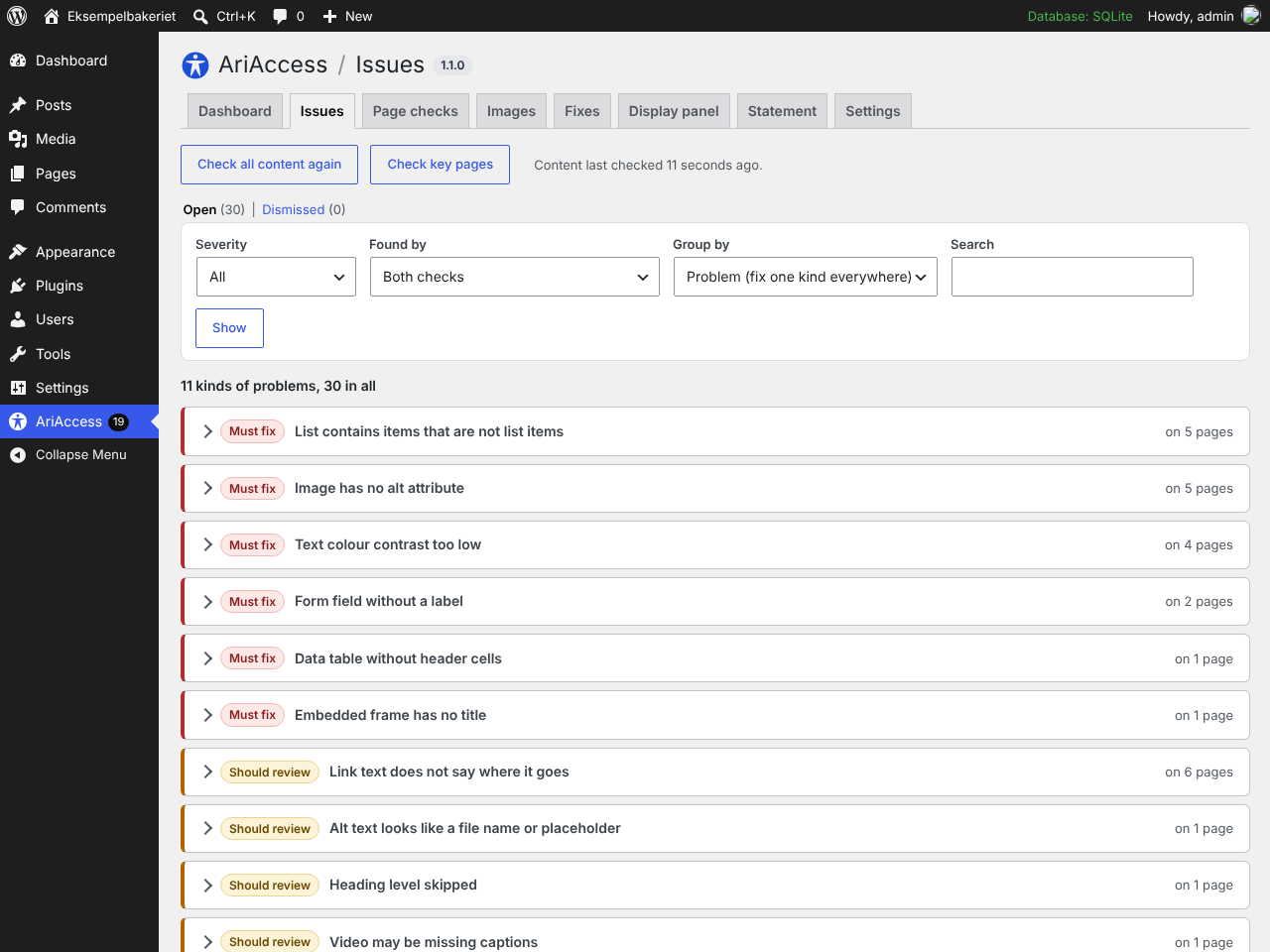
- Results in the editor sidebar, a column in your post lists and one Issues list for the whole site, grouped by problem or by page, with filters, search and paging.
- Three plain severities everywhere: Must fix, Should review, Check by hand.
- Dismiss a problem with a reason (not a problem, fixed another way, accepted for now). AriAccess records who and when, and you can restore it at any time.
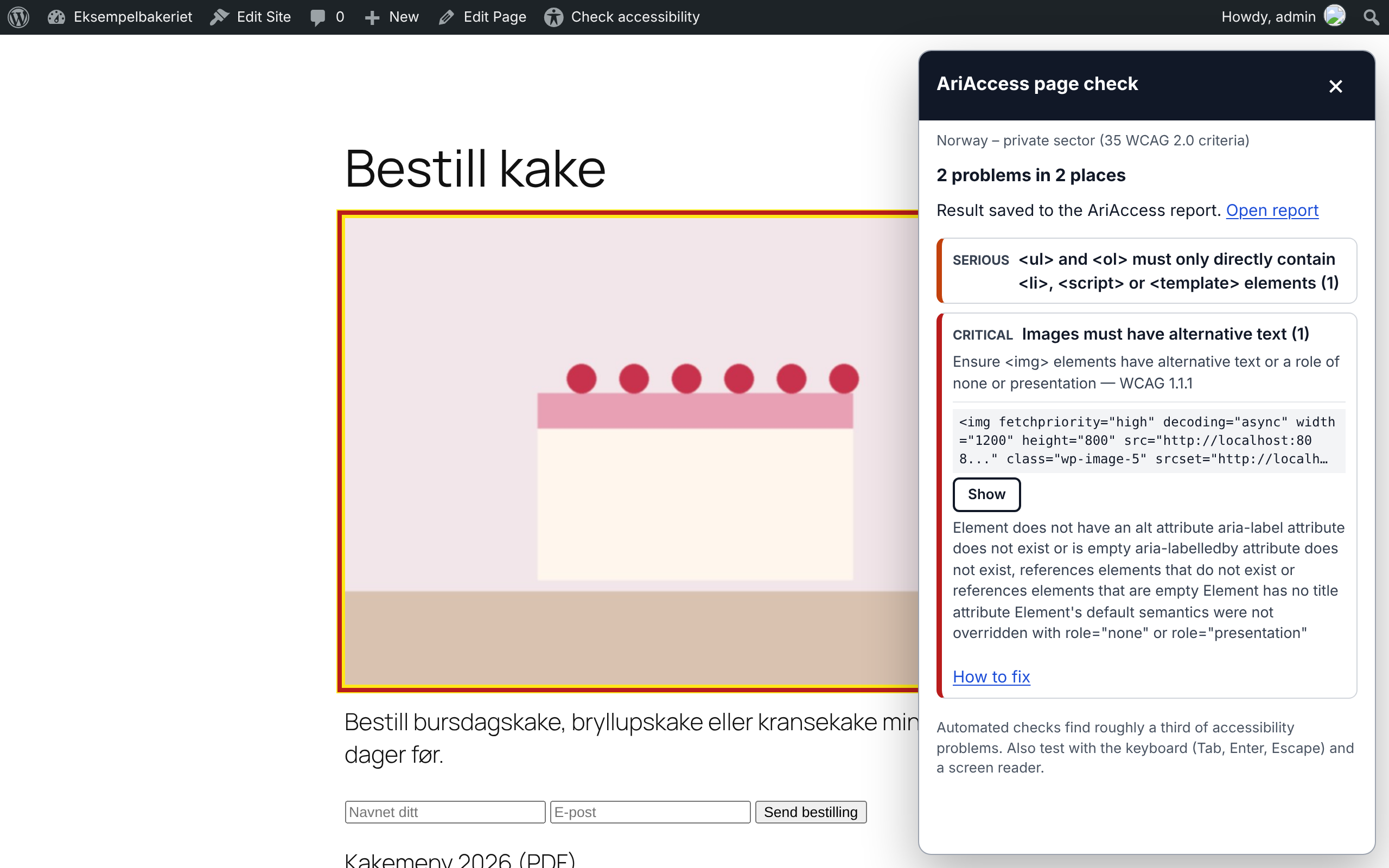
- "Check accessibility" in the admin bar runs axe-core, the open-source engine used by accessibility professionals, on the live page in your own browser.
- Sees what a content check cannot: menus, headers, footers, theme colours, landmarks.
- Highlights each problem on the page and saves it to the Issues list, with where it is and how to fix it.
- "Check key pages" checks your home page, menu pages, newest post and statement one after another, from the admin.
- A problem both checks find on the same page is shown once.
- Nothing is sent to any outside service.
- Skip-to-content link (only if your theme has none)
- Clear keyboard focus outline
- Pinch zoom allowed on phones
- "Opens in a new tab" warnings, or same-tab links
- Post titles added to "Read more" links for screen readers
- Accessible names for unlabelled search and form fields
- Media Library alt text used where older posts have none
- Positive tabindex removed
- Page language and direction added if missing
- Empty searches explained
- Redundant title attributes removed
- Optional: underlined links, respect for "reduce motion"
- Built to be used with a keyboard and screen readers: real buttons,
aria-pressedstates, Escape to close, focus returned, announcements for changes. - Tested with axe-core: the panel itself has no violations, in light and dark mode.
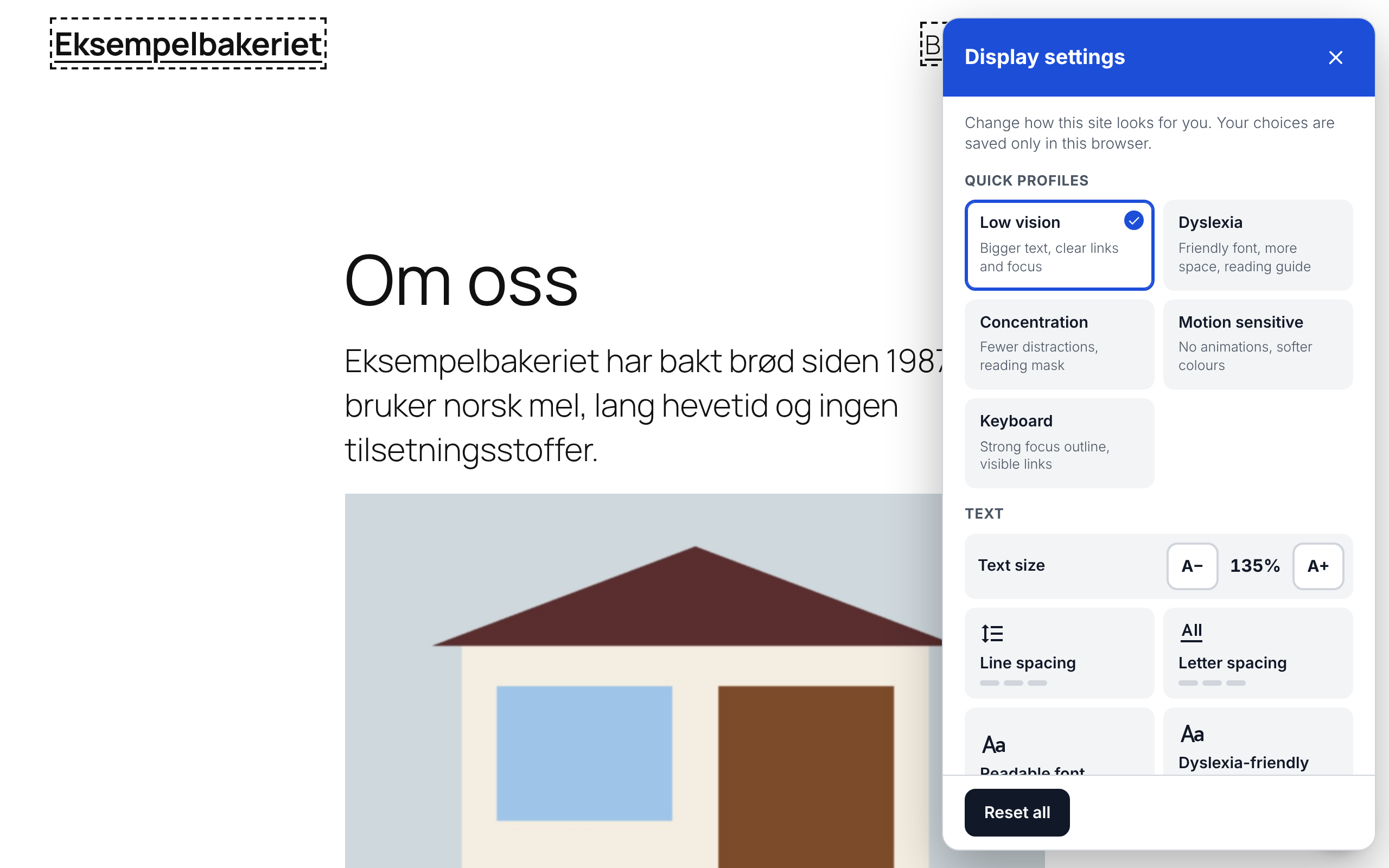
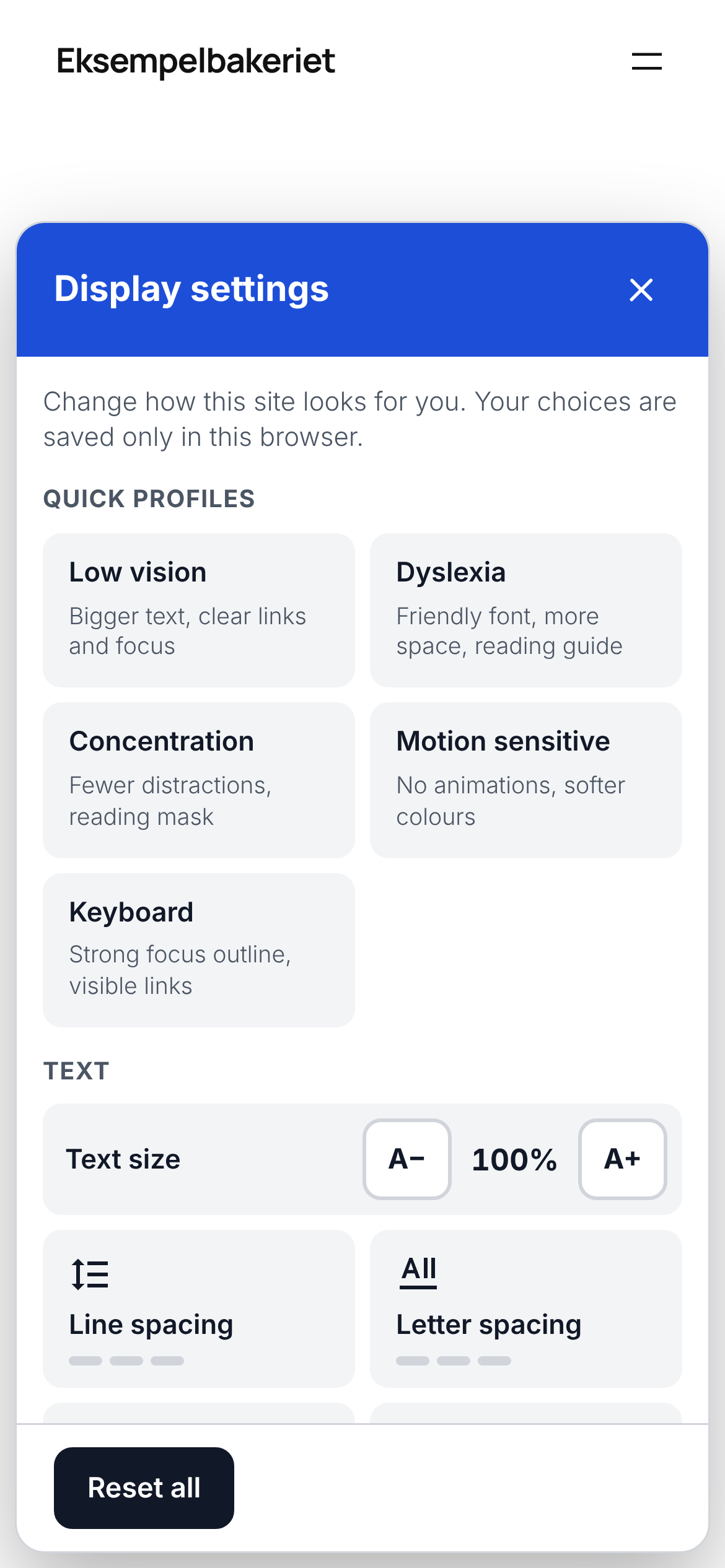
- Choices are stored only in the visitor's browser. No cookies, no tracking, no requests to other servers. Fonts are bundled.
- Norwegian (bokmål and nynorsk), Swedish, Danish and Finnish translations of all visitor-facing text are being added through translate.wordpress.org.
- Place your own button anywhere with
[ariaccess_button].
- axe-core 4.14.0 by Deque Systems, MPL-2.0, used for the page check (loaded only for logged-in editors). Source: https://github.com/dequelabs/axe-core
- Atkinson Hyperlegible by the Braille Institute, SIL Open Font License 1.1. Source: https://github.com/googlefonts/atkinson-hyperlegible
- OpenDyslexic by Abbie Gonzalez, SIL Open Font License 1.1. Source: https://github.com/antijingoist/opendyslexic
安装:
- Install and activate the plugin.
- Go to AriAccess → Dashboard. The next step is always at the top.
- Press Check all content, then Check key pages (home page, menu pages, newest post).
- Open Issues and work through the must-fix problems, one kind at a time or one page at a time.
- Do the five tests by hand on the Dashboard, then fill in Statement and publish it.
屏幕截图:

常见问题:
Will this make my site compliant with the law?
No plugin can do that on its own, and you should be wary of any that claims to. Accessibility depends on your theme, your content and how people can use your forms and menus. AriAccess finds and fixes a large share of common problems and shows you the rest. Finish with a manual test using the keyboard and a screen reader; the Tools tab has a short checklist.
Is the display panel an "overlay"?
No. Overlays claim to repair a site automatically for assistive technology users and often get in their way. AriAccess's panel only changes how the page looks for visitors who choose to use it, like the zoom and contrast settings in a browser. Problems are fixed by the Fixes and by you, at the source.
Which rules apply in Norway?
Private businesses must meet 35 success criteria from WCAG 2.0 (levels A and AA). Public bodies must meet 47 criteria from WCAG 2.1 and publish an accessibility statement. Choose your standard under Settings and the reports follow it.
Does it slow my site down?
Visitors load one small CSS file and two small deferred scripts. The fonts load only when a visitor turns them on. axe-core loads only for logged-in editors who run a page check.
Can I turn off the display panel and only use the checker?
Yes. Untick "Show the display panel button" under Display panel. Every fix can also be switched off.
更新日志:
- New Dashboard: the next step at the top, six steps from choosing a standard to publishing the statement, the pages to fix first, and how the number of must-fix problems changes over time. No score.
- New Issues screen: problems from the content check and the page check in one list, grouped by problem or by page, with filters, search and paging. A problem both checks find is shown once.
- One set of names everywhere: Must fix, Should review, Check by hand. Counts on every screen and in the menu badge now agree.
- Dismiss with a reason (not a problem, fixed another way, accepted for now); AriAccess records who and when. A Dismissed view lets you restore anything, and Undo works straight away.
- Check key pages: checks the home page, menu pages, the newest post and the statement one after another, without leaving the admin. Page checks now keep where each problem is and how to fix it.
- Statement: "Add the problems AriAccess found" fills in Known problems; a warning appears if you choose "Fully" while must-fix problems are open; the uustatus.no field shows only for public bodies; the standard comes from Settings.
- Images: a "Looks like a file name" view, and save one image at a time.
- Settings and Tools are one screen; the contrast checker takes hex codes.
- Each screen has its own page title and heading; results are announced after a check.
- Uninstall on multisite cleans every site that chose to delete its data.
- Page-check problems now have plain-language names ("List contains items that are not list items"), with axe's own wording kept under "Why".
- A page that is trashed, deleted or unpublished leaves the list, together with its page-check results.
- Page checks table counts now match the Issues screen for the same page.
- Fixed: key-page checks timed out when the admin and the site use different addresses (for example www and non-www).
- Fixed: undoing a Restore now keeps the original dismiss reason, so accepted problems stay in the statement.
- Saving a post no longer recounts every problem on the site; the menu badge is recounted once on the next admin page.
- First release: content checker (26 checks, palette-aware contrast), axe-core page checker, 13 fixes, display panel with 19 options and 5 profiles, accessibility statement generator (Norwegian/English), alt text manager.