Image Generator – AI Auto Featured Images, Thumbnails & Post Images
| 开发者 |
beautifulplugins
kawsarahmedr |
|---|---|
| 更新时间 | 2026年10月25日 11:36 |
| PHP版本: | 7.4 及以上 |
| WordPress版本: | 7.1 |
| 版权: | GPLv2 or later |
| 版权网址: | 版权信息 |
详情介绍:
- Design your own image templates in a visual Template Studio and turn every post title into an on-brand image — free, rendered on your own server.
- Generate AI images from a custom prompt using OpenAI GPT Image (your own API key) — right inside the block editor.
- Search free stock photos from Unsplash, Pexels and Pixabay without leaving WordPress, imported with the photographer's credit.
- Combine them: put a stock photo or an AI image under your own template design, so each post gets a different picture with your logo, colors and title.
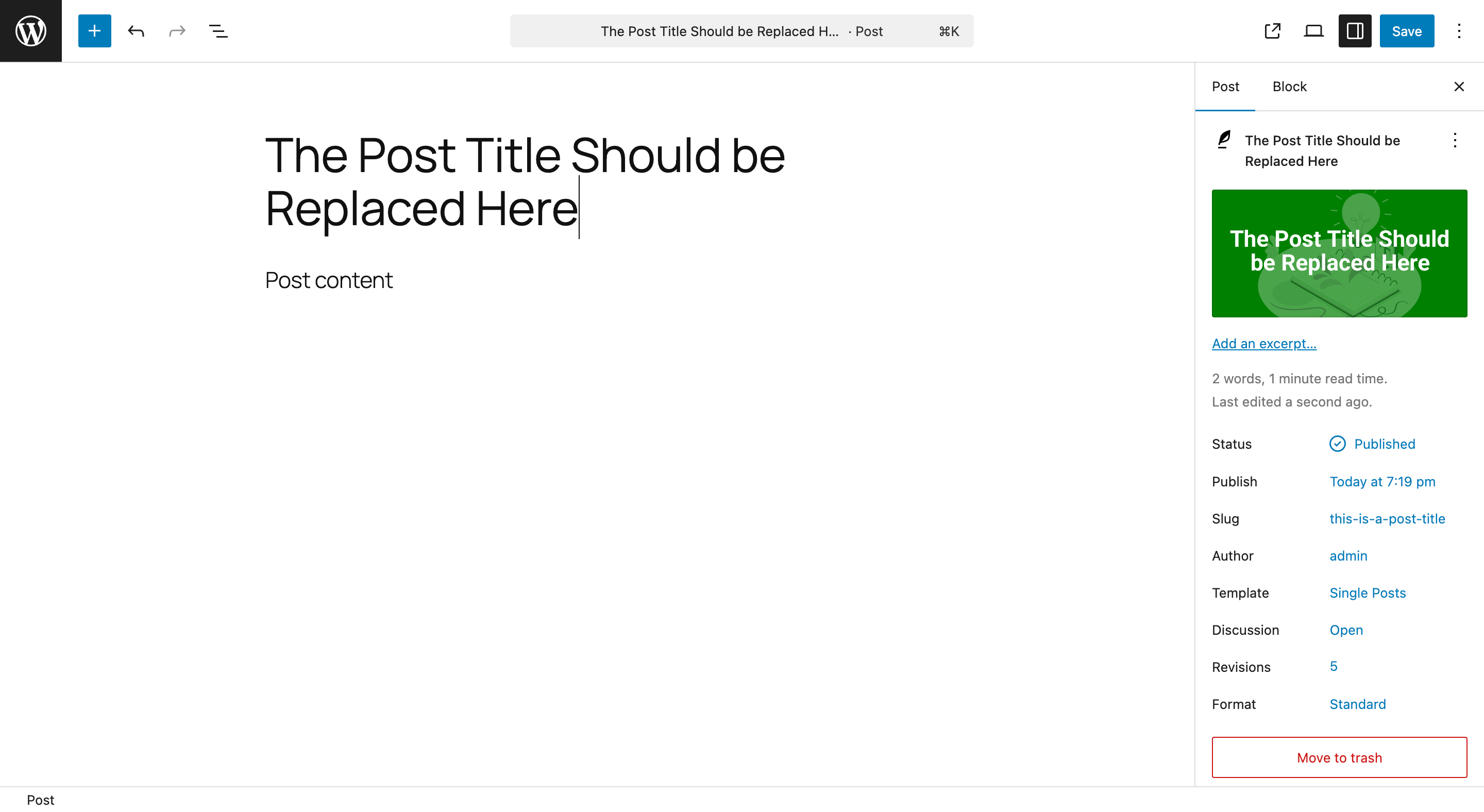
- Auto-generate featured images whenever a post or page is saved without one — from a template, AI or a stock photo.
- Insert images straight into Image and Media & Text blocks while you write, or set the featured image with one click from the AI Featured Image sidebar panel.
- Your own image templates — designs you build in the Template Studio (or start from 10 ready-made ones). The post title and other details are filled in and the image is drawn on your server with PHP's GD library. No API key, no cost, nothing leaves your site (unless a layer uses a stock photo or AI image).
- AI images — unique images from OpenAI GPT Image, written from your prompt or from the post's title and excerpt. Needs your own OpenAI API key.
- Free stock photos — Unsplash, Pexels and Pixabay. Needs a free API key from the library you use.
- Templates over photos — any template's background or image layer can show a stock photo or an AI image picked for each post.
- Bloggers who publish daily and never want to think about featured images again.
- News sites and magazines that need every article to have a thumbnail.
- WooCommerce stores that need product placeholder images.
- Affiliate marketers who want unique hero images for every roundup post.
- Agencies and freelancers managing multiple client sites.
- Membership and learning platforms that publish lots of lessons.
- Anyone who has ever shipped a post with a missing or generic thumbnail.
安装:
- Go to Plugins → Add New in your WordPress admin.
- Search for "Image Generator" by BeautifulPlugins.
- Click Install Now, then Activate.
- Download the plugin ZIP file.
- Upload the
artificial-image-generatorfolder to/wp-content/plugins/. - Activate Image Generator through the Plugins menu in WordPress.
- Go to Image Generator → Image Templates → Add New, pick one of the ready-made designs (or start blank) and adjust it in the Template Studio.
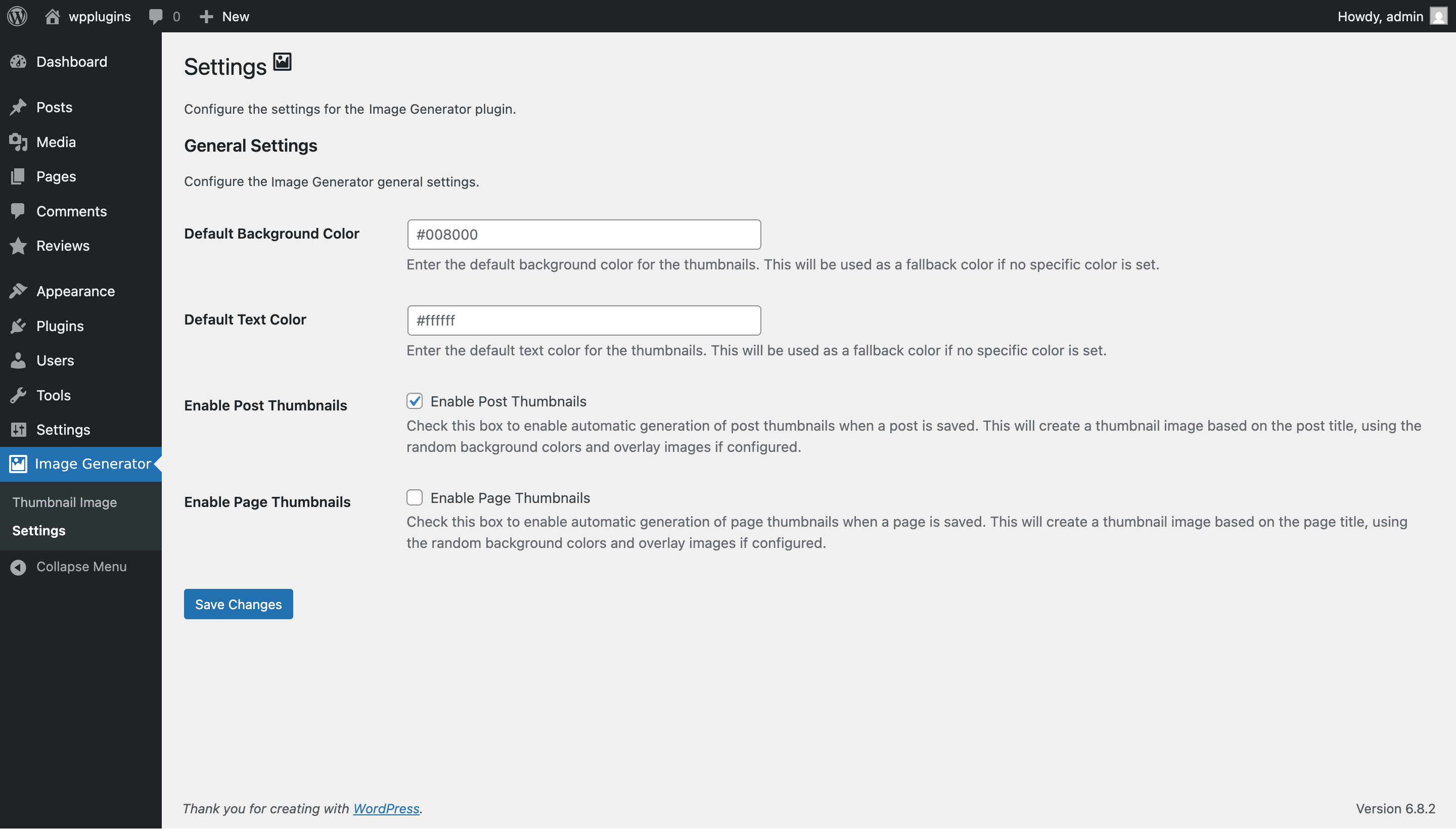
- (Optional) Open Image Generator → Settings and add your OpenAI API key to enable AI images.
- (Optional) Under Settings → Stock Photos, add a free key from Unsplash, Pexels or Pixabay and click Test Connection.
- (Optional, more secure) Define the keys in
wp-config.phpinstead:define( 'AIMG_API_KEY', 'sk-your-key-here' );(andAIMG_UNSPLASH_KEY,AIMG_PEXELS_KEYorAIMG_PIXABAY_KEY) - Done. Generate from the block editor or the Media Library, or just publish a post and let the plugin handle it.
屏幕截图:




常见问题:
Do I need an API key to use this plugin?
No — only for AI prompt-based generation and stock photos. Template-based image creation, including the automatic featured image on publish, runs entirely on your own server using PHP's built-in GD library. No external services, no API calls, no recurring costs — unless you give a template a stock photo or AI image layer. Stock photos need a free API key from Unsplash, Pexels or Pixabay; you only need one.
How do I get free stock photo API keys?
Create a free key at Unsplash, Pexels or Pixabay, then paste it under Image Generator → Settings → Stock Photos and click Test Connection. You can also define AIMG_UNSPLASH_KEY, AIMG_PEXELS_KEY or AIMG_PIXABAY_KEY in wp-config.php. New Unsplash keys are limited to 50 searches an hour until Unsplash approves them for production.
Can I design my own image templates?
Yes. Go to Image Generator → Image Templates → Add New to open the Template Studio. Start from one of 10 ready-made designs or a blank canvas, add backgrounds, images, overlays, shapes, patterns, frames and text, and use tags like {title}, {category} or {custom_field:key} so each post gets its own text. Templates are drawn on your server, so they cost nothing to use. You can export a template as JSON and import it on another site.
Which images can I use inside a template?
Background and image layers can show an image from your Media Library, the post's featured image, the first image in the post, the site logo, the site icon, the author's avatar (uploaded to the Media Library), a stock photo picked for the post (Unsplash, Pexels or Pixabay, searched with the post title or your own search text) or an AI image made for the post (from your own prompt). Stock and AI images are fetched once per post, in the background, and reused when you regenerate.
Do I need to credit stock photographers?
Unsplash, Pexels and Pixabay photos are free to use, and the libraries ask you to credit photographers where you can. The plugin adds a credit with links to the image caption (you can turn this off under Settings → Stock Photos) and always saves it with the image.
Which AI image generation service is supported?
Out of the box, the plugin calls OpenAI's Images API using GPT Image 2.5 Flare by default — you can switch to GPT Image 2.5 Sunburst or GPT Image 2 under Image Generator → Settings. Models OpenAI has retired (GPT Image 1, DALL·E 2 and DALL·E 3) are no longer offered; sites that used them switch to GPT Image 2.5 Flare automatically. Developers can swap the endpoint, model, or request body via the aimg_generate_endpoint and aimg_generate_request_body filters — so you can point it at compatible services (Stability AI, self-hosted SDXL via a compatible proxy, etc.).
How much does AI image generation cost?
You pay OpenAI directly for usage, based on the model, image size and quality; see OpenAI's pricing page for current rates. Larger shapes, higher quality and more variations cost more. The plugin itself is free; you only pay your AI provider for the images it creates. To keep costs predictable, limit AI to certain roles, set an hourly limit per user, and use templates for everyday posts. Automatic AI images are only created when a post is published or scheduled, not for drafts.
Where is my OpenAI API key stored?
By default, it's stored in the aimg_settings option in the WordPress database. For maximum security, define AIMG_API_KEY in wp-config.php instead — the settings UI will detect the constant and disable the input field, so the key never sits in the database.
Will this plugin generate featured images for existing posts?
Automatic generation only fires when a post is saved without a featured image. For existing content, open the post in the block editor and use the AI Featured Image panel to generate one on demand. Bulk generation across the entire site is on the roadmap.
Does it work with the Gutenberg block editor?
Yes. The block editor integration is the plugin's flagship feature. You'll find the ✨ button on Image and Media & Text block toolbars and a dedicated AI Featured Image panel in the document sidebar.
Does it work with the Classic Editor, Elementor, Divi, Beaver Builder, or Bricks?
The editor buttons are built for Gutenberg, but the same modal is available in Media → Library → Generate Image, so you can create template, AI and stock images there and use them in any builder. Automatic featured image generation works with every editor, because it runs whenever WordPress saves a post — so Classic Editor, Elementor, Divi, Beaver Builder, Bricks, and any other builder all benefit from auto-generated thumbnails.
Does it work with WooCommerce products?
On demand, yes. Open a product, download, course, or any custom post type that supports featured images, and use the AI Featured Image panel or the Media Library modal to generate and assign an image. Automatic generation on save currently covers posts and pages only; extending it to every public post type is next on the roadmap.
Does it work with SEO plugins like Yoast SEO, Rank Math, and All in One SEO?
Yes. Generated images are stored as standard Media Library attachments with proper alt text, so SEO plugins can read them, expose them in Open Graph and Twitter Card tags, and include them in sitemaps.
Will it slow down my site?
No. Template rendering uses PHP's GD library (already loaded) and only runs when a post is saved without a featured image — or when you explicitly trigger it from the editor. Automatic AI images and stock photos are fetched in a single background task per post (Action Scheduler when available, otherwise WP-Cron), so saving a post never waits for an outside service. There's no frontend overhead.
I moved a site that ran on a Windows server. Why do some older generated images point to the old folder?
On Windows, versions before 1.4.9 saved the full file path of generated images (for example C:/sites/example/wp-content/uploads/2026/04/image.png) instead of the path inside the uploads folder. They keep working on the same server. After a move, back up your database and remove the old uploads prefix, for example with WP-CLI: wp search-replace 'C:/sites/example/wp-content/uploads/' '' wp_postmeta --dry-run (run it again without --dry-run once the result looks right). Images generated with 1.4.9 or later are not affected.
Is it compatible with multisite?
Yes. Each site on the network can configure its own templates and API keys.
Is the plugin GDPR-friendly?
Template-based generation runs entirely on your server, nothing leaves your site (except for templates with a stock photo or AI image layer). Stock photo searches send only search terms (what you type, or keywords from the post title) to the library you use. AI generation sends only a prompt to OpenAI: the text you type, or — for automatic AI images and the Write a prompt from this post button — a prompt built from your prompt template, which by default contains the post's title and excerpt. No visitor data is ever sent. If your posts contain personal information, edit the prompt template so it doesn't include it.
Can I translate the plugin?
Yes. The plugin is fully translation-ready with a bundled .pot file. Both PHP and JavaScript strings are translatable.
Any tips for the best results?
- Build 3–5 well-designed templates so the random fallback always looks on-brand.
- Use Custom Prompt mode for hero images and standout posts; use Templates for everyday post thumbnails.
- For photo-style thumbnails that still look like your brand, use a template with a stock photo background.
- Keep prompts specific — "a sunlit forest path in autumn, photorealistic, soft lighting" beats "forest".
- Define
AIMG_API_KEYinwp-config.phprather than storing it in the database. - Pair this plugin with an image optimization plugin (Smush, ShortPixel, Imagify) so generated images load fast.
- Set a recognizable brand color in your templates so visitors associate the look with your site.
How can I report a bug or request a feature?
Use the plugin support forum on WordPress.org. We read every post.
更新日志:
- New: Admin notices for announcements and offers, with "Remind Me Later" and "Dismiss" options. Offers are not shown while Image Generator Pro is active.
- New: Free stock photos from Unsplash, Pexels and Pixabay. Search them in the editor and the Media Library with orientation and color filters, and insert one with a click. Photos are imported with alt text and the photographer's credit, and importing the same photo again reuses it.
- New: Stock photos as an automatic featured image method ("Stock photo" or "Stock photo, template if none is found"), picked with keywords from the post title in the background.
- New: Hybrid templates. A background or image layer can show a stock photo or an AI image made for each post, with your design on top. Two new starters use it.
- New: Stock Photos settings with a Test Connection button; keys can also be set with
AIMG_UNSPLASH_KEY,AIMG_PEXELS_KEYandAIMG_PIXABAY_KEY. - Enhance: Templates made before 1.7.0 are converted to the Template Studio format in the background, only when they look exactly the same; any that would change keep working as before and are listed in Site Health. Their old settings are kept.
- Enhance: The default background and text colors in Settings now apply to new templates; existing templates keep the colors they were saved with.
- Dev: Modal tabs can be added with the JS filter
aimgModal.tabs(actionaimg_enqueue_modal); new filtersaimg_stock_providers,aimg_stock_keywords,aimg_stock_stop_words,aimg_stock_max_bytes,aimg_unsplash_app_name,aimg_sanitize_settings,aimg_merge_tag_namesandaimg_studio_sample_tags; REST endpoints under/aimg/v1/stock. - Removed:
aimg_generate_preview(), deprecated in 1.7.1.
- Enhance: The Template Studio is now the only template editor. Templates made before 1.7.0 open in the Studio and look exactly the same; saving them there keeps their old settings too, so downgrading still works.
- Enhance: Duplicating an older template now creates a Studio copy.
- Removed: The classic template form and its save handler.
- Dev: Add-ons can add Template Studio layer types with the JS filter
aimg.studio.layerTypes(scripts enqueued on the newaimg_enqueue_template_studioaction) together withaimg_template_layers. - Enhance: Layers of a type whose plugin is not active are kept in the template instead of being removed, and are shown as unavailable.
- New: "Extra high" and "Maximum" AI image quality for GPT Image 2.5 Flare and Sunburst (GPT Image 2 uses High).
- Enhance: AI requests now wait up to 3 minutes instead of 2, so slow or high-quality images are not cut off. The
aimg_generate_timeoutfilter also receives the model and quality. - Deprecated:
aimg_generate_preview(); useArtificialImageGenerator\Templates\Repository::update_preview(). It will be removed in 1.8.0.
- New: Visual Template Studio. Design templates on a canvas with layers you can drag, resize and rotate, with snapping guides, undo/redo and keyboard shortcuts.
- New: Layer types for backgrounds (color, random palette, gradients, images, the post's featured or first image), images (rounded or circle masks, brightness, contrast, blur, black and white, duotone), overlays and gradient fades, shapes, patterns, frames and text.
- New: Text fits its box, with max lines, letter case, letter spacing, outline, shadow and highlight boxes, plus tags
{title},{excerpt},{category},{tags},{author},{date},{site_name},{reading_time}and{custom_field:key}, and layers that show only when a tag has a value. - New: 10 more bundled fonts (Roboto, Inter, Montserrat, Poppins, Playfair Display, Noto Sans), font uploads (.ttf/.otf), and the theme's color palette as swatches.
- New: Preview with short, long or very long titles or a real post, and an exact preview rendered by your server.
- New: Start from 8 ready-made designs, import and export designs as JSON, and duplicate templates.
- New: The templates list shows large previews with Edit, Duplicate, Set as default, Export and Delete.
- New: REST endpoints for managing templates (
/templates,/templates/{id},/templates/preview,/fonts,/capabilities) and developer filtersaimg_template_layers,aimg_fonts,aimg_merge_tags,aimg_template_document,aimg_template_startersandaimg_manage_templates_capability. - Enhance: Template images made from the editor are now attached to their post in the Media Library.
- Compatibility: Existing templates look exactly as before and keep their settings; they switch to the Studio only when you save them there. The classic form stays available for templates you haven't changed.
- New: Template or AI for automatic featured images. Choose under Settings → Automatic Featured Images: an image template (default, as before), an AI image, or either one with the other as a fallback.
- New: Pick which template automatic images use, instead of a random one.
- New: AI prompt template with tags (
{title},{excerpt},{category},{tags},{site_name},{custom_field:key}), style presets, and instructions that keep text and watermarks out of AI images. - New: Automatic AI images are created in the background (Action Scheduler or WP-Cron), only once a post is published or scheduled, and count against the post author's hourly limit.
- New: The AI Featured Image panel shows background progress and can generate or regenerate the featured image in one click.
- New: In the Custom Prompt tab, choose the image shape (square, landscape, portrait), quality, style and up to 4 variations, or write the prompt from the post.
- New: The Templates tab previews the selected template with your title.
- New: Default AI image shape and quality settings.
- New: Developer hooks
aimg_providers,aimg_generation_methods,aimg_pre_generate_for_post,aimg_template_for_post,aimg_style_presets,aimg_post_prompt,aimg_auto_generate_statuses,aimg_use_action_scheduler,aimg_kick_queue, and REST endpoints/featured,/status,/promptand/templates/{id}/preview. - Enhance: The template list is loaded once per modal instead of on every tab switch, and the prompt box is disabled until an API key is set.
- Fix: Titles containing
&or quotes are no longer shown as HTML codes in the Title text field, or drawn that way on images generated from the modal. - Fix: The Settings page now confirms when your settings are saved.
- Update: Current OpenAI models. The Image Model setting now offers GPT Image 2.5 Flare (new default), GPT Image 2.5 Sunburst and GPT Image 2. OpenAI retired DALL·E 2 and DALL·E 3 on May 12, 2026 and shuts down GPT Image 1 on October 23, 2026, so those models are removed and sites using them switch to GPT Image 2.5 Flare automatically.
- Fix: Images can only be attached to posts you can edit, and automatic AI images are no longer queued when no API key is set ("AI image, template if AI fails" then uses the template right away).
- Fix: Publishing many posts at once with an AI method no longer starts a server process per post; the extra images are created in the background one after another.
- Fix: Images created in the background are now uploaded by the post's author, and an old failure message no longer shows on posts that have a featured image.
- Fix: Saving a post no longer retries a failed AI image on every save (each retry was a paid request); use Try again in the AI Featured Image panel instead.
- Fix: A finished background image now appears in the editor even while the AI Featured Image panel is collapsed.
- Fix: Users who can't upload files (such as Contributors) no longer see generate buttons that would only show a permission error, and the panel is hidden on post types without featured images.
- Fix: AI request timeouts now show a plain message instead of a technical error.
- New: Who Can Generate AI Images setting — allow AI images for Authors and above (default), Editors and above, or Administrators only. Template images stay available to everyone who can upload files.
- New: Hourly Limit per User setting for AI images (default 20, 0 for no limit) to keep API costs under control.
- New: Developer filters
aimg_can_generate_from_prompt,aimg_ai_hourly_limitandaimg_generate_timeout. - Enhance: The API key is no longer included in the settings page. The field now shows only the last 4 characters; leave it empty to keep your key, or use the new Remove the saved API key option.
- Enhance: AI image requests now wait up to 120 seconds, so slower GPT Image generations no longer time out.
- Enhance: Admin notices are now shown only to the user who triggered them.
- Fix: Long words in a title (such as URLs or product codes) no longer run off the edges of the image; the text shrinks or wraps to fit.
- Fix: Titles containing characters like
&, quotes or apostrophes are now drawn correctly instead of as HTML codes, and used correctly as alt text. - Fix: A missing GD/FreeType library or a damaged overlay image no longer causes a fatal error when saving a post.
- Fix: Deleting a template now also deletes its preview image.
- Fix: Template settings are now checked against the allowed values when saving.
- Fix: The template font size is now correctly labelled in points.
- Fix: Resolved a few minor issues.
- New: Added an optional Remove Data on Uninstall setting. When enabled, deleting the plugin also removes your image templates and settings; it is off by default, and images already in the Media Library are never touched.
- Enhance: Unified template rendering behind a single generator service, so automatic featured images, the block editor and the REST API all produce identical results.
- Fix: Template dimensions and title font size are now validated on save, preventing a malformed template from rendering a blank image.
- Fix: Resolved a few minor issues.
- Compatibility: Tested up to WordPress 7.1.
- Fix: Resolved a few minor issues.
- Fix: The model 'dall-e-3' does not exist error for new OpenAI accounts. Switched default model to GPT Image 1.
- New: Added new settings option to select the AI image model (GPT Image 1, GPT Image 1 Mini, DALL·E 2, DALL·E 3).
- Fix: Resolved a few minor issues.
- New: Added image generation in the Media Library via the "Generate Image" button, allowing users to create images without opening a post or page.
- New: Added updated plugin screenshots to the WordPress.org plugin page.
- Enhance: Improved template editor with live preview and better color contrast checks.
- Fix: Resolved a few minor issues.
- Compatibility: Tested up to WordPress 7.0.
- New: Full block editor (Gutenberg) integration — toolbar button on Image and Media & Text blocks, plus an AI Featured Image panel in the document sidebar.
- New: Generate images directly inside the editor from a saved template or a custom AI prompt.
- New: AI image generation via OpenAI DALL·E 3 (configurable API key, swappable endpoint and model via filters).
- New: REST API endpoints (
aimg/v1/generate,aimg/v1/templates) with capability and nonce checks for headless and automation use. - New:
AIMG_API_KEYPHP constant for storing the API key outside the database. - Fix: Resolved minor bugs in the template image generation pipeline.
- Compatibility: Tested up to WordPress 6.9.
- New: Unlimited image templates with custom styles, dimensions, and overlay images.
- Fix: Compatibility issues with the latest WordPress release.
- Enhance: Faster image generation with reduced server load.
- Initial release.