
As Heard On
| 开发者 | DustinHartzler |
|---|---|
| 更新时间 | 2021年9月9日 02:25 |
| PHP版本: | 3.6 及以上 |
| WordPress版本: | 5.8 |
| 版权: | GPLv2 or later |
| 版权网址: | 版权信息 |
详情介绍:
The plugin includes the option to display a random (one or more) album artwork image in your sidebar using the built-in widget.
Album Art images can also be displayed all on one page. Simply put [aho] in the body of the page.
Be sure to read the included documentation for style and configuration help.
安装:
- Upload the entire as-heard-on folder to your plugins directory
- Activate As Heard On from the plugin page
屏幕截图:
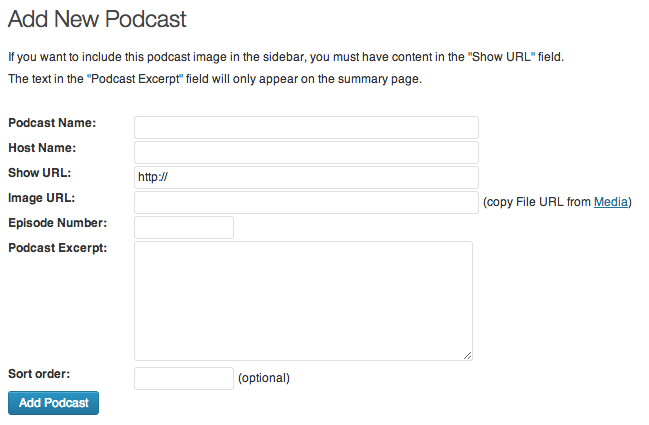
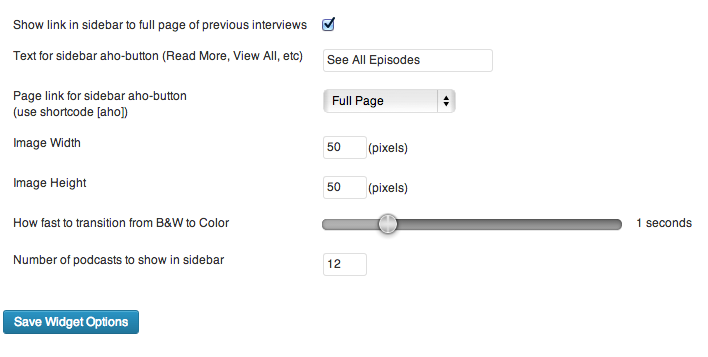
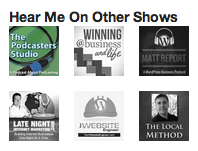
常见问题:
How do I display the album art in the sidebar?
Use the built-in widget to display an image(s) randomly pulled from the database.
How do I show all my Album Art Images on a page?
To show all images on a single page:
- Create a new page
- Put [aho] in the body text
- Publish
How do I configure widget settings?
Within the As Heard On Plugin configuration, navigate to Widget Settings. Here you can select how many images are display and how fast to transition from b&w to color.
更新日志:
1.15
- Updated compatibility to work with WordPress 5.8
- Automatically deploy new releases directly from GitHub
- Updated compatibility to work with WordPress 4.5 (it always worked, but now it officially does)
- A few tweaks to description text and some CSS to line all of the elements up right
- Fixed an issue that wouldn't allow you to upload an image from the Edit screen, which is probably something you need to do on that screen
- Fixed an issue that broke Featured Images (which was probably around for a long time)
- Fixed an issue that broke the ability to add images to Posts and Pages with certain themes
- Fixed enqueued Javascript for faster page loading
- Fixed slider to control how fast an image transitions from B&W to Color
- Removed duplicate CSS documents; there wasn't a need for them
- Changed CSS to Sass so it would take less effort to write CSS code
- Cleaned up a few UI things
- Lots of big changes coming for version 2.0
- New menu icon
- Added plugin icon for repository
- Compatible with WordPress 4.0
- Properly fixed the 'Add Image from Media Library' button. Thanks to Daniel J. Lewis for pointing out that it still didn't work.
- Changed menu heading to read: As Heard On instead of Other Shows, since the text fits nicely on one line with new UI of WordPress
- Fixed media library button so it actually works
- Added notification text under upload so people understand that the transitions only work when the files are on the same server as website
- Fixed CSS Styling issue that I broke in Version 1.0.7
- Updated broken sample podcast artwork included in plugin
- Verified plugins works with WordPress 3.9
- Removed 404'd resources on load. (Thanks to Daniel J. Lewis for pointing this out!)
- Fixed bug that caused the "Edit Podcast" to not save updated values
- Added a word break so extremely long URL's look nice in the Dashboard
- Added Title Tags to Album Art in Widgets
- Aligned the forms to look nice with WordPress 3.8
- Added ability to upload album art via Media Library
- Fixed some code under the hood
- Updated Settings icon to look good in WordPress 3.8
- Fixed update button to display in WordPress Blue
- Fixed issue with extra padding displaying in widget area (Thanks to Music Radio Creative for pointing it out!)
- Fixed save buttons to display in WordPress Blue
- Added screenshots to WordPress Repository Page
- Fixed broken links to documentation and support pages.
- Updated CSS for Widget Button to not conflict with other buttons
- Fixed broken link from settings panel
- First release