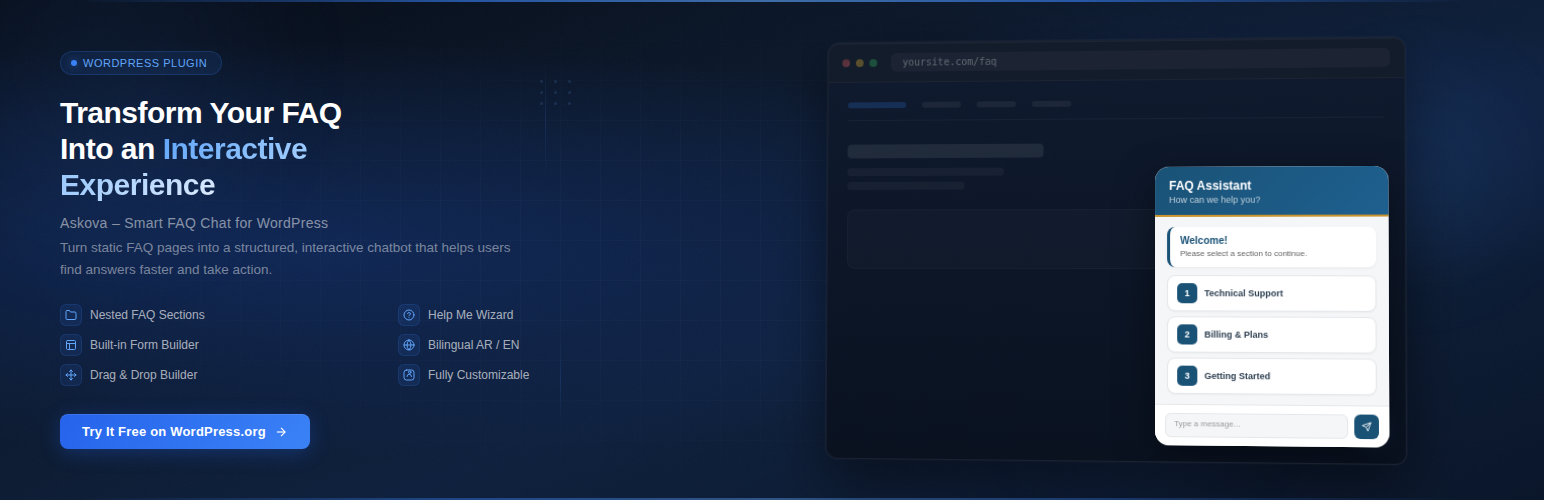
Askova – Smart FAQ Chat
| 开发者 | hossamhamed |
|---|---|
| 更新时间 | 2026年7月15日 17:12 |
| PHP版本: | 7.4 及以上 |
| WordPress版本: | 7.0 |
| 版权: | GPLv2 or later |
| 版权网址: | 版权信息 |
详情介绍:
Askova is a smart FAQ and AI chatbot that helps your visitors find answers quickly through an elegant floating chat widget. It answers from your own FAQ, your WooCommerce products, your uploaded knowledge files, and your site's own pages — and hands warm leads straight to you. Fully bilingual (Arabic/English) with RTL support.
AI Assistant:
- AI chat that answers strictly from your site's content (FAQ, pages/posts, knowledge files)
- WooCommerce-aware: understands product and category questions, with live prices, stock and links
- Arabic-aware search that keeps answers grounded and avoids made-up information
- Uploadable knowledge files the AI reads to answer
- Answer rating (thumbs up/down) feeding your satisfaction stats
- Visitor sign-up gate with optional consent checkbox and honeypot spam protection
- Conversations remembered per visitor for a configurable window
- Automatic lead sync to Google Sheets (one tidy row per visitor, whole conversation included)
- Calendly meeting booking from inside the chat, with bookings saved and emailed to you
- Email notification on new leads
- Analytics tab: AI questions, form submissions, satisfaction rate, most-viewed questions, content gaps
- AI question log presented visitor-first (like the WordPress Users screen)
- "Products & Sections" browser to see the questions and visitors tied to each item
- Floating chat widget with customizable position
- FAQ sections with unlimited sub-sections and quick in-widget search
- Quick Reply Buttons, Copy & Print answers, clickable links
- Rich text answers, typing animation, random welcome greetings
- Form builder with 8 field types and CSV export
- [askova] shortcode for inline FAQ pages
- Bilingual admin (Arabic/English), color customization, Google Fonts, drag & drop
- Anti-spam (honeypot + rate limiting), page-specific loading, mobile responsive
安装:
- Upload the
askovafolder to/wp-content/plugins/ - Activate the plugin through the 'Plugins' menu
- Choose your admin language (Arabic or English)
- Configure your FAQ sections and customize the design
更新日志:
2.14.0
- Version bump.
- NEW (Task 7): Visitors can now rate each AI answer with 👍 / 👎. Ratings feed into the existing satisfaction stats, so you can see how helpful the AI is. Can be turned off in the AI settings.
- NEW (Task 11): Privacy & spam protection for the AI chat sign-up form — an optional consent checkbox (with your own wording, required before chatting) plus a hidden honeypot field that silently blocks bots. Consent is off by default; enable it when you need explicit agreement.
- IMPROVED: The Calendly booking link now appears in exactly three moments you control: (1) the AI chat's opening message, (2) after the visitor is silent for a number of seconds you set in the settings, and (3) whenever the visitor asks — in any wording — to talk to a specialist. It no longer repeats in every reply. The idle timing and message are editable in Arabic and English.
- FIX: Product search now actually works for natural questions. Instead of sending the visitor's whole sentence to the store search (which almost never matched), the assistant now extracts the meaningful keywords first — Arabic-aware — and searches each one, so "منتج قلم" or "عايز مسكرة" find the right products.
- NEW: When a visitor asks broadly what the store offers and nothing specific matches, the assistant now replies with a store overview (product categories with counts and a few sample products) instead of saying it has no information.
- FIX: The Calendly booking link is no longer repeated in every reply. It now appears only when the visitor asks to talk to a person / book a meeting, or when the assistant genuinely can't answer from the available information.
- UPDATED: The recommended Gemini model is now gemini-3.5-flash (the latest stable model), shown as the default suggestion and placeholder. Existing setups are unaffected — gemini-2.5-flash still works, and you can type any model name. No code change was needed for compatibility since the plugin doesn't send temperature/top-p, which the Gemini 3.x models prefer left at default.
- NEW: "Book a meeting" is now its own button on the main chat menu (next to "Talk to AI"), instead of living inside the AI chat. Clicking it opens the Calendly popup reliably — the widget script is now loaded on demand if needed, with an automatic new-tab fallback so it always opens.
- NEW: The AI assistant now shares your Calendly link naturally in its greeting and closing, and whenever a visitor wants a consultation or to talk to a person.
- IMPROVED: Much better site awareness. The assistant now also searches your site's own published pages and posts (not just the FAQ, products, and knowledge files), so it can answer from real site content instead of saying it has no information. Knowledge-file recall was also increased.
- NEW: Calendly meeting booking inside the AI chat. Add your Calendly link (no API key needed) and visitors get a booking button; a gentle nudge message can appear after a chosen idle time. Confirmed bookings are captured to a new "Meeting Bookings" admin page, can trigger the same new-lead email, and are mirrored to Google Sheets when that integration is on. All button/notice text is editable in Arabic and English.
- IMPROVED: The bundled Google Apps Script now targets your sheet by ID (works reliably), writes into a clearly named "Askova Leads" tab, and formats it automatically — bold coloured frozen header, sized columns, wrapped conversation cell, and phone stored as text so leading zeros are kept.
- IMPROVED: The "Test connection" button no longer shows a misleading red error on hosts that hide Google's redirect response. It now shows a neutral amber note asking you to confirm the test row in your sheet, since the data does send successfully in that case. A precise message is still shown for a real token mismatch.
- FIX: The Google Sheets "Test connection" button now reports success correctly. Apps Script Web Apps answer through a 302 redirect, so the check now trusts the returned JSON body ({"ok":true}) instead of the raw status code — and gives a precise message when the secret token doesn't match. Data was already being saved; only the success detection was wrong.
- FIX: Google Sheets requests now send as text/plain, which avoids a CORS preflight that made Apps Script Web Apps reject the request with HTTP 400 even when correctly deployed. The "Test connection" button now succeeds against a properly published script.
- NEW: Google Sheets integration — automatically send every AI chat lead (name, phone, email, and the full conversation) to a Google Sheet. Each visitor is a single row keyed by their conversation, and new questions are appended into that same row so leads stay tidy. Includes a one-time setup guide, a ready-to-paste Apps Script, a secret token so only your site can write, and a "Test connection" button. Sending is non-blocking and fail-safe: a slow or broken sheet never delays or breaks the chat.
- NEW: "Products & Sections" dashboard page — browse each FAQ section and every product the AI has actually answered about, each with two tabs. The Questions tab shows a section's questions with view and 👍/👎 counts, or a product's info card and the AI questions it came up in. The Visitors tab lists the visitors tied to that item (exact for products, clearly labelled as inferred for sections) using the same expandable visitor rows as the AI log.
- IMPROVED: The AI assistant now understands category questions — when a visitor asks about a whole product category, it detects the matching WooCommerce category (choosing the most specific name when several overlap) and answers with the category link, total product count, and its top products, instead of coming up empty.
- IMPROVED: Product answers now include richer live detail — SKU, category, variable-product price ranges, and available stock quantity when the store exposes it.
- IMPROVED: Clearer replies when nothing matches — the assistant now names the searched term back to the visitor and suggests rephrasing or browsing, and when only part of a question can be answered it answers that part and states plainly what it doesn't have. These precise "not found" replies are still recorded as content gaps in Analytics.
- NEW: AI questions log redesigned as a visitor-first table (like the WordPress Users screen) — one row per visitor with a question-count badge; click a name to expand their conversations and every question/answer, with a marker on questions that had no product/knowledge match. Delete a whole visitor or a single conversation at once.
- NEW: Clickable links in AI replies — product/category URLs the assistant returns are now tappable (open in a new tab), safely escaped.
- NEW: Visitor details and the AI conversation are now remembered on the device for a configurable window (default 24h) and restored when the widget is reopened — including a fix for the thread being lost after closing and reopening the widget.
- NEW: Every AI question now records which specific products and knowledge files fed its answer (context references), powering upcoming product/section insight pages. CSV export gains Conversation ID, Visitor Key and Context Refs columns.
- NEW: "Analytics" dashboard page — time-period filter (today / 7 / 30 days / all), stat cards (AI questions, form requests, satisfaction %), most-viewed FAQ questions with a lightweight CSS bar chart, and an AI "content gap" list of questions the live product/knowledge-file search found nothing for.
- NEW: Quick Search box above the FAQ sections in the widget — visitors instantly filter every question (including sub-sections) by question or answer text, with a section badge on each result. Toggle + placeholder + "no results" message all editable (AR/EN).
- IMPROVED: Knowledge-file search — candidate chunks are no longer cut off by upload recency before scoring (pool raised to 300, ranked purely by relevance), plus Arabic-aware matching (definite-article variants, unified alef/ta-marbuta/alef-maqsura, tashkeel-insensitive scoring).
- DEV: ai_questions_log gains had_context + indexed conversation_id columns (explicit column upgrade, safe on existing installs) in preparation for conversation grouping.
- NEW: Pre-chat visitor form for the AI Chat — before a visitor can talk to the AI, they're asked for their name, phone, and email (once per visit). All labels and the title are fully editable from the dashboard, in Arabic and English.
- NEW: "AI Questions Log" dashboard tab — every question actually sent to the AI is logged with the visitor's name/phone/email, the question, the AI's reply, the date/time, and the visitor's IP. Includes card view, delete, and CSV export, matching the existing Form Logs tab.
- NEW: Completely rewritten in-plugin documentation ("Docs" tab) — a full guide covering every tab and feature in detail, in both Arabic and English, with a quick-navigation table of contents.
- IMPROVED: Redesigned admin dashboard — pill-style tab navigation with icons, refreshed color system built on the plugin's existing brand colors, a sticky Save bar, and polished styling for the AI Chat and Knowledge Files tabs.
- NEW: Multi-provider AI — choose between Google Gemini, OpenAI, Anthropic (Claude), DeepSeek, Groq, Mistral, OpenRouter, Together AI, or any other OpenAI-compatible API via a Custom option. Each provider keeps its own saved key/model.
- NEW: Live WooCommerce product search — when a visitor asks about a product name or price, the AI looks it up in your real store catalog (name, price, stock, link) instead of guessing.
- NEW: AI Knowledge Files — upload TXT, DOCX, or PDF documents; the AI searches their content for relevant answers alongside your FAQ. Only extracted text is stored, never the original file.
- IMPROVED: The AI now stays strictly within your site's content (FAQ + products + uploaded files) and never discusses its own identity/nature.
- NEW: AI Chat mode — a separate "Talk to AI" button next to your FAQ sections, powered by Google's free Gemini API. Visitors can ask anything in free text; the API key is stored and used only on the server, never exposed to the browser.
- NEW: AI Chat settings tab — enable/disable, API key, model, custom instructions (system prompt), daily per-visitor message limit, and conversation memory length.
- NEW: The AI is automatically given your site name and all FAQ sections/questions/answers as background knowledge, so it can answer general questions about your services instead of saying it doesn't know (toggle available).
- NEW: Position Offsets under General settings — set custom Top / Bottom / Left / Right values in pixels to fine-tune exactly where the widget sits on the page. Leave any field empty to keep its default position.
- FIX: Raised chat window stacking order (z-index) so it no longer sits beneath other page elements, which was causing scroll/touch events to hit the page instead of the widget
- NEW: Upload a custom widget (FAB) icon or image from the dashboard, under General settings
- FIX: Mouse-wheel and touch scrolling now stays inside the widget – the page no longer scrolls while the cursor is over the chat window (scroll chaining fixed)
- FIX: Updated compatibility with WordPress 7.0
- NEW: Multi-language support – assign language (Arabic / English / All) per section, form field, and help-me option
- NEW: Auto-detect front-end language from WPML, Polylang, TranslatePress, or WordPress locale
- NEW: Auto RTL/LTR direction based on detected page language
- NEW: UI texts (header, welcome, buttons) auto-switch to match visitor language
- FIX: CSS scoped with higher specificity to prevent WordPress theme overrides
- FIX: Copy/Print buttons now properly positioned in answer header
- FIX: Settings not persisting after cache purge (LiteSpeed, WP Super Cache, etc.)
- NEW: Automatic upgrade routine merges new defaults into existing settings
- NEW: Print Answer button (open print-friendly view / save as PDF)
- IMPROVED: Version tracking for smoother future upgrades
- NEW: Quick Reply Buttons (suggest related questions after answers)
- NEW: Copy Answer button (clipboard)
- NEW: Print Answer button (open print-friendly view)
- NEW: Welcome message variations (random greeting)
- NEW: Rich text support in answers (HTML, links, bold, lists)
- NEW: Anti-spam protection (honeypot field + rate limiting)
- NEW: CSV export for form submissions
- NEW: Answer satisfaction rating (thumbs up/down)
- NEW: Typing animation effect
- NEW: Session memory (localStorage)
- NEW: 3 new form field types (checkbox, radio, date)
- NEW: [askova] shortcode for inline FAQ display
- IMPROVED: Complete uninstall cleanup
- IMPROVED: Better performance and security
- Initial public release