
Askshelf – WooCommerce AI Analytics, Sales & Profit Reports
| 开发者 | nikhilbadveli6 |
|---|---|
| 更新时间 | 2026年11月13日 21:56 |
| PHP版本: | 8.1 及以上 |
| WordPress版本: | 7.1 |
| 版权: | GPL-2.0-or-later |
| 版权网址: | 版权信息 |
详情介绍:
安装:
- In your WordPress admin, go to Plugins › Add New, search for "Askshelf" and click Install Now, then Activate. WooCommerce must be active.
- Open Askshelf in the admin menu, just below WooCommerce. The free store snapshot is there straight away.
- Click Start free to connect, with no account or card, then ask your first question.
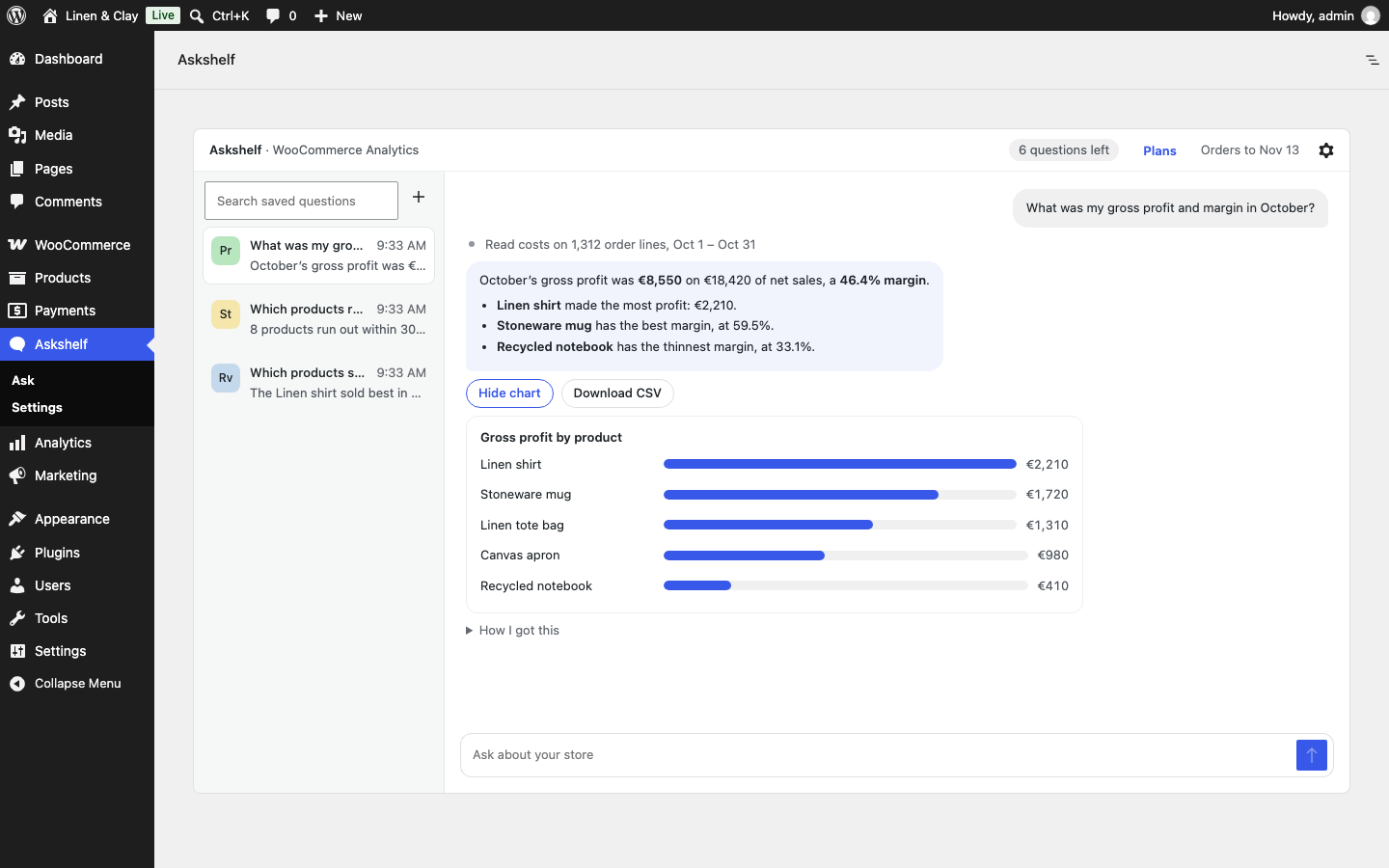
- Optional: for profit and margin, turn on Cost of Goods Sold in WooCommerce › Settings › Advanced › Features and add a cost to your products.
屏幕截图:
常见问题:
What is Askshelf?
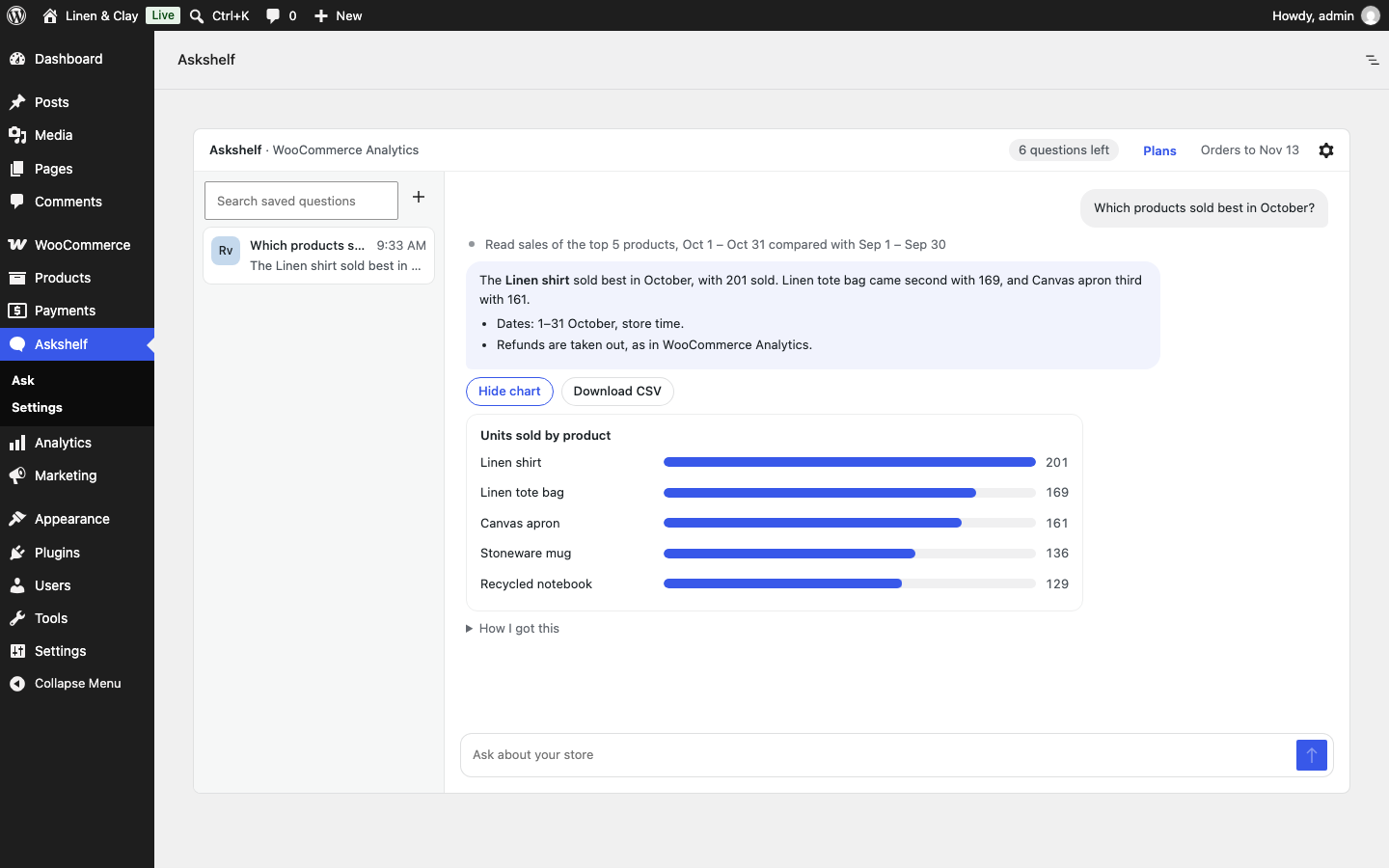
An AI reporting assistant for WooCommerce. You ask questions about your store in everyday language, and it looks up the answer in your WooCommerce Analytics data and explains it, with a chart where one helps.
Is Askshelf free?
Yes. The plugin is free, and every feature in it works on every plan. The store snapshot, the Dashboard widget and the weekly email never use questions. Answering questions uses the Askshelf service, and the free plan includes 10 questions per store each calendar month (UTC), with no account. Every question counts, including ones Askshelf declines as off-topic. Stopped questions, errors and questions blocked for personal data don't. Paid plans include more questions each month; see https://askshelf.in/#pricing. Buy, change or cancel one from Plans in the Askshelf top bar. Checkout and billing are by Dodo Payments; the plugin never takes payment details.
Do I need an OpenAI or other AI API key?
No. The Askshelf service handles the AI, so questions work as soon as you click Start free.
Where do I find it after installing?
In the Askshelf menu of your WordPress admin, just below WooCommerce. Click Start free to connect, then ask your first question. The store snapshot also appears on the WordPress Dashboard.
Does Askshelf change my store?
No. Every lookup is read-only, and there is no code in the plugin that writes store data. The only things it saves are its own settings and your chat history.
Is my customer data sent to the AI?
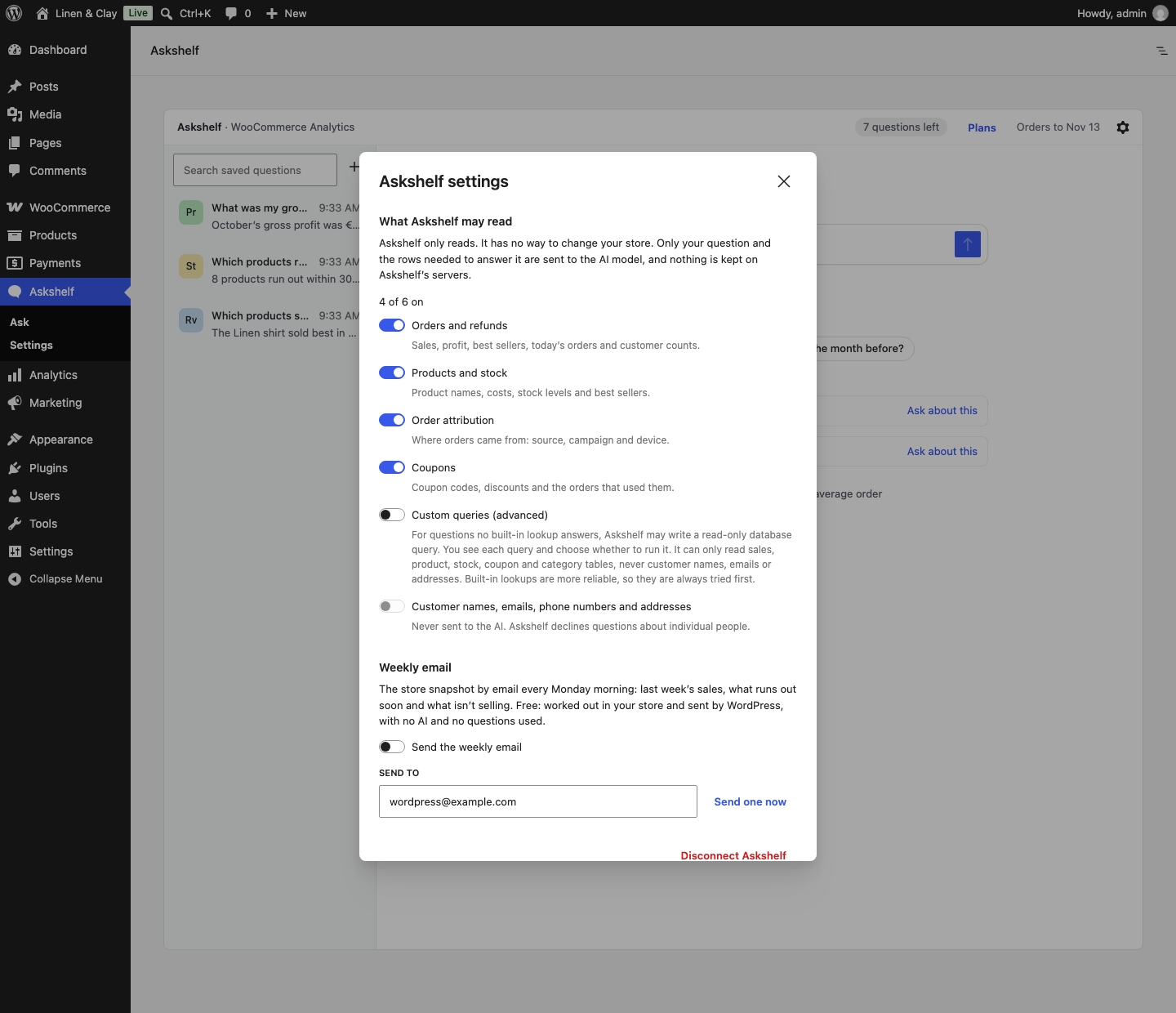
No. Customer names, emails, phone numbers and addresses are never read or sent. Questions that contain an email address or phone number are refused in your browser. Only your question and the totals needed to answer it (for example product names, order counts and amounts) are sent. See "External services" below for the full list.
How is this different from the WooCommerce Analytics reports?
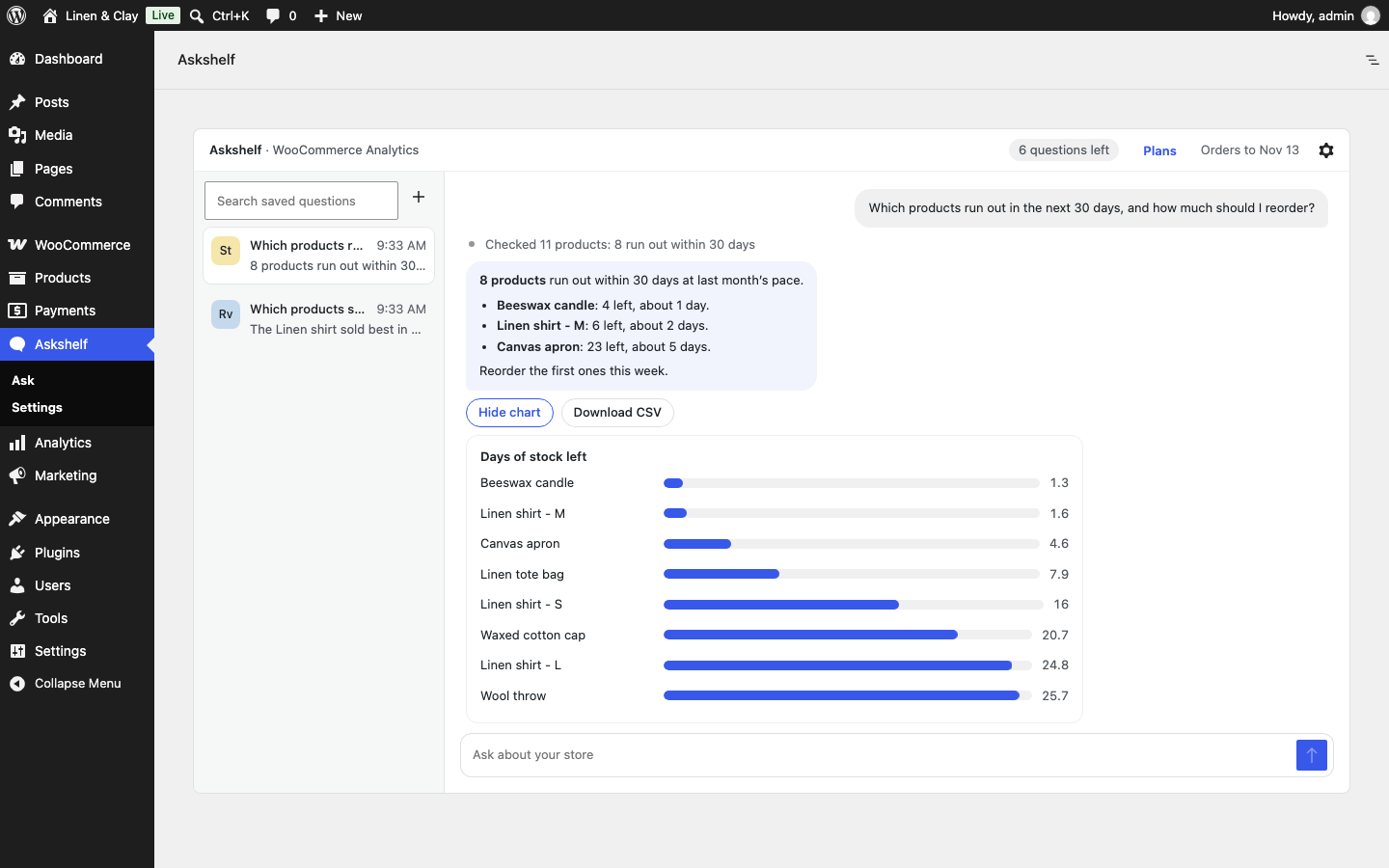
It reads the same data, so the numbers match. Instead of picking a report, setting dates and filters and comparing tables yourself, you ask the question and get the answer, the change and a chart. It also covers things the built-in reports don't put in one place, such as profit per product, products about to run out and stock that isn't selling.
Do I need WooCommerce Analytics turned on?
Yes. Askshelf reads the Analytics tables. If Analytics is turned off, the Askshelf page explains how to turn it on.
Some numbers look low.
If Analytics hasn't finished importing your older orders, the first screen shows a warning. Import them in Analytics › Settings.
Which order statuses does it count?
The same ones as WooCommerce Analytics. Change them in Analytics › Settings › Excluded statuses, and Askshelf follows.
How do I get profit and margin?
Turn on Cost of Goods Sold in WooCommerce › Settings › Advanced › Features, then add a cost to each product. WooCommerce records costs on orders placed after that, and Askshelf reports gross profit and margin from them.
Can I export the answers?
Yes. Answers with a chart or table have a Download CSV button.
What if no built-in lookup answers my question?
Turn on Custom queries in Askshelf settings (off by default). The AI can then write a read-only database query for the question. You see each query and choose whether to run it, and it can never read customer names, emails, phone numbers or addresses.
Is Askshelf GDPR friendly?
Askshelf is built to keep personal data out of the AI: customer names, emails, phone numbers and addresses are never read or sent, and the service does not keep your questions or answers. Review "External services" below and your own privacy policy before you use it on a live store.
Does it slow down my store?
No. Nothing runs on your shop's pages. Lookups run only in the admin when someone asks a question, and the snapshot is cached for a few minutes.
Does it work with HPOS?
Yes. It works with HPOS (order tables) and the older posts storage.
The weekly email says WordPress could not send it.
The weekly email is sent by your own site with WordPress's built-in mail, so it needs a site that can send email. Some hosts do not provide this. If "Send one now" fails, install an SMTP plugin (for example WP Mail SMTP or FluentSMTP) and connect it to your email provider, then try again. The message shows the reason WordPress gave.
Does deleting the plugin cancel my paid plan?
No. Cancel it first from Plans › "Invoices, card and cancelling" in the Askshelf top bar. If you reinstall on the same site and click Start free, your plan comes back.
Who can use it?
Anyone with the "View WooCommerce reports" capability (store managers and administrators by default). Connecting, changing what Askshelf may read and the weekly email need "Manage WooCommerce".
更新日志:
- Change: the plugin is now called "Askshelf – WooCommerce AI Analytics, Sales & Profit Reports" in the Plugins list. Nothing moves: the Askshelf menu, settings and saved questions stay where they are.
- Change: a clearer WordPress.org page, with new screenshots, installation steps, more FAQs and a Live Preview of a sample store.
- Fix: the Settings entry in the Askshelf menu now opens the settings dialog.
- Fix: the live demo now opens on the Askshelf menu page instead of the old Analytics address.
- New: Askshelf now has its own menu in the WordPress admin, below WooCommerce, with Ask and Settings entries. Settings opens the settings dialog.
- Change: the page moved from Analytics › Askshelf to the Askshelf menu, at a new address. Update any bookmarks.
- Fix: when the weekly email can't be sent, the message now shows the reason WordPress gave, and the FAQ explains how to fix it.
- New: Start free connects in one click, with no account. Buy, change or cancel a plan from Plans in the Askshelf top bar.
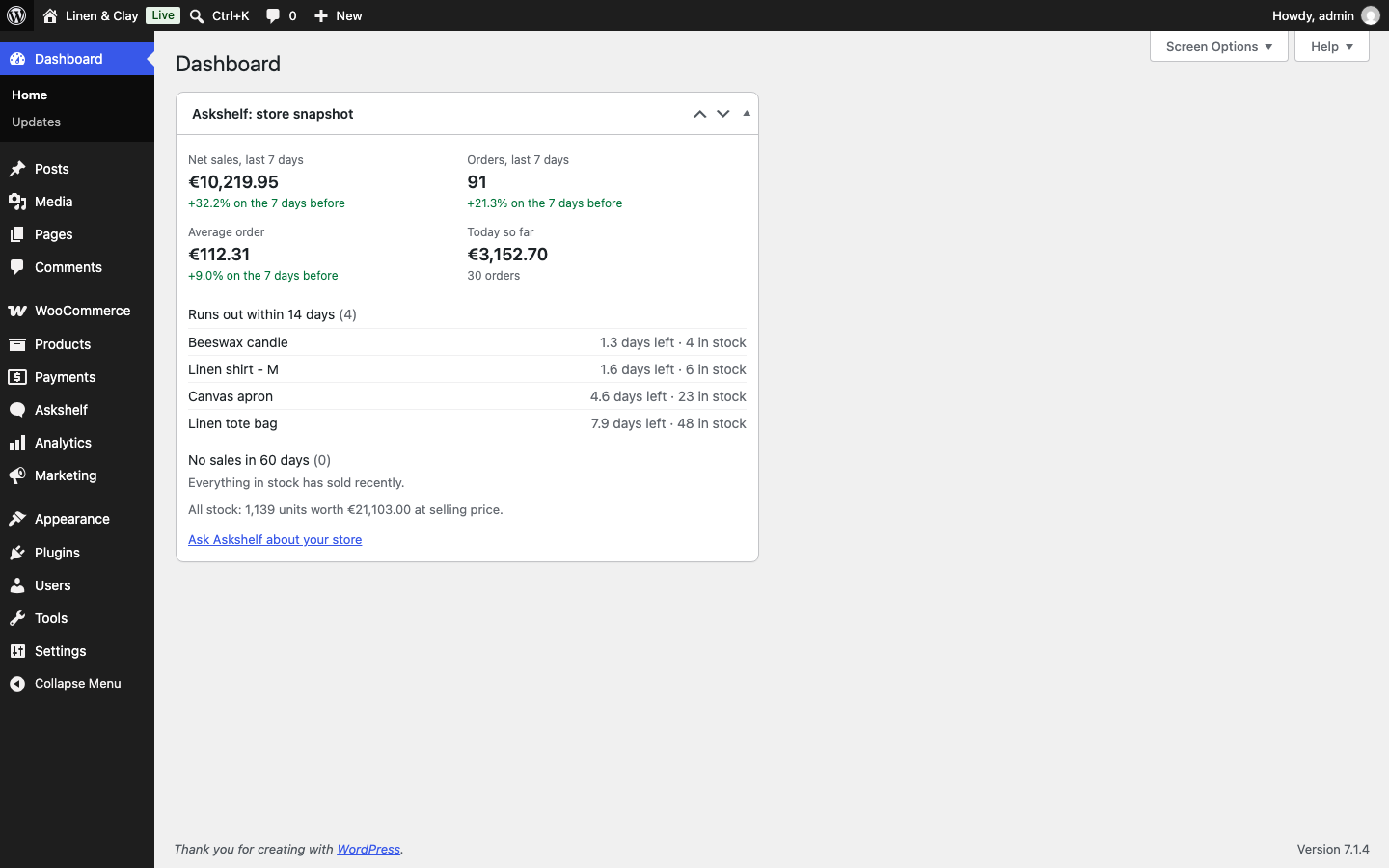
- New: an ask-first start page with suggestions from your store, up to three things that need attention, and the full snapshot one click away.
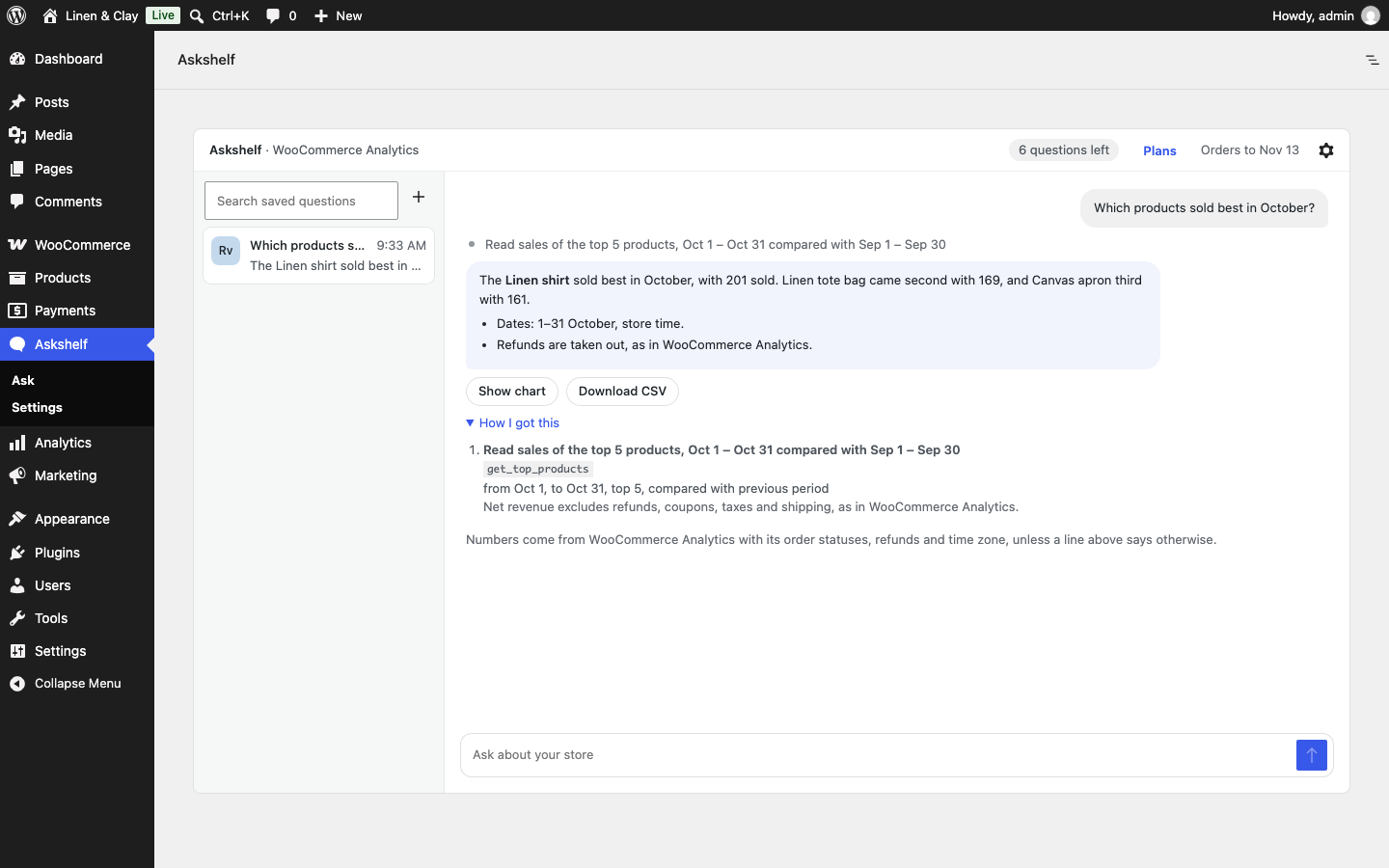
- New: "How I got this" under every answer shows each lookup, its dates and settings, and its caveats. Download CSV on answers with a chart or table.
- New: optional custom queries for questions the built-in lookups can't answer, shown to you before they run.
- Answers now state the numbers and the change in the text, not only in the chart.
- Deleting the plugin now disconnects the store from the service. A note on the Plugins screen says it doesn't cancel a paid plan.
- New: a free store snapshot on the Askshelf page and the WordPress Dashboard, with no questions used.
- New: an optional weekly snapshot email.
- New lookups: profit and margin (WooCommerce Cost of Goods Sold), sales by category, country, weekday, hour or payment method, new and returning customers, and stock that isn't selling.
- First release on WordPress.org.