A. Smith Health Monitor
| 开发者 | asmithmedia |
|---|---|
| 更新时间 | 2026年4月21日 05:00 |
| PHP版本: | 7.4 及以上 |
| WordPress版本: | 6.9 |
| 版权: | GPLv2 or later |
| 版权网址: | 版权信息 |
详情介绍:
A. Smith Health Monitor scans your active plugins and gives each one a health score based on update status, compatibility, performance impact, and known conflict patterns. It flags common patterns such as running multiple caching or SEO plugins at the same time, which can contribute to site issues.
Key Features
- Plugin Health Scores – Each active plugin gets a score (0-100) based on update freshness, WordPress compatibility, active installs, support resolution rate, and rating.
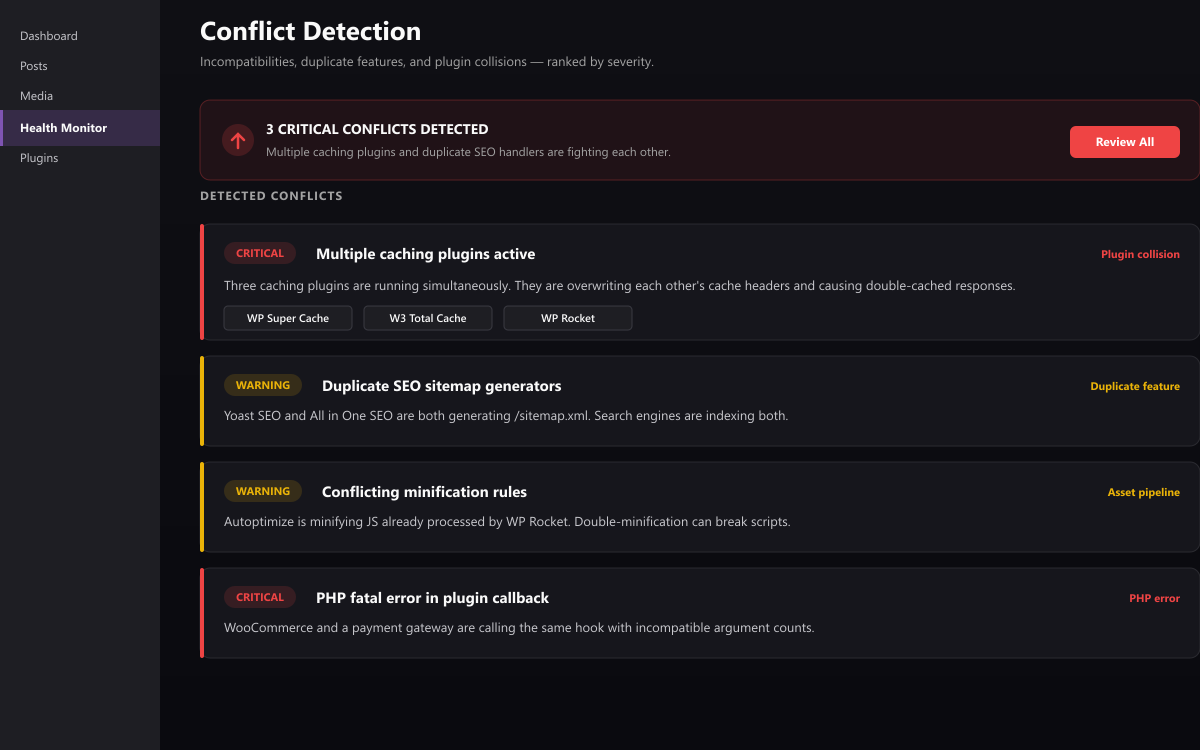
- Conflict Detection – Detects multiple plugins in the same category (caching, SEO, security, backup, minification) that commonly cause conflicts.
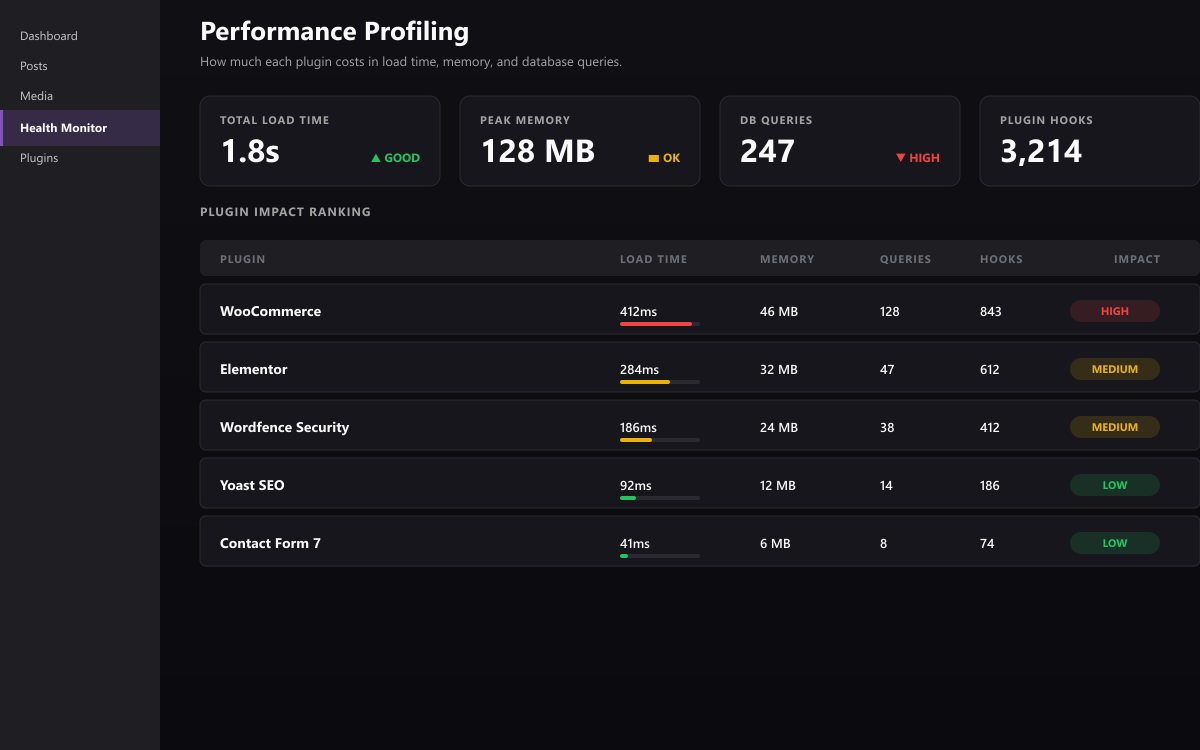
- Performance Profiling – Measures each plugin's footprint: file count, disk size, registered hooks, autoloaded options, and estimated memory usage. Labels plugins as lightweight, moderate, or heavy.
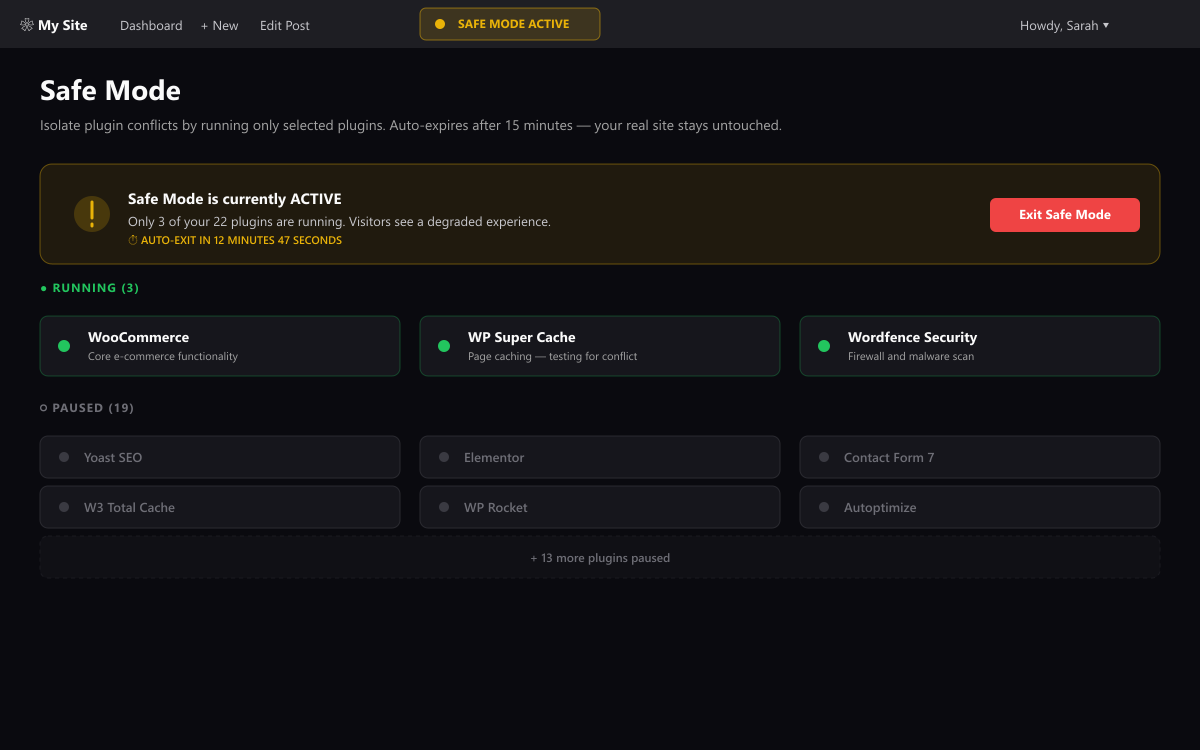
- Safe Mode – One-click conflict isolation testing. Temporarily hides all plugins except one to help identify which is causing issues. No database changes — uses WordPress filters. Auto-expires after 15 minutes.
- PHP Error Detection – Scans your debug log for plugin-related errors and groups them by source plugin.
- Hook Congestion Alerts – Warns when many plugins are hooked into sensitive WordPress hooks like
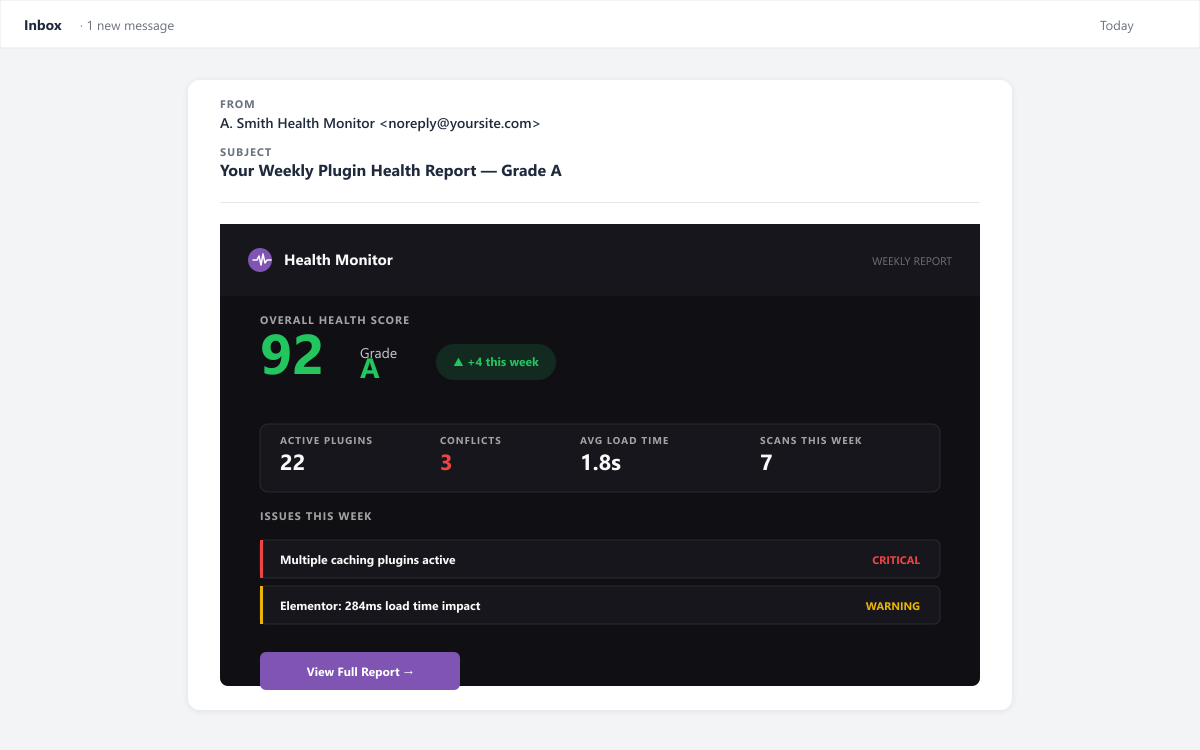
the_contentorwp_head. - Email Health Reports – Scheduled email digests (daily/weekly/monthly) with your site's health score, issues, and recommendations.
- Actionable Recommendations – Prioritized suggestions to resolve conflicts, update plugins, and improve performance.
- Install and activate the plugin.
- Visit Health Monitor in your admin menu.
- View your overall health score and per-plugin report cards.
- Click Run New Scan for a fresh analysis.
- Use Test in Safe Mode to isolate any suspicious plugin.
- Auto-rollback on detected conflicts
- Real-time conflict monitoring dashboard
- Performance history and trends (Chart.js graphs)
- Slack and email alert notifications
- White-label reports for agencies
- PDF health report export
安装:
- Upload the
asmith-health-monitorfolder to/wp-content/plugins/. - Activate the plugin through the Plugins menu.
- Go to Health Monitor in the admin menu to view your dashboard.
屏幕截图:
常见问题:
Does this plugin slow down my site?
Scans run on-demand or via a daily cron event. Results are cached in transients so repeated page loads do not re-run the scan.
Does Safe Mode actually deactivate my plugins?
No. Safe Mode uses a WordPress filter (option_active_plugins) to temporarily hide plugins from the active list. No database changes are made. It auto-expires after 15 minutes.
Does the free version require an account or external service?
No account is required and no data is sent to A. Smith Media. By default, the plugin works entirely on your site. You can optionally opt in to fetch plugin ratings and update metadata from the public WordPress.org plugin directory via the Settings screen.
What PHP version is required?
PHP 7.4 or higher. WordPress 6.0 or higher.
更新日志:
1.0.0
- Initial release
- Plugin health scoring (0-100)
- Conflict detection for caching, SEO, security, backup, and minification plugins
- Performance profiling with impact labels
- Safe Mode for conflict isolation testing
- PHP error log scanning
- Hook congestion detection
- Email health report digests
- Optional WordPress.org plugin directory metadata lookup (opt-in)